
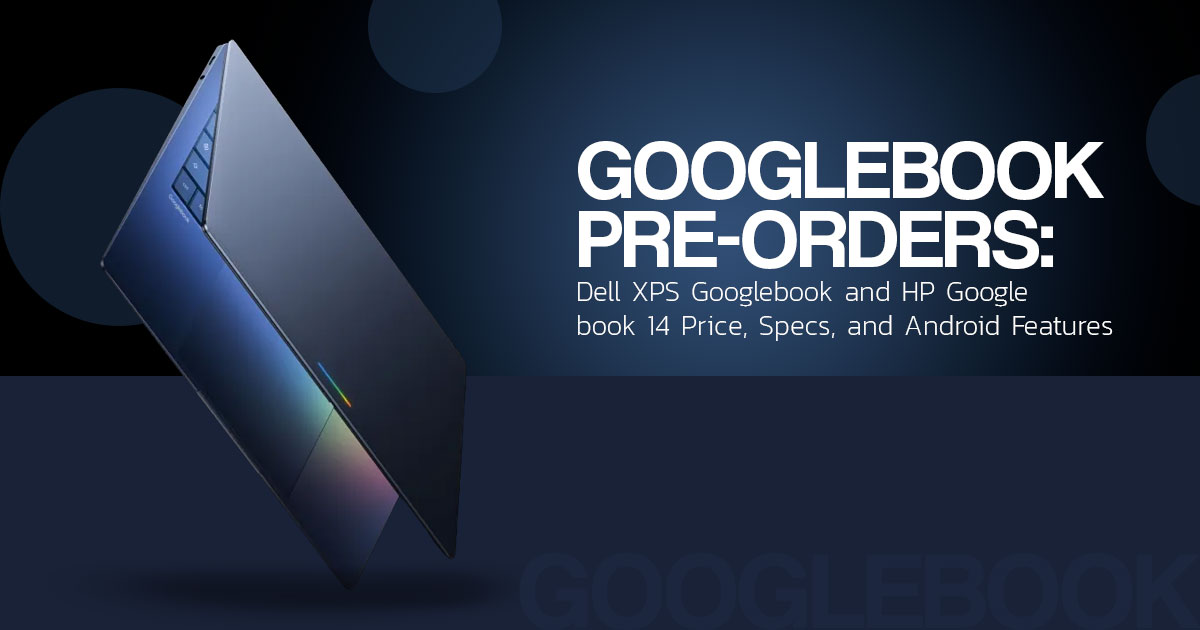
Which Googlebook Should You Buy? Dell XPS vs HP Googlebook 14, Specs and Features Explained
Googlebook pre-orders opened in the United States on September 21, 2026, with prices starting at $899 US MSRP. The first models are due to reach retailers on October 4, 2026, with Acer, ASUS, Dell, HP, and Lenovo among the launch partners. Dell and HP are also bringing Qualcomm Snapdragon X Elite-powered Googlebook laptops to the first wave of devices.
Googlebook is built around a closer connection between your laptop and your Android phone. Googlebook OS supports native Android apps, Gemini features, and tools for moving supported apps, files, and tasks between the two devices. For people who already spend much of their day using Android, Google apps, and web-based services, that could make the move to Googlebook easier.
There are limits to consider. Googlebook is not a direct replacement for every Windows PC or Mac. Buyers who depend on Windows or macOS desktop software should check application support before switching.
With more than 20 years of experience in hardware and application research and development, we assess products based on performance, hardware, durability, software support, price, and long-term value. This guide is for Android users, students, professionals, home users, and laptop buyers trying to decide whether Googlebook makes sense for their needs. Our coverage draws on product research, component analysis, real-world usability, and industry experience.
Below, we break down the Googlebook price, Googlebook specs, Googlebook OS, Snapdragon X Elite support, Dell XPS Googlebook, HP Googlebook 14, and the key points worth checking before you place a pre-order.
What is Googlebook?
Googlebook is a new laptop category designed around Gemini Intelligence and Android-phone continuity. Google describes the platform as built on Android technology with desktop foundations from ChromeOS.
That description is more precise than calling it simply an Android laptop or a Chromebook. Googlebook combines a desktop laptop interface with Android applications and connected-device features. Google lists Magic Pointer, Rambler, proactive suggestions, smart file search, Gemini Live, Cast My Apps, Continue On, and Quick Access among the platform features.
The practical goal is to reduce the work involved in moving between a phone and a laptop. A supported phone app can be opened from the laptop through Cast My Apps. Continue On is intended to help move a task from a phone to a Googlebook. Quick Access can expose supported phone files through the laptop’s file browser.
There are conditions. Some phone-continuity features require a supported phone running Android 17 or later, and availability can vary by country, language, application, and device. Native Android app support also does not mean that every mobile app will have a full desktop interface.
Googlebook price and release date
The official Googlebook price starts at $899 US MSRP for the broader launch range. This is a starting price, not a universal price for every model or configuration.
| Official or reported launch model | Processor family | Published configuration or description | US price status |
| Acer Googlebook 14 | Intel Core Ultra | 14-inch 3K OLED touchscreen; 16GB RAM and 512GB SSD in the listed configuration | $899.99 US; verify the current retailer configuration |
| Lenovo Googlebook 15 | Intel Core Ultra | Larger 15-inch-class design reported in launch coverage | Reported around $1,099; verify the current retailer configuration |
| Dell XPS Googlebook | Qualcomm Snapdragon X Elite | 13-inch laptop, 2.5K InfinityEdge touch display, 16GB memory and 512GB storage in the linked retail configuration | Dell launch page lists from $999 US |
| ASUS Googlebook 14 | Intel Core Ultra | 14-inch 3K OLED touchscreen; 16GB RAM and up to 512GB SSD in the listed configurations | ASUS lists $1,299.99 US |
| HP Googlebook 14 | Qualcomm Snapdragon X Elite | 14-inch 3K OLED touchscreen; HP product listing shows 16GB RAM and 512GB SSD for one configuration | HP press release lists from $1,199.99 US |
The Dell and HP prices above are not sale prices. They are the US starting prices or listed prices identified by the cited manufacturer pages at the time of research. Retailer promotions, taxes, shipping, configuration changes, and regional pricing can change the final amount.
The first US retail date is October 4, 2026. Readers outside the United States should check the local Googlebook, Dell, HP, or retailer page rather than applying US pricing or availability to another market.
Dell XPS Googlebook vs HP Googlebook 14
The Dell XPS Googlebook and HP Googlebook 14 are the two Snapdragon X Elite models confirmed by Qualcomm. Both are designed around Googlebook’s Gemini and Android features, but the published hardware details point to different priorities.
Dell XPS Googlebook: compact XPS hardware
Dell’s official launch article names the product Dell XPS Googlebook. It describes a 13-inch laptop with a 2.5K (2560 × 1600) InfinityEdge touch display, Qualcomm Snapdragon X Elite, a machined aluminum chassis, and up to 32GB of LPDDR5X memory.
Dell also lists a 2.2-pound weight, 12.7mm thickness, and a target of up to 16 hours of Netflix streaming. The battery figure is a Dell claim from a stated test scenario, not an independent result.
This model is the more compact option of the two. That may help buyers who carry a laptop frequently or prefer a smaller footprint. The trade-off is a smaller display area than the HP model’s 14-inch panel. The final specification should be checked against the exact retailer configuration because memory, storage, and display options can vary.
HP Googlebook 14: larger OLED display
The official press-release product name is HP Googlebook 14. HP describes it as a premium laptop with Qualcomm Snapdragon X Elite, Android-phone synchronization, Gemini features, and a 14-inch 3K OLED touchscreen.
HP’s product listing identifies one configuration with 16GB of memory and 512GB of SSD storage. HP’s press release states that the design is 10.91mm thin and claims up to 19 hours of battery life under HP’s test conditions.
The HP display may suit buyers who prefer a larger working area and OLED contrast. The published battery claim should not be compared directly with Dell’s figure because the companies describe different test methods. Actual runtime will depend on brightness, wireless activity, applications, video calls, and configuration.
HP also lists a 5MP camera, a vapor-chamber cooling system, biometric features, a USB-C GaN charger, and a Glowbar indicator. These details may matter to remote workers and travelers, but they do not establish how well every application will perform on the new platform.
Which Snapdragon X Elite Googlebook is more suitable?
The Dell XPS Googlebook is the more compact choice based on Dell’s published dimensions and weight. The HP Googlebook 14 offers the larger 3K OLED display and the higher manufacturer battery claim. The choice depends more on screen size, portability, phone compatibility, and software needs than on the processor name alone.
Googlebook features explained for buyers
Gemini Intelligence and Magic Pointer
Magic Pointer lets users select visible content and ask Gemini to analyze, compare, or create from it. The potential benefit is fewer steps when working with text or images on screen. The feature does not remove the need to review AI output for accuracy, privacy, and suitability.
Rambler and voice-to-text cleanup
Rambler is designed to turn informal spoken notes into cleaner text by removing filler words and applying formatting. It may help with outlines, notes, and early drafts. It should not be treated as a substitute for human editing in documents where accuracy and tone matter.
Create My Widget and proactive suggestions
Googlebook can surface suggestions based on information on the screen, and Create My Widget lets users build custom widgets by describing what they want. These features may be useful for users who organize tasks across Google services.
The trade-off is that connected features can involve access to personal files, calendars, messages, or screen content. Buyers should review permissions and privacy settings before enabling them.
Cast My Apps, Continue On, and Quick Access
These are central to Googlebook Android phone integration:
- Cast My Apps can open supported phone apps from the laptop without installing a separate laptop
- Continue On is designed to help move a supported task from an Android phone to a
- Quick Access can provide access to supported phone files from the laptop’s file
These functions are most relevant to Android phone owners. An iPhone user would not get the same phone-continuity features because Googlebook’s integration is designed around Android devices.
Googlebook performance and battery life
The five-model launch lineup includes Intel Core Ultra and Qualcomm Snapdragon X Elite processors. The Snapdragon models also include Qualcomm NPU hardware intended to support AI workloads.
Published battery figures are not directly comparable. Google’s general Googlebook page lists up to 14 hours, Dell lists up to 16 hours of Netflix streaming for the Dell XPS Googlebook, and HP claims up to 19 hours for the HP Googlebook 14 under HP’s stated test conditions.
These figures should be treated as manufacturer claims rather than guaranteed daily runtime. Brightness, browser activity, video calls, wireless connections, application behavior, and battery age can change results. Independent testing is still needed to assess sustained performance, fan noise, heat, sleep behavior, and real-world battery life.
Display, design, and connectivity
Google positions the launch range above basic Chromebook hardware and lists premium materials, OLED display options, haptic trackpads, backlit keyboards, biometric authentication, and the Glowbar design feature.
The Dell XPS Googlebook emphasizes a compact aluminum chassis and a 2.5K touch display. The HP Googlebook 14 emphasizes a 3K OLED touchscreen, a thin chassis, a 5MP camera, and additional security and charging features.
Those specifications can improve screen clarity, portability, video calls, and daily handling. They are also found on models positioned at higher price points. This article does not infer ports, wireless standards, charging speed, or battery capacity unless the cited official source confirms them.
Googlebook OS vs ChromeOS, Windows, and macOS
| Platform | Relevant strength | Limitation to consider |
| Googlebook OS | Gemini features, native Android applications, and Android-phone continuity | New platform with less long-term track record than Windows, macOS, or ChromeOS |
| ChromeOS | Established browser-first workflow and simple management | Uses a different platform and Android-phone integration model |
| Windows | Broad desktop software compatibility and wide hardware choice | Android-phone continuity may require separate tools and setup |
| macOS | Mature hardware-software integration | Its strongest continuity features are designed for Apple devices rather than Android phones |
This is a platform comparison, not a claim that every operating system performs the same on every task. Buyers should check the exact applications they use before ordering.
Pros and limitations of Googlebook laptops
| Potential advantages | Limitations or open questions |
| Android-phone continuity is built into the platform design | Some features require Android 17 or later on supported phones |
| Native Android applications and games are supported | App interfaces and compatibility may vary |
| Gemini features are integrated into the laptop experience | AI output still requires checking |
| Premium display and material options are available | Dell and HP models cost more than the $899 entry price |
| Snapdragon X Elite options include dedicated AI hardware | Independent performance and battery testing remains important |
| Five manufacturers provide different designs | Prices and configurations vary by market and retailer |
Who should buy a Googlebook?
A Googlebook laptop may suit:
- Android phone owners who want supported phone files and apps available on a laptop.
- Users whose work fits browser applications, Google services, Android applications, and standard productivity tools.
- Buyers who understand that Googlebook is a newer platform and are comfortable checking application compatibility.
- Travelers who value the published portability and battery claims of the Dell XPS Googlebook or HP Googlebook 14.
A buyer should consider waiting or choosing another platform if:
- The workflow depends on Windows-only or macOS-only applications.
- Independently tested battery life and performance are required before spending more than $1,000 US.
- The buyer uses an iPhone and does not expect meaningful Android continuity benefits.
- The priority is the lowest-cost laptop rather than premium materials or display options.
- The buyer needs a mature native desktop gaming library.
Should you pre-order Googlebook?
Pre-ordering may make sense for buyers who specifically want Android-phone continuity and have confirmed that their required applications work on Googlebook. The Dell XPS Googlebook is the more compact Snapdragon option based on Dell’s published design details. The HP Googlebook 14 offers the larger 3K OLED display and a higher manufacturer battery claim.
Waiting for independent reviews is a lower-risk option for buyers who are uncertain about compatibility, sustained performance, real battery life, or long-term software support. Those questions are more important than a small difference in processor branding.
Check Googlebook prices on Amazon
Amazon US Googlebook listings
The Googlebook price and inventory can change as retailers receive different configurations. Check Amazon US for the Dell XPS Googlebook and HP Googlebook 14, then confirm the exact memory, storage, display, seller, warranty, return policy, and delivery date. The links below are general searches, not confirmation that a specific configuration is in stock.
Check current Googlebook listings on Amazon US
Amazon India Googlebook listings
US launch pricing and dates should not be applied to India. Check Amazon India for current listings and confirm whether the product is officially sold in the region. For imported products, review warranty coverage, keyboard layout, taxes, seller reputation, and return conditions.
Check current Googlebook listings on Amazon India
Replace these general search links with approved affiliate URLs and verified product pages when eligible listings become available. Do not describe a temporary discount as the standard price.
Final verdict
Googlebook stands out by bringing together premium laptop hardware, Gemini features, native Android apps, and tighter integration with Android phones. Qualcomm has confirmed two Snapdragon X Elite models so far: the Dell XPS Googlebook and HP Googlebook 14. They take different approaches to the hardware, with Dell focusing on a more compact XPS design and HP offering a larger display with a 3K OLED panel.
Googlebook may make the most sense for Android users who already rely on Google services, web apps, and Android software for their day-to-day work. Windows still has broader support for many specialized desktop applications, while macOS is a natural fit for people already using Apple devices.
Before placing an order, check the exact US configuration and current price. It’s also worth confirming which phone features require a compatible Android device. If software compatibility or battery life is a major concern, waiting for independent testing could give you a clearer picture of how these laptops perform in everyday use.
Frequently asked questions about Googlebook
What is Googlebook OS?
Googlebook OS is the platform used by Googlebook laptops. Google describes the broader platform as built on Android technology with desktop foundations from ChromeOS.
How much does Googlebook cost?
The US launch range starts at $899 MSRP. The Dell XPS Googlebook and HP Googlebook 14 are listed at higher starting prices in the cited manufacturer material.
What is the Googlebook release date?
Pre-orders opened on 21 September 2026, and Google announced an initial US retail date of 4 October 2026.
Does Googlebook run Android apps?
Yes. Google and Qualcomm state that Googlebook supports native Android applications and games. App behavior may vary by application and device.
What is the Dell XPS Googlebook price?
Dell’s official launch page lists the Dell XPS Googlebook from $999 US at the time of research. Check the live listing because configurations and retailer prices can change.
What is the HP Googlebook 14 price?
HP’s official press release lists the HP Googlebook 14 from $1,199.99 US. The final price may vary by configuration, retailer, tax, and promotion.
Is Googlebook better than a Chromebook?
That depends on the buyer’s needs. Googlebook targets premium hardware and deeper Android-phone and Gemini integration, while a conventional Chromebook may be more suitable for a simple, lower-cost browser-first workflow.
Have a question about Googlebook, its pricing, specs, software support, or the first laptops? Drop it in the comments and we’ll do our best to help.
Follow us for more laptop and tech guides, and tell us what you’d like us to cover next.
Disclaimer

This article is based on our research, analysis, available product information, user feedback, and industry knowledge. It is not an official statement from any brand or manufacturer mentioned in the article. Product specifications, prices, software features, and availability can change. We do our best to keep the information up to date, but please check the latest details with the manufacturer or retailer before making a purchase.

Some links in this article may be affiliate links. If you buy something through one of these links, we may earn a small commission at no extra cost to you. These commissions help support the site and our work. They do not affect how we assess or discuss products. Comments and opinions shared by readers belong to the people who post them and do not necessarily represent our views. Information on this site is provided for general purposes, and we cannot guarantee a particular result from using it. Where professional advice is needed, consult a qualified professional.

All product names, logos, and trademarks belong to their respective owners. We use them only to identify the products and companies discussed and do not imply endorsement or affiliation.
