
This is a research-based review. We did not test a physical unit ourselves. We analyzed Makerfabs’ official specifications and documentation, the ESP32-S3 documentation, relevant open-source software, and the documented desk-gadget build. We also cross-checked comparable hardware and listed prices that were available at the time of review. Build results are attributed to the source project rather than presented as our own measurements.
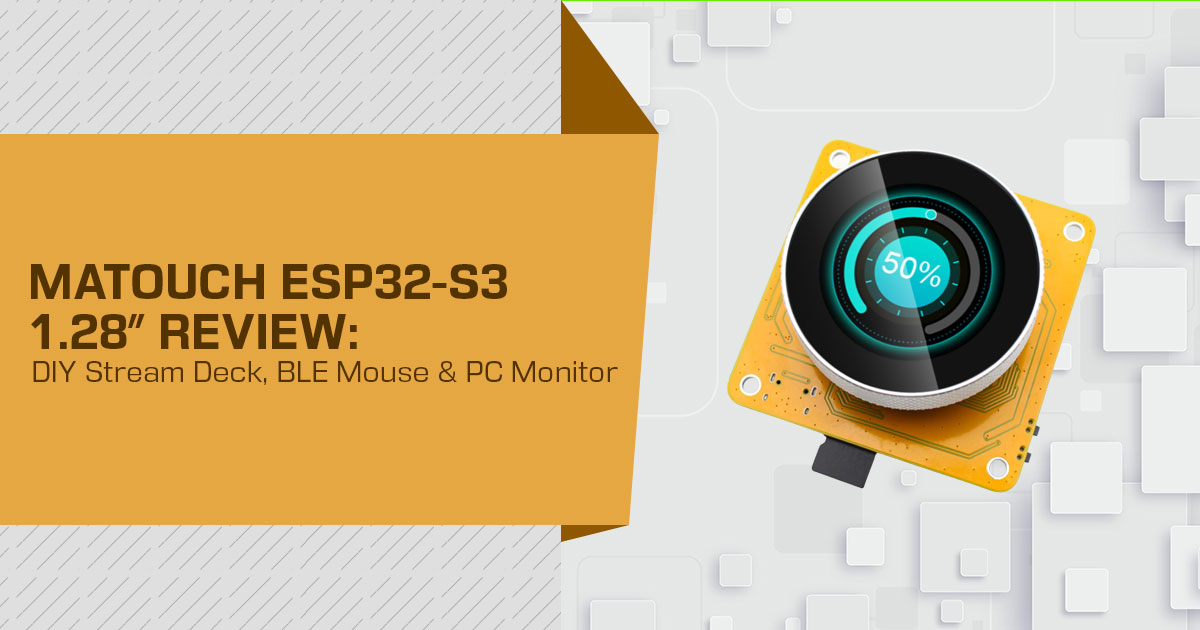
The MaTouch ESP32-S3 Round SPI TFT with Touch 1.28″ from Makerfabs is a small development board built around an ESP32-S3 and a 1.28-inch, 240×240 round capacitive touchscreen. It includes Wi-Fi and Bluetooth 5.0 LE, so it can serve as the base for projects such as a DIY Stream Deck alternative, wireless PC monitor, or custom desk gadget. For DIY makers, developers, PC enthusiasts, and smart-desk builders, the appeal is simple: one small board combines the controller, display, touch input, wireless connectivity, storage, and expansion options.
A build documented by the Electronic Clinic channel shows how the board can be used in a real project. Programmed through the Arduino IDE, it was used as a BLE mouse with touch-based cursor movement and clicks, a live CPU, GPU, and RAM monitor fed by a short Python script, and a media dashboard showing the current song and artist with playback controls and a one-tap app launcher. These are results from the documented build, not independent measurements by us.
That combination is the real attraction. Instead of using separate hardware for mouse control, system monitoring, and media controls, the project puts all three functions on one small touchscreen. When powered from a suitable LiPo battery, the gadget can handle these desk functions wirelessly; the documented build itself used USB-C power. The catch is that the monitoring and media features still depend on a Python script running on the PC.
As technology experts with over 20 years of experience in hardware and application research and development, we look at products from the things that matter after the initial excitement wears off: real-world performance, durability, ease of use, and value for money. For this board, that means looking beyond the $21.80 price and asking how useful the ESP32-S3, touchscreen, Wi-Fi, and Bluetooth features are in everyday projects, where the hardware has limits, and how much work the software side adds. Our recommendations are based on extensive research, component analysis, real-world usability, and industry expertise.
This review explains what the MaTouch ESP32-S3 board is, what the documented wireless desk gadget demonstrates, where its limitations lie, and whether it makes sense for your next ESP32 project, DIY Stream Deck, wireless desk gadget, or PC control panel.
How We Reviewed This Board
We want to be clear about the method because it affects how much weight you should give the real-world sections.
- Core specifications come from Makerfabs’ official product page and wiki, cross-checked against Espressif documentation where the ESP32-S3‘s wireless capabilities matter.
- The build results come from the public Electronic Clinic project we We treat those demonstrations as source-reported results, not as independent lab measurements.
- Software and ecosystem claims were checked against the relevant project repositories and vendor documentation where available.
- Alternative hardware and pricing were cross-checked against current manufacturer pages and marketplace information that we could verify. Prices and availability can change.
We did not measure latency, battery life, display brightness, power draw, or physical build quality ourselves. Where the article discusses the demonstrated build, we identify it as such.
Product Overview: The Board and the Desk-Gadget Build
The MaTouch ESP32-S3 Round SPI TFT with Touch 1.28″ (SKU E32S3128GC) is an all-in-one development board with an ESP32-S3 controller, a 1.28-inch round display, CST816S capacitive touch, USB-C, reset and flash buttons, two Mabee (Grove-compatible) expansion connectors, and a microSD slot. The board is roughly 32.5 × 36 mm, according to the published dimensions cited in the source material.
| Specification | Value (per Makerfabs) |
|---|---|
| Controller | ESP32-S3 |
| Flash / PSRAM | 16MB Flash / 8MB PSRAM (vendor specification) |
| Display | 1.28-inch round, 240 × 240 display with GC9A01 driver and SPI interface |
| Touch | Capacitive touchscreen with CST816S controller |
| Wireless Connectivity | Wi-Fi and Bluetooth 5.0 LE |
| USB | Native USB via USB Type-C |
| Power | USB-C 5V (4.0–5.25V); supports a 3.7V LiPo battery |
| Expansion | 2× Mabee (Grove-compatible) connectors supporting I2C and GPIO |
| Storage | microSD slot; vendor documentation references a 16GB TF card |
| Operating Temperature | −40°C to +85°C |
| Supported Frameworks | Arduino (confirmed) and LVGL (vendor demo) |
| Price | US$21.80 from the Makerfabs store, listed as in stock at the time of writing |
What this means for the buyer: this is a ready-to-use development board rather than a bare ESP32-S3 module that needs a separate display. You do not need to wire the display to a separate controller. A case and suitable power source are still separate considerations.
The desk-gadget build we analyzed used this board as its main hardware platform. It is the reference project for the feature and performance sections below and shows how the ESP32-S3, round touchscreen, and wireless connectivity can be combined for several desk functions.
For the latest price and availability, check the Makerfabs product page before ordering.
Key Features, and What Each One Means for You
One board, three roles
The board’s value comes from having the controller, display, touch input, and wireless connectivity on one PCB. In the documented build, that single board handled a mouse, a system monitor, and a media/app controller.
Buyer’s takeaway: one board gives you a compact project platform. The comparison is not really about replacing three commercial products; it is about getting several useful desk functions from one inexpensive development board.
BLE mouse support without PC software
Because the ESP32-S3 supports Bluetooth Low Energy and can be configured as a standard HID device, a compatible computer can recognize it as a mouse. The build we analyzed used the open-source ESP32-S3-BLE-Mouse library in Arduino IDE and paired the board through Windows Bluetooth settings. No PC software was needed for the mouse function itself.
Buyer’s takeaway: if you want a wireless touch-based input device, this is a low-cost way to experiment with BLE HID. The trade-off is the small screen, which makes it more like a touchpad surface than a full-size trackpad.
16MB Flash and 8MB PSRAM
Makerfabs lists 16MB of flash and 8MB of PSRAM for this board and describes that memory configuration as suitable for most IoT applications.
Buyer’s takeaway: extra flash gives the project room for fonts, icons, firmware, and other assets, while PSRAM can help with graphics buffers and larger UI workloads. The available memory is well suited to the kind of 240×240 interface shown in the documented project. More demanding applications may still require careful memory planning.
Open software stack: Arduino IDE, LVGL, and Python
The board supports Arduino, and Makerfabs provides LVGL and SquareLine Studio examples for its MaTouch products. The documented desk-gadget build combines Arduino-side firmware with Python and Bleak on the PC for the system-monitoring and media functions.
Buyer’s takeaway: the development path uses familiar tools rather than a proprietary IDE or cloud service. The main extra work is on the PC side, where the monitoring and media features need a script.
Expansion without re-soldering
Two Mabee (Grove-compatible) connectors—one I2C and one GPIO—plus a microSD slot provide room for sensors, buttons, and local storage without redesigning the board.
Buyer’s takeaway: the expansion ports make it easier to turn the basic desk gadget into something more useful, such as a controller with extra sensors or physical inputs.
Display: 1.28″ Round, 240×240, and What That Actually Covers
The 240×240 round display uses the GC9A01 driver over SPI, while the CST816S handles capacitive touch. Independent coverage from CNX Software also lists the same display and touch-controller combination. That source is useful for hardware cross-checking, but we do not rely on its older Bluetooth-mode description because Espressif’s current documentation is the higher-authority source for ESP32-S3 Bluetooth support.
A few honest notes for buyers:
- 240×240 is enough for gauges, a now-playing line, and a small button It is not a good fit for dense text or multi-column interfaces. The documented build uses the screen for gauges, song information, and a compact launcher.
- Round panels leave less usable space at the corners, so interface design needs more care than it does on a rectangular display.
- SPI is a practical interface for a 240×240 panel and leaves other pins available for expansion, as reflected in the vendor documentation.
- The vendor does not publish a brightness figure in the specifications reviewed here, so outdoor readability should not be assumed.
Performance: What the ESP32-S3 Contributes
The ESP32-S3 is a dual-core Xtensa LX7 microcontroller with Wi-Fi and Bluetooth Low Energy. For a desk gadget like this, three points matter:
- BLE-only Espressif’s current documentation states that the ESP32-S3 supports Bluetooth LE and does not support Bluetooth Classic. That makes BLE suitable for HID input and small telemetry channels, but it rules out projects that specifically require Classic Bluetooth.
- Native The board exposes native USB over USB-C, which is useful for programming and USB-based projects. A wired USB HID mode is possible when the firmware uses the ESP32-S3‘s USB device capabilities, but that is a separate implementation from the documented BLE mouse.
- Processing The documented project combines the UI, BLE HID, and telemetry functions in one firmware build. That is a useful demonstration that the ESP32-S3 has enough processing and memory for this type of interface, although exact performance depends on the firmware and update rates.
What this means for the buyer: the chip is unlikely to be the first limitation in a project like this. The bigger challenges are interface design, BLE implementation, and the PC-side script.
Connectivity: Bluetooth 5.0 LE, Wi-Fi, and Native USB
| Link | Present? | What It Enables Here |
|---|---|---|
| BLE (Bluetooth 5.0 LE) | Yes | BLE mouse (HID), wireless statistics, and media/app events — effectively providing the build’s complete wireless connectivity layer. |
| Wi-Fi | Yes | Not required for the core desk-gadget build, but available for NTP time synchronization, OTA updates, cloud connectivity, and other network-based projects. |
| Native USB (Type-C) | Yes | Supports firmware flashing, serial console access, and an optional wired HID mode. |
| Bluetooth Classic | No | Not available on the ESP32-S3; Bluetooth functionality for this build therefore relies on Bluetooth Low Energy (BLE). |
Buyer’s takeaway: the mouse can work without a companion PC application because it presents itself as a standard BLE HID device. The operating system handles the mouse role. The monitoring and media features are different: they need the separate PC-side Python script.
Design and Build
From the product images and the vendor’s published coverage:
- 5 × 36 mm board footprint — roughly the size of a small coin, based on the published dimensions.
- Square PCB with trimmed corners, which can make mounting easier than a fully round This is a design observation rather than a claim about mechanical strength.
- Reset and flash buttons are on the board.
- USB-C provides power and native USB connectivity.
- The board supports a 7V LiPo battery through the documented power input.
- The listed operating range is −40°C to +85°C.
We have not inspected a physical unit, so finish quality, soldering quality, connector fit, and display assembly are not things we can rate from first-hand use. The microSD slot and Mabee connectors also need to remain accessible in any custom case.
Power and Battery Considerations
The specifications list USB-C 5V input and support for a 3.7V LiPo battery. The documented desk-gadget build used USB-C power and mentioned a battery as a possible next step. We found no vendor-published battery-life figure, so we will not estimate one.
What we can say without a power measurement is simple:
- Actual runtime will depend on display brightness, UI refresh rate, BLE activity, Wi-Fi use, and battery Because we did not measure power consumption, we do not estimate runtime.
Buyer’s takeaway: the board supports battery operation, but any fixed runtime claim should be backed by a measured test.
Software and Development Experience
From the repositories and vendor documentation, the stack for the desk-gadget build looks like this: Device side (Arduino IDE)
- Arduino with the ESP32 board package (select the ESP32S3 dev module).
- ESP32-S3-BLE-Mouse library for the mouse (standard `Mouse`-like API — `begin()`, `move()`, `click()` — which keeps the code readable).
- LVGL / SquareLine Studio for the UI; Makerfabs maintains demos for the MaTouch PC side (Python)
- Bleak is used on the PC side as the BLE In the documented build, it connects to the board and handles the data exchange used by the telemetry features. Exact pairing and reconnect behavior can depend on the script and operating system.
- Two small Python packages (named in the project files, not in the video) that read Windows’ own media system — the same source your keyboard media keys use — for the now playing display and playback controls.
What this means for the buyer: the important dependency is the PC-side Python software. The BLE mouse can work without a PC script, but the system monitor and media dashboard need software running on the computer.
Real-World Performance: The 3-in-1 Build, as Documented
This section summarizes the documented build we analyzed. These are source-reported demonstration results, not independent bench-test measurements.
- Mouse: the display showed a “pairing” state in red, paired through Windows settings, and the cursor followed the The demo included left/right clicks, double-tap opening folders, and precision checks (selecting a file, clicking small toolbar icons) — described by the creator as usable for real work.
- Stats: the CPU, GPU, and RAM gauges matched Windows Task Manager values in the demonstration, and kept updating while the creator walked away from the desk — the walk-away behavior being the point of going wireless.
- Media: the now playing display pulled the current song/artist from the OS media system (Spotify and YouTube were demonstrated), with touch buttons for play/pause, next/previous, and
- App launcher: one-tap buttons for Chrome, VS Code, YouTube, a screenshot tool, Task Manager, and Calculator — with editable shortcuts.
- Integration: all three subsystems ran in one sketch over one BLE connection in the final
Our assessment: the documented project shows that the board can combine the display, BLE connectivity, and available memory for these three roles. Results that depend on Windows and the PC-side Python script may vary with the computer, operating system, software versions, and configuration.
Pros and Cons
Pros
- All-in-one board: ESP32-S3, 240×240 round touch display, and BLE on one PCB — no wiring a screen to a module
- BLE HID mouse support can work without a companion app when the operating system supports the standard HID profile.
- 16MB flash / 8MB PSRAM headroom for UI assets and graphics buffers
- Native USB-C, reset/flash buttons, microSD slot, and two Grove-compatible headers
- Open, mainstream stack: Arduino IDE, LVGL, Bleak
- $21.80 at the vendor, in stock at time of writing
- LiPo-supported power path for the battery version of the gadget
Cons
- 240×240 is small — fine for gauges and a launcher, not for text-heavy UIs
- No Bluetooth Classic (ESP32-S3 limitation, not a board defect) — relevant only if a project needs Classic pairing
- Monitor/media features require a Python script on the PC to be running
- No published battery-life figures; the documented demo ran on USB-C power
- Exact-SKU availability is strongest through Makerfabs and resellers we could verify. The Waveshare ESP32-S3-Touch-LCD-1.28 is a close alternative, but it is not the same
Comparison: MaTouch ESP32-S3 Round SPI TFT with Touch 1.28″ vs the Alternatives We Could Verify
| Feature | MaTouch ESP32-S3 Round SPI TFT with Touch 1.28″ | Waveshare ESP32-S3-Touch-LCD-1.28 | LILYGO T-RGB (2.1″) | FreeTouchDeck (DIY) | Elgato Stream Deck |
|---|---|---|---|---|---|
| Display | 1.28″, 240 × 240, GC9A01, round | 1.28″, 240 × 240, GC9A01A, round + 6-axis IMU | 2.1″, 480 × 480, ST7701S, round | 3.5″ ILI9488 display, separately wired to the ESP32 | Individual LCD displays for each key |
| Controller | ESP32-S3 with 16MB flash / 8MB PSRAM (vendor specification) | ESP32-S3R2 with 16MB flash / 2MB PSRAM (listing specification) | ESP32-S3 (S3R8 according to listing) | Original ESP32 | Proprietary controller |
| Touch | CST816S capacitive | CST816S capacitive | Capacitive (CST820 on the 2.1″ full-circle variant) | XPT2046 resistive touchscreen | No |
| Wireless | Bluetooth LE + Wi-Fi | Bluetooth LE + Wi-Fi | Bluetooth LE + Wi-Fi | Bluetooth via the original ESP32 dual-mode radio | USB |
| Mouse Capability | Yes — BLE HID demonstrated in a documented build | Possible with suitable firmware | Possible with suitable firmware | No — keyboard/HID functionality only | No |
| PC Stats Capability | Yes — demonstrated in a documented build | Possible with suitable PC-side software | Possible with suitable PC-side software | No | No |
| Case Included | No | CNC case included with some listings | Not stated | DIY enclosure with STL files | Yes |
| Price at Time of Writing | $21.80 USD (Makerfabs listed price) | Listed on Amazon US — check current price | $38.99 USD (LILYGO store checked price) | Approximately $20 USD in parts (author-stated budget) | $149.99 USD (official 15-key Stream Deck White) |
| Best For | Compact 3-in-1 desktop gadget | Similar desktop gadget projects with added IMU gesture support | Projects requiring a larger, higher-resolution circular UI | DIY button-grid macro deck projects | Plug-and-play macro control with minimal setup |
Two reading notes. First, the Waveshare ESP32-S3-Touch-LCD-1.28 is the closest substitute we found in terms of screen size and touch controller. It uses a 1.28-inch 240×240 display, CST816S touch, ESP32-S3R2, 16MB flash, 2MB PSRAM, and adds a 6-axis IMU and battery charging hardware. The same general BLE HID and PC-side scripting approach can be used, but pin assignments and board-specific firmware differ, so the MaTouch firmware should not be treated as a drop-in replacement.
Second, the Stream Deck is included for scale. It is a finished commercial product built around physical LCD keys, while the MaTouch is a development board that requires firmware and, for the monitoring/media features, PC-side software.
Who Should Buy It
Buy it if:
- you want a compact wireless desk gadget (mouse + stats + media) and are comfortable flashing a board in Arduino IDE,
- you prefer an all-in-one board over wiring a display to a bare ESP32-S3 module,
- you value the Grove-compatible headers and microSD slot for future sensors and assets,
- you are fine with a small, UI-focused 240×240 screen.
Pass if:
- you need a bigger or higher-resolution UI (the 1″ LILYGO T-RGB or a larger MaTouch board fits better),
- you expect the stats/media side to work with nothing running on the PC (it needs the Python script),
- you want a finished, no-code product (a Stream Deck or a commercial macro pad is the honest answer),
- you specifically need Bluetooth Classic for an existing pairing.
Pricing and Value
| Channel / Market | Product | Price at Time of Writing |
|---|---|---|
| Makerfabs Store (USD) | MaTouch ESP32-S3 Round SPI TFT with Touch 1.28″ (SKU: E32S3128GC) | $21.80 USD — in stock |
| Makerfabs Store (USD) | Rotary variant with encoder + acrylic case (SKU: MTRO128G) | $24.80 USD |
| Amazon US (USD) | Waveshare ESP32-S3-Touch-LCD-1.28 — equivalent display with an additional IMU | Listed — check the current live price |
| FabToLab India (INR) | MaTouch ESP32-S3 Round SPI TFT with Touch 1.28″ (SKU: E32S3128GC) | ₹2,754.32 INR |
| LILYGO Store (USD) | LILYGO T-RGB, 2.1″ full-circle variant (H597) | $38.99 USD |
| Amazon India (INR) | LILYGO T-RGB 2.1″ (ASIN: B0C3R7R5SP) | ₹8,228 INR — previously listed; verify the current live price |
All figures are listed prices in their respective markets at the time of checking, not launch prices. Prices, stock, taxes, and shipping can change, so verify the live listing before ordering.
The documented build shows how much can be done with roughly the cost of one board, but the final project also needs power, a case, and time for software setup. A commercial Stream Deck costs much more but is ready to use out of the box. The MaTouch’s value comes from flexibility rather than plug-and-play convenience.
Where to Buy
Buy on Amazon US
As of our check, we could not confirm a standing Amazon US listing for the exact Makerfabs SKU. The verified alternative is the Waveshare ESP32-S3-Touch-LCD-1.28, which has the same screen size and CST816S touch controller, plus a 6-axis IMU and battery charging hardware. It is a reasonable alternative for a similar ESP32-S3 desk-gadget project, but it is not identical hardware.
- Waveshare ESP32-S3-Touch-LCD-1.28 on Amazon (check the current price and latest offers)
- Alternate Waveshare listing on Amazon (check current offers)
- Waveshare version with CNC metal case on Amazon (check current offers)
- Search “ESP32-S3 28 inch round touch display” on Amazon (compare all current listings)
Buy on Amazon India
We could not confirm a standing listing for the exact MaTouch SKU on Amazon.in at the time of checking. Use Amazon.in search results to compare the latest Waveshare and other round ESP32-S3 touch-display listings rather than relying on a fixed product link or old stock information.
- Search “ESP32-S3 round touch display 28″ on Amazon (check current prices and offers)
- Search “Waveshare ESP32-S3 touch LCD” on Amazon (check current prices and offers)
- LILYGO T-RGB 1″ round display on Amazon — listed at ₹8,228 INR at the time of writing (check the live price) — a larger 480×480 option if screen size matters more than footprint
If the exact MaTouch SKU matters, the Makerfabs store and Indian resellers such as fabtolab were the channels we could verify. Compare the latest price, shipping, taxes, and warranty terms before ordering.
Direct from Makerfabs
- MaTouch ESP32-S3 Round SPI TFT with Touch 28″ — $21.80 USD, listed and in stock (check the current price)
- Makerfabs MaTouch family (other sizes and the rotary variant)
If you buy through any link in this article, we may earn a small commission at no extra cost to you. That does not change our review or recommendations; they are based on the research method described above.
FAQ
Can the ESP32-S3 work as a Bluetooth mouse?
Yes. The ESP32-S3 can be configured as a Bluetooth Low Energy HID mouse. With suitable firmware or a library such as ESP32-S3-BLE-Mouse, a compatible host can recognize it as a mouse without a separate companion application for the mouse function itself.
Does the ESP32-S3 support Bluetooth Classic?
No. Espressif’s current documentation states that the ESP32-S3 supports Bluetooth LE only; Bluetooth Classic is not supported. This matters if a project requires a Classic Bluetooth profile.
Does this desk gadget need a phone app or a desktop app?
No companion app is required for the mouse function. The CPU/GPU/RAM monitor and media dashboard in the documented build use a Python + Bleak script running on the PC. So ‘no app’ should not be read as ‘no PC-side software.’
How do you pair the ESP32-S3 BLE mouse with Windows?
For the Windows pairing process shown in the documented build, power the board, open Settings → Bluetooth & devices → Add device → Bluetooth, and select the board. The build showed a confirmation state on the display after connection. Menu names can change between Windows versions.
Is the MaTouch ESP32-S3 Round SPI TFT with Touch 1.28″ available on Amazon?
We could not confirm a standing Amazon US listing for the exact SKU. Makerfabs and Indian resellers were verifiable sources for the MaTouch board, while the Waveshare ESP32-S3-Touch-LCD-1.28 was the closest verified Amazon US alternative we found. Amazon.in listings can change, so check the live results before ordering.
Can it run on battery?
Yes. Makerfabs lists support for a 3.7V LiPo battery. However, there is no vendor-published battery-life figure for this board, so runtime should be measured for the specific display brightness, UI, wireless activity, and battery capacity you plan to use.
Will the media dashboard work with anything other than Spotify?
In the documented build, the media dashboard read Windows’ media information, and Spotify and YouTube were demonstrated. Support for other applications depends on whether Windows exposes their playback information through the same system interface.
Is this a replacement for an Elgato Stream Deck?
Partially. The board can cover the app-launcher role and can add a mouse and live system stats, but it is not a direct replacement for a commercial Stream Deck’s physical LCD key grid. It also requires you to flash firmware and run PC-side software for the monitoring/media features.
Final Verdict
The MaTouch ESP32-S3 Round SPI TFT with Touch 1.28″ is a compact all-in-one development board listed at $21.80: an ESP32-S3 with 16MB flash and 8MB PSRAM, a 240×240 round capacitive touch display, native USB-C, Grove-compatible expansion headers, microSD storage, Wi-Fi, and Bluetooth 5.0 LE.
The documented 3-in-1 project gives the board a practical use case: a BLE mouse, a wireless CPU/GPU/RAM monitor, and a media dashboard with an app launcher. The project demonstrates these functions working together over a BLE connection, while the monitoring and media features rely on a Python script running on the PC.
The limits are just as clear: the 240×240 screen is small, Bluetooth Classic is not supported, the monitoring/media side depends on PC software, and there is no published battery-life figure. If those limits fit your project—or if you prefer the closely matched Waveshare alternative—the MaTouch is one of the more compact ways to build a DIY Stream Deck-style desk controller that also handles mouse input and PC monitoring.
Bottom line: if you enjoy building your own hardware and want one small touchscreen to handle several desk tasks, the MaTouch is a strong value at its $21.80 listed price. Check the latest price and availability before ordering, and keep the review method in mind: this is a research-based assessment, not a hands-on lab test.
Have you built something similar with an ESP32-S3, or are you thinking about turning this board into your own DIY Stream Deck or wireless desk gadget? Share your thoughts or questions in the comments—we’d be happy to hear what you’re planning and help where we can. If you find our practical hardware reviews and DIY guides useful, follow us for more.
***Disclaimer***
This blog post reflects our research, analysis, and opinions based on available product information, user feedback, and industry knowledge. It should not be taken as the official position of any brand, manufacturer, or company mentioned here. We make every effort to keep this guide accurate, but product specifications, pricing, and availability may change after publication. We recommend double-checking important details before making a purchase.
Some links in this article may be affiliate links. If you choose to buy through these links, we may earn a small commission at no extra cost to you. This helps support our work and allows us to keep publishing in-depth, unbiased reviews. Affiliate partnerships never influence our recommendations.
Opinions expressed by readers are their own and do not necessarily reflect ours. We are not responsible for outcomes resulting from the use of information on this site. Please seek professional advice where appropriate.
All product names, logos, and brands mentioned are the property of their respective owners. These names are used for identification and informational purposes only and do not imply endorsement.
