
Introduction
You do not need a $3,500 spatial computer to enjoy a huge virtual screen. For most people, the appeal of AR glasses is much simpler: put them on, connect them to a phone, laptop, or gaming console, and get a large private display without carrying a monitor or sitting in front of a TV.
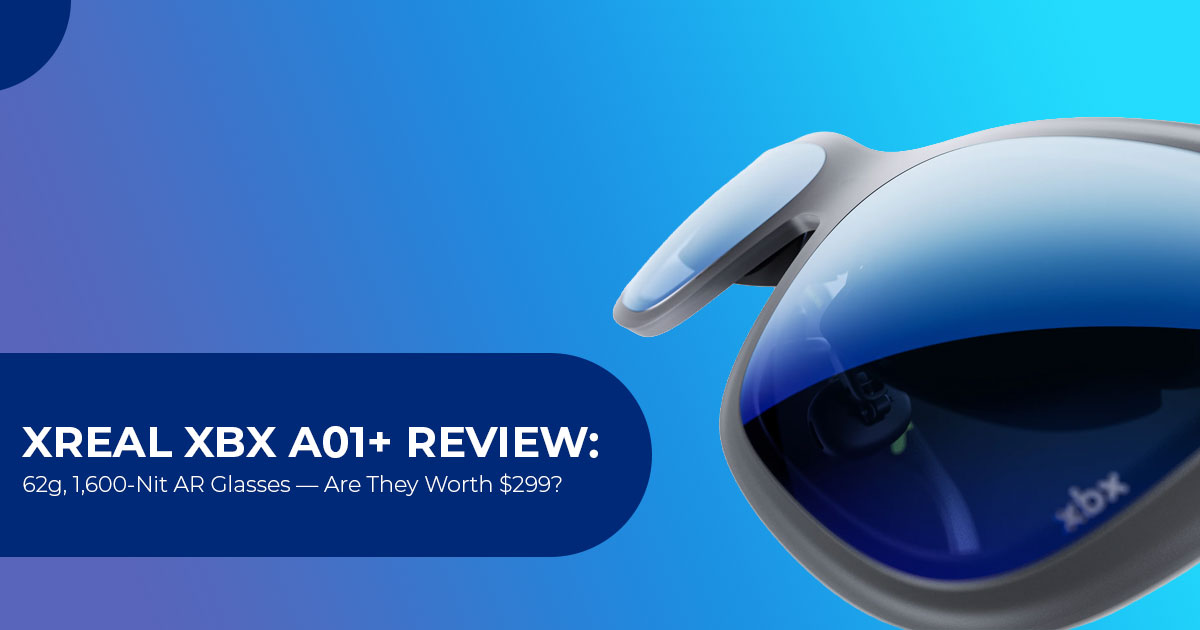
That is the idea behind the XREAL xbx a01+.
At $299, these glasses cost much less than high-end mixed-reality headsets. They weigh just 62 grams and use dual 0.6-inch Micro OLED displays, with up to 1,600 nits of eye brightness and a 120Hz refresh rate, along with built-in image stabilization designed to keep the image steadier while you are moving.
On paper, the hardware looks impressive. But specifications alone do not tell us whether a pair of display glasses is actually good to use. Brightness numbers do not tell you how the image looks in a bright room. A high refresh rate does not tell you whether the glasses remain comfortable during a two-hour movie.
And a lightweight design means little if the fit becomes uncomfortable after extended use.
Those are the things that matter to the people most likely to buy the XREAL xbx a01+—travelers, commuters, gamers, movie and streaming fans, mobile users, and anyone who wants a large private screen without carrying another display.
As technology experts with over 20 years of experience in hardware and application research and development, we evaluate products beyond their marketing claims. We examine specifications, component details, compatibility, usability, and value to determine how a product fits real-world use.
The bigger question is whether that large virtual screen is good enough to replace the devices you would normally use in those situations—and whether $299 is a fair price for the convenience.
In this XREAL xbx a01+ review, we look at the display quality, brightness, refresh rate, stabilization, comfort, connectivity, gaming performance, portability, and overall value, and compare it with other AR glasses to find out where it fits in the market.
THE $299 CORE VALUE EQUATION
62g Frame + 1,600-Nit Micro OLED + 147-Inch Equivalent Display at $299
What Is the XREAL xbx a01+? (Product Overview)
The XREAL xbx a01+ is a pair of wired smart glasses that work as an external display for compatible phones, laptops, handheld gaming PCs, and other devices.
Although they are commonly grouped with AR glasses, the xbx a01+ is primarily a 0DoF wearable display rather than a full spatial-computing headset. The screen follows your head instead of staying anchored to a fixed point in the room.
They do not run an internal operating system. They do not have an onboard battery. Instead, they draw power directly over a USB-C DisplayPort Alt Mode connection from a compatible phone, laptop, gaming handheld, or other host device.
Technical Specifications Matrix
| Feature / Spec | XREAL xbx a01+ Specification | What It Means for the Buyer |
| Price (MSRP) | $299 USD | Costs less than higher-end spatial-display glasses such as the $449 XREAL 1S. |
| Weight | 62g (56g without the front frame) | Relatively lightweight, although long-session comfort depends on fit and nose-pad adjustment. |
| Display Panel | Dual 0.6-inch Micro OLED panels | Provides OLED-level black depth and a claimed 2,000,000:1 contrast ratio. |
| Resolution | 1920 × 1080 per eye in 2D mode; 3840 × 1080 in 3D mode | Provides a sharp image for movies, games, productivity, and general display use. |
| Stated Eye Brightness | 1,600 nits at eye level | Higher brightness should help preserve image visibility in brighter environments. |
| Field of View (FOV) | 50° FOV | Creates a claimed 147-inch virtual display viewed from four meters. |
| Refresh Rate | Switchable 60Hz / 120Hz | Supports up to 120Hz for smoother motion in games and video. |
| Color Gamut | 145% sRGB and 10-bit color depth | XREAL claims wide color coverage, 10-bit color depth, and AI SDR-to-HDR processing. |
| Eye Comfort | TÜV Rheinland Eye Comfort certification | Includes 3,840Hz PWM dimming, low-blue-light features, and flicker-reduction measures. |
| Tracking Type | 0DoF with image stabilization | Helps keep the display steadier during head or body movement, but does not provide anchored 3DoF positioning. |
| Audio | Dual linear stereo speakers | Includes acoustic phase cancellation and a dedicated Whisper Mode. |
| Connectivity | USB-C DisplayPort Alt Mode | Supports direct connections to compatible DP-capable phones, PCs, Macs, tablets, and gaming handhelds. |
Design and Build Quality: A Lightweight 62g Design
Weight matters with wearable displays because even a small increase can affect comfort during long sessions. Heavier glasses can put more pressure on the nose and temples, which may become uncomfortable during extended use.
The XREAL xbx a01+ weighs just 62 grams.
If you detach the decorative magnetic front shield, that number drops to 56 grams.
Weight Comparison Across Competing Glasses:
- XREAL xbx a01+: 62g (56g without front frame)
- RayNeo Air 4 Pro: 76g
- VITURE Luma Pro: 79g
- XREAL 1S: 82g
Design Features That Matter
- Sunglasses-Style Design: From the outside, the XREAL xbx a01+ has a sunglasses-style design that is less conspicuous than bulkier mixed-reality headsets.
- Nose Pad Customization: The package includes three swappable nose-pad sizes (S/M/L), allowing you to adjust the fit for different nose-bridge heights. The right nose pad helps position your eyes correctly in the optical sweet spot, which can improve image clarity and reduce blurry edges.
- Flexible Temples: The side arms feature outward spring-hinge flexibility, which can help reduce temple pressure on wider head profiles (covering IPD ranges from 54.5mm to 74.5mm).
One Small Design Complaint: The on-frame volume and brightness buttons are flat and lack distinct tactile markings, which may make blind adjustments harder while wearing the glasses.
Display Quality: 1,600 Nits and a 147-Inch Equivalent Virtual Display
Brightness can make a big difference with see-through display glasses, especially in brighter environments.
The XREAL xbx a01+ has 1,600 nits of stated eye brightness.
Stated Brightness Comparison:
- XREAL 1S: 700 nits
- VITURE Luma Pro: 1,000 nits
- RayNeo Air 4 Pro: 1,200 nits
- XREAL xbx a01+: 1,600 nits
What 1,600 Nits Can—and Can’t—Do
The higher brightness helps in bright rooms and daylight, but it does not make the display immune to strong sunlight. Direct sunlight can still wash out the image, so these glasses are better suited to indoor use, travel, and shaded outdoor environments than direct sun.
What You See Inside the Glasses
- Screen Size & Scale: The 50° field of view is equivalent to a 147-inch display when viewed from around four meters, according to the stated specification.
- OLED Black Levels: Because it uses dual 6-inch Micro OLED panels, dark scenes can produce deep blacks without the backlight glow associated with conventional LCD panels.
- Color Tuning & HDR: XREAL rates the display at 145% sRGB with a Delta E below 2. These are manufacturer specifications rather than independent color It also supports real-time AI SDR-to-HDR processing, which is designed to expand the dynamic range of standard content.
- Eye Comfort & Health: Long screen sessions can strain eyes. The glasses use 3840Hz high-frequency PWM dimming, along with TÜV Rheinland eye-comfort certification and low-blue-light features. These features are intended to reduce visible flicker and improve viewing comfort.
Image Stabilization: 0DoF vs 3DoF Explained
One of the most confusing topics in smart glasses is the difference between 0DoF and 3DoF tracking. The difference is simple:
- 0DoF (Screen Follows Head): The display remains centered relative to your When you turn your head, the screen moves with your view rather than remaining fixed in the room.
- 3DoF (Room Anchored): The screen stays pinned to an exact virtual spot in the When you turn your head away, the screen stays behind you.
The XREAL xbx a01+ is a 0DoF wearable display with IMU-based image stabilization.
The glasses also include an anti-shake stabilization system that uses motion sensing to reduce visible image movement while you are in motion, such as during travel. The goal is to make the virtual display appear steadier and more comfortable to view while moving.
Important Setup Note: For 120Hz operation and stabilization, make sure the connected device supports 120Hz video output. Keeping the glasses firmware up to date is also recommended.
Audio and Heat
Whisper Mode Acoustics
The glasses feature two downward-firing linear stereo speakers built into the temple arms right above your ears.
- Sound Quality: The glasses use built-in directional speakers, with audio modes designed for different uses, including Cinema, Private and Balanced modes.
- Acoustical Phase Cancellation: XREAL integrated a dedicated Whisper XREAL’s Whisper Mode is designed to reduce sound leakage, which can make the glasses more suitable for use around other people.
- Bluetooth Audio Freedom: You can also use Bluetooth headphones with a compatible phone, PC, handheld or console if you prefer private audio.
Heat and Comfort
The glasses do not include an active cooling system. Their lightweight design and placement of internal components are intended to keep the frame comfortable during extended use, but actual heat and comfort will depend on the environment and session length.
Device Compatibility: Handhelds, Phones, and Consoles
Because the XREAL xbx a01+ uses USB-C DisplayPort Alt Mode, compatibility is broad, provided the host device supports the same standard or the required adapter.
| Host Device | Setup & Compatibility Level | Performance Notes |
| Apple iPhone 15 / 16 / 17 | Direct USB-C connection | Provides a large virtual display for compatible applications and content. |
| ASUS ROG Ally / Lenovo Legion Go | Compatible when the USB-C port supports DisplayPort output | Supports up to 120Hz, depending on the host device’s output. |
| Mac & Windows PC | Plug-and-play secondary monitor | Recognized as a standard 1080p external display. |
| iPad Pro / Air (USB-C) | Direct display mirroring | Useful for private media consumption, productivity, and editing. |
| Nintendo Switch / Switch 2 | Requires the XREAL Hub for Nintendo Switch or Switch 2 | The XREAL Hub supports simultaneous charging and video output. |
1. Gaming on Steam Deck and ROG Ally
The XREAL xbx a01+ is a strong option for Steam Deck users who want a larger private display.
- More Comfortable Viewing Position: Instead of looking down at a 7-inch handheld screen, you can lean back and view the larger virtual display in front of you.
- Host Device Battery Impact: The glasses draw power from the connected device, so they will add some battery consumption during The exact impact will vary by device, brightness, refresh rate, and workload.
2. iPhone Media Streaming
For iPhone users, the setup is straightforward on compatible USB-C iPhone models, including the iPhone 15 series and newer models with DisplayPort output. Once connected, supported apps can be viewed as a private large-screen display.
Pros and Cons: A Realistic Assessment
Here’s where the glasses stand out—and where they fall short:
| STRENGTHS & ADVANTAGES | LIMITATIONS & TRADE-OFFS |
|
|
Head-to-Head Comparison: XREAL xbx a01+ vs. Competitors
How does the XREAL xbx a01+ compare with other popular AR glasses in 2026?
| Feature / Metric | XREAL xbx a01+ | RayNeo Air 4 Pro | XREAL 1S |
| Price (MSRP) | $299 USD | $299 USD | $449 USD |
| Total Weight | 62g (56g bare frame) | 76g | 82g |
| Stated Eye Brightness | 1,600 nits | 1,200 nits | 700 nits |
| Field of View (FOV) | 50° | 46° | 52° |
| Refresh Rate | 120Hz | 120Hz | 120Hz |
| Tracking Mode | 0DoF + anti-shake | 0DoF fixed follow | Native 3DoF with X1 chip |
| Dimming System | Physical clip-on shield | Physical clip-on shield | Electrochromic lenses |
How the XREAL xbx a01+ Compares Under $300
- RayNeo Air 4 Pro: Both cost $299, but the XREAL xbx a01+ has some clear specification advantages over the RayNeo Air 4 Pro, including higher stated brightness, a wider FOV, and lower weight. You get 400 more nits of brightness, a wider 50° FOV (vs 46°), and a chassis that is 14 grams lighter.
- XREAL 1S ($449): The 1S includes native 3DoF head tracking and electrochromic dimming. If your main priorities are movies and gaming, the XREAL xbx a01+ costs $150 less while offering a much higher stated brightness level. The XREAL 1S still has an advantage if you want native 3DoF features and electrochromic dimming.
Who Should Buy the XREAL xbx a01+?
| BUY IT IF YOU ARE: | SKIP IT IF YOU NEED: |
|
|
- Frequent Travelers: If you fly regularly, this could be a useful upgrade for in-flight entertainment. You can watch downloaded movies on a large private display without having to look down at a phone or handheld screen.
- Handheld PC Gamers: If you play Steam Deck or ROG Ally in bed or on the couch, this gives handheld gaming a much larger viewing experience.
- Budget-Minded Tech Buyers: If you want a Micro OLED display at a lower price than many higher-end AR glasses, this is one of the more compelling options in its price range.
Frequently Asked Questions
1. Can you lock the screen in one place with the XREAL xbx a01+?
No, not on its own. The XREAL xbx a01+ is a 0DoF wearable display, so the screen follows your view rather than remaining fixed in the room. If room-anchored 3DoF spatial computing is important to you, consider a XREAL model with native 3DoF support.
2. Can I use these glasses if I wear prescription eyeglasses?
Yes. While the glasses do not have built-in diopter adjustment dials, the package includes a prescription lens frame for compatible prescription lens inserts. Buyers should check XREAL’s current prescription-lens options or consult a qualified optician about compatible lenses.
3. How can I reduce blurry edges on the display?
If the image looks blurry around the edges, try the included nose pads and adjust the fit of the glasses. Proper positioning can help place your eyes in the optical sweet spot.
4. Do the glasses drain my phone battery quickly?
The glasses are powered by the connected device, so they will use some of its battery. How quickly the battery drains depends on the host device, brightness, refresh rate, content and workload.
Pricing and Final Verdict
The XREAL xbx a01+ makes a strong case for buyers who want a lightweight, bright personal display without moving into the price and complexity of a full mixed-reality headset.
At 62 grams and $299, the glasses combine a lightweight design with a 1,600-nit Micro OLED display and up to 120Hz refresh rate.
For buyers who mainly want a large private display for travel, movies, and handheld gaming, it is a compelling option at this price.
OUR VERDICT
A Strong Entry-Level Option for Personal Display Use
Check Current Prices & Availability
If you are ready to upgrade your travel entertainment and gaming setup, check the links below for the latest discounts, bundle offers, and stock availability:
For Customers in the US & International:

👉 View the XREAL xbx a01+ on Amazon Worldwide (Check Latest Price & Stock)

Check the current listing for the latest price, availability, warranty information, and bundle options.
Have Questions About the XREAL xbx a01+?
Have you tried the XREAL xbx a01+, or are you thinking about buying one? Tell us what you think in the comments. If you have questions about the display, gaming performance, comfort, compatibility, or anything else, ask below and we’ll do our best to help.
If you found this review useful, follow us for more honest hardware reviews, comparisons, and buying advice. We evaluate products with real-world use in mind, so you can make a better decision before spending your money.
***Disclaimer***
This blog post reflects our research, analysis, and opinions based on available product information, user feedback, and industry knowledge. It should not be taken as the official position of any brand, manufacturer, or company mentioned here. We make every effort to keep this guide accurate, but product specifications, pricing, and availability may change after publication. We recommend double-checking important details before making a purchase.
Some links in this article may be affiliate links. If you choose to buy through these links, we may earn a small commission at no extra cost to you. This helps support our work and allows us to keep publishing in-depth, unbiased reviews. Affiliate partnerships never influence our recommendations.
Opinions expressed by readers are their own and do not necessarily reflect ours. We are not responsible for outcomes resulting from the use of information on this site. Please seek professional advice where appropriate.
All product names, logos, and brands mentioned are the property of their respective owners. These names are used for identification and informational purposes only and do not imply endorsement.
