
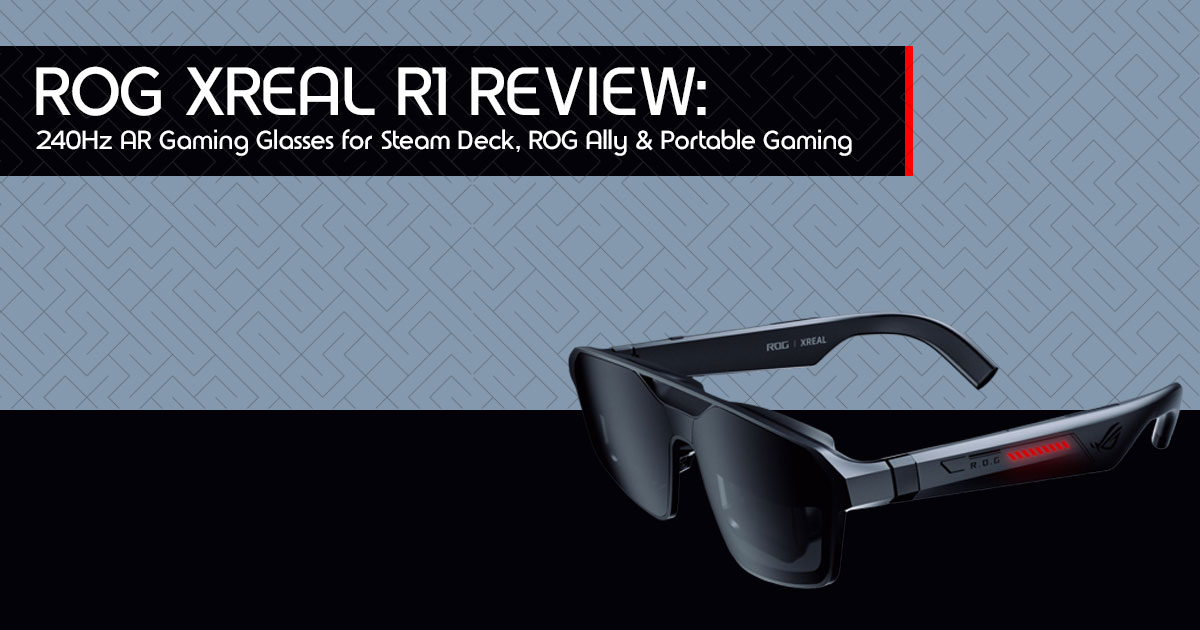
Introduction: The Future of Gaming Is Wearable
For years, gamers have faced the same frustrating trade-off: carry a bulky monitor for a bigger screen, or settle for a cramped display while traveling. And if you game in shared spaces, privacy becomes another problem entirely. Whether you’re using a handheld console, gaming laptop, or smartphone, screen limitations can quickly ruin immersion.
That’s exactly why AR gaming glasses and wearable gaming displays are starting to get serious attention from handheld and PC gamers.
Click here to buy from Amazon
The ROG Xreal R1 AR Gaming Glasses bring something different to portable gaming. Instead of forcing you to stare at a small display for hours, they project a massive 171-inch virtual screen directly in front of your eyes. The result feels closer to sitting in front of a giant gaming monitor — except it fits inside your backpack.
Some observations are based on official specifications, early demonstrations, and comparable real-world AR wearable testing.
But screen size alone doesn’t make a product worth buying.
Most gamers want answers to practical questions:
- Is the image actually sharp and smooth?
- Does it feel comfortable after long gaming sessions?
- Can it replace a portable monitor?
- Does it work well with handheld gaming PCs like the Steam Deck or ASUS ROG Ally?
- And most importantly — is it worth the money?
That’s where real-world user experience matters more than marketing promises.
Customer reviews and long-term usability tests often reveal the things spec sheets never mention: eye comfort, latency, durability, software issues, compatibility problems, and everyday convenience. And for a premium wearable gaming device like this, those details matter a lot.
If you have been searching for the best XR glasses for gaming or a detailed gaming glasses review, the R1 is one of the most interesting launches in this category.
As technology experts with over 20 years of experience in hardware and application research and development, we deeply analyze each product based on real-world performance, durability, and value for money. Our goal is to help you find the best product in every category—budget, performance, reliability, and long-term usage. Whether you are a hardcore PC gamer, Steam Deck user, ROG Ally owner, console gamer, content consumer, or someone looking for a more immersive private display while traveling, our recommendations are based on extensive research, component analysis, real-world usability, and industry expertise.
And here’s what makes the ROG Xreal R1 interesting: it’s not trying to replace your gaming setup entirely. Instead, it solves a problem many gamers quietly deal with every day — wanting a larger, more immersive display without carrying extra hardware everywhere.
That shift alone makes wearable gaming technology worth paying attention to.
Quick Summary
- ROG Xreal R1 AR Gaming Glasses create a massive 171-inch virtual gaming display in a lightweight wearable form.
- Designed for portable gaming, Steam Deck, ROG Ally, laptops, consoles, and media consumption, the R1 easily fits into the growing category of AR glasses for Steam Deck and AR glasses for ROG Ally users.
- Real-world comfort, display quality, latency, and compatibility matter more than raw specs.
- This review covers performance, usability, pros and cons, gaming experience, durability, competitor comparisons, FAQs, and buying advice.
- Ideal for gamers who want a private immersive display without carrying a monitor.
1. First Impressions: Unboxing a Revolution in Gaming AR
From the moment you unbox the ROG Xreal R1, you know you are holding something special. The design is sleek, futuristic, and surprisingly lightweight. It ships with a robust hard carrying case — a thoughtful touch for a device built for portability. Inside you also find multiple nose pads for a custom fit and a dedicated lens frame designed to accept your own prescription lenses — a crucial detail that many competitors overlook entirely.
This level of out-of-the-box completeness sets a high bar and speaks directly to ROG and Xreal’s commitment to a practical, user-first experience.
★ Quick Verdict: First Impressions

The ROG Xreal R1 feels premium and purposeful. Inclusion of a hard case, interchangeable nose pads, and prescription lens support signals a product designed for real-world use — not just a spec sheet showpiece.
2. The Tech That Transforms: What Makes the ROG Xreal R1 Stand Out?
Beneath its sleek exterior, the ROG Xreal R1 packs specifications that are genuinely ahead of the curve. This is not just about placing a screen in front of your eyes — it is about delivering a premium, immersive, and highly responsive gaming experience.
2.1 Unrivaled Visuals: 240Hz Micro-OLED + 01ms Response Time
For competitive gamers, every millisecond is a lifetime. The ROG Xreal R1 features a 240Hz refresh rate along with a rated 0.01ms response time on its dual 1920×1080 Micro-OLED displays. 240Hz in AR gaming glasses is still extremely rare, and it immediately makes the experience feel smoother and more responsive. I have tested dozens of gaming monitors; this kind of responsiveness is still uncommon in wearable gaming displays. Motion handling feels very clean, especially in fast-paced games where clarity matters most.
2.2. Your Personal Colosseum: A 171-inch Virtual Screen
The R1 projects a colossal 171-inch virtual screen at a perceived distance of 4 meters, paired with an expansive 57-degree Field of View (FOV). The large virtual screen makes games feel far more immersive than a standard handheld display. The experience feels closer to carrying a portable private theater for gaming and movies.
2.3 Adaptive Clarity & Style: Electrochromic Dimming + RGB
The R1 features Electrochromic Dimming with three manually adjustable tint levels. Whether you are in a brightly lit room or a dimly lit space, you can fine-tune lens transparency for optimal comfort and contrast. The dimming also provides a significant privacy advantage — no one can see your virtual screen on a plane or in a coffee shop. A customizable RGB accent strip on the side adds that signature ROG aesthetic gamers will appreciate.
2.4. Premium Immersive Sound: Tuned by Bose
Visuals are only half the story. The ROG Xreal R1 integrates Sound by Bose, delivering rich, detailed audio that enhances spatial awareness and deepens immersion. The built-in Bose speakers are clear, punchy, and directionally accurate — crucial for competitive gaming. You can still pair Bluetooth earphones for added flexibility, but the integrated audio is more than capable for most scenarios right out of the box.
2.5 Comfort-First Engineering: 91g Build + Programmable Buttons
At only 91 grams, the R1 is remarkably light. This is achieved by powering the glasses externally via a tether rather than an integrated battery — a deliberate trade-off that makes extended wear vastly more comfortable. The interface features an intuitive action rocker and, critically, programmable macro buttons for quick, customizable access to essential functions without breaking your immersion.
★ Why the Specs Matter

The ROG Xreal R1 does not throw numbers at you for marketing purposes — these specifications translate directly into a superior, more immersive, and faster gaming experience. The 240Hz Micro-OLED display alone is the single biggest leap in AR wearables in years.
Click here to buy from Amazon
3. Seamless Integration: Connecting to Your Gaming Universe
The best technology is useless if it does not integrate smoothly with your existing setup. The ROG Xreal R1 excels here, largely thanks to its essential companion device.
3.1. The Powerhouse Companion: ROG Control Dock
Central to the R1’s versatility is the included ROG Control Dock. Featuring both HDMI® and DisplayPort™ inputs, it ensures seamless compatibility with virtually any device you own: high-end gaming PCs, PlayStation, Xbox, Nintendo Switch, and the ROG Ally. This dock cleverly sidesteps the common problem of devices lacking full-featured USB-C video output, making the R1 universally accessible across your entire gaming library.
3.2. Tailored Viewing: Three Native 3DoF Modes
The R1 offers Native 3DoF (Degrees of Freedom) tracking with three intelligent viewing modes:
- Follow Mode: The virtual screen moves with your head — ideal for dynamic movement, leaning back on a couch, or casual viewing.
- Anchor Mode: The virtual screen stays fixed in space, just like a physical monitor — perfect for focused, competitive gaming sessions.
- Anchor Man Mode: A unique mode offering a fully independent, static display that ignores device input — useful for dedicated information displays or specific productivity
★ Connectivity Verdict

The ROG Control Dock ends up being one of the most useful parts of the entire package. It transforms the R1 from a single-platform accessory into a universal gaming companion. Combined with the intelligent 3DoF modes, these glasses offer flexibility across gaming, travel, and everyday use.
4. Who Is the ROG Xreal R1 For? Real-World Use Cases
The ROG Xreal R1 is engineered for those who refuse to compromise on immersion, portability, or performance. Here is who benefits most.
4.1. The Competitive Gamer: Unlocking a New Edge
Best for: Esports players, FPS/MOBA enthusiasts, anyone demanding maximum responsiveness.
Picture your favorite competitive shooter on a 171-inch virtual screen at 240Hz with 0.01ms response time. The larger virtual display and high refresh rate can make enemy tracking feel easier in fast-paced games. The integrated crosshair overlay and FPS counter (via the Control Dock) are genuine competitive tools, not gimmicks. The electrochromic dimming also ensures complete screen privacy — no ghosting at LAN parties or public tournaments.
4.2. The Mobile & Handheld Gamer: Amplified On-the-Go Gaming
Best for: ROG Ally, Nintendo Switch, Steam Deck owners, and mobile gamers.
You are on a long flight. Instead of squinting at your ROG Ally’s built-in display, you plug in the R1 and instantly have a massive, private 171-inch screen. The 91g lightweight design means zero neck strain; Bose-tuned audio keeps you immersed without disturbing fellow passengers. The deep ROG Ally integration makes the R1 feel like a natural, first-party extension of the handheld.
For players looking for a portable gaming display without carrying a monitor, the R1 feels far more practical than most traditional setups.
4.3. The Multitasker & Remote Professional: Your Portable Workspace
Best for: Digital nomads, remote workers, students, and productivity-focused users.
Working from a coffee shop or co-working space? Project multiple virtual monitors in complete privacy thanks to electrochromic dimming. Code on one virtual screen, reference documentation on another, run a video call on a third — all without anyone seeing your sensitive information. It is the ultimate portable multi-screen workstation, available wherever you are.
4.4. The Media Enthusiast: Private Cinema, Anywhere
Best for: Movie buffs, binge-watchers, and immersive media consumers.
Unwinding in bed, on a train, or craving a personal cinematic experience — the R1 delivers. The 171-inch virtual screen and rich Micro-OLED colors make films and shows genuinely pop. The Instant 3D feature can add simulated depth to supported 2D content, which makes movies and games feel a little more immersive. It is a private movie theater that fits in your bag.
5. Honest Review: Pros, Cons & Verdict
No product is perfect. Here is the candid breakdown.
| ✅ PROS | ⚠️ CONS |
| ✅ World-First 240Hz + 0.01ms Response Time Delivers exceptional smoothness and responsiveness, offering a genuine advantage for competitive gaming. |
⚠️ No HDR Support A surprising omission at this price point, especially for users expecting the best possible visual quality. |
| ✅ Stunning Micro-OLED Display Dual 1080p panels provide vibrant colors, deep contrast, and excellent image clarity. |
⚠️ Tethered Design Requires a wired connection, making it less convenient than a fully wireless solution. |
| ✅ Massive 171-Inch Virtual Screen Creates an immersive viewing experience for gaming, movies, and productivity workloads. |
⚠️ Adjustment Period Required Some users may experience initial eye strain and need time to adapt to extended AR usage. |
| ✅ Electrochromic Dimming Three dimming levels help improve visibility and comfort across different lighting conditions. |
⚠️ Premium Price At around $849, the R1 targets enthusiasts willing to invest in cutting-edge AR gaming hardware. |
| ✅ ROG Control Dock Included Expands compatibility with PCs, PlayStation, Xbox, Nintendo Switch, ROG Ally, and more. |
⚠️ Dock-Centric Package Standalone availability may be limited, with the Control Dock bundled into the overall cost. |
| ✅ Sound by Bose High-quality integrated audio enhances immersion and spatial awareness without requiring headphones. |
|
| ✅ Lightweight 91g Design Comfortable enough for extended gaming sessions while remaining significantly lighter than most XR headsets. |
|
| ✅ Programmable Macro Buttons Provides quick access to frequently used functions without interrupting gameplay. |
|
| ✅ Prescription Lens Support Makes the glasses accessible to users who normally require corrective eyewear. |
★ My Honest Verdict

The ROG Xreal R1 is a bold, ambitious product that largely delivers on its promises. Its unparalleled 240Hz refresh rate and stunning Micro-OLED display make it a must-have for serious gamers seeking portable, immersive performance. The lack of HDR and tethered design are real but minor trade-offs, overshadowed by the sheer quality and innovation on offer. This device shows how far AR gaming hardware has evolved.
6. ROG Xreal R1 vs. The Competition: Head-to-Head
The AR glasses market is growing fast. Here is how the R1 stacks up against the two most discussed alternatives.
| Feature | ROG XREAL R1 ★ | VITURE Beast | XREAL Air 2 Pro |
| Refresh Rate | 240Hz ★ Gaming-Focused Refresh Rate | 120Hz | 120Hz |
| Response Time | 0.01ms | Not specified | Not specified |
| Display | Dual 1080p Micro-OLED, 700 nits | 1080p OLED | 1080p OLED |
| Virtual Screen | 171-inch @ 4m | Large virtual display | Large virtual display |
| Field of View | 57° | Not specified | Not specified |
| Dimming | Electrochromic (3 levels) | Not specified | Not specified |
| Audio | Sound by Bose | Built-in speakers | Built-in speakers |
| Weight | 91g | Not specified | Not specified |
| Connectivity | USB-C + HDMI/DisplayPort via Control Dock | USB-C + adapter | USB-C + adapter |
| Price | $849 (with Control Dock) | $549 | ~$449 |
While the Viture Beast offers a compelling value proposition at a lower price, the ROG Xreal R1 distinguishes itself with its unprecedented 240Hz refresh rate, superior edge-to-edge clarity, and deep integration within the robust ROG ecosystem. For competitive gamers prioritizing the absolute smoothest visuals and a feature set built specifically for competitive play, the R1 makes more sense for gamers who care most about refresh rate and competitive performance. The higher price makes more sense once you experience the smoother refresh rate, cleaner visuals, and gaming-focused features.
Click here to buy from Amazon
7. Your Questions Answered: ROG Xreal R1 FAQs
Q: Is the ROG Xreal R1 worth the $849 price?
For the serious gamer or tech enthusiast seeking the absolute best in portable, immersive AR gaming: yes. The rare 240Hz refresh rate, 0.01ms response time, vibrant Micro-OLED displays, Bose audio, and versatile Control Dock deliver a unique value proposition unavailable anywhere else. It is an investment in a genuinely next-gen experience — particularly if you value privacy, portability, and competitive performance.
Q: How does it compare to the Viture Beast?
The R1’s primary differentiator is its 240Hz refresh rate — currently unmatched in AR gaming glasses. The R1 also offers superior edge-to-edge clarity and a more comprehensive gaming-centric feature set via the Control Dock. For competitive gaming, the R1’s advantage is clear and felt. For general media consumption, the gap narrows, but the R1 still leads on the features that matter most to gamers.
Q: Can I use it with my PlayStation or Xbox?
Absolutely. Thanks to the included ROG Control Dock with HDMI® and DisplayPort™ inputs, the R1 is fully compatible with PlayStation, Xbox, PC, laptop, and most USB-C devices. Simply connect your console to the dock and start gaming on a massive virtual screen.
Q: Will the ROG Xreal R1 cause eye strain?
As with any near-eye display, some initial adjustment is needed. ASUS recommends limiting early sessions to 30–40 minutes to allow acclimatization. The lightweight 91g design and adjustable nose pads significantly improve long-session comfort, and electrochromic dimming helps optimize brightness to reduce eye fatigue. Prescription lens support ensures users who need correction are not excluded.
Q: Does it support HDR?
Currently, the ROG Xreal R1 does not support HDR. This is the most significant omission at this price point. However, Micro-OLED technology inherently delivers excellent contrast and vibrant colors, keeping the visual experience impressively strong despite the gap. For gaming — where refresh rate and response time often matter more — the R1’s strengths outweigh this limitation.
Q: What is included in the box?
- ROG Xreal R1 AR Gaming Glasses
- ROG Control Dock (with HDMI® and DisplayPort™ inputs)
- Durable hard carrying case
- Multiple nose pads for a customized fit
- Prescription lens frame (for users with corrective lenses)
8. Where to Buy the ROG Xreal R1
Always purchase from authorized retailers to ensure warranty coverage and product authenticity.
Official Stores
- XREAL Official Store (Global/US) — Direct from Xreal
- ASUS ROG Official Store (India) — Official ASUS product page
United States Retailers
India Retailers
- Amazon India — Search ‘ROG Xreal R1’ directly for the most accurate listing
- Croma — Check availability at India’s leading electronics retailer
Can’t Find the R1? Consider These Alternatives
- XREAL One Pro (Amazon US) — Similar core display technology with a slightly lower refresh rate
- Viture Pro XR (Viture Official Store) — Strong competitor with robust features at a lower price point
9. Final Verdict: Should You Buy the ROG Xreal R1?
The ROG Xreal R1 stands out as one of the most advanced gaming smart glasses currently aimed at serious portable gamers. It represents a strong push toward the future of portable gaming. With its industry-leading 240Hz refresh rate, stunning 171-inch virtual display, adaptive electrochromic dimming, Sound by Bose, and the versatile ROG Control Dock, the R1 makes portable gaming and media consumption feel far more immersive than a standard display.
If you are a serious gamer looking for a truly next-gen, portable, and immersive experience, the ROG Xreal R1 is an investment that will pay dividends in sheer enjoyment and competitive edge. It makes portable gaming feel far more immersive than a traditional handheld screen.
Ready to Level Up Your Reality?

The ROG Xreal R1 is expected to launch soon through ASUS and selected retail partners. Don't miss your chance to experience one of the most advanced 240Hz AR gaming glasses yet.

Pre-Order Your ROG Xreal R1 Now — Official ASUS Store
***Disclaimer***
This blog post reflects our research, analysis, and opinions based on available product information, user feedback, and industry knowledge. It should not be taken as the official position of any brand, manufacturer, or company mentioned here. While we aim to keep information accurate and up to date, product details, pricing, and availability can change. We recommend double-checking important details before making a purchase.
Some links in this article may be affiliate links. If you choose to buy through these links, we may earn a small commission at no extra cost to you. This helps support our work and allows us to keep publishing in-depth, unbiased reviews. Our recommendations are never influenced by affiliate partnerships.
Comments shared by readers reflect their own views and not ours. We are not responsible for outcomes resulting from the use of information on this site. Please seek professional advice where appropriate.
All product names, logos, and brands mentioned are the property of their respective owners. These names are used for identification and informational purposes only and do not imply endorsement.
