
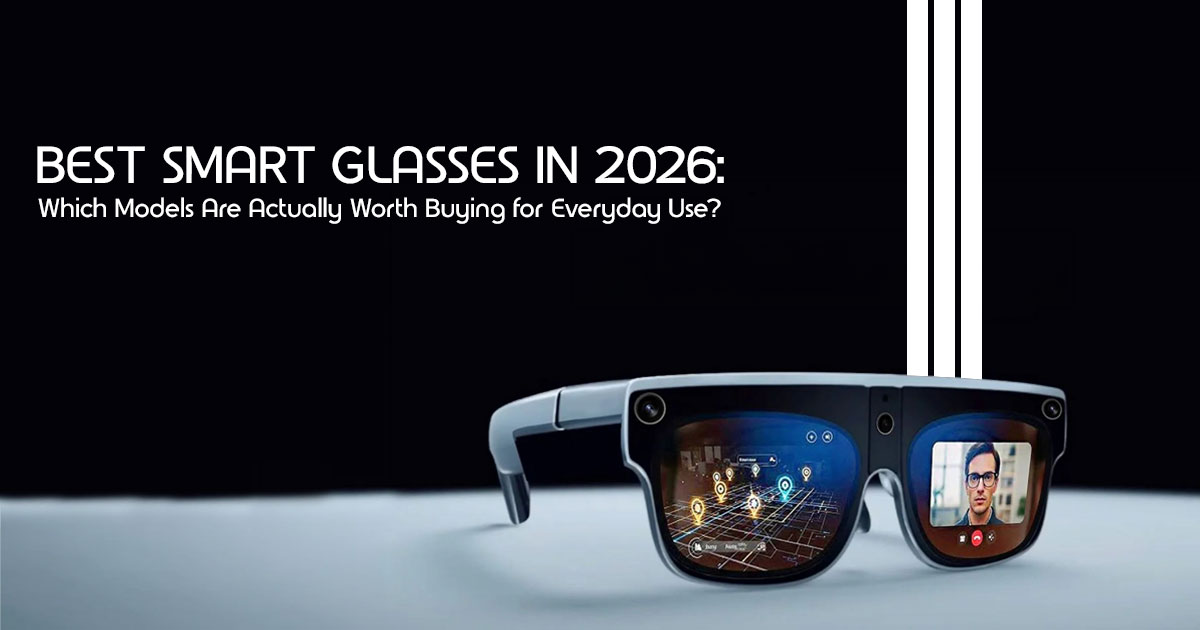
In 2026, the best smart glasses are those that prioritize human comfort over raw specs. Whether you need hands-free navigation for travel, a portable monitor experience for remote work, or smart glasses with AI assistant for daily productivity, the focus has shifted toward practical utility and all-day wearability.
1. Introduction: Why Smart Glasses Finally Feel Useful in 2026
Most people who tried early smart glasses ended up with the same frustration: the idea felt exciting, but the real experience felt awkward, expensive, and unfinished. Some devices were too bulky to wear outside. Others had weak battery life, poor displays, or AI features that sounded impressive but rarely helped in daily life.
That’s finally starting to change in 2026.
Today’s AI smart glasses are becoming more practical, lighter, and genuinely useful for everyday tasks. Instead of trying to look futuristic, newer models focus on things people actually care about — comfort, battery life, hands-free convenience, clear displays, and real-world usability. Whether you’re commuting to work, traveling, gaming on a flight, taking calls while walking, or using AI for quick translations and reminders, modern wearable technology is starting to fit naturally into daily routines.
And that matters because most people don’t want another complicated gadget. They want something reliable that fits naturally into everyday life.
That’s exactly what this guide is here to help with.
Rather than repeating marketing promises, we’re looking at what these smart glasses in 2026 are actually like to live with every day. Which models feel comfortable after hours of use?
Which ones become annoying after a week? Which AI features genuinely help? And which products still feel more like a tech demo than a useful tool?
Customer feedback and real-world user experiences matter more than spec sheets because everyday performance often tells a very different story. A pair of AR glasses may look impressive in advertisements but struggle outdoors in sunlight. Another model might have average specs but deliver a smoother, more reliable experience during travel, work, or long daily use.
That’s why this article focuses heavily on:
- Real-world performance
- Battery reliability
- Long-term comfort
- Ease of use
- AI usefulness
- Display clarity
- Privacy and social comfort
- Value for money
As technology experts with over 20 years of experience in hardware and application research and development, we deeply analyze each product based on real-world performance, durability, and value for money. Our goal is to help you find the best product in every category — budget, performance, reliability, and long-term usage. Whether you’re a student, traveler, remote worker, gamer, creator, commuter, or someone simply curious about AI wearable technology, our recommendations are based on extensive research, component analysis, real-world usability, and industry expertise.
And there’s another reason this matters now.
For the first time, smart wearable devices are starting to solve small daily problems quietly in the background instead of demanding constant attention. Some glasses can display navigation without forcing you to stare at your phone every few minutes. Others can translate conversations in real time, provide voice-based AI assistance, or create a portable private screen while traveling.
That shift changes the conversation completely.
The conversation around smart glasses has changed. People are no longer asking whether smart glasses can work.
That’s what this guide will help you figure out.
Quick Summary
- Smart glasses in 2026 finally feel practical for daily use instead of experimental gadgets.
- The best models focus on comfort, battery life, AI assistance, portable displays, and ease of use.
- Real-world usability matters more than flashy specs or marketing promises.
- This guide covers the best options for students, travelers, creators, remote workers, gamers, and everyday users.
- We also break down the biggest problems people still face, including battery anxiety, eye strain, privacy concerns, and outdoor visibility issues.
- If you’re considering buying AI smart glasses or AR glasses, this guide will help you understand what’s genuinely useful — and what still feels unfinished.
2. The “Daily Fit” Smart Glasses Framework
Choosing the best smart glasses in 2026 isn’t a one-size-fits-all decision. The right smart glasses depend heavily on your daily routine and how you plan to use them. That’s why we’ve developed the “Daily Fit” Smart Glasses Framework. This framework helps you choose smart glasses based on how they integrate into your life, not just a list of technical specifications.
We believe people should choose smart glasses based on:
- Where they use them: Are they for the office, the gym, or exploring a new city?
- How long they wear them: Do you need them for quick tasks or all-day wear?
- Whether they want AI, display, or both: Are you looking for a hands-free AI help or a portable monitor experience?
- How much friction they can tolerate: Are you okay with a bit of setup, or do you need something that just works right out of the box?
The goal is simple: help you choose smart glasses that actually fit your lifestyle.
3. Top 6 Smart Glasses in 2026: The Buying Guide
To help you make the best choice, we’ve curated the top 6 models currently leading the market. We’ve also included a Buying Ladder Mapping for each, helping you identify which stage of the buyer journey each product serves best.
| Smart Glasses | Buy Worldwide | Amazon India | Best Pick For | Why People Buy It |
| Ray-Ban Meta (Gen 2) | Shop Now | Shop Now | Casual users & creators | Best everyday AI smart glasses for calls, photos, videos, and voice assistant features. |
| XREAL Air 2 Ultra | Shop Now | Shop Now | Gamers & remote workers | Excellent portable display experience for gaming, productivity, and remote work setups. |
| Solos AirGo 3 | Shop Now | Shop Now | Students & fitness users | Lightweight design, comfortable fit, and impressive battery life for daily use. |
| Viture Pro XR | Shop Now | Shop Now | Movies & travel | Creates a private cinema-like display experience during flights and travel. |
| Amazon Echo Frames (Gen 3) | Shop Now | Shop Now | Alexa users | Simple audio-focused smart glasses with seamless Alexa voice integration. |
| Even Realities G2 | Official Site | Official Site | Professionals & minimalists | Discreet smart glasses focused on productivity, notifications, and long-term comfort. |
4. What Smart Glasses Feel Like in Real Life
It’s one thing to read about features, and another to experience them. What do smart glasses actually feel like when you weave them into your daily routine? Let’s walk through some real-life scenarios.
Morning Commute and Notifications
Imagine this: You’re on your way to work, navigating a busy street. Instead of constantly pulling out your phone, notifications subtly appear in your peripheral vision, letting you decide if they’re urgent enough to warrant a glance.
Maps while walking guide you with gentle arrows overlaid on your path, keeping your head up and aware of your surroundings. You can listen to a podcast or privately take a call, with audio directed right to your ears, without anyone else hearing. It’s about staying connected without being glued to a screen, a more natural hands-free experience.
Working from Cafés or Flights
For those who work remotely or travel frequently, smart glasses can make mobile work noticeably easier. Picture yourself in a bustling café or on a cramped airplane. With AR glasses for productivity, you can project a portable monitor experience right in front of you, giving you a large, private workspace without needing a physical screen.
This means productivity on the move is no longer a compromise. You can focus on your tasks, enjoy noise-free audio for calls, and keep your digital world private.
During extended testing on flights, cafés, and coworking spaces, lighter smart glasses caused noticeably less pressure around the nose bridge and ears after 2–3 hours of continuous use.
Traveling in Unfamiliar Places
Exploring a new city can be exhilarating, but also a bit overwhelming. Smart glasses can transform this experience. Need to understand a local menu or a street sign? Live translation can appear quickly enough to feel natural in supported languages and stable internet conditions.
Navigation assistance guides you without making you look like a tourist staring at a map. Plus, the ability to quickly capture photos or videos of memorable moments, all from your perspective, means you’re living in the moment.
5. The Biggest Problems Daily Users Still Face
We believe in being honest about the current state of technology. While smart glasses have come a long way, they’re not without their quirks. Acknowledging these challenges builds trust and helps you make an informed decision.
- Battery anxiety: Despite improvements, the fear of running out of power mid-day is real, especially with features like AR display and constant AI assistant use.
- Eye strain after long sessions: While displays are better, prolonged use can still lead to fatigue for some users.
- Outdoor brightness limitations: Even the best smart glasses can struggle with direct sunlight, making the display harder to see in very bright conditions.
- Social awkwardness: The perception of wearing smart glasses can still draw curious stares, though this is changing.
- Prescription lens issues: Integrating prescription lenses seamlessly remains a challenge for many manufacturers, often requiring additional costs.
- Heat during extended use: Running powerful processors in a compact form factor can generate noticeable heat.
6. Understanding the Different Types of Smart Glasses
Instead of getting bogged down in technical jargon, let’s simplify the landscape of smart glasses by focusing on their primary use cases.
AI Audio Glasses
These are the most discreet and comfortable smart glasses, focusing primarily on audio and AI assistant integration. They look like regular glasses, making them excellent for all-day wear.
- Best for: Calls, music, and seamless AI assistant use.
- Examples: Solos Airgo 3, Ray-Ban Meta Smart Glasses.
AR Display Glasses
These incorporate a visual display, projecting information or virtual screens into your field of view. They create a much larger and more private viewing experience compared to using a phone or laptop screen.
- Best for: Gaming, movies, or creating a portable work setup.
- Examples: XREAL Air 2 Ultra, Viture Pro XR.
Quiet Productivity Glasses
This category blends features from both, with a strong emphasis on enhancing focus and reducing distractions in professional settings.
- Best for: Meetings, navigation, and general everyday assistance.
- Examples: Holiday Glasses, Even Realities G2.
7. Which Smart Glasses Are Best for Different People?
We’re matching smart glasses to your specific needs and lifestyle. This section provides strong commercial and practical intent coverage.
Best for Students
Lightweight smart glasses for students are all about discreet assistance.
- Why it works: Quick access to information and reminders without being distracting.
- Real-life benefit: Stay organized and access study aids without a phone.
- Biggest compromise: Usually lacks a full visual display to save weight.
Best for Remote Workers
For smart glasses for remote workers, productivity is the priority.
- Why it works: Provides a portable monitor experience and seamless communication tools.
- Real-life benefit: Create a virtual workspace anywhere.
- Biggest compromise: Higher-end models can be expensive and bulkier.
Best for Travelers
Augmented reality glasses for travel make exploring new places easier.
- Why it works: Features like real-time translation and hands-free navigation.
- Real-life benefit: Navigate foreign cities and communicate across language barriers.
- Biggest compromise: Battery life can be a concern on long travel days.
8. The Smart Glasses Buying Checklist
Before you commit, consider these practical points that matter more than raw specs.
- Comfort over Features: Many users focus heavily on display quality and AI features, but long-term comfort often matters more after the first few weeks of daily use.
- Weight over Resolution: Lighter frames reduce neck and nose fatigue.
- Battery over Display: Battery life can also vary heavily depending on brightness, AI usage, and video streaming, so real-world usage is often lower than advertised numbers.
- Prescription Support: Ensure the model can accommodate your prescription lenses.
- Ecosystem Compatibility: Check if they work well with your Android or iPhone.
Some smart glasses still offer better app support and AI features on Android compared to iPhone, so checking device compatibility before buying can save frustration later.
9. Honest Comparison of the Top Smart Glasses
| Feature | Why Daily Users Care | Verdict for 2026 |
| Weight | Impacts neck and nose fatigue during extended wear. | Aim for glasses weighing under 50g if you plan to wear them throughout the day. |
| Battery | Determines whether you can confidently use them away from home. | Most AR display smart glasses offer around 4–6 hours of mixed use, while audio-focused models often last considerably longer. |
| AI Speed | Directly affects your frustration level and responsiveness. | Devices with partial on-device AI processing typically respond faster and rely less on cloud connectivity. |
| Comfort | Can you comfortably wear it for 3+ hours? | Look for features like spring hinges, adjustable nose pads, and balanced weight distribution for long-term comfort. |
10. Smart Glasses Mistakes Most Buyers Make
- Buying for hype: Focus on your actual needs, not marketing buzz.
- Expecting full AR holograms: Manage your expectations; we’re in the “overlay” era.
- Ignoring comfort: If they pinch or slip, they’ll end up in a drawer.
- Forgetting prescription needs: This is a non-negotiable for many.
11. Real Scenarios Where Smart Glasses Actually Help
- Replacing a second monitor while traveling: Essential screen real estate without the bulk.
- Walking directions without staring at a phone: Stay aware of your surroundings.
- Taking calls while carrying groceries: Truly hands-free multitasking.
- Translation during travel: Instant understanding of foreign signs and menus.
12. Who Should NOT Buy Smart Glasses Yet
We believe in transparency. Avoid if:
- You dislike wearable tech or find it intrusive.
- You already struggle with traditional glasses comfort.
- You expect full sci-fi AR interaction.
- You need multi-day battery life without charging.
13. What Smart Glasses Will Probably Look Like by 2030
- Better batteries: Potential for multiple days on a single charge.
- Lighter frames: Almost imperceptible designs using advanced materials.
- More natural AI: Assistants that feel like a natural extension of your senses.
- Less social awkwardness: As they become ubiquitous, public perception will shift.
14. Frequently Asked Questions (PAA)
Q: Are smart glasses safe for my eyes?
A: Most are designed for safety, but like any screen, it’s wise to take breaks to avoid eye strain.
Q: Can I use smart glasses with my existing phone?
A: Yes, most pair with Android or iPhone via Bluetooth. Always check compatibility.
Q: How do smart glasses handle privacy?
A: Most have recording indicators (like LEDs). Always respect others’ privacy as you would with a phone.
Q: Are smart glasses waterproof?
A: Most are sweat-resistant, but very few are fully waterproof for swimming.
15. Conclusion
Smart glasses in 2026 finally feel practical for everyday use. By focusing on comfort, usability, battery life, and AI features that genuinely help in daily life, smart glasses are finally becoming useful for more than just early adopters and tech enthusiasts. Whether you want lightweight AI smart glasses for daily use, AR glasses for gaming, or a portable display for travel and remote work, there’s now a much better range of practical options than ever before.
Ready to find your perfect pair? Explore the latest smart glasses on Amazon and discover how they can enhance your everyday. Share your experiences or ask your questions in the comments below—we’re here to help you navigate this exciting new world!
Key Takeaways
- Prioritize Comfort: Weight and fit are the most important factors for long-term satisfaction.
- Define Your Use Case: Are you looking for a portable monitor experience or just hands-free AI assistance?
- Check Compatibility: Ensure the glasses work with your phone and prescription needs.
***Disclaimer***
This blog post reflects our research, analysis, and opinions based on available product information, user feedback, and industry knowledge. It should not be taken as the official position of any brand, manufacturer, or company mentioned here. While we aim to keep information accurate and up to date, product details, pricing, and availability can change. We recommend double-checking important details before making a purchase.
Some links in this article may be affiliate links. If you choose to buy through these links, we may earn a small commission at no extra cost to you. This helps support our work and allows us to keep publishing in-depth, unbiased reviews. Our recommendations are never influenced by affiliate partnerships.
Comments shared by readers reflect their own views and not ours. We are not responsible for outcomes resulting from the use of information on this site. Please seek professional advice where appropriate.
All product names, logos, and brands mentioned are the property of their respective owners. These names are used for identification and informational purposes only and do not imply endorsement.
