
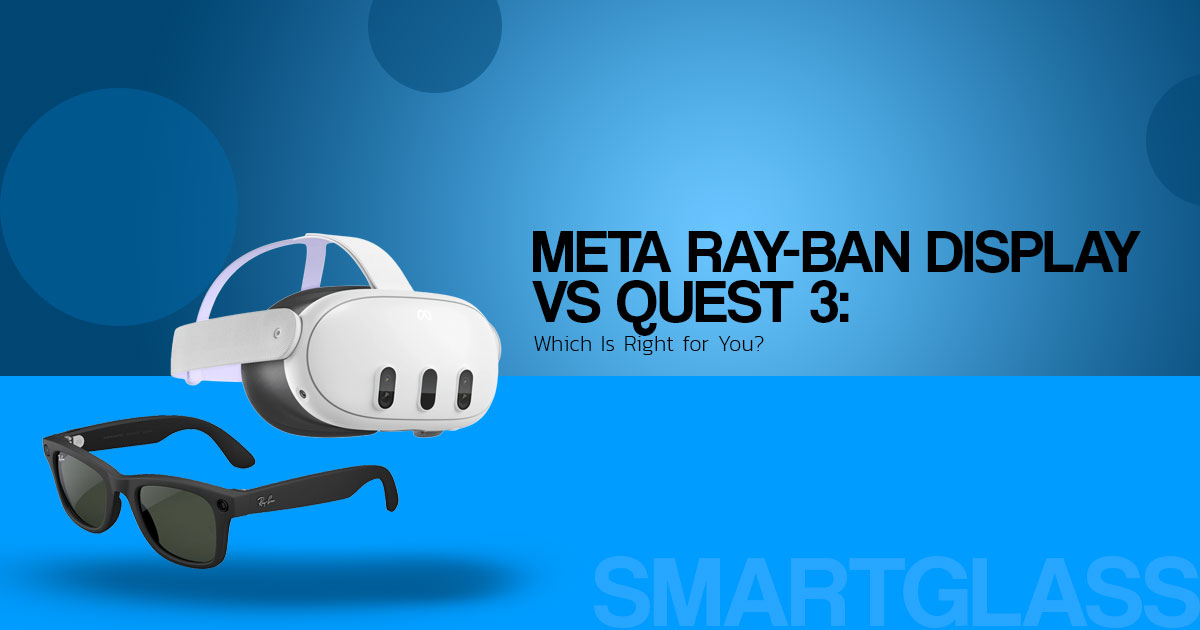
Meta Ray-Ban Display vs Quest 3: FOV, Features, Battery, Price and Availability
The Meta Ray-Ban Display and Meta Quest 3 are built for very different jobs. The Ray-Ban Display puts a small colour display, camera, audio, and AI features into a pair of glasses. Quest 3 is a VR and mixed-reality headset built for gaming, entertainment, fitness, and immersive apps.
If you are comparing Meta Ray-Ban Display vs Quest 3, the better question is not which one has better hardware. It is which one fits the way you want to use it. The glasses are made for quick information while you stay aware of the world around you. Quest 3 is made to put you inside a digital environment.
This comparison is for people choosing their first VR headset, shoppers looking at smart glasses, Quest 3 owners considering another wearable, gamers, and anyone deciding between a small heads-up display and a full mixed-reality headset.
We compare the two products on display quality, field of view, comfort, battery life, software, everyday use, price, and the features that matter when you are deciding what to buy.
The recommendations are based on published specifications, independent reviews, and practical differences between the two products.
So what do you actually get for your money, where does each device fit, and which one makes more sense for you?
Here is a closer look at the Meta Ray-Ban Display and Meta Quest 3, including the differences that are easy to miss when you only compare the feature lists.
Key takeaway: Meta Ray-Ban Display is not a Quest 3 replacement. It is a lightweight glasses-style companion for messages, navigation, translation, visual AI, calls, audio, and other quick interactions.
This is a research-based product guide using Meta’s published specifications and independent reviews. It is not a personal hands-on review. Prices, features, and availability can change by country.
What are Meta Ray-Ban Display glasses?
Meta Ray-Ban Display combines Ray-Ban-style frames with a private, full-colour display built into the right lens. It also includes the Meta Neural Band, an EMG wristband that reads muscle signals and turns certain hand movements into controls.
The display can show notifications, messages, walking directions, Meta AI responses, live captions, translations, weather, calendar information, photos, and other supported content. Unlike regular Ray-Ban Meta glasses, the Display model can put visual information in front of your eye without making you look down at your phone.
The product is different from both Ray-Ban Meta and Meta Quest 3:
| Product | Primary purpose | Display | Main controls | Typical fit |
| Meta Ray-Ban Display | Everyday AI, navigation, messages, and lightweight media | Full-color in-lens display | Voice, touch, and Neural Band gestures | People who want useful information in view without wearing a headset |
| Ray-Ban Meta | Camera, calls, audio, and voice-based AI | No in-lens display | Voice and touch | Hands-free capture, calls, music, and spoken AI |
| Meta Quest 3 | VR gaming and mixed reality | Two immersive headset displays | Controllers, hand tracking, and headset UI | Gaming, immersive apps, and spatial experiences |
Meta Ray-Ban Display vs Quest 3: the main difference
The biggest difference is not the brand. It is how you see and interact with the content.
Quest 3 is built around an immersive view. It is designed for games and mixed-reality experiences where depth, movement, controllers, and a wide field of view matter. It also has its own processor, cameras, displays, and battery.
Meta Ray-Ban Display takes a different approach. Its small monocular display puts useful information in one part of your vision while the rest of the scene remains visible through the transparent lens. That makes it better suited to directions, messages, captions, translations, and quick AI assistance.
That is why there is no useful overall winner here. If you want Beat Saber, room-scale games, or immersive mixed reality, the Display glasses are not a Quest 3 replacement. If you want directions, captions, messages, and AI help without wearing a headset, Quest 3 may be more than you need.
The practical dividing line: Quest 3 is built for immersion. Meta Ray-Ban Display is built for quick information while you stay aware of the real world.
Display and field of view
Meta Ray-Ban Display uses a 600 × 600 full-colour display in the right lens with a 20-degree field of view. That is far smaller than the view offered by Quest 3, but the Display is not trying to create a full VR scene. It is designed for short, focused information.
The field of view is one of the most important things to understand before buying. Text, navigation prompts, captions, and small interface elements fit within the display, but it is not designed for wide virtual environments or the peripheral immersion you get from Quest 3.
What the narrower field of view means for buyers
A smaller display can work well when you only need a notification, a short message, or the next turn in a walking route. It becomes a limitation when an experience depends on a wide view or lots of information on screen.
It is also important to separate the display’s field of view from your overall view of the real world. The display sits in the right lens, while the glasses remain transparent outside the display area. They do not turn your surroundings into a VR scene.
Meta Neural Band and gesture controls
The Meta Neural Band is one of the main differences between these glasses and ordinary smart glasses. It uses electromyography, or EMG, to read electrical activity from the muscles in your wrist and recognise supported gestures such as pinching, tapping, scrolling, and swiping.
That gives you another way to control the display without reaching for your phone or repeatedly touching the glasses. Supported gestures can be used for actions such as moving through menus, selecting items, and adjusting settings.
The glasses still rely on a compatible smartphone and the Meta AI app for setup and several connected features. Some functions also depend on an internet connection. The Neural Band needs to be fitted correctly because sensor placement affects gesture recognition.
The Neural Band addresses a simple control problem: a display in front of your eye needs a discreet way to interact with it. The trade-off is that you have another device to wear, charge, and keep fitted correctly.
AI, translation, navigation, and everyday features
The main appeal of the display is simple: you can get certain information without pulling out your phone.
Meta AI visual responses
Meta AI can answer spoken questions and show selected responses on the lens. The camera can also be used with AI to understand what you are looking at, such as objects or nearby surroundings.
AI responses should not be treated as automatically correct. For travel, safety, health, legal, financial, or other high-consequence decisions, check the information against a trusted source.
Live translation and captions
Live translation and captions show why a display can be useful. Spoken language can be turned into text and shown in your field of view instead of being limited to audio or a phone screen.
These features are most useful for short conversations, travel, signs, and quick assistance. Results can vary with the language, network connection, lighting, background noise, and speech clarity.
Walking directions
The glasses can show walking directions and navigation prompts. That can reduce how often you need to look down at your phone while moving through an unfamiliar area. You still need to watch traffic, pedestrians, and your surroundings.
Camera, audio, and calls
Meta Ray-Ban Display has a 12MP camera, microphones, and open-ear speakers. It supports hands-free photos and video, calls, music, and voice interactions. The in-lens display also works as a viewfinder and adds visual information that regular Ray-Ban Meta glasses do not provide.
The capture LED gives people nearby a visible indication when the camera is active.
Design, weight, comfort, and water resistance
Meta Ray-Ban Display comes in Standard and Large sizes. Meta’s current specifications list the glasses at about 68–70 grams, depending on the market and frame size. That is far lighter than a Quest 3 headset, although the complete Display setup also includes the Neural Band and charging case.
The glasses are rated IPX4, so they can handle splashes but are not designed for submersion. Meta rates the Neural Band separately at IPX7. Even with those ratings, it is worth checking the current product guidance before exposing either part of the system to water.
Weight is only part of the comfort story. Frame shape, nose fit, lens prescription, heat, battery placement, and the wristband all affect how the system feels over time. If you need prescription lenses, check the supported range and added cost before ordering.
Battery life and charging
Meta lists:
| Component | Published battery information | What it means in use |
| Meta Ray-Ban Display glasses | Up to 6 hours of mixed use | A full day may require charging if the display, camera, audio, and AI are used frequently |
| Charging case | Up to 24 additional hours | The case extends use away from a wall outlet |
| Meta Neural Band | Up to 18 hours | The band is another device that must be charged |
Battery figures depend on how you use the glasses. Display brightness, audio, camera use, connectivity, and AI activity can all affect runtime. Treat Meta’s “up to” figures as maximum estimates rather than guaranteed everyday battery life.
Software and app support
Meta Ray-Ban Display works with a compatible smartphone and the Meta AI app, and several connected features depend on an internet connection. That makes the glasses closely tied to Meta’s software and account system.
That setup is convenient if you already use Meta AI, Messenger, WhatsApp, or Instagram. The trade-off is a more controlled software experience than a general-purpose platform such as Quest 3. Meta has also opened Web Apps for Display glasses, so the platform is broader than a simple fixed set of built-in features.
Quest 3 follows a different model. It has a dedicated VR and mixed-reality platform with games, immersive apps, hand tracking, and controller support. The better choice depends on what you want to do, not on which product has the longer feature list.
Meta Ray-Ban Display pros and cons
| Advantages | Limitations |
| Full-color in-lens display | The complete kit includes the Neural Band and charging case |
| Lighter face-worn design than a VR headset | Much narrower display view than Quest 3 |
| Visual Meta AI responses | Several features depend on a phone and internet connection |
| Live translation and captions | $799 starting price is high for a focused wearable |
| Navigation without constantly checking a phone | IPX4 glasses are not designed for submersion |
| Open-ear audio and hands-free camera | The Neural Band is an extra device to wear and charge |
| Gesture controls through EMG sensing | Correct band sizing is important |
Is Meta Ray-Ban Display a replacement for Quest 3?
No. Meta Ray-Ban Display is not a Quest 3 replacement. The glasses have a much smaller monocular display and are built for quick information, while Quest 3 is designed for immersive VR and mixed reality.
It may be a better fit for people who want:
- Smart glasses with display functions for everyday use
- Directions while walking
- Short messages and notifications at a glance
- Live captions or translation assistance
- Visual Meta AI responses
- Hands-free photos, calls, and audio
- A lighter alternative to wearing a full VR headset for some passive media
Quest 3 remains the more appropriate choice for:
- Room-scale VR games
- Mixed-reality gaming
- Wide, immersive virtual environments
- Controller-based experiences
- Fitness and active VR applications
- Users who want a dedicated spatial-computing platform
Meta Ray-Ban Display vs Ray-Ban Meta
These names are easy to mix up. Ray-Ban Meta glasses have cameras, speakers, microphones, and Meta AI, but they do not have the same in-lens display. Meta Ray-Ban Display adds the display and Neural Band, which is why it costs more and has a more complex hardware setup.
If your main goal is music, calls, hands-free photos, or spoken AI, regular Ray-Ban Meta glasses may be enough. If you want visual AI responses, navigation, captions, and an in-lens viewfinder, the Display model is the one to look at.
Meta Ray-Ban Display price and official buying links
The official US starting price for Meta Ray-Ban Display is $799, including the Meta Neural Band. Prescription lenses and other options may cost extra. Check the live Meta or Ray-Ban product page for the current price and purchase options.
Official Meta purchase links
- Meta Ray-Ban Display official product overview
- Official Meta US shop page
- Meta Ray-Ban Display India page
Amazon US
Meta’s current product information lists selected authorised retailers for Meta Ray-Ban Display. Amazon is not identified there as a confirmed retailer for the Display model, so do not assume that an Amazon Ray-Ban Meta listing is the Display model.
This Amazon link is for Ray-Ban Meta camera/audio AI glasses. Check the product name carefully before ordering. It should not be described as an Amazon store for Meta Ray-Ban Display.
Amazon India
Meta’s India product page currently marks Meta Ray-Ban Display as unavailable and not sold in the region. There is no confirmed official Amazon India listing for this exact Display model in the material checked for this article.
For the available Ray-Ban Meta line, use:
The Meta India page lists Ray-Ban Meta products separately from Meta Ray-Ban Display. Check the live product page for current prices, stock, sellers, and delivery options before buying.
Buying note: If a marketplace listing uses “Meta VR glasses” or “Ray-Ban Meta” but does not clearly identify the in-lens display and Neural Band, it may be a different product.
Frequently asked questions
What are Meta Ray-Ban Display glasses?
Meta Ray-Ban Display glasses are smart glasses with a private, full-colour in-lens display, camera, open-ear speakers, Meta AI, and Meta Neural Band gesture control.
Are Meta Ray-Ban Display and Ray-Ban Meta the same?
No. Ray-Ban Meta glasses are built around camera, audio, calls, and voice-based AI. Meta Ray-Ban Display adds a full-colour in-lens display and the Neural Band.
What is the Meta Ray-Ban Display price?
The official US starting price is $799, including the Meta Neural Band. Prescription lenses and other options may cost more.
Is Meta Ray-Ban Display available in India?
Meta’s India product page currently says the product is unavailable and not sold in the region. Check the live page again before publishing or buying because regional availability can change.
Are Meta Ray-Ban Display glasses available on Amazon?
Amazon is listed as a retailer for Ray-Ban Meta, but not as a confirmed retailer for Meta Ray-Ban Display in the product information checked for this article. The Display model is sold through Meta and selected authorised retailers.
What is the Meta Ray-Ban Display field of view?
The Display has a 20-degree monocular field of view. It is designed for focused information, while Quest 3 has a much wider field of view for VR and mixed reality.
What does the Meta Neural Band do?
The Neural Band uses EMG sensing to recognise subtle hand and finger movements. Supported gestures can control menus and other functions on the glasses.
How long does the battery last?
Meta lists up to six hours of mixed use for the glasses, up to 24 additional hours from the charging case, and up to 18 hours for the Neural Band.
Final verdict: who should buy Meta Ray-Ban Display?
Meta Ray-Ban Display is worth considering if you specifically want visual AI, walking directions, captions, translations, notifications, and a camera in a glasses-style form factor. The display and Neural Band add functions that regular Ray-Ban Meta glasses do not have.
It is less suitable if you are expecting a wearable version of Quest 3. The display is much narrower, the experience is less immersive, and the $799 starting price is high for a focused wearable. You also have another battery and a wristband to charge and maintain.
For immersive gaming and mixed reality, choose Quest 3. For hands-free audio, calls, camera features, and spoken AI without a display, look at Ray-Ban Meta. If you want visual AI and an in-lens display, check the official Meta listing and confirm availability in your country before ordering.
Have a question about either product? Leave a comment below and tell us what you want to know. If you own or have used the Meta Ray-Ban Display or Quest 3, share your experience too—it can help other readers make a better choice. Follow us for more practical product comparisons, reviews, and buying guides.
Disclaimer

This article is based on our research, analysis, available product information, user feedback, and industry knowledge. It is not an official statement from any brand or manufacturer mentioned in the article. Product specifications, prices, software features, and availability can change. We do our best to keep the information up to date, but please check the latest details with the manufacturer or retailer before making a purchase.

Some links in this article may be affiliate links. If you buy something through one of these links, we may earn a small commission at no extra cost to you. These commissions help support the site and our work. They do not affect how we assess or discuss products. Comments and opinions shared by readers belong to the people who post them and do not necessarily represent our views. Information on this site is provided for general purposes, and we cannot guarantee a particular result from using it. Where professional advice is needed, consult a qualified professional.

All product names, logos, and trademarks belong to their respective owners. We use them only to identify the products and companies discussed and do not imply endorsement or affiliation.
