
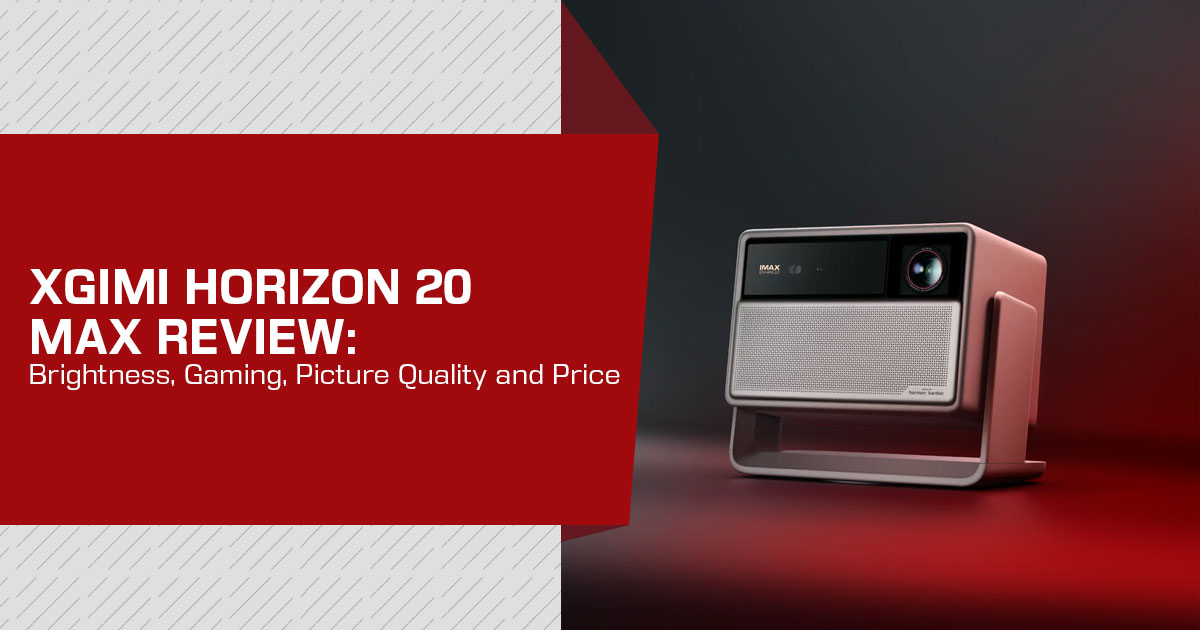
The XGIMI HORIZON 20 Max is the flagship projector in XGIMI’s Horizon 20 series. It launched in October 2025 at $2,999 and uses an RGB triple-laser light source, with 4K output, a claimed 5,700 ISO lumens, and 1 ms input lag at 1080p/240 Hz. Those are strong specifications, but projector performance depends on the room, screen, picture mode, and settings.
This review looks at the HORIZON 20 Max using published testing rather than our own hands-on measurements. We compared XGIMI’s specifications with reviews and measurements from PCMag, ProjectorCentral, Projector Reviews, TechRadar, AVSForum, ProjectorScreen.com, and long-term owner reports from Pocketables. Where we use a measured figure, we identify the source so readers can judge the result for themselves.
As technology experts with more than 20 years of experience in hardware and application research and development, we assess products on performance, durability, usability, and value for money. For this projector, the review is aimed at home cinema users, gamers, sports viewers, movie and TV fans, and buyers looking for a high-end projector for a living room or dedicated viewing space. Our recommendations are based on research, component analysis, real-world usability, and industry experience, with a focus on how the product performs over time and whether it makes sense for the price.
Published tests show that the HORIZON 20 Max is among the brighter lifestyle projectors in its class. PCMag also recorded the lowest input lag it had measured on a projector. Other notable features include motorized lens shift and support for Dolby Vision, HDR10+, and IMAX Enhanced.
There are some limitations. Reviewers found a green tint in the highest-brightness mode, while black levels do not match projectors with higher native contrast. The single-chip DLP design can also produce rainbow artifacts, and the RGB laser light source can show speckle for some viewers. The software has also received firmware updates since launch.
As of September 2026, the HORIZON 20 Max is listed at about $2,249 in the US and ₹2,79,999 in India. The key question is whether its brightness, gaming performance, image quality, lens flexibility, and HDR support justify the price compared with competing models.
What Is the XGIMI HORIZON 20 Max?
XGIMI positions the HORIZON 20 Max as a lifestyle projector: a self-contained unit with built-in Google TV and speakers that can sit on a table or shelf instead of requiring a dedicated theater installation. It is the flagship of the Horizon 20 line, above the HORIZON 20 (3,200 ISO lumens, $1,699 MSRP) and HORIZON 20 Pro (4,100 ISO lumens, $2,499 MSRP). Projector Reviews says the three models share the X-Master platform and differ mainly in brightness and lens hardware, with the Max at the top.
The projector outputs a 3,840 × 2,160 image using a 0.47-inch DLP DMD with XPR pixel shifting. Its native imaging resolution is 1,920 × 1,080, so it is not a native 4K projector. The distinction matters most when comparing it with native-4K projectors; in normal movie, sports, and console viewing, the pixel-shifted image can still look sharp.
What buyers actually get for the money, per the specification sheet, is summarized below.
Quick specifications
| Category | Specification |
|---|---|
| Imaging | 0.47-inch DLP with XPR pixel shifting; displayed resolution of 3840 × 2160 (4K) |
| Light Source | RGB triple-laser (“X-Master” engine) with 40 laser diodes and an approximately 20,000-hour rated lifespan |
| Rated Brightness | 5,700 ISO lumens |
| Rated Contrast | 20,000:1 dynamic contrast with Dynamic Black Level Enhancement |
| Color Gamut | 110% BT.2020 |
| HDR & Cinema Formats | Dolby Vision, HDR10+, HDR10, HLG, IMAX Enhanced, Filmmaker Mode, and Full HD 3D |
| Gaming | VRR and ALLM; rated at 1ms at 1080p/240Hz, 2.2ms at 1080p/120Hz, and 3ms at 4K/60Hz in Game Mode with VRR enabled and auto-keystone disabled |
| Placement & Projection | Motorized lens shift of ±120% vertical and ±45% horizontal, 1.2–1.5:1 optical zoom, and support for 40–300-inch images |
| Smart Platform | Google TV with licensed Netflix support and Google Home voice control |
| Audio | Dual Harman Kardon drivers delivering approximately 24W combined output |
| Connectivity | 2 × HDMI including 1 × HDMI 2.1 with eARC, USB 2.0, USB 3.0, 3.5mm audio, optical audio, Wi-Fi, and Bluetooth |
| Dimensions / Weight | Approximately 249 × 298 × 190mm; approximately 11.9 lb |
| US Warranty | 2 years |
| Launch MSRP | US$2,999 in the US / £2,599 in the UK |
A few rows deserve plain-language translation, because raw spec numbers routinely mislead projector buyers. The next sections walk through what 5700 ISO lumens means in a living room, what the input lag figures mean for console players, and why lens shift may matter more than resolution to most people who install these units.
Design, Build Quality and What Is in the Box
The HORIZON 20 Max has an “Elephant Grey” finish, a fabric speaker grille, and a swivel base that lets the projector rotate and tilt. Reviews describe the build as solid. At about 11.9 lb, it is easy enough to move between rooms, but it is not a small battery-powered portable projector.
Two packaging and physical details come up repeatedly in owner reports and are worth knowing before purchase:
- A carrying case is included even though XGIMI does not list it in the advertised contents. Pocketables’ running review describes it as a welcome surprise, though it is another item to store.
- The external power brick is large, and the cable that runs from it to the projector arrives coiled; several owners note the coil’s pull can drag the projector’s swivel base out of position until the cable relaxes. Not a defect — a layout annoyance to plan around when placing the unit.
The backlit remote ships with the projector. The rear panel has two HDMI ports, including one HDMI 2.1 port with eARC, two USB ports, a 3.5 mm audio jack, and optical audio out. Pocketables also noted that the software shows wired-network options even though the projector has no Ethernet port.
Setup and Placement: Why Motorized Lens Shift Matters
One of the most useful features is motorized lens shift. It moves the projected image up, down, left, or right optically, without moving the projector or relying on keystone correction.
XGIMI rates the HORIZON 20 Max at ±120% vertical and ±45% horizontal lens shift, controlled from the remote. That is a large range for a lifestyle projector and gives buyers more freedom to place the unit on a shelf, console, or other off-center position.
Two fine-print notes from XGIMI’s own documentation are worth remembering:
- Full horizontal shift (±45%) is available only when vertical shift is set to 0. With vertical shift engaged, horizontal range shrinks.
- The optical zoom covers a 1.2–1.5:1 throw ratio, and the unit can fill from 40 to 300 inches diagonal. As a rule of thumb from AVSForum’s review setup, expect roughly a 100-inch image from about 9 feet and a 150-inch image from about 13 feet.
Because the shift and zoom are motorized and optical, setup is more flexible than on many projectors with fixed optics. Auto keystone is available as a convenience, but reviewers recommend aligning the projector properly and leaving keystone correction off when low input lag matters.
One placement detail from long-term use reports: heat exits from the bottom of the chassis rather than the back, and the unit sits on a swivel base — so table placement needs some breathing room underneath, and the base should not fight the power cable.
Brightness: What 5,700 ISO Lumens Actually Means in a Real Room
Brightness is the headline specification, but the measured results need context. Three points matter.
First, the 5,700 ISO-lumen rating is broadly supported by independent measurements. ProjectorCentral measured 5,342 ANSI lumens in High Power mode, while Projector Reviews measured about 5,640 lumens at wide zoom.
Second, that peak output comes from a mode reviewers do not recommend for normal viewing. High Power is visibly green-tinted, the fans run loudly, and the projector produces substantial heat.
ProjectorCentral says the mode is not suitable for long periods, and ProjectorScreen.com also found the color unusably green.
Third, usable output is lower. ProjectorCentral measured about 2,932 ANSI lumens without the boost, Projector Reviews measured roughly 3,000–4,000 lumens in more accurate modes after adjustment, and ProjectorScreen.com measured nearly 4,000 lumens after D65 calibration in Movie mode. PCMag estimated about 3,000–3,300 lumens in the settings it used.
| Picture Mode | Measured Brightness | Notes | Source |
|---|---|---|---|
| High Power (Maximum) | ≈ 5,342–5,640 lumens | Delivers maximum brightness but introduces a noticeable green tint, louder fan noise, and substantial heat, making it less suitable for extended daily viewing. | ProjectorCentral, Projector Reviews |
| Movie / Filmmaker (Calibrated) | ≈ 3,000–4,000 lumens | Represents the more color-accurate brightness range reported after calibration and is better suited to movie and home-theater viewing. | Projector Reviews, ProjectorScreen.com |
| Default Non-Boost Modes | ≈ 2,900–3,300 lumens | Reflects the approximate brightness range reported for the standard settings used during independent testing. | ProjectorCentral, PCMag |
Even at around 3,000 lumens in usable modes, this is a very bright projector. The extra light helps in rooms with some ambient light, but buyers should compare it with rivals using measured, usable output rather than the 5,700-lumen headline.
Screen choice also matters at this brightness. A large, bright projector can expose problems with a poor screen, so a suitable screen should be part of the total budget.
Picture Quality: Color, Contrast and HDR Formats
Color from the RGB triple laser
The HORIZON 20 Max generates color with separate red, green and blue lasers rather than a white-light source filtered through a color wheel. The practical consequences are wider color coverage and no white-segment “color brightness” loss of the kind older single-laser and lamp designs can suffer. XGIMI rates the unit at 110% of the BT.2020 color space, and Projector Reviews’ testing described the RGB engine’s color as a clear strength, with rich saturated tones in HDR material. Out-of-the-box accuracy in Movie and Standard modes was called good by Projector Reviews and ProjectorScreen.com — the latter noting color improved further after a white-point correction, which the built-in calibration controls allow.
Contrast: rated versus measured
The 20,000:1 contrast figure needs context. XGIMI measures it with Dynamic Black Level Enhancement (DBLE), which dims the laser in dark scenes. It is not the projector’s native contrast. ProjectorJunkies measured native on/off contrast at about 1,500:1, while ProjectorScreen.com measured the same general native-contrast level.
Across the published tests, the trade-off is fairly clear:
- In bright and mixed scenes, DBLE can improve perceived contrast, and reviewers praise the projector’s HDR tone mapping.
- In a dark room, black bars and shadow areas are not as deep as on contrast-focused rivals. Valerion’s VisionMaster Pro 2, with its mechanical iris and higher native contrast, is a common comparison.
- DBLE also has trade-offs: Projector Reviews and AVSForum report visible brightness changes or color shifts in some scenes, and it cannot be used with Dolby Vision content. Pocketables also noted a faint gray glow in letterbox bars.
Buyers who watch mostly in a fully darkened room and rank black levels above everything else should treat this as a real consideration. Buyers who watch with lights on or windows nearby are less likely to notice the difference.
HDR and motion support
The HORIZON 20 Max supports a broad set of HDR and video formats:
| Format | Supported | Notes |
|---|---|---|
| Dolby Vision | Yes | Includes a dedicated Dolby Vision Bright picture mode; it cannot be used simultaneously with DBLE. |
| HDR10+ | Yes | Supports dynamic HDR metadata for compatible HDR10+ content. |
| HDR10 | Yes | Supports standard HDR10 content. |
| HLG | Yes | Supported for compatible broadcast HDR content. |
| IMAX Enhanced | Yes | Supports compatible IMAX Enhanced content. |
| Filmmaker Mode | Yes | Provides a viewing mode designed to preserve the creator’s intended presentation. |
| 3D | Full-HD 3D | PCMag confirms Full-HD 3D support. |
| MEMC | Yes | Provides motion smoothing, according to XGIMI’s specification sheet. |
Published tests describe HDR handling as a strength, particularly because the projector combines high brightness with dynamic tone mapping and support for Dolby Vision, HDR10+, and IMAX Enhanced.
Rainbow effect and speckle: the triple-laser question
Single-chip DLP projectors can show rainbow artifacts to viewers who are sensitive to them, while laser projectors can show speckle on some screens. Projector Reviews observed some rainbow artifacts with high-contrast content and speckle in red areas. XGIMI says its optical design is intended to reduce speckle, and reports from owners vary.
If you know you are sensitive to rainbow artifacts, buy from a seller with a practical return window and test the projector with high-contrast content early. This is a personal viewing issue, so a return period is more useful than trying to predict it from specifications alone.
Gaming on the HORIZON 20 Max: Input Lag, VRR and the 120 Hz Question
Gaming is a strong part of the HORIZON 20 Max’s feature set, but the rated latency needs to be separated from independent measurements.
Rated versus measured input lag
XGIMI rates the projector at 1 ms input lag at 1080p/240 Hz, 2.2 ms at 1080p/120 Hz, and 3 ms at 4K/60 Hz, with Game Mode, VRR enabled, and auto-keystone off. Independent measurements are higher but still strong.
| Test Source | Resolution / Refresh Rate | Input Lag Result | Notes |
|---|---|---|---|
| PCMag (Bodnar) | 4K / 60Hz | 10 ms | Described as having shorter input lag than any gaming projector PCMag had tested. |
| PCMag (Bodnar) | 1080p / 60Hz | 9.9 ms | Very low latency for 60Hz gaming. |
| PCMag (Bodnar) | 1080p / 120Hz | 5.3 ms | Lower latency suited to high-refresh-rate gaming. |
| PCMag (Bodnar) | 1080p / 240Hz | 2.7 ms | Lowest measured PCMag result, making this mode particularly suitable for competitive gaming. |
| TechRadar | 4K / 60Hz | 19.1 ms | Result from TechRadar’s instrumented input-lag testing. |
| AVSForum (Bodnar) | 4K / 60Hz | 3 ms at top → ~17.6 ms at bottom | Measurement reflects the top-to-bottom display scan, explaining the variation depending on measurement position. |
The measurements vary because the projector scans the image from top to bottom, so a test can produce different results depending on where the measurement is taken. Across the published tests, the HORIZON 20 Max has very low latency for a projector.
Two caveats from the same sources matter for real use:
- Auto-keystone must be off to reach the low-lag modes. That means aligning the projector properly during setup — which, as noted, the motorized lens shift makes practical.
The 1 ms figure is a manufacturer rating, not an independent measurement. PCMag measured 2.7 ms at 1080p/240 Hz and about 10 ms at 4K/60. For competitive PC gaming, 1080p/240 Hz is the relevant low-latency mode; for consoles, 4K/60 remains the more practical target.
Does it do 4K at 120 Hz?
XGIMI’s official specifications list low-latency gaming at 1080p/240 Hz, 1080p/120 Hz, and 4K/60 Hz. Projector Reviews says the projector can accept a 4K/120 Hz signal but displays it at 60 Hz, while ProjectorScreen.com reports successful 4K/120 Hz input testing. TechRadar also says 4K/120 Hz is not supported as a display mode. So the safe wording is: the projector can accept some 4K/120 Hz input, but it does not provide native 4K/120 Hz output.
VRR and ALLM
The HORIZON 20 Max supports Variable Refresh Rate (VRR) and Auto Low Latency Mode — AVSForum describes it as one of the first projectors to do so. For console players, VRR smooths frame-rate dips in demanding titles and reduces screen tearing; reviewers who tested on PS5 and Xbox report both working as intended. HDMI 2.1 with eARC on one port covers current consoles and passthrough audio.
Sound: Built-In Harman Kardon Speakers
The unit carries two Harman Kardon drivers with about 24 W of combined output (Projector Reviews lists 24 W in its spec sheet), tuned inside a 630cc acoustic chamber (per AVSForum’s review). The consistent thread across reviews is that dialogue stays clear — Projector Reviews singles out vocal clarity as better than on more expensive projectors it has tested — and that bass is respectable for the size. Sound presets cover Standard, Movie, Sports, Game and User, plus DTS:VX processing (per AVSForum), and a dialogue enhancer is included; AVSForum describes the surround mode as widening the soundstage reasonably given only two drivers.
The built-in speakers are good enough for a bedroom or medium-size living room, but a soundbar or receiver makes more sense for a large room or dedicated theater. The HDMI eARC connection makes that upgrade straightforward.
Google TV, Software and Long-Term Use Notes
Google TV is built in, with the Play Store, Google Assistant voice control, and a licensed Netflix app. That means buyers can use the official Netflix app instead of relying on a sideloaded workaround.
Software has been the main area of criticism. PCMag found that picture settings are spread across several menus and that some controls were confusing. Pocketables also reported settings-reset and Plex-install issues, then said it could no longer reproduce those bugs after a September 2026 firmware update.
Other software notes collected from published tests and owner reports:
- Motion processing (MEMC) and the AISR upscaling engine handle lower-resolution content well; reviewers describe 1080p upscaling as strong and the AI sharpening tools as adjustable from subtle to heavy.
- The AIPQ picture setting (highlight boost with darkened mid-tones) divides opinion — some scenes gain depth, some look processed. It is off by default in the modes reviewers used most.
- Fans are quiet in normal picture modes — ProjectorScreen.com lists quiet fan operation among the unit’s High Power mode is the exception: ProjectorCentral notes the fans run loudly there.
The rated laser life of 20,000 hours (ProjectorScreen.com) works out to more than a decade at roughly four hours of evening use per day. Ratings are estimates, not promises, and a laser light source means no lamp replacements of the kind older projectors require.
XGIMI HORIZON 20 Max vs the Competition
Published reviews most often compare the HORIZON 20 Max with the Valerion VisionMaster Pro 2, Hisense C2 Ultra, and Anker Nebula X1. These are premium 4K lifestyle projectors with triple-laser light sources. PCMag also lists the JMGO N1S Ultimate as an alternative, but we did not find comparable head-to-head measurements in the sources reviewed, so it is not included in the table.
| Feature | XGIMI HORIZON 20 Max | Valerion VisionMaster Pro 2 | Hisense C2 Ultra | Anker Nebula X1 |
|---|---|---|---|---|
| Price (US list price in TechRadar’s comparison) | $2,999 | $2,999 | $2,499 | $2,999 |
| Rated Brightness (manufacturer claim) | 5,700 ISO lumens | 3,000 ISO lumens | 3,000 ANSI lumens | 3,500 ANSI lumens |
| Light Source | RGB triple laser | RGB triple laser | RGB triple laser | RGB triple laser |
| HDR Formats | Dolby Vision, HDR10+, HDR10, HLG, IMAX Enhanced | Dolby Vision, HDR10+, HLG | Dolby Vision, HDR10+, HDR10, HLG | Dolby Vision, HDR10, HLG |
| Smart Platform | Google TV | Google TV | Google TV (US) / VIDAA (UK and Australia) | Google TV |
| Review Highlights | PCMag recorded its lowest measured projector input lag and highlighted the motorized lens shift as unusual for this class. | Its mechanical iris helped Projector Reviews measure approximately 4,000:1 native contrast, making it particularly strong for deeper blacks in dark rooms. | PCMag Editors’ Choice with a lower launch price than the $2,999 competitors. | Received a PCMag Editors’ Choice award. |
Sources for the comparison table: TechRadar‘s side-by-side comparison (prices, brightness, HDR formats, smart platform); PCMag‘s review and alternatives list (Editors’ Choice designations and measured lag); Projector Reviews (Valerion contrast measurement); and XGIMI’s official specifications. Because the brightness figures use different rating standards (ISO and ANSI), they should not be treated as directly equivalent. Table prices are launch/list prices, not current street prices.
vs Valerion VisionMaster Pro 2. The main trade-off is brightness and placement flexibility versus native contrast. Projector Reviews measured roughly 4,000:1 native contrast on the Valerion versus about 1,500:1 on the XGIMI. The XGIMI counters with much higher rated brightness, motorized lens shift, optical zoom, and lower measured input lag.
vs Hisense C2 Ultra. TechRadar listed the C2 Ultra at $2,499 versus the XGIMI’s $2,999 launch price. The XGIMI offers higher rated brightness and motorized lens shift, while the Hisense is a lower-priced alternative. The better choice depends on room lighting, placement, and current street price.
vs Anker Nebula X1 and JMGO N1S Ultimate. PCMag lists both as premium alternatives. Against the Nebula X1, the clearest differences in the sources reviewed are the XGIMI’s measured input lag and motorized lens shift. We did not find enough comparable published measurements for the JMGO to make a direct recommendation.
XGIMI HORIZON 20 vs HORIZON 20 Pro vs HORIZON 20 Max: which model fits
For buyers choosing within XGIMI’s own line, the main differences are brightness and lens hardware. Projector Reviews says the three models share the X-Master platform and similar color, contrast, sound, and low-latency gaming features.
| Model | MSRP (US) | Rated Brightness | Best Suited For |
|---|---|---|---|
| XGIMI HORIZON 20 | $1,699 | 3,200 ISO lumens | Darker rooms and buyers who want the HORIZON 20 platform at a lower entry price. |
| XGIMI HORIZON 20 Pro | $2,499 | 4,100 ISO lumens | Mixed-lighting environments and most living-room setups, balancing brightness and price. |
| XGIMI HORIZON 20 Max | $2,999 | 5,700 ISO lumens | Bright rooms, flexible projector placement, and buyers prioritizing high-performance competitive gaming. |
The practical choice is simple: the Max makes the most sense when the room is bright or placement is difficult. If the room is darker and the lower brightness of the HORIZON 20 or HORIZON 20 Pro is enough, the cheaper model may offer better value.
Pros and Cons
Compiled from the published reviews and owner reports cited in this article, not from our own testing.
| Strengths | Limitations |
|---|---|
| ✔ Exceptionally low measured input lag — PCMag reported the lowest latency it had recorded on any projector. | ✖ Peak brightness mode introduces a noticeable green tint and higher fan noise, making it less suitable for everyday viewing. |
| ✔ Delivers approximately 3,000–4,000 lumens of color-accurate real-world brightness, making it well suited to rooms with ambient light. | ✖ Black levels are not as deep as those of some iris-equipped competitors, particularly in dark-room viewing. |
| ✔ Motorized ±120% vertical lens shift provides unusually flexible installation options for this projector class, according to PCMag. | ✖ No native 4K/120Hz display output; some reviews report acceptance of a 4K/120Hz input signal. |
| ✔ Broad HDR support includes Dolby Vision, HDR10+, IMAX Enhanced, and Filmmaker Mode. | ✖ The triple-laser projection system may produce rainbow artifacts or laser speckle for sensitive viewers. |
| ✔ Integrated Google TV includes access to a licensed Netflix app, reducing the need for an external streaming device. | ✖ Early software reportedly showed some menu and interface quirks, with firmware updates continuing to address issues. |
| ✔ Supports VRR and ALLM for gaming, while the integrated audio system has been praised for clear vocal reproduction. | ✖ No Ethernet port, as noted by Pocketables, which may be inconvenient for users who prefer wired networking. |
| ✔ Includes a 2-year US warranty, providing additional reassurance for a premium projector purchase. | ✖ Uses a 0.47-inch DLP chip with pixel shifting rather than native 4K imaging; owners have also noted the large external power brick, while the launch price is high compared with some 3,000-lumen competitors. |
Who Should Buy the XGIMI HORIZON 20 Max
Based on the published tests and owner reports, the HORIZON 20 Max is the clearest fit for:
- Bright living rooms and multi-use spaces. The projector’s high light output is useful when lamps are on, curtains are partly open, or daytime sports are part of the routine.
- Awkward room layouts. Motorized lens shift and optical zoom give you more placement options without relying on keystone correction.
- Console and PC gamers who want one large screen for different types of content. The low measured input lag, VRR support, and large image size make it a strong fit, as long as 4K/120 Hz display is not a requirement.
- Buyers who want streaming built Google TV and the licensed Netflix app reduce the need for an external streaming device.
It is a weaker fit for dedicated dark theaters where native contrast and black levels matter more than brightness, for viewers who are sensitive to rainbow artifacts, and for buyers whose budget leaves too little room for a suitable screen.
XGIMI HORIZON 20 Max Price in India and the US
Prices change often, so the figures below reflect listings checked in early September 2026 and should be verified before purchase.
United States. The launch MSRP is $2,999. XGIMI’s US store lists the HORIZON 20 Max at $2,249, with a 30-day money-back window and a 2-year warranty. Amazon US pricing has also moved through the mid-$2,000 range, so check the live price before buying.
India. Indian listings checked for this review show the HORIZON 20 Max at ₹2,79,999 against an MRP of ₹5,49,999. Some listings also offer no-cost EMI. Price-tracker data shows that the model has sold for less during 2026, so it is worth checking the current price before ordering.
India-specific caution: the 2-year warranty cited in the official US documentation should not be assumed to apply in India. Confirm warranty and service coverage with the seller. Also check that the listing is for the Indian-market unit rather than a grey import.
Frequently Asked Questions
Is the XGIMI HORIZON 20 Max worth it?
The published reviews make the strongest case for the HORIZON 20 Max in rooms with ambient light, difficult placement, or serious gaming needs. A fully dark theater is a different case because contrast-focused rivals can produce deeper blacks.
Does the XGIMI HORIZON 20 Max support 4K at 120 Hz?
XGIMI’s official specifications list 4K/60 Hz as the low-latency 4K mode. Projector Reviews says the projector can accept a 4K/120 Hz signal but displays it at 60 Hz, while ProjectorScreen.com reports successful 4K/120 Hz input testing. If you need a true 4K/120 Hz display, this projector is not the right choice.
How bright is the XGIMI HORIZON 20 Max in real use?
XGIMI rates it at 5,700 ISO lumens. Independent tests measured about 5,340–5,640 lumens in High Power mode, but reviewers found that mode too green and loud for normal viewing. In more usable picture modes, published measurements are around 3,000–4,000 lumens.
Is the XGIMI HORIZON 20 Max good for gaming?
Yes. PCMag measured about 10 ms at 4K/60 and 2.7 ms at 1080p/240, with VRR and ALLM supported. The rated 1 ms figure is not reproduced by the independent measurements, and auto-keystone must be off for the lowest-latency modes.
What is the XGIMI HORIZON 20 Max price in India, and where can we buy it?
Indian listings checked for this review show the HORIZON 20 Max at about ₹2,79,999, with some listings showing an MRP of ₹5,49,999. Confirm the seller, warranty terms, and service coverage before ordering.
Does the XGIMI HORIZON 20 Max suffer from rainbow effect or speckle?
Some viewers may notice rainbow artifacts on high-contrast content, and Projector Reviews observed laser speckle in red areas. XGIMI says its optical design is intended to reduce speckle, but sensitivity varies from person to person. If you are unsure, use a seller with a reasonable return period and test the projector yourself.
Where to buy: current prices and offers
For readers comparing prices, these are the channels referenced in our research. Prices can change after publication.
Amazon US — the standard marketplace channel, with fluctuating deal pricing and Prime shipping.
Check the current XGIMI HORIZON 20 Max price on Amazon US.
XGIMI official store (US) — listed at $2,249 at the time of writing, with the 30-day money-back window and the 2-year warranty; limited editions bundled with game codes have appeared here. View the HORIZON 20 Max on XGIMI US.
Amazon India — the primary Indian channel, with no-cost EMI and periodic sale dips. Check the current XGIMI HORIZON 20 Max price on Amazon India.
At this brightness level, a suitable screen should be part of the budget. The screen, room lighting, and projector placement can have a bigger effect on the final result than small differences between specifications.
Final Verdict
The published tests point to a clear strength: the HORIZON 20 Max combines very high light output with motorized lens shift, optical zoom, low input lag, and broad HDR support. Those features make it a strong option for bright living rooms, flexible setups, and gaming. The main compromises are its modest native contrast, the green-tinted High Power mode, possible rainbow or speckle artifacts, and software quirks reported in early testing.
Published scores are also worth noting: PCMag rated it 4.0 (Excellent), TechRadar gave it 4.5 out of 5, and ProjectorCentral rated it 4 out of 5. We have not added our own numeric score because this is a research-based review, not a hands-on lab test.
If your room is bright, your projector placement is awkward, or you want one unit for movies, sports, streaming, and gaming, the HORIZON 20 Max is a strong choice. If you have a controlled dark theater and care most about deep blacks, compare it with contrast-focused rivals before buying. Check the current price as well, because the value changes when discounts move.
Still have doubts about the XGIMI HORIZON 20 Max? Ask in the comments. If you are unsure about brightness, gaming, picture quality, HDR, room size, screen needs, or price, tell us what you are considering. You can also share your experience or ask us to compare it with another projector. Follow us for more product reviews, comparisons, and buying guides.
***Disclaimer***

This blog post reflects our research, analysis, and opinions based on available product information, user feedback, and industry knowledge. It should not be taken as the official position of any brand, manufacturer, or company mentioned here. We make every effort to keep this guide accurate, but product specifications, pricing, and availability may change after publication. We recommend double-checking important details before making a purchase.

Some links in this article may be affiliate links. If you choose to buy through these links, we may earn a small commission at no extra cost to you. This helps support our work and allows us to keep publishing in-depth, unbiased reviews. Affiliate partnerships never influence our recommendations.

Opinions expressed by readers are their own and do not necessarily reflect ours. We are not responsible for outcomes resulting from the use of information on this site. Please seek professional advice where appropriate.

All product names, logos, and brands mentioned are the property of their respective owners. These names are used for identification and informational purposes only and do not imply endorsement.
