
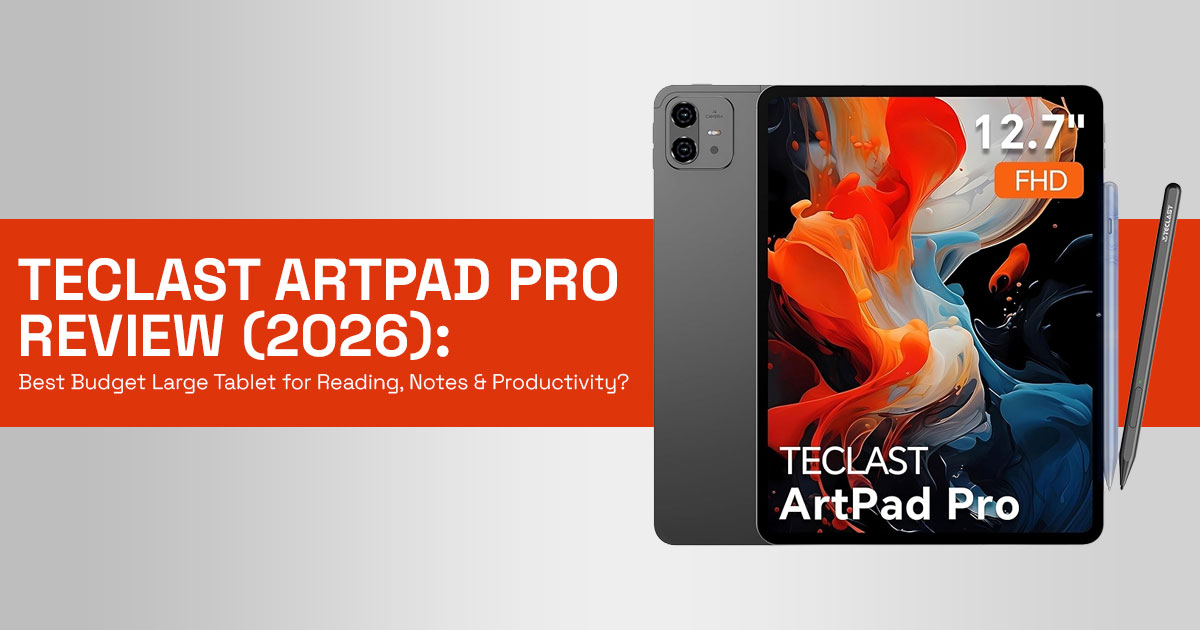
1. The Frustration of the Small Screen: A Modern Dilemma
You open a PDF on your phone, zoom in, scroll sideways, lose your place… and repeat. A task that should take five minutes drags into twenty. And if you’ve ever tried editing a spreadsheet, reading a research paper, or sketching ideas on a small screen, you already know how quickly it gets annoying.
This is the reality for a lot of people today. We depend on screens for almost everything—reading, studying, note-taking, streaming, sketching—but the devices we use often don’t keep up. Phones feel cramped. Many tablets sit in an awkward middle ground—too small to work on comfortably, too limited to replace a laptop.
That’s where the idea of a large-screen tablet for reading and creativity starts to make sense.
1.1 Why This Review Matters: Cutting Through the Hype
The tablet market is crowded. Every brand claims “best performance,” “stunning display,” or “perfect for productivity.” But once you start using the device, the gaps show up—laggy performance, average build quality, missing accessories, or poor long- term value.
That’s why user-focused reviews matter more than spec sheets.
Real-world feedback tells you things that marketing never will:
- Does it actually handle PDF reading and multitasking smoothly?
- Is the stylus useful or just a gimmick?
- Can it replace your daily study or work device, even partially?
- Or does it end up sitting unused after a week?
Customer experience = real performance. And that’s what helps you avoid wasting money.
1.2 Our Approach (Why You Can Trust This Review)
As technology experts with over 20 years of experience in hardware and application research and development, we deeply analyze each product based on real-world performance, durability, and value for money. Our goal is to help you find the best product in every category—budget, performance, reliability, and long-term usage.
Our recommendations are based on extensive research, component analysis, real-world usability, and industry expertise.
1.3 Who This Is For
This review is especially useful if you are:
- A student dealing with PDFs, notes, and online classes
- A reader who wants a larger, more comfortable screen
- A casual artist or note-taker looking for a stylus-friendly tablet
- Someone searching for a budget tablet that actually delivers value
- Or just tired of struggling with small screens and limited workspace
If you’re thinking about upgrading your screen experience—or just want something that actually makes daily tasks easier—this is worth your time.
1.4 What You’ll Learn From This Comprehensive Guide
By the end of this review, you’ll know:
- If this tablet fits your needs: Discover if its unique blend of features and affordability aligns with your needs.
- Who should buy it—and who shouldn’t: Determine if you are the target audience for this tablet, or if an alternative would serve you better.
- How it performs in real use (reading, notes, streaming): Beyond benchmarks, we’ll discuss how the tablet handles daily tasks, from intensive reading sessions to light creative work and multimedia consumption.
- What matters in the specs—and what doesn’t: We’ll translate technical jargon into practical benefits and drawbacks, helping you understand what truly
- How it compares with Xiaomi Pad 6 and Samsung Tab A9+: See how the ArtPad Pro stacks up against popular alternatives like the Xiaomi Pad 6 and Samsung Galaxy Tab A9+, with clear guidance on which device suits different priorities.
- The drawbacks you should know before buying: We won’t shy away from discussing the tablet’s limitations, ensuring you have a complete picture before making a purchase.
Let’s break it down and see if it fits your needs.
Quick Summary
- Small screens slow you down—especially for reading, studying, and multitasking
- The Teclast ArtPad Pro targets this problem with a large display at a budget price
- This review focuses on real-world use, not just specs
- You’ll learn whether it truly improves productivity, reading comfort, and creativity
- And most importantly, whether it’s worth your money
If you already know you need a large screen tablet for reading, note-taking, or daily productivity, you can check the current price here:
2. Framing the Decision: What Truly Matters in a Modern Tablet?
Before we get into the Teclast ArtPad Pro, let’s look at what actually matters in a tablet. With countless models offering a dizzying array of features, it’s easy to get lost in the technical jargon.
However, for the majority of users seeking a device for reading, creativity, and general productivity, a few core factors stand out as paramount:
- Screen Experience: This goes beyond just It encompasses resolution, aspect ratio, brightness, color accuracy, and the presence (or absence) of PWM (Pulse Width Modulation), which can cause eye strain. For reading and creative work, a larger, high-resolution screen with a comfortable aspect ratio is key.
- Stylus Integration & Performance: For note-takers and artists, a responsive stylus with good pressure sensitivity is non-negotiable. The cost and availability of the stylus, as well as its latency and accuracy, significantly impact the user
- Battery Life & Charging Speed: A tablet is meant to be portable. Constantly searching for an outlet defeats its purpose. Excellent battery life, coupled with reasonably fast charging, ensures uninterrupted usage throughout the day.
- Build Quality & Portability: While budget-friendly, a tablet shouldn’t feel A sturdy build, ideally with a metal casing, enhances durability and the overall premium feel. Weight and thickness also play a role in its portability and comfort during extended use.
- Software Experience & Ecosystem: The operating system and its optimization for the tablet’s hardware are critical. Access to a wide range of apps, smooth multitasking, and timely software updates contribute to a positive user
- Multimedia Capabilities: For many, a tablet doubles as an entertainment This includes speaker quality, headphone jack availability, and crucial support for high-definition streaming services (e.g., Widevine L1 for Netflix HD).
- Connectivity: Reliable Wi-Fi is a given, but 4G LTE connectivity can be a game- changer for those who need to stay connected on the go without relying on phone hotspots.
These factors will help you decide if the Teclast ArtPad Pro fits your needs.
3. Solving Small Screen Problems – Teclast ArtPad Pro Features That Matter
Most people don’t need more specs—they need fewer frustrations. The Teclast ArtPad Pro focuses on fixing everyday issues like small screens, expensive accessories, weak streaming quality, and poor battery life.
3.1 Large Display Tablet for PDFs, Reading & Productivity
The Problem: Small tablets force constant zooming, scrolling, and repositioning. This breaks focus during PDF reading, research, and document work.
The Solution:
- 7-inch display with 7:5 aspect ratio fits documents better
- Shows more content at once
- Works well for ebooks, academic papers, and browsing
–− Key takeaway: Bigger, better-shaped screen = smoother reading and higher productivity
3.2 Budget Tablet with Stylus Included – Real Value for Students & Creators
The Problem: Many tablets charge extra for a stylus, increasing total cost.
The Solution:
- Active stylus included (4096 pressure levels)
- Supports note-taking, annotations, basic sketching
–− Key takeaway: No extra cost + practical stylus = better value for students
3.3 Widevine L1 Tablet – HD Streaming on Netflix & Prime Video
The Problem: Budget tablets often limit streaming to SD quality. The Solution:
- Widevine L1 support
- Streams in 1080p HD on Netflix, Prime Video, Disney+
–− Key takeaway: You actually get HD on a large screen
3.4 10000mAh Battery Tablet – Reliable All-Day Usage
The Problem: Weak battery breaks workflow and portability.
The Solution:
- 10,000mAh battery for long sessions
- 30W fast charging reduces downtime
–− Key takeaway: Long battery = uninterrupted work and study
- Metal Build Budget Tablet – Better Durability & Feel The Problem: Cheap plastic builds feel fragile and wear out faster. The Solution:
- Metal body design
- Stronger, more premium feel
–− Key takeaway: Solid build improves long-term usability
At this point, if you’re looking for a budget tablet with a large display, stylus support, and strong battery life, this is where the ArtPad Pro stands out:
4. Teclast ArtPad Pro Real-World Performance – What Specs
Don’t Tell You
Specs don’t show the full picture. Daily use reveals what actually matters—display quality, performance limits, and long-term usability.
4.1 Display Quality Tablet – Color Accuracy vs Everyday Use
- Large screen works great for reading and media
- Slight bluish tint and weaker color accuracy
–− Best for: reading, browsing, streaming
–− Not ideal for: professional design or color-sensitive work
4.2 Helio G99 Tablet Performance – Daily Use vs Heavy Tasks
- Smooth for multitasking, apps, browsing
- Handles casual gaming
- Not built for heavy gaming or video editing
–− Key takeaway: Reliable daily performance, not high-end power
4.3 USB 2.0 Tablet Limitation – Slower File Transfers
- Uses USB 0 speeds
- Slower for large file transfers
–− Key takeaway: Minor issue unless you transfer large files often
4.4 Android 15 Tablet Experience – Clean UI, Uncertain Updates
- Runs on Android 15
- Clean, near-stock experience
- Update consistency may vary
–− Key takeaway: Good current experience, long-term updates unclear Teclast ArtPad Pro Quick Verdict
- Large display solves real reading and productivity issues
- Stylus included adds strong value
- HD streaming + long battery life = reliable daily use
- Performance suits everyday tasks, not heavy workloads
–− Best for: students, readers, productivity users
–− Skip if: you need high performance or accurate colors
5. Recommendations: Finding Your Perfect Match
Choosing a tablet is personal. What works for one person may not work for another.
The Teclast ArtPad Pro offers strong value, but it’s not for everyone.
This section helps you decide if it fits your needs—or if another option makes more sense.
5.1 Teclast ArtPad Pro: Best for the Budget-Conscious Reader & Casual Creator
Who is this for?
- Students: Ideal for reading textbooks, annotating lecture notes, and managing assignments without breaking the bank.
- Avid Readers: The large, comfortable 7:5 aspect ratio screen is perfect for e- books, comics, and long-form articles.
- Casual Artists & Note-Takers: The included stylus makes it a great entry-level device for digital sketching, journaling, and handwritten notes.
- Multimedia Consumers: Enjoy HD streaming on Netflix and other platforms thanks to Widevine L1 support.
- Users seeking a secondary device: A reliable and affordable tablet for general browsing, email, and light productivity.
Pros:
- Large 7-inch 2.2K IPS display with a reading-friendly 7:5 aspect ratio.
- Active stylus with 4096 pressure levels included in the
- Excellent battery life (10,000mAh) with 30W fast
- Premium metal unibody design for enhanced durability and
- Widevine L1 support for HD streaming on major
- Dual SIM support for 4G connectivity on the
- Affordable price point (often under $300).
Honest Cons:
- Color accuracy is not ideal for professional
- USB 0 speeds for data transfer, which can be slow for large files.
- Helio G99 processor is suitable for everyday tasks but not for demanding gaming or heavy creative applications.
- Unclear software update policy and potential for less frequent major OS
- Only WiFi 5 (no WiFi 6/6E).
Who should NOT buy this?
- Professional digital artists or photographers who require precise color
- Hardcore mobile gamers seeking the absolute best performance for demanding
- Users who frequently transfer very large files and need fast data transfer
- Those who prioritize the absolute latest software updates and long-term OS
6. Alternatives to Consider: Stepping Up or Sideways
If the Teclast ArtPad Pro doesn’t perfectly align with your needs, here are a couple of popular alternatives that offer different strengths:
6.1 Xiaomi Pad 6: The Performance & Display King (for the price)
Who is this for? Users who prioritize a smoother, more powerful experience for gaming and demanding apps, along with a higher refresh rate display. The Xiaomi Pad 6 typically features a Snapdragon 870 or similar powerful chipset and a 120Hz or 144Hz display, offering a significant performance boost over the ArtPad Pro.
Key Differences:
- Superior Performance: Significantly more powerful processor for gaming and heavy multitasking.
- Higher Refresh Rate Display: Smoother scrolling and animations (120Hz/144Hz vs. ArtPad Pro’s 60Hz).
- Better Color Accuracy: Generally offers more color-accurate displays, better for creative work.
- Stylus & Keyboard often sold separately: Increases the overall
- Smaller Screen: Typically an 11-inch display, which might be a drawback for those prioritizing maximum screen real estate for reading PDFs.
Check price and availability on Amazon Worldwide and Amazon India
6.2 Samsung Galaxy Tab A9+: The Ecosystem & Brand Reliability Choice
Who is this for? Users who value brand reliability, a more integrated ecosystem (especially if they own other Samsung devices), and a consistent software experience. The Tab A9+ offers a balanced performance for everyday tasks and media consumption.
Key Differences:
- Brand Ecosystem: Tighter integration with Samsung’s ecosystem and
- Software Support: Generally, more reliable and longer software update
- Performance: Often comparable to or slightly better than the ArtPad Pro for general use, but not a gaming powerhouse.
- Display: Typically, a 10.5-inch or 11-inch display, often with a lower resolution than the ArtPad Pro, and stylus usually sold separately.
- Price: Can be slightly more expensive for similar specifications, especially when factoring in stylus cost.
Check price and availability on Amazon Worldwide and Amazon India
7. Comparisons & Tables: A Side-by-Side Look
To further aid your decision-making, let’s put the Teclast ArtPad Pro head-to-head with its closest rivals, the Xiaomi Pad 6 and the Samsung Galaxy Tab A9+. This table highlights key specifications and features that directly impact the user experience.
7.1 Key Specifications Comparison
| Feature | Teclast ArtPad Pro | Xiaomi Pad 6 | Samsung Galaxy Tab A9+ |
| Display Size | 12.7-inch | 11-inch | 10.5-inch |
| Resolution | 2176 × 1600 (2.2K) | 2880 × 1800 (2.8K) | 1920 × 1200 (FHD+) |
| Aspect Ratio | 7:5 | 16:10 | 16:10 |
| Refresh Rate | 60Hz | 144Hz | 90Hz |
| Processor | MediaTek Helio G99 | Snapdragon 870 | Snapdragon 695 |
| RAM | 8GB (up to 20GB virtual RAM) | 6GB / 8GB | 4GB / 8GB |
| Storage | 256GB | 128GB / 256GB | 64GB / 128GB |
| Stylus Included | Yes (4096 pressure levels) | No (sold separately) | No (sold separately) |
| Widevine L1 | Yes | Yes | Yes |
| Battery | 10,000mAh (30W fast charging) | 8840mAh (33W fast charging) | 7040mAh (15W fast charging) |
| Connectivity | Wi-Fi 5, Bluetooth 5.2, 4G LTE (Dual SIM) | Wi-Fi 6, Bluetooth 5.2 | Wi-Fi 5, Bluetooth 5.1, Optional 5G |
| Build Material | Metal | Metal | Metal |
| Starting Price | ~$250 – $300 | ~$300 – $400 | ~$200 – $250 |
Note – 8GB RAM (expandable up to 20GB using virtual memory, not physical RAM)
7.2 Use-Case Suitability
| Use Case | Teclast ArtPad Pro | Xiaomi Pad 6 | Samsung Galaxy Tab A9+ |
| Reading / Documents | Excellent (large 7:5 screen, comfortable for long reading) | Very Good (high resolution, but 16:10 aspect ratio) | Good (standard resolution, smaller screen) |
| Note-Taking / Sketching | Excellent (stylus included, good pressure sensitivity) | Good (excellent stylus, sold separately) | Fair (stylus optional, higher latency) |
| Media Consumption | Very Good (HD streaming, good audio) | Excellent (high refresh rate, better speakers) | Good (HD streaming, reliable performance) |
| Casual Gaming | Good (Helio G99, smooth for light games) | Excellent (Snapdragon 870, high refresh rate) | Fair (Snapdragon 695, entry-level gaming) |
| Heavy Gaming / Productivity | Fair (limited by Helio G99) | Excellent (powerful processor) | Fair (limited by Snapdragon 695) |
| Portability | Good (metal build, but larger size) | Very Good (slim, lightweight metal build) | Excellent (compact and lightweight) |
| Value for Money | Excellent (feature-rich, stylus included) | Very Good (strong performance, but extras cost more) | Good (affordable, but basic features) |
The Quick Takeaway
For those short on time, here’s the essence: The Teclast ArtPad Pro is an exceptional value for money, particularly for students, avid readers, and casual creators who need a large, comfortable screen and an included stylus without a premium price tag. Its 12.7- inch 7:5 aspect ratio display, 10,000mAh battery, and Widevine L1 support are major highlights. Be mindful of its color accuracy limitations for professional creative work and its USB 2.0 speeds.
Best for Quick Picks:
- Best for Students & Readers: Teclast ArtPad Pro (Unbeatable screen size and stylus for the price)
- Best for Performance & Gaming: Xiaomi Pad 6 (More powerful processor, higher refresh rate)
- Best for Brand Reliability & Ecosystem: Samsung Galaxy Tab A9+ (Consistent software, integrated ecosystem)
9. Frequently Asked Questions (FAQs)
Q: Is the Teclast ArtPad Pro good for digital art?
A: For casual digital art, sketching, and note-taking, yes, especially with the included 4096-pressure-level stylus. But if you need accurate colors for professional work, the display may feel limiting. It’s an excellent entry-level device for exploring digital art.
Q: Can I use the Teclast ArtPad Pro for Netflix in HD?
A: Absolutely! The Teclast ArtPad Pro supports Widevine L1, which means you can stream Netflix, Amazon Prime Video, Disney+, and other major streaming services in full 1080p HD, providing a crisp and immersive viewing experience on its large screen.
Q: How long does the battery last on the Teclast ArtPad Pro?
A: With its massive 10,000mAh battery, the ArtPad Pro offers excellent endurance. You can expect to comfortably get through a full day of mixed usage, including reading, browsing, and video playback, and often into a second day, depending on your specific usage patterns. It also supports 30W fast charging for quick top-ups.
Q: Does the Teclast ArtPad Pro come with a stylus?
A: Yes, one of the significant advantages of the Teclast ArtPad Pro is that it includes an active stylus with 4096 levels of pressure sensitivity right in the box, saving you the additional cost often associated with stylus-enabled tablets.
Q: Is the Teclast ArtPad Pro suitable for gaming?
A: The MediaTek Helio G99 processor is well-suited for casual gaming and less graphically intensive titles, offering smooth performance. However, for demanding 3D games at their highest settings, you might experience some limitations. For hardcore mobile gamers, alternatives like the Xiaomi Pad 6 with a more powerful processor would be a better fit.
Q: What are the main differences between the Teclast ArtPad Pro and the Xiaomi Pad 6?
A: The main differences lie in performance and display. The Xiaomi Pad 6 generally offers a more powerful processor (Snapdragon 870) and a higher refresh rate display (120Hz/144Hz), making it better for gaming and demanding apps. The Teclast ArtPad Pro, however, provides a larger 12.7-inch screen with a more reading-friendly 7:5 aspect ratio and includes a stylus, often at a lower price point. The Xiaomi Pad 6’s stylus is usually sold separately.
Q: Is the Teclast ArtPad Pro good for outdoor use?
A: While the IPS screen has decent viewing angles, its average brightness is not ideal for direct sunlight. It’s best suited for indoor use or shady outdoor environments. For bright outdoor use, tablets with higher peak brightness would be more suitable.
If your main goal is a large screen tablet for reading, notes, and daily use without overspending, this is where the ArtPad Pro stands out.
10. Final Recommendation – Who Should Buy the Teclast ArtPad Pro?
If you’ve been dealing with a small screen that slows you down, this tablet fixes that in a simple, practical way.
The Teclast ArtPad Pro makes sense for people who care more about screen space, reading comfort, and everyday usability than raw power. It’s built for students, readers, and light creators—not for heavy gaming or pro-level design work.
Here’s where it fits best:
- You read a lot of PDFs, ebooks, or documents
- You take notes regularly and want a stylus included
- You need a large display tablet for multitasking
- You want solid battery life and HD streaming without paying premium prices
And just as important—this is what it’s not for:
- Not ideal for high-end gaming or video editing
- Not the right choice if you need accurate colors for professional work
What makes it easy to recommend is the balance. You get a large 12.7-inch display, stylus in the box, reliable battery, and a metal build—all at a price that stays reasonable. It solves real problems without adding unnecessary complexity.
Buy the Teclast ArtPad Pro on:
Final Take
If your main goal is better reading, note-taking, and daily productivity on a bigger screen, this tablet delivers where it matters.
–− Simple decision:
- Want more space and comfort → this works
- Want high-end performance → look elsewhere
That clarity is what makes this an easy pick for the right user.
***Disclaimer***
This blog post reflects our own research, testing, and personal opinions. It should not be taken as the official position of any brand, manufacturer, or company mentioned here. While we aim to keep information accurate and up to date, product details, pricing, and availability can change. We recommend double-checking important details before making a purchase.
Some links in this article may be affiliate links. If you choose to buy through these links, we may earn a small commission at no extra cost to you. This helps support our work and allows us to keep publishing in-depth, unbiased reviews. Our recommendations are never influenced by affiliate partnerships.
Comments shared by readers reflect their own views and not ours. We are not responsible for outcomes resulting from the use of information on this site. Please seek professional advice where appropriate.
All product names, logos, and brands mentioned are the property of their respective owners. These names are used for identification and informational purposes only and do not imply endorsement.
