
1. Introduction: The Allure of the Affordable NAS
Most people don’t run out of storage all at once. It creeps up—photos, videos, backups, work files—until your laptop slows down or your cloud bill quietly grows every month. That’s when a budget NAS for home server starts to feel less like a luxury and more like a smart move.
The idea is simple: one device at home that stores everything, runs 24/7, and gives you full control over your data. The Acemagic N3A NAS leans right into that idea. On paper, it looks like a steal—support for up to 136TB storage, a compact design, and a $299 barebones price. That’s far cheaper than what you’d pay for systems from Synology or QNAP.
But here’s the catch—and it’s a big one. A home NAS setup isn’t just about buying the box. You still need drives, memory, the right operating system, and a bit of technical know-how. And that’s where many people get stuck. Because what looks like a smart buy today can turn into an expensive mistake tomorrow.
As technology experts with over 20 years of experience in hardware and application research and development, we deeply analyze each product based on real-world performance, durability, and value for money. Our goal is to help you find the best product in every category—budget, performance, reliability, and long-term usage.
This guide is written for:
- Beginners exploring a home server setup for the first time
- Tech enthusiasts building a DIY NAS setup
- Small business users looking for a cost-effective storage solution
- Anyone comparing budget NAS vs Synology or QNAP alternatives
Our recommendations are based on extensive research, component analysis, real-world usability, and industry expertise.
And here’s what you’ll get from this review: a clear, honest look at whether the Acemagic N3A NAS is actually worth your money—or just looks good on a spec sheet.
Quick Summary:
- The Acemagic N3A NAS looks affordable, but the real cost of a NAS setup is much higher
- It’s best for DIY users, not beginners who want plug-and-play
- Strong storage potential, but performance and setup complexity matter more than raw capacity
- This guide breaks down real-world use, costs, and tradeoffs so you don’t waste money
2. Why This Review Matters: Beyond the Spec Sheet
Most NAS listings highlight big numbers—storage capacity, RAM support, and processor specs. And that’s where most people get it wrong.
A 136TB NAS sounds powerful. But what really matters is:
- Can your network handle that speed?
- Can the CPU manage your workload (like Plex streaming or backups)?
- Do you know how to set up RAID, OS, and remote access?
That’s where real-world experience comes in.
User reviews and hands-on setups tell a very different story than spec sheets.
They reveal:
- How a budget NAS performs under daily use
- Whether it struggles with media streaming or multitasking
- If it’s reliable enough for long-term storage and backups
And that’s why this review exists.
3. What You’ll Learn From This Review
Through our in-depth exploration, you will gain a clear understanding of:
- Whether the Acemagic N3A aligns with your specific use case, from media streaming to virtualization.
- The comprehensive total cost of ownership, revealing the true investment required beyond the initial purchase.
- Optimal setup strategies to maximize performance and
- The hidden risks and tradeoffs associated with choosing a budget NAS
4. Quick Overview of Acemagic N3A
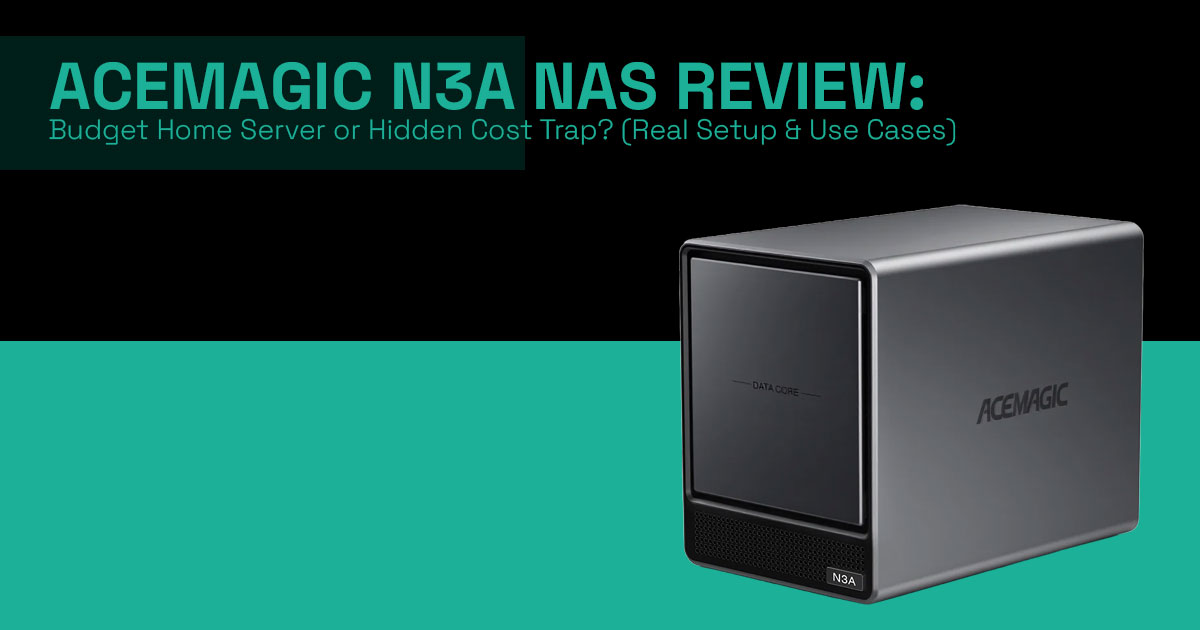
At its core, the Acemagic N3A is a compact yet capable barebones unit designed for those who prefer a DIY approach to their storage solutions.
Here’s a snapshot of its key features:
| Feature | Specification |
|---|---|
| CPU | AMD Ryzen Embedded R2544 (4 cores / 8 threads, 3.35GHz base, up to 3.7GHz boost) |
| GPU | AMD Radeon Graphics (8 cores, up to 1300MHz) |
| Memory | Dual DDR4 SO-DIMM slots, up to 64GB (3200MHz) |
| Storage Bays | 4 × SATA + 2 × M.2 2280 PCIe 3.0 SSD (up to 136TB total) |
| Networking | 1 × 2.5GbE + 1 × 1GbE Ethernet |
| Video Output | HDMI 2.0, DisplayPort 1.4, USB-C (up to 4K@60Hz) |
| Price (Barebones) | $299 |
5. The NAS Reality Framework: Understanding the Value Stack
To truly evaluate any NAS, we must consider it as a multi-layered system, not just a collection of hardware components. Our original framework, the “NAS Value Stack,” illustrates this crucial perspective:
5.1. Layer 1: Hardware – The Foundation
This layer encompasses the CPU, RAM, and drive bays. While the Acemagic N3A boasts an AMD Ryzen Embedded R2544 processor and support for up to 64GB DDR4 RAM, it’s worth remembering these are just the building blocks. The raw specifications, though impressive for a budget NAS, do not inherently guarantee a usable system. Many buyers mistakenly focus solely on this layer, overlooking the interconnectedness of the entire stack.
5.2. Layer 2: Network – The Data Highway
The network interface dictates how quickly data can move to and from your NAS. The Acemagic N3A features dual RJ45 ports (one 2.5G and one 1G Ethernet). While 2.5G Ethernet offers a significant upgrade over standard Gigabit, it can still become a bottleneck for demanding tasks—especially in multi-user setups or when using high-speed SSD storage.
Understanding the difference between 1G, 2.5G, and 10G is critical for optimizing data transfer speeds and avoiding frustrating delays.
5.3. Layer 3: Storage Design – Redundancy and Performance
This layer involves decisions about RAID types, redundancy, and overall storage speed. The Acemagic N3A’s support for four SATA drives and two NVMe SSDs allows for flexible configurations. However, simply having bays doesn’t equate to a robust storage solution.
Proper RAID planning (like RAID 5 or RAID 10) is essential for data protection and performance. The inclusion of NVMe slots also opens up possibilities for NVMe cache layer implementation, significantly boosting read/write speeds for frequently accessed data.
5.4. Layer 4: Software – The User Experience
The operating system installed on the NAS profoundly impacts its usability and functionality. While the Acemagic N3A ships barebones, it is compatible with popular NAS operating systems like TrueNAS, Unraid, and Proxmox VE. The choice of software defines the user experience, dictating features such as file management, application support, and remote access capabilities.
This is where a barebones NAS really stands apart from pre-built solutions like Synology DiskStation Manager (DSM) or QNAP QTS, offering greater customization but demanding more technical expertise.
5.5. Layer 5: Workload Fit – Matching Needs to Capabilities
In simple terms, how well a NAS works depends on how well it fits its intended workload. Whether it’s for simple backups, media streaming (e.g., Plex), virtualization, or acting as a private cloud storage solution, each use case has specific demands on the NAS value stack.
A common insight we’ve observed is that most buyers prioritize Layer 1 (hardware) without adequately considering how it integrates with the other layers to support their actual needs.
6. Real-World Use Cases: Practical Depth of the Acemagic N3A
Let’s explore how the Acemagic N3A NAS performs in common scenarios, highlighting its strengths and limitations.
6.1. Home Media Server (Plex)
The Acemagic N3A NAS can function as a Plex media server, particularly for direct play scenarios. Its AMD Ryzen Embedded R2544 CPU is capable of handling multiple direct streams.
However, its integrated Vega 8 GPU, while fine for display output, is not ideal for heavy video transcoding, especially for 4K content—and even more so without hardware- accelerated transcoding support in some setups. For users primarily engaging in direct play of media files, this Plex media server can still be a solid option.
Those requiring extensive on-the-fly transcoding for diverse client devices might find it underpowered.
6.2. Personal Cloud Storage (Google Drive Alternative)
For users seeking to regain control over their data and establish a private cloud storage solution, the Acemagic N3A offers a compelling platform. By installing operating systems like TrueNAS or Unraid, users can create a robust, self-hosted alternative to commercial cloud services.
The primary advantages include full data control and the elimination of recurring subscription fees. The main drawback, however, is the increased setup complexity and ongoing maintenance compared to a plug-and-play solution.
6.3. Home Lab / Virtualization
With its AMD Ryzen Embedded R2544 and support for up to 64GB RAM, the Acemagic N3A can serve as an entry-level home lab NAS setup. It is capable of running virtualization platforms like Proxmox VE, allowing users to host containers, virtual machines, and test environments.
The 4-core CPU ceiling, however, means it’s not suited for highly demanding virtualization tasks or running numerous resource-intensive virtual machines concurrently. It’s best for light to moderate home lab experiments.
6.4. Small Business Backup Server
For small businesses requiring a local solution for file storage and backup redundancy, the Acemagic N3A can be a cost-effective choice. Its ample storage capacity and dual networking ports provide a solid foundation for local backups.
The significant risk here is the lack of enterprise-grade support and features typically found in business-oriented NAS solutions. It requires a higher degree of in-house technical expertise to ensure reliability and data integrity.
7. True Cost Breakdown: The Reality of $299
The initial $299 price tag for the barebones Acemagic N3A NAS is undoubtedly attractive. However, it’s crucial to understand that this is merely the entry point. The total cost of ownership quickly escalates once essential components are added.
Here’s a realistic breakdown:
| Component | Cost Estimate (USD) |
|---|---|
| Base Unit | $299 |
| RAM (32GB DDR4) | $80 – $120 |
| HDDs (4 × 10TB) | $600 – $800 |
| NVMe Cache (1TB) | $100 – $200 |
| Realistic Total | $1,079 – $1,419 |
As this table illustrates, the real cost of a fully functional Acemagic N3A system easily exceeds $1000. This often comes as a surprise to buyers who are solely focused on the initial barebones price.
8. Comparison: DIY vs. Prebuilt NAS Solutions
To provide context, let’s compare the Acemagic N3A with other popular NAS options, including traditional pre-built units and a full DIY PC NAS.
| Feature | Acemagic N3A NAS (Barebones) | Synology / QNAP (Pre-built) | DIY PC NAS (Custom Build) |
|---|---|---|---|
| Initial Cost | Low (~$299) | Moderate to high | Variable (budget to high-end) |
| Setup Ease | Moderate (manual OS installation required) | Easy (pre-installed proprietary OS) | Complex (OS, drivers, full configuration) |
| Flexibility | High (choice of OS, some upgrades) | Moderate (limited hardware upgrades) | Very high (complete customization) |
| Software Ecosystem | Open-source (TrueNAS, Unraid) | Proprietary (DSM, QTS) | Any OS (Linux, Windows, etc.) |
| Performance | Good for budget use, limited heavy workloads | Optimized for NAS workloads | Excellent (scalable performance) |
| Support | Community-driven | Official manufacturer support | Self-support / community forums |
| Target User | Tech-savvy, budget-conscious users | General users and small businesses | Enthusiasts and power users |
This comparison highlights that while the Acemagic N3A offers significant flexibility and a lower entry price than many pre-built units, it demands a higher level of technical proficiency than a Synology or QNAP device. It sits squarely between a fully custom DIY build and a user-friendly commercial NAS.
9. Tradeoffs You Must Understand
Choosing the Acemagic N3A involves accepting certain compromises:
9.1. CPU Limitation
The AMD Ryzen Embedded R2544 is a capable processor for many NAS tasks, but it has its limits. It is not designed for intensive AI workloads, heavy virtualization with numerous VMs, or concurrent 4K transcoding for multiple streams. Users with these advanced requirements should consider more powerful, and consequently more expensive, alternatives.
9.2. Networking Bottleneck
While the 2.5G Ethernet port is a welcome addition, it still represents a bottleneck for users with 10G network infrastructure or those transferring extremely large datasets regularly. For maximum throughput, a NAS with native 10G or higher networking capabilities would be necessary.
9.3. No RAM/Storage Included
The entry price of $299 is for a barebones unit, meaning no RAM or storage drives are included. This can be misleading for new buyers who might not factor in the additional cost of these essential components, leading to a significantly higher total cost of ownership than initially perceived.
10. Common Mistakes Buyers Make
Based on our observations and community feedback, here are some frequent pitfalls buyers encounter with budget NAS solutions like the Acemagic N3A:
- Assuming “136TB = fast system”: The maximum storage capacity does not directly correlate with The speed is dictated by the drives, RAID configuration, and network.
- Ignoring RAID planning: Failing to implement a proper RAID strategy can lead to data loss and suboptimal performance.
- Underestimating setup complexity: A barebones unit requires significant technical knowledge to install an operating system and configure services.
- Not planning network upgrades: Relying solely on 1G Ethernet can severely limit the potential of a 2.5G capable NAS.
11. Advanced Optimization Tips
For those willing to invest the time and effort, the Acemagic N3A NAS offers several avenues for advanced optimization:
- Utilize NVMe as a cache layer: Configuring the NVMe SSDs as a read/write cache can dramatically improve performance for frequently accessed data, especially in virtualized environments or for database operations.
- Strategic RAID implementation: Carefully consider RAID 5 vs RAID 10 based on your priorities for redundancy, performance, and storage efficiency. RAID 5 offers a good balance for general use, while RAID 10 provides higher performance and redundancy at the cost of usable storage.
- Upgrade network infrastructure: To fully leverage the 5G Ethernet port, consider upgrading your home network switch to support 2.5G or even 10G if your budget allows and your other devices support it.
- Docker-based workloads: For home lab enthusiasts, leveraging Docker containers can maximize the efficiency of the AMD Ryzen Embedded R2544 CPU, allowing for easy deployment and management of various services without the overhead of full virtual machines.
12. Quick Answers
This section addresses common questions in a concise format, optimized for AI overviews and featured snippets in search results.
1. Is Acemagic N3A good for Plex?
- ✔ Yes, for direct play of media The Acemagic N3A NAS handles multiple direct streams efficiently.
- + Not ideal for heavy 4K transcoding due to the Vega 8 GPU’s limits— especially without hardware acceleration in some setups.
2. Can the Acemagic N3A replace cloud storage?
- ✔ Yes, with proper setup using operating systems like TrueNAS or Unraid, it can serve as a robust private cloud storage
3. Is the Acemagic N3A beginner-friendly?
- + Not really. Its barebones nature and requirement for OS installation and configuration make it more suitable for tech-savvy users.
4. Is the Acemagic N3A worth $299?
- ✔ Only if you fully understand the total cost of ownership, including the additional expenses for RAM, hard drives, and NVMe SSDs.
13. Who Should Buy This?
Buy the Acemagic N3A NAS if:
- You are seeking a budget NAS for home server use and are comfortable with a DIY
- You possess technical knowledge and enjoy configuring NAS systems with open- source software like TrueNAS or Unraid.
- Your primary use cases involve direct media playback, light virtualization, or basic file storage and backup.
- You understand that the $299 price is for a barebones unit and are prepared for the additional investment in components.
Avoid the Acemagic N3A NAS if:
- You desire a plug-and-play solution with minimal setup and
- You require enterprise-grade reliability and dedicated customer
- Your workloads involve heavy 4K transcoding, intensive AI tasks, or numerous concurrent virtual machines.
- You are unwilling to invest the time and effort into learning and configuring a complex system.
14. Final Verdict: A Powerful Foundation, Not a Complete Solution
The Acemagic N3A NAS isn’t really a “cheap NAS.” It’s more like a starting point—a flexible box you can turn into a powerful home server setup if you know what you’re doing.
If you’re comfortable building your own system, this can be a great pick. You get solid hardware, room to upgrade, and the freedom to run what you want—whether that’s a private cloud storage setup or a Plex media server. For a budget NAS for home server build, that kind of flexibility is hard to ignore.
But this isn’t for everyone.
If you want something that just works out of the box—like systems from Synology or QNAP—this will likely feel like more work than it’s worth. You’ll need to install the OS, set up storage, and troubleshoot things along the way. And that takes time.
There’s also something important to know before you buy. The Acemagic N3A NAS is still in its early rollout phase.
- It was announced in early 2024, but wider availability is only starting now
- Pre-orders are live on the official Acemagic site
- Shipping is expected to begin around April 16, 2026
- The launch price is about $339 for the barebones unit, though discounts have brought it closer to $299
So you’re not just buying hardware—you’re also stepping into a product that’s still fresh in the market.
If you’d rather go with something more established, there are solid alternatives already available. For example, the Synology DS923+ or the Asustor Lockerstor Gen 2 AS6704T offer similar storage flexibility, NVMe support, and stronger software ecosystems—without the setup hassle.
In the end, this comes down to how you like to work.
If you enjoy building and tweaking your setup, the Acemagic N3A NAS gives you a lot to work with for the price. But if you just want reliable storage without the learning curve, you’re better off with a prebuilt system.
And that’s really the deciding factor—not the price, but how much effort you’re willing to put in.
Since the Acemagic N3A NAS is still rolling out, it’s mainly available through the official site right now. If you prefer something you can buy instantly, the alternatives above are easier to get and come with more polished software.
These options offer similar hardware capabilities, such as Intel or AMD processors, multi- gigabit networking, and dedicated slots for SSD caching or high-speed storage pools.
Synology DS923+ 4-Bay Diskstation NAS – Check on Amazon Worldwide and AmazonIndia
Asustor Lockerstor Gen 2 (AS6704T) – Check on Amazon Worldwide and Amazon India
And if you’ve already tried it—or you’re planning to—share your experience in the comments—it’ll help others avoid mistakes and choose the right setup.
***Disclaimer***
This blog post reflects our own research, testing, and personal opinions. It should not be taken as the official position of any brand, manufacturer, or company mentioned here. While we aim to keep information accurate and up to date, product details, pricing, and availability can change. We recommend double-checking important details before making a purchase.
Some links in this article may be affiliate links. If you choose to buy through these links, we may earn a small commission at no extra cost to you. This helps support our work and allows us to keep publishing in-depth, unbiased reviews. Our recommendations are never influenced by affiliate partnerships.
Comments shared by readers reflect their own views and not ours. We are not responsible for outcomes resulting from the use of information on this site. Please seek professional advice where appropriate.
All product names, logos, and brands mentioned are the property of their respective owners. These names are used for identification and informational purposes only and do not imply endorsement.
