
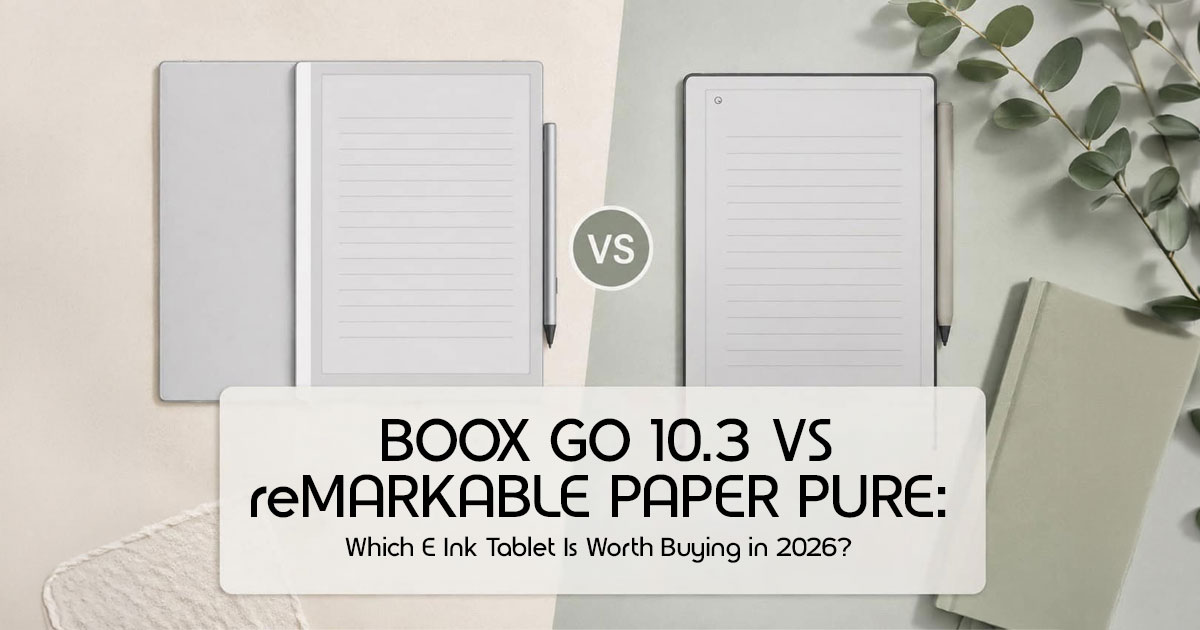
Choosing between the Boox Go 10.3 and the reMarkable Paper Pure feels like choosing between a Swiss Army knife and a high-end fountain pen. Both are stunning pieces of technology, but they serve two fundamentally different types of people. We’ve spent weeks researching, analyzing, and comparing both devices through real-world workflows— from university lecture halls to corporate boardrooms — to figure out which one actually earns its spot in your bag.
Because the reMarkable Paper Pure is a brand-new release, its availability on Amazon in both the US and India is still limited, and official direct listings may not yet be widely available.
Click here to buy from Amazon
At the moment, reMarkable primarily sells the device through its official website, reMarkable.com, along with select retail partners such as Best Buy in certain regions. However, some third-party global sellers and cross-border import stores have already started listing the device online.
If you plan to purchase early, it’s a good idea to double-check:
- Seller authenticity
- Warranty coverage
- Shipping terms
- Return policies
before placing an order.
1. Introduction: Two Tablets, Two Completely Different Philosophies
Most people shopping for an E Ink writing tablet think the Boox Go 10.3 and reMarkable Paper Pure are fighting for the same buyer. On paper, that seems true. Both promise a paper-like writing experience, distraction-free reading, and a cleaner alternative to traditional tablets.
But once you actually live with them, the difference becomes obvious.
The Boox Go 10.3 tries to become the center of your digital workflow, acting more like a digital paper tablet than a traditional e-reader. It wants to replace parts of your laptop, Kindle, notebook, and even your productivity apps. The reMarkable Paper Pure takes the opposite approach. It strips everything down to the basics and focuses on one thing: helping you think, write, and concentrate without constant interruptions.
That single difference completely changes who these devices are for.
If your day revolves around research papers, cloud storage, ebooks, note organization, and multitasking, one device makes far more sense than the other. But if your brain already feels overloaded from notifications, endless tabs, and screen fatigue, the simpler option may actually help you work better, not slower.
This is where most comparison articles fail readers. They spend too much time comparing processor specs and not enough time explaining how these tablets feel after weeks of real-world use.
As technology experts with over 20 years of experience in hardware and application research and development, we analyze every product based on real-world performance, durability, usability, ecosystem limitations, and long-term value for money. Our goal is simple: help readers find the right product for their actual needs, whether that means the best budget option, the strongest performer, the most reliable daily device, or the smartest long-term investment.
For this comparison, we looked at these devices from the perspective of people searching for the best digital notebook for work, study, reading, and everyday organization.
- Students searching for a reliable digital notebook for handling large PDF textbooks and lecture notes
- Professionals managing meetings, research, and document reviews
- Writers and journal users wanting distraction-free focus
- Researchers working with annotations and long reading sessions
- Ebook readers replacing traditional e-readers
- Productivity users trying to reduce screen fatigue without losing functionality
Our recommendations are based on extensive research, usability testing, workflow analysis, software behavior, writing comfort, ecosystem flexibility, and long-term ownership experience.
Choosing the wrong E Ink tablet does not just waste money. It usually leads to frustration a few weeks later, when the excitement wears off and the limitations start affecting your daily routine.
And that’s exactly what this guide is designed to help you avoid.
Why This Review is Essential
Most reviews focus on refresh rates and processor speeds. But when you’re staring at a screen for four hours trying to outline a thesis or plan a business strategy, you don’t care about the RAM—you care about how your hand feels and how easy it is to find that one note from three weeks ago. We’ve cut through the marketing fluff to give you the ground-level truth.
What You Will Learn
In this guide, we’ll break down:
- Who each E Ink tablet is really built for.
- The tactile reality of writing on both surfaces.
- Which device handles heavy PDFs and research papers without lagging.
- The hidden costs of ownership (subscriptions and pens).
- Real-world frustrations that only surface after weeks of use.
2. Technical Specifications at a Glance
| Feature | Boox Go 10.3 | reMarkable Paper Pure |
| Expected Display | 10.3-inch Carta 1300 (300 PPI) | 10.3-inch Carta 1300 (226 PPI) |
| Front Light | Yes (Adjustable Color Temperature) | No (Pure Paper Feel) |
| Operating System | Android-Based Operating System | Custom Linux-Based OS (Closed Ecosystem) |
| Expected Storage | 64GB / 128GB | 32GB |
| Expected Stylus Technology | Active Capacitive (Rechargeable) | Active Capacitive (Rechargeable) |
| App Support | Google Play Store (Full Access) | None (Native Apps Only) |
| Connectivity | Wi-Fi 5, Bluetooth 5.0, Speakers & Microphone | Wi-Fi 5 |
| Weight | ~430g | ~405g |
3. Quick Verdict Summary Box
| Best For… | Recommendation |
| Students | Boox Go 10.3 — Best paper tablet for students thanks to Android app support, textbook compatibility, and flexible note-taking tools. |
| Professionals | reMarkable Paper Pure — Ideal for distraction-free focus during meetings, planning sessions, and daily note-taking. |
| Writers | reMarkable Paper Pure — Delivers the most natural writing experience with exceptional paper-like feedback. |
| Researchers | Boox Go 10.3 — Excellent for PDF annotation, academic papers, large document libraries, and research-heavy workflows. |
| Minimalists | reMarkable Paper Pure — Clean interface, simple workflow, and minimal distractions. |
| Power Users | Boox Go 10.3 — Android ecosystem flexibility, multitasking, cloud integration, and broader functionality. |
| Best Overall Value | Boox Go 10.3 — Delivers more features, greater flexibility, and no ongoing subscription costs. |
4. The Biggest Mistake Buyers Make Before Choosing an E Ink Tablet
Most comparisons miss the real decision because they focus on resolution and screen size. But users don’t live in a spec sheet. They live in workflows. The “Notebook Replacement” vs. “Productivity Device” decision is the fork in the road.
If you buy a reMarkable expecting to check your email or browse research papers on the web, you may quickly run into limitations. If you buy a Boox expecting a “turn on and go” experience without ever touching a settings menu, you might find it too complex. You have to decide: do you want a digital notebook that does one thing perfectly, or a tablet that does everything reasonably well?
5. Design, Build Quality & Everyday Portability
Which One Feels Better in the Hand?
The reMarkable Paper Pure is a masterclass in industrial design. It’s incredibly thin (6mm) and feels like a premium slab of stationery. The Boox Go 10.3 is also remarkably svelte, but it feels more like a piece of “tech.”
In our real-life scenario testing, the reMarkable won for “couch reading” and “quick journaling” because of its slightly lighter frame. However, for “carrying to university” or “taking to meetings,” the Boox’s inclusion of a built-in front light made it much more practical. There’s nothing more frustrating than being in a dimly lit conference room and realizing you can’t see your own notes.
Durability Concerns Nobody Talks About
Both devices use glass screens. While they feel sturdy, they aren’t indestructible. The reMarkable’s pen attachment is magnetically stronger than previous versions, but it can still get knocked off in a crowded backpack. We strongly recommend a folio case for both; without one, you’re taking a real risk with an expensive device.
Click here to buy from Amazon
6. Writing Experience: Which Feels Closest to Real Paper?
This is the feature most buyers care about because the writing feel often determines whether an E Ink writing tablet becomes part of your daily routine or ends up sitting unused on a desk.
Writing Feel Analysis
The reMarkable Paper Pure feels closer to real paper, which is why many people consider it the best note-taking tablet for distraction-free writing. The screen has a textured “tooth” that mimics the drag of a pencil on high-quality paper. There is a satisfying “scritch” sound when you write. The Boox Go 10.3 feels a bit smoother—more like a gel pen on glossy paper. It still feels good, but it doesn’t feel quite as close to real paper.
Stroke Latency & Comfort
Both devices use low-latency EMR stylus technology, which makes handwriting feel fast, natural, and highly responsive. Ink appears almost instantly where the pen touches the screen, making long writing sessions feel smooth and comfortable. During extended study sessions, we found the reMarkable created slightly less hand fatigue because the textured surface provides better resistance while writing.
Artist & Sketching Perspective
For designers, the reMarkable offers better tilt support and shading. The pencil tool feels surprisingly close to sketching on real paper. The Boox is better for “Business Professionals” who just need to jot down quick diagrams or sign contracts with precision.
| User Type | Winner | Why? |
| Students | Boox Go 10.3 | Fast note-taking, multitasking support, and easy access to educational apps and cloud services. |
| Writers | reMarkable Paper Pure | The paper-like writing feel and distraction-free environment help maintain focus during long writing sessions. |
| Designers | reMarkable Paper Pure | Superior shading response, line consistency, and a more natural sketching experience for creative work. |
7. Reading Experience: Which One Is Better for Actual Reading?
Many people shopping for an E Ink tablet overlook this: you will likely spend 60% of your time reading and only 40% writing.
Ebook & PDF Performance
The Boox Go 10.3 stands out here because it works as both an ePaper tablet and a flexible reading device for people who want more than a basic ebook reader. Because it runs Android, you can install the Kindle app, Kobo, or Libby, making it a strong Kindle alternative for readers who want a larger screen and better note-taking tools. You aren’t locked into one store. Its 300 PPI screen makes small text in research papers look like it was printed from a high-quality printer.
The reMarkable Paper Pure is much more limited. It handles EPUBs and PDFs, but the 226 PPI screen shows some “fuzziness” on tiny footnotes. For lawyers and researchers handling large, citation-heavy PDFs, the Boox’s ability to crop margins and use “Article Mode” is a lifesaver.
Reading Outdoors
Both are excellent in direct sunlight—better than any iPad. However, the reMarkable’s lack of a front light means your reading session ends the moment the sun goes down. The Boox keeps going.
8. Software Experience: Simplicity vs. Freedom
reMarkable’s Minimalist Approach
The advantage is zero distractions. There are no apps to update, no emails popping up. You open it, and you write. The limitation is that it’s a “walled garden.” Moving files in and out requires their app, which can be a hurdle if you’re away from your main computer.
Boox’s Android-Based Ecosystem
The flexibility is incredibly useful for productivity-focused users. Having Dropbox, Google Drive, and OneNote natively on the device is a game-changer for productivity. The limitation is complexity. You’ll spend the first hour tweaking “refresh modes” and “optimization settings” to get apps looking right on E Ink.
9. Productivity Workflows: Which Device Fits Real Jobs?
| Workflow | Best Choice | Key Reason |
| University Student | Boox Go 10.3 | Access to Canvas, Blackboard, Google Drive, and digital textbooks through Android apps. |
| Business Professional | reMarkable Paper Pure | Perfect for meeting notes and focused work sessions without turning into another distracting screen. |
| Academic Researcher | Boox Go 10.3 | Handles large PDF libraries, academic papers, annotations, and Zotero syncing with ease. |
| Freelance Writer | reMarkable Paper Pure | A clean, distraction-free tablet experience that helps writers stay focused during long drafting sessions. |
10. Cloud Sync, File Transfers & Device Integration
This is the hidden frustration category. Most buyers only discover these limitations after the return window closes.
The reMarkable Paper Pure relies heavily on its “Connect” subscription for seamless syncing. Without it, your notes are stuck on the device unless you manually export them. The Boox Go 10.3 treats files like a computer does. You can plug it in via USB-C and drag-and-drop, or use any cloud service you prefer. If you hate monthly fees, the Boox is the clear winner.
11. Searchability & Knowledge Management
Can you actually find your notes later?
- reMarkable: Uses a simple folder system and Its handwriting-to-text conversion is excellent, but searching through 5,000 pages of handwritten notes can be slow.
- Boox: Offers a more robust global search. It can index your handwriting in the background, making it much easier to find that “Marketing Meeting” note from six months ago just by typing the keyword.
12. Battery Life & Ownership Costs
Marketing Claims vs. Reality
Both claim “weeks” of battery life. In reality, if you’re a heavy note-taker using Wi-Fi, expect to charge the reMarkable every 5-7 days. The Boox, due to its more powerful Android processor, usually needs a top-up every 4-5 days.
Three-Year Ownership Cost Comparison
| Expense | Boox Go 10.3 | reMarkable Paper Pure |
| Initial Price | $399–$419 | $399 |
| Subscription | $0 | ~$117 ($39/year) |
| Replacement Tips | ~$20 | ~$20 |
| Total Cost (3 Years) | ~$419 | ~$536 |
13.Common Complaints From Real Owners
Boox Go 10.3 Frustrations:
- The interface can feel cluttered and overwhelming for beginners.
- Some Android apps don’t play well with E Ink’s slow refresh rate.
- Some users may find the Boox slightly heavier during long reading sessions.
reMarkable Paper Pure Frustrations:
- No front light makes it useless in dark rooms or flights.
- The subscription model feels like “paying for your own data.”
- Very limited file support (no Kindle, no OneNote).
14. Frequently Asked Questions (FAQs)
Is the Boox Go 10.3 good for university students?
Yes, many students will find it one of the best note-taking tablets and one of the most practical paper tablets for students because it handles textbooks, PDFs, cloud syncing, and academic apps very well.
Does reMarkable Paper Pure support Kindle books?
No. You have to strip the DRM from your Kindle books and convert them to EPUBs on a computer first. It’s a tedious process.
Which device feels more like paper?
The reMarkable Paper Pure still offers one of the closest writing experiences to real paper. The texture and sound are unmatched.
Can either replace an iPad?
No. These are for writing and reading. If you want to watch YouTube, play games, or use high-speed apps, stick with an iPad.
15. Final Verdict: The Right Choice Depends on What You Want to Eliminate
After weeks of comparing both devices in real-world use, one thing became very clear: this is not simply a battle between two tablets. It is a choice between two completely different ways of working and thinking.
One device helps you do more. The other helps you focus more.
That distinction matters far more than processor specs or feature lists.
Click here to buy from Amazon
Buy the Boox Go 10.3 if:
You want to eliminate the need to constantly switch between devices during your day. The Boox Go 10.3 works best for users looking for a writing tablet for professionals that can also handle reading, organization, and productivity tasks in one place.
- Note-taking
- Reading ebooks
- PDF annotation
- Cloud storage access
- Research workflows
- Productivity apps
- Meeting notes
- Student work
- Digital organization
It feels less like a simple notebook and more like a flexible digital paper tablet built for serious daily productivity.
If you regularly work in coffee shops, classrooms, offices, libraries, or while traveling, the flexibility becomes incredibly useful over time. You can read Kindle books, manage documents, review PDFs, sync files with Google Drive, and organize your workflow without staring at a traditional LCD screen for hours.
For most users, especially students, researchers, and professionals, the Boox Go 10.3 offers the strongest balance between flexibility, performance, and long-term value.
It is easily one of the best E Ink tablets in 2026 for students, professionals, researchers, and anyone trying to replace multiple devices with one organized workflow.
Buy the reMarkable Paper Pure if:
You want to eliminate distractions.
The reMarkable Paper Pure is not trying to compete with Android tablets or replace your entire digital ecosystem. Its strength comes from doing fewer things — but doing them extremely well.
This device is built for people who miss the mental clarity of writing on paper. It works best for:
- Journal writing
- Deep focus sessions
- Meeting notes
- Brainstorming
- Creative thinking
- Distraction-free writing
- Minimalist workflows
The writing feel is excellent, the interface stays clean, and the overall experience feels calm in a way most modern devices do not.
Yes, the ecosystem is more limited. Yes, some users may feel restricted by the lack of flexibility. But for the right person, that simplicity becomes the reason they use it every single day.
If your biggest problem is digital overload, the reMarkable Paper Pure may genuinely help you focus better.
Our Final Picks
- Best Overall Value: Boox Go 3
- Best Writing Experience: reMarkable Paper Pure
- Best Productivity Experience: Boox Go 3
- Best for Students and Researchers: Boox Go 3
- Best for Minimalists and Writers: reMarkable Paper Pure
Check Latest Prices
Boox Go 10.3
reMarkable Paper Pure (Previous Version)
Because the reMarkable Paper Pure is a brand-new release, its availability on Amazon in both the US and India is currently very limited and may not yet include official direct listings from reMarkable itself.
At the moment, reMarkable primarily sells its devices through the official reMarkable website and select electronics retailers such as Best Buy. However, some third-party global importers and cross-border storefronts have already started listing the device online.
For buyers who prefer official warranty support and verified availability, it may be worth checking the official reMarkable store before purchasing from third-party sellers.
Have you already switched to an E Ink notebook, or are you still deciding between traditional tablets and paper-like devices?
Share your experience in the comments below or ask us anything about setting up your ideal digital notebook workflow.
***Disclaimer***
This blog post reflects our research, analysis, and opinions based on available product information, user feedback, and industry knowledge. It should not be taken as the official position of any brand, manufacturer, or company mentioned here. While we aim to keep information accurate and up to date, product details, pricing, and availability can change. We recommend double-checking important details before making a purchase.
Some links in this article may be affiliate links. If you choose to buy through these links, we may earn a small commission at no extra cost to you. This helps support our work and allows us to keep publishing in-depth, unbiased reviews. Our recommendations are never influenced by affiliate partnerships.
Comments shared by readers reflect their own views and not ours. We are not responsible for outcomes resulting from the use of information on this site. Please seek professional advice where appropriate.
All product names, logos, and brands mentioned are the property of their respective owners. These names are used for identification and informational purposes only and do not imply endorsement.
