
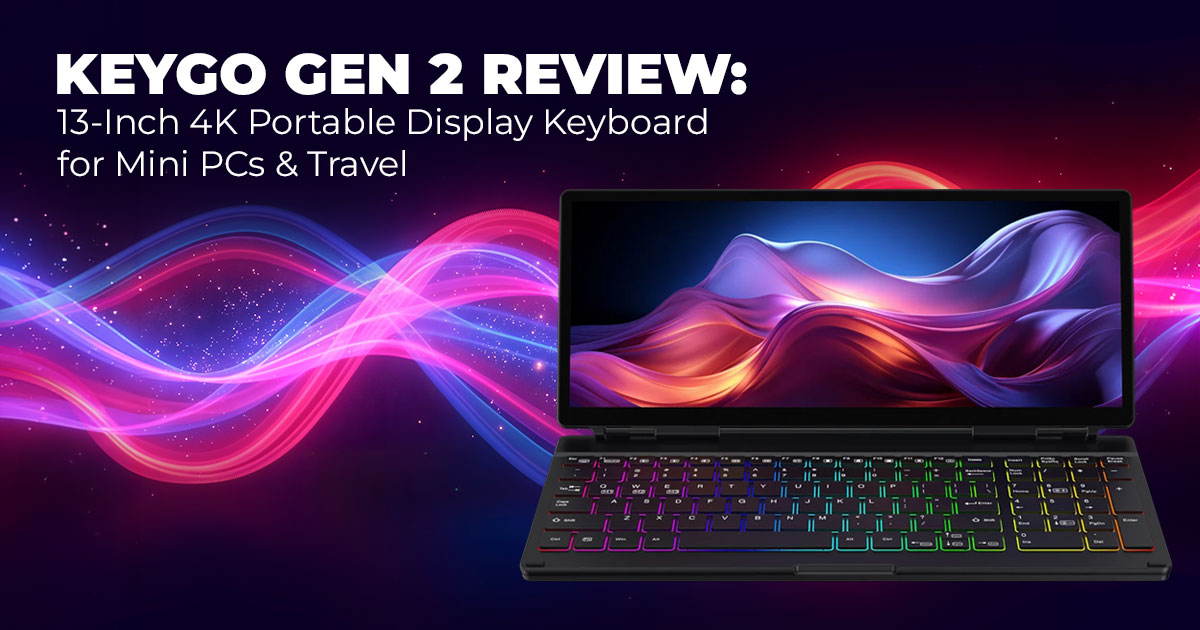
The KeyGo Gen 2 is a portable display keyboard that combines a full-size keyboard and a 13- inch 4K touchscreen into one slim device. It connects with a single USB-C cable for power, video, and data. It’s ideal for digital nomads, mini PC users, remote workers, and students who want a clean, compact setup. Not ideal for hardcore gamers or color-critical creative work. Kickstarter pricing starts around $279–$280, with shipping expected in May 2026.
Click here to buy from Amazon
Many people searching for a portable monitor with a keyboard are trying to solve the same problem: too many devices, too many cables, and not enough desk space. If you travel often or use a mini PC setup, carrying a separate screen and keyboard quickly becomes frustrating.
The KeyGo Gen 2 is built to simplify that setup.
It’s a 2-in-1 keyboard with a built-in display, combining a 13-inch 4K high-resolution touchscreen and a full-size keyboard into one slim, foldable unit. One USB-C connection handles video output, power delivery, data transfer, and typing at the same time. That means fewer accessories and a faster setup, whether you’re using a mini PC, laptop, tablet, or compatible smartphone.
In today’s environment, where remote work setups and compact workstations are common, practical solutions matter more than flashy features. Devices that reduce clutter and improve workflow tend to earn attention.
And this is where customer-focused reviews matter. A product may look good in promotional material, but real-world performance determines long-term value. Typing comfort, display brightness, speaker clarity, build durability, and compatibility all influence whether a device is worth the investment.
As technology experts with over 20 years of experience in hardware and application research and development, we deeply analyze each product based on real-world performance, durability, and value for money. Our goal is to help you find the best product in every category—budget, performance, reliability, and long-term usage. Our recommendations are based on extensive research, component analysis, real-world usability, and industry expertise.
This analysis is written speciffcally for:
- Digital nomads looking for lightweight productivity tools
- Mini PC owners searching for a clean display solution
- Remote workers with limited desk space
- Students needing a flexible second screen
- Buyers researching a portable secondary monitor with keyboard
We’ll examine whether the KeyGo Gen 2 Kickstarter campaign delivers real value, who should consider backing it, and where limitations may affect certain users.
1. Introduction: What Makes the KeyGo Gen 2 Stand Out?
The KeyGo Gen 2 is a hybrid device that combines a touchscreen keyboard and a portable 4K display into a single foldable form factor. It closes flat for transport and opens into a compact workstation.
Traditional portable setups typically require:
- A separate portable monitor
- A standalone keyboard
- External speakers
- Multiple power and data cables
This device integrates those elements into one streamlined solution. It supports connectivity with:
- Mini PCs
- Windows laptops
- MacBooks
- Android tablets
- Select smartphones with display output support
For users specifically searching for a mini PC display and keyboard combo, this approach directly addresses that need.
1.1 Why It Matters Now
The growth of mini PC accessories, hybrid work models, and compact living spaces has increased demand for efficient hardware solutions. Many users want full desktop functionality without carrying or storing large equipment.
The KeyGo Gen 2 portable touchscreen keyboard responds to that demand by offering:
- Instant screen expansion
- Reduced cable management
- Space-saving design
- Multi-device compatibility
For professionals working from cafés, hotels, shared offices, or small apartments, these practical advantages improve daily productivity.
1.2 Crowdfunding Context and Timeline
The KeyGo Gen 2 Kickstarter campaign currently lists early pledge pricing around $279–$280 plus shipping, with estimated delivery in May 2026.
This second-generation model improves on the original version with:
- A sharper 4K resolution display
- Integrated built-in speakers
- Refined overall design
However, as with all crowdfunding tech products, potential backers should consider factors such as delivery timelines, production adjustments, and post-launch support before making a commitment.
2. Who This Device Suits Best
The KeyGo Gen 2 portable display keyboard is best suited for users who prioritize mobility and minimal hardware clutter.
Digital Nomads
Frequent travelers often aim to reduce bag weight. A foldable touchscreen keyboard with display replaces multiple devices, making travel setups simpler and faster.
Mini PC Users
A mini PC offers compact performance but requires external input and display devices. Pairing it with the KeyGo Gen 2 creates a portable workstation without separate monitors and keyboards.
For those searching for a portable mini PC display solution, this configuration provides immediate functionality.
Remote Workers in Small Spaces
Users working from compact home offices or shared environments benefit from the added screen space.
The secondary display supports multitasking, such as:
- Email alongside document editing
- Video conferencing while taking notes
- Spreadsheet monitoring during presentations
This expanded workspace improves efficiency without taking up more desk space.
Students
Students managing assignments, research, and online classes may find value in a touch-enabled portable display that supports typing and multitasking in a compact format.
2.1 Who It May Not Suit
- Competitive gamers seeking refresh rates above 60Hz
- Professional designers or video editors requiring highly accurate color reproduction
- Users who prefer mechanical keyboards with deep key travel
2.2 Practical Usage Scenarios
- Extending a laptop for dual-screen productivity during travel
- Creating a temporary workstation in a hotel room
- Pairing with a mini PC for presentations or mobile offices
- Using it as a portable secondary monitor with keyboard for compact setups
For buyers actively researching a portable touchscreen monitor with keyboard, the key question is whether integration outweighs the compromises compared to separate premium peripherals.
3. Key Features: What You Actually Get
The KeyGo Gen 2 portable display keyboard combines a 13-inch 4K touchscreen, a full-size RGB keyboard, built-in speakers, and USB-C connectivity into one foldable unit. It is designed to function as a compact workstation for mini PCs, laptops, tablets, and supported smartphones using a single cable connection. Below is a structured breakdown of its core features and what they mean in practical use.
3.1 Display: 13-inch 4K Touchscreen
Specifications:
- Size: 13 inches
- Resolution: 3840 × 2160 (4K UHD)
- Refresh Rate: 60Hz
- Touch Support: 10-point multi-touch
- Brightness: ~300 nits
What This Means for Users:
- 4K resolution delivers sharp text and detailed visuals for productivity task.
- 10-point multi-touch enables gesture control, pinch-to-zoom, and direct interaction with apps.
- 60Hz refresh rate is suitable for office work and general use.
- Around 300 nits brightness (as reported during the campaign launch) performs well indoors but is limited in direct sunlight.
- Color performance is adequate for general productivity but not calibrated for professional design work.
This makes the display well-suited for document editing, coding, browsing, spreadsheets, and secondary screen multitasking.
3.2 Keyboard: Full-Size with RGB Lighting
Specifications:
- Layout: Full-size keyboard with number pad
- Switch Type: Scissor switches
- Backlighting: RGB with customizable effects
- Trackpad: Not included
What This Means for Users:
- Full-size layout supports productivity workflows that require numeric
- RGB backlighting improves visibility in low-light
- Scissor switches provide quiet and responsive
- Key travel is relatively shallow, which may not satisfy users who prefer mechanical
This configuration supports remote workers, students, and mini PC users who need portability without sacrificing layout familiarity.
3.3 Compatibility: Multi-Platform Support
Supported Systems:
- Windows
- macOS
- Linux
- Android
Connection Method:
- Single USB-C cable
- Driver-free setup (no additional software required)
User Benefit:
- Plug-and-play functionality simplifies
- No driver installation reduces compatibility
- Works across different device ecosystems.
This makes the device suitable for users managing mixed operating systems or switching between multiple devices.
3.4 Ports and Power
Ports:
- Dual USB Type-C
Power Support:
- USB Power Delivery (USB PD)
Functionality:
- Handles display output
- Transfers data
- Provides charging
The single-cable approach reduces cable clutter and eliminates the need for separate power adapters in many setups.
3.5 Built-in Speakers
Audio Configuration:
- Integrated stereo speakers
Use Case:
- Suitable for video calls
- Clear for meetings and streaming
- Not designed for high-volume music playback
Built-in audio removes the need to carry external speakers, improving portability for travel or temporary workstations.
3.6 Form Factor and Portability
Design:
- Foldable clamshell
- Thickness: Under 2 cm (folded)
- Weight: Approximately 2 lbs (1 kg)
Practical Impact:
- Fits easily into backpacks and travel
- Replaces a separate monitor and
- Reduces overall gear
For digital nomads and mobile professionals, this integrated design directly addresses portability concerns.
Click here to buy from Amazon
4. Real-World Usage Experience
The KeyGo Gen 2 is built around fast deployment and minimal setup.
Setup Simplicity
- Connect one USB-C
- The display
- The keyboard becomes immediately
This approach is particularly effective when paired with a mini PC, turning it into a complete workstation within seconds.
Secondary Screen Productivity
As a portable secondary monitor with a keyboard, it allows users to:
- Monitor communication apps while editing documents.
- Keep spreadsheets visible during
- Run video calls while taking
The 10-point multi-touch interface makes navigation direct and intuitive, especially for maps, presentations, and browser tasks.
Audio and Daily Use
- Built-in speakers are sufficient for video
- Suitable for casual media
- Not optimized for immersive audio
In public spaces such as cafés, the compact setup minimizes visual clutter and avoids drawing attention.
Performance Observations
- 60Hz refresh rate supports standard office tasks.
- Minor motion blur may be noticeable during fast video playback.
- Designed primarily for productivity rather than gaming.
The integrated design makes mini PCs more practical for mobile workflows, especially when portability is a priority.
5. Pros and Cons: Structured Evaluation
A balanced assessment helps determine fit based on user priorities.
| Aspect | Pros | Cons |
|
Portability |
Replaces multiple devices;
foldable design; 2.2 lbs weight |
Slightly heavier than standalone keyboards |
|
Functionality |
Touchscreen, keyboard, and
speakers integrated; cross- platform compatibility |
60Hz refresh rate limits gaming performance |
|
Display Quality |
4K resolution; crisp detail for productivity | ~300 nits brightness limits outdoor visibility; not color-
accurate for professionals |
| Keyboard Experience | Full-size layout; RGB backlighting; quiet scissor
switches |
Shallow key travel may not suit heavy typists |
| Value & Risks | Competitive Kickstarter pricing; improved over Gen 1 | Crowdfunding timelines may shift |
- Summary: The KeyGo Gen 2 portable touchscreen keyboard prioritizes convenience and It performs best in mobile productivity environments rather than high- performance gaming or professional creative workflows.
6. Comparison with Alternatives
Users searching for KeyGo Gen 2 alternatives often compare it with traditional setups or other 4K lapdock alternatives.
6.1 Portable Monitor + Bluetooth Keyboard
Advantages of Separate Setup:
- Potentially brighter standalone display
- Choice of mechanical keyboards
- More customization options
Limitations:
- Requires multiple cables
- Increased travel bulk
- Separate power management
The KeyGo Gen 2 simplifies this by combining components into one integrated device.
7. Direct Comparison: KeyGo Gen 2 vs NexDock 360
The NexDock 360 is frequently considered a competing product in the portable lapdock category.
7.1 NexDock 360 Overview
- Display: 3-inch FHD (1920 × 1080), 60Hz
- Touchscreen with 360-degree hinge
- Built-in 44Wh battery
- Integrated trackpad
- Ports: USB-C, mini HDMI, microSD, audio jack
- Weight: ~2.6 lbs
- Audio: Four 1W speakers
7.2 Key Differences
| Feature | KeyGo Gen 2 | NexDock 360 |
| Display | 13-inch 4K touch, 60Hz | 13.3-inch FHD touch, 60Hz |
| Keyboard | Full-size RGB, no trackpad | Full-size backlit, includes trackpad |
| Power | USB PD via cable | Built-in 44Wh battery |
| Ports | Dual USB Type-C | USB-C, mini HDMI, microSD, audio |
| Weight | 2.2 lbs | 2.6 lbs |
| Audio | Built-in speakers | Four 1W speakers |
| Design | Foldable clamshell | 360-degree convertible |
7.3 Target User Differences
KeyGo Gen 2 is better suited for:
- Users prioritizing 4K resolution
- Lightweight travel setups
- Secondary screen productivity for mini PCs
NexDock 360 is better suited for:
- Phone-centric workflows (e.g., Samsung DeX)
- Users who require a built-in battery
- Those who prefer integrated trackpad functionality
Final Takeaway
The KeyGo Gen 2 portable display keyboard focuses on high-resolution productivity and reduced hardware clutter. It offers sharper visuals and lighter weight compared to many alternatives.
The NexDock 360 emphasizes versatility with its battery, hinge flexibility, and trackpad.
Choosing between them depends on whether your priority is 4K visual clarity and minimal weight or battery independence and multi-mode flexibility.
8. Who Should Buy the KeyGo Gen 2 Portable Display Keyboard
The KeyGo Gen 2 portable display keyboard is built for users who want a compact workstation, not a high-performance gaming setup. If you’re searching for a mini PC display and keyboard combo or a portable 4K touchscreen monitor with keyboard, this device fits that intent.
Best For: Travelers and Mobile Professionals
If you’re tired of carrying:
- A portable monitor
- A separate keyboard
- Extra cables
This 2-in-1 touchscreen keyboard replaces them in one 2.2 lb foldable unit. It suits business travelers, consultants, and remote workers who need a fast setup in hotels, cafés, or shared spaces.
Best For: Mini PC Users
Mini PCs need external input and display devices. The KeyGo Gen 2 mini PC display solution connects with a single USB-C cable, turning compact hardware into a functional workstation in seconds.
If you’re searching for:
- Best portable monitor for mini PC
- Mini PC screen and keyboard setup
- Compact mini PC dock
This is the category it serves.
Best For: Students and Small Desk Setups
For apartments, dorm rooms, or shared desks, this foldable 4K touchscreen keyboard adds a secondary screen for multitasking without increasing clutter.
Useful for:
- Online classes
- Document editing
- Video calls with notes
- Spreadsheet work
Not Ideal For
- Competitive gamers needing high refresh rates
- Designers or video editors requiring color-accurate panels
The 60Hz refresh rate and ~300-nit brightness are built for indoor productivity, not performance or studio-grade work.
9. KeyGo Gen 2 Kickstarter Price and Crowdfunding Considerations
The KeyGo Gen 2 Kickstarter price starts around $279–$280 (early bird), excluding shipping. Delivery is estimated for May 2026.
Before backing, consider:
- Possible production or shipping delays
- Final cost including shipping
- Warranty and support clarity
Crowdfunding offers savings, but timelines can shift. If you’re asking, “Is KeyGo Gen 2 worth backing?”, balance early pricing against delivery risk.
Click here to buy from Amazon
10. Frequently Asked Questions (FAQ) About the KeyGo Gen 2 Portable Display Keyboard
If you’re researching the KeyGo Gen 2 portable display keyboard, these are the most common questions buyers ask before deciding. The answers below are clear and direct, helping you quickly determine whether this portable 4K touchscreen monitor with keyboard fits your setup.
Q. Can the KeyGo Gen 2 replace a traditional monitor?
- It can replace a monitor in portable or compact setups. As a portable secondary monitor for travel, mini PCs, or small desks, it works well for productivity tasks like documents, browsing, and meetings. It is not designed to replace a large primary desktop monitor for gaming or professional editing.
Q. Does the KeyGo Gen 2 work with iPad or Android tablets?
- Yes, it works with devices that support USB-C display output (DisplayPort Alt Mode). Many modern Android tablets and USB-C iPads support this feature, allowing it to function as a USB-C powered secondary display with keyboard. Always confirm your device supports video output over USB-C before purchasing.
Q. How good are the built-in speakers on the KeyGo Gen 2?
- The integrated speakers are suitable for video calls, online meetings, and casual media use. They are clear for voice and general playback but are not designed to replace dedicated external speakers for music or high-volume audio.
Q. Does the KeyGo Gen 2 have a built-in battery?
- No. The device does not include an internal battery. It draws power through USB Power Delivery (USB PD) from the connected laptop, mini PC, tablet, or compatible power source. This keeps the design lighter and slimmer.
Q. Can the KeyGo Gen 2 fold flat in a backpack?
- Yes. The foldable 2-in-1 display keyboard design closes flat to under 2 cm thick and weighs about 2.2 lbs, making it suitable for backpacks and travel bags. It is built for mobile productivity and compact workstation setups.
11. Conclusion: Is the KeyGo Gen 2 Worth It?
The KeyGo Gen 2 portable display keyboard is built for people who want fewer devices and less setup time. It combines a 13-inch 4K touchscreen, full-size keyboard, and built-in speakers into one ultra-slim folding unit. For mobile work and compact desks, that integration makes a real difference.
The KeyGo Gen 2 (the ultra-slim folding keyboard with a 13-inch 4K touchscreen) officially launched its crowdfunding campaign on February 10, 2026.
To put pricing into perspective:
- KeyGo Gen 1 had a projected retail price of around $538, but backers paid about $249.
- The KeyGo Gen 2 is currently available for pre-order at $279, and it upgrades to a sharper 4K display plus integrated speakers.
From a value standpoint, the Gen 2 is the better buy unless you find a used KeyGo Gen 1 for under $150. At similar pricing, the newer model offers better hardware and long-term usability.
Finding the KeyGo Gen 1 today is not simple. Like Gen 2, it was primarily a crowdfunded product (launched mid-2025). Although it was expected to enter retail after its November 2025 shipping window, it has remained a niche device sold through specialty tech sites rather than becoming widely available on Amazon.
Also worth noting: There are currently no widely available folding 4K touchscreen keyboard alternatives on the market. The KeyGo’s folding design, combined with 4K resolution, is still unique.
However, there are established “screen keyboard” alternatives with rigid (non-folding) designs. These are widely available and may suit users who do not need a folding format.
Where to Buy or Explore Alternatives
→ Purchase directly through the official crowdfunding campaign (check project page for latest pricing and shipping updates).
Amazon India – Alternatives for Indian Readers
Amazon Worldwide – Alternative Lineup
If your goal is a portable 4K touchscreen monitor with keyboard for a mini PC or travel, the KeyGo Gen 2 offers a clean, integrated solution. If you prefer a rigid screen keyboard or want something available immediately on Amazon, the alternatives above are worth reviewing.
Before buying, compare your actual workflow with what this device offers. The right choice depends on how and where you work each day.
***Disclaimer***
This blog post reflects our own research, testing, and personal opinions. It should not be taken as the official position of any brand, manufacturer, or company mentioned here. While we aim to keep information accurate and up to date, product details, pricing, and availability can change. We recommend double-checking important details before making a purchase.
Some links in this article may be affiliate links. If you choose to buy through these links, we may earn a small commission at no extra cost to you. This helps support our work and allows us to keep publishing in-depth, unbiased reviews. Our recommendations are never influenced by affiliate partnerships.
Comments shared by readers reflect their own views and not ours. We are not responsible for outcomes resulting from the use of information on this site. Please seek professional advice where appropriate.
All product names, logos, and brands mentioned are the property of their respective owners. These names are used for identification and informational purposes only and do not imply endorsement.
