
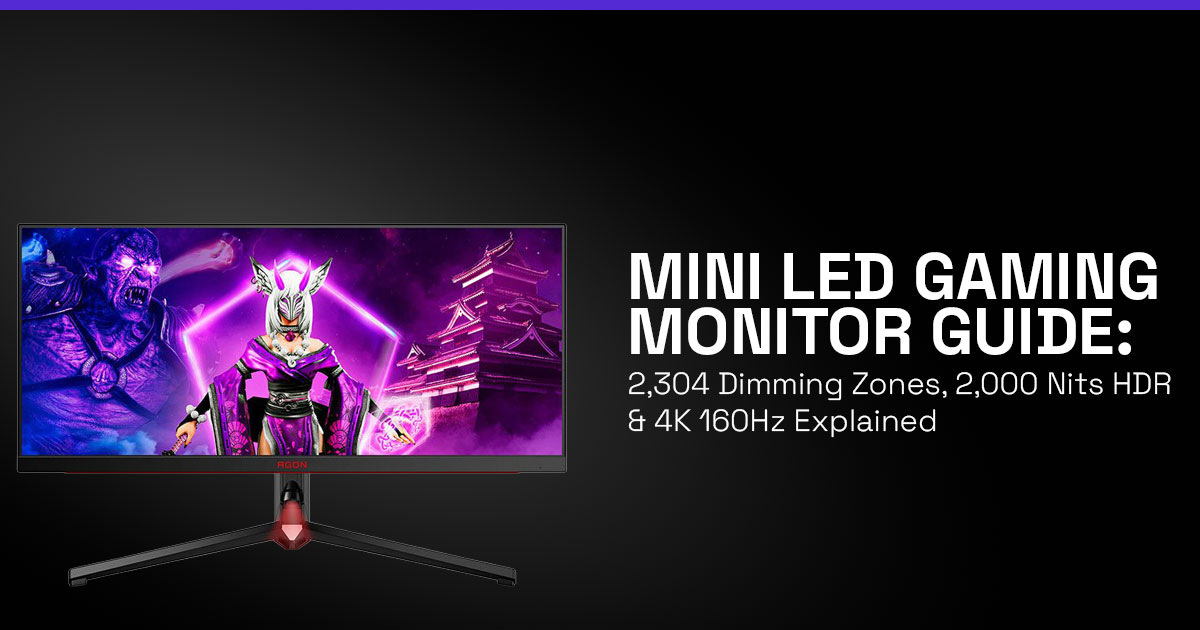
Quick Overview — What Makes This New Mini LED Gaming Monitor Different
- Uses 2,304 local dimming zones to deliver stronger contrast in dark and bright scenes
- Reaches up to 2,000-nit HDR brightness, making highlights in HDR games much more visible
- Works as a dual-mode gaming monitor with 4K 160 Hz for immersive play and 1080p 320 Hz for competitive gaming
- Offers many of the visual strengths of an OLED gaming monitor while avoiding burn-in risks
Because of this balance, a Mini LED gaming monitor is quickly becoming the middle ground between IPS gaming monitors and OLED gaming monitors.
1. Introduction
If you are searching for a Mini LED gaming monitor that delivers strong HDR brightness, high refresh rates, and reliable long-term performance, this guide answers the key question right away: what makes a monitor with 2,304 local dimming zones and 2,000-nit HDR brightness stand out from traditional gaming displays?
Many PC gamers still struggle with a familiar problem. Some monitors provide excellent brightness but weak contrast. Others deliver deep blacks but sacrifice brightness or raise concerns about long-term durability. That trade-off often leaves buyers comparing IPS gaming monitors, OLED gaming monitors, and newer Mini LED displays without clear answers.
The latest 4K Mini LED gaming monitor models aim to solve that compromise. With 2,304 local dimming zones, 2,000-nit HDR brightness, and a flexible dual-mode refresh rate that switches between 4K 160 Hz and 1080p 320 Hz, these monitors are designed to support both cinematic single-player games and fast competitive titles.
If you’re already comparing options, it helps to see what’s available right now.
You can check current listings for a Mini LED gaming monitor here:
- Amazon Worldwide – Mini LED gaming monitor
- Amazon India – Mini LED gaming monitor
But specifications alone do not explain the real experience of using one. That is why user reviews and real-world testing play an important role when evaluating an HDR gaming monitor. Customer feedback often reveals what product pages do not—how the display performs after weeks of use, whether local dimming zones reduce blooming in dark scenes, and how smooth gameplay feels during long sessions.
As technology experts with over 20 years of experience in hardware and application research and development, we deeply analyze each product based on real-world performance, durability, and value for money. Our goal is to help you find the best product in every category—budget, performance, reliability, and long-term usage. Our recommendations are based on extensive research, component analysis, real-world usability, and industry expertise.
This guide is written for PC gamers searching for the best HDR gaming monitor, competitive players who care about refresh rate and response time, content creators who need strong brightness and color performance, and buyers comparing a Mini LED gaming monitor vs OLED gaming monitor.
In the sections ahead, you will see how a 4K Mini LED gaming monitor with 2,304 dimming zones performs in real gaming situations, whether 2,000-nit brightness actually improves HDR gameplay, and what hardware you need to run 4K 160 Hz gaming smoothly.
2. Technical Specifications at a Glance
Here are the key specifications behind this Mini LED gaming monitor, explained in simple terms.
| Feature | Specification | Everyday Benefit |
| Local dimming zones | 2,304 | Sharper contrast in scenes that mix dark shadows with bright highlights |
| Peak HDR brightness | 2,000 nits | HDR effects such as sunlight, reflections, and explosions stand out clearly |
| Refresh rate modes | 4K @ 160 Hz / 1080p @ 320 Hz | A flexible dual-mode gaming monitor suited for both immersive play and esports |
| Panel type | Mini LED backlight + IPS panel | Wide viewing angles with strong brightness output |
| Response time | 1 ms | Smooth motion with minimal ghosting in fast gameplay |
These specifications reflect how modern HDR gaming monitors are evolving to support both visual quality and competitive performance.
3. Why This Review Is Essential
Most monitor roundups simply list specifications and move on. But understanding what those numbers mean in real use is far more helpful for anyone planning to upgrade their display.
For example:
- What difference do 2,304 dimming zones make in real gaming scenes?
- Does 2,000-nit HDR brightness actually improve gameplay visuals?
- Is 4K 160 Hz practical for today’s graphics cards?
As modern GPUs continue pushing higher frame rates at 4K resolution, older monitors often start to feel limited. A display that once looked impressive may now appear flat when compared with newer Mini LED gaming monitors designed for stronger HDR performance.
This review focuses on explaining those differences so you can understand how the technology affects everyday gaming, not just benchmark charts.
4. What You Will Learn from This Review
By the end of this guide, you will have a clearer way to evaluate any Mini LED gaming monitor.
You will learn how Mini LED backlight technology improves contrast, why local dimming zones are important for HDR gaming, and how a dual-mode gaming monitor helps balance visual quality with competitive performance.
We also explain what GPU is required for 4K 160 Hz gaming so your hardware setup can fully support a 4K Mini LED gaming monitor.
Along the way, the article addresses common questions buyers ask when comparing a Mini LED gaming monitor vs OLED gaming monitor, including potential drawbacks such as blooming effects or power consumption.
5. The Rise of Mini-LED Gaming Displays
Modern video games rely heavily on dynamic lighting, HDR effects, and detailed environments. At the same time, many players expect higher refresh rates and smooth responsiveness during competitive matches.
Traditional monitor technologies often struggle to deliver both.
The Mini LED gaming monitor approach addresses this challenge by using thousands of small backlights arranged behind the panel. These lights operate in local dimming zones, which allows the display to brighten or darken specific parts of the screen independently.
This design helps produce three key improvements:
- Stronger HDR highlights
- Deeper shadows in dark scenes
- Improved overall contrast during gameplay
Because of these advantages, manufacturers are steadily increasing dimming zone counts and pushing HDR brightness levels higher with each new generation of Mini LED gaming monitors.
That steady improvement explains why this display technology is quickly becoming a serious alternative to both IPS gaming monitors and OLED gaming monitors for PC gamers.
6. What Is a Mini LED Gaming Monitor
A Mini LED gaming monitor uses thousands of tiny LEDs behind the panel instead of a few large ones. These LEDs are grouped into local dimming zones, and each zone can adjust brightness on its own.
This design improves contrast compared to standard LED displays and reduces light bleed around bright objects. It is not per-pixel control like an OLED gaming monitor, but it gets close while delivering much higher brightness.
For most gamers, this means better HDR without the long-term concerns of OLED.
7. How Local Dimming Works in Gaming Monitors
Local dimming splits the backlight into multiple zones that react to the content on screen.
- Bright areas → zones increase brightness
- Dark areas → zones dim or turn off
More zones give better control. A Mini LED gaming monitor with 2,304 dimming zones can highlight small details like explosions without washing out surrounding shadows.
This is why dimming zones directly affect picture quality in gaming monitors.
8. Dimming Zone Density Model (Mini LED Gaming Monitor Comparison Framework)
To compare different models, use a simple method:
DZD = number of dimming zones ÷ screen area
This helps estimate HDR precision without reading long spec sheets.
- Lower density → rough lighting control
- Higher density → sharper HDR
A 4K Mini LED gaming monitor with 2,304 dimming zones on a 27-inch panel approaches OLED-level contrast in many scenes. In short, higher zone density means more precise HDR lighting.
9. 2,000 Nits HDR Gaming Monitor Benefits (HDR Brightness Explained)
A 2,000 nits HDR gaming monitor improves visibility in bright highlights.
You will notice it in:
- Gunfire flashes
- Sunlight reflections
- Sparks in dark scenes
It’s worth knowing that peak brightness usually applies to small highlights, not the entire screen. That’s why bright moments stand out without making everything else look harsh.
The display adds depth while keeping full-screen brightness comfortable, so your eyes don’t get tired during long sessions. This is the real benefit of a gaming monitor with 2,000 nits peak brightness—strong HDR impact where it matters.
10. Dual-Mode Gaming Monitor Technology (4K 160Hz vs 1080p 320Hz Gaming)
A dual-mode gaming monitor lets you switch between two performance modes:
- 4K 160 Hz gaming monitor mode → detailed visuals for story games
- 1080p 320 Hz gaming monitor mode → faster response for competitive play
Competitive players use the high refresh rate for ranked matches. Casual and single-player gamers stay in 4K for visual quality.
This flexibility is one of the most practical features in modern 4K 160Hz gaming monitors, especially for mixed gaming styles.
11. Mini LED Monitor vs OLED Gaming Monitor (Which Is Better for Gaming)
A common question is: Is Mini LED better than OLED for gaming?
Here is a clear comparison:
| Feature | Mini LED Gaming Monitor | OLED Gaming Monitor |
| Brightness | Much higher | Lower peak brightness |
| Blacks | Very deep | Perfect blacks |
| Burn-in risk | None | Possible over time |
| Lifespan | Stable in bright use | Needs careful usage |
Choosing between a Mini LED monitor vs OLED gaming monitor depends on your setup.
- Bright rooms → Mini LED works better
- Dark rooms → OLED looks more cinematic
12. Mini LED vs IPS Gaming Monitor (HDR and Contrast Difference)
A standard IPS gaming monitor is still affordable, but it cannot match the contrast of a Mini LED gaming monitor.
The difference becomes clear in:
- Dark scenes with bright highlights
- HDR gaming environments
If you want better HDR without paying OLED prices, Mini LED vs IPS gaming monitor comparisons usually favor Mini LED.
13. Real-World Gaming Scenarios (Best Mini LED Gaming Monitor Use Cases)
Different users benefft in different ways:
- Competitive players → use 1080p 320Hz gaming monitor mode with 1 ms response time
- Story-driven gamers → get stronger visuals from a Mini LED gaming monitor for HDR gaming
- Content creators → benefit from brightness and consistent color output
This makes a Mini LED gaming monitor a balanced option across multiple use cases.
14. What GPU Is Required for 4K 160Hz Gaming (Hardware Requirements Guide)
To run 4K 160Hz gaming with HDR, you need a powerful GPU. You may also need HDMI 2.1 or DisplayPort 1.4/2.1 to fully use these refresh rates.
Recommended:
- RTX 4080
- RTX 4090
- AMD RX 7900 XTX
Lower-end GPUs still perform well in 1080p 320 Hz mode, which makes a dual-mode gaming monitor easier to use with older systems.
15. Common Mistakes When Buying a Mini LED Gaming Monitor
Buyers often make avoidable mistakes:
- Choosing HDR monitors with low brightness
- Ignoring dimming zone count
- Paying for OLED when a Mini LED gaming monitor fits better
Focusing on HDR brightness and local dimming zones helps avoid disappointment.
16. Do Mini LED Monitors Have Blooming (Blooming Explained)
Yes, Mini LED monitors can show blooming, which appears as a soft glow around bright objects on dark backgrounds.
It can be more visible in high-contrast UI elements like subtitles or menus, where bright text sits on a dark background.
However, a Mini LED gaming monitor with 2,304 dimming zones keeps this effect well controlled. In most games, you won’t notice it unless you are specifically looking for it.
17. Future of Mini LED Gaming Monitors (What to Expect Next)
Display technology continues to improve.
Upcoming trends include:
- Higher dimming zone counts
- Faster refresh rates
- Improved backlight control
Right now, Mini LED gaming monitor technology is in a strong position—bright, reliable, and ready for future games.
18. Mini LED Gaming Monitor Buying Guide (How to Choose the Right One)
When choosing a Mini LED gaming monitor, focus on:
- At least 1,000+ dimming zones for a 27-inch panel
- Strong HDR brightness (1,000–2,000 nits)
- HDMI 1 and DisplayPort support
- Good color coverage
A 27-inch Mini LED gaming monitor works well for most desk setups.
This approach helps you match the monitor to your gaming style, room lighting, and hardware.
If you want to compare models while reading this guide, you can browse current Mini LED gaming monitor deals here and match them with the specs we’re discussing:
- Amazon Worldwide – Mini LED gaming monitor
- Amazon India – Mini LED gaming monitor
19. Frequently Asked Questions (Mini LED Gaming Monitor FAQ Guide)
If you are comparing a Mini LED gaming monitor, these quick answers cover the most common questions around HDR performance, refresh rates, local dimming, and buying decisions. This section is designed to help you make a fast, informed choice without going through long explanations.
Q. How does local dimming improve gaming monitors?
- Local dimming zones control brightness in small areas, which reduces light bleed and improves contrast. This makes HDR scenes look deeper and more realistic in a Mini LED gaming monitor.
Q. 4K 160Hz vs 320Hz gaming performance—which is better?
- 4K 160Hz gaming gives sharper visuals for story games, while 1080p 320Hz gaming reduces motion blur for competitive shooters. The right choice depends on your play style.
Q. Are Mini LED gaming monitors worth buying in 2026?
- Yes, a Mini LED gaming monitor offers high HDR brightness, strong contrast, and no burn-in risk. It works well for long gaming sessions and mixed lighting setups.
Q. What is a Mini LED gaming monitor?
- A Mini LED gaming monitor is an LCD display with thousands of small LEDs and local dimming zones, giving better brightness and contrast than standard LED monitors.
Q. Mini LED vs QLED gaming monitor—which is better for HDR gaming?
- Mini LED gaming monitors usually deliver better local dimming control and higher peak brightness. This results in stronger HDR performance compared to most QLED gaming monitors.
Q. What are the best HDR gaming monitors with local dimming in 2026?
- Look for a Mini LED gaming monitor with 2,000+ dimming zones and at least 1,000 nits of HDR brightness. These specs provide a noticeable upgrade in HDR gaming quality.
20. Conclusion and Recommendations (Mini LED Gaming Monitor Buying Decision)
If you have been weighing Mini LED vs OLED gaming monitor or trying to decide whether HDR is worth it, this new class of displays makes the answer clearer. A Mini LED gaming monitor with 2,304 dimming zones and 2,000-nit HDR brightness closes the gap between brightness and contrast without adding long-term risks.
In everyday use, the difference shows up quickly. Bright scenes hold their intensity, dark areas stay controlled, and switching between 4K 160Hz gaming and 1080p 320Hz gaming means you do not need separate monitors for different types of games. That flexibility matters if your setup handles both competitive matches and slower, story-driven titles.
What stands out is how practical this technology feels. You are not chasing specs—you are getting a display that works well across different lighting conditions, long sessions, and varied game styles.
Key Takeaways
- A 4K Mini LED gaming monitor with 2,304 dimming zones delivers strong HDR contrast without burn-in risk
- A dual-mode gaming monitor covers both visual quality and competitive performance
- Dimming zone density is a better way to compare monitors than raw zone numbers alone
Where to Buy (Mini LED Gaming Monitor Deals)
If you are ready to explore current options, here are reliable listings:
- Amazon Worldwide – Mini LED gaming monitor
- Amazon India – Mini LED gaming monitor
If you are upgrading soon, focus on how you actually play—fast shooters, long sessions, or mixed use—and match the monitor to that.
And if you are unsure, drop your setup and the games you play most. We can help you pick a Mini LED gaming monitor that ffts your desk without overspending.
***Disclaimer***
This blog post reflects our own research, testing, and personal opinions. It should not be taken as the official position of any brand, manufacturer, or company mentioned here. While we aim to keep information accurate and up to date, product details, pricing, and availability can change. We recommend double-checking important details before making a purchase.
Some links in this article may be affiliate links. If you choose to buy through these links, we may earn a small commission at no extra cost to you. This helps support our work and allows us to keep publishing in-depth, unbiased reviews. Our recommendations are never influenced by affiliate partnerships.
Comments shared by readers reflect their own views and not ours. We are not responsible for outcomes resulting from the use of information on this site. Please seek professional advice where appropriate.
All product names, logos, and brands mentioned are the property of their respective owners. These names are used for identification and informational purposes only and do not imply endorsement.
