
Introduction
More people now run AI tools on their own computers instead of relying on cloud services. Tasks like generating images locally, chatting with large language models, and using Windows Copilot are part of normal workdays. But many users hit the same problem fast. Cloud tools cost money every month, depend on internet speed, and don’t always feel private.
Click here to buy Minisforum
That frustration has pushed attention toward AI-powered mini PCs. The appeal is simple. People want a small machine that stays quiet, handles AI work smoothly, and doesn’t feel like a compromise.
The Minisforum AI X1 Pro-470 is built around that idea. It uses AMD’s Ryzen AI technology and the new Gorgon Point architecture to bring local AI computing into a compact desktop. On paper, it looks promising. What matters more is whether it holds up in daily use.
As technology experts with over 20 years of experience in hardware and application research and development, we evaluate products based on real-world performance, durability, and value for money. Our goal is to help you find the best option for budget, performance, reliability, and long-term use.
If you’re a developer, content creator, remote professional, or someone who wants a compact AI workstation without clutter, this review focuses on how the Minisforum AI X1 Pro-470 actually fits into real workflows.
This isn’t about chasing specs. It’s about whether this mini PC solves real problems and makes everyday AI work easier.
Summary
- More users are choosing local AI computing over cloud tools
- The Minisforum AI X1 Pro-470 uses AMD Ryzen AI 9 HX470 with a built-in NPU
- Designed for quiet, compact, everyday AI workloads
- This review focuses on real use, not marketing claims
If you’re already exploring options or want to see how different configurations are priced, the Minisforum AI X1 Pro series is available in multiple variants. You can check current listings on Amazon Worldwide, including the MINISFORUM AI X1 Pro-370 Mini PC (AMD Ryzen AI 9 HX370, 32GB DDR5, 1TB SSD), or view higher-memory options on Amazon India, such as the MINISFORUM AI X1 Pro Mini PC (AMD Ryzen AI 9 HX370, 96GB DDR5, 2TB PCIe 4.0 SSD). For a
broader look at all available configurations, Amazon Worldwide also lists all variants of the MINISFORUM AI X1 Pro-370 Mini PC in one place.
1. Why AI-Powered Mini PCs Are Getting So Much Attention in 2026
Mini PCs used to be simple office machines. That’s changed. In 2026, people expect them to handle on-device AI tasks without slowing down. Privacy concerns, rising cloud costs, and the need for faster results have pushed users toward local solutions.
A dedicated NPU plays a big role here. Instead of pushing AI tasks through the CPU or GPU, the NPU handles them directly. This makes things like image generation, video upscaling, and local AI inference feel smoother and more responsive. And since the work stays on the machine, your data doesn’t leave your desk.
The Minisforum AI X1 Pro-470 stands out because it’s one of the first AMD Ryzen AI mini PCs built on the Gorgon Point architecture. It’s not meant to replace a gaming tower. It’s meant for people who want strong performance in a small space. In this review, we look at how well it delivers in terms of speed, noise, ports, pricing, and real usefulness.
2. What the Minisforum AI X1 Pro-470 Actually Is
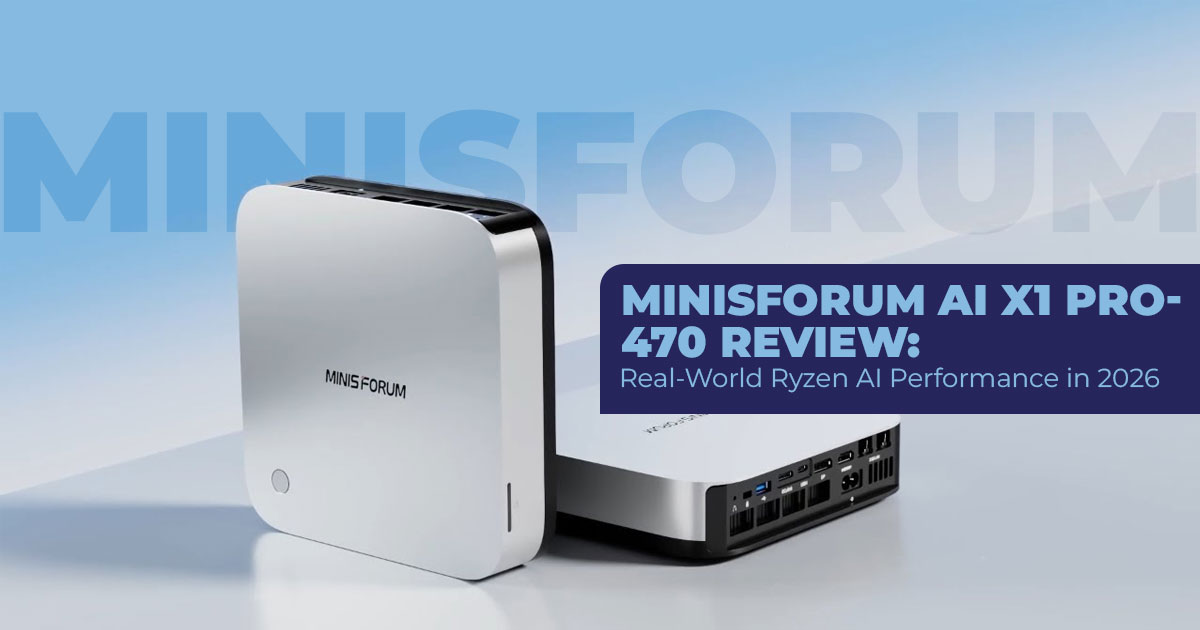
The Minisforum AI X1 Pro-470 is a small-form-factor AI PC about the size of a thick book. It’s designed to sit on a desk or behind a monitor and stay out of the way. Inside, it runs on the AMD Ryzen AI 9 HX470 processor, part of AMD’s Gorgon Point lineup.
Here’s the simple explanation.
A standard processor includes a CPU and a GPU. A Ryzen AI processor adds a third piece: an NPU, which is built for AI calculations. That allows tasks like Windows Copilot features, local language models, and AI-enhanced applications to run without pushing the system too hard.
The AMD Gorgon Point architecture improves efficiency and clock speeds compared to earlier designs. In a mini PC, that means less heat, quieter operation, and steady performance during longer workloads. You don’t need a large case or loud fans to get useful AI performance anymore.
That’s the core idea behind this machine. The Minisforum AI X1 Pro-470 aims to make local AI computing practical in a compact desktop that fits into everyday work without demanding attention.
3. Key Specs You Need to Know
| Feature | Details |
| CPU | AMD Ryzen AI 9 HX470 (12 cores/24 threads, up to 5.2 GHz boost) |
| GPU | Radeon 890M integrated graphics (16 CUs, RDNA 3.5) |
| NPU/AI | Up to 55 TOPS from the NPU (around 86 TOPS combined across CPU, GPU, and NPU) |
| Memory | Up to 128GB DDR5-5600 (two SODIMM slots) |
| Storage | Three M.2 2280 PCIe 4.0 slots (up to 12TB total) |
| Connectivity | Dual USB4, OCuLink (external GPU support), dual 2.5GbE LAN, Wi- Fi 7, Bluetooth 5.4 |
| Displays | Up to four 4K@60Hz displays |
| Size & Build | Compact metal chassis, roughly 2 liters |
| OS | Windows 11 Pro pre-installed |
4. Who This Compact AI Workstation Is Really For
Perfect fft for:
- Content creators who run local AI models for image generation, upscaling footage, or AI- assisted editing in Premiere or DaVinci Resolve.
- Developers testing LLMs with tools like Ollama or LM Studio — you save on cloud costs and get faster iteration.
- Professionals needing a high-performance mini PC for heavy multitasking, coding, data work, or running virtual machines.
- Anyone with a multi-display mini PC setup — traders, video editors, or programmers who use three or four 4K screens.
Not the right choice if:
- You mainly play AAA games at high settings — the Radeon 890M integrated graphics are good, but not a replacement for a dedicated card.
- You just need basic web browsing or email — cheaper standard mini PCs work fine.
- You want a simple NAS box — this is built for active workloads, not 24/7 storage serving.
5. Real-World Performance of the Minisforum AI X1 Pro-470 (Daily Work, AI, and Graphics)
This is where expectations meet reality. Specs look good on paper, but what matters is how the system behaves during a normal workday.
5.1 Daily Productivity Performance on a Ryzen AI Mini PC
For everyday work, the Minisforum AI X1 Pro-470 feels dependable. Opening many browser tabs, working in Excel, switching between Word, Outlook, and Teams—all of it stays smooth. You don’t get those small pauses that break focus. The fast SSD and generous memory help the system keep up, even when you forget to close anything.
If your day involves documents, research, spreadsheets, and multiple displays, this mini PC doesn’t get in your way. It just keeps moving.
5.2 AI Workloads and Local AI Computing Performance
This is where the system starts to feel different from older mini PCs. The built-in NPU handles tasks that used to feel heavy. Image generation with Stable Diffusion finishes sooner than expected. Running local language models feels usable for daily tasks, not just experiments.
Windows Copilot features work as intended. Things like Recall and Live Captions respond without delay. Compared with similar Intel-based systems, AMD’s approach feels more consistent when tasks rely on local processing rather than cloud help.
If you want to keep AI work on your own machine, this setup makes that choice feel practical.
5.3 Graphics Performance and Casual Gaming on Radeon 890M
The Radeon 890M handles casual gaming better than many expect from a compact desktop. At 1080p, games like Cyberpunk 2077 run well on medium settings, while lighter games push high frame rates without effort.
This isn’t a replacement for a gaming tower. But for after-work sessions, creative previews, or light editing, it holds its ground. And if you want more later, OCuLink support makes adding an external GPU a real option, not a workaround.
5.4 Thermals and Noise in a Compact Desktop
Heat and noise stay under control. During normal work, the system stays quiet enough to forget it’s there. Fans become noticeable during long AI sessions or gaming, but they don’t dominate the room.
The compact metal case and efficient chip design help avoid sharp temperature spikes. Even under load, performance stays steady, which matters if you plan to run demanding tasks for hours.
6. Design and Build Quality of the Minisforum AI X1 Pro-470 Mini PC
The build feels solid from the first touch. The all-metal body gives confidence that it can handle daily use without feeling fragile. The design stays clean and simple, which fits both home offices and professional setups.
Its small size makes placement easy. It fits on a crowded desk, a shelf, or behind a monitor without drawing attention. Ventilation works as expected, and nothing feels rushed or poorly finished.
This is a machine designed to stay in place and work quietly in the background.
7. Connectivity and Ports That Make This Mini PC Easy to Live With
Good connectivity saves time. And this system gets that right.
USB4 ports make docks and fast external drives simple. OCuLink opens the door to serious graphics upgrades if your needs change. Wi-Fi 7 and dual 2.5Gb Ethernet feel ready for the next few years, not just today.
Support for four 4K displays makes this a strong choice for people who live in spreadsheets, timelines, or dashboards. You don’t need adapters stacked on adapters. Everything plugs in and works.
Click here to buy Minisforum
8. Software Experience and Everyday Use on Windows 11 Pro
The system comes with Windows 11 Pro and feels ready from the first boot. The setup doesn’t turn into a project. Drivers install without friction. Features tied to local processing work without manual steps.
Installing local tools feels straightforward. You don’t spend time tracking down missing files or compatibility fixes. Over time, that ease matters more than flashy features.
In daily use, the software experience feels stable and predictable.
That reliability is what makes the Minisforum AI X1 Pro-470 easy to trust as a main machine, not just a secondary device.
9. Pricing and Value of the Minisforum AI X1 Pro-470 in 2026
Pricing is often the deciding factor with Ryzen AI mini PCs, especially when configurations vary widely. The Minisforum AI X1 Pro-470 is sold in multiple setups, allowing buyers to choose between flexibility and convenience.
Typical pricing by conffguration:
- Barebones mini PC (no RAM or SSD): around $760
- Mid-range configuration (32GB RAM + 1TB SSD): about $1,360
- Fully loaded setup (up to 128GB RAM with multiple SSDs): close to $2,000
For a compact AI desktop PC with high CPU performance, a 55 TOPS NPU, and deep expandability, this pricing lands in a reasonable range. When compared to similarly equipped AI laptops or larger desktop PCs, the value becomes clearer. You’re paying for local AI computing, quiet operation, and long-term flexibility in a very small footprint.
For users who plan to upgrade RAM or storage over time, the barebones option offers the strongest value.
At this point, many readers want to compare real pricing across configurations. The MINISFORUM AI X1 Pro-370 Mini PC is listed on Amazon Worldwide with a 32GB DDR5 and 1TB SSD configuration, while Amazon India offers higher-end builds like the 96GB DDR5, 2TB PCIe
4.0 SSD variant. If you prefer to compare memory and storage options side by side, Amazon Worldwide’s complete list of X1 Pro-370 variants makes that easier.
10. Pros and Cons of the Minisforum AI X1 Pro-470 Mini PC
Every system involves trade-offs. This section helps readers decide if the strengths line up with their actual needs.
Pros of the Minisforum AI X1 Pro-470
- Strong CPU and TOPS AI performance in a small form factor mini PC
- Top-tier connectivity, including OCuLink external GPU support
- Easy RAM and storage upgrades, extending the system’s lifespan
- Excellent multi-monitor support, including four 4K displays
Cons to Consider Before Buying
- No built-in discrete GPU, limiting high-end gaming and rendering
- Higher-end configurations get expensive
- Fans become noticeable during extended AI workloads or gaming
- Limited appeal if you don’t use AI features regularly
For users focused on local AI tasks, productivity, and future expansion, the strengths outweigh the drawbacks. For users who never touch AI tools, the value is less clear.
11. Best Alternatives to the Minisforum AI X1 Pro-470 Mini PC
If you’re comparing options, these alternatives are worth a look, depending on what matters most to you.
- Beelink SER10 Pro mini PC
Uses a similar AMD Gorgon Point processor and often costs less. It’s a solid choice for budget-conscious buyers, though it offers fewer ports and expansion options.
- GEEKOM A8 Max Ryzen mini PC
A balanced Ryzen-based mini PC with good everyday performance and pricing. Its NPU performance is lower, making it less suited for heavy local AI workloads.
- Intel NUC 14 Pro mini PC
A strong option if you prefer Thunderbolt connectivity and Intel’s ecosystem. However, local AI inference performance is generally weaker compared to AMD’s Ryzen AI processors.
Each alternative serves a different type of user. The Minisforum AI X1 Pro-470 stands out most for buyers who care about on-device AI performance, expandability, and long-term flexibility in a compact desktop.
11A. Which Mini PC Is Right for You?
| If you are this type of buyer… | Best Choice | Why it makes sense |
| You run local AI models, use Stable Diffusion, or rely on Windows Copilot features |
Minisforum AI X1 Pro-470 |
Strong NPU performance, smooth local AI workloads, and reliable on-device
processing |
| You want a compact workstation
for productivity and multitasking |
Minisforum AI X1 Pro-470 | Handles heavy multitasking,
supports four 4K displays, and stays quiet during daily work |
| You plan to upgrade RAM, storage, or add an external GPU
later |
Minisforum AI X1 Pro-470 | Easy upgrades and OCuLink external GPU support extend
long-term value |
| You want the best value AMD mini PC and don’t need top AI
performance |
Beelink SER10 Pro |
Lower cost with similar CPU
power, but fewer expansion options |
| You want a balanced Ryzen mini PC for everyday use |
GEEKOM A8 Max |
Solid all-round performance, though weaker for AI-heavy
workloads |
| You prefer Thunderbolt and the
Intel ecosystem |
Intel NUC 14 Pro |
Strong connectivity and Intel support, but less capable for
local AI inference |
| You mostly care about gaming performance | Mini PC with external GPU support | Integrated graphics are fine for casual gaming, but serious gaming needs a discrete GPU |
| You don’t use AI tools regularly | Standard productivity mini PC | Paying extra for AI hardware
won’t add real value |
How to Use This Table
- If local AI computing matters to you, the choice is clear.
- If price matters more than AI, alternatives make sense.
- If you want flexibility over time, expandability should guide your decision.
12. Frequently Asked Questions
This section answers the most common questions people search for when comparing Ryzen AI mini PCs and deciding whether the Minisforum AI X1 Pro-470 fits their needs. These quick answers are meant to clear confusion, support buying decisions, and explain key terms in simple language.
Click here to buy Minisforum
Q. What is AMD Gorgon Point?
- AMD Gorgon Point is AMD’s latest architecture for Ryzen AI processors. It improves clock speeds and boosts NPU efficiency, which means faster local AI tasks and better performance in compact systems like mini PCs.
Q. What is a Ryzen AI processor?
- A Ryzen AI processor combines a CPU, GPU, and a dedicated NPU (Neural Processing Unit). This design allows faster on-device AI processing without relying on cloud services.
Q. What is an AI mini PC?
- An AI mini PC is a small desktop computer built to handle AI workloads locally using an NPU. It’s ideal for users who want better privacy, faster response times, and lower long-term costs than cloud-based AI tools.
Q. NPU vs GPU for AI tasks — which is better?
- An NPU is more efficient for repeated AI inference tasks, such as running language models or image generation. A GPU is stronger for training models and heavy graphics work. For daily local AI use, NPUs are often the better choice.
Q. Can the Minisforum AI X1 Pro-470 run local AI models well?
- Yes. Thanks to its 55+ TOPS NPU, tools like Stable Diffusion, Ollama, and LM Studio run smoothly, making it practical for everyday local AI work.
Q. Is the Minisforum AI X1 Pro-470 good for video editing?
- Yes. 4K timelines in tools like DaVinci Resolve or Adobe Premiere Pro run smoothly, and AI- assisted features benefit from hardware acceleration built into the Ryzen AI platform.
Q. How many displays does the Minisforum AI X1 Pro-470 support?
- It supports up to four 4K displays at 60Hz, which works well for productivity, editing, and multi-screen office setups.
Q. Is the Minisforum AI X1 Pro-470 worth buying in 2026?
- Yes, if your work involves local AI tasks, content creation, or heavy multitasking in a small space. It offers strong performance without the size of a full desktop.
Q. Should I buy a Ryzen AI mini PC?
- If you want future-proof hardware, local AI computing, and a compact system that stays relevant for years, a Ryzen AI mini PC is a smart option to consider.
13. Final Verdict — Should You Buy the Minisforum AI X1 Pro-470?
By now, the picture should be clear. The Minisforum AI X1 Pro-470 isn’t trying to be everything for everyone. It’s built for people who actually use their machines hard, those running local AI tools, managing heavy multitasking, or working across multiple displays in a limited space.
What makes it special here is how practical it feels. You get strong everyday performance, local AI processing that makes sense outside of demos, and a compact design that doesn’t take over your desk. For teams, creators, and developers who want to move work off the cloud and keep things local, this mini PC fits naturally into that shift.
At the same time, it’s worth being honest about where it may not fit. If your priority is gaming first, or if your needs stop at basic office work, there are cheaper systems that will serve you just as well. This machine earns its place when AI features, expansion options, and long-term flexibility matter.
For readers looking for an AI-ready mini desktop that feels capable today and still relevant a few years from now, the Minisforum AI X1 Pro-470 is easy to stand behind.
Where to Buy
If you want to check current pricing or available conffgurations, these listings are a good place to start:
- Amazon Worldwide — MINISFORUM AI X1 Pro-370 Mini PC (AMD Ryzen AI 9 HX370, 32GB DDR5, 1TB SSD)
- Amazon India — MINISFORUM AI X1 Pro Mini PC (AMD Ryzen AI 9 HX370, 96GB DDR5, 2TB PCIe 4.0 SSD)
- Amazon Worldwide (All Variants) — MINISFORUM AI X1 Pro-370 Mini PC
Let’s Hear From You
How are you planning to use a mini PC for AI workloads—development, creative work, automation, or something else entirely?
Share your thoughts or questions below. We read every comment, and your use cases help others decide if this kind of system ffts their work too.
***Disclaimer***
This blog post reflects our own research, testing, and personal opinions. It should not be taken as the official position of any brand, manufacturer, or company mentioned here. While we aim to keep information accurate and up to date, product details, pricing, and availability can change. We recommend double-checking important details before making a purchase.
Some links in this article may be affiliate links. If you choose to buy through these links, we may earn a small commission at no extra cost to you. This helps support our work and allows us to keep publishing in-depth, unbiased reviews. Our recommendations are never influenced by affiliate partnerships.
Comments shared by readers reflect their own views and not ours. We are not responsible for outcomes resulting from the use of information on this site. Please seek professional advice where appropriate.
All product names, logos, and brands mentioned are the property of their respective owners. These names are used for identification and informational purposes only and do not imply endorsement.
