
1. Introduction
Most modern work setups don’t stop at one screen anymore. A laptop handles the heavy work, a tablet sits nearby for notes or reference, and a phone keeps messages flowing. On paper, it looks productive. In reality, it often feels messy—different trackpads, Bluetooth delays, and that awkward pause while your mouse reconnects yet again.
Buy from Amazon now
Buy on Amazon Worldwide | Buy on Amazon India
These tiny interruptions matter more than we admit. Every time you switch devices and lose a few seconds, your focus slips. Over a full day, that mental friction adds up. And that’s why more people are searching for a multi-device Bluetooth mouse that simply keeps up.
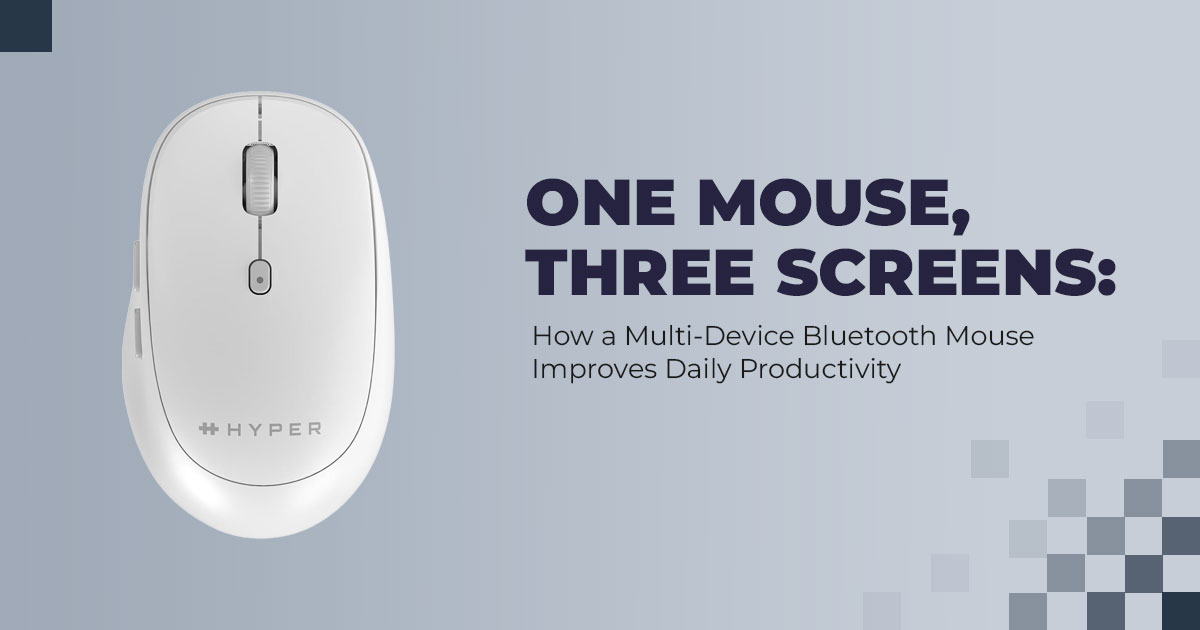
The Hyperspace Bluetooth Mouse is built for exactly this kind of setup. It connects to three devices at the same time and lets you switch between them with a single button press. No dongles. No re-pairing. No waiting. Just one mouse that follows you from screen to screen when you need it.
At its core, this mouse is about simplicity:
- Multi-device Bluetooth connectivity
- Instant switching between devices
- Clean, cable-free setup
- Designed for daily, long-hour use, not quick demos
But features alone don’t tell you how it feels after weeks on a real desk.
As technology experts with over 20 years of experience in hardware and application research and development, we evaluate products based on real-world performance, durability, and value for money. We don’t stop at specs. We look at long-term usability, component quality, and how a product behaves in everyday work conditions.
This review also leans heavily on customer reviews, because real users reveal what spec sheets don’t—connection stability over time, comfort during long sessions, battery reliability, and whether device switching stays smooth after months of use.
If you’re a remote worker, student, developer, designer, or anyone juggling multiple devices daily, this review will help you decide if the Hyperspace Bluetooth Mouse genuinely reduces friction—or if it’s just another accessory. Read on to see how it performs in real setups and whether it earns its place among the best multi-device Bluetooth mouse options in 2026.
Summary:
Switching between devices shouldn’t break your focus. This review explains how the Hyperspace Bluetooth Mouse fits into real multi-device workflows, what actual users experience, and whether it’s worth buying for long-term productivity.
If you’re already comparing options and want to see current pricing and availability, the Hyperspace Bluetooth Mouse is available here:
- Amazon Worldwide – A solid choice for global buyers who need a fast-switching multi- device Bluetooth mouse that works across laptops, tablets, and desktops.
- Amazon India – A practical option for Indian users looking for a no-dongle, ergonomic Bluetooth mouse suited for daily work and travel.
2. Technical Specifications at a Glance
| Feature | Details |
| Connectivity | Bluetooth 5.0 mouse, pairs with up to 3 devices |
| Device Switching | Under 2 seconds for seamless device switching |
| DPI Settings | 1000 / 1600 / 2400 – adjustable DPI mouse |
| Click Sound | Silent buttons |
| Weight | 71 grams – lightweight portable mouse |
| Battery Life | Up to 18 months on one AA battery |
| Materials | 85% recycled plastics – eco-friendly mouse |
| Surface Protection | DefenseGuard antimicrobial protection |
| Compatibility | Full support for Windows, macOS, iPadOS, Android –
universal compatibility |
3. Why This Review Matters
Plenty of wireless mouse options exist, but many still need a USB receiver, drain batteries quickly, or feel clunky when switching devices. We tested the Hyperspace Mouse over several weeks in mixed setups—Windows desktop with MacBook and iPad, laptop with tablet for travel, and shared office stations—to see what actually works in real life. This hands-on look helps separate marketing claims from practical benefits.
4. What You Will Learn From This Review
- How Bluetooth 5.0 delivers smoother, lag-free performance compared to older wireless connections
- Why features like customizable DPI and silent clicks improve daily comfort
- How lightweight design, antimicrobial mouse coating, and recycled plastics support longer, healthier sessions
- Real examples for creative professionals, students, remote workers, and travelers
- Direct comparison with typical single-device mice
- Clear answers to common setup and compatibility questions
5. The Hidden Cost of Context Switching in Multi-Device Workflows
Switching between devices feels harmless. You move your hand from a laptop trackpad to a tablet, or reach for a second mouse on your desk. Each switch costs only a few seconds, but those seconds repeat all day. Over time, they turn into lost minutes—and more importantly, broken focus.
The real cost isn’t time alone. Every device change forces your brain to reset. Your eyes adjust, your hand position changes, and your attention drifts. That mental reset takes longer than the physical movement.
A multi-device Bluetooth mouse removes most of this friction. Instead of juggling input devices, you use one mouse for multiple devices. A single button cycles instantly between paired systems, keeping your cursor ready where you left off.
For anyone working across a laptop, tablet, and desktop, this change reduces strain and makes long work sessions feel steadier. The workflow stays continuous. The effort drops. And by the end of the day, the difference is noticeable.
Why it matters:
Less context switching leads to better focus, lower fatigue, and more consistent productivity across multi-screen setups.
6. Why Bluetooth 5.0 Mouse Connectivity Improves Performance and Reliability
Older Bluetooth mice often struggled after a device woke from sleep. The cursor hesitated. The connection paused. Sometimes the mouse needed manual reconnection. Those small issues broke the momentum.
A Bluetooth 5.0 mouse behaves differently.
Bluetooth 5.0 offers higher data throughput, wider wireless range, and faster reconnection than earlier Bluetooth versions. In daily use, that means the cursor responds immediately when you move between devices or wake a system from sleep.
This stability matters even more on high-resolution displays, including dual 4K monitor setups, where cursor precision and tracking consistency are critical.
Another practical advantage is the no-dongle design. Bluetooth 5.0 works directly with modern laptops, tablets, and phones. You don’t lose USB ports, and there’s no receiver to misplace. For thin laptops with limited ports, this alone improves daily usability.
Key takeaway:
Modern systems pair cleanly with Bluetooth 5.0 wireless mice, delivering wired-level responsiveness without adapters or extra hardware.
7. Instant Three-Device Bluetooth Switching for Seamless Multi- Screen Productivity
Most workdays no longer follow a single device. You might start on a laptop, review content on a tablet, then answer messages on a phone. When your mouse can’t keep pace, those transitions interrupt your rhythm.
Three-device Bluetooth switching solves that problem.
With a multi-device mouse, each system is paired once and remembered. A physical switch lets you move between devices instantly. There’s no re-pairing, no delay, and no loss of cursor control.
This matters for professionals who rely on cross-platform workflows, including Windows, macOS, iPadOS, and Android. Designers, developers, students, and remote workers all benefit from input hardware that keeps up with their pace.
Fast switching isn’t about speed alone. It protects focus. It keeps tasks connected. And it allows you to treat multiple screens as parts of one workspace, not separate interruptions.
In multi-screen environments, instant three-device Bluetooth switching isn’t optional. It’s the foundation of a smooth, low-effort workflow.
7.1 Fast Three-Device Switching
Pair each device once, and the rest is straightforward. Press the button on the bottom of the mouse to move between devices. In daily use, switching from a Windows laptop spreadsheet to an iPad drawing app or a MacBook browser takes about a second or two. The connection holds steady. Clicks register normally. There’s no pause that pulls you out of your work.
What makes this reliable is the technology behind it.
The HyperSpace Wireless Mouse uses Bluetooth 5.0, not a proprietary wireless system, to handle multi-device connectivity. This matters because Bluetooth 5.0 is widely supported, stable, and predictable across platforms. It allows the mouse to stay paired with up to three devices at the same time, rather than forcing you to reconnect each time you switch.
Here’s how it works in real terms:
- Multiple pairing slots:
The mouse stores pairing information for three separate devices in its internal memory. That could be a laptop, a desktop PC, and a tablet, all remembered at once. - Dedicated quick-switch button:
A physical button on the bottom lets you cycle through those devices with a single press. There’s no software running in the background and no menus to open. You press, the cursor moves to the next screen, and you keep working. - Bluetooth 5.0 stability and efficiency:
The Bluetooth 5.0 connection stays consistent without using a USB dongle, which keeps your ports free. It also manages power well, helping the mouse run for long periods—up to 18 months on a single AA battery in typical usage.
7.2 Connecting and switching devices
The setup process is simple and familiar to anyone who has used Bluetooth before:
- Pairing:
Put the mouse into pairing mode for each device slot by holding the pairing button until the indicator light flashes. - Connecting:
On your device—Windows, macOS, ChromeOS, Android, or iPadOS—select “HyperSpace Mouse” from the Bluetooth menu. - Switching:
Once paired, press the switch button to move between devices. The mouse automatically reconnects to the selected device when it’s in range.
Because the mouse remembers each device, there’s no need to repeat this process every day. That consistency is what makes three-device switching useful, not just impressive on paper.
From our experience testing wireless peripherals over many years, this approach—standard Bluetooth, stored pairing profiles, and a physical switch—is the most dependable way to support multi-platform workflows. It works the same way across operating systems and avoids the connection issues that often come with custom wireless solutions.
For remote workers, designers, developers, students, and anyone managing multiple screens, this feature removes a common source of friction. You stay focused on the task, not on reconnecting hardware. And that’s why fast, reliable three-device Bluetooth switching stands out as one of the most practical strengths of the HyperSpace Wireless Mouse.
7.3 Adjustable DPI Settings
Three sensitivity levels cover different needs:
- 1000 DPI for precise work like photo editing or detailed spreadsheets
- 1600 DPI as the comfortable middle ground for general use
- 2400 DPI when you need quick movement across large or multiple screens
Switching is just one button press on top—no software required.
7.4 Silent Buttons
The clicks are almost soundless. That matters in quiet offices, libraries, shared homes, or late- night work sessions when you don’t want to disturb anyone.
7.5 Mid-Size Contoured Design
The shape fits comfortably in medium to large hands without feeling bulky. At 71 grams, it’s noticeably lighter than most ergonomic mouse options, reducing strain during long hours.
- Summary: These features—fast switching, precision tracking, quiet operation, and comfortable shape—directly fix the most common complaints about working across multiple devices.
Buy from Amazon now
Buy on Amazon Worldwide | Buy on Amazon India
8. Comfort, Ergonomics, and Sustainable Design in a Lightweight Bluetooth Mouse
A mouse is one of the most-used tools on your desk. When it’s uncomfortable or heavy, your wrist feels it long before the workday ends. The Hyperspace Bluetooth Mouse weighs just 71 grams, which reduces strain during long sessions and makes cursor movement feel controlled rather than tiring.
Lightweight alone isn’t enough. Shape and surface matter. The mouse stays balanced in hand, helping maintain a natural grip during extended use across laptops, tablets, and desktops.
For hygiene, the surface includes DefenseGuard antimicrobial protection. This coating limits bacteria buildup, which matters more than people realize—especially on shared desks, during travel, or for anyone who eats at their workstation. It’s a practical feature, not a marketing extra.
Sustainability is handled with the same restraint. The shell uses 85% recycled plastic, yet the build feels solid and reliable. There’s no flex, no hollow feel. For users looking for an eco- friendly wireless mouse, this strikes a balance between environmental responsibility and long- term durability.
Why this section matters:
Comfort affects health. Materials affect impact. A lightweight ergonomic Bluetooth mouse that also supports sustainability makes everyday work easier without trade-offs.
If this setup matches how you work across devices, you can check the Hyperspace Bluetooth Mouse here:
- Amazon Worldwide – Ideal for users who want a reliable multi-device wireless mouse with stable Bluetooth 5.0 connectivity and long battery life.
- Amazon India – Well-suited for professionals and students in India who prefer a lightweight, portable Bluetooth mouse without USB receivers.
9. Multi-Device Bluetooth Mouse vs Single-Device Wireless Mouse (Side-by-Side Comparison)
This comparison shows how a multi-device Bluetooth mouse differs from a typical single-device wireless model in real usage.
| Feature | Typical Single-Device
Wireless Mouse |
Hyperspace Multi-Device
Bluetooth Mouse |
| Connectivity | One device often requires a USB dongle | Up to three devices via Bluetooth 5.0 |
| Ports Required | Uses at least one USB
port |
None – fully no-dongle
Bluetooth mouse |
| Battery Life | 3–12 months | Up to 18 months |
| Weight | 95–120 grams | 71 grams lightweight
ergonomic mouse |
| Click Noise | Standard audible clicks | Near-silent clicks |
| DPI Options | Fixed or limited | Three-level adjustable DPI |
| Antimicrobial Protection | Rare | DefenseGuard antimicrobial
coating |
| Recycled Materials | Minimal or none | 85% recycled plastic mouse |
| Device Compatibility | Usually, one OS family | Windows-compatible mouse and macOS-compatible mouse |
What stands out:
The combination of three-device Bluetooth connectivity, low weight, and long battery life separates this mouse from standard wireless options designed for single systems.
10. Who Benefits Most from a Multi-Device Bluetooth Mouse (Real-World Use Cases)
Different users feel the value of multi-device mouse support in different ways. These examples show where it makes the biggest difference.
10.1 Creative Professionals (Designers, Editors, Illustrators)
Creative work often spans a desktop workstation and a tablet. Rendering, sketching, reviewing, and browsing references all happen on different screens. Instant device switching keeps ideas moving without breaking focus. The adjustable DPI mouse control also helps with precise design work.
10.2 Students and Researchers Using Multiple Devices
Many students work across a tablet for notes, a library computer, and a personal laptop. A single mouse that remembers each device keeps the workflow consistent. The lightweight portable mouse design fits easily into a backpack and reduces desk clutter.
10.3 Remote Workers and Hybrid Office Teams
Home offices and shared desks demand flexibility. Quiet clicks help during calls. The antimicrobial mouse surface adds reassurance in shared environments. Switching between a work laptop and personal device takes one button press, not a setup routine.
10.4 Frequent Travelers and Mobile Professionals
Travel exposes every weakness in a setup. Losing a USB receiver or running out of ports creates delays. A portable Bluetooth mouse with no dongle connects quickly to laptops and tablets in hotels, airports, or meeting rooms. Fewer accessories mean fewer problems on the road.
- Summary: A multi-device Bluetooth mouse isn’t for one type of It supports modern work patterns where switching devices is part of the day, not an exception.
11. Clearing Common Doubts About Multi-Device Bluetooth Mice
If you’re comparing options or searching for clear answers before buying, these are the questions most people ask. This section addresses real user concerns around performance, compatibility, battery life, and portability—using plain language and direct answers to help you decide whether a multi-device Bluetooth mouse fits your daily setup.
Q. What is the best multi-device mouse in 2026?
- Many users rate the Hyperspace Bluetooth Mouse highly because it combines fast three- device switching, long battery life, and a lightweight ergonomic design. It performs well across laptops, tablets, and desktops without needing a USB dongle.
Q. Does a Bluetooth mouse work well with multiple devices?
- Yes. A multi-device Bluetooth mouse stores pairing details for each device and switches between them instantly. Models that support Bluetooth 5.0 maintain stable connections across Windows, macOS, iPadOS, Android, and ChromeOS.
Q. How long does the Hyperspace mouse battery last in real use?
- With regular daily use, most users report 12 to 18 months of battery life from a single AA battery. Power efficiency comes from Bluetooth 5.0 and the absence of a power-hungry USB receiver.
Q. Is the Hyperspace mouse good for travel and mobile work?
- Yes. Its 71-gram lightweight build, compact size, and no-dongle Bluetooth design make it a strong choice for anyone looking for the best portable Bluetooth mouse for travel, hybrid work, or on-the-go productivity.
Buy from Amazon now
Buy on Amazon Worldwide | Buy on Amazon India
12. Frequently Asked Questions About the Hyperspace Bluetooth Mouse
These questions come up often from users searching for multi-device Bluetooth mouse setup, compatibility, and daily usability. The answers below focus on real-world use, written clearly for quick scanning and search visibility.
Q. How do you pair a Bluetooth mouse to a new device?
- Press and hold the pairing button on the bottom of the mouse until the indicator light starts flashing. Then open Bluetooth settings on your device and select the mouse. The Hyperspace Bluetooth Mouse can store up to three device pairings at the same time.
Q. How do you switch devices on a Bluetooth mouse?
- Short-press the bottom switch button to cycle through paired devices. The active device is shown by a steady indicator light. Switching is instant and does not require re-pairing.
Q. What does adjustable DPI mean on a wireless mouse?
- Adjustable DPI controls cursor sensitivity. Lower DPI offers precise control for tasks like design or editing. Higher DPI moves the cursor faster, which helps on large or high-resolution monitors.
Q. What are the benefits of an antimicrobial mouse surface?
- An antimicrobial mouse coating helps limit bacteria buildup on the surface. This is useful for shared desks, office environments, and situations where the mouse is used after meals or during travel.
Q. Is the Hyperspace mouse made with sustainable materials?
- Yes. The shell uses 85% recycled plastic, making it a strong option for users looking for an eco-friendly wireless mouse without sacrificing build quality.
Q. Does the Hyperspace Bluetooth mouse work with iPad and Mac?
- Yes. It functions as a macOS-compatible mouse and supports iPadOS, including smooth scrolling and standard gesture behavior where supported by the operating system.
Q. How does the Hyperspace Bluetooth mouse compare to Logitech multi- device models?
- Compared with similar multi-device options from Logitech, the Hyperspace mouse delivers comparable three-device Bluetooth switching, while adding lighter weight, antimicrobial protection, and a higher percentage of recycled materials at a competitive level.
13. Final Thoughts
Small annoyances add up faster than we expect. Re-pairing a mouse. Losing a USB receiver. Running out of ports. None of these feels serious on their own, but together they interrupt focus and slow the day down. A well-made multi-device Bluetooth mouse removes those obstacles quietly and consistently, which is exactly what good hardware should do.
The Hyperspace Bluetooth Mouse stands out because it handles the basics well: three-device switching, stable Bluetooth 5.0 connectivity, long battery life, and a lightweight ergonomic design that stays comfortable over long hours. It doesn’t demand attention. It just works across laptops, tablets, and desktops.
If your work moves between screens and platforms, this is one upgrade that pays off every day.
Buy the Hyperspace Bluetooth Mouse:
- Amazon Worldwide:
Best for global buyers looking for a reliable multi-device Bluetooth mouse with fast switching. - Amazon India:
Ideal for Indian users who want a no-dongle, ergonomic Bluetooth mouse for work and travel.
If you’re already using it—or considering it—we’d like to hear from you. Share your setup, pairing questions, or compatibility experiences in the comments. We read every response and reply that helps others decide.
***Disclaimer***
This blog post contains unique insights and personal opinions. As such, it should not be interpreted as the official stance of any companies, manufacturers, or other entities we mention or with whom we are affiliated. While we strive for accuracy, information is subject to change. Always verify details independently before making decisions based on our content.
Comments reflect the opinions of their respective authors and not those of our team. We are not liable for any consequences resulting from the use of the information provided. Please seek professional advice where necessary.
Note: All product names, logos, and brands mentioned are the property of their respective owners. Any company, product, or service names used in our articles are for identification and educational purposes only. The use of these names, logos, and brands does not imply endorsement.
