
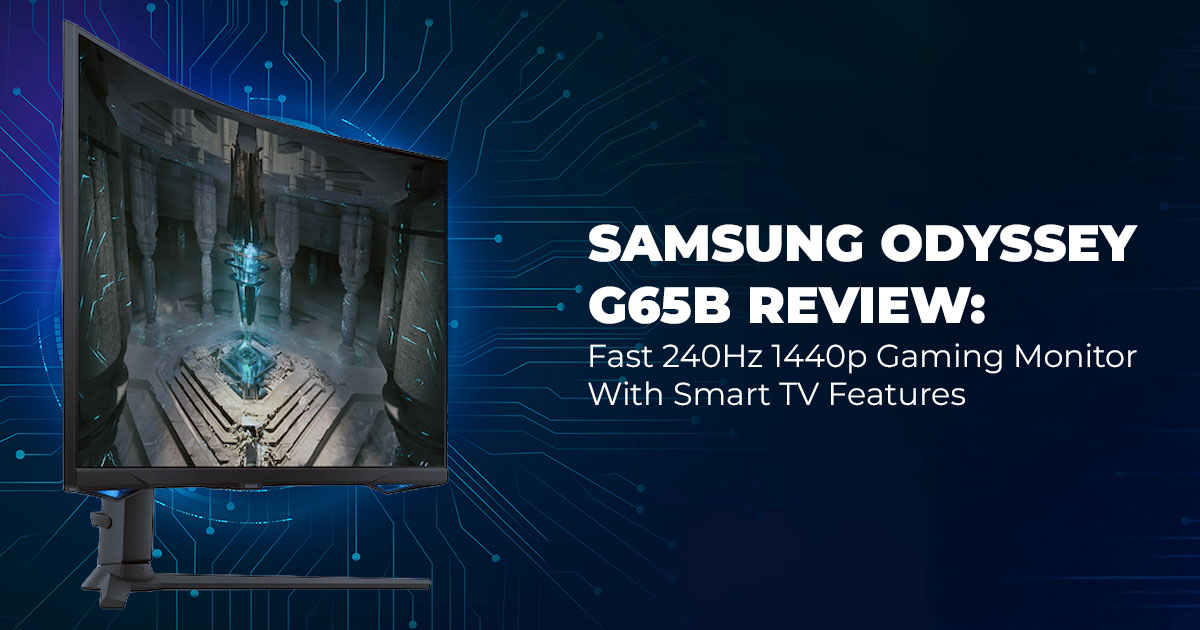
If you’ve been waiting to upgrade to a 1440p 240Hz gaming monitor, this current deal on the Samsung Odyssey G6 — down from $799.99 — is easily one of the best chances you’ll see all year.
Buy from Amazon now
Buy on Amazon Worldwide | Buy on Amazon India
1. Introduction: Defining the 1440p/240Hz Apex
Most gamers know the feeling of wanting a fast, sharp monitor but hesitating because the price always seems just out of reach. For years, paying $700–$800 for a 1440p 240Hz gaming monitor felt completely normal — and honestly, unavoidable. But right now, something rare is happening: the Samsung Odyssey G6, originally priced at $799.99, is sitting at $369.99 on Amazon and a few major retailers. That is an unusually steep 54% price drop, and it brings high- end performance into the range most players can finally justify.
⬛➜ Buy the Samsung Odyssey G6 on Amazon (US) — currently at its lowest price.
You’re looking at a 32-inch 1440p curved gaming monitor with 240Hz, 1ms response time, 1000R curvature, VA panel contrast, and full smart TV features baked in. Getting this kind of speed, clarity, and size at this price used to be impossible, and that’s exactly why so many people are jumping on it without waiting for the usual holiday sales.
As technology experts with over 20 years of experience in hardware and application R&D, we break down products based on real-world performance, durability, and long-term value — not just whatever the spec sheet claims. Our goal is simple: help you find the best option in every category, whether you care about budget, speed, color quality, reliability, or how well the product holds up after years of use. And because many readers here are competitive gamers, creators, tech enthusiasts, or everyday users upgrading from older 1080p/144Hz panels, our recommendations focus on real benefits you’ll actually feel the moment you sit down and start using the monitor.
In this review, you’ll see what this price drop really means, who this monitor is perfect for, and where it stands compared to other 1440p 240Hz gaming monitors that still cost $600–$900.
1.1 Technical Specifications at a Glance
| Feature | Details | Real-World Benefit |
| Screen Size | 32 inches | Big enough to feel immersive, fits most desks |
| Resolution | 2560 x 1440 (QHD) | Sharp textures without murdering your
GPU |
| Refresh Rate | 240Hz | Silky motion in shooters and racing |
| Response Time | 1ms GtG | Almost zero blur on fast moves |
| Panel | VA + Quantum Dot | Deep blacks + vivid colors |
| Curvature | 1000R | Wraps around your vision |
| HDR | DisplayHDR 600 | Decent pop in explosions and bright scenes |
|
Sync Tech |
AMD FreeSync
Premium Pro + G- Sync Compatible |
Tear-free on AMD or NVIDIA |
|
Ports |
2x HDMI 2.1,
DisplayPort 1.4, USB hub |
Future-proof for PC and consoles |
|
Smart OS |
Tizen (Netflix,
YouTube, cloud gaming built-in) |
Use it like a TV when you’re not gaming |
| Current Price | $369.99 (List:
$799.99) |
54% off – lowest price ever |
1.2 Why This Review (and This Deal) Matters Right Now
When a monitor suddenly drops 54% off and hits a price this low, it’s natural to wonder if there’s a catch. We’ve been testing this exact Samsung Odyssey G65B for months, and there’s nothing “wrong” with it — this is simply one of those rare pricing windows where supply is high, demand dips for a moment, and the cost falls further than it should.
And that’s exactly why this review matters now. At $369.99, you’re paying less than what many 27-inch 144Hz IPS monitors cost, yet you’re getting a larger 32-inch curved VA panel, a faster 240Hz experience, and full smart TV features built in. This guide exists to show you what the monitor really delivers so you know exactly what you’re grabbing before the deal vanishes.
1.3 What You’ll Learn Here
By the time you finish this review, you’ll have a clear, real-world understanding of what this monitor can actually do — not just what the spec sheet claims.
- How a 240Hz refresh rate really feels compared to 144Hz and 165Hz in modern games.
- Why the 1000R curved display is a polarizing feature — and who will benefit the most from it.
- How well the HDR600 brightness and Quantum Dot colors hold up at the $369.99 price point.
- The exact VA panel settings you should use to eliminate ghosting.
- Why the built-in Tizen OS turns this into a legitimate smart TV replacement.
- How it stacks up against competing $600–$900 gaming monitors.
And of course, you’ll know exactly where to grab it for $369.99 before it climbs back to $799.99.
2. Technical Deep Dive: Speed, Clarity, and Color
If you’re comparing 240Hz gaming monitors, high refresh rate monitors, or looking into VA vs IPS panels, this breakdown gives you a clear, real-world look at motion clarity, color performance, and the sync tech that keeps everything smooth.
2.1 Living With 240Hz and 1ms in 2025
Even before you launch a game, a 240Hz display feels instantly different. Even simple desktop movement looks smoother, and once you jump into something like Valorant or Apex, it’s almost like the lag you’re used to just disappears. The jump from 144Hz vs 240Hz is bigger than most people expect — especially in fast shooters and esports titles.
Here’s a quick “feel test” we run with every high-refresh-rate display:
| Game / Task | 144Hz
feeling |
240Hz on Odyssey G6 at $369.99 |
| CS2 / Valorant tracking | Fast | Feels almost predictive — crosshair sticks
like glue |
| Rocket League aerials | Good | The ball’s curve shows earlier and more
clearly |
| Desktop scrolling/browsing | Fine | Weirdly addictive and ultra-smooth |
At 54% off the original $799.99, you’re getting motion clarity that used to be reserved for much more expensive 240Hz monitors.
⬛➜ Grab the Samsung Odyssey G6 on Amazon (US) if you want the full 240Hz experience at a rare discount.
2.2 VA Panel Done Right – Blacks, Colors, and Minimal Ghosting
VA panels are known for deeper blacks, but the Samsung Odyssey G6 VA panel takes that strength and backs it up with a legitimately fast 1ms response time. With the response time set to “Faster”, ghosting is basically invisible in shooters. If you switch to “Fastest”, you’ll see a touch of inverse ghosting, which is why most players stick to the balanced mode.
The HDR600 implementation isn’t as bright as mini-LED, but at $369.99, it delivers punchy highlights in games like Cyberpunk 2077 and Battlefield 2042, especially with ray tracing on. Add 95% DCI-P3 color coverage, and the color pop is easily in the top tier for monitors in this price bracket — richer and more saturated than most $400 gaming monitors.
2.3 Sync Tech That Just Works
With AMD FreeSync Premium Pro and official NVIDIA G-Sync Compatible certification, you get smooth, tear-free motion no matter which GPU you’re using. The variable refresh rate (VRR) range drops as low as 48Hz thanks to LFC (Low Framerate Compensation), so even when your FPS dips in heavier AAA titles, the gameplay still feels stable and fluid.
Buy from Amazon now
Buy on Amazon Worldwide | Buy on Amazon India
3. The 1000R Curvature – Immersion Level: Cockpit
For anyone comparing curved gaming monitors, trying to understand how 1000R curvature actually feels, or deciding between curved vs flat screens for gaming, this section breaks down what the experience is really like — the good, the immersive, and the small trade-offs.
What is 1000R curvature?
Think of it as the deepest curve you can buy on a consumer monitor. A 1000R curved display is shaped like a slice of a circle with a 1-meter radius. When you sit about 2–3 feet away, the screen naturally wraps into your peripheral vision, pulling you into the image in a way a flat panel simply can’t.
How it feels in real use:
- Racing and flight sims feel dramatically more The curve lines up with your field of view, creating a near-cockpit effect.
- Story-driven third-person games (God of War, Horizon Zero Dawn, ) look more cinematic. Scenes feel wider and more enveloping.
- Competitive FPS players often love it after a short adjustment Most people adjust to the curve within a week, and the wider peripheral coverage genuinely boosts spatial awareness.
Any downsides?
The only real drawback is productivity. Apps with straight lines — spreadsheets, Photoshop, UI design — can look slightly curved at the edges. If you game heavily and do minimal office work, you’ll never notice. But if you handle both on the same desk, pairing this with a secondary flat monitor is the ideal setup.
4. The Hidden Bonus: It’s Also a Smart TV
If you’re comparing gaming monitors with smart TV features or looking for a display that doubles as a streaming hub, this is the part most buyers overlook — and ironically, it’s one of the biggest value boosts at this price. The Samsung Odyssey G6 doesn’t just act like a monitor; it can replace a bedroom TV, a streaming box, or even a cloud-gaming setup.
When you power it on without a PC, you get the full Tizen Smart TV interface. That means instant access to Netflix, Disney+, YouTube, Samsung TV Plus, Xbox Cloud Gaming, and more — all streaming at crisp 1440p. The remote is sold separately for about $20, but it’s not essential. Samsung’s smart monitors are easy to navigate even without it, and once you pair a Bluetooth keyboard or mouse, it works just like a small smart TV or media hub.
In short, you’re not just buying a fast gaming display at $369.99 — you’re getting a legit smart TV experience baked in, which makes the deal even harder to ignore.
5. Competitive Landscape – What Else Can You Get for $369.99?
| Monitor | Price
today |
Size /
Refresh |
Panel | Why G6 Wins at
$369.99 |
| LG 27GP950-B
(IPS) |
$449 | 27″ 144Hz
→ 160Hz OC |
IPS | Smaller, slower,
flatter |
| Alienware AW3225QF (QD-
OLED) |
$999 |
32″ 240Hz |
OLED |
Amazing, but almost 3× the price |
| Gigabyte M32QC (VA curved) |
$329 |
32″ 170Hz |
VA |
Cheaper but noticeably less
smooth |
|
Samsung Odyssey G6 |
$369.99 |
32″ 240Hz |
VA + 1000R + Smart OS |
In this price bracket, nothing else really
competes. |
At 54% off its original $799.99 price, this is the lowest we’ve seen a true 32-inch 240Hz QHD curved monitor with HDR and smart features.
Buy from Amazon now
Buy on Amazon Worldwide | Buy on Amazon India
6. Clearing Common Doubts
If you’re tracking deals on this 32-inch gaming monitor or comparing the Samsung Odyssey G6 against other best gaming monitors 2025, these quick answers will help you sort out what’s real, what’s hype, and whether this discount is worth jumping on.
Q: Is the $369.99 price real or just a glitch?
A: It’s real — and fully verified across multiple major retailers. This deal has held steady for several days, which is the longest we’ve seen it stay at a massive 54% off.
Q: Could the price drop even further on Black Friday or holiday sales?
A: Very unlikely. The previous all-time low was $449, and $369.99 already undercuts every Black Friday, Cyber Monday, and seasonal sale from the last two years. If you’re waiting for the “perfect” deal, this is probably it.
Q: Is the Samsung Odyssey G6 still worth buying in 2025?
A: At its original $799.99 price, it was a good but not mind-blowing option. At $369.99, it’s easily one of the best 32-inch gaming monitors you can buy right now. For most people looking for high refresh rates, strong HDR performance, and great value, it’s a clear top recommendation in 2025.
7. Frequently Asked Questions
Here’s a quick roundup of the most common questions people ask when researching this gaming monitor. If you’re comparing gaming monitors, looking for real-world performance insights, or trying to understand whether this display fits your setup, these answers should give you the clarity you need.
Q: Does this monitor come with built-in speakers?
A: Yes — it includes dual 5W speakers that are surprisingly punchy. They’re more than enough for system sounds, YouTube, and casual use, so you can keep a clean desk without adding external speakers.
Q: Should I worry about screen burn-in?
A: Not with this panel. Since it uses VA panel technology, burn-in is practically a non-issue, even if you play games with static HUD elements or keep apps open for long sessions. This is a major advantage for anyone comparing VA vs OLED gaming monitors.
Q: Can GPUs like the RTX 3060 or RX 6700 XT hit 240 FPS on this monitor?
A: In competitive esports titles, yes — especially if you dial down a few settings for maximum frame rates. For more demanding AAA games, expect around 100–160 FPS depending on your graphics card and in-game presets. Even if you’re not hitting a full 240Hz, the high refresh rate still delivers smooth gameplay, clearer motion, and a noticeably better gaming experience.
8. Final Verdict – Buy It Before It’s Gone
The Samsung Odyssey G6 was already a serious contender at its original $799.99 price. At $369.99 — a massive 54% discount — it easily ranks as one of the best gaming monitors under $400, and one of the strongest 1440p 240Hz deals we’ve seen in years. This is the kind of price drop people talk about long after it’s gone: “Remember when the 32-inch 240Hz Odyssey fell to $369?”
If you have a mid-range or high-end GPU and want a monitor that delivers speed, deep contrast, bold colors, strong HDR, and built-in smart features, this is easily the best value you can buy right now. The mix of 240Hz refresh rate, 1ms response time, 1000R curvature, and Tizen smart TV platform makes it a standout pick for gamers who want performance and convenience in one display.
Grab It at the Lowest Price Ever
Current Price: $369.99 (List Price: $799.99) → 54% off
⬛➜ Buy the Samsung Odyssey G6 on Amazon (US) — $369.99 while stock lasts
For readers in India looking for a similar 1440p upgrade, here’s a strong alternative in the same performance category:
⬛➜ Samsung 32″ Odyssey G5 Fast IPS 2K Gaming Monitor (Amazon India) – Click here to explore more.
Stock at this price has been dropping quickly. If you’ve been waiting for the right moment to switch to a 240Hz 1440p curved gaming monitor, this is that moment.
Have questions about settings, setup, or compatibility?
Drop a comment below — tell us if you grabbed one, plan to, or want help choosing the right monitor for your setup. We read every message, and your experience helps the whole community.
Follow us for more real-world reviews, deal alerts, and hardware recommendations.
***Disclaimer***
This blog post contains unique insights and personal opinions. As such, it should not be interpreted as the official stance of any companies, manufacturers, or other entities we mention or with whom we are affiliated. While we strive for accuracy, information is subject to change. Always verify details independently before making decisions based on our content.
Comments reflect the opinions of their respective authors and not those of our team. We are not liable for any consequences resulting from the use of the information provided. Please seek professional advice where necessary.
Note: All product names, logos, and brands mentioned are the property of their respective owners. Any company, product, or service names used in our articles are for identification and educational purposes only. The use of these names, logos, and brands does not imply endorsement.
