
Introduction
People spend thousands on the latest RTX 4090 or RTX 5090. Then they trust a single 12V-2×6 power connector to handle everything.
For a graphics card that costs well over ₹100,000, that’s a risk most people would rather avoid.
A loose connection, uneven power delivery, or rising connector temperatures won’t reduce your frame rate first. They can damage the most expensive part of your PC. By the time you notice something is wrong, the damage may already be done.
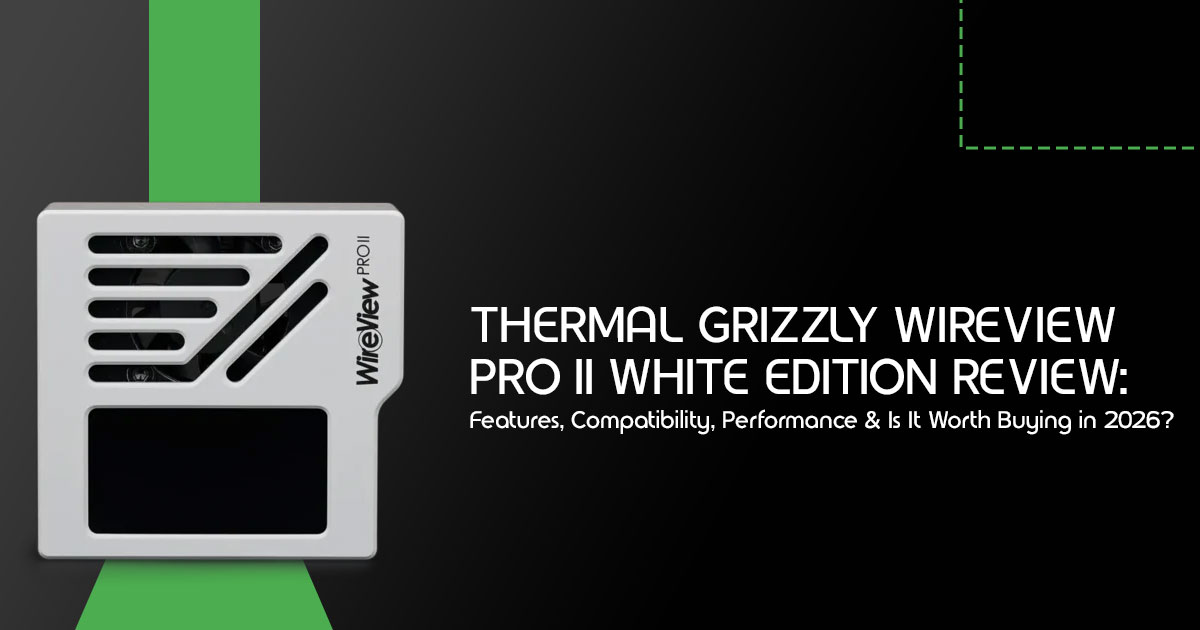
The Thermal Grizzly WireView Pro II White Edition was built to solve that problem. It doesn’t make your games run faster. It doesn’t increase benchmark scores. Instead, it helps you see what’s happening between your power supply and your graphics card before small issues become expensive repairs.
Click here to buy from Amazon
If you own a flagship GPU, knowing your connector temperature, power draw, voltage, and current isn’t just interesting data. It’s information that helps you spot problems early and monitor the connector that powers one of the most expensive components in your PC.
We’ve spent more than 20 years working in hardware and application research and development, testing products, studying components, and evaluating durability, monitoring accuracy, installation experience, and long-term reliability. Every recommendation in this review is based on component analysis, testing under gaming, rendering, AI inference, and stress-testing workloads, build quality, reliability, long-term ownership costs, and whether a product solves a real problem.
This review is written for PC enthusiasts, high-end gamers, content creators, AI professionals, workstation users, system builders, and overclockers who want more than marketing claims. If you’re wondering whether the Thermal Grizzly WireView Pro II White Edition is worth buying or if software monitoring is enough, you’ll have a clear answer before you reach the end of this guide.
How We Evaluated This Product
Our review is based on the manufacturer’s specifications, compatibility documentation, publicly available technical information, and comparisons with similar hardware monitoring products available today. We also considered long-term usability, installation requirements, warranty coverage, and feedback from the PC hardware community.
Quick Verdict
| Category | Verdict |
| Best For | Owners of RTX 4090, RTX 5090, and other high-power NVIDIA graphics cards who want per-pin power monitoring, connector temperature monitoring, active connector cooling, and early warning of potential power connector issues. It’s also an excellent choice for premium white-themed PC builds where aesthetics are just as important as performance. |
| Skip If | You use an RTX 4070 or lower-power graphics card, have a limited budget, are satisfied with software-only monitoring, or your PC case doesn’t provide enough clearance around the GPU power connector. |
| Overall Recommendation | The Thermal Grizzly WireView Pro II White Edition isn’t designed for every PC builder—it’s built for enthusiasts protecting premium hardware. If your graphics card is a major investment, the additional cost is justified by features such as per-pin diagnostics, real-time temperature monitoring, active connector cooling, long-term data logging, and extended warranty support. Combined with its clean white finish and informative hardware display, it stands out as one of the most comprehensive GPU monitoring and protection accessories available in 2026. |
Specifications at a Glance
| Specification | Details |
| Product | Thermal Grizzly WireView Pro II White Edition |
| Connector Support | 12V-2×6 / 12VHPWR |
| GPU Compatibility | Compatible with NVIDIA graphics cards using supported 12V-2×6 or 12VHPWR connector layouts. |
| Display | 320 × 170 TFT IPS Color Display |
| Monitoring | Real-time monitoring of per-pin current, power draw, voltage, and connector temperature. |
| Cooling | Integrated 30mm semi-passive cooling fan for improved connector cooling. |
| Data Logging | Stores monitoring data for up to 340 days. |
| External Sensors | Supports two 10k NTC temperature sensors for additional thermal monitoring. |
| Warranty | 2-year extended warranty (subject to Thermal Grizzly’s warranty terms). |
| Available Versions | Normal, Reverse, Wired, White, Black, and Noctua Edition. |
Why GPU Power Monitoring Suddenly Matters
For years, we’ve plugged in our graphics cards and rarely thought twice about the power connectors. But with the latest generation of high-performance GPUs, that complacency has become a genuine concern. The way we build PCs has changed, and understanding your GPU’s power delivery is no longer just for extreme overclockers—it’s becoming essential for system stability and longevity.
Evolution of high-power GPUs
The sheer power demands of modern graphics cards, particularly those in the NVIDIA RTX 40-series and upcoming 50-series, have reached unprecedented levels. These GPUs can draw hundreds of watts, pushing the limits of traditional power delivery systems. This increase in power consumption isn’t just about raw performance; it also means more heat generated at critical connection points.
Connector safety concerns
The 12V-2×6 connector is an updated revision of the 12VHPWR standard with improvements designed to reduce the risk of improper cable insertion and uneven contact. However, early adopters faced alarming issues, including melted connectors.
While revisions to the standard have been made, the underlying problem often stems from improper seating or manufacturing tolerances leading to uneven current distribution across the pins.
These hotspots can cause thermal damage, potentially harming both the cable and the GPU itself. This is where a tool like the Thermal Grizzly WireView Pro II White Edition steps in, offering a crucial layer of protection.
Why monitoring beats guessing
Without real-time monitoring, detecting these critical power delivery issues is nearly impossible until it’s too late. Software solutions can provide overall power draw, but they often lack the granular detail needed to identify problems at the pin level.
The WireView Pro II, with its per-pin monitoring, offers a level of insight that transforms guessing into informed action. It allows you to see exactly where current imbalances might be occurring, giving you the chance to reseat a connector or investigate further before any permanent damage occurs. This proactive approach is invaluable for safeguarding your expensive hardware.
Meet the WireView Pro II White Edition
Thermal Grizzly is best known for products such as thermal paste, cooling accessories, and PC hardware designed for enthusiasts. The WireView series focuses on a different part of the system—monitoring how power reaches your graphics card.
The WireView Pro II shows how power reaches your graphics card, making it easier to spot unusual power or temperature readings before they become bigger problems. Its primary purpose is to provide real-time, highly accurate monitoring of your GPU’s power consumption, with a particular focus on the 12V-2×6 connector. It’s not just about seeing how much power your GPU draws; it’s about understanding how that power is being delivered and identifying potential weak points before they become catastrophic failures.
What’s in the Box
- Thermal Grizzly WireView Pro II White Edition
- 2 × External 10k NTC temperature sensors
- Shutdown splitter cable
- Quick start guide
- Additional accessories may vary depending on the package or Check the product listing before purchasing.
Design philosophy
The goal is simple: give users a clear view of how power reaches the GPU while helping reduce connector temperatures during heavy workloads. Thermal Grizzly recognized the need for a hardware-based solution that goes beyond software limitations. This led to a device that not only monitors but also actively cools the connector area and provides immediate visual and audible warnings. The White Edition specifically caters to enthusiasts building aesthetically cohesive systems, offering the same solid features in a sleek, white CNC-machined aluminum housing.
What’s actually new
The WireView Pro II builds on the previous version with several practical upgrades aimed at monitoring and protecting high-power GPUs.
Key advancements include:
- Per-pin monitoring: This is the biggest upgrade. Instead of just a total power reading, the Pro II monitors current on each individual pin of the 12V-2×6 This allows for early detection of uneven load distribution, a primary cause of melted connectors.
- Integrated active cooling: A semi-passive 30mm fan, housed within the CNC-machined aluminum body, actively cools the connector This helps mitigate heat buildup from contact resistance, a common issue with high-power connectors.
- Enhanced TFT-IPS display: The vibrant color display offers multiple views, showing you everything you need to know at a glance, including per-pin current, total power, voltage, and temperature readings. It’s configurable directly on the device.
- Automatic data logging: An integrated memory logs critical operating data every 60 seconds, storing up to 340 days of continuous usage. This data can be invaluable for diagnosing intermittent issues or analyzing failure events.
- Extended warranty: Thermal Grizzly offers a 2-year extended warranty that covers potential damage to the GPU’s 12V-2×6 connector if it occurs while using the WireView Pro This demonstrates significant confidence in the device’s protective capabilities.
These improvements collectively make the WireView Pro II a much more reliable and helpful tool for safeguarding your high-end GPU.
Click here to buy from Amazon
Installation Difficulty
| Category | Rating |
| Difficulty | ★★★☆☆ (Moderate) |
| Estimated Time | 10–15 minutes |
| Tools Required | None for most PC builds (a Phillips-head screwdriver may be useful in some cases) |
| Skill Level | Basic PC building experience recommended |
Before You Buy: Five Questions to Ask Yourself
Investing in a specialized monitoring device like the Thermal Grizzly WireView Pro II White Edition requires careful consideration. It’s not a one-size-fits-all solution, and asking yourself these five questions can help determine if it’s the right fit for your setup.
GPU model
Is your graphics card a high-power model, specifically one that uses the 12VHPWR or 12V-2×6 connector? The WireView Pro II is designed for GPUs like the RTX 4090, RTX 4080, and upcoming RTX 50-series cards.
If you’re running a lower-tier GPU with standard 8-pin PCIe power connectors, the benefits of this device will be minimal, and its specialized features largely unnecessary. Check the official compatibility list carefully, as some Founders Edition cards or specific AIB models might have unique connector layouts that affect fitment.
Case size
Space is a premium inside many PC cases, especially with increasingly large GPUs. The WireView Pro II acts as a 90-degree adapter, which can help with cable management, but it also adds a small amount of bulk to the connector area. Measure the clearance between your GPU’s power connector and your case’s side panel.
You’ll need sufficient room for the device itself, plus a little extra for airflow and cable routing. A tight fit could lead to poor cooling or difficulty closing your side panel.
Connector orientation
Graphics card power connectors can be oriented in two ways:
“Normal” (N) or “Reverse” (R). This depends on whether the four sensor pins are located between the PCB and the 12 power pins, or vice versa.
The WireView Pro II is available in both N and R versions. Choosing the wrong version will result in the power cable routing upwards instead of downwards, which can complicate cable management and aesthetics.
Always verify your GPU’s connector orientation before purchasing.
Airflow
The WireView Pro II features a semi-passive 30mm fan to cool the connector area. While this is a significant advantage, it relies on adequate ambient airflow within your case to function optimally. If your case has poor ventilation or if the GPU area is particularly cramped, the small fan might struggle to dissipate heat effectively. Consider your case’s overall airflow design and ensure the area around the GPU power connector isn’t a dead zone.
Budget
At over $140, the Thermal Grizzly WireView Pro II White Edition is a premium accessory. You’re paying for extra monitoring, hardware protection features, and detailed diagnostics rather than better gaming performance. If you’re on a tight budget, prioritizing core components like a better CPU or more RAM might be a wiser choice. However, if you’ve already invested heavily in a top-tier GPU and want to ensure its longevity and stability, the cost of the WireView Pro II can be justified as a protective measure.
Feature Breakdown That Actually Matters
The WireView Pro II is packed with features, but which ones truly make a difference in daily use? Let’s break down the capabilities that elevate this device from a simple monitor to a critical diagnostic tool.
Per-pin monitoring
This is the standout feature of the WireView Pro II. By measuring the current on each individual pin of the 12V-2×6 connector, it provides a level of detail that software monitoring simply cannot match.
This allows you to identify uneven load distribution—a primary cause of connector overheating and melting—long before it becomes a critical issue. If one pin is drawing significantly more current than the others, it’s a clear sign of a potential contact problem, allowing you to reseat the connector or investigate further.
Temperature sensors
Heat is the enemy of electronic components, and the power connector is a known hotspot on high-end GPUs. The WireView Pro II monitors the temperature at both the input and output of the 12V-2×6 connector. Additionally, it includes two external 10k NTC temperature sensors, allowing you to monitor other critical areas within your case. This detailed temperature data helps you understand the heat profile of your power delivery system and identify potential issues before they cause damage.
TFT display
The integrated 320×170-pixel TFT-IPS color display is more than just a gimmick; it’s a highly functional interface. It offers multiple views, allowing you to customize the information displayed.
You can choose a detailed view showing per-pin current, total power, voltage, and temperature, or a simpler view focusing on key metrics. The display is clear, easy to read, and provides immediate visual feedback on your GPU’s power status without needing to rely on software overlays.
Cooling fan
The inclusion of a semi-passive 30mm fan is a significant upgrade over previous models. This fan actively cools the connector area, mitigating heat buildup caused by contact resistance.
It operates silently at idle and automatically ramps up as power draw and temperature increase. Active cooling helps reduce connector temperatures during heavy workloads but cannot eliminate all risks associated with poor cable installation or defective hardware.
Logging
The automatic data logging feature is invaluable for troubleshooting intermittent issues. The WireView Pro II stores critical operating data, including per-pin current, total power, and PCB temperature, every 60 seconds.
With enough memory for approximately 340 days of continuous usage, this data can help you identify patterns or pinpoint the exact moment a problem occurred, providing crucial information for failure analysis.
Alarms
The WireView Pro II isn’t just a passive monitor; it’s an active warning system. Thermal Grizzly has defined threshold values for current, voltage, and temperature. If these thresholds are exceeded, the device triggers both a visual warning on the display and an audible alarm.
This immediate notification allows you to take action—such as shutting down your system or investigating the cause—before permanent damage occurs. You can also configure an automatic system shutdown using the included splitter cable for added protection.
Warranty
Perhaps the most compelling feature is the extended warranty. Thermal Grizzly offers a 2-year warranty that covers potential damage to the GPU’s 12V-2×6 connector if it occurs while using the WireView Pro II. This is a significant commitment and demonstrates their confidence in the device’s protective capabilities. It provides peace of mind that goes beyond standard manufacturer warranties, especially for expensive high-end GPUs.
Daily Use Experience
Once installed, the Thermal Grizzly WireView Pro II White Edition fits right into your daily routine, providing valuable insights across various use cases.
Gaming
During intense gaming sessions, the WireView Pro II provides real-time feedback on your GPU’s power draw and temperature. You can monitor per-pin current to ensure even load distribution and keep an eye on the connector temperature to prevent overheating. The audible and visual alarms offer peace of mind, knowing you’ll be alerted if any parameters exceed safe limits.
Content creation
For content creators running demanding rendering or video editing workloads, the WireView Pro II is a useful addition. These tasks can push a GPU to its limits for extended periods, increasing the risk of thermal issues. The device’s active cooling and constant monitoring helps keep your system stable and protect your hardware during long rendering sessions.
AI workloads
AI workloads, such as training machine learning models, can be incredibly demanding on a GPU, often resulting in sustained high power draw. The WireView Pro II’s per-pin monitoring is particularly useful here, as it can identify potential imbalances that might occur under continuous heavy load. The data logging feature can also help analyze power consumption patterns over time.
Overclocking
For overclockers pushing their GPUs beyond factory limits, the WireView Pro II is an essential diagnostic tool. It provides granular data on power delivery, allowing you to monitor the impact of voltage and frequency adjustments on per-pin current and overall power draw. This detailed information helps you optimize your overclock while minimizing the risk of damaging your hardware.
Water cooling
If you’re running a custom water cooling loop, the WireView Pro II can still be a valuable addition. While water cooling effectively manages GPU core temperatures, the power connector can still get hot, especially on high-power cards. The device’s active cooling and temperature monitoring provide an extra layer of protection for this critical component.
Performance Beyond the Spec Sheet
Specifications only tell part of the story. What matters is how the device performs during long gaming sessions, rendering workloads, and everyday use.
Monitoring responsiveness
The device’s monitoring capabilities are highly responsive, providing real-time data with minimal latency. This immediate feedback is crucial for identifying transient issues or sudden spikes in power draw. The per-pin monitoring is one of the biggest advantages, offering a level of detail that software solutions simply cannot match.
Thermal management
The integrated 30mm fan effectively manages temperatures around the connector area. While it won’t drastically lower your GPU’s core temperature, it significantly reduces heat buildup at the power connection, mitigating the risk of thermal damage. The fan’s semi-passive operation ensures it remains silent during low-load scenarios.
Noise expectations
The 30mm fan is generally quiet, especially at idle or low loads. Under heavy load, it may become audible, but it’s typically drowned out by the GPU’s own cooling fans or other system noise. For most users, the noise level will be negligible and a small price to pay for the added cooling performance.
Reliability
Thermal Grizzly has built a strong reputation among PC enthusiasts for products such as thermal paste, cooling solutions, and overclocking accessories. The WireView Pro II continues that focus on build quality and attention to detail.
Compatibility Guide
Ensuring compatibility is crucial before purchasing the WireView Pro II. Thermal Grizzly provides a detailed compatibility list, which you should consult carefully.
Organize by GPU families.
The WireView Pro II is primarily designed for high-end NVIDIA GPUs utilizing the 12VHPWR or 12V-2×6 connector.
RTX 4090
The RTX 4090 is a prime candidate for the WireView Pro II due to its high power draw and the known issues with early 12VHPWR connectors. Most custom AIB models are supported, but you must verify whether you need the Normal or Reverse orientation. Note that the NVIDIA Founders Edition is generally incompatible due to its unique connector placement.
RTX 4080
While less power-hungry than the 4090, the RTX 4080 still benefits from the monitoring and protection offered by the WireView Pro II. Again, check the compatibility list for your specific model and required orientation. The Founders Edition is also incompatible here.
RTX 5080
The upcoming RTX 5080 is expected to utilize the 12V-2×6 connector. Thermal Grizzly’s compatibility list already includes several models, indicating proactive support for the next generation of GPUs.
RTX 5090
The flagship RTX 5090 will undoubtedly push power delivery to its limits. The WireView Pro II will be an essential tool for monitoring and protecting this high-value component.
Many AIB models are already listed as compatible, but the Founders Edition remains incompatible.
Future compatibility
Future compatibility depends on whether upcoming graphics cards continue using the 12V-2×6 connector and maintain similar connector layouts. Even if the connector remains the same, custom PCB designs can affect fitment. Before buying, always check Thermal Grizzly’s latest compatibility list to confirm support for your exact GPU model.
Click here to buy from Amazon
White Edition vs Other Versions
The WireView Pro II is available in several variations to suit different needs and aesthetics.
Comparison table:
| Feature | White Edition | Black Edition | Wired Version | Noctua Edition |
| Color | White | Black | Black / White | Brown / Beige |
| Connection | Direct Mount | Direct Mount | 40cm Extension Cable | Direct Mount |
| Cooling Fan | 30mm Active Cooling Fan | 30mm Active Cooling Fan | 30mm Active Cooling Fan | 40mm Noctua Premium Fan |
| Best For | White-themed gaming and workstation builds | Standard black PC builds | Cases with limited GPU clearance or custom cable routing | Maximum cooling performance and ultra-quiet operation |
| Price Premium | Standard MSRP | Standard MSRP | Approximately +$35 | TBD (Expected Premium) |
Alternatives Worth Considering
While the WireView Pro II is a premium solution, there are other ways to monitor your GPU’s power delivery.
Software monitoring
Software tools like HWiNFO64 or GPU-Z provide plenty of data on total power draw, voltage, and temperatures. They are free and easy to use. However, they lack the granular per-pin monitoring and active cooling offered by the WireView Pro II. They also rely on the GPU’s internal sensors, which may not always provide the full picture of connector health.
Other hardware monitors
There are other hardware-based power monitors available, but few offer the specific focus on the 12V-2×6 connector and per-pin monitoring found in the WireView Pro II. Some inline power meters can measure total draw from the wall, but they don’t provide the detailed diagnostics needed to identify connector-level issues.
Native motherboard options
Some high-end motherboards offer advanced power monitoring features, but these are typically focused on CPU power delivery rather than the GPU. While they can provide useful system-level data, they don’t offer the specialized protection and monitoring required for high-power graphics cards.
WireView Pro II vs Software Monitoring
| Feature | WireView Pro II | Software Monitoring |
| Per-Pin Current Monitoring | ✅ Yes | ❌ No |
| Connector Temperature Monitoring | ✅ Yes | ❌ No |
| Power Draw Monitoring | ✅ Yes | ✅ Yes |
| Voltage Monitoring | ✅ Yes | ✅ Yes |
| Active Connector Cooling | ✅ Yes | ❌ No |
| Visual Hardware Display | ✅ Yes (Built-in color display) | ❌ No |
| Data Logging | ✅ Yes (Long-term hardware logging) | Limited (Depends on the monitoring application) |
| Hardware Alerts | ✅ Yes | Depends on the monitoring software used |
Common Mistakes New Buyers Make
- Assuming it fixes power issues: The WireView Pro II is a diagnostic tool, not a magical It will alert you to problems, but it won’t solve underlying issues with your PSU or cables.
- Ignoring the compatibility list: Purchasing the wrong orientation or a device incompatible with your specific GPU model is a costly mistake.
- Neglecting case clearance: Failing to measure clearance can lead to a device that doesn’t fit or prevents the side panel from closing.
- Relying solely on software: While software monitoring is useful, it doesn’t provide the granular per-pin data or active cooling offered by the WireView Pro II.
Expert Buying Recommendations
Budget
If you’re on a strict budget, the WireView Pro II is likely an unnecessary luxury. Stick to software monitoring and ensure your power cables are properly seated.
Enthusiast
For enthusiasts running high-end GPUs (RTX 4080/4090, 5080/5090), the WireView Pro II is a highly recommended investment. The per-pin monitoring and active cooling add another layer of monitoring for one of the most expensive parts of your PC.
Professional workstation
The WireView Pro II can be a valuable tool for users running high-end GPUs under sustained heavy workloads. The data logging and alarm features help identify power-related issues before they interrupt long rendering or AI workloads.
Silent build
If you’re building a silent PC, the standard WireView Pro II’s 30mm fan might be a concern under heavy load. Consider waiting for the Noctua Edition for a quieter cooling solution.
Overclocking
It is one of the most capable hardware monitoring tools available for users who regularly push their GPUs to high power levels. The detailed power delivery data helps optimize overclocks and prevent thermal damage.
Should You Buy the Thermal Grizzly WireView Pro II White Edition?
| If You… | Recommendation |
| Own an RTX 5090 | ✅ Highly Recommended |
| Own an RTX 4090 | ✅ Recommended |
| Own an RTX 5080 | ✅ Worth Considering |
| Own an RTX 4080 | ✅ Worth Considering |
| Own an RTX 4070 or Lower | ⚪ Probably Not Necessary |
| Have a Compact PC Case | ⚠ Check Compatibility First to ensure sufficient clearance around the GPU and power connector. |
| Need Silent Operation | ⚠ Consider the Noctua Edition if minimizing fan noise is a top priority. |
Frequently Asked Questions
1. What is the Thermal Grizzly WireView Pro II?
It’s a hardware device that monitors the power consumption of high-end graphics cards, specifically focusing on the 12V-2×6 connector. It provides per-pin current monitoring, temperature readings, and active cooling.
2. Do I really need per-pin monitoring?
For high-power GPUs like the RTX 4090 or 5090, yes. Uneven current distribution across pins is a primary cause of melted connectors. Per-pin monitoring can help identify abnormal current distribution early, allowing users to inspect or reseat the connector before it develops into a more serious problem.
3. Will it fit in my case?
You must measure the clearance between your GPU’s power connector and the side panel. The device adds some bulk, so tight cases might be an issue. The “Wired” version is an alternative for tight spaces.
4. What is the difference between the Normal and Reverse versions?
It depends on the orientation of the power connector on your specific GPU model. Choosing the wrong version will result in the power cable routing upwards instead of downwards.
Check the compatibility list carefully.
5. Does it work with AMD graphics cards?
Currently, the WireView Pro II is designed for the 12VHPWR and 12V-2×6 connectors, which are primarily used on NVIDIA’s high-end RTX 40 and 50 series cards.
Click here to buy from Amazon
Pros & Cons
| Pros | Cons |
| ✅ Per-pin power monitoring helps detect uneven power distribution and potential connector issues. | ❌ Premium pricing compared to standard GPU power adapters. |
| ✅ Active connector cooling helps reduce connector temperatures during heavy GPU workloads. | ❌ Not compatible with every graphics card or power connector layout. |
| ✅ Large full-color display provides real-time power, voltage, current, and temperature information. | ❌ Requires adequate clearance around the graphics card for installation. |
| ✅ Long-term data logging makes it useful for stress testing, benchmarking, and troubleshooting. | ❌ Limited practical benefit for lower-power or entry-level GPUs. |
| ✅ Extended warranty support and firmware updates enhance long-term reliability. | ❌ The wired version may be a better fit for certain PC case layouts. |
| ✅ Premium construction with excellent fit and finish for enthusiast builds. | ❌ Primarily designed for NVIDIA GPUs using the 12V-2×6 power connector, limiting compatibility with some AMD and older NVIDIA cards. |
Final Recommendation
Who Should Buy Today
The Thermal Grizzly WireView Pro II White Edition is an excellent choice for enthusiasts, overclockers, content creators, AI professionals, and workstation users running high-end NVIDIA GPUs such as the RTX 4090 or RTX 5090. If you want deeper insight into your GPU’s power delivery, active connector cooling, per-pin monitoring, long-term data logging, and additional peace of mind for expensive hardware, this accessory is a sensible upgrade for anyone running a high-end graphics card.
Who Should Wait
If your PC case has limited clearance around the GPU power connector, it may be worth waiting for the Wired version, which can offer greater installation flexibility. Likewise, users building an ultra-quiet PC may prefer to wait for the Noctua Edition if minimizing fan noise is a top priority.
Who Should Skip
Casual gamers, users with lower-power graphics cards such as the RTX 4070 and below, or anyone building on a tight budget are unlikely to benefit enough to justify the additional cost. For these systems, software-based monitoring tools are generally sufficient, and the WireView Pro II’s advanced diagnostics may be more than most users need.
Key Takeaways
- Best for: RTX 4090 and RTX 5090 owners
- Not necessary for: RTX 4070 and lower
- Biggest strength: Per-pin power monitoring
- Main drawback: Premium price
- Verdict: Recommended for high-end builds
Where to Buy
If you found this guide helpful, consider following us for more PC hardware reviews, buying guides, and technical insights. Have questions about compatibility, installation, or whether the WireView Pro II is the right choice for your build?
Leave a comment below—we’re happy to help and provide free guidance to help you make the right decision.
***Disclaimer***
This blog post reflects our research, analysis, and opinions based on available product information, user feedback, and industry knowledge. It should not be taken as the official position of any brand, manufacturer, or company mentioned here. While we aim to keep information accurate and up to date, product details, pricing, and availability can change. We recommend double-checking important details before making a purchase.
Some links in this article may be affiliate links. If you choose to buy through these links, we may earn a small commission at no extra cost to you. This helps support our work and allows us to keep publishing in-depth, unbiased reviews. Our recommendations are never influenced by affiliate partnerships.
Comments shared by readers reflect their own views and not ours. We are not responsible for outcomes resulting from the use of information on this site. Please seek professional advice where appropriate.
All product names, logos, and brands mentioned are the property of their respective owners. These names are used for identification and informational purposes only and do not imply endorsement.
