
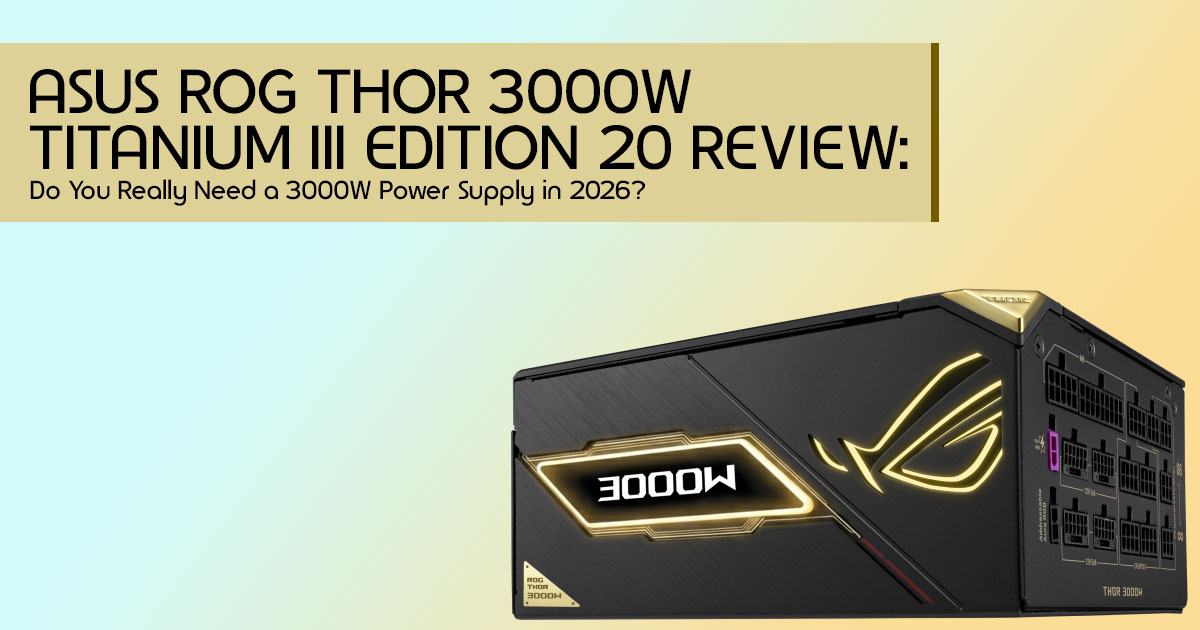
Introduction
Why PSU Buying Advice is Broken
Most people spend weeks comparing CPUs and GPUs, then choose a power supply unit (PSU) in a few minutes.
That is often where expensive mistakes begin.
For years, PSU buying advice was simple: calculate your system’s power needs, add some extra wattage, buy from a known brand, and you’re done. That advice worked when hardware was less demanding and power consumption was relatively predictable.
In 2026, things are very different.
Modern gaming PCs, AI workstations, content creation systems, and high-performance desktop computers can draw significantly more power than previous generations. New hardware can produce sudden power spikes, manufacturers recommend increasingly larger power supplies, and marketing departments push bigger numbers as if more wattage automatically means a better system.
As a result, many buyers end up purchasing power supplies they simply do not need. Others go too far in the opposite direction and discover stability problems only after spending thousands on premium hardware.
The truth is that choosing the right PSU is no longer about buying the biggest unit you can afford. It is about understanding how your system actually behaves in the real world.
A 3000W PSU sounds impressive. For some users, it is a genuine necessity. For many others, it is complete overkill. The challenge is figuring out which category you fall into before opening your wallet.
As technology experts with more than 20 years of experience in hardware and application research and development, we have seen countless examples of buyers being overwhelmed by specifications, marketing claims, and conflicting recommendations. Our goal is simple: help you find the best product for your needs, whether your priority is budget, performance, reliability, efficiency, or long-term value.
This guide is written for gamers, PC builders, content creators, AI researchers, engineers, 3D artists, and professionals building an AI workstation or high-performance computing system. Whether you are looking for the best PSU for RTX 5090, the best PSU for AI workstation projects, or a reliable workstation power supply for demanding workloads, this guide will help you make a smarter decision.
Click here to buy from Amazon
Instead of repeating manufacturer specifications, we will answer the questions that actually matter:
- Do you really need a 3000W power supply?
- How much power does a modern RTX 5090 system actually consume?
- When does higher wattage become a waste of money?
- What are the hidden costs of running an ultra-high-power PC?
- Which users genuinely benefit from flagship PSUs such as the ASUS ROG Thor 3000W Titanium III Edition 20?
The answers are not always what most buyers expect. And understanding them could save you a significant amount of money while helping you build a more reliable system.
Editorial Note: This guide is based on extensive hardware research, PSU architecture analysis, workstation power planning principles, manufacturer specifications, and real-world deployment scenarios used in AI, rendering, and professional computing environments.
The Rise of AI Workstations
The last few years have seen an explosion in AI workstations. These aren’t your typical gaming rigs. They are specialized systems designed for AI training, machine learning, simulation, and large-scale data processing. These workloads demand immense computational power, often from multiple high-end GPUs running around the clock. That means choosing the right multi-GPU power supply is no longer optional. For AI training, model development, and large-scale computing tasks, the power supply for machine learning can be just as important as the GPU itself.
Why 3000W Power Supplies Now Exist
The emergence of 3000W power supplies like the ROG Thor 3000W Titanium III Edition 20 isn’t about catering to an average user. It’s a direct response to the insatiable power demands of cutting-edge hardware, particularly multi-GPU configurations featuring cards like the NVIDIA GeForce RTX 5090.
When you’re running three or four of these power-hungry beasts in a single system for AI training or rendering farms, suddenly, 1600W or even 2000W isn’t enough. These ultra-high wattage PSUs are designed for specialized systems such as AI clusters, rendering nodes, and advanced workstations. In many of these environments, a high wattage power supply is required to support multiple GPUs running under sustained heavy loads.
The Problem with Buying More Wattage Than You Need
While it might seem like a good idea to future-proof your system with an overkill PSU, buying significantly more wattage than your system actually needs can be a waste of money. Higher wattage often means a higher price tag, and the efficiency curve of a PSU is crucial.
A power supply operates most efficiently when it’s under a certain load, typically between 50-75% of its maximum capacity. If you buy a 3000W PSU for a system that typically draws around 800W, the unit will still operate efficiently, especially if it carries an 80 PLUS Titanium rating. However, the additional capacity may provide little practical benefit for most users and can significantly increase upfront costs.
Quick Answer Section
What is the ROG Thor 3000W Titanium III Edition 20?
Short Answer: The ROG Thor 3000W Titanium III Edition 20 is a 3000W Titanium-certified power supply designed for extreme AI, rendering, and multi-GPU workstation environments, rather than typical gaming PCs. It features advanced technologies like GaN MOSFETs, GPU-First Voltage Stabilization, and ROG Equalizer cables for enhanced safety and performance.
Is 3000W Overkill for Gaming?
Short Answer: For nearly all gaming PCs, yes, 3000W is overkill. Even flagship RTX 5090 systems typically do not require this much capacity. A single RTX 5090 build usually needs around 1000W-1200W, while even dual-GPU gaming setups rarely exceed 1600W.
Who Should Consider It?
Short Answer: This power supply is specifically for:
- AI researchers
- Machine learning engineers
- Render farms
- VFX studios
- Multi-GPU workstation builders
- Anyone building a compute node with three or more high-end GPUs.
Understanding PSU Power in 2026
Why GPU Power Consumption Keeps Increasing
The relentless pursuit of performance in GPUs is the primary driver behind increasing power consumption. As graphics cards become more powerful, integrating more cores, faster memory, and advanced architectures, they naturally demand more electricity. This trend is particularly pronounced in the AI and workstation segments, where raw computational throughput is paramount. Manufacturers are pushing the limits to deliver unprecedented performance, and power draw is a direct consequence of that innovation.
RTX 5090 Power Demands
The NVIDIA GeForce RTX 5090 represents a new generation of high-performance GPUs, with power requirements that can reach around 575W depending on the model, workload, and manufacturer specifications.
While a single RTX 5090 might be manageable with a 1000W-1200W PSU, the real challenge arises when multiple RTX 5090s are combined. Transient power spikes, which are momentary surges in power draw, can push these cards well beyond their nominal TDP, making a robust and stable power supply absolutely essential.
AI Workloads vs. Gaming Workloads
It’s crucial to distinguish between AI workloads and gaming workloads when considering PSU requirements. Gaming typically involves fluctuating loads, with peak power draw occurring in short bursts. AI training, deep learning projects, and professional rendering often keep GPUs running at near full capacity for hours or even days. This is why the ideal power supply for deep learning workloads may be very different from what works well in a gaming PC.
Future GPU Trends
Looking ahead, the trend of increasing GPU power consumption is likely to continue, especially with the growing demand for AI acceleration. We can anticipate even more powerful GPUs in the coming years, potentially pushing the boundaries of current PSU standards. This makes the investment in a high-quality, high-wattage PSU a more sensible long-term decision for those deeply involved in AI or professional rendering.
How Much Power Does Your System Actually Need?
Understanding your actual power needs is critical to avoid overspending or underpowering. Let’s break down some common scenarios.
Single RTX 5090 Build
This is a common configuration for high-end gaming or entry-level AI workstations.
| Component | Estimated Power Draw (W) |
| RTX 5090 GPU | ~575W |
| High-End CPU | ~250W |
| Motherboard, RAM & Chipset | ~100W |
| SSDs, Fans & Peripherals | ~75W |
| Total Estimated Draw | ~1000W |
- Power Calculations: With a total estimated draw of 1000W, we recommend adding a 20-30% buffer for transient spikes and future upgrades.
- Recommended PSU: A 1200W-1300W 80 Plus Gold or Platinum PSU would be ideal for a single RTX 5090 build. For most enthusiasts searching for the best PSU for RTX 5090, this power range offers an excellent balance of reliability, efficiency, and upgrade flexibility.
Dual RTX 5090 AI Workstation
This setup is common for serious AI development and machine learning tasks.
| Component | Estimated Power Draw (W) |
| 2 × RTX 5090 GPUs | ~1150W |
| High-End CPU | ~300W |
| Motherboard, RAM & Chipset | ~150W |
| SSDs, Fans & Peripherals | ~100W |
| Total Estimated Draw | ~1700W |
- Power Calculations: For a dual RTX 5090 AI workstation, the total estimated draw is around Considering sustained AI workloads and potential transient spikes, a significant buffer is necessary.
- Recommended PSU: A 2000W 80 Plus Platinum or Titanium PSU is highly recommended. If you are building a serious AI system, this level of workstation power supply provides the stability needed for long training sessions and demanding compute workloads.
Quad RTX 5090 Compute Node
This is where 3000W power supplies truly shine, catering to enterprise-level AI research and render farms.
| Component | Estimated Power Draw (W) |
| 4 × RTX 5090 GPUs | ~2300W |
| High-End CPU | ~350W |
| Motherboard, RAM & Chipset | ~200W |
| SSDs, Fans & Peripherals | ~150W |
| Total Estimated Draw | ~3000W |
- Power Calculations: A quad RTX 5090 compute node can easily reach a total estimated draw of 3000W under full AI workload. This scenario demands the absolute maximum in terms of power delivery and stability.
- Recommended PSU: The ROG Thor 3000W Titanium III Edition 20 or a similar 3000W Titanium PSU is not just recommended, but essential for this level of hardware. Using an undersized PSU in a heavily loaded multi-GPU system can increase the risk of instability, shutdowns, or performance issues under sustained workloads.
Click here to buy from Amazon
The Technologies Behind the ROG Thor 3000W
The ROG Thor 3000W isn’t just about raw wattage; it incorporates several advanced technologies to deliver its impressive performance and safety.
GaN MOSFET Explained
Gallium Nitride (GaN) MOSFETs are a key innovation in modern power supplies. Unlike traditional silicon-based MOSFETs, GaN transistors can switch much faster and operate at higher temperatures with less energy loss. This translates directly into higher efficiency, smaller form factors, and improved thermal performance for the PSU.
How GaN Differs from Traditional Silicon
| Feature | GaN MOSFETs | Traditional Silicon MOSFETs |
| Switching Speed | Much Faster | Slower |
| Energy Loss | Lower | Higher |
| Efficiency | Higher | Lower |
| Heat Generation | Lower | Higher |
| Physical Size | Smaller | Larger |
| Power Density | Higher | Lower |
| Thermal Performance | Better efficiency reduces cooling requirements. | Requires larger heatsinks for equivalent power levels. |
| High-Power PSU Suitability | Excellent for next-generation high-wattage power supplies such as the ROG Thor 3000W Titanium III. | Still common in mainstream power supplies but less efficient at extreme power levels. |
| Cost | Generally Higher | Lower |
Real-World Efficiency Benefits
For users running AI workstations 24/7, the real-world efficiency benefits of GaN MOSFETs are substantial. A more efficient PSU wastes less electricity as heat, which means lower operating temperatures for the PSU itself and less heat dumped into your system. This not only extends the lifespan of your components but also reduces your electricity bill, especially over prolonged periods of heavy use.
Common Myths
One common myth is that GaN MOSFETs are only beneficial for extreme overclockers. While they certainly help with stability under high loads, their primary advantage lies in overall efficiency and thermal management, which benefits any high-performance system, particularly those with sustained workloads.
GPU-First Voltage Stabilization
- What It Does: This patented technology prioritizes clean and stable power delivery to the GPUs. It actively monitors and adjusts voltage to minimize fluctuations, especially during sudden changes in load, like those experienced during intense AI computations or gaming peaks.
- When It Helps: GPU-First Voltage Stabilization is incredibly beneficial for systems with multiple high-end GPUs, preventing crashes, instability, and potential damage caused by voltage drops or spikes. It’s a critical feature for maintaining system integrity in AI workstations and render farms.
- When It Doesn’t Matter: For basic systems with low-power GPUs or integrated graphics, this technology offers little to no practical benefit, as their power demands are far less stringent.
ROG Equalizer Cable
Why 12V-2×6 Connectors Became Controversial: The 12V-2×6 (formerly 12VHPWR) connector has been a point of contention due to reports of melting cables and connectors, primarily linked to improper seating and high power draw from RTX 40-series GPUs. This raised significant concerns about safety and reliability.
Heat Management Improvements: The ROG Equalizer cable addresses these concerns with improved design and materials focused on better heat management and more secure connections. It aims to mitigate the risks associated with high-power GPU connections, providing a safer and more reliable power delivery solution for next-gen GPUs.
Safety Considerations
Beyond the ROG Equalizer cable, the ROG Thor 3000W incorporates multiple safety features, including over-current, over-voltage, under-voltage, short-circuit, over-power, and over-temperature protections. These are essential for safeguarding expensive components in a high-wattage system.
Real-World Deployment Scenarios
Let’s explore practical applications where the ROG Thor 3000W truly shines.
AI Training Workstation
For a dedicated AI training workstation, the ROG Thor 3000W provides the stable and abundant power needed for intensive, prolonged computations. Users searching for the best PSU for AI workstation builds are exactly the audience this product is designed for.
- Hardware Configuration: Multiple RTX 5090 GPUs, high-core count CPU (e.g., AMD Threadripper), ample DDR5 RAM, NVMe SSDs.
- Power Requirements: Sustained power delivery of 2000W-3000W, with robust handling of transient spikes.
- Cooling Requirements: Significant airflow and potentially liquid cooling for GPUs and CPU, as the PSU itself will generate less heat due to its efficiency, but the overall system heat output will be immense.
Blender Render Farm
A Blender render farm demands continuous, high-power output from all GPUs simultaneously. In these environments, choosing the right power supply for rendering workstation projects can directly affect system reliability and operating costs.
- Power Considerations: Critical for maintaining consistent voltage and preventing brownouts across multiple rendering nodes.
- ROI Calculations: The efficiency of a Titanium PSU contributes directly to a faster return on investment by reducing electricity costs over the lifespan of the render farm.
LLM Inference Server
For an LLM (Large Language Model) inference server, consistent and reliable power is paramount to ensure uninterrupted service and accurate results.
- Power Planning: The 3000W capacity allows for future expansion with more GPUs as LLM models grow in complexity and size.
- Performance Considerations: Stable power delivery directly impacts the performance and reliability of AI inference, preventing slowdowns or errors due to power fluctuations.
Click here to buy from Amazon
ROG Thor 3000W vs. High-End Alternatives
Let’s briefly compare the ROG Thor 3000W with some other top-tier PSUs in the market.
ROG Thor 3000W vs. ROG Thor 1600W
The ROG Thor 1600W is an excellent PSU for high-end gaming and dual-GPU workstations. The 3000W version is a step up for extreme multi-GPU AI compute nodes where 1600W simply isn’t enough. The core technologies are similar, but the 3000W offers significantly more raw power and potentially more robust internal components for sustained high loads.
ROG Thor 3000W vs. Seasonic Prime TX
Seasonic Prime TX series PSUs are renowned for their exceptional build quality and reliability, often considered among the best. While Seasonic offers high-wattage units, a direct 3000W competitor might be rare. The ROG Thor 3000W distinguishes itself with its GaN MOSFETs, GPU-First Voltage Stabilization, and ROG Equalizer cables, features that might not be standard across all Seasonic models, especially at the extreme high end.
ROG Thor 3000W vs. Corsair AX1600i
The Corsair AX1600i is a legendary digital PSU known for its precise voltage regulation and monitoring capabilities. However, it’s an older unit (released around 2018) and maxes out at 1600W. The ROG Thor 3000W offers nearly double the wattage and incorporates newer technologies like GaN MOSFETs and ATX 3.1 compliance, making it a more modern and powerful choice for extreme AI workstations.
ROG Thor 3000W vs. Super Flower Leadex
Super Flower Leadex PSUs are often praised for their performance and value, frequently OEMing for other brands. They offer excellent efficiency and stability. The ROG Thor 3000W would likely surpass most Super Flower Leadex models in terms of sheer wattage and specialized features for multi-GPU AI systems, though Super Flower does offer high-wattage server-grade units.
Should You Wait for Future PSU Standards?
ATX 3.1 Today
The ROG Thor 3000W is built around modern power delivery standards and is designed as an ATX 3.1 power supply, making it better equipped to handle the power demands and transient spikes of today’s high-performance GPUs.
Potential ATX 3.2 Evolution
While ATX 3.1 is the current standard, the rapid pace of hardware development suggests that an ATX 3.2 or even ATX 4.0 could emerge in the future, potentially bringing further refinements to power delivery and connector designs. However, waiting indefinitely means missing out on current performance. For those building extreme AI workstations today, the ROG Thor 3000W represents a state-of-the-art solution.
Future GPU Power Trends
While AI and high-performance computing workloads continue to grow, future GPU designs may balance higher performance with improved power efficiency. Power requirements are likely to remain significant for multi-GPU systems.
Frequently Asked Questions (FAQ)
Q1: Is the ROG Thor 3000W compatible with ATX 3.0 motherboards?
A1: Yes, the ROG Thor 3000W is designed to be compatible with ATX 3.0 and ATX 3.1 standards, ensuring it can handle the power delivery requirements of modern motherboards and GPUs.
Q2: Can I use this PSU in a standard home electrical outlet?
A2: While the ROG Thor 3000W has a dual-voltage design (3000W at 230V, 1600W at 115V), using its full 3000W capacity will likely require a dedicated 230V circuit. At 115V, it can still draw significant current, potentially tripping standard 15A or 20A home breakers.
We recommend consulting an electrician to ensure your electrical infrastructure can safely support such a high-wattage power supply.
Q3: What is the benefit of GPU-First Voltage Stabilization?
A3: GPU-First Voltage Stabilization ensures that your graphics cards receive exceptionally clean and stable power, even during intense, fluctuating workloads. This is crucial for preventing system instability, crashes, and potential hardware damage, especially in multi-GPU AI workstations or render farms where consistent power delivery is paramount.
Q4: Is the OLED display purely aesthetic?
A4: No, the detachable magnetic OLED display provides real-time monitoring of your PSU performance, including power draw, voltage, and temperature. This allows you to keep an eye on critical system metrics without needing additional software, offering practical utility beyond just aesthetics.
Q5: How does the ROG Equalizer cable improve safety?
A5: The ROG Equalizer cable is designed with improved materials and a more robust connection mechanism to address overheating and melting issues seen with some earlier 12V-2×6 connectors. It aims to provide a safer and more reliable power delivery solution for high-power GPUs, reducing the risk of damage to your valuable components.
Q6: What Is the Best PSU for an RTX 5090 AI Workstation?
A6: For a single RTX 5090 system, a quality 1200W to 1300W PSU is usually sufficient. Dual-GPU systems may require 1600W to 2000W depending on workload. For extreme multi-GPU setups, a high wattage power supply such as the ASUS ROG Thor 3000W Titanium III Edition 20 may be a better fit.
Expert Buying Framework
Here’s a straightforward guide to help you decide if the ROG Thor 3000W is right for you.
Buy the ROG Thor 3000W If:
- You are running multiple GPUs (three or more RTX 5090s or equivalent) for AI training, rendering, or scientific computing.
- You are building AI infrastructure or a compute node that requires sustained, high-wattage power delivery.
- You are deploying rendering nodes in a professional studio
- You need maximum expansion headroom for future GPU upgrades in a specialized workstation.
- You prioritize cutting-edge technology like GaN MOSFETs and GPU-First Voltage Stabilization for ultimate stability and efficiency.
Click here to buy from Amazon
Avoid It If:
- You are primarily gaming only with a single GPU.
- You have a single-GPU system for general productivity or content creation.
- You are on a budget-conscious build; there are more cost-effective PSUs for lower power needs.
- You have a standard creator workstation with one or two GPUs that don’t demand extreme power.
- Your electrical infrastructure cannot support the high power draw.
Final Verdict
The ROG Thor 3000W Titanium III Edition 20 is not for everyone, and it’s certainly not for every PC. It’s a specialized, ultra-high wattage power supply engineered for demanding AI workstations, rendering servers, deep learning systems, and multi-GPU compute nodes. Its Titanium efficiency, coupled with innovative features like GaN MOSFETs and GPU-First Voltage Stabilization, makes it one of the most advanced 80 PLUS Titanium PSU options currently announced for professional computing environments.
Best For:
- AI researchers
- Machine learning engineers
- Enterprise workstation builders
- Render farms
- Anyone pushing the absolute limits of multi-GPU computing.
Not Ideal For:
- Most gamers
- Most streamers
- Most content creators with standard setups
- Users with limited electrical infrastructure.
The ASUS ROG Thor 3000W Titanium III Edition 20 is one of the most ambitious power supplies ever created. Built to celebrate the 20th anniversary of the ROG brand, it showcases what is possible when power delivery, efficiency, and premium engineering are pushed to the extreme.
That said, it is important to remember that this is not a power supply designed for the average gaming PC. Its true audience includes AI researchers, machine learning professionals, 3D rendering studios, workstation builders, and users running multiple high-power GPUs in demanding environments.
At the time of writing, the ASUS ROG Thor 3000W Titanium III Edition 20 has been officially unveiled by ASUS but is not yet widely available for retail purchase. ASUS introduced this flagship power supply during Computex 2026 as part of the company’s ROG 20th Anniversary celebration, and broader retail availability is expected in the future.
If you are building a high-end workstation today and need a proven ultra-premium 80 PLUS Titanium PSU, the following alternatives are already available.
Recommended Alternatives Available Now
Seasonic PRIME TX-1600
Corsair AX1600i Digital ATX Power Supply
For most enthusiasts, content creators, and gamers, a high-quality 1200W to 1600W Titanium-rated PSU will provide more than enough power while offering excellent efficiency and long-term reliability.
The biggest lesson from this product is not that everyone needs a 3000W power supply. It is that modern computing workloads are changing rapidly, and power requirements are evolving alongside them. Choosing the right PSU is no longer about buying the largest number on the box. It is about understanding your workload, planning for future upgrades, and investing in a power solution that matches your real needs.
Have questions about PSU sizing, workstation planning, AI systems, or multi-GPU builds? Share your thoughts in the comments. We enjoy helping readers build reliable systems and avoid costly mistakes before they happen.
***Disclaimer***
This blog post reflects our research, analysis, and opinions based on available product information, user feedback, and industry knowledge. It should not be taken as the official position of any brand, manufacturer, or company mentioned here. While we aim to keep information accurate and up to date, product details, pricing, and availability can change. We recommend double-checking important details before making a purchase.
Some links in this article may be affiliate links. If you choose to buy through these links, we may earn a small commission at no extra cost to you. This helps support our work and allows us to keep publishing in-depth, unbiased reviews. Our recommendations are never influenced by affiliate partnerships.
Comments shared by readers reflect their own views and not ours. We are not responsible for outcomes resulting from the use of information on this site. Please seek professional advice where appropriate.
All product names, logos, and brands mentioned are the property of their respective owners. These names are used for identification and informational purposes only and do not imply endorsement.
