
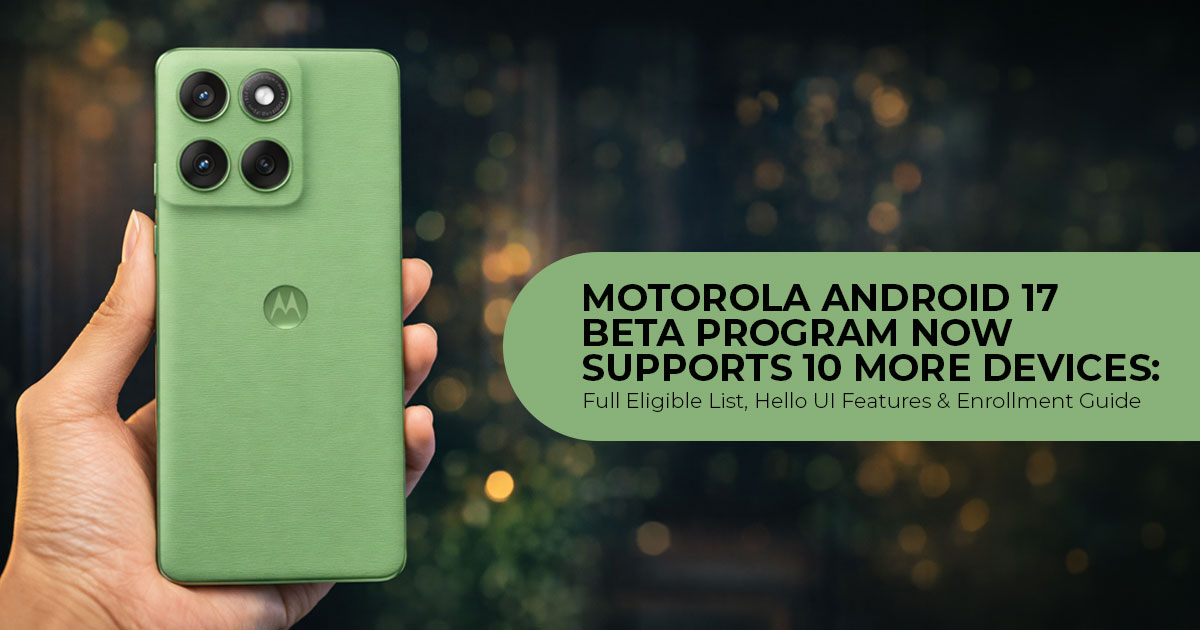
For years, owners of affordable Android smartphones have often waited the longest for major software updates. Motorola is beginning to change that. With the expansion of its Android 17 Beta Program, the company is opening early access to 10 more devices, including budget Moto G smartphones for the first time. Motorola’s latest beta expansion suggests the company is placing greater emphasis on long-term software support across its smartphone lineup.
As technology experts with over 20 years of experience in hardware and application research and development, we don’t judge a software update by its feature list alone. We evaluate everyday performance, battery life, system stability, long-term reliability, and whether the update genuinely improves the user experience. If you own a Moto G, Motorola Edge, or Razr device, or you’re simply interested in the latest Android 17 developments, this guide will help you understand what’s new, which phones are eligible, and whether joining the beta program makes sense for your needs.
Instead of simply repeating Motorola’s announcement, we’ll explain what this rollout means for everyday users, why expanding Android 17 to budget phones matters, and whether joining the beta is the right choice for you. Every recommendation is backed by extensive research, software analysis, real-world usability, and industry expertise.
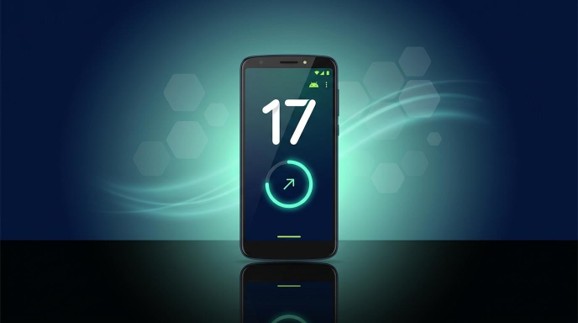
Motorola smartphone showing the Android 17 beta update screen with Hello UI interface
Motorola Expands Android 17 Beta Program to 10 More Devices: What You Need to Know
Motorola announced the expansion through its official community forum, extending a beta program that began on February 25, 2026—just 12 days after Google released Android 17 Beta 1 for Pixel devices. This made Motorola one of the first non-Google smartphone brands to launch an Android 17 beta program.
Until now, the program was limited mostly to premium hardware such as the Motorola Signature, Razr 70 Ultra, Razr 60 Ultra, Edge 70, Edge 70 Fusion, Edge 60 Pro, and the Moto G57 series. The August 3 expansion pushes the beta program beyond 20 devices, bringing Android 17 testing to budget smartphones priced under $300, while Samsung’s One UI 9 beta remains limited to flagship Galaxy models.
Android 17 Beta at a Glance
- 10 new Motorola devices added to the beta program
- Moto G phones join for the first time
- Registration through Motorola Feedback Network (MFN)
- Limited slots available
- Stable rollout expected from late 2026 onward
Motorola Android 17 beta: full list of newly eligible devices
| Series | Device | Eligible Regions |
| Razr (Foldables) | Motorola Razr 70 Plus | EMEA |
| Motorola Razr+ 2026 | Global | |
| Edge 70 Series | Motorola Edge 70 Pro | India, EMEA, LATAM |
| Motorola Edge 70 Plus | EMEA | |
| Motorola Edge 70 Neo | India | |
| Moto G (Budget) | Moto G Power 2026 | Global |
| Moto G Power 2025 | Global | |
| Moto G 2026 | Global | |
| Moto G 2025 | Global | |
| Moto G Play 2026 | Global |
Two entries here are worth watching: the Edge 70 Plus and Edge 70 Neo have not yet been formally announced by Motorola — their appearance on Motorola’s official beta registration pages strongly suggests both devices are in active software development, even though the company has not formally announced them.
These join the devices already enrolled: Motorola Signature, Razr 70 Ultra, Razr 60 Ultra, Razr+ 2025, Razr 50 Ultra, Edge 70, Edge 70 Fusion, Edge 60 Pro, Edge 50 Ultra, Moto G57, and Moto G57 Power.
How to enroll in the Motorola Android 17 beta (step by step)
Enrollment runs through the Motorola Feedback Network (MFN) — Motorola’s community-based beta program, hosted on its Lenovo-run forums. Slots are limited per device and region, and Motorola selects from applicants rather than granting automatic access, so apply early.
- Create or sign in to an account on Motorola’s community website at lenovo.com.
- Register your phone: open your profile page and add your device’s IMEI or serial number.
- Opt into MFN in your community profile settings.
- Open the “MFN Beta Testing Opportunities” page and find the listing that matches your exact device and region.
- Submit the application via the registration link and fill in the required details .
- Watch your inbox (and spam folder). If selected, Motorola confirms by email.
- Once approved, install the beta from Settings → System → System update → Check for updates. The build is roughly 4.3 GB, so use Wi-Fi.
Tip: Update your phone to the latest stable software before applying. Pending system updates may prevent you from enrolling in the beta program.
Things to know before installing the Android 17 beta
The Android 17 beta software is still under development. Expect bugs, app crashes, worse battery life, and occasional instability — Motorola itself advises against running beta builds on your primary phone. Before installing:
- Back up everything — photos, chats, documents, and authenticator data.
- Charge to at least 50% (preferably more) before starting the download.
- Keep in mind that leaving the beta program usually requires a factory reset, so back up your data before installing it.
What’s new in Android 17 on Motorola phones (Hello UI)
Motorola hasn’t published a full changelog, but early beta testers and reports from the July beta builds confirm these Hello UI changes:
- Live Activities / Live Updates: persistent, real-time status shown around the camera cutout and lock screen — now working with active calls, music playback, and the flashlight (think of it as Motorola’s take on Dynamic Island).
- Redesigned notification panel and Control Center with a new layout.
- New lock screen clock faces and watch styles.
- Per-source volume mixer for finer audio control.
- Revamped Settings menu and an improved app drawer (3×3 folder grid with background blur) plus smoother system animations.
Alongside Motorola’s Hello UI enhancements, Android 17 also introduces several platform-level improvements: App Bubbles for floating multitasking, a privacy-focused Contacts Picker that shares only selected contacts with apps, one-time location permissions, and AI-powered security tools such as Live Threat Detection and improved anti-theft protection.
One caveat for Moto G owners: Some of Android 17’s advanced Gemini AI features require Gemini Nano v3 hardware, which is currently available only on selected 2026 flagship devices.
When will stable Android 17 reach Motorola phones?
Google shipped stable Android 17 to Pixel phones on June 16, 2026, and Samsung pushed stable One UI 9 at its July 22 Unpacked event. For Motorola, projected timelines based on its beta cadence and past rollouts look like this:
| Devices | Expected Stable Android 17 |
| Motorola Signature and Razr (2025) series | August–September 2026 |
| Edge 60 / Edge 50 series | October–November 2026 |
| Moto G series and older eligible hardware | Late 2026–early 2027 |
These dates are estimates based on Motorola’s previous software rollout patterns and should not be considered official release commitments.
Why Motorola’s Android 17 beta expansion matters
The Moto G series has long been Motorola’s update afterthought: budget models typically get one or two OS upgrades, if any. Putting the Moto G 2025, 2026, and Play 2026 into a pre-release beta — months before their scheduled stable update, and before Samsung’s rival Galaxy A-series has any comparable public beta — is a genuine policy shift. If Motorola maintains this pace, its software reputation could begin to match the value its hardware has delivered for years.
FAQ
Will my Motorola phone get Android 17?
If it’s in the table above or the existing beta list (Signature, Edge 50/60/70, Razr 50/60/70 series, Moto G57 and newer Moto G models), you can beta test Android 17 now in supported regions. Most Motorola phones launched from 2024 onward are expected to receive the stable update.
How do I join the Motorola Android 17 beta program?
Create an account on forums.lenovo.com, register your phone’s IMEI or serial number, enable MFN in your profile, then apply on the MFN Beta Testing Opportunities page for your device and region.
Approval arrives by email.
Is the Motorola Android 17 beta free?
Yes. Enrollment is free, but Motorola caps the number of participants per device, so selection isn’t guaranteed even if your phone is eligible.
Should I install the Android 17 beta on my primary phone?
Motorola recommends against it. Beta builds can have bugs, performance drops, and instability. If you install anyway, back up your data first and keep the battery above 50% during the update.
What’s new in Android 17 on Motorola phones?
Hello UI adds Live Activities for calls, music, and flashlight; a redesigned notification panel and Control Center; new lock screen clocks; a per-app volume mixer; and a refreshed Settings menu and app drawer. Core Android 17 adds App Bubbles, a privacy-first Contacts Picker, one-time location permissions, and Live Threat Detection.
When will Moto G phones get stable Android 17?
Current projections place the Moto G stable rollout in late 2026 to early 2027, after the Signature/Razr (August–September) and Edge series (October–November) waves.
Can I leave the Motorola Android 17 beta without losing my data?
In most cases, returning from the Android 17 beta to the stable software requires a factory reset. Back up your data before installing the beta.
Final Verdict
Motorola’s latest Android 17 Beta expansion is more than just another software announcement. It could mark the beginning of a meaningful shift in Motorola’s software update strategy. By opening the beta to budget Moto G devices alongside its Razr and Edge lineup, Motorola is giving a much larger community the chance to experience new Android features months before the official release.
For Moto G users, this is especially important. Budget smartphones have traditionally been last in line for major Android updates, but this rollout suggests Motorola may be placing greater long-term focus on its affordable smartphone lineup. If this momentum continues, budget devices could receive more timely software support in future releases.
That said, a beta is still a beta. If your phone is your everyday device for work, banking, or travel, it’s worth waiting for the stable update. But if you enjoy testing new features, reporting bugs, and seeing where Android 17 is headed, this is one of Motorola’s most accessible beta programs yet.
As Motorola continues rolling out Android 17, we’ll keep tracking new beta releases, eligible devices, Hello UI improvements, bug fixes, and stable update timelines so you always have the latest information before updating your phone.
Join the Conversation
Have you installed the Motorola Android 17 Beta? Share your experience, report any bugs you’ve noticed, or let us know if you’re waiting for the stable release.
Leave a comment below with your thoughts, questions, or first impressions. If you’re unsure whether your phone is eligible or need help enrolling in the Motorola Feedback Network (MFN), ask away—we’re happy to help.
If you enjoy honest tech reviews, software update news, and real-world buying advice, follow us for more in-depth coverage, practical guides, and unbiased analysis that puts users first.
***Disclaimer***
This blog post reflects our research, analysis, and opinions based on available product information, user feedback, and industry knowledge. It should not be taken as the official position of any brand, manufacturer, or company mentioned here. We make every effort to keep this guide accurate, but product specifications, pricing, and availability may change after publication. We recommend double-checking important details before making a purchase.
Some links in this article may be affiliate links. If you choose to buy through these links, we may earn a small commission at no extra cost to you. This helps support our work and allows us to keep publishing in-depth, unbiased reviews. Affiliate partnerships never influence our recommendations.
The opinions expressed by readers are their own and do not necessarily reflect those of our editorial team. We are not responsible for outcomes resulting from the use of information on this site. Please seek professional advice where appropriate.
All product names, logos, and brands mentioned are the property of their respective owners. These names are used for identification and informational purposes only and do not imply endorsement.
