
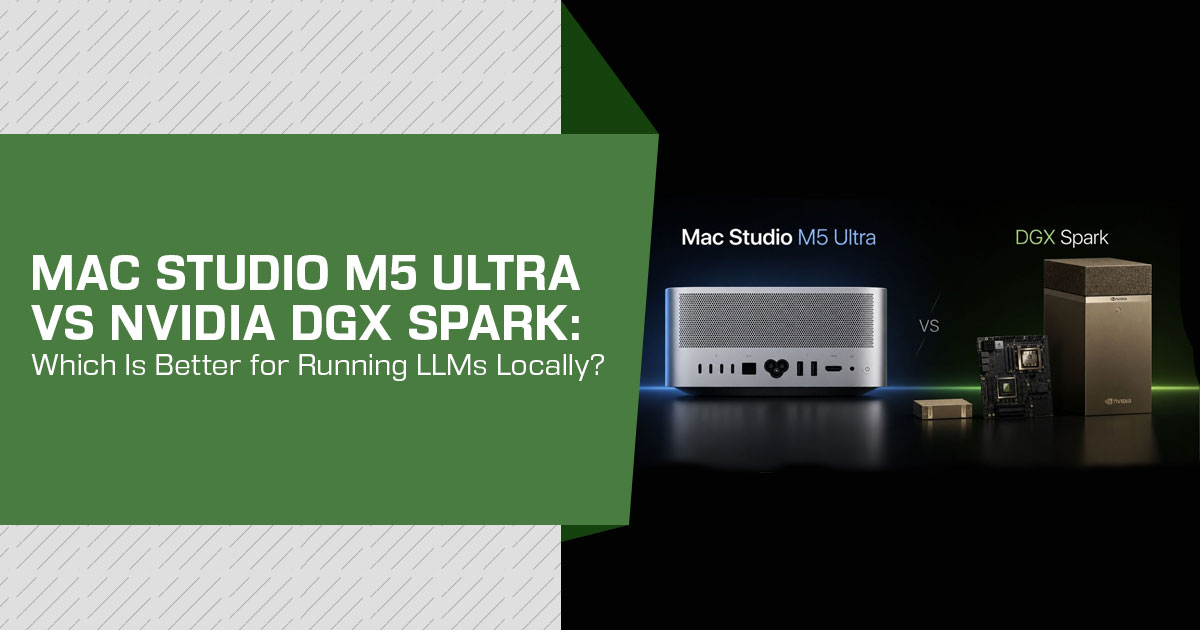
Choosing hardware to run LLMs locally used to come down to a fairly simple trade-off: build a large, noisy GPU workstation or pay a cloud provider every time you wanted serious compute. That choice is becoming harder—and more interesting. Compact systems can now deliver the kind of local AI performance that was once limited to much larger machines.
Two products sit at the heart of that shift: Apple’s Mac Studio M5 Ultra, available with up to 512GB of unified memory, and NVIDIA’s DGX Spark, a compact GB10 Grace Blackwell system built around NVIDIA’s CUDA platform. Both are designed for people who want to run AI models locally, but that is where much of the similarity ends.
The Mac Studio takes a different route from NVIDIA’s approach. Apple combines its CPU, GPU, and memory into a tightly integrated system, giving demanding workloads access to a large pool of unified memory. DGX Spark, meanwhile, is built around NVIDIA’s Grace Blackwell architecture, giving users access to the CUDA ecosystem that powers a huge share of today’s AI development. On a specification sheet, both look impressive. In actual use, they can behave very differently.
And that difference matters when you are spending this much money.
This comparison is written for AI developers, machine-learning engineers, researchers, software developers, technical professionals, content creators, and serious enthusiasts who want to run LLMs locally, work with larger models, develop AI applications, experiment with inference and fine-tuning, or keep sensitive workloads under their own control. It is also for buyers who are tired of comparing system RAM, dedicated GPU VRAM, unified memory, TOPS, GPU cores, and benchmark numbers without knowing what those figures actually mean for their own work.
With more than 20 years of experience in hardware and application research and development, we do not judge products by specifications alone. We look at how the hardware is built, how it performs in real workloads, how well the software supports it, what limitations appear after the initial excitement wears off, and whether the product still makes sense once you consider its price, reliability, and long-term use.
Click here to buy from Amazon
Our recommendations are based on extensive research, component analysis, real-world usability, independent testing, and industry expertise. We have examined Apple’s and NVIDIA’s published specifications, retail information, and independent benchmarks from reviewers and practitioners to build a fact-checked comparison. When benchmark results conflict, we show you the difference instead of hiding it behind a convenient winner.
That is important because there is no universal winner here.
If your priority is running larger models because you need more memory, the answer may be different. If your work depends heavily on CUDA, NVIDIA libraries, or existing AI development tools, it may point another way. If you care about power consumption, noise, desktop usability, software compatibility, or long-term value, the decision can change again.
The real question, then, is not “Which one is more powerful?”
It is “Which one gives you the performance, compatibility, and flexibility you actually need for the money?”
That is the question this guide is designed to answer.
We will compare the Mac Studio M5 Ultra and NVIDIA DGX Spark across hardware, memory, AI performance, LLM inference, software support, CUDA compatibility, power consumption, thermals, noise, upgradeability, pricing, and real-world usability. We will also look at cheaper alternatives, because spending thousands of dollars on a compact AI system only makes sense when the hardware solves a problem that a less expensive machine cannot.
By the end, you should know which machine is better for your workload, where each one makes compromises, who should buy it, who should avoid it, and whether either machine is worth the asking price.
Because at this price, the wrong choice is not just a disappointing purchase. It can leave you with an expensive computer that spends more time fighting your workload than helping you get it done.
Quick Answer: Mac Studio M5 Ultra vs DGX Spark for Local LLM Inference, AI Development and Fine-Tuning
- Buy the Mac Studio M5 Ultra if your priority is running large local LLMs, especially models that benefit from its larger memory capacity and higher memory bandwidth, and you value a quiet machine and the macOS ecosystem. Its 2 TB/s memory bandwidth and 512GB ceiling are rarely found together in a desktop at this price.
- Buy the DGX Spark if your work depends on CUDA: model fine-tuning, production-aligned serving with tools such as TensorRT-LLM and vLLM, or prototyping code that needs to run in a CUDA environment similar to NVIDIA datacenter systems.
- Neither offers the strongest value for pure inference speed per A 128GB Ryzen AI Max+ 395 mini PC costs roughly half as much as the Spark and can deliver similar inference performance on many bandwidth-bound models, according to published comparisons. The Spark’s biggest advantage for many buyers is its software stack and CUDA compatibility, rather than raw inference speed per dollar.
- Timing The Mac Studio M5 Ultra ships September 22, 2026, but the 512GB configuration arrives in late October, and Apple has not published its price yet.
Verified Fact Sheet: Specs at a Glance
Before any analysis, here is the fact sheet this entire article is built on. Vendor specifications come from Apple’s announcement and NVIDIA’s published specifications; independent results are attributed to their sources.
| Specification | Mac Studio (M5 Ultra) | NVIDIA DGX Spark |
|---|---|---|
| Chip | Apple M5 Ultra — up to 36-core CPU and 80-core GPU | NVIDIA GB10 Grace Blackwell Superchip |
| CPU Details | Up to 36 CPU cores | 20-core Arm CPU — 10× Cortex-X925 + 10× Cortex-A725 |
| AI Compute (Vendor Claim) | Up to 4.3× higher peak AI compute than M3 Ultra, according to Apple | Up to 1 PFLOP at FP4, according to NVIDIA |
| Unified Memory | 96GB / 256GB / 512GB | 128GB LPDDR5X |
| Memory Bandwidth | Up to 1.2 TB/s, according to Apple | 273 GB/s |
| Storage | Starts with a 1TB SSD, with higher-capacity configurations available | 4TB NVMe PCIe Gen5 self-encrypting storage |
| Networking & Connectivity | Thunderbolt 5, 10GbE, and Wi-Fi 7 | 10GbE, ConnectX-7 (200 Gbps), and Wi-Fi 7 |
| OS / AI Software Stack | macOS, MLX, and Metal | DGX OS (Linux), CUDA 13, TensorRT-LLM, and NIM |
| Model Capacity Guidance | Apple describes support for models with hundreds of billions of parameters. A ~700B-class model with aggressive quantization is a memory-capacity estimate rather than an independently verified performance benchmark. | NVIDIA specifies support for models up to 200B parameters on one unit and approximately 405B parameters with two linked DGX Spark systems. |
| Power | Apple does not publish a comparable full-load power figure and instead emphasizes the M5 Ultra’s energy efficiency. | 240W rated in NVIDIA’s specification; reviewer measurements cited range around 125–160W under typical loads. |
| Noise Under Load | Extremely quiet during normal use; no directly comparable full-load AI acoustic figure is published by Apple. | 35 dB sound power according to NVIDIA; independent measurements can vary depending on workload and test environment. |
| Starting Price (US) | $5,499 with 96GB unified memory | $4,699, reportedly increased from $3,999 in February 2026 |
| Availability | Ships from September 22, 2026; the 512GB configuration is expected in late October | Shipping now through the Founders Edition and partner systems |
One note on pricing. Some coverage describes “comparable configurations” of both machines at roughly $9,500. Based on verified pricing, that figure most plausibly compares the 256GB Mac Studio M5 Ultra ($9,499) against a clustered pair of DGX Sparks (~$9,400). Throughout this article we price each machine as a single unit, because that is how most readers will buy.
What Each Machine Actually Is
The Mac Studio M5 Ultra is a memory-first workstation
Apple’s pitch for this machine is simple: fit enormous models entirely inside one computer. With up to 512GB of unified memory, Apple says the M5 Ultra Mac Studio can run language models with hundreds of billions of parameters on-device, with no cloud connection. Current consumer GPUs typically have far less dedicated VRAM, so models of this size generally do not fit on a single consumer GPU.
For the buyer, the practical meaning is this: models that fit in its memory pool — and are supported by macOS runtimes such as MLX, Ollama, or LM Studio — can run locally, quietly, on a desk. The trade-off is the software side — macOS does not support CUDA, so anything written exclusively for NVIDIA’s stack needs porting or an alternative.
The DGX Spark is a CUDA development machine that happens to be small
NVIDIA describes the DGX Spark as part of a new class of computer built to “build and run AI.” The headline spec is up to 1 PFLOP of FP4 performance from the Blackwell GPU with fifth-generation Tensor Cores. But the more important detail for buyers is what comes preinstalled: a full NVIDIA AI software stack on DGX OS, including CUDA, TensorRT-LLM, and NIM containers.
For the buyer, that means code developed on the Spark can more closely match the software environment used on NVIDIA datacenter GPUs. Independent coverage of the Spark consistently frames it this way: a development box for people who deploy to NVIDIA hardware, rather than a pure speed machine.
Memory Is the Spec That Decides This Comparison
If you remember one thing from this article, make it this: local LLM inference is often a memory problem, especially during single-stream decode. Two numbers explain why.
Capacity decides what you can run
A model’s weights must sit in memory before it can generate a single token. Quick rule of thumb: at 4-bit quantization, a model needs roughly half a gigabyte per billion parameters, plus room for context.
| Model Class | Approx. Memory Needed (4-bit) | DGX Spark (128GB) | Mac Studio (512GB Config) |
|---|---|---|---|
| 8B–32B Models | 5–20GB | Comfortable fit | Comfortable fit |
| Dense 70B | ~40GB | Fits | Fits |
| 120B–170B Models (often MoE) | 60–90GB | Fits within the capacity range targeted by NVIDIA | Fits |
| ~200B Models | ~100–110GB | Tight fit, based on NVIDIA guidance | Fits |
| 405B Class | 200GB+ | Requires two linked DGX Spark units | Fits in memory; usable context length depends on runtime and memory overhead |
| ~700B Class | 350GB+ | Does not fit within a single 128GB system | Plausible as a memory-capacity estimate with aggressive quantization; not independently verified |
This is where the two machines stop being competitors and start being different products. The DGX Spark covers models up to around 200B parameters, which NVIDIA itself cites as its design target.
Bandwidth helps determine how fast it runs
During generation, the machine re-reads the model’s weights for every token. For memory-bound decode workloads, more bandwidth can mean more tokens per second. Here the gap is stark: the Mac Studio M5 Ultra is rated at 1.2 TB/s, roughly 4.4× the DGX Spark’s 273 GB/s.
This single number helps explain many published benchmark results, and it explains why reviewers who expected the Spark’s compute advantage to dominate kept finding that the Mac stayed competitive or pulled ahead in generation tasks.
What this means for the buyer: if your days are spent chatting with, querying, or serving large models and you care about response speed, memory bandwidth is the spec to optimize for. If your days are spent training, fine-tuning, or running batched workloads where raw matrix throughput matters more, compute takes priority.
Click here to buy from Amazon
Real-World Performance: Decode vs Prefill, Explained Simply
LLM workloads split into two phases, and the two machines win different phases:
- Prefill (prompt processing): the machine digests your entire prompt at This is compute-heavy. The Spark’s Blackwell Tensor Cores are built for exactly this.
- Decode (token generation): the machine produces the reply one token at a This is memory-bandwidth-bound. The Mac Studio’s bandwidth advantage shows up here.
What published benchmarks show
We pulled together results from independent testers and practitioners. Note the chip each test used — most pre-launch data involves the M3 Ultra or M4 Max, since M5 Ultra units ship from September 22, 2026.
| Benchmark / Source | Workload | Reported Result |
|---|---|---|
| Skorppio — “Race to 1M Tokens” (third-party report) | Aggregate throughput over a 1-million-token task | DGX Spark: ~2,451 tok/s vs Mac Studio M3 Ultra: ~641 tok/s |
| AlooftWaffle — Dual-Spark Hands-On (397B-parameter model) | Single-stream token generation | Roughly tied at ~27–29 tok/s when comparing the Mac Studio M3 Ultra with two linked DGX Spark systems. |
| AlooftWaffle | Prefill performance at 4K context | Two linked DGX Sparks reached approximately 730 tok/s vs 317 tok/s on the Mac Studio M3 Ultra. |
| AlooftWaffle | Embeddings using Qwen3-Embedding-8B | Mac Studio M3 Ultra: 112 sentences/s vs DGX Spark: 76.6 sentences/s. |
| Glukhov.org — GPT-OSS 120B via Ollama | Prefill / generation performance | DGX Spark: 1,159 tok/s prefill and 41 tok/s generation. The Mac Studio configuration (chip unspecified in the source) reportedly started at 34 tok/s and declined to approximately 6 tok/s as context increased. |
| Presenc.ai Analysis — DGX Spark vs Mac Studio M5 Max | Single-stream AI inference | DGX Spark was reported to deliver 13–45% higher generation performance, depending on the model, with approximately 3× faster prefill. |
| OpenClawDC — GPT-OSS 120B on DGX Spark (third-party report) | Generation performance across different software stacks | The same DGX Spark reportedly achieved ~11.7 tok/s with Ollama, ~38.5 tok/s with tuned llama.cpp, and ~50 tok/s with SGLang, highlighting the impact of software optimization. |
Three honest takeaways from this pile of numbers:
- The published tests here favor the DGX Spark on If your workflow dumps long documents into the context window, expect it to feel snappier.
- Single-stream generation is much closer than the spec sheet suggests — and memory-bound tasks like embeddings have gone to the Mac in testing. That is where the bandwidth advantage matters most.
- Software stack changes results dramatically on the Spark. The same machine showed a roughly fourfold spread in decode speed between Ollama and tuned On either machine, the runtime you choose matters as much as the hardware.
What to expect from the M5 Ultra
Because M5 Ultra hardware has not reached reviewers in volume yet, treat forward-looking numbers as estimates. Early launch coverage has quoted speeds around 40–50 tok/s on 70B models via MLX, but this figure is not yet independently verified. Apple claims up to 4.3× the peak AI compute of the M3 Ultra. Independent testing should provide a clearer picture after shipping, and we plan to update this article when credible numbers appear.
Software Ecosystem: CUDA vs MLX — This Is the Deciding Factor for Many Buyers
Hardware only tells half the story.
The DGX Spark runs the NVIDIA stack: CUDA, TensorRT-LLM, NIM, NeMo, and Linux-based frameworks that much AI research code targets. If you have ever hit a “requires CUDA” error while setting up a repo, the Spark gives you a CUDA-native development environment. It is also closely aligned with NVIDIA’s production software stack, which can reduce the gap between prototyping and deployment.
The Mac Studio runs macOS with Apple’s MLX framework and Metal. MLX supports inference, training, and fine-tuning on Apple silicon, but its surrounding ecosystem is smaller than NVIDIA’s CUDA stack for research code, custom kernels, and production AI tooling. Ollama and LM Studio support Apple Silicon well, but there is no native CUDA support on macOS. That does not make Apple silicon unsuitable for fine-tuning; it means CUDA-dependent projects may require adaptation or different tooling.
What this means for the buyer:
| If Your Workflow Is… | The Software Reality Points To… |
|---|---|
| Fine-tuning, RLHF/DPO experiments, or custom kernels | DGX Spark — CUDA support is a major advantage, particularly when your workflow depends on NVIDIA-specific libraries, custom kernels, or production tooling. |
| Inference, RAG, coding assistants, or AI agents | Either platform — the practical choice depends primarily on memory capacity, model requirements, software compatibility, and price. |
| Production serving with vLLM or TensorRT-LLM | DGX Spark — better aligned with NVIDIA-based production serving and development workflows using technologies such as vLLM and TensorRT-LLM. |
| Creative work with local AI as a secondary workload | Mac Studio — better suited to users combining established macOS creative applications with local AI workloads. |
| Running compatible local models with minimal setup | Mac Studio — macOS-based local AI workflows are generally positioned around a simpler setup experience for supported models and applications. |
One related finding worth knowing: a hybrid setup is a real thing. Tom’s Hardware covered an EXO Labs demo that linked two DGX Sparks with an M3 Ultra Mac Studio, using the Sparks for prefill and the Mac for decode, and measured a 2.8× speedup on Llama 3.1 8B with an 8K-token prompt. And a practical caveat from hands-on coverage: linking two Sparks gives you more total memory, but it does not behave like one larger GPU — memory stays split across units, which complicates very large models.
Living With It: Setup, Noise, Power, and Reliability
Spec sheets ignore the daily experience. Here is what the reporting says.
- Coverage of hands-on comparisons reports the Mac Studio reaching a working local-AI state within hours, while DGX Spark setup has been described as taking days for less experienced users, with a steeper learning curve around DGX OS and networking.
- NVIDIA rates the DGX Spark at 35 dB sound power in operating mode, while independent tests have measured roughly 35–38 dBA under sustained workloads, depending on the test setup. The Mac Studio is extremely quiet in normal use, although Apple has not published a comparable full-load acoustic figure for AI workloads. Because these measurements use different methods, they should not be treated as a direct apples-to-apples comparison.
- NVIDIA rates the DGX Spark at 240W, while independent measurements under certain AI workloads have landed around 125–160W at the wall. Apple does not publish a comparable M5 Ultra AI-load figure, so a direct power comparison is not possible. One benchmark-based analysis argued the Spark can still win on energy per completed job because it finishes some batch workloads faster — a useful point for bursty workloads, but not a universal efficiency verdict.
- Firmware-related thermal-throttling reports have been documented on some DGX Spark systems; behavior can vary by firmware version and hardware configuration. Some users report improvements after updates, while other reports do not reproduce the issue. The evidence is mixed, so sustained workloads deserve caution and up-to-date firmware.
Pricing and True Cost of Ownership
Here is the verified pricing picture as of September 2026:
| Configuration | US Price at the Time of Writing (September 2026) |
|---|---|
| Mac Studio M5 Max (Base) | $2,499 |
| Mac Studio M5 Ultra — 96GB | $5,499 |
| Mac Studio M5 Ultra — 256GB | $9,499 with the 30-core CPU / 64-core GPU configuration; $10,799 with the full 36-core CPU / 80-core GPU configuration |
| Mac Studio M5 Ultra — 512GB | Expected in late October 2026; pricing has not yet been announced |
| NVIDIA DGX Spark — 128GB / 4TB | $4,699, increased from $3,999 in February 2026 due to worldwide memory supply constraints, according to an NVIDIA forum announcement |
Three cost considerations beyond the sticker:
- Break-even against One launch analysis estimated a break-even of roughly 10–14 months for developers spending $400–$500 per month on cloud APIs. If your current API bill is meaningful, local hardware is a financial decision, not just a technical one.
- Apple hardware can retain resale value well, although this varies by configuration, condition, and market.
- Scaling A Spark setup that outgrows 128GB means buying a second $4,699 unit and accepting clustering complexity. The Mac path is a one-time memory decision at purchase.
Alternatives Worth a Look Before You Pay
The honest truth about this comparison is that neither machine is the only sensible option, and for some buyers a cheaper alternative fits better.
| Alternative | Price (US, at Time of Writing) | Why Consider It | What You Give Up |
|---|---|---|---|
| ASUS Ascent GX10 | Starts at ~$3,499 (1TB); around ~$3,999 (2TB) | Uses the same NVIDIA GB10 chip as the Spark, making it a closely related alternative for local AI workloads. | You give up NVIDIA’s direct support channel and first-party hardware experience. |
| GMKtec EVO-X2 (Ryzen AI Max+ 395) | From around ~$2,200 in some listings; 128GB configurations can cost considerably more depending on storage, seller, and promotions. | Offers up to 128GB of unified memory at a substantially lower entry price than the Spark. | No native CUDA ecosystem; local AI workloads instead depend on alternatives such as ROCm, Vulkan, and Ollama. |
| Framework Desktop (Ryzen AI Max+ 395) | Around ~$3,449 for the 128GB configuration; availability varies. | Combines 128GB unified memory with a repairable and modular desktop design. | No CUDA support, while availability can vary by configuration and market. |
| Dual RTX 5090 Build | ~$7,000+ | Provides strong AI training performance and high per-token inference throughput with the mature CUDA ecosystem. | Limited to 64GB of combined VRAM across two cards and requires considerably more power, cooling, and physical space. |
| Mac mini (M6) | From $899 (US launch price) | A relatively affordable, compact, and quiet entry point for running AI models locally. | Its memory ceiling is substantially lower than higher-end local AI workstations designed for very large models. |
The pattern from community discussions is consistent: for pure inference on a budget, AMD’s 128GB unified-memory boxes are the value play; the Spark earns its premium only when CUDA matters to you.
Pros and Cons
Mac Studio M5 Ultra
| Pros | Cons |
|---|---|
| ✔ Up to 512GB of unified memory provides one of the largest memory pools available in a desktop-class system at this price level. | ✖ High entry price, with large unified-memory configurations adding substantially to the overall cost. |
| ✔ Up to 1.2 TB/s memory bandwidth can benefit memory-intensive AI workloads such as LLM token generation, embeddings, and large-model inference. | ✖ No native CUDA support, meaning some AI research tools and existing CUDA-based workflows may require porting or alternative frameworks. |
| ✔ Reported near-silent operation, compact dimensions, and strong energy efficiency make it suitable for desktop and office environments. | ✖ The AI software ecosystem remains smaller than NVIDIA’s CUDA stack for certain research, development, and production workflows. |
| ✔ Combines local AI capabilities with a complete professional workstation for development, content creation, and everyday productivity. | ✖ The 512GB configuration is reportedly delayed until late October, while final pricing remains unconfirmed. |
NVIDIA DGX Spark
| Pros | Cons |
|---|---|
| ✔ Provides the complete CUDA, TensorRT-LLM, and NVIDIA NIM software stack in a compact desktop system. | ✖ 273 GB/s memory bandwidth can limit token-generation and decode performance with very large dense AI models. |
| ✔ Can accommodate models up to approximately 200B parameters, with around 405B possible using two linked systems. | ✖ Costs more than some 128GB AMD-based alternatives offering a broadly similar memory-bandwidth class. |
| ✔ Particularly strong for prefill, batching, and FP4-optimized AI workloads. | ✖ Has a steeper learning curve because DGX OS is Linux-based and primarily designed for AI development workflows. |
| ✔ Closely matches NVIDIA production environments, making it useful for developing and testing workloads intended for larger NVIDIA infrastructure. | ✖ Firmware-related thermal-throttling reports have been documented, with behavior potentially varying according to firmware version and hardware configuration. |
Who Should Buy Which?
| You Are… | Our Recommendation |
|---|---|
| Running 70B+ models for chat, RAG, AI agents, or coding assistance | Mac Studio M5 Ultra — the 256GB configuration is worth considering if the 512GB model is priced beyond your budget. |
| A creator or developer who also needs a quiet everyday workstation | Mac Studio M5 Ultra — combines high local-AI capability with a workstation designed for everyday development and creative workloads. |
| Fine-tuning AI models or running research software dependent on CUDA | DGX Spark — the better fit when your workflow specifically depends on NVIDIA’s CUDA ecosystem. |
| Prototyping locally before deploying workloads to NVIDIA datacenter GPUs | DGX Spark — provides a local CUDA environment aligned more closely with NVIDIA-based datacenter deployments. |
| Prototyping multi-user inference serving or batch-heavy AI pipelines | DGX Spark or a linked pair, depending on the model’s memory footprint, concurrency requirements, and workload scale. |
| Prioritizing local inference value above everything else and not requiring CUDA | Consider a Ryzen AI Max+ 395 mini PC with 128GB unified memory as an alternative to either system. |
| Shopping with a budget of under $2,000 | Consider a Mac mini configured with as much unified memory as your budget allows, or a high-memory AMD mini PC. |
Click here to buy from Amazon
Frequently Asked Questions
Which is better for local AI — DGX Spark or Mac Studio?
For running large local LLMs, the Mac Studio M5 Ultra is the stronger fit when memory capacity and memory bandwidth are the priority. For CUDA-based development, fine-tuning, and production-aligned tooling, the DGX Spark is the better fit.
Can the Mac Studio M5 Ultra run 700B-parameter models?
A 700B-class model may fit within the 512GB memory pool at aggressive quantization, based on estimated weight memory, but this is a capacity estimate rather than a verified M5 Ultra benchmark. Apple officially says the machine can run models with hundreds of billions of parameters on device. Actual usability will depend on quantization format, context length, runtime overhead, and software support.
Is the DGX Spark worth $4,699?
It is worth it if your work depends on CUDA or NVIDIA‘s serving tools. Among compact desktops, GB10-based systems such as the DGX Spark and ASUS Ascent GX10 provide that stack at desk size. As a pure inference purchase, cheaper 128GB AMD systems can offer better value when CUDA is not required.
Can the Mac Studio run CUDA?
No. macOS uses Apple’s Metal and MLX frameworks, and there is no native CUDA support on macOS. Popular tools such as Ollama and LM Studio work well on Apple Silicon, but CUDA-only software will not run natively.
Can two DGX Sparks be combined?
Yes — NVIDIA’s ConnectX-7 networking can link two units for models up to around 405B parameters. However, the pair does not behave like one larger GPU; memory remains distributed across the two systems, which adds complexity.
Which machine is quieter and more power-efficient?
NVIDIA rates the DGX Spark at 35 dB sound power in operating mode, while independent tests have measured roughly 35–38 dBA under sustained workloads. The Mac Studio is extremely quiet in normal use, but Apple has not published a comparable full-load AI acoustic figure. For power, the Spark is rated at 240W and Apple has not published a comparable M5 Ultra AI-load figure, so a direct efficiency comparison is not possible.
When does the Mac Studio M5 Ultra ship?
General availability begins September 22, 2026. The 512GB configuration is expected in late October, with pricing still unannounced by Apple.
What are cheaper alternatives?
The ASUS Ascent GX10 starts at around $3,499 for the 1TB configuration, while the 2TB version starts at about $3,999. 128GB Ryzen AI Max+ 395 machines such as the GMKtec EVO-X2 start around $2,200 in some listings, although 128GB configurations can cost considerably more depending on storage, seller, and current promotions. Both can be better-value options for inference-only buyers when CUDA is not required.
Final Verdict
The Mac Studio M5 Ultra and the DGX Spark look like rivals, but they are really two different answers to two different questions.
If the question is “where is the most practical place to run large local LLMs quietly, with enough memory and the least friction?”, the Mac Studio is the stronger answer for many users. Few desktops at comparable prices match its memory capacity and bandwidth, and the quiet macOS experience is part of the appeal.
If the question is “where can a developer build and fine-tune AI in a CUDA environment that is closer to NVIDIA production systems?”, the DGX Spark is the stronger answer. CUDA compatibility with NVIDIA tooling is something macOS does not offer, and for the right buyer that can justify the price.
Our one caution for both: be honest about your workload before you look at the price tag. The safest way to avoid an expensive mistake is to match the machine to the workloads you actually run, rather than paying for capability your models never use.
Where to Buy
Mac Studio (M5 Max / M5 Ultra)
The M5 Ultra configuration you choose should match the largest model you plan to run — the unified memory cannot be upgraded later.
🇺🇸 Amazon US — Check the current Mac Studio price and configurations
🇮🇳 Amazon India — Check availability and current pricing for Mac Studio
Note: If your configuration is unavailable, check back around the September 22 launch and the late-October 512GB window.
NVIDIA DGX Spark
The Spark is sold through NVIDIA and partner channels; on Amazon, look for partner editions (such as the PNY board) with the standard 128GB / 4TB configuration.
🇺🇸 Amazon US — Check current DGX Spark offers and stock
🇮🇳 Amazon India — DGX Spark availability in India varies by seller and changes often; check current listings, and consider the Mac Studio or Ryzen AI Max+ 395 mini PCs as alternatives
Prices on both machines have moved this year, so checking the current price before deciding is worthwhile either way.
Still have questions? Tell us what you are trying to run, which models you use, or where you are stuck in the comments. We will do our best to help you make sense of the numbers and choose the right hardware for your needs. If you find this kind of straightforward, research-based technology guide useful, follow us for more in-depth hardware comparisons, buying guides, and practical technology advice.
And if you think we missed something, let us know in the comments—your questions and experiences can help other readers make a better decision too.
Disclaimer

This blog post reflects our research, analysis, and opinions based on available product information, user feedback, and industry knowledge. It should not be taken as the official position of any brand, manufacturer, or company mentioned here. We make every effort to keep this guide accurate, but product specifications, pricing, and availability may change after publication. We recommend double-checking important details before making a purchase.

Some links in this article may be affiliate links. If you choose to buy through these links, we may earn a small commission at no extra cost to you. This helps support our work and allows us to keep publishing in-depth, unbiased reviews. Affiliate partnerships never influence our recommendations.

Opinions expressed by readers are their own and do not necessarily reflect ours. We are not responsible for outcomes resulting from the use of information on this site. Please seek professional advice where appropriate.

All product names, logos, and brands mentioned are the property of their respective owners. These names are used for identification and informational purposes only and do not imply endorsement.
