
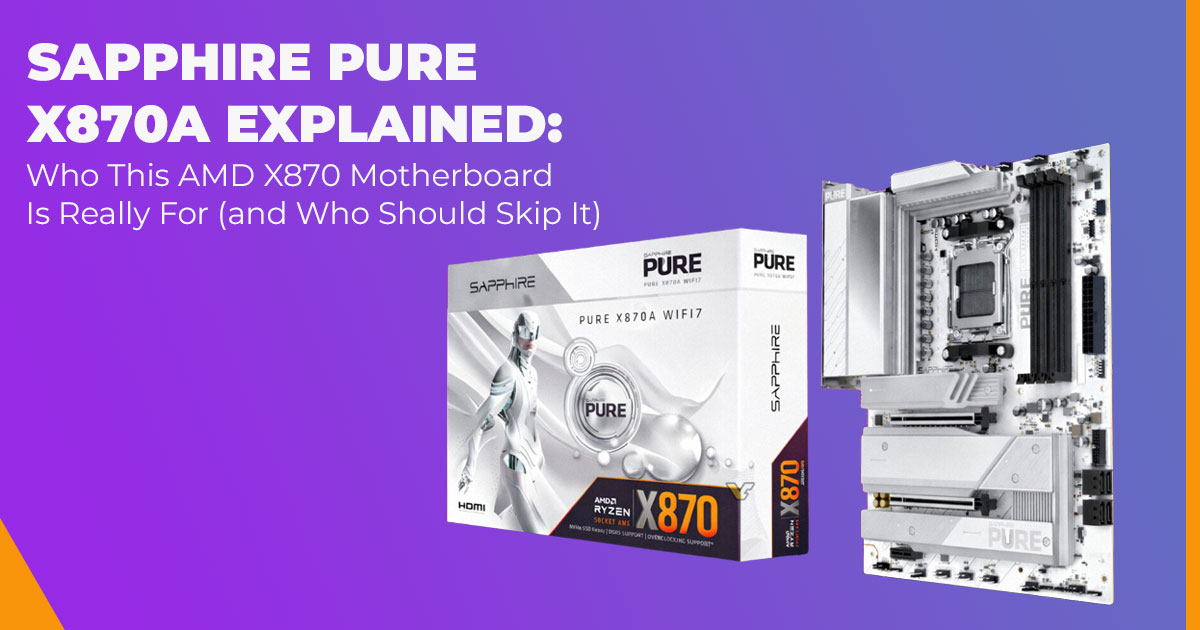
Choosing the right AMD X870 motherboard can decide whether your Ryzen 9000 build feels smooth and future-proof—or frustrating and limited. The Sapphire PURE X870A motherboard promises a clean white design, strong AM5 platform longevity, and modern features like PCIe 5.0 and DDR5 memory support. But does it really make sense for gaming, workloads, and long- term use? And how does it compare to ASUS, MSI, and Gigabyte X870 boards? This guide gives you clear answers before you spend your money.
ASUS ROG Strix X870-A Gaming WiFi AMD AM5 X870 ATX Motherboard
Buy on Amazon Worldwide | Buy on Amazon India
1. Introduction
Most PC builders don’t regret their CPU or GPU choice.
They regret the motherboard—usually months later, when BIOS issues show up, upgrades feel blocked, or stability starts slipping under load.
That’s why the choice of an AMD X870 motherboard matters so much if you’re building around a Ryzen 9000 processor. The X870 platform is designed for long-term use, faster connectivity, and next-generation hardware. But not every X870 chipset motherboard delivers the same real- world value.
The Sapphire PURE X870A motherboard enters this space with a different approach. It skips flashy gamer branding and unnecessary extras. Instead, it focuses on stable power delivery, modern connectivity, and a clean design that’s meant to work reliably today—and still make sense years from now.
Naturally, that raises important questions buyers are already asking:
Is this an X870 motherboard for gaming that can hold up under long sessions? Does it make sense for content creation and productivity workloads?
And when compared to ASUS X870, MSI X870, and Gigabyte X870 motherboards, does Sapphire actually offer better value—or just something different?
That’s what this article is here to answer.
Our evaluation focuses on real-world performance, long-term stability, and value for money rather than marketing claims, with attention to how these boards behave in everyday use. Our goal is to help you choose the best option across budget, performance, reliability, and long-term usage.
This guide is written for PC builders, gamers, content creators, and professionals planning an AMD AM5 high-end motherboard build who care about stability, upgrade flexibility, and buying once instead of twice. Our analysis is grounded in component-level research, platform comparisons, and practical usage scenarios, not hype.
We’ll explain what the Sapphire PURE X870A does well, where it may fall short, how it stacks up against established X870 competitors, and whether it’s worth the expected Sapphire X870 motherboard price. If you want clarity before committing to an X870 build, this is the context you need.
If you’re already considering Sapphire’s latest AM5 boards and want to check official specifications, availability, or regional pricing, you can view them directly below:
- Buy Sapphire PURE X870A motherboard directly from the official site
- Buy Sapphire PURE B850A motherboard directly from Sapphire for mid-range AM5 builds
1.1 Technical Specifications at a Glance
Here are the main specs:
| Category | Details |
| Chipset | AMD X870 |
| Socket | AM5 (Supports Ryzen 9000, 8000, 7000 series) |
| Form Factor | ATX (305 x 245 mm) |
| Memory | 4x DDR5 memory support, up to 256 GB, 8400+ MHz (OC) |
| Power Delivery | 16+2+1 phases, 55A per stage, dual 8-pin EPS – strong VRM
power delivery |
| Expansion Slots | 1x PCIe 5.0 x16, 1x PCIe 4.0 x4 (x16 slot), 1x PCIe 3.0 x1 |
| Storage | 1x PCIe 5.0 M.2, 2x PCIe 4.0 M.2, 4x SATA |
| Networking | 2.5 GbE LAN, WiFi 7 + Bluetooth 5.4 |
|
Rear I/O Ports |
1x USB4 connectivity (40 Gbps Type-C), 1x USB 3.2 Gen2 Type-A, 4x USB 3.2 Gen1 Type-A, 2x USB 2.0, HDMI, DisplayPort, 2.5G
LAN, audio jacks |
| Audio | Realtek ALC897 (7.1 channel) |
| Extra Features | Debug LEDs, one-click BIOS flash button, robust heatsinks for
thermal design of the motherboard |
These make it competitive among X870 AM5 motherboard choices, with emphasis on PCIe Gen 5 support.
1.2 Why This Review Is Essential
Many articles list specs for the Sapphire AM5 motherboard without explanation. We provide context, such as how the strong VRM AM5 motherboard performs in tasks or if the X870 motherboard features explained deliver real benefits. This helps avoid issues like unstable operation or insufficient ports.
1.3 What You Will Learn From This Review
- Benefits of the X870 chipset motherboard compared to prior versions
- Suitability for X870 motherboard for gaming, content creation, or X870 motherboard for overclocking
- Comparisons with other high-end X870 motherboard models
- Views on Sapphire PURE X870A launch price and value
- Considerations for new buyers, including BIOS maturity and stability
- Advice on purchasing now or waiting, linked to AM5 platform longevity
1.4 How the Sapphire PURE X870A motherboard Compares to ASUS, MSI, and Gigabyte X870 Boards
When people search for an AMD X870 motherboard, they rarely look at just one option. Most buyers compare Sapphire against established brands like ASUS, MSI, and Gigabyte before making a final call. Here’s how the Sapphire PURE X870A generally fits into that decision.
1.4.1 Sapphire PURE X870A vs ASUS X870 Motherboards
ASUS X870 boards usually focus on feature density—more BIOS tuning options, extra headers, and aggressive power designs aimed at enthusiasts who tweak everything. The Sapphire PURE X870A takes a simpler approach. It focuses on layout clarity, stable power delivery, and long- term AM5 support rather than deep tuning options that only a small group of users actually use.
- Choose Sapphire if: you want stability, a clean design, and fewer unnecessary extras.
- Choose ASUS if: you want maximum BIOS control, advanced overclocking tools, and broader software ecosystems.
1.4.2 Sapphire PURE X870A vs MSI X870 Motherboards
MSI X870 boards are often tuned for gaming-focused builds, with bold styling, aggressive cooling, and strong memory profiles. The Sapphire X870 motherboard feels more neutral and balanced. Instead of gamer styling, it prioritizes consistent performance and reliability during long sessions.
- Choose Sapphire if you want a board that works equally well for gaming and productivity.
- Choose MSI if: gaming is your main focus and you prefer performance-first tuning tuning.
1.4.3 Sapphire PURE X870A vs Gigabyte X870 Motherboards
Gigabyte often positions its X870 boards as value-driven premium options, offering strong specs at competitive pricing. Where Sapphire stands apart is in design clarity and component selection, especially for builders who want a white motherboard without sacrificing build quality.
- Choose Sapphire if: aesthetics, layout clarity, and balanced performance matter.
- Choose Gigabyte if: price-to-feature ratio is your top priority.
2. Why Sapphire’s Entry Into High-End Motherboards Matters
Sapphire excels at graphics cards with dependable AMD designs and effective cooling. Moving to motherboards like this Sapphire PURE motherboard expands options for complete AMD systems. It aligns with the next-generation AMD platform, offering matching looks in white builds. The X870 release timing supports users seeking future-ready AM5 motherboard features from one brand.
This means simpler pairing if you use their GPUs. It adds variety to the enthusiast AMD motherboard market.
3. X870 Chipset: Key Changes and Limitations
The AMD X870 chipset builds on X670 rather than replacing it outright. It introduces mandatory USB4 connectivity and broader PCIe 5.0 support, refining the platform instead of reinventing it. For most users, this means better I/O consistency and clearer upgrade paths rather than a dramatic architectural shift.
Key points:
- Requires USB4 for quick data transfers
- Provides PCIe 0 X870 motherboard lanes for GPUs and storage
- Improves networking standards like WiFi 7
Comparison table:
| Feature | X870 (this board) | X670 | B650 |
| PCIe 5.0 GPU slot | Standard | Common on
premium |
Optional |
| PCIe 5.0 storage | One minimum | Varies | Rare |
| USB4 | Required | Optional | Limited |
| Total lanes | Up to 44 combined | Similar | Fewer on entry |
| Overclocking | Complete | Full on select | Full |
Note: Some B650E motherboards also offer PCIe 5.0 GPU support, but this is not standard across the B650 lineup.
- Difference between X870 and X670? X870 makes premium features Is X870 better than B650 for upgrades?
- Is PCIe 0 worth it on X870? Current fast SSDs cost more and generate heat—PCIe 4.0 meets most needs unless handling large files.
- Do you need an X870 motherboard? It suits those wanting a high-bandwidth motherboard design for future changes.
4. Sapphire PURE X870A Hardware Breakdown (Real-World View)
The Sapphire PURE X870A motherboard is built around a practical hardware layout rather than extreme specifications that most users never fully use.
The VRM power delivery uses a 16+2+1 phase design rated at 55A, which is sufficient for maintaining stable Ryzen 9000 motherboard performance, including mild tuning and sustained workloads. Large heatsinks cover the power stages and help with thermal design of the motherboard behavior, reducing the chance of performance drops during extended use.
For memory, DDR5 memory support is handled cleanly. High speeds are achievable using EXPO profiles, which means builders can get improved performance without manual tuning.
Storage support is adequate but not excessive. You get one PCIe 5.0 SSD slot, two PCIe 4.0 slots, and four SATA ports. This works well for most gaming and productivity builds, but users planning large multi-drive arrays may find it restrictive.
The expansion layout includes full PCIe Gen 5 support for GPUs, making it suitable for current and next-generation graphics cards.
On the rear, the board includes USB4 connectivity, 2.5 GbE LAN, standard audio, and essential ports. Debug LEDs and a BIOS flash button simplify troubleshooting, which is helpful for BIOS maturity and stability, especially on a new platform.
5. Who Should Buy the Sapphire PURE X870A (Target Users)
The Sapphire PURE X870A is not a one-size-fits-all board. It fits certain builds very well and others less so.
Good fft if you are:
- Building a high-end gaming motherboard AM5 system with a white PC theme, especially when paired with Sapphire GPUs
- Looking for a future-ready AM5 motherboard with modern standards like WiFi 7 and PCIe 5.0
- Running a mid-range to high-end Ryzen 9000 build that needs a stable motherboard for long workloads
Less suitable if you need:
- Extensive storage expansion beyond four SATA ports
- Advanced onboard audio solutions
- Higher-end networking, such as 5 GbE LAN or more rear USB ports
The board suits gamers who value consistency, content creators who need stability during edits, and enthusiasts interested in the light X870 motherboard for overclocking. Its strengths are dependable power delivery, a simple layout, and long-term platform investment for AMD users.
ASUS ROG Strix X870-A Gaming WiFi AMD AM5 X870 ATX Motherboard
Buy on Amazon Worldwide | Buy on Amazon India
6. Gaming vs Productivity Performance on an X870 Motherboard
As an X870 motherboard for gaming, the Sapphire PURE X870A maintains CPU boost behavior during long sessions without instability. Its layout and PCIe support make it a solid match for the best motherboard for PCIe 5.0 GPUs.
For productivity tasks like rendering or encoding, the board performs as a stable motherboard for long workloads. Cooling around the VRM area helps prevent throttling, even when the CPU is under constant load.
The overall thermal design motherboard approach keeps performance balanced across use cases.
Is an X870 motherboard overkill for gaming? Not if you plan future upgrades. In that case, the platform provides useful headroom without unnecessary complexity.
7. Sapphire X870 vs ASUS, MSI, and Gigabyte X870 Boards
When looking at X870 motherboard comparison options, the Sapphire PURE X870A competes in a specific segment.
| Feature | Sapphire PURE
X870A |
ASUS ROG Strix
X870-A |
MSI MAG X870
Tomahawk |
Gigabyte X870
Aorus Elite |
| VRM Phases | 16+2+1 (55A) | 16+2+2
(stronger) |
14+2+1 | 16+2+2 |
| LAN | 2.5 GbE | 5 GbE | 5 GbE | 2.5 GbE |
| Audio | ALC897 | Enhanced | Mid-range | Mid-range |
| SATA Ports | 4 | 6–8 | 6 | 6 |
| Rear USB Count | 8 | 10+ | 10+ | 10 |
| Expected Price | €280–320 | €400+ | € 350 | € 330 |
| Key Strength | Design,
essentials |
Features | Value | Balanced |
Sapphire X870 vs ASUS X870 shows a clear trade-off. Sapphire costs less and focuses on essentials, while ASUS offers more ports and advanced features. Among the best X870 motherboard brands, Sapphire positions itself as a newcomer with premium motherboard build quality rather than feature overload.
8. Sapphire X870 Motherboard Price: Value or Premium?
Current listings place the Sapphire X870 motherboard price around €280–320, depending on the region. For that cost, you get WiFi, PCIe 5.0, and a strong VRM AM5 motherboard design.
It offers good value for builders who care about appearance and platform longevity, but availability may vary. X870 motherboard availability depends on the region, so check major retailers when deciding where to buy X870 motherboard units.
Is the Sapphire PURE X870A worth it? Yes, if its feature set matches your needs and you want an enthusiast-grade AMD motherboard without paying for extras.
9. BIOS Updates and Platform Support Status
As of December 2025, the Sapphire PURE X870A motherboard remains early in its lifecycle. Full specifications are published, but at launch, BIOS resources are still limited, which is common with new chipset releases.
The board includes a BIOS flash button, allowing updates without a CPU installed. This is important for early Ryzen 9000 compatibility and future fixes.
Sapphire has far more experience with graphics cards than motherboards, so long-term support patterns are still emerging. Regular checks on the support page are advised. BIOS maturity and stability typically improve over time, especially on new chipsets.
10. Risks for Early Buyers of an X870 Motherboard
Early adopters should be aware of potential risks:
- BIOS maturity and stability may lag behind established brands
- Software and documentation may evolve slowly
- Minor launch issues are common and usually resolved with updates
Is Sapphire good at making motherboards? The company’s graphics card experience helps with hardware design, but motherboard support quality will become clear only with time.
11. Should You Buy the Sapphire PURE X870A Now or Wait?
Buy now if you need a PCIe 5.0 X870 motherboard immediately and the feature set fits your build.
Should I buy an X870 motherboard for Ryzen 9000? Yes, if you want long-term platform support.
Wait if you plan a heavy X870 motherboard for overclocking or want to see long-term BIOS support trends.
Should I upgrade from X670 to X870? Only if USB4 or clearer future-proof advantages matter to you.
Which X870 motherboard should I choose? The Sapphire PURE X870A makes sense for builders who want a clean design, balanced features, and a reasonable price without unnecessary complexity.
12. Clearing Common Doubts About the Sapphire PURE X870A
Before choosing an AMD X870 motherboard, most buyers look for clear answers to a few practical questions. This section addresses the most common concerns around the Sapphire PURE X870A motherboard, based on real use cases, platform expectations, and long-term value. If you’re comparing X870 options or deciding whether to upgrade, these answers help align the board’s features with your actual needs.
Is the Sapphire PURE X870A worth buying?
Yes, the Sapphire PURE X870A is worth buying for specific builds. It delivers strong fundamentals like reliable VRM power delivery, PCIe 5.0 support, and AM5 platform longevity. It makes sense for users who want stability and a clean layout. That said, buyers should check USB ports, storage limits, and networking needs before deciding, as it focuses on essentials rather than maximum features.
Sapphire X870 motherboard review and analysis: how does it perform?
In real-world use, this Sapphire X870 motherboard performs well in its core areas. It maintains stable performance for Ryzen 9000 processors, handles gaming sessions without drops, and stays consistent during long productivity workloads. The trade-off is fewer extras—audio, networking, and expansion remain standard rather than premium. For users who value reliability over add-ons, this balance works.
Is the AMD X870 chipset future-proof?
The AMD X870 chipset is built with long-term use in mind. It supports AM5 platform longevity, DDR5 memory, USB4 connectivity, and PCIe 5.0 access, which keeps the platform relevant for future GPUs, SSDs, and processors. While it does not replace X670 entirely, it offers a clearer upgrade path for users planning to stay on AMD for several years.
Who should buy an X870 motherboard like the Sapphire PURE X870A?
An X870 motherboard suits gamers and content creators building around the next-generation AMD platform. It’s a good fit for users who want future-ready features, stable performance, and flexibility for upgrades. Users who need heavy storage expansion, advanced audio, or premium networking may prefer other options, but for balanced builds, X870 offers a solid foundation.
13. Frequently Asked Questions About the Sapphire PURE X870A
These are the questions builders most often ask when researching the Sapphire PURE X870A motherboard and the AMD X870 platform. The answers focus on compatibility, real-world setup, and practical expectations so you can decide quickly whether this board fits your build.
What RAM works best with the Sapphire PURE X870A?
For most users, DDR5 memory kits running at 6000–6400 MHz offer the best balance of performance and stability on this X870 AM5 motherboard. These speeds work well with EXPO profiles, allowing a simple setup without manual tuning. Faster kits can work, but gains are limited for gaming and everyday workloads.
Can the Sapphire PURE X870A handle the Ryzen 9 9950X?
Yes. The board can run the Ryzen 9 9950X without issue thanks to its strong VRM power delivery. It supports sustained performance for gaming and productivity tasks, with room for light tuning. Heavy overclocking may require careful power and cooling adjustments, as expected on any high-core-count CPU.
Is WiFi 7 worth it on an X870 motherboard right now?
WiFi 7 support on the Sapphire X870 motherboard is mainly about future readiness. Current WiFi 6E networks already handle most gaming and streaming needs well. WiFi 7 becomes more useful as compatible routers and devices become common, making it a long-term advantage rather than an immediate upgrade.
How many drives can I install on the Sapphire PURE X870A?
The board supports three M.2 SSDs and four SATA drives. This setup works well for most gaming and content creation builds. Users planning large storage arrays or multiple SATA-based drives may want a motherboard with expanded storage options.
Does the Sapphire PURE X870A have RGB lighting?
RGB lighting is minimal on this board. The focus is on a clean white motherboard design rather than heavy lighting effects. Builders who prefer subtle aesthetics or themed builds will appreciate this approach, while RGB-focused users may want additional accessories.
ASUS ROG Strix X870-A Gaming WiFi AMD AM5 X870 ATX Motherboard
Buy on Amazon Worldwide | Buy on Amazon India
14. Final Verdict: Is the Sapphire PURE X870A the Right Fit for Your Build?
The Sapphire PURE X870A motherboard is a sensible choice for builders looking for the best AM5 motherboard for Ryzen 9000 systems that value stability, clean design, and long-term AM5 support. It doesn’t try to outdo every competitor on ports or extras. Instead, it focuses on a solid motherboard feature set that works well for gaming, productivity, and future upgrades.
This board makes the most sense when you want performance you can rely on, a white aesthetic that fits modern builds, and a platform that won’t feel outdated in a year or two.
Buy the Sapphire PURE X870A if:
- You want the best high-end AMD motherboard with a clean white design
- You’re building around Ryzen 9000 processors and want AM5 platform longevity
- You want a future-ready AM5 motherboard with PCIe 0, USB4, and DDR5 support
- You prefer balanced features over unnecessary extras
Skip it if:
- You need more rear USB ports, 5 GbE LAN, or advanced onboard audio
- You want the most established BIOS support history from day one
Wait before buying if:
- You plan heavy X870 motherboard for overclocking
- You want to see long-term BIOS updates and user feedback mature
Where to Buy the Sapphire PURE X870A
If this board ffts your build goals, check current pricing and availability below:
- Buy Sapphire PURE X870A motherboard directly from the official site – Sapphire PURE X870A motherboard
- Buy Sapphire PURE B850A motherboard directly – Sapphire PURE B850A motherboard
Availability and pricing can vary by region, so it’s worth checking both stock status and seller ratings before purchasing.
Other Alternative if you need, we recommend
ASUS ROG Strix X870-A Gaming WiFi AMD AM5 X870 ATX Motherboard, Explore more on Amazon
Worldwide | India
Still deciding?
If you want help comparing this board with ASUS, MSI, or Gigabyte X870 motherboards, or need conffrmation on CPU, RAM, GPU, or SSD compatibility, drop a comment below. Sharing your build plan often leads to a better ffnal decision—and fewer regrets later.
***Disclaimer***
This blog post contains unique insights and personal opinions. As such, it should not be interpreted as the official stance of any companies, manufacturers, or other entities we mention or with whom we are affiliated. While we strive for accuracy, information is subject to change. Always verify details independently before making decisions based on our content.
Comments reflect the opinions of their respective authors and not those of our team. We are not liable for any consequences resulting from the use of the information provided. Please seek professional advice where necessary.
Note: All product names, logos, and brands mentioned are the property of their respective owners. Any company, product, or service names used in our articles are for identification and educational purposes only. The use of these names, logos, and brands does not imply endorsement.
