
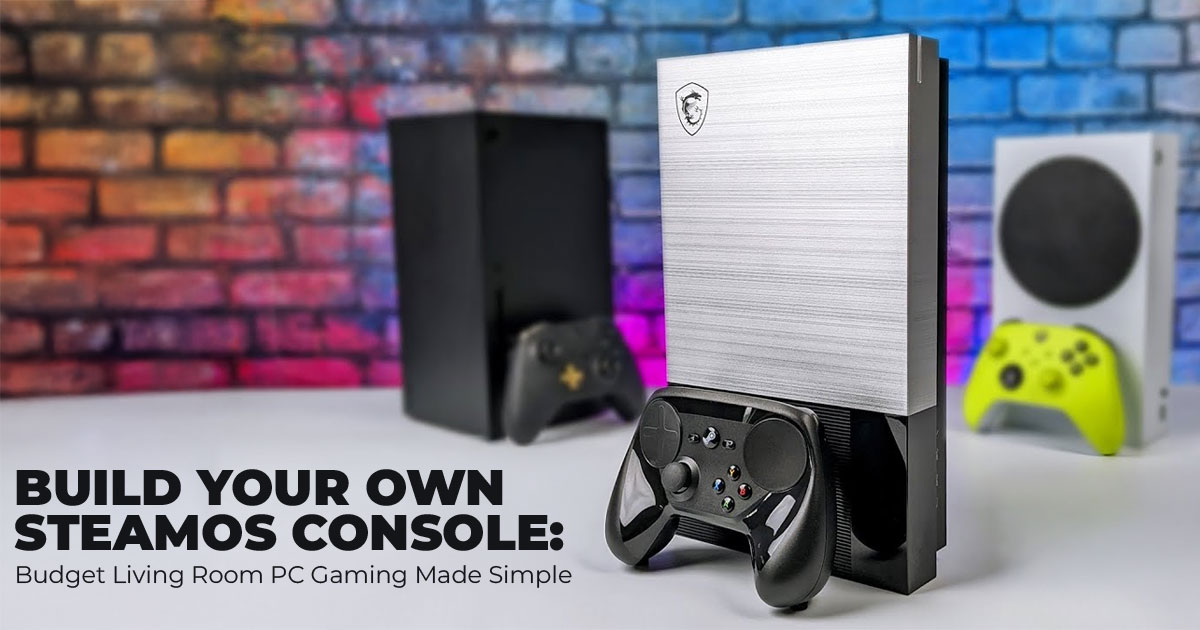
A DIY SteamOS console is a budget-friendly, upgradable gaming system that plugs into your TV and plays your existing Steam library using Proton compatibility. It feels like a console, costs less, avoids locked ecosystems, and delivers smooth 1080p Linux gaming performance. This guide explains what SteamOS is, why it works, and how to build one the right way—based on real-world testing, not hype.
Buy from Amazon now
Buy on Amazon Worldwide | Buy on Amazon India
1. Introduction – Why Build a SteamOS Console
Most gamers already own hundreds of games they barely play. Not because they don’t want to— but because modern consoles are expensive, locked down, and force you to rebuy titles you already own on Steam. PCs solve that problem, but they’re bulky, power-hungry, and awkward in the living room. That gap is exactly where a SteamOS console fits.
A SteamOS console is essentially a small, affordable PC built for your TV, running Valve’s free Linux-based SteamOS. You turn it on, grab a controller, and your Steam library opens instantly in Steam Big Picture mode. No desktop clutter. No ads. No subscriptions. It feels like a console—but it plays your existing games. And that’s why it matters.
1.1 Product / Category Overview
SteamOS is a lightweight Linux operating system designed purely for gaming. It cuts out background junk, focuses system resources on games, and uses Proton compatibility to run Windows titles on Linux. That’s how SteamOS supports 18,000+ games, including many AAA games, often with better Linux gaming performance than Windows on the same hardware.
Compared to alternatives:
- Steam Deck – great handheld, but limited on big screens, and starts around $400
- Full gaming PCs – powerful, but large, noisy, and overkill for couch gaming
- PS5 / Xbox – expensive, locked ecosystems, and you rebuy games
A low-cost SteamOS build gives you console-style PC gaming, upgrade freedom, emulation support, and media playback—all in one quiet box under your TV.
1.2 Why User Reviews and Real-World Analysis Matter
Specs don’t tell you how a system feels at 10 p.m. on your couch. Reviews and real-world testing do. That’s where most guides fall short—they show a build, but don’t explain why it works, who it’s for, or what to expect long-term.
For budget gamers, living room gamers, DIY builders, Linux tinkerers, and even families looking for a kid-safe gaming setup, our recommendations are based on extensive research, component analysis, real-world usability, and industry expertise.
And yes—this setup can handle smooth 1080p SteamOS gaming without breaking the bank.
As technology experts with over 20 years of experience in hardware and application research and development, we deeply analyze each product based on real-world performance, durability, and value for money. Our goal is simple: help you find the best product in every category— budget, performance, reliability, and long-term usage.
1.3 Who This Is For
- Budget gamers are tired of $500 consoles
- Living room gamers who want a SteamOS console for TV
- DIY enthusiasts who like control and upgradability
- Linux users who want simple, reliable gaming
- Families who want a clean, ad-free gaming system
This guide shows how it works, what to buy, what to avoid, and how to build something that actually fits your life—not just your desk.
1.4 Why This Review is Essential
With Valve’s official Steam Machine dropping in 2026 at $500+, why wait? Build your own affordable SteamOS console at home now for half the cost using used parts. We tackle real pains like WiFi drops, controller pairing, and game tweaks that trip up first time SteamOS PC build folks. Budget gamers, DIY fans, and living room players get a SteamOS living room gaming setup that runs your library better than Windows—saving cash and headaches.
1.5 What You Will Learn from This Review
- Full SteamOS PC parts list with best hardware for SteamOS and where to snag deals on SteamOS compatible components.
- Hands-on step-by-step SteamOS console build guide—no experience needed for beginner SteamOS build.
- How to install SteamOS safely, plus easy SteamOS console setup tips.
- SteamOS gaming performance benchmarks, Proton compatibility checks, and integrated graphics gaming tweaks.
- Fixes for boot issues, plus upgrades for future-proofSteamOS home console.
- SteamOS console vs Steam Deck truths and best budget SteamOS PC alternatives.
Key Takeaway: Walk away with a budget gaming console PC ready for TV gaming, plus know- how to customize it.
If you’re already curious about building a SteamOS console and want to see the kind of hardware this guide is based on, the Ryzen 5 5600G is widely available online. You can check current pricing and availability on Amazon US or Amazon India, depending on where you’re buying from.
2. What SteamOS Offers
SteamOS gives console vibes: Boots to Big Picture (controller-friendly UI), auto-suspends, Proton handles. Does SteamOS support AAA games? Yes — many modern titles like Cyberpunk 2077 and Elden Ring are playable at 1080p with tuned settings on capable APUs. Benefits: Free, updates roll out, gaming on Linux overhead 10-20% lower FPS boost on AMD.
Is SteamOS good for gaming? Absolutely for Steam library; indies flawless, AAA mostly great.
SteamOS uses Proton compatibility to run Windows games on Linux. The majority of popular Steam titles work well through Proton, with thousands of games rated playable or better by the community.
| Feature | SteamOS | Windows 11 |
| Game Support | Most popular Steam titles playable via Proton | Native (but bloat) |
| Couch UI | Big Picture mode native | Extra steps |
| Resource Use | Light—better battery if
portable |
Heavier |
| Setup | 10 mins | Driver hunts |
Key Takeaway: SteamOS nails plug-and-play for SteamOS supported games—ideal Linux gaming console.
3. Planning Your SteamOS Console Build: What to Decide Before You Buy
Before you spend a rupee or dollar, you need to decide two things: your budget and how you plan to use your SteamOS console. These choices shape every hardware decision that follows and prevent wasted money.
3.1 SteamOS PC Build Cost: Setting a Realistic Budget
The SteamOS PC build cost varies widely, mostly because of parts pricing and second-hand deals. But here’s the simple truth: your APU decides most of your gaming performance, and your SSD controls how fast everything feels.
Where your money matters most
- APU (CPU + integrated graphics): ~70% of performance
- SSD: faster boot times and smoother game loads
Budget tiers that actually make sense
| Build Tier | Cost Range | What It’s Good For |
| Ultra-Budget | $150–200 (cheap SteamOS
console) |
Retro games, indie titles |
| Entry Level | $250–350 (SteamOS console under $300) | Older AAA, smooth 1080p classics |
| Mid-Range | $400–600 (SteamOS console
under $500) |
Modern AAA at 1080p |
- Shopping tip: Many builders buy hardware for SteamOS on Used AMD APUs often sell for half retail and still perform well when tested.
For most people, the sweet spot is the entry-level build around the Ryzen 5 5600G. It keeps costs under control while delivering smooth 1080p SteamOS gaming for the living room. If you’re pricing parts as you read, it’s worth checking current listings on Amazon US or Amazon India, where availability and deals can vary by region.
3.2 Intended Use: Match the Build to Your Gaming Style
How you plan to use your system matters more than chasing specs.
- Casual or Retro Gaming:
A $200 SteamOS console handles emulation easily. Tools like EmuDeck simplify setup. - 1080p AAA Gaming:
Budget AMD APU gaming starts around $300 for stable performance. - Media and Streaming:
Any build works. SteamOS desktop mode supports Kodi and Plex. - SteamOS Console for TV Gaming:
All tiers work well for SteamOS living room gaming with a controller.
Summary:
If you play on a 1080p TV, a $300 budget SteamOS PC covers nearly all affordable SteamOS gaming PC for living room needs.
4. Choosing SteamOS Compatible Hardware: Parts That Actually Work
SteamOS runs best on AMD CPUs and GPUs. Driver support is stable, updates are smooth, and you avoid setup issues common with unsupported hardware.
4.1 Processor and Integrated Graphics Gaming (APU Picks)
An APU combines CPU and GPU into one chip, making it perfect for a SteamOS console without a discrete GPU.
Experimental (Enthusiast Only)
Salvaged console-class hardware (not consumer-ready). Requires custom firmware, non- standard power delivery, and hardware-level modification. Not recommended for beginners.
| APU | Cores / Threads | iGPU | Typical Price | Why It Works |
| Ryzen 5 5600G | 6/12 | Vega 7 | $80–120 | Reliable beginner SteamOS build |
| Ryzen 7 8700G | 8/16 | RDNA 3 | $220–320 | Best mini PC for SteamOS, future-ready |
Key takeaway:
Used APUs deliver the best parts for SteamOS build value, and integrated graphics perform well under SteamOS.
4.2 Motherboards and Small Form Factor PC Cases
- Mini-ITX B550 boards work well with Ryzen APUs
- Compact cases like Cooler Master NR200P or Louqe Ghost S1 balance airflow and noise
Cooling notes
- Stock coolers work for most builds
- Small cases benefit from undervolting for quiet operation
4.3 Storage Options for SteamOS
Fast storage improves boot time and game loading. Proton benefits from NVMe speeds.
| Capacity | Speed | Typical Deal |
| 512GB NVMe | 3,500 MB/s | $25 |
| 1TB PCIe 4.0 | 7,000 MB/s | $50 |
4.4 Power Supply Units (PSU)
A 450W SFX PSU with an 80+ Bronze rating is enough for APU builds. Stable power prevents crashes and data loss.
4.5 Controllers and Peripherals
For the best SteamOS setup for gaming:
- 8BitDo Ultimate Bluetooth for low latency
- Wired Xbox controller for setup
- Basic keyboard and mouse for desktop tweaks
Buy from Amazon now
Buy on Amazon Worldwide | Buy on Amazon India
5. Step-by-Step SteamOS Console Build Guide
Expect 45 minutes for a first build.
Build steps
- Prepare a grounded workspace
- Install CPU, cooler, RAM, and SSD
- Mount the motherboard carefully
- Route PSU cables cleanly
- Test boot before closing the case
Key takeaway:
Test early. It saves hours later.
6. How to Install SteamOS (Simple Walkthrough)
Use the official Steam Deck image or desktop-friendly options like Bazzite.
Basic flow
- Create USB installer
- Set BIOS to UEFI
- Run SteamOS reimage
- Reboot into Steam Big Picture
If something fails, BIOS detection and USB format are the first checks.
7. SteamOS First-Time Setup and Performance Tuning
- Pair controllers
- Set display to 1080p at 60Hz
- Enable Ethernet for stability
- Install Proton GE for better compatibility
Result:
A working SteamOS console setup guide that gets you playing fast.
8. SteamOS Gaming Performance Expectations
Real-world results matter more than benchmarks.
- Ryzen 5 5600G: stable 50–60 FPS at medium
- Ryzen 7 8700G: 60+ FPS at high settings
Is SteamOS worth it?
For APU systems, it often feels smoother than Windows.
9. Upgrades and Future-Proofing Your SteamOS PC
- Upgrade SSD or RAM first
- Add a used GPU later for higher resolutions
- Move to a full PC only if you need 4K or editing
10. SteamOS Console Alternatives
- Mini PCs: Beelink SER8
- Other Linux OS: Bazzite, Nobara
- Hybrid builds: Emulation plus media server
These SteamOS console alternatives fit users who want less DIY work.
11. SteamOS Troubleshooting and Common Pitfalls
| Issue | Fix |
| Boot failure | Recreate USB, confirm UEFI |
| Controller not detected | Reset Bluetooth |
| Wi-Fi issues | Replace Realtek with AX210 |
| Stutter | Proton GE, undervolt |
Community forums often have fixes within minutes.
12. SteamOS Console Cost Breakdown and Buying Tips
Example $300 build
- Ryzen 5 5600G
- B550 Mini-ITX
- NR200P + PSU
- 16GB RAM + 512GB NVMe
Buy components for the SteamOS build from tested used listings and renewed sellers. Simple tools are enough.
Key Takeaway
A SteamOS gaming console built around the right APU delivers strong 1080p performance and long-term value—without locked ecosystems or wasted money.
12.1 Clearing Common Doubts About Building a SteamOS Console
If you’re close to building your own SteamOS console, these are the questions that usually come up right before people commit. Clearing them early helps you avoid second-guessing, overspending, or choosing hardware that doesn’t match how you actually play. The answers below focus on real-world use, not spec sheets, so you know exactly what to expect.
Q. What is the best budget SteamOS PC build for 1080p gaming?
- The most reliable best budget SteamOS PC build is a Ryzen 5 5600G small form factor PC. It offers strong integrated graphics gaming, stable SteamOS gaming performance, and excellent compatibility with Proton. For a SteamOS console under $300, this setup handles indie titles, older AAA games, and everyday couch gaming without fuss.
Q. SteamOS console vs Steam Deck — which one makes more sense?
- If you mostly play on a TV, a SteamOS console for TV gaming is the better choice. It delivers higher sustained performance, better thermals, and a true console-style PC gaming experience. The Steam Deck works well for handheld play, but it struggles to match a dedicated SteamOS living room gaming setup on larger screens.
Q. What is the best hardware for SteamOS right now?
- AMD hardware remains the safest and most consistent choice. AMD APUs and GPUs offer smoother driver support, fewer compatibility issues, and better long-term stability on Linux. If you want SteamOS compatible hardware that “just works,” AMD-based systems are still the most dependable option.
Buy from Amazon now
Buy on Amazon Worldwide | Buy on Amazon India
13. FAQ – SteamOS Console Questions
These are the last questions most readers have before they decide whether a DIY SteamOS console makes sense for them. The answers below are based on real-world use, not marketing claims, and they’re written to help you make a clear call.
Q. Is a SteamOS console better than a Steam Deck?
- For TV gaming, yes. A SteamOS console for TV gives you a larger screen experience, better sustained performance, and more upgrade flexibility—often at a lower total cost. The Steam Deck shines as a handheld, but when you’re playing from the couch, a SteamOS living room gaming setup simply feels more comfortable and powerful.
Q. Can I stream games from another PC to my SteamOS console?
- Yes. Steam Remote Play is built in and works well on local networks. This lets your SteamOS console stream demanding games from a more powerful PC while keeping the quiet, console- style setup in your living room.
Q. Will this SteamOS console play my favorite game?
- The majority of popular Steam titles work well through Proton compatibility. Checking ProtonDB is the best way to confirm performance for specific games. Before buying or installing a game, check ProtonDB for real user reports on performance, settings, and known issues. This is the fastest way to confirm SteamOS supported games.
Q. Can I install Windows instead of SteamOS?
- Yes. You can dual-boot SteamOS and Windows on the same system. Many users start with SteamOS for daily gaming and keep Windows available for games or apps that need it. The process is straightforward on most SteamOS compatible hardware.
14. Conclusion – A SteamOS Console That Fits Your Living Room (and Your Budget)
At this point, your DIY Steam Machine isn’t just an idea—it’s a compact SteamOS gaming console that feels at home in the living room. It boots straight into your Steam library, works naturally with controllers, and plays the games you already own. No locked ecosystem. No forced upgrades. Just console-style PC gaming that you control.
What makes this setup stick is flexibility. You can tweak settings, run emulators, add a bigger SSD, or drop in a GPU later if your needs grow. And if your gaming habits change, your hardware can change with you. That’s something fixed consoles don’t offer.
If you’re ready to build, the Ryzen 5 5600G remains one of the safest starting points for a best budget SteamOS PC build:
- Amazon US: Available via Amazon
- Amazon India: Also listed on Amazon India with local warranty options
Looking for alternatives instead?
- Want more headroom for modern AAA titles? Consider the Ryzen 7 8700G
- Prefer zero assembly? A compact mini PC like the Beelink SER series works as a
SteamOS console alternative
- Planning emulation plus media? Pair SteamOS with tools like EmuDeck and Plex If you build one, share your setup—FPS numbers, part choices, even problems you ran
Those real experiences help others decide and improve their own builds. And if you’re stuck, ask. We read every comment and reply quickly.
A SteamOS console build isn’t about chasing specs. It’s about getting more value out of the games you already love—and enjoying them comfortably, on your terms.
***Disclaimer***
This blog post contains unique insights and personal opinions. As such, it should not be interpreted as the official stance of any companies, manufacturers, or other entities we mention
or with whom we are affiliated. While we strive for accuracy, information is subject to change. Always verify details independently before making decisions based on our content.
Comments reflect the opinions of their respective authors and not those of our team. We are not liable for any consequences resulting from the use of the information provided. Please seek professional advice where necessary.
Note: All product names, logos, and brands mentioned are the property of their respective owners. Any company, product, or service names used in our articles are for identification and educational purposes only. The use of these names, logos, and brands does not imply endorsement.
