
1. Introduction
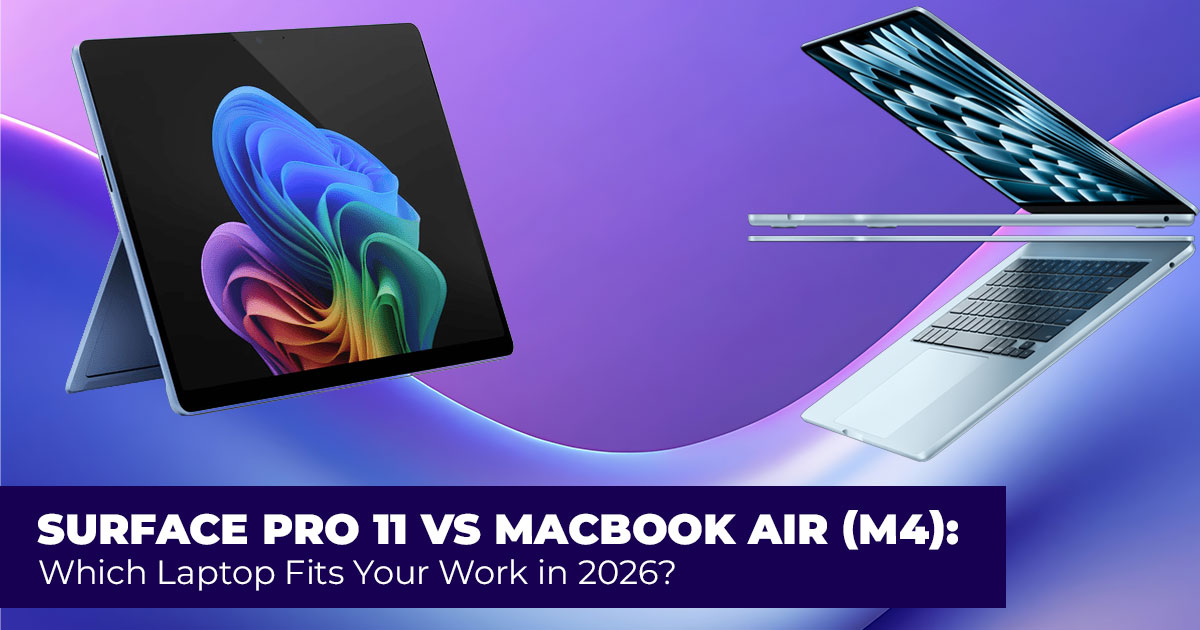
If your laptop slows you down even once a day, it adds up. Missed deadlines, broken focus, battery anxiety before meetings — that’s usually what pushes people to start searching for a new productivity laptop. By 2026, it seems everyone looking for a new laptop ends up stuck between the same two choices: the Surface Pro 11 or the MacBook Air M4.
On the surface, both appear to be safe choices. They’re thin, fast, and built for everyday work. But they solve problems in different ways. The Surface Pro 11 is built for people who switch between typing, tapping, and writing. The MacBook Air M4 is designed for those who want a steady, predictable macOS productivity laptop that stays smooth from morning to night.
Knowing which approach fits your routine is what makes the decision clear.
BUY SURFACE PRO 11 AMAZON | Buy MACBOOK AIR On AMAZON (M4)
This productivity laptop comparison answers the questions people actually have after clicking a Surface Pro vs MacBook Air comparison. How do these laptops handle long workdays? Which one feels better for email, spreadsheets, creative tools, and multitasking? Which one makes sense if you’re a student, a professional, a content creator, or someone working from home who needs the best laptop for productivity work?
User reviews matter because they show patterns you don’t see on spec sheets. They reveal how battery life holds up over time, how keyboards feel after months of use, and whether performance stays stable under daily workloads. That insight is critical in a Surface Pro vs MacBook Air for productivity comparison, where personal habits shape the experience.
As technology experts with over 20 years of experience in hardware and application research and development, we judge each device on real-world performance, durability, and value for money. Our aim is to guide readers toward the best choice for budget, performance, reliability, and long-term usage. Whether you’re deciding between a Windows vs macOS productivity laptop or narrowing down the laptop that fits your routine, this comparison is built to give clear answers before you buy.
And that’s why this article exists — to help the right people choose the right laptop.
Summary
The choice between the Surface Pro 11 vs MacBook Air M4 comes down to how you work. Pick the Surface Pro 11 if flexibility, touch input, and pen support matter. Choose the MacBook Air M4 if you want consistent performance, long battery life, and a focused workflow. This guide helps you match the laptop to your real needs before spending your money.
1.1 Technical Specifications at a Glance
| Feature | Surface Pro 11 | MacBook Air (M4) |
|
Display |
13-inch OLED or LCD, 2880×1920,
120Hz, touch + pen |
13.6-inch or 15.3-inch Liquid Retina, 2560×1664 (13.6″), 60Hz,
no touch |
| Processor | Snapdragon X Elite or X Plus | Apple M4 (8-core or 10-core options) |
| RAM | 16GB or 32GB (some models up to
64GB) |
16GB or 24GB unified memory |
| Storage | 256GB–1TB removable SSD | 256GB–2TB SSD |
| Battery
(claimed) |
Up to 15 hours of video playback | Up to 18 hours of video playback |
| Weight | 0.89 kg (tablet only), ~1.2 kg with keyboard | 1.24 kg (13-inch), 1.51 kg (15- inch) |
| Ports | 2× USB-C (USB4/Thunderbolt
compatible), Surface Connect |
2× Thunderbolt 4, MagSafe,
headphone jack |
| Starting Price (2026 est.) | ~$999–$1,199 (keyboard separate) | ~$1,099–$1,299 |
| Form Factor | Detachable 2-in-1 with kickstand | Traditional clamshell |
1.2 Why This Comparison Matters in 2026
Plenty of reviews just list specs and call it a day. We dig deeper by pulling together real user experiences and hands-on tests to show how these laptops feel after weeks of regular use. Whether you’re upgrading from an older device or choosing your first serious productivity laptop, this laptop buying guide for 2026 helps you skip the regrets.
1.3 What You’ll Learn
- Which device fits specific jobs like studying, office tasks, content creation, coding, or travel
- How battery life really holds up during typical days
- Whether touch and pen features actually change your workflow
- Where each offers the best long-term value for money
- A simple checklist to make your final call straightforward
2. Quick Take
- Best laptop for students: Surface Pro 11 — handwriting notes on slides or PDFs feels quick and natural.
- Best laptop for office/pro productivity: MacBook Air (M4) — smoother multitasking and longer battery for full workdays.
- Best laptop for creators and artists: Surface Pro 11 edges ahead for drawing and sketching; MacBook Air (M4) wins for video work.
- Best laptop for graphic designers: Surface Pro 11 for hands-on illustration; MacBook Air (M4) for colour-critical projects (full breakdown below).
- Best laptop for developers: MacBook Air (M4) — Unix tools and reliable
- Best laptop for frequent travelers: MacBook Air (M4) — lighter overall package and better unplugged time.
3. Who This Guide Is For
You’re likely reading this because your daily work involves things like:
- Taking notes in classes or client meetings
- Jumping between Zoom calls, spreadsheets, and documents
- Editing photos, videos, or designs as a hobby or job
- Writing and running code
- Working from cafes, planes, or hotel rooms
If that sounds familiar, this Surface Pro vs MacBook Air buying guide is built for you.
4. Real-World Performance Comparison: Surface Pro 11 vs MacBook Air M4
For everyday work, both the Surface Pro 11 and MacBook Air M4 feel fast. Browsing with many tabs, streaming videos, handling email, and working in Microsoft Office or Google Workspace happen without friction. For most users, daily tasks feel smooth and predictable.
The difference becomes clearer when the workload gets heavier.
Creative apps like Photoshop and Premiere Pro run well on both machines. Still, the MacBook Air M4 performance benefits from close software and hardware alignment. Timeline scrubbing and exports in Final Cut Pro and DaVinci Resolve finish faster and feel more consistent during long sessions.
The Surface Pro 11 offers something different. Drawing, sketching, and image markups feel natural because of direct pen input. That changes how early creative work happens, especially when ideas need to move quickly from thought to screen.
With heavy multitasking — Chrome, Slack, Spotify, Excel, and Photoshop open at once — MacBook Air M4 performance holds a steadier pace during sustained workloads. Memory handling stays controlled even as apps stack up. For 4K video editing and light 3D work, both systems manage well. The Surface Pro 11 may activate its fan during long workloads, while the MacBook Air M4 stays silent.
For most people in 2026, neither laptop feels slow. The real gap shows up during sustained creative work, where heat management and software tuning begin to shape the experience.
4.1 Use-Case Performance Score (Out of 10)
| Use Case | Surface Pro 11 | MacBook Air M4 |
| Everyday Productivity (Email, Docs, Web) | 9/10 | 9/10 |
| Heavy Multitasking | 8/10 | 9/10 |
| Photo Editing (Photoshop,
Lightroom) |
8.5/10 | 9/10 |
| Video Editing (4K, Timelines,
Exports) |
8/10 | 9/10 |
| Silent Operation Under Load | 7.5/10 | 9.5/10 |
Both laptops handle daily productivity well. The MacBook Air M4 scores higher for sustained workloads and silent performance. The Surface Pro 11 gains value when pen input is part of the workflow.
5. Design and Portability: Detachable Laptop vs Traditional Laptop
The design difference between these two devices shapes how they fit into daily life.
The Surface Pro 11 starts as a tablet and turns into a laptop using a detachable keyboard and built-in kickstand. The MacBook Air M4 follows a traditional clamshell design with a solid, unified build.
For portability:
- The Surface Pro 11 tablet weighs under 900 grams, making it easy to hold, sketch, or read without a keyboard.
- With the keyboard attached, it weighs close to the 13-inch MacBook Air M4.
- The MacBook Air feels more secure when closed, while the Surface Pro benefits from a sleeve to protect the screen.
Typing comfort is strong on both. The Surface Pro Type Cover feels firm despite its thin profile. The MacBook Air keyboard offers slightly deeper key travel, which some users prefer for long writing sessions.
The MacBook Air trackpad stands out. It is larger and supports gestures with more precision. If your work involves moving between locations, think about how often you’ll use the device without a keyboard. That’s where the detachable laptop vs traditional laptop choice becomes practical.
5.1 Mobility & Form Factor Score
| Scenario | Surface Pro 11 | MacBook Air M4 |
| One-Hand Use / Tablet Mode | 9.5/10 | 6/10 |
| Typing on a Desk | 8/10 | 9/10 |
| Travel and Commute | 9/10 | 8.5/10 |
| Lap Use Stability | 7.5/10 | 9/10 |
| Flexible Work Positions | 9.5/10 | 7.5/10 |
The Surface Pro 11 fits users who move, sketch, and switch positions often. The MacBook Air M4 suits users who type for long hours in fixed setups.
6. Display Comparison for Productivity and Creative Work
Surface Pro 11 Display
- Optional OLED display with deep contrast
- 120Hz refresh rate for smooth scrolling and pen response
- Full touchscreen laptop support with accurate pen tracking
MacBook Air M4 Display
- Bright panel that works well outdoors
- Factory-calibrated screen with wide P3 color support
- Consistent image quality for long work sessions
For note-taking, PDF annotation, and sketching, the Surface Pro 11 display supports a more direct way of working. Touch and pen input reduce extra steps. For watching content, editing photos, or working in bright environments, the MacBook Air M4 display maintains clarity and balance.
Both displays perform well. The difference depends on whether your work relies more on touch interaction or screen consistency.
6.1 Display Use-Case Score
| Display Need | Surface Pro 11 | MacBook Air M4 |
| Note-Taking and Annotation | 9.5/10 | 6.5/10 |
| Drawing and Pen Work | 9.5/10 | 5.5/10 |
| Media Consumption | 8.5/10 | 9/10 |
| Outdoor Visibility | 8/10 | 9/10 |
| Long Editing Sessions | 8.5/10 | 9/10 |
Choose the Surface Pro 11 for touch-driven work. Choose the MacBook Air M4 for brightness, consistency, and long viewing sessions.
BUY SURFACE PRO 11 AMAZON | Buy MACBOOK AIR On AMAZON (M4)
7. Best Laptop for Graphic Design: Surface Pro 11 vs MacBook Air M4
Graphic design includes logo design, UI and UX layouts, digital illustration, branding systems, and print preparation. The audience ranges from students and freelancers to full-time agency designers working daily in Adobe Creative Cloud.
Here’s how the Surface Pro 11 vs MacBook Air M4 for graphic design compare in real use:
| Aspect | Surface Pro 11 | MacBook Air M4 |
| Drawing and Sketching | Pen input with pressure and tilt supports natural ideation | No built-in pen support |
| Color Accuracy | Strong performance, especially on
OLED models |
Factory-calibrated P3 display for
reliable output |
| Adobe App
Performance |
ARM-native apps run smoothly | Faster exports and complex
effects handling |
| Touch Interaction | Direct canvas control speeds navigation | Trackpad-based control |
| Portability | Detach the keyboard and work as
a sketchpad |
Light laptop that opens quickly |
| Large File Handling | Manages layered files well | Better memory control with large PSD files |
In practice, designers who sketch ideas or mark up concepts often prefer the Surface Pro 11 pen support for artists. It shortens the gap between idea and execution. Designers focused on color accuracy, layout precision, and final delivery often choose the MacBook Air M4 for its calibrated display and steady performance.
Some professionals use both device styles at different stages of work. If you want one system, the decision depends on where most of your time goes. Illustrators and concept artists lean toward the Surface Pro 11. Designers focused on production and client delivery often stay with the MacBook Air M4.
That’s why choosing the best laptop for graphic design depends less on specs and more on how you work each day.
7.1 Graphic Design Use-Case Score
| Design Workflow | Surface Pro 11 | MacBook Air M4 |
| Concept Sketching & Ideation | 9.5/10 | 6/10 |
| UI and UX Design | 9/10 | 8.5/10 |
| Branding and Print
Prep |
8.5/10 | 9.5/10 |
| Motion Graphics | 8/10 | 9/10 |
| Color-Critical Work | 8.5/10 | 9.5/10 |
- Surface Pro 11 suits illustrators, UI designers, and pen-first
- MacBook Air M4 suits production designers, brand work, and delivery-focused
Note to Readers
The scores in this guide are based on real-world use, not lab benchmarks. Each rating reflects how well a laptop handles a specific task by looking at performance, stability during long sessions, input experience (keyboard, trackpad, touch, or pen), comfort, and overall workflow efficiency.
Not every factor matters equally for every task. For example, pen input weighs more for design work, while memory handling matters more for multitasking. A score of 9–10 means the laptop fits that use case very well, 8–8.9 means it performs strongly with small trade-offs, and 7–7.9 means it’s capable but not ideal for heavy or long sessions.
Use these scores as a quick guide to match the laptop with how you work, rather than as a measure of raw power.
8. Battery Life Comparison: Surface Pro 11 vs MacBook Air M4
Battery life matters most when work stretches beyond your desk. Advertised numbers often reflect ideal conditions, but real use tells a different story. Based on mixed daily workloads, here’s what users can expect from Surface Pro 11 battery life compared to MacBook Air M4 battery life.
| Use Case | Surface Pro 11 | MacBook Air M4 |
| Video Streaming | 12–14 hours | 16–18 hours |
| Office Work + Zoom Calls | 9–11 hours | 13–15 hours |
| Photo, Video, Graphic Editing | 6–8 hours | 9–11 hours |
| Light Browsing and Email | 10–12 hours | 14–16 hours |
The MacBook Air M4 consistently lasts longer when you’re away from a charger. That extra time matters during travel, long meetings, or full work-from-home days. The Surface Pro 11 still handles a full day of mixed use, but creative workloads drain it faster.
If battery endurance is a top priority, the MacBook Air holds a clear edge.
9. Everyday Connectivity and Ports: External Monitor and Dock Support
Connectivity shapes how well a laptop fits into a home or office setup.
Surface Pro 11 ports include:
- Two USB-C ports
- Full Thunderbolt 4 support on Elite models
- Surface Connect port for charging and docking
MacBook Air M4 ports include:
- Two Thunderbolt 4 ports
- MagSafe charging
- Headphone jack
Both laptops support dual 4K external monitors, making them suitable for desk-based productivity. If you rely on multiple peripherals, a USB-C or Thunderbolt dock works well with either system.
The difference comes down to charging preference. MagSafe adds safety and convenience on the MacBook. Surface Connect offers quick docking for Microsoft’s ecosystem.
10. Software and Ecosystem: Windows vs macOS Productivity
The Windows vs macOS productivity laptop choice often matters as much as hardware.
On Windows (Surface Pro 11):
- Broad compatibility with desktop software
- Strong touch support across apps
- Full desktop experience, even in tablet mode
On macOS (MacBook Air M4):
- Tight integration with iPhone and iPad
- Features like file handoff, messaging sync, and universal clipboard
- Long and consistent software update support
If you already use devices from the same brand, ecosystem continuity saves time in small but meaningful ways. Moving files, replying to messages, or continuing tasks across screens feels easier when everything works together.
11. Accessories That Improve Productivity
Accessories change the total experience, especially for the Surface Pro 11.
Surface Pro 11 accessories:
- Slim Pen 2 (around $130) with pressure sensitivity and haptic feedback
- Type Cover keyboard, often priced between $150 and $180
- Wide range of official and third-party docks
MacBook Air M4 accessories:
- Keyboard and large trackpad included
- Broad support for USB-C and Thunderbolt docks
- No official pen or touch input
It’s important to factor accessories into your budget. The Surface Pro 11 reaches its full potential with a keyboard and pen, which are rarely bundled. The MacBook Air M4 includes everything needed to get started.
12. Value and Pricing: What You Pay Over Time
Starting prices between the two laptops look similar, but the real cost depends on configuration and long-term value.
- The Surface Pro 11 often requires a separate keyboard purchase
- Higher RAM configurations on the MacBook Air M4 increase upfront cost
- MacBook resale value tends to remain higher over time
Both laptops receive years of software updates and support, making them solid long-term investments. If resale matters, the MacBook Air holds an advantage. If flexibility and input options matter more, the Surface Pro offers value through versatility.
The better choice depends less on the sticker price and more on how you plan to use the device day after day.
13. Pros and Cons by User Type: Surface Pro 11 vs MacBook Air M4
You have to pick what matters most to you. What helps one type of user can slow down another. This table shows both the benefits and the limitations of the Surface Pro 11 and MacBook Air M4 based on how different people actually work.
| User Type | Surface Pro 11 –Pros | Surface Pro 11 –Cons | MacBook Air M4 –Pros | MacBook Air M4 –Cons |
|
Students |
Handwritten notes, flexible seating, tablet mode for reading | Keyboard sold separately, shorter battery for full-day classes | Long battery life, bright display outdoors | No touch or pen support |
| Professionals | Easy document markup, adaptable for meetings and presentations | Less stable on laps, fan noise under load | Smooth multitasking, better webcam, stable laptop use | Limited ports without a dock |
| Creatives and Artists | Natural pen feel for sketching and early concepts | Color accuracy varies by display option | Consistent color output, faster exports | Requires an external tablet for drawing |
| Graphic Designers | Touch and pen speed up ideation and layout planning | Not ideal for final color-critical delivery | Calibrated display, strong Adobe performance | Less flexible for early sketch work |
| Developers | Full Windows software support, wide tool compatibility | The battery drains faster under heavy workloads | Native Unix tools, stable long sessions | Some tools still require workarounds |
The better choice depends on where you spend most of your working time, not on which device looks stronger on a spec list.
14. Common Myths and Misconceptions
Some assumptions about modern laptops no longer hold up. Clearing these up helps avoid poor buying decisions.
- Touchscreens ruin battery life
Current touch displays add little extra drain during everyday use. - A 120Hz display is required for productivity
Higher refresh rates help with scrolling and drawing, but make little difference for document-based work. - Battery life claims reflect daily use
Mixed workloads usually deliver less than advertised figures, often by a noticeable margin.
Knowing what actually matters keeps the focus on daily experience rather than marketing numbers.
15. Final Recommendation Checklist
Use this checklist to narrow the choice based on how you work.
- Need handwriting, sketching, or on-screen notes → Surface Pro 11
- Want longer battery life away from a charger → MacBook Air M4
- Prefer a device that works as both tablet and laptop → Surface Pro 11
- Already rely on one ecosystem across devices → Match that ecosystem
- Spend hours on digital illustration or concept work → Surface Pro 11
- Focus on video editing or color-sensitive design → MacBook Air M4
- Working within a strict budget that includes accessories → Compare current bundles
If more points line up with the Surface Pro 11, a detachable setup will fit better.
If more points line up with the MacBook Air M4, a traditional laptop design makes more sense.
The right choice is the one that fits your routine without forcing you to change how you work.
BUY SURFACE PRO 11 AMAZON | Buy MACBOOK AIR On AMAZON (M4)
16. Frequently Asked Questions: Surface Pro 11 vs MacBook Air M4
These quick answers address the most common questions people search for when comparing the Surface Pro 11 vs MacBook Air M4. Each response focuses on real-world use, helping students, professionals, and creators decide which laptop fits their daily routine.
Q. Surface Pro vs MacBook Air for college students?
- The Surface Pro 11 works better for students who take handwritten notes, annotate slides, or read textbooks in tablet mode. The MacBook Air M4 suits students who need all-day battery life and a stable laptop for classes, assignments, and research.
Q. Which laptop lasts longer on battery?
- The MacBook Air M4 battery life is longer in most cases, offering 2–4 extra hours during mixed use such as browsing, document work, and video calls.
Q. Is pen support worth it on a productivity laptop?
- Yes, if you sketch, annotate documents, or take notes by hand. Pen input on the Surface Pro 11 feels natural and can speed up learning and creative work. If you mostly type, pen support matters less.
Q. Which is better for video editing and content creation?
- The MacBook Air M4 handles video editing better, with smoother timeline playback and faster exports in apps like Final Cut Pro and DaVinci Resolve.
Q. Surface Pro vs MacBook Air for graphic design?
- The Surface Pro 11 suits drawing, illustration, and early concept work because of its pen and touch support. The MacBook Air M4 is better for color accuracy, layout work, and final production files.
Q. Which laptop is more future-proof?
- Both laptops receive long software support. The MacBook Air M4 has a slight edge due to tight hardware and software integration, which often helps performance age more gracefully.
Q. Best laptop for productivity work from home?
- The MacBook Air M4 fits home offices that need silent operation and long battery life. The Surface Pro 11 makes more sense if touch input, pen use, or flexible positioning are part of your workflow.
17. Conclusion — Which One Should You Buy?
At this point, the decision shouldn’t feel complicated. It comes down to how you work, not what looks better on a spec list.
Choose the Surface Pro 11 if flexibility shapes your day.
This is the right pick if your work starts with notes, sketches, reading, or marking things up on screen. It suits students, artists, and anyone who shifts between desk, couch, and meetings.
Being able to switch from tablet to laptop changes how ideas take shape.
Skip it if you want a laptop that stays steady on your lap all day or if buying a keyboard and pen separately feels like a hassle.
Choose the MacBook Air (M4) if consistency matters more.
This is the machine I’d pick for long hours, travel, and focused output. Battery life lasts longer, performance stays smooth, and the system stays quiet. It fits professionals, developers, and creators who care about finishing work without interruptions.
Skip it if touch input or pen work is part of how you think and plan. If you want a simple rule:
- Go with Surface Pro 11 if your work begins with ideas, handwriting, or sketches.
- Go with MacBook Air (M4) if your work ends with exports, delivery, and long sessions away from a charger.
Neither choice is wrong. The mistake is buying a laptop that forces you to change how you work.
Buy Links (Amazon)
If your choice is clear, here’s where to get it.
Amazon US: Click here to explore now
Amazon India: Click here to explore now
Amazon US: Click here to explore now
Amazon India: Click here to explore now
Still unsure? Ask yourself one last thing: Do I need flexibility, or do I need endurance?
That answer usually settles it.
If you’ve already bought one, share how it’s working for you. If you still have doubts, leave a question. We read every comment and respond when we can.
***Disclaimer***
This blog post reflects our own research, testing, and personal opinions. It should not be taken as the official position of any brand, manufacturer, or company mentioned here. While we aim to keep information accurate and up to date, product details, pricing, and availability can change. We recommend double-checking important details before making a purchase.
Some links in this article may be affiliate links. If you choose to buy through these links, we may earn a small commission at no extra cost to you. This helps support our work and allows us to keep publishing in-depth, unbiased reviews. Our recommendations are never influenced by affiliate partnerships.
Comments shared by readers reflect their own views and not ours. We are not responsible for outcomes resulting from the use of information on this site. Please seek professional advice where appropriate.
All product names, logos, and brands mentioned are the property of their respective owners. These names are used for identification and informational purposes only and do not imply endorsement.
