
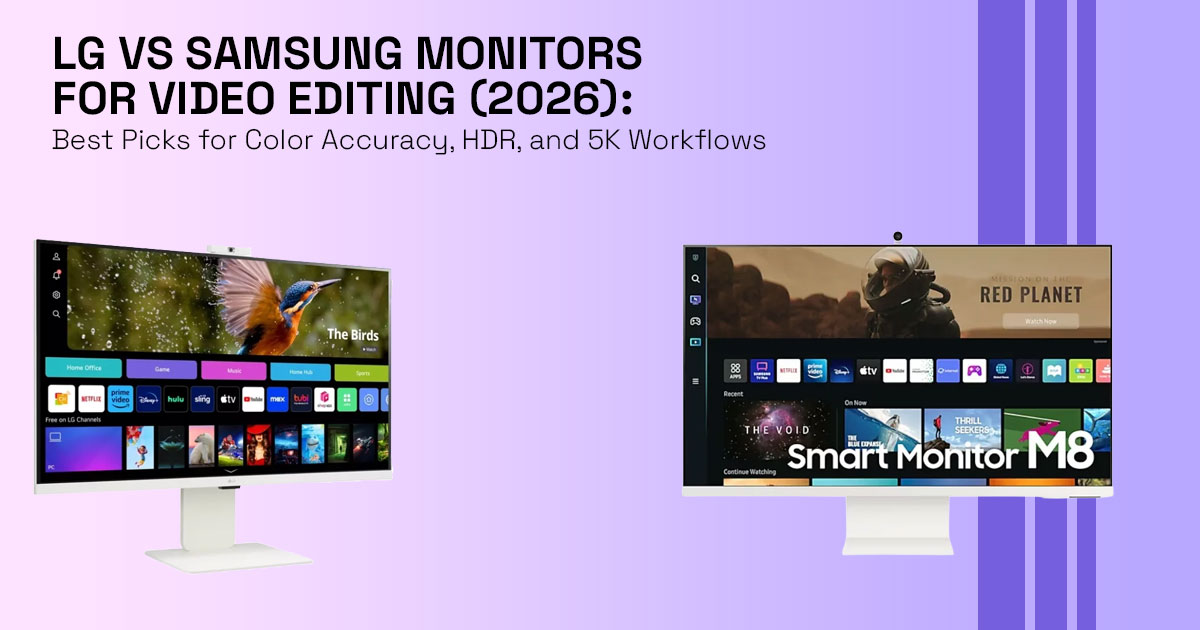
Choosing between LG vs Samsung monitors for video editing in 2026 isn’t as simple as it used to be. A few years ago, the choice felt simple: LG for color accuracy and Samsung for gaming or entertainment. Today, with the rise of QD-OLED, Mini-LED, and 5K displays, the lines have blurred. If you are a YouTuber, a professional colorist, or a freelance editor, you know that a spec sheet rarely reflects how a monitor actually behaves during a long editing session.
Most comparisons mislead creators by focusing on peak brightness or refresh rates—metrics that matter for gamers but can hurt a professional video workflow. In this guide, we’re moving past the marketing fluff to look at how these displays perform where it counts: on your timeline.
1. Why This Comparison Actually Matters
The wrong monitor doesn’t just make your desk look bad; it actively ruins your work. We’ve all been there—you spend hours perfecting a grade, only to see it look completely different on a smartphone or a TV.
When your monitor lies to you about color, the real-world consequences are immediate. Skin tones can shift and look unnatural, often leaning toward magenta, and YouTube’s aggressive compression often exaggerates these small errors into blocky, unwatchable messes. For professionals, this isn’t just a technical glitch; it’s a threat to your reputation as a creator. This is why choosing the best monitor for video editing in 2026 depends more on real workflow than specs.
2. What You’ll Learn
In this deep dive, we will break down the core philosophies of both brands and introduce a unique framework to help you decide.
You will learn:
- How to pick a display based on your specific editing workflow (Premiere Resolve).
- The critical differences between IPS, VA, and OLED for color work.
- Why HDR labels can be misleading without proper hardware.
- The best monitor for video editing 2026 for every budget level.
3. The EDIT Framework™
To help you Evaluate Displays Intelligently for Timeline Work, we developed the EDIT Framework. This system prioritizes the needs of a video editor over the generic “all-purpose” ratings you find elsewhere.
| Component | What to Look For | Why It Matters for Editors |
| Exposure Accuracy | Sustained brightness & HDR clipping control | Ensures highlights don’t “blow out” in final exports. |
| Display Color Fidelity | Delta E < 2 & high DCI-P3 coverage | Ensures accurate colors match what your audience sees. |
| Interface & Workflow | Thunderbolt 4, KVM, proper scaling | Reduces cable clutter and improves usability at 4K/5K. |
| Timeline Usability | Aspect ratio & screen curvature | More horizontal space improves editing efficiency. |
4. LG vs Samsung Monitors for Video Editing: Core Philosophy Explained
When comparing LG vs Samsung monitors for video editing, the real difference isn’t just
specs—it’s how each brand approaches image quality.
LG Electronics has built its reputation around IPS panels and creator-focused displays. Their monitors aim for consistent color accuracy, wide viewing angles, and neutral tones. If your workflow depends on tools like Adobe Premiere Pro or Adobe After Effects, LG displays—especially the UltraFine series—tend to deliver a more “what you see is what you get” image without heavy tuning.
Samsung Electronics, in contrast, focuses on contrast, depth, and visual impact. Their ViewFinity and Odyssey lineups use VA and QD-OLED panels, which produce deeper blacks and stronger highlight separation. This makes them a strong fit for editors working on HDR content, cinematic projects, or commercial visuals where contrast and punch matter as much as accuracy.
–− Simple takeaway:
- LG = Accuracy, consistency, editing precision
- Samsung = Contrast, HDR impact, cinematic feel
5. Panel Technology Breakdown: IPS vs VA vs OLED for Video Editing
Choosing the right panel is the foundation of color accurate monitors for creators.
Here’s what actually matters:
IPS Panels (Best for Color Accuracy and Editing Workflows)
- Industry standard for video editing monitors
- Found heavily in LG displays
- Delivers stable colors and wide viewing angles
- Minimal color shift when moving your head
Limitation:
- “IPS glow” can reduce black depth in dark scenes
–− Best for:
YouTube editing, color grading, long editing sessions
VA Panels (High Contrast but Less Reliable for Color Work)
- Samsung’s traditional strength
- Offers strong contrast and deeper blacks than IPS
Limitation:
- Gamma shift can cause colors to look uneven, especially on larger ultrawide screens
–− Best for:
General content creation, not precise color grading
OLED / QD-OLED Panels (Best for HDR and Cinematic Editing)
- The current standard for high-end video editing monitors
- Each pixel turns off individually → true blacks + infinite contrast
Samsung QD-OLED:
- More vibrant colors
- Higher brightness perception
LG WOLED:
- More balanced, natural tones
–− Best for:
HDR editing, film projects, high-end commercial work
6. Color Accuracy for Video Editing: Delta E, Calibration, and Color Spaces
A monitor showing “99% sRGB” doesn’t guarantee accuracy. What actually matters is Delta E.
What is Delta E (Color Accuracy Metric)?
- Measures difference between displayed and true color
- Delta E < 2 = visually accurate
–− For professional editing, always aim for Delta E under 2
Why Factory Calibration Is Not Enough
- Lighting conditions affect perception
- Two identical monitors can look different in different rooms
–− Use hardware tools like:
- Spyder
- X-Rite / Calibrite
Create a custom color profile every few weeks
Color Standards for Video Editing
- 709 → YouTube, web content
- DCI-P3 → Films, OTT platforms
–− If your monitor doesn’t match your delivery format, your final video will look off on other screens
7. 4K vs 5K Monitors for Video Editing: Resolution vs Timeline Workflow
The 4K vs 5K monitor debate isn’t about sharpness alone—it’s about workflow efficiency.
4K Monitors (Most Common Choice)
- Works well for most editors
- Affordable and widely supported
ı. Issue:
- Scaling can still feel inconsistent on Windows, while macOS handles it more smoothly
- UI may look too small or slightly soft
5K Monitors (Best for Professional Editing Setups)
- Enables Retina-level scaling
- Sharper UI, better text clarity
- More usable workspace
–− Especially useful in:
- DaVinci Resolve
- Multi-panel editing layouts
Real Workflow Benefit
With 5K:
- Timeline, preview, and tools fit comfortably
- Less zooming, faster editing
–− Conclusion:
- 4K = practical
- 5K = workflow upgrade
This is why many professionals now prefer 5K or ultrawide monitors for video editing workflows.
8. HDR Monitors for Video Editing: Real HDR vs Fake HDR Explained
Many monitors advertise HDR400, but most fail real HDR requirements.
What Real HDR Editing Needs
- 600–1000+ nits brightness
- Local dimming (Mini-LED) or per-pixel lighting (OLED)
Fake HDR (Common Problem)
- No local dimming
- Limited brightness
- Cannot display real contrast range
–− Result:
Highlights look flat, blacks look washed out
Where Samsung Leads in HDR
Samsung’s high-end displays (Neo G series, OLED models):
- Strong HDR brightness
- Better contrast handling
LG mid-range IPS:
- Accurate colors
- Limited HDR performance
9. Real-World Use Case Scenarios
| Scenario | Recommended Path | Top 2026 Pick |
| YouTube Creator | Prioritize 4K IPS for reliability and price. | LG 27GX700A-B |
| Colorist / Pro | Needs 5K resolution and perfect scaling. | Samsung ViewFinity S9 |
| Cinematic Editor | Needs OLED for HDR and deep blacks. | LG 32GS95UE-B |
| Budget Freelancer | Best “bang for buck” 4K color accuracy. | Samsung ViewFinity S7 |
10. Common Mistakes to Avoid
We see many editors make the same three mistakes when upgrading their setup:
- Buying a Curved Monitor for Precision: While great for immersion, a curve distorts straight If you are doing architectural video or precise framing, a flat panel is safer.
- Ignoring the Room: A $3,000 monitor is useless if you have a bright window behind you, causing glare. Invest in a monitor hood or blackout curtains.
- Choosing Refresh Rate Over Color: Don’t be tempted by 360Hz gaming monitors if they only offer 8-bit color. For video, 10-bit (1.07 billion colors) is non-negotiable to avoid “banding” in skies and gradients.
11. Who Should Buy What (Quick Decision Guide)
If you’re still unsure, here’s a simple way to decide based on your work:
YouTube Creators (Rec.709 Workflows)
- Go with an LG IPS 4K monitor
- You’ll get stable colors and predictable results across devices
Professional Colorists
- Pick a 5K display or calibrated IPS panel
- Accuracy matters more than contrast here
Cinematic Editors (HDR Projects)
- Choose Samsung QD-OLED or Mini-LED
- Better contrast and highlight control for HDR timelines
Freelancers on a Budget
- Stick with a good 4K IPS monitor
- Focus on calibration instead of chasing specs
Power Users / Dual Setup
Use:
- LG IPS for editing UI
- Samsung OLED for preview playback
–− This gives you both accuracy and visual depth
12. Quick Answer Section
Q: Which is better for video editing? A: LG is generally better for out-of-the-box color accuracy and IPS stability. Samsung is superior for HDR performance and high-contrast cinematic work.
Q: Do I need a 10-bit display? A: Yes. If you are grading 10-bit footage from a Sony A7SIII or Canon R5, an 8-bit monitor will hide the very details you are trying to adjust.
Q: Is a curved monitor good for editing? A: Generally, no. It can distort your perception of geometry. However, for ultra-wide timelines, a subtle curve can reduce neck strain.
13. Final Verdict
If your work is all about color precision and “what you see is what you get,” go with an LG IPS or their latest OLED series. There’s a reason they’re still the industry benchmark.
However, if you are pushing the boundaries of HDR and want a display that makes your footage look like a blockbuster movie, Samsung’s QD-OLED and Mini-LED displays are among the strongest options available today.
For the serious editor, the best setup is often a dual-monitor approach: a flat LG IPS for your UI and color-critical work, paired with a large Samsung OLED for full-screen playback and client reviews.
Ready to upgrade your timeline? Check out the latest deals on the Samsung ViewFinity S9 and LG UltraFine series on Amazon to upgrade your editing setup.
We want to hear from you! What is the one feature you can’t live without in your editing setup? Drop a comment below or ask us for a personalized recommendation based on your GPU and workflow!
***Disclaimer***
This blog post reflects our own research, testing, and personal opinions. It should not be taken as the official position of any brand, manufacturer, or company mentioned here. While we aim to keep information accurate and up to date, product details, pricing, and availability can change. We recommend double-checking important details before making a purchase.
Some links in this article may be affiliate links. If you choose to buy through these links, we may earn a small commission at no extra cost to you. This helps support our work and allows us to keep publishing in-depth, unbiased reviews. Our recommendations are never influenced by affiliate partnerships.
Comments shared by readers reflect their own views and not ours. We are not responsible for outcomes resulting from the use of information on this site. Please seek professional advice where appropriate.
All product names, logos, and brands mentioned are the property of their respective owners. These names are used for identification and informational purposes only and do not imply endorsement.
