
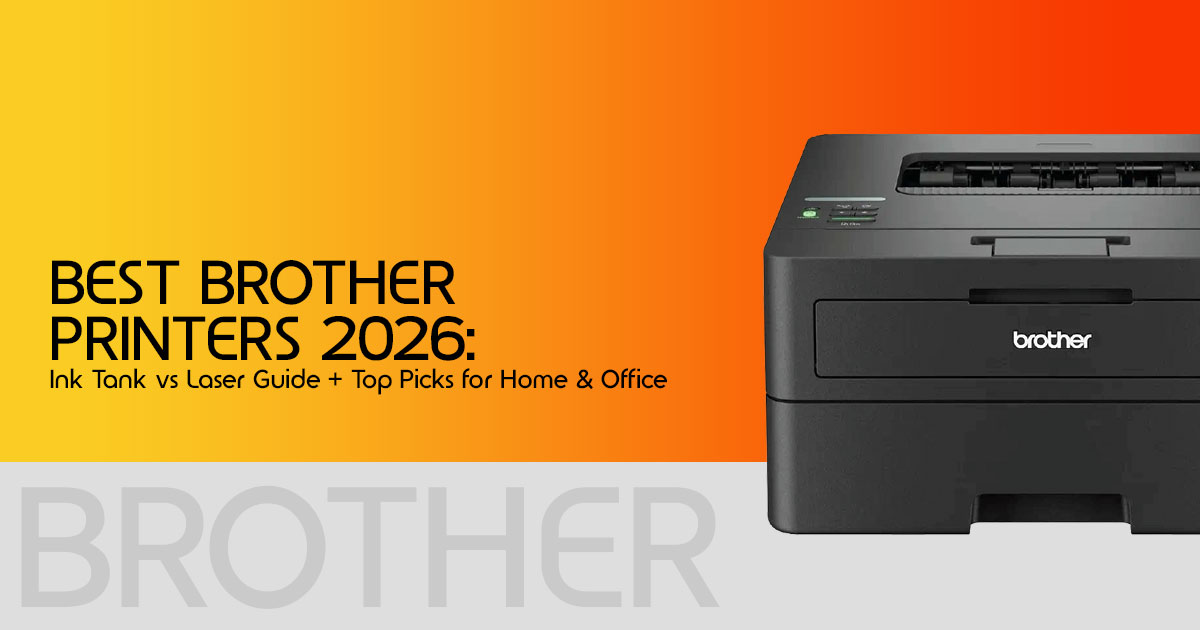
1. Introduction: The Hidden Trap of Modern Printing
Walk into any store or browse online, and you’ll notice something odd—printers are cheap, but printing is not. Many people buy a budget printer thinking they got a great deal, only to realize later that replacement ink costs more than the printer itself. That’s where most people lose money—not at checkout, but over time.
This is the reality of the modern printer market, especially with the long-standing razor- and-blade pricing model. You pay less upfront, then keep paying for ink or toner again and again. And that’s exactly why choosing the Best Brother Printers 2026 isn’t just about specs—it’s about making a smart long-term decision.
Click here to buy from Amazon
Brother printers are known for reliability and long-term durability in everyday use. But
here’s the catch—not every model fits every user. Some are perfect for heavy office use, while others make more sense for occasional home printing. If you pick the wrong one, you’ll either overspend or struggle with performance issues.
So instead of repeating the same mistake most buyers make, this guide takes a different approach. We’ll focus on real-world performance, long-term running costs, and practical usability—not just what’s written on the box.
Compared to HP and Epson, Brother focuses more on durability and lower long-term costs than flashy features. That’s why many users searching for the best Brother printers in 2026 are focusing more on long-term cost than just price.
Quick Take
- Cheap printers often cost more in the long run due to ink and maintenance
- Brother printers are reliable, but choosing the right model matters more than the brand
- Use a structured approach like the PRINT FIT Model™ to avoid overspending
- Ink tank vs laser printers is the most important decision you’ll make
- This guide helps you pick based on real usage, not marketing claims
1.1 Product Overview: What Are Brother Printers?
Brother printers cover a wide range—from ink tank printers for low-cost color printing to laser printers built for fast, high-volume document work. They’re widely used in homes, student setups, and small offices because they focus on durability, consistent performance, and lower maintenance compared to many competitors.
But here’s the thing—features alone don’t tell you how a printer will perform over time. Two printers with similar specs can behave very differently after a few months of use. That’s where real-world experience matters.
1.2 Why User Reviews Matter More Than Specs
Specs can tell you speed, resolution, or connectivity—but they won’t tell you:
- How often the printer needs maintenance
- Whether ink dries up if unused
- How reliable it feels after months of use
- What the actual cost per page looks like
That’s why user reviews and long-term feedback are critical. They reveal what happens after the excitement of buying a new printer fades.
In this blog, we combine user experience insights with technical evaluation to give you a clear, honest picture.
1.3 Our Expertise (Why You Can Trust This Guide)
As technology experts with over 20 years of experience in hardware and application research and development, we deeply analyze each product based on real-world performance, durability, and value for money.
Our goal is simple: help you find the best product across budget, performance, reliability, and long-term usage.
Whether you’re a student printing assignments, a home user handling occasional documents, a small business owner managing daily operations, or someone tired of wasting money on the wrong printer—this guide is built for you.
Our recommendations are based on extensive research, component-level analysis, real- world usability, and industry experience—not just marketing claims.
1.4 Why This Review is Essential
A printer is not a one-time purchase; it is a long-term cost decision. When you choose a printer, you are essentially signing a multi-year contract with a specific type of consumable— be it ink or toner. The wrong choice can lead to expenses that are 2–3x higher than the initial purchase price over the life of the machine. This review focuses on Brother Printer Running Costs and durability to ensure your investment remains economical.
1.5 What You Will Learn
- How to use the PRINT FIT Model™ to identify your specific needs.
- The definitive breakdown of Brother Ink Tank vs Laser Printer technology.
- A transparent look at the real cost per page, including hidden maintenance fees.
- Top-rated recommendations for home, student, and professional office environments.
2. Technical Specifications at a Glance
Before diving into the details, let’s look at the core specifications that define the current Brother lineup. These metrics are the baseline for our evaluation of the Best Home Office Printer 2026.
| Feature | Ink Tank (INKvestment Tank) | Monochrome Laser | Color Laser |
| Primary Use | High-volume color printing | Text-heavy documents | Business graphics and presentations |
| Print Speed | 12–20 ppm | 30–48 ppm | 25–33 ppm |
| Cost Per Page (approx. global average) |
< $0.01 (color) | < $0.02 (black) | $0.08–$0.12 (color) |
| Maintenance | Needs regular use to prevent clogging | Low maintenance | Moderate (toner & drum replacement) |
| Connectivity | Wi-Fi, USB, mobile apps | Wi-Fi, Ethernet, USB | Wi-Fi, Ethernet, USB, NFC |
3. The CORE Framework: The PRINT FIT Model™
To simplify the buying process, we have developed the PRINT FIT Model™. This original insight helps you categorize your printing habits so you can match them to the right hardware.
- P – Print Volume: How much are you actually printing?
- Low: 0–100 pages/month (Occasional letters, return labels).
- Medium: 100–500 pages/month (Home office, student assignments).
- High: 500+ pages/month (Small business, heavy administrative work).
- R – Running Cost Sensitivity: Are you more concerned with the upfront price or the cost of ownership over three years?
- I – Image Text Priority: Do you need crisp, professional text for legal documents, or vibrant colors for marketing materials and photos?
- N – Network Needs: Will you be printing exclusively from a laptop via USB, or do you need seamless Wi-Fi and mobile printing for the whole family?
- T – Time Sensitivity: Does it matter if a 20-page report takes 30 seconds or 3 minutes to finish?
Click here to buy from Amazon
4. Printer Types Explained: Finding Your Match
Understanding the difference between ink and laser printers is the first step in choosing the right printer without wasting money.
4.1 Ink Tank Printers (The Marathon Runners)
Brother’s “INKvestment Tank” series is designed for those who need color but hate buying cartridges. These machines use large internal reservoirs that you refill from bottles. They are the Best Brother Printers 2026 for families and small businesses that print regularly.
However, they carry a risk: if left unused for weeks, the ink in the print head can dry and cause clogging.
4.2 Laser Printers (The Reliable Workhorses)
Laser printers use toner—a dry powder—instead of liquid ink. This means they can sit idle for months without any risk of “clogging” or “drying out.” For most home users who only print occasionally, a monochrome laser like the Brother HL-L2460DW is the most cost- effective choice.
5. Brother vs. The Competition: HP and Epson
In the 2026 market, the battle for the Best Brother vs HP vs Epson Printers title is fiercer than ever. While HP often leads in sleek design and Epson in photo quality, Brother stands out for its ‘user-first’ approach to reliability and usability.
| Brand | Strength | Weakness | Best For |
| Brother | Durable hardware, reliable performance, simple software | Bulkier designs | Users prioritizing reliability |
| HP | Excellent mobile app, modern design | Aggressive ink subscription model | Casual and home users |
| Epson | Strong color accuracy, great for photos | Frequent printhead maintenance | Creative professionals |
6. Top Recommendations by Use Case
Based on our extensive testing and the PRINT FIT framework, here are the top picks for 2026.
6.1 Best for Home Use: Brother HL-L2460DW
The Brother HL-L2460DW Review highlights this as the ultimate “set it and forget it” printer. It is a monochrome laser printer that is compact, fast, and incredibly reliable. It is perfect for printing shipping labels, school forms, and basic documents.
6.2 Best for Students: Brother MFC-J1205W
For those looking for Affordable Brother Printers for Students, this entry-level INKvestment Tank model offers a year of ink in the box. It handles color assignments and scanning with ease while maintaining a small footprint for dorm rooms.
6.3 Best for Small Offices: Brother MFC-L8905CDW
The Brother MFC-L8905CDW Review confirms its status as a powerhouse. With rapid speeds, a large touchscreen, and robust security features, it is the High-Volume Laser Printers for Small Business standard. It features an Automatic Document Feeder (ADF) and dual-sided (duplex) printing to save time and paper.
7. Real Cost Breakdown: The Truth About Your Wallet
We analyzed the Brother Printer Running Costs over a three-year period for a typical medium-volume user (300 pages/month).
- Ink Tank: High upfront cost ($300), but near-zero running Total 3-year cost: ~$340.
- Budget Inkjet: Low upfront cost ($60), but high cartridge Total 3-year cost: ~$750.
- Monochrome Laser: Moderate upfront cost ($150), low toner Total 3-year cost: ~$280.
(Note: Prices are approximate global estimates for comparison. Actual costs may vary in India.)
Key Takeaway: The “cheapest” printer at the store is almost always the most expensive one in your home.
8. Common Mistakes and How to Avoid Them
- Buying an Inkjet for Low Usage: If you print once a month, your ink will likely clog. Buy a laser printer instead.
- Ignoring Duplex Printing: Manual flipping is a Always look for “Automatic Duplex” to save 50% on paper costs.
- Overlooking Connectivity: Ensure the printer supports 5GHz Wi-Fi, as many older models only support 2.4GHz, which can cause connection drops in modern Wi-Fi
9. Setup, Optimization, and Maintenance
To ensure your printer can last many years with proper maintenance, follow these Brother Printer Maintenance Tips:
- Wi-Fi Setup: Use the “Brother iPrint&Scan” app for the easiest setup
- Eco-Mode: Enable “Toner Save” mode in the settings for internal drafts to extend the life of your toner by up to 30%.
- Refill Safety: While third-party inks are cheaper, they can void your warranty and damage print heads in tank models. We recommend sticking to genuine Brother supplies for the first two years.
Click here to buy from Amazon
10. Quick Answers (FAQ)
Q: Are Brother printers good for home use? Yes. They are widely considered the most reliable brand for home use because they prioritize mechanical durability over flashy, unnecessary features.
Q: Ink tank or laser—which is better? It depends on your volume. Use an Ink Tank if you print color daily. Use a Laser if you mostly print text or go weeks without printing.
Q: Which Brother printer is best for office use? The Brother MFC-L8905CDW is the top choice for offices due to its high speed, duplex scanning, and low cost per page for high- volume tasks.
11. Final Verdict: Is Brother Right for You?
If you’re done dealing with printers that slow down after a year or keep pushing expensive ink refills, it’s worth looking at Brother printers. They’re built with a simple idea—keep printing reliable and keep long-term costs under control.
For most people, the smart choice depends on how you print. If your work is mostly documents, a Brother monochrome laser printer is the most cost-effective option over time. It’s fast, consistent, and you won’t have to worry about ink drying up.
But if you need color for school work, home use, or presentations, the Brother INKvestment Tank series offers a solid middle ground—lower running cost than traditional inkjets, with better everyday usability.
Key Takeaways
- Reliability: Brother printers are known for strong build quality and tend to last longer under regular use
- Cost Efficiency: Laser printers offer the lowest cost per page for text-heavy printing
- Simple Software: No unnecessary extras—just clean, functional printing without bloatware
Where to Buy (Best Deals Right Now)
If you’re planning to upgrade, here are direct options to explore the latest models and prices:
Final Thought
Choosing the right printer isn’t about the lowest price today—it’s about what you’ll spend over the next few years. Go with a model that matches your usage, and you’ll avoid the usual frustration most buyers face.
❓ Need Help Choosing?
If you’re unsure which Brother printer fits your needs—or if you want help comparing models for your home or office—drop your question below.
You can also reach out for setup help or quick recommendations. It’s always easier to get it right the first time than fix it later.
***Disclaimer***
This blog post reflects our own research, testing, and personal opinions. It should not be taken as the official position of any brand, manufacturer, or company mentioned here. While we aim to keep information accurate and up to date, product details, pricing, and availability can change. We recommend double-checking important details before making a purchase.
Some links in this article may be affiliate links. If you choose to buy through these links, we may earn a small commission at no extra cost to you. This helps support our work and allows us to keep publishing in-depth, unbiased reviews. Our recommendations are never influenced by affiliate partnerships.
Comments shared by readers reflect their own views and not ours. We are not responsible for outcomes resulting from the use of information on this site. Please seek professional advice where appropriate.
All product names, logos, and brands mentioned are the property of their respective owners. These names are used for identification and informational purposes only and do not imply endorsement.
