
Quick Verdict
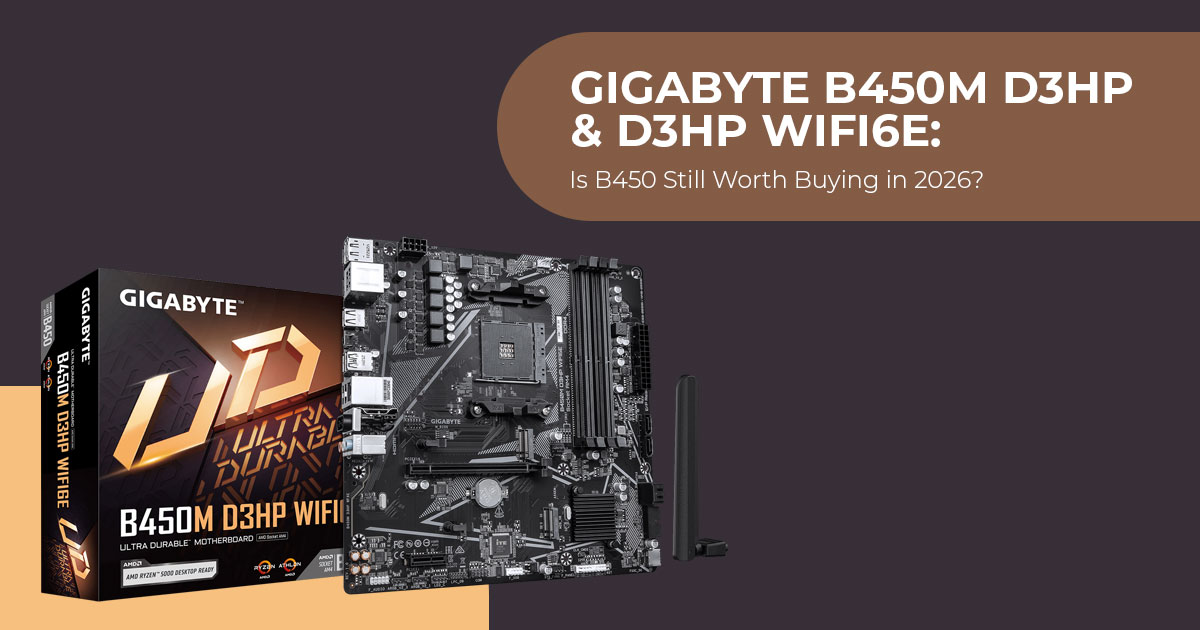
The Gigabyte B450M D3HP and B450M D3HP WIFI6E take a slightly unusual approach in 2026. Instead of moving to a newer platform, Gigabyte has brought back the AMD B450 chipset with modern touches that make these boards relevant to budget PC builders.
That may sound strange at first. After all, B450 is an eight-year-old chipset. But age does not automatically make a motherboard a bad choice. With affordable AM4 processors, DDR4 memory, and widely available components, these boards can still make sense for someone who wants a capable PC without paying for features they may never use.
We approach every product with more than 20 years of experience in hardware and application research and development. Our analysis focuses on what matters after the specifications are forgotten: performance, durability, reliability, compatibility, and value for money. The aim is straightforward—to help you choose a product that fits your needs and your budget.
For the Gigabyte B450M D3HP series, that makes the target audience fairly clear. These motherboards are worth considering if you are a budget-conscious PC builder, student, home user, first-time PC builder, or existing AM4 user looking for an affordable upgrade. They can also appeal to buyers who would rather spend more of their budget on a better CPU, more storage, or a dedicated graphics card than on a newer motherboard platform.
Our recommendations are based on extensive research, component analysis, real-world usability, and industry expertise. We look at more than a feature list. The important question is whether the hardware delivers a sensible experience in everyday use and whether its strengths justify its limitations.
So, is bringing B450 back in 2026 a smart move? For a high-end gaming PC, probably not. For an affordable AM4 build where every rupee or dollar matters, the answer is more interesting. The B450M D3HP and B450M D3HP WIFI6E could offer a practical way to build or refresh a PC while keeping the overall cost under control.
| Model | Best For | Price |
|---|---|---|
| B450M D3HP | Wired budget builds, office PCs, and secondary systems | Not officially announced |
| B450M D3HP WIFI6E | Compact wireless builds and users who need integrated Wi-Fi and Bluetooth | Not officially announced |
Why New B450 Motherboards in 2026?
So why is Gigabyte launching a B450 board in 2026? The AM4 platform launched in 2016 and was superseded by AM5 in 2022. Under normal circumstances, manufacturers stop producing boards for older sockets once the new generation arrives.
The market has changed enough to make bringing B450 back less unusual than it first appears.
DDR5 pricing has remained elevated through 2025 and into 2026 as memory suppliers deal with tight supply and strong demand from AI and server markets. High-Bandwidth Memory (HBM) is one part of that shift. For budget builders, this makes DDR4-based platforms more attractive, especially for those who already own compatible DDR4 memory.
At the same time, the AM4 installed base remains large, with many users still running DDR4 memory and Ryzen processors. The Ryzen 5 5600 and Ryzen 7 5800X3D can still deliver strong gaming performance, making AM4 a practical option for buyers who already own compatible hardware or are building on a tight budget.
Gigabyte has responded to this demand by refreshing its entry-level AM4 motherboard lineup. The company launched four A520 and B550 boards earlier in 2026 and followed up with B550 X-series models featuring Wi-Fi 7. The B450M D3HP series appears to target the lower end of that market, offering an affordable entry into an AM4 build with newer features.
Specifications Comparison
Here is how the two new models stack up against each other and against the older B450M DS3H.
| Specification | B450M DS3H (Old) | B450M D3HP | B450M D3HP WIFI6E |
|---|---|---|---|
| Chipset | AMD B450 | AMD B450 | AMD B450 |
| Socket | AM4 | AM4 | AM4 |
| Form Factor | Micro-ATX | Micro-ATX | Micro-ATX |
| VRM | 4+2 phase | 4+2 phase digital | 4+2 phase digital |
| RAM Slots | 4× DDR4 | 4× DDR4 | 4× DDR4 |
| Maximum RAM | 128 GB | 128 GB | 128 GB |
| M.2 Slots | 1× PCIe 3.0 x4 | 2× (1× PCIe 3.0 x4 + 1× PCIe 2.0 x2) | 2× (1× PCIe 3.0 x4 + 1× PCIe 2.0 x2) |
| SATA Ports | 4 | 4 | 4 |
| Rear USB | 4× USB 3.1 Gen 1 + 4× USB 2.0 | 4× USB 3.2 Gen 1 + 3× USB 2.0 | 4× USB 3.2 Gen 1 + 3× USB 2.0 |
| Front USB-C | ❌ No | ✅ Yes (5 Gbps) | ✅ Yes (5 Gbps) |
| Display Outputs | 1× HDMI | 2× HDMI + 1× DisplayPort 1.2 | 2× HDMI + 1× DisplayPort 1.2 |
| PS/2 Port | ✅ Yes | ❌ No | ❌ No |
| Q-Flash Plus | ❌ No | ✅ Yes | ✅ Yes |
| RGB Headers | 1× RGB + 2× ARGB | 1× RGB + 3× ARGB Gen 2 | 1× RGB + 3× ARGB Gen 2 |
| Ethernet | Realtek GbE | Realtek GbE + cFosSpeed | Realtek GbE + cFosSpeed |
| Wi-Fi / Bluetooth | Optional; Wi-Fi 5 on some SKUs | None | Wi-Fi 6E + Bluetooth 5.4 |
| Audio | Realtek ALC887 | Realtek CODEC | Realtek CODEC |
| Dimensions | 24.4 × 21.5 cm | 24.4 × 24.4 cm | 24.4 × 24.4 cm |
What Has Improved Over the DS3H?
The D3HP series is not a minor revision — several meaningful upgrades distinguish it from the older B450M DS3H.
Dual M.2 Storage
The DS3H featured a single M.2 slot. The D3HP adds a second M.2 connector, giving users more flexibility for NVMe storage. The primary slot (M2A_CPU) connects directly to the CPU and runs at PCIe 3.0 x4, providing the full bandwidth available from that interface for most PCIe 3.0 NVMe drives. The secondary slot (M2B_SB) runs through the chipset at PCIe 2.0 x2, which caps throughput at roughly 1 GB/s.
In practice, the primary slot is the one to use for your main SSD. The secondary slot is better suited to less speed-sensitive tasks — additional game storage, media files, or backups. Its interface has more theoretical bandwidth than SATA 6Gbps, although real-world performance depends on the SSD and workload.
USB Type-C Front Header
The older DS3H does not have a USB-C port, and the new D3HP boards also lack USB-C on the rear I/O panel. However, the D3HP adds an internal USB Type-C header supporting 5 Gbps transfers. This means modern PC cases with front-panel USB-C can connect directly to the motherboard without adapters. The dual USB 3.2 Gen 1 internal header (supporting two ports) is another welcome addition for case front I/O.
More Display Outputs
With the PS/2 port removed, Gigabyte made room for a second HDMI port and a DisplayPort 1.2 connector alongside the existing HDMI output. This matters most for builders using AMD APUs with integrated graphics — the Ryzen 5000 G-Series and 4000 G-Series processors, for instance. On compatible processors with integrated graphics, the three display outputs can support multi-monitor setups without a discrete graphics card.
Q-Flash Plus
Q-Flash Plus allows BIOS updates without a CPU, RAM, or GPU installed. This feature is more commonly seen on mid-range and higher motherboards, so its inclusion on a budget B450 board is notable. It is particularly useful for builders who might pair this board with a Ryzen 5000 CPU and need to ensure the BIOS is current before the first boot, removing the uncertainty around which BIOS version ships from the factory.
RGB Gen 2 Headers
The D3HP includes three addressable RGB Gen 2 headers and one standard RGB header. Gen 2 headers can detect the exact number of LEDs on a connected strip or device, enabling more precise lighting control and effects through Gigabyte’s RGB FUSION 2.0 software. For builders who want RGB lighting without paying a premium, this is a practical inclusion.
Smart Fan 6
Gigabyte’s Smart Fan 6 provides multi-point fan curve control for the board’s hybrid fan headers, with support for PWM and DC fans. The FAN STOP feature can halt fans below a user-defined temperature threshold, helping keep the system quiet during light workloads.
Where the Compromises Are
The trade-offs are just as important as the upgrades.
PCIe 3.0 Only
The B450 chipset does not support PCIe 4.0. The single PCIe x16 slot runs at PCIe 3.0 x16, and both M.2 slots are limited to PCIe 3.0 and PCIe 2.0 respectively. This means modern PCIe 4.0 graphics cards (such as the RTX 4060 or RX 7600 series) will work, but the impact of the PCIe 3.0 interface can vary by GPU, game, and workload. For many mid-range GPUs, the real-world gaming difference is small.
For storage, a PCIe 4.0 NVMe drive installed in the primary slot will operate at PCIe 3.0 speeds, reducing its theoretical interface bandwidth by about half. Real-world load times for games and applications, however, are unlikely to feel noticeably slower.
No 2.5Gb Ethernet
Networking is limited to standard Gigabit Ethernet via a Realtek controller. Gigabit Ethernet is sufficient for internet plans up to 1 Gbps and typical online gaming. Users with multi-gig internet plans or those who frequently transfer large files over a local network may want to step up to a board with 2.5GbE.
Rear USB-C Absent
The USB-C header is internal — there is no USB-C port on the rear I/O panel. Rear connectivity consists of four USB 3.2 Gen 1 Type-A ports and three USB 2.0 Type-A ports. This is adequate for keyboards, mice, and peripherals, but users who frequently connect USB-C devices directly to the rear may need an adapter.
Second M.2 Slot Speed
The secondary M.2 slot running at PCIe 2.0 x2 is a notable bottleneck for any modern NVMe drive. It is best reserved for game storage or less demanding workloads, not for operating system drives or high-speed data tasks.
Who Benefits Most from the Wi-Fi 6E Model?
The B450M D3HP WIFI6E is the more feature-rich version, adding wireless connectivity that may make it worthwhile for certain users.
The included Realtek RTL8852CE module supports:
- Wi-Fi 6E on the 2.4 GHz, 5 GHz, and 6 GHz bands
- Theoretical speeds up to 4 Gbps
- Bluetooth 4 for wireless peripherals
The 6 GHz band can provide a cleaner wireless environment than the crowded 2.4 GHz and 5 GHz bands. In dense areas with many competing networks, it can help, provided you have a compatible router and device.
This model is best suited for:
- Builders who cannot run Ethernet to their desk
- Compact living room or bedroom PCs
- Users who want Bluetooth built-in rather than adding a USB dongle
- Anyone building a system they may move between locations
For those with wired Ethernet already in place and no need for Bluetooth, the standard D3HP is the more sensible choice.
How It Compares to Other Budget Options in 2026
The D3HP series also has to compete with newer boards.
vs. Entry-Level B550 Boards
B550 motherboards offer PCIe 4.0 support for both the primary GPU slot and one M.2 slot. This alone makes them technically superior to any B450 board. Models like the MSI B550M PRO-VDH Wi-Fi and Gigabyte B550M DS3H AC are widely available and can compete closely with the D3HP on price.
The B450M D3HP needs to be priced clearly below these B550 alternatives to make sense. If the price gap is too narrow, most buyers would be better served by opting for B550 and gaining PCIe 4.0 support.
vs. Entry-Level AM5 Boards
Entry-level AM5 motherboards can cost more than budget B450 and B550 options, and DDR5 adds to the platform cost. Depending on the CPU, motherboard, and memory chosen, moving to AM5 can add a significant amount to the total build cost. For budget builders with a hard cap on total system cost, that difference can affect the choice between a discrete GPU and integrated graphics.
The D3HP makes sense when price matters most and you’re comfortable staying on AM4.
vs. Used or Older AM4 Boards
Used B450 and B550 boards can be found on the secondhand market. The advantage of buying new — like the D3HP — is a fresh warranty and the inclusion of newer features like Q-Flash Plus, USB-C headers, and RGB Gen 2 that older boards lack. For buyers who prefer not to gamble on used hardware, the D3HP provides a new alternative.
Compatible CPU Recommendations
Based on available CPU support information and reported testing, here is how the D3HP boards pair with popular AM4 processors.
| CPU | Tier | Best For | Notes |
|---|---|---|---|
| Ryzen 5 5600 | Budget Gaming | 1080p gaming builds | Good price-to-performance ratio; widely available and well suited to affordable gaming PCs. |
| Ryzen 5 5600G | Budget APU | Office PCs, HTPCs, and builds without a dedicated GPU | Includes integrated graphics, allowing the motherboard’s supported display outputs to be used without a discrete graphics card. |
| Ryzen 7 5700X3D | Mid-Range Gaming | Higher-FPS 1080p and 1440p gaming | 3D V-Cache significantly improves gaming performance, making it a strong AM4 gaming upgrade. |
| Ryzen 7 5800X3D | Enthusiast Gaming | Maximizing AM4 gaming performance | One of the fastest gaming CPUs for the AM4 platform, although it typically commands a price premium. |
| Ryzen 5 5500 | Ultra Budget | Lowest-cost gaming builds | Has less cache than the Ryzen 5 5600 and generally delivers lower gaming FPS, but can make sense at a sufficiently lower price. |
| Ryzen 3 4100 | Entry Level | Basic office work and light everyday use | Suitable for inexpensive systems, but offers limited performance and upgrade headroom compared with higher-tier AM4 CPUs. |
The 4+2 phase VRM on the D3HP is sufficient for Ryzen 5 and Ryzen 7 processors at stock settings. For overclocking a Ryzen 7 or Ryzen 9, a board with a stronger VRM would be more appropriate.
Memory Recommendations
The official spec lists support for DDR4 2667 MT/s (CPU-dependent), but these boards support XMP profiles, which means higher-speed kits can run at their rated speeds if the CPU’s memory controller allows it.
For Ryzen 5000 series processors, DDR4-3200 CL16 or DDR4-3600 CL18 kits are generally considered a good balance of performance and price. For a new gaming or multitasking PC, 32 GB is a sensible target, while 16 GB remains adequate for lighter use.
Higher-speed kits — DDR4-3600 and above — may require manual tuning and are not guaranteed to run at rated speeds on B450 boards due to memory topology differences.
Build Scenarios Where This Board Makes Sense
Scenario 1: A Budget Gaming PC
A build around the Ryzen 5 5600, B450M D3HP, 16 GB DDR4-3200, and a budget GPU such as an RX 6600 or RTX 3060 can form the basis of an affordable 1080p gaming system, depending on current component prices. The money saved on the platform can go toward a better graphics card.
Scenario 2: The Office or HTPC
Using the Ryzen 5 5600G (integrated graphics) with the B450M D3HP creates an office PC or home theater system without a discrete GPU. The triple display outputs (2× HDMI + 1× DP) support multi-monitor productivity setups.
Scenario 3: The DDR4 Reuse Build
For users upgrading from an older AM4 system who already own DDR4 memory and possibly a Ryzen CPU, the D3HP provides a new motherboard with modern conveniences (Q-Flash Plus, USB-C, dual M.2) without forcing a platform-wide upgrade to AM5 and DDR5.
What We Would Like to Know Before Buying
Gigabyte has not yet announced official pricing or regional availability. Based on industry coverage, we expect these boards to appear at retailers in the coming weeks.
A few things worth confirming before purchase:
- Exact street pricing in your region — the value proposition depends heavily on this
- BIOS version shipped from the factory — whether it supports Ryzen 5000 out of the box
- Local warranty terms — coverage varies by market
Final Considerations
The Gigabyte B450M D3HP series fills a specific niche in the 2026 motherboard market. It is not the most technically capable board available, nor is it intended to be. It is a practical response to real market conditions — elevated DDR5 prices, sustained demand for budget AM4 builds, and a large existing user base with DDR4 hardware they want to keep using.
If keeping the platform cost low matters most, and PCIe 3.0 is enough for you, the D3HP offers a useful set of modern features. The B450M D3HP WIFI6E variant adds wireless connectivity, including the 6 GHz band, for buyers who need those features.
For anyone with a flexible budget, a B550 board with PCIe 4.0 support is the technically better choice. And for buyers who want the option to upgrade the CPU later, AM5’s longer-term upgrade path may justify the higher upfront cost.
But for the specific use case of a low-cost AM4 build in 2026 — using existing DDR4, reusing a Ryzen CPU, or maximizing GPU budget on a tight build — these boards are worth considering.
Where to Buy
Pricing and availability have not been finalized in every market, so check current listings for the latest information.
Check the latest price on Amazon US:
View Gigabyte B450M D3HP on Amazon →
Check the latest price on Amazon India:
View Gigabyte B450M D3HP on Amazon India →
These boards were very recently announced and may not be listed at all retailers yet. Availability will likely increase over the coming weeks.
What Do You Think?
Are you considering an AM4 build in 2026, or do you think it makes more sense to move to a newer platform? Share your thoughts in the comments—we’d love to hear what you think.
If you found this guide useful, follow us for more hardware reviews, buying guides, and product analysis. And if you have any doubts about the Gigabyte B450M D3HP, B450M D3HP WIFI6E, AM4 platform, or choosing the right motherboard, feel free to ask in the comments.
We’ll do our best to help.
***Disclaimer***
This blog post reflects our research, analysis, and opinions based on available product information, user feedback, and industry knowledge. It should not be taken as the official position of any brand, manufacturer, or company mentioned here. We make every effort to keep this guide accurate, but product specifications, pricing, and availability may change after publication. We recommend double-checking important details before making a purchase.
Some links in this article may be affiliate links. If you choose to buy through these links, we may earn a small commission at no extra cost to you. This helps support our work and allows us to keep publishing in-depth, unbiased reviews. Affiliate partnerships never influence our recommendations.
Opinions expressed by readers are their own and do not necessarily reflect ours. We are not responsible for outcomes resulting from the use of information on this site. Please seek professional advice where appropriate.
All product names, logos, and brands mentioned are the property of their respective owners. These names are used for identification and informational purposes only and do not imply endorsement.
