
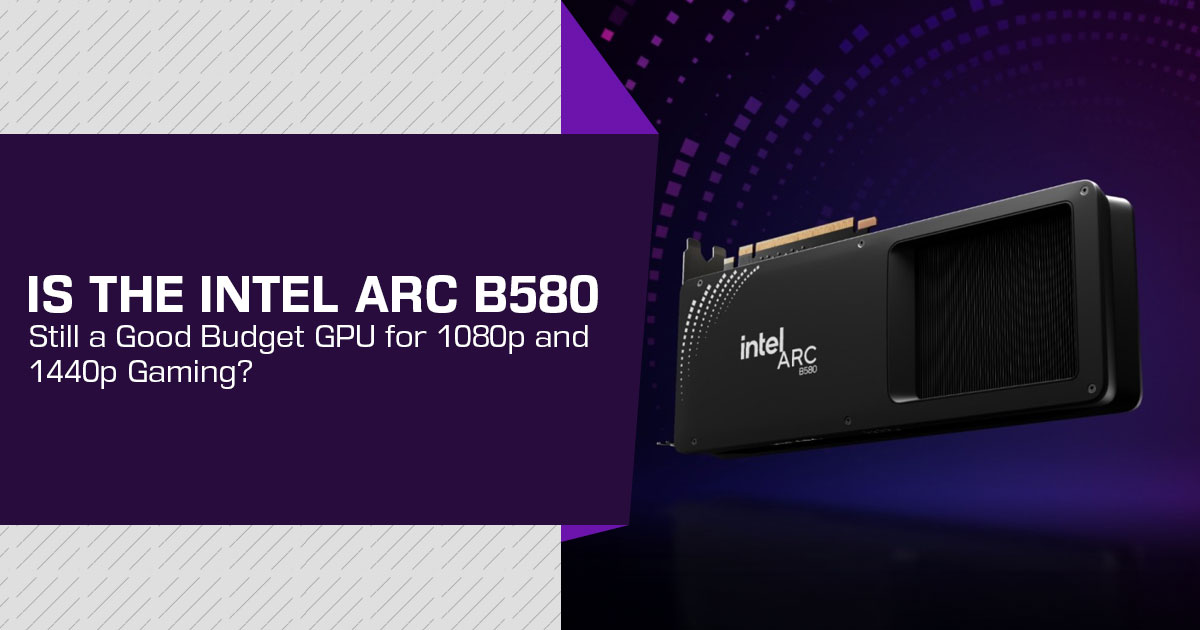
The Intel Arc B580 gives budget PC buyers a third option beyond AMD and NVIDIA. Intel lists a US$249 recommended customer price, and the card targets gamers who want solid 1080p and 1440p gaming without moving into a higher price bracket.
With 12GB of VRAM, the B580 has enough memory for current games and gives it an edge over some cards with less VRAM. It also makes the card worth considering for budget gamers, first-time PC builders, and users upgrading an older GPU.
Click here to buy from Amazon
Still, the B580 is not the right choice for every buyer. NVIDIA can be a better fit for ray tracing, creator applications, and software that relies on its ecosystem, while AMD can offer stronger raster performance when a Radeon card is available at a similar price.
As technology experts with over 20 years of experience in hardware and application research and development, we assess products based on real-world performance, durability, value for money, and long-term use. For the Intel Arc B580, we focus on what matters to budget-conscious gamers and PC builders: gaming performance, VRAM, features, software support, and what you get for your money. Our recommendations are based on product research, component analysis, real-world usability, and industry experience.
Quick answer: Is Intel Arc B580 a good budget GPU?
The Intel Arc B580 is a strong candidate for a new gaming PC aimed at 1080p gaming or entry-level 1440p gaming. Intel lists a US$249 recommended customer price, 12GB of GDDR6 memory, a 190W board power rating, and support for modern video features such as AV1 encoding and decoding.
Launch-period independent reviews also placed it ahead of older cards such as the RTX 4060 and Radeon RX 7600 in several value comparisons. However, those results depend on the game, driver version, settings, and retail price.
A practical buying rule is simple:
- Buy the Arc B580 when it is priced near competing 8GB cards and gaming is the main goal.
- Consider NVIDIA when ray tracing, DLSS, CUDA-related software, or creator applications are important.
- Consider AMD when a Radeon card offers a clearly lower price or better raster performance for the games being played.
Intel Arc B580 specifications that matter to buyers
| Specification | Intel Arc B580 | What It Means for the Buyer |
|---|---|---|
| Architecture | Xe2 (Battlemage) | Uses Intel’s newer discrete GPU architecture, succeeding the first-generation Arc Alchemist design. |
| Recommended Customer Price | US$249 | Intel’s recommended customer price; actual retail pricing can vary by region, retailer, and graphics card model. |
| Graphics Memory | 12GB GDDR6 | Provides more VRAM headroom for high-resolution textures and demanding games than many competing 8GB graphics cards. |
| Memory Interface | 192-bit | Provides up to 456 GB/s of memory bandwidth. |
| Ray-Tracing Units | 20 | Supports hardware-accelerated ray tracing, although real-world performance varies significantly between games and settings. |
| Total Board Power | 190W | Requires an appropriately sized power supply and adequate case airflow for sustained gaming workloads. |
| Intel Reference PSU Recommendation | 600W | The actual PSU requirement depends on the complete system configuration, including the CPU and other components. |
| PCIe Interface | PCIe 4.0 x8 | Compatibility and potential bandwidth limitations should be considered when installing the card in older PCIe platforms. |
| Video Support | AV1 encode/decode, H.264 and H.265 | Useful for supported game streaming, video editing, recording, and media-encoding workflows. |
| Upscaling Technology | Intel XeSS | Can increase frame rates in supported games by rendering internally at a lower resolution and reconstructing the final image. |
| Display Outputs | HDMI 2.1 and DisplayPort 2.1 | Supports modern high-resolution and high-refresh-rate monitors, subject to the specific graphics card manufacturer’s implementation. |
These figures come from Intel’s product specification page. Partner cards can differ in dimensions, cooler design, clock behavior, and power connectors.
Why 12GB of VRAM matters in a budget graphics card
Video RAM, or VRAM, stores game assets such as textures and frame data close to the GPU. A card with more VRAM does not automatically deliver higher frame rates, but insufficient VRAM can cause stuttering, texture reductions, or inconsistent performance in demanding games.
The Arc B580’s 12GB of VRAM is useful for buyers who want to play at 1440p or keep a graphics card for several years. It also gives the card more headroom than an otherwise similar 8GB model in games that use large texture packs.
There is an important limitation. VRAM capacity is only one part of performance. GPU architecture, memory bandwidth, drivers, game optimization, and the processor can all affect the final result. A 12GB card is not automatically faster than every 8GB competitor.
Gaming performance: 1080p and 1440p expectations
The Arc B580 is best understood as a budget 1080p and 1440p gaming GPU, not as a high-end 4K card.
At 1080p, it should suit buyers who want high settings in many current games, but CPU choice can affect performance in some CPU-limited titles. The exact result depends on the game and the chosen graphics preset. At 1440p, the extra memory capacity can help, but demanding titles may still require reduced settings or an upscaling mode such as XeSS.
Tom’s Guide reports strong results in several 1440p tests when ray tracing is disabled and XeSS or resolution scaling is used. Its published figures include 90 frames per second in Cyberpunk 2077 at 1440p with XeSS frame generation, 77 FPS in Black Myth: Wukong at 1440p medium with XeSS, and 106 FPS in Forza Horizon 5 at 1440p ultra without ray tracing. These are source-specific results, not universal performance guarantees.
A useful comparison method is to evaluate:
- Average frame rate.
- One-percent-low performance, which helps indicate stutter.
- Image quality at the selected upscaling mode.
- Power consumption and noise.
- The current price of each card.
Click here to buy from Amazon
Intel Arc B580 versus AMD and NVIDIA alternatives
| GPU | Main Strength | Main Concern | Best Fit |
|---|---|---|---|
| Intel Arc B580 | 12GB VRAM and strong value around the US$249 reference price | Game compatibility, ray-tracing performance, and PCIe x8 platform considerations | New budget gaming PCs targeting 1080p or 1440p gaming |
| NVIDIA GeForce RTX 5060 Ti | Strong NVIDIA software ecosystem with DLSS and extensive application support | Higher purchase price in many configurations | Buyers who prioritize NVIDIA features, DLSS, and ray tracing |
| AMD Radeon RX 9060 XT | Competitive rasterized gaming performance with 16GB variants available | Overall value depends heavily on the current street price | Buyers prioritizing traditional raster performance and VRAM capacity |
| NVIDIA GeForce RTX 5050 | Access to the familiar NVIDIA ecosystem at a lower performance and price tier | 8GB VRAM and value that can vary considerably between specific models | Buyers who specifically prefer NVIDIA and can find the card at a competitive price |
| Older RTX 3060 / RX 6600-Class GPU | Potentially attractive used-market value | Hardware age, remaining warranty, physical condition, and lower power efficiency | Budget-conscious buyers comfortable purchasing and evaluating used graphics hardware |
The right comparison is not “Intel versus every NVIDIA and AMD product.” It is Arc B580 versus the cards available at the same price on the day of purchase.
Arc B580 versus RTX 4060 and Radeon RX 7600
The launch-period comparison is especially relevant because TechPowerUp positioned the B580 against the NVIDIA GeForce RTX 4060 and AMD Radeon RX 7600. Its review describes the B580 as a US$250 launch-price card and reports that it outperformed both comparison cards in its testing.
IGN also reported a lower cost per frame for the B580 than the RTX 4060 and RX 7600 across its test suite. Its article identified the B580 as its top budget graphics card and highlighted the 12GB memory capacity.
These comparisons should be treated as historical review evidence rather than a permanent ranking. Retail prices change. Drivers improve. New GPU models appear. A discounted Radeon or GeForce card can become the better purchase even if the Arc B580 had the stronger launch value.
Ray tracing and XeSS: where the decision becomes less simple
Ray tracing simulates lighting effects such as reflections, shadows, and indirect illumination. It can improve image quality, but it also increases the workload on the GPU.
The Arc B580 supports ray tracing, but independent buying guides do not position it as the first choice for ray-traced gaming. Tom’s Guide advises buyers to avoid the B580 if ray tracing is a priority.
Intel’s XeSS technology can improve performance in supported games. Current XeSS support includes frame generation, and XeSS 3 adds Multi-Frame Generation on supported Intel hardware. These modes can raise displayed frame rates, but they do not replace the performance of a faster GPU. Frame generation can also add latency or visual artifacts in some situations.
Buyers who regularly play competitive games should evaluate native rendering, latency, and one-percent lows instead of looking only at the largest displayed FPS number.
Drivers and game compatibility
Intel Arc drivers have improved since the first Arc generation, but game and application compatibility is still worth checking before purchase. Earlier independent testing reported game and driver issues, including a rendering problem in Call of Duty: Black Ops 6.
That does not make the Arc B580 unusable. It means buyers should:
- Update the driver before judging performance.
- Check recent reports for the games they play most often.
- Confirm that the motherboard supports the relevant platform features.
- Keep the BIOS and chipset drivers current.
- Avoid assuming that one benchmark represents every game.
For a new mainstream gaming PC, the card can be a reasonable choice. For a system that must work with specialized applications or older software, NVIDIA or AMD may offer a lower-risk experience.
PCIe compatibility and system requirements
The Arc B580 uses a PCIe 4.0 x8 connection. It can operate on older PCIe systems, but the platform should be checked carefully because available bandwidth is lower on older PCIe generations. Intel also requires Resizable BAR to be enabled for optimal performance on Arc B-Series graphics.
Intel lists a 600W minimum power-supply recommendation for its reference card and specifies a single 8-pin power connector. Board-partner models can vary, so the exact product page should be checked before purchase.
The complete system should also include:
- A processor that can keep the GPU supplied with data.
- Enough case space for the selected card.
- Adequate airflow.
- A reliable power supply with the required connector.
- A motherboard and BIOS that support the card, with Resizable BAR enabled for optimal performance.
Is Intel Arc B580 suitable for streaming, editing, or AI?
The Arc B580 supports AV1, H.264, and H.265 hardware encoding and decoding. That can be useful for supported streaming and video workflows.
Gaming value does not automatically translate into professional application performance. Tom’s Guide found the card less suitable for work involving animation, video editing, and AI workloads than for gaming.
For a PC that will mainly play games and occasionally stream, the Arc B580 can be considered. For a workstation centered on CUDA applications, professional rendering, or local AI tools, the application ecosystem should be checked before buying.
Click here to buy from Amazon
Pros and cons of the Intel Arc B580
| Advantages | Limitations |
|---|---|
| 12GB of GDDR6 memory provides useful headroom for modern games, high-resolution textures, and content-creation workloads. | Actual street pricing can differ substantially from the reference or launch price. |
| Strong launch value compared with alternatives such as the GeForce RTX 4060 and Radeon RX 7600. | Ray-tracing performance is not its strongest use case, particularly in demanding titles. |
| Well suited to 1080p gaming and capable of targeting entry-level 1440p gaming with appropriate settings. | Performance and compatibility can vary between games and applications depending on Intel driver optimization. |
| Supports Intel XeSS upscaling and modern media technologies for gaming and creator workloads. | The PCIe 4.0 ×8 interface should be considered when pairing the GPU with older PCIe platforms. |
| AV1 hardware encoding and decoding makes it attractive for streaming, recording, and video-production workflows. | Card dimensions, cooling designs, and power requirements vary by board partner. |
| Provides buyers with a meaningful third GPU option alongside AMD Radeon and NVIDIA GeForce. | Certain professional, compute, and AI workloads may perform better or have broader software support on competing GPU platforms. |
Who should buy Intel Arc B580?
The Intel Arc B580 makes the most sense for a buyer who wants a new graphics card for gaming, has a budget near Intel’s US$249 reference price, and values more than 8GB of VRAM.
It is particularly relevant for:
- A new budget gaming PC.
- 1080p gaming at high settings.
- Entry-level 1440p gaming.
- Buyers who want to try Intel’s discrete GPU platform.
- Users who can check current driver support for their main games.
Who should choose AMD or NVIDIA instead?
An AMD card may be preferable when its current price is lower or when the buyer prioritizes traditional raster performance in a specific game library.
An NVIDIA card may be preferable when the buyer depends on DLSS, CUDA-compatible applications, established creator software support, or stronger ray-tracing performance in the games being played.
A buyer should also consider AMD or NVIDIA if the Arc B580 is priced substantially above its US$249 reference price. The B580’s main advantage is value. If that advantage disappears, the recommendation should be reconsidered.
Intel Arc B580 pricing and availability
Intel lists a US$249 recommended customer price, but the actual retail price can differ because of taxes, tariffs, promotions, stock levels, currency conversion, regional distribution, and the specific board-partner model.
Before purchasing, compare:
- The final delivered price.
- Warranty terms.
- Card length and thickness.
- PSU requirements.
- Return policy.
- Current driver support for the games or applications being used.
Check the current Amazon US price
Check Intel Arc B580 offers on Amazon US
Check the latest price, delivery date, seller, warranty, and return terms before ordering. The purchase link is provided for price research and may be replaced with the publication’s approved affiliate link.
Check the current Amazon India price
Check Intel Arc B580 offers on Amazon India
Indian pricing can differ from US pricing because of import costs, taxes, availability, and seller margins. Confirm the warranty and seller details before purchase.
Frequently asked questions
Is Intel Arc B580 a good budget GPU?
The Arc B580 is a strong budget GPU candidate when it is listed near Intel’s US$249 recommended customer price. Its 12GB of VRAM and 1080p/1440p gaming value are important advantages. It is not automatically the right choice for ray tracing, creator software, or every game.
Is Intel Arc B580 good for 1440p gaming?
Yes, it is suitable for entry-level 1440p gaming, especially when settings or XeSS are adjusted. Performance varies by game, and demanding titles may require lower settings or upscaling.
Is Intel Arc B580 good for ray tracing?
It supports ray tracing, but ray tracing is not its main advantage. Buyers who prioritize ray-traced effects should compare NVIDIA models and recent AMD cards using the games they actually play.
Does Intel Arc B580 have enough VRAM?
Its 12GB of GDDR6 is a useful capacity for a budget card and gives it more headroom than many 8GB alternatives. VRAM capacity alone does not determine performance.
Is Intel Arc B580 good for streaming?
Its AV1, H.264, and H.265 hardware support can help with supported streaming workflows. Software compatibility should be checked before purchase.
Should buyers choose Intel Arc B580, NVIDIA GeForce RTX 5060 Ti, or AMD Radeon RX 9060 XT?
Choose according to current price and workload. The Arc B580 is attractive for value and 12GB VRAM. NVIDIA can be stronger for some ray-tracing and software ecosystems. AMD can be preferable for raster performance or a lower listed price.
Final verdict
The B580 also reflects a broader change in the budget GPU market: Intel is now a meaningful competitor in affordable discrete graphics.
The Intel Arc B580 is not a universal replacement for AMD or NVIDIA. It is a conditional recommendation that becomes strongest when its US-listed price remains close to US$249, the main use is gaming, 12GB VRAM is valuable, and the buyer is comfortable checking drivers and system compatibility.
For many new budget gaming builds, that combination makes the B580 worth serious consideration. The final purchase decision should still be based on the current listed price, the games being played, ray-tracing expectations, software requirements, and the complete PC platform.
Have you used the Intel Arc B580, or are you considering it for your next PC build? Share your experience or questions in the comments. If you found this guide useful, follow us for more hardware reviews, buying guides, and practical advice. If you have any doubts about the B580, 1080p or 1440p gaming, or choosing a budget GPU, leave a comment and we’ll help you work through it.
Disclaimer

This blog post reflects our research, analysis, and opinions based on available product information, user feedback, and industry knowledge. It should not be taken as the official position of any brand, manufacturer, or company mentioned here. We make every effort to keep this guide accurate, but product specifications, pricing, and availability may change after publication. We recommend double-checking important details before making a purchase.

Some links in this article may be affiliate links. If you choose to buy through these links, we may earn a small commission at no extra cost to you. This helps support our work and allows us to keep publishing in-depth, unbiased reviews. Affiliate partnerships never influence our recommendations.

Opinions expressed by readers are their own and do not necessarily reflect ours. We are not responsible for outcomes resulting from the use of information on this site. Please seek professional advice where appropriate.

All product names, logos, and brands mentioned are the property of their respective owners. These names are used for identification and informational purposes only and do not imply endorsement.
