
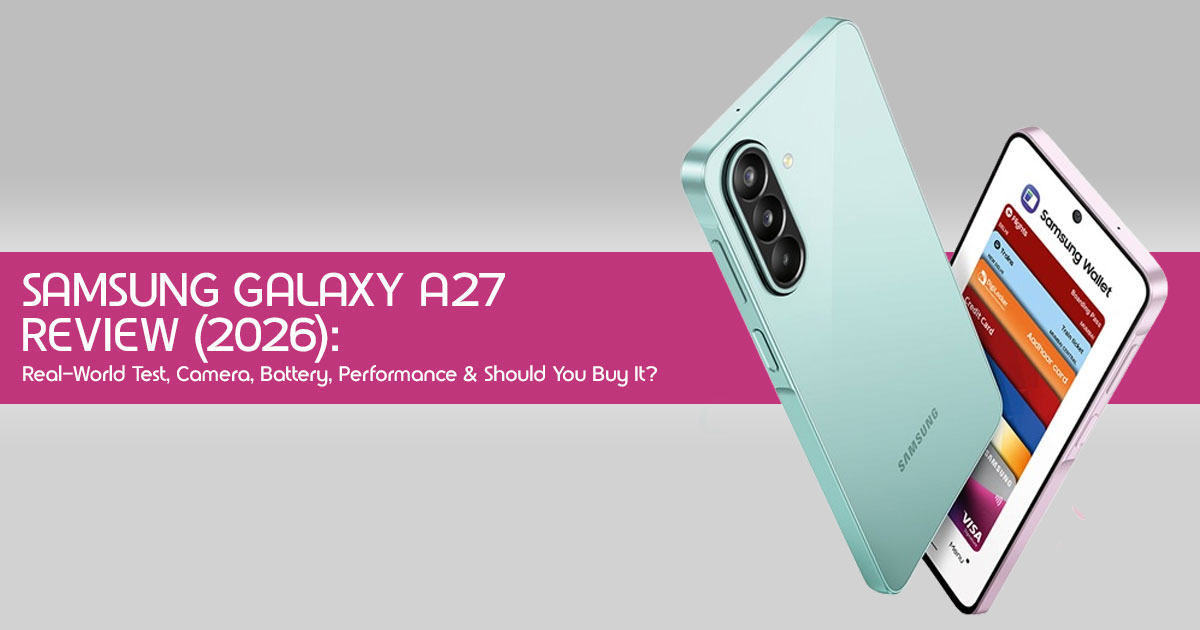
If you are looking for a reliable daily driver that won’t drain your savings, you have probably landed on the Samsung Galaxy A27 review pages. At $349.99 in the US, it sits right in the middle of the pack. But specs on a page don’t tell the whole story. We looked beyond the specifications to see how the Samsung Galaxy A27 performs in everyday use, from scrolling social media and taking photos to gaming and battery life.
This isn’t just a list of features. We will break down what it actually feels like to use the best mid-range smartphone 2026 contender, where it shines, and where Samsung made smart compromises to keep the price competitive. By the end of this guide, you will know exactly if this is the right upgrade for you.
How We Tested the Samsung Galaxy A27
We evaluated the Samsung Galaxy A27 during everyday use, including web browsing, photography, video streaming, gaming, navigation, productivity, and battery performance. Our goal was to assess how the phone performs in real-world situations rather than relying solely on specifications.
We also compared the Samsung Galaxy A27 with similarly priced smartphones to better understand where it stands in terms of value, performance, camera quality, and battery life.
Technical Specifications at a Glance
Before we get into the daily experience, here is a quick look at what you are getting for the Samsung Galaxy A27 specifications.
| Feature | Specification |
| Display | 6.7-inch Super AMOLED, 120Hz refresh rate, 1080 × 2340 resolution |
| Processor | Qualcomm Snapdragon 6 Gen 3 (4nm) |
| RAM & Storage | 6GB RAM + 128GB storage or 8GB RAM + 256GB storage, expandable via microSD card |
| Rear Cameras | 50MP primary camera (OIS), 5MP ultrawide camera, 2MP macro camera |
| Front Camera | 12MP selfie camera |
| Battery & Charging | 5,000mAh battery with 25W wired fast charging |
| Software | Android 16 with One UI 8.5, up to 6 major Android OS upgrades |
| Durability | IP64 water and dust resistance with Corning Gorilla Glass Victus+ |
Note: Software version may vary depending on your region and update status.
1. Quick Verdict
Best strengths
The standout feature here is the display. The 6.7-inch Super AMOLED screen is bright, vibrant, and incredibly smooth thanks to the 120Hz refresh rate. Paired with the Snapdragon 6 Gen 3, everyday tasks feel snappy. Samsung’s promise of six Android upgrades means the phone should stay useful for years without feeling outdated.
Biggest compromises
Samsung is still sticking to 25W charging, which is noticeably slower than many competitors in 2026. The secondary cameras (ultrawide and macro) offer limited practical value, and the lack of a charger in the box remains an annoyance for budget buyers.
Who should buy it
Students, parents, and anyone who wants a reliable phone with a great screen and long software support without spending flagship money.
Who should skip it
Heavy gamers and mobile photography enthusiasts who need versatile camera setups. You may be better served by a gaming-focused smartphone.
2. Where the Galaxy A27 Fits in Samsung’s Lineup
Position within the A-series
The Galaxy A27 sits comfortably in the middle of Samsung’s A-series lineup, balancing price, features, and long-term software support. It sits above the entry-level A17, offering a significantly better screen and processor, but below the premium A37 and A57, which boast better cameras and metal frames.
What’s new compared with last year’s model
When looking at the Samsung Galaxy A27 vs A26, the biggest upgrades are the processor and durability. Moving to the Snapdragon 6 Gen 3 brings better efficiency, and the addition of Gorilla Glass Victus+ on the front and back makes it much tougher than last year’s plastic-heavy build.
Key trade-offs versus stepping up to higher tiers
If you spend more on the A37, you get a much better ultrawide camera, a slightly faster processor, and a more premium feel. But for everyday tasks, the performance gap is surprisingly narrow.
3. Everyday Experience: What It’s Like to Live With the A27
Unlocking and responsiveness
The side-mounted fingerprint scanner is fast and reliable. It rarely missed a read during our testing, even with slightly damp thumbs. Face unlock is present but struggles in low light.
App switching
With 6GB of RAM on the base model, jumping between Instagram, Chrome, and Spotify is mostly seamless. However, if you leave a heavy game running in the background, you will notice some apps reloading when you switch back.
Calls and connectivity
Call quality is excellent. The earpiece gets plenty loud, and 5G reception held up well in both urban and suburban areas. The inclusion of eSIM support is a nice touch for frequent travelers.
Notifications and haptics
The vibration motor is decent but not flagship-level. It is strong enough that you won’t miss calls in your pocket, but typing doesn’t have that crisp, premium click you get on higher-end devices.
One-handed usability
This is a big phone. At 6.7 inches and 200 grams, you will definitely need two hands for comfortable typing. Samsung’s One UI helps by shifting interactive elements to the bottom of the screen, but it is still a stretch.
4. Display Experience Beyond the Specs
Indoor and outdoor visibility
The Galaxy A27 display quality is fantastic. The Samsung Galaxy A27 display reaches 800 nits in High Brightness Mode (HBM), making it easy to read outdoors. While extremely bright sunlight can still make the screen look a little dim, visibility remains good enough for outdoor use in most conditions.
Streaming and HDR
Watching YouTube or Netflix on this screen is a treat. The contrast is deep, and the stereo speakers get surprisingly loud, though they lack a bit of bass at maximum volume.
Reading comfort
Text is sharp, and scrolling through long articles feels buttery smooth thanks to the 120Hz refresh rate.
Eye comfort features
Samsung’s Eye Comfort Shield works well, automatically adjusting blue light based on the time of day. We found it very comfortable for late-night reading.
Refresh rate in daily use
The 120Hz rate is adaptive, meaning it drops down when you are looking at static images to save battery. You won’t notice the shifts, but you will appreciate the battery savings.
5. Performance for Real People
Messaging and social apps
For most people, the Snapdragon 6 Gen 3 has more than enough power for everyday use. Scrolling through TikTok, loading heavy Instagram feeds, and managing multiple WhatsApp chats happen without a hitch.
Multitasking
Split-screen works fine for lighter apps—like having a YouTube video playing while browsing Twitter. But don’t expect to run two heavy applications side-by-side without some stutter.
Productivity
Handling large PDFs, editing Google Docs, and managing emails is a breeze. The phone never felt bogged down during typical workday tasks.
Gaming by title and graphics settings
When testing Samsung Galaxy A27 gaming performance, we found it handles casual games perfectly. You can play Call of Duty: Mobile on medium settings smoothly. However, demanding titles like Genshin Impact require dropping the graphics to low to maintain a playable frame rate.
Thermal behavior
The phone stays cool during regular use. It only gets noticeably warm near the camera module after about 30 minutes of continuous gaming or 4K video recording.
Storage and RAM impact over time
We’d recommend the 8GB RAM version if you plan to keep the phone for several years. The 6GB base model is fine now, but as apps get heavier, that extra memory will prevent frustrating slowdowns.
6. Camera Performance in Real-Life
The Samsung Galaxy A27 camera is designed for the kind of photos most people take every day. Whether it’s family moments, food, pets, travel, or social media, the main camera delivers consistently good results. Optical Image Stabilization (OIS) also helps keep indoor and low-light photos steadier, making it easier to capture usable shots without multiple attempts.
At night, Night Mode brightens scenes effectively, although you’ll notice more image noise and softer details compared to daylight. Portrait Mode delivers natural-looking background blur with reliable edge detection, while the 12MP front camera captures pleasing skin tones for selfies, video calls, and social media.
The ultra-wide camera is useful for landscapes and architecture but loses sharpness around the edges, while the 2MP macro camera offers limited practical value.
For video recording, the Galaxy A27 supports 4K at 30fps. Daylight footage is detailed, and video stabilization keeps handheld clips smooth, although low-light video quality is still its weakest area.
7. Battery Life From Morning Until Night
The Samsung Galaxy A27 packs a 5,000mAh battery that comfortably lasts a full day with typical use, including social media, calls, music streaming, and web browsing. Even on heavier days with GPS navigation, photography, and extended screen time, it can usually make it to the evening before needing a recharge.
As expected, gaming drains the battery faster, but you can still enjoy several hours of play before reaching for a charger. The only real drawback is 25W fast charging. Using a compatible 25W charger, a full charge typically takes around 80–90 minutes. That’s still slower than many competing phones that offer much faster charging.
To stretch battery life even further, switch to the 60Hz refresh rate, enable Dark Mode, and use Power Saving Mode when you’re away from a charger.
8. Software, AI Features, and Long-Term Support
One UI highlights
One UI 8.5 is a mature, feature-rich Android skin. It is intuitive, highly customizable, and generally a pleasure to use. We appreciate the thoughtful additions like improved privacy dashboards and seamless integration with other Samsung devices.
Useful AI tools
While the Samsung Galaxy A27 doesn’t include Samsung’s full Galaxy AI experience, it does come with Awesome Intelligence features that make everyday tasks easier. Highlights include Circle to Search with Google, Edit Suggestions, Object Eraser, My Filter, Voice Isolation, Live Transcription, and support for Google Gemini, Perplexity, and the latest Bixby. These tools aren’t flashy, but they’re genuinely useful in day-to-day use.
Privacy and security
Samsung Knox is still the gold standard for mobile security. The A27 benefits from its robust, multi-layered protection, giving users peace of mind that their data is secure. Regular security updates are also part of Samsung’s commitment.
Knox features
Knox offers features like Secure Folder for sensitive apps and data, and Knox Vault for hardware-level protection of critical information. These are not just buzzwords; they are tangible security benefits.
Update commitment
Samsung has committed to six major Android OS upgrades and seven years of security updates for the A27. This is an industry-leading promise for a mid-range phone and significantly boosts its long-term value. This commitment makes the affordable 5G phone 2026 a smart investment.
Potential performance over several years
With the Snapdragon 6 Gen 3 and Samsung’s update policy, the A27 is built to last. While it won’t feel as fast as a flagship in five years, it should remain perfectly usable for most everyday tasks, avoiding the frustrating slowdowns common with cheaper devices.
9. Build Quality and Durability
Materials and feel
The Samsung Galaxy A27 feels well built for its price. The glass front and back give it a solid feel in the hand without making it feel overly heavy.
Buttons and ergonomics
The power button (which doubles as the fingerprint sensor) and volume rockers are well-placed and offer satisfying tactile feedback. The phone’s flat edges make it easy to grip, despite its size.
Water and dust protection
With an IP64 durability rating, the A27 is resistant to dust and splashes. This means it can handle a sudden rain shower or an accidental spill, but it’s not designed for submersion. It’s a practical level of protection for most users.
Scratch resistance
The Gorilla Glass Victus+ on both sides offers excellent scratch resistance. While we wouldn’t recommend intentionally dropping it, it should hold up well to keys and coins in a pocket.
Everyday durability
Overall, the A27 feels like a phone that can withstand the rigors of daily life. It’s not fragile, and the IP64 rating adds a welcome layer of confidence.
10. Samsung Ecosystem Benefits
- Galaxy Ecosystem
- Quick Share → Instantly transfer photos, videos, and files between Galaxy devices.
- Smart Switch → Move contacts, apps, photos, and settings from Android or iPhone with minimal effort.
- Galaxy Buds → Fast pairing, seamless switching, and optimized audio controls.
- Galaxy Watch → Sync health data, receive notifications, control music, and stay connected from your wrist.
- SmartThings → Manage compatible smart home devices directly from your phone.
- Samsung Wallet → Store payment cards, digital keys, tickets, and passes in one secure app.
Why It Matters: If you already use Samsung devices, the Galaxy A27 becomes more than just a smartphone—it serves as the central hub that keeps your entire Samsung ecosystem connected and working together effortlessly.
11. Who Should Buy the Galaxy A27?
Students
With its great display for media consumption, solid battery life for long days, and excellent software support, the A27 is a fantastic choice for students who need a reliable device without breaking the bank.
Professionals
For professionals who need a dependable phone for communication, productivity apps, and occasional media, the A27 offers a balanced experience. The Knox security features are also a plus.
Casual gamers
If your gaming habits lean towards casual titles like Candy Crush or Clash Royale, and you occasionally dabble in more demanding games at lower settings, the A27 will serve you well. It’s not a dedicated gaming phone, but it holds its own.
Travelers
The dual SIM support (Nano-SIM + eSIM) and robust connectivity options make it a good companion for travelers. The IP64 rating also adds a layer of protection against the elements.
Parents
For parents looking for a durable, secure, and long-lasting phone for themselves or their children, the A27’s build quality and software commitment are compelling.
First-time smartphone buyers
Its user-friendly One UI and reliable performance make it an excellent entry point into the Android ecosystem.
Existing Samsung users
If you are upgrading from an older A-series or J-series phone, the A27 offers a significant leap in performance, display quality, and software longevity, making it a worthwhile upgrade if you’re already part of the Samsung ecosystem.
12. Who Should Consider Something Else?
Heavy gamers
If you live for Genshin Impact at max settings or competitive mobile esports, the A27’s Snapdragon 6 Gen 3 will leave you wanting more. Look for phones with Snapdragon 8 series or MediaTek Dimensity 8000/9000 series chips.
Mobile photographers
While the main camera is good, the auxiliary lenses are weak. Serious photographers will want a phone with a more versatile camera system, including a telephoto lens and a higher-quality ultrawide.
Power users
Those who constantly push their phones with heavy multitasking, video editing, or running multiple demanding apps simultaneously might find the 6GB RAM version a bit limiting over time. The 8GB version is better, but still not a powerhouse.
Budget-focused buyers
While the A27 is affordable, there are often other phones in the sub-$300 category that offer similar core performance if you are willing to compromise on display quality or software updates.
Fast-charging enthusiasts
If you are used to phones that charge from 0 to 100% in under 30 minutes, the A27’s 25W charging will feel like a step backward. This is a significant trade-off for convenience.
13. Pros and Cons at a Glance
Strengths
- Vibrant 120Hz Super AMOLED display
- Excellent software support (6 OS upgrades, 7 years security)
- Solid main camera performance in good light
- Robust IP64 durability and Gorilla Glass Victus+
- Reliable Snapdragon 6 Gen 3 performance for everyday tasks
- Comprehensive Samsung ecosystem integration
Limitations
- Slow 25W charging
- Weak auxiliary cameras (ultrawide and macro)
- No charger in the box
- Large size may not suit all users
- Mediocre gaming performance for demanding titles
14. Frequently Asked Questions
Is the Galaxy A27 worth buying in 2026?
Yes, for its price point, the Samsung Galaxy A27 offers a strong combination of display quality, software longevity, and everyday performance that makes it a worthwhile purchase in 2026, especially if you value long-term support.
Is it good for gaming?
For casual games, yes. For demanding titles like Genshin Impact or Call of Duty: Mobile at high settings, it struggles. It’s not designed for heavy gamers.
Can it handle video editing?
Light video editing for social media is manageable, but for more complex projects, the Snapdragon 6 Gen 3 and available RAM will be a bottleneck. It’s not its strong suit.
Is it suitable for long-term use?
Absolutely. With six major Android updates and seven years of security patches, the A27 is one of the most future-proof mid-range phones available, making it an excellent choice for long-term software support.
Does it support expandable storage?
Yes, the Samsung Galaxy A27 specs confirm it supports microSDXC cards, allowing you to expand storage up to 2TB.
Is the Samsung Galaxy A27 waterproof?
Not completely. The Samsung Galaxy A27 carries an IP64 rating, which protects it against dust and water splashes. It can handle light rain or accidental spills, but it isn’t designed to be submerged in water.
Does the Samsung Galaxy A27 support eSIM?
Yes. Depending on your region, the Samsung Galaxy A27 supports Nano-SIM + eSIM, making it a convenient choice for frequent travellers or users who want two mobile plans.
Does the Samsung Galaxy A27 support wireless charging?
No. The Samsung Galaxy A27 supports 25W wired fast charging, but it does not include wireless charging.
Is the Samsung Galaxy A27 good for students?
Yes. Its 120Hz Super AMOLED display, reliable battery life, long software support, and dependable performance make it an excellent option for students who need a phone for classes, entertainment, and everyday use.
Can the Samsung Galaxy A27 record 4K video?
Yes. The Samsung Galaxy A27 records 4K video at 30fps, producing detailed footage in daylight with effective video stabilization.
How many Android updates will the Samsung Galaxy A27 receive?
Samsung promises six Android OS upgrades and seven years of security updates, making the Samsung Galaxy A27 one of the best-supported smartphones in its price range.
15. Final Recommendation
Value for money
The Samsung Galaxy A27 offers compelling value for its price, especially considering its class-leading software support and durable build. One of the biggest strengths of the Samsung Galaxy A27 is that it should stay relevant for years thanks to Samsung’s long software support.
Best audience
This phone is best suited for the pragmatic user who values a great screen, consistent performance for daily tasks, and the peace of mind that comes with Samsung’s software commitment and ecosystem. It prioritizes reliability and long-term usability over flashy hardware.
Upgrade advice
If you are coming from an older budget or mid-range phone (3+ years old), the A27 will feel like a substantial upgrade. If you own an A26, the improvements are noticeable but perhaps not compelling enough for an immediate switch unless durability and longer updates are paramount.
Overall verdict
The Samsung Galaxy A27 is a thoughtful evolution in Samsung’s mid-range lineup. It isn’t trying to beat flagship phones. Instead, it focuses on getting the things most people care about right—display, battery life, software support, and dependable everyday performance.
Conclusion
The Samsung Galaxy A27 gets the basics right. It offers a bright display, dependable performance, long software support, and battery life that comfortably lasts a full day. If you’re looking for a reliable mid-range smartphone rather than the latest flagship, it’s an easy phone to recommend.
If the Samsung Galaxy A27 checks the boxes you’re looking for, compare today’s prices before you buy. Deals and bundle offers often change, and you might be able to save a little.
Share your thoughts, ask questions, or seek online assistance in the comments below. We’d love to hear about your experience and help you get the most out of your new device.
***Disclaimer***
This blog post reflects our research, analysis, and opinions based on available product information, user feedback, and industry knowledge. It should not be taken as the official position of any brand, manufacturer, or company mentioned here. While we aim to keep information accurate and up to date, product details, pricing, and availability can change. We recommend double-checking important details before making a purchase.
Some links in this article may be affiliate links. If you choose to buy through these links, we may earn a small commission at no extra cost to you. This helps support our work and allows us to keep publishing in-depth, unbiased reviews. Our recommendations are never influenced by affiliate partnerships.
Comments shared by readers reflect their own views and not ours. We are not responsible for outcomes resulting from the use of information on this site. Please seek professional advice where appropriate.
All product names, logos, and brands mentioned are the property of their respective owners. These names are used for identification and informational purposes only and do not imply endorsement.
