
Introduction
A good USB-C docking station can completely change how you work. A bad one can leave you dealing with connection issues, charging problems, monitor limitations, and a desk full of cables.
That’s what makes choosing the right laptop docking station more important than ever.
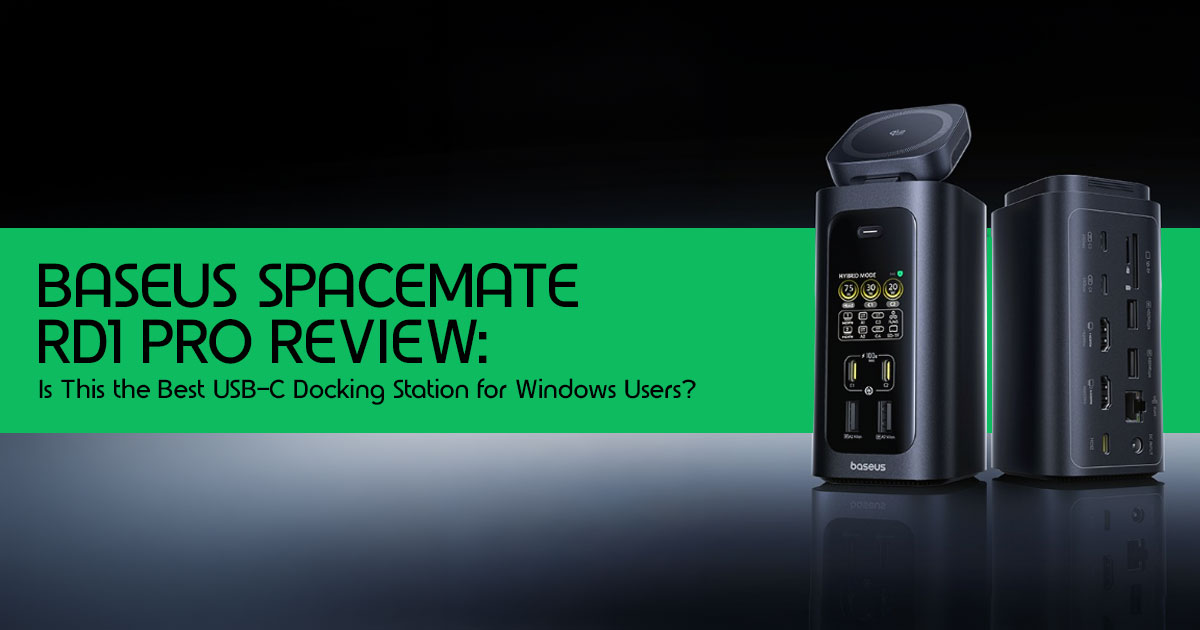
The Baseus Spacemate RD1 Pro promises to solve several everyday problems at once. It combines 15 ports, dual 4K monitor support, 100W Power Delivery, Qi2 wireless charging, Gigabit Ethernet, and a space-saving vertical design into a single device. On paper, it looks like one of the most feature-packed USB-C docks currently available.
Specs can look impressive on paper, but everyday performance is what really matters.
The real question is whether this dock can make your daily work easier, stay reliable when multiple devices are connected, and deliver enough performance to justify its price. More importantly, is it the right choice for your specific setup, or would a Thunderbolt 4 dock be a better investment?
This review is written for remote workers, developers, content creators, business professionals, traders, and anyone looking for a reliable docking station for multiple monitors. Whether you’re building a cleaner home office, upgrading your workstation, or searching for the best USB-C dock for a Windows laptop, this guide will help you make an informed decision.
As technology experts with over 20 years of experience in hardware and application research and development, we analyze every product based on real-world performance, durability, reliability, and value for money. Our goal is simple: help you find the best product in every category, whether your priority is budget, performance, long-term reliability, or everyday usability. Our recommendations are based on extensive research, component analysis, real-world testing, practical usability, and industry experience.
In this review, we’ll look beyond the marketing claims and examine where the Baseus Spacemate RD1 Pro performs well, where it falls short, who should buy it, who should skip it, and how it compares with leading Thunderbolt docks and competing USB-C docking stations.
The Baseus Spacemate RD1 Pro is positioned as a Thunderbolt 4 dock alternative for users who want strong connectivity without paying premium Thunderbolt prices.
What Makes the RD1 Pro Different From Typical USB-C Docks?
1. Built-In Qi2 Wireless Charging
One of the most useful features of the Baseus Spacemate RD1 Pro is the built-in Qi2 wireless charging pad on the top of the dock.
Instead of keeping a separate phone charger on your desk, you can place your phone directly on the dock and keep it charged throughout the day.
Why it matters: Fewer cables, less clutter, and one less accessory taking up desk space.
2. Desktop-Oriented Design
Unlike most flat USB-C docks, the RD1 Pro uses a vertical tower design. This takes up less desk space and makes cable management much easier.
Why it matters: A cleaner workspace and easier access to frequently used ports.
3. Dynamic Power Distribution
The dock uses a 180W GaN power supply and can deliver up to 100W Power Delivery to a connected laptop.
Why it matters: You can charge your laptop, phone, and other devices from a single dock without needing multiple chargers.
4. Real-Time Status Display
The front display shows connection status and power information at a glance.
Why it matters: Makes troubleshooting easier when a device is not charging or connecting properly.
5. Retimer Chip for Signal Stability
The built-in retimer chip helps maintain reliable data transmission when multiple devices are connected.
Why it matters: More stable performance when using external SSDs, dual monitors, and other peripherals.
More Ports Don’t Always Mean Better Performance
The Baseus Spacemate RD1 Pro offers 15 ports, which sounds impressive. However, a high port count doesn’t automatically equate to uncompromised performance across all of them simultaneously. The total bandwidth available to the dock from your laptop’s USB-C port is a finite resource. All the data flowing through those 15 ports—from external drives, network traffic, and display signals—must share this limited bandwidth.
Bandwidth Sharing Simplified
Think of your laptop’s USB-C port as a highway with a certain number of lanes. A USB-C dock like the RD1 Pro acts as an interchange. While it has many exits (ports), the total traffic capacity is still limited by the number of lanes on the main highway. If you have a 10 Gbps USB-C connection, that 10 Gbps is shared among all active devices. This includes:
- Display Data: High-resolution monitors, especially 4K displays, consume a significant portion of the available bandwidth.
- USB Data: External SSDs, USB drives, and other peripherals transfer data.
- Ethernet: Network traffic also uses bandwidth.
- Power Delivery: While power delivery is somewhat separate, it’s managed by the same controller.
Unlike Thunderbolt, which often has dedicated bandwidth for display output and can intelligently manage multiple data streams, standard USB-C docks might experience performance degradation when all ports are heavily utilized.
When You Will Notice Slowdowns
You’re most likely to notice slowdowns with the Baseus Spacemate RD1 Pro when:
- Transferring large files to or from a fast external SSD while simultaneously driving dual 4K monitors and engaging in heavy network activity.
- Using multiple high-bandwidth USB devices (e.g., several external SSDs, high-resolution webcams) at the same time.
- On macOS, the inherent limitation of mirrored displays means you won’t get the extended desktop experience, which can feel like a slowdown in productivity compared to a Thunderbolt setup.
Understanding these limitations upfront helps set realistic expectations and ensures you choose the right docking solution for your specific needs.
Compatibility Guide: Will It Work With Your Laptop?
The Baseus Spacemate RD1 Pro offers broad compatibility, but your experience depends on your laptop’s operating system and USB-C capabilities.
Windows Laptops (Recommended)
The Baseus Spacemate RD1 Pro delivers its full feature set on most modern Windows laptops.
✔ Dual 4K Monitor Support with extended desktop mode
✔ Full access to all 15 ports
✔ Up to 100W Power Delivery for laptop charging
✔ High-speed USB-C, Ethernet, and SD card reader functionality
Best Compatibility:
- Intel laptops with USB-C DisplayPort Alt Mode
- AMD laptops with USB-C video output support
- Thunderbolt 3 and Thunderbolt 4 laptops (operates at USB-C speeds)
Bottom Line: If you’re looking for a USB-C dock for a Windows laptop, this is where the RD1 Pro shines. Windows users get access to the dock’s full feature set, including dual-monitor support, 100W charging, and all 15 ports.
MacBooks (Limited)
The dock works with MacBook Air and MacBook Pro models, but there is one major limitation.
⚠ Dual external displays can only mirror, not extend.
This happens because macOS does not support MST (Multi-Stream Transport) over standard USB-C docks.
What Works
✔ Single external monitor
✔ 100W charging
✔ USB devices
✔ Gigabit Ethernet
✔ SD card reader
What Doesn’t Work
✖ Dual extended monitors
✖ Independent multi-monitor workspace
Verdict: Suitable for single-monitor Mac users. If you need multiple extended displays, consider a Thunderbolt 4 dock instead.
Chromebook & Linux
Most modern Chromebooks and Linux laptops with USB-C DisplayPort Alt Mode should work without issues.
✔ External display support
✔ USB peripherals
✔ Ethernet connectivity
✔ Laptop charging
Verdict: Compatibility is generally good, but results may vary depending on your device and operating system version.
Compatibility Summary
| Device | Compatibility |
| Windows Laptop | Excellent — Full support for dual-display output, USB peripherals, Ethernet, Power Delivery, and most advanced dock features. |
| MacBook | Limited Multi-Monitor Support — External displays may be mirrored rather than extended depending on the Mac model and DisplayLink availability. |
| Chromebook | Good — Supports charging, external displays, USB accessories, and networking on compatible USB-C Chromebooks. |
| Linux Laptop | Generally Compatible — Most USB-C, networking, display, and storage functions work, though advanced features may vary by distribution and kernel version. |
Bottom Line
The Baseus Spacemate RD1 Pro is primarily designed for Windows users. While it works with MacBooks, users who rely on dual extended displays will get a better experience from a Thunderbolt 4 docking station.
Who Should Buy the Baseus Spacemate RD1 Pro?
The Baseus Spacemate RD1 Pro performs best for users looking for a USB-C docking station, laptop docking station, or docking station for multiple monitors that combines charging, connectivity, and desk organization in a single device.
Remote Workers
Ideal for users running dual 4K monitors, video conferencing, Gigabit Ethernet, webcams, keyboards, and other daily productivity tools.
Why It Works: Stable connectivity, reliable 100W Power Delivery, and a clutter-free single-cable setup.
Developers
Well-suited for developers using external SSDs, ultrawide displays, IDEs, Docker environments, and multiple USB peripherals.
Why It Works: Fast 10Gbps USB-C performance, dependable power delivery, and strong multi-device support.
Content Creators
A good choice for photographers, designers, and video editors working with 4K video, SD cards, and external storage.
Why It Works: Smooth display output, reliable file transfers, and support for high-speed storage devices.
Limitation: The built-in card reader supports UHS-I, not UHS-II speeds.
Traders & Multi-Screen Users
Suitable for users running trading platforms, dashboards, and multiple applications across several displays.
Why It Works: Reliable dual-monitor support, low-latency Ethernet, and stable all-day performance.
Bottom Line
The Baseus Spacemate RD1 Pro is best suited for Windows users who want dual-monitor support, 100W laptop charging, 10Gbps data transfer, Gigabit Ethernet, and a cleaner desk setup without investing in a more expensive Thunderbolt dock.
Multi-Monitor Performance Breakdown
One of the biggest reasons to buy the Baseus Spacemate RD1 Pro is its strong dual-monitor support, but the experience depends on your operating system.
Windows Users
✔ Supports dual 4K monitors
✔ Functions as a reliable dual monitor docking station
✔ Works well as a docking station for multiple monitors on Windows
For most professionals, developers, remote workers, and traders, the monitor performance is excellent.
MacBook Users
⚠ Supports two external monitors, but they will be mirrored, not extended.
This limitation comes from macOS, not the dock itself. If you need multiple independent displays on a Mac, a Thunderbolt 4 dock is the better option.
Bottom Line
If you’re looking for a dual-monitor docking station for Windows, the Baseus Spacemate RD1 Pro performs very well. Mac users who need an extended multi-monitor workspace should consider a Thunderbolt dock instead.
Performance Under Heavy Loads
For everyday productivity, the Baseus Spacemate RD1 Pro delivers excellent performance across displays, storage devices, networking, and charging.
What It Handles Well
✔ Dual 4K Monitors on Windows
✔ Fast 10Gbps USB-C data transfer
✔ High-speed External SSDs
✔ Stable Gigabit Ethernet
✔ Simultaneous 100W laptop charging and Qi2 wireless charging
Even with multiple devices connected, the dock remains responsive and reliable for remote work, software development, content creation, and multi-screen productivity.
Where It Reaches Its Limits
The RD1 Pro uses a 10Gbps USB-C connection, which means all connected devices share the available bandwidth.
If you’re running multiple high-speed SSDs, transferring massive files, and driving multiple displays at the same time, performance may eventually be limited by the available bandwidth.
Bottom Line
For most users, the Baseus Spacemate RD1 Pro provides more than enough performance. However, professionals working with large media files, advanced storage arrays, or other bandwidth-intensive workloads may benefit from Thunderbolt 4 docks, which provide significantly more bandwidth, with up to 40Gbps available for connected devices.
Baseus RD1 Pro vs Thunderbolt Docks
To fully appreciate the Baseus Spacemate RD1 Pro‘s position in the market, it’s essential to compare it against established Thunderbolt docks. This comparison helps show where the RD1 Pro fits compared with premium Thunderbolt docks.
RD1 Pro vs CalDigit TS4
The CalDigit TS4 is one of the most respected Thunderbolt 4 docks available.
| Feature | Baseus Spacemate RD1 Pro | CalDigit TS4 |
| Connection Type | USB-C (10 Gbps) | Thunderbolt 4 (40 Gbps) |
| Mac Multi-Monitor Support | Mirrored Displays Only | Extended Displays (Up to Dual 6K @ 60Hz) |
| Windows Multi-Monitor Support | Extended Displays (Up to Dual 4K) | Extended Displays (Up to Dual 4K @ 60Hz or Single 8K Display) |
| Power Delivery | 100W USB-C PD | 98W Power Delivery |
| Unique Features | Qi2 Wireless Charging, Real-Time Status Display, Vertical Tower Design | 2.5GbE Ethernet, 3 × Thunderbolt 4 Ports, Dedicated Audio In/Out, Professional Expansion |
| Port Selection | Strong General-Purpose Connectivity | Industry-Leading I/O with Extensive Thunderbolt Expansion |
| Best For | Windows Productivity Setups, Home Offices, Users Wanting Wireless Charging | Professional Creators, Developers, Mac Power Users, Multi-Display Workstations |
| Price | ~$240–$300 | ~$400 |
| Overall Advantage | Better Value and Integrated Desk Convenience | Superior Performance, Bandwidth, and Professional Connectivity |
The Verdict: The CalDigit TS4 is superior for Mac users needing extended displays and professionals requiring massive bandwidth (40 Gbps) for multiple high-speed devices. The Baseus RD1 Pro offers better value for Windows users who prioritize integrated wireless charging, a smart display, and a cleaner desk setup, provided they don’t need Thunderbolt speeds.
RD1 Pro vs Dell WD22TB4
The Dell WD22TB4 is a popular, reliable Thunderbolt 4 dock, often favored in corporate environments.
| Feature | Baseus Spacemate RD1 Pro | Dell WD22TB4 |
| Connection Type | USB-C (10 Gbps) | Thunderbolt 4 (40 Gbps) |
| Mac Multi-Monitor Support | Mirrored Displays Only | Extended Displays (Up to Dual 4K @ 60Hz) |
| Windows Multi-Monitor Support | Extended Displays (Up to Dual 4K) | Extended Displays (Up to Four Displays, Resolution Dependent) |
| Power Delivery | 100W USB-C PD | 130W for Dell Systems, 90W for Non-Dell Laptops |
| Unique Features | Qi2 Wireless Charging, Real-Time Status Display, Vertical Tower Design | Modular Architecture with Upgradeable Thunderbolt Module |
| Best For | Windows Users Seeking an All-in-One Productivity Hub with Wireless Charging | Enterprise Users, Multi-Monitor Workstations, and Thunderbolt Power Users |
| Price | ~$240–$300 | ~$250–$350 |
| Overall Advantage | Better Desk Convenience and Integrated Features | Higher Bandwidth, Better Mac Support, and Enterprise-Grade Expansion |
The Verdict: The Dell WD22TB4 is a solid choice for mixed environments (Mac and Windows) and those needing robust multi-monitor support. The Baseus RD1 Pro is more appealing for users who want the convenience of wireless charging and a more modern, vertical aesthetic, especially if they are primarily on Windows.
RD1 Pro vs Anker Prime TB5
The Anker Prime TB5 represents the newer generation of high-end docks.
| Feature | Baseus Spacemate RD1 Pro | Anker Prime TB5 |
| Connection Type | USB-C (10 Gbps) | Thunderbolt 4 (40 Gbps) |
| Mac Multi-Monitor Support | Mirrored Displays Only | Extended Multi-Monitor Support |
| Power Delivery | 100W USB-C PD | Up to 100W Power Delivery |
| Unique Features | Qi2 Wireless Charging Pad, Real-Time Status Display, Vertical Tower Design | Ultra-Compact Form Factor, High Port Density, Full Thunderbolt Ecosystem Support |
| Ideal User | Windows Professionals, Multi-Device Workstations, Users Wanting Integrated Wireless Charging | Power Users, MacBook Owners, Creators Requiring Maximum Bandwidth |
| Price | ~$240–$300 | ~$250–$300 |
| Overall Advantage | Better Feature Integration and Desk Convenience | Superior Bandwidth and Cross-Platform Display Support |
The Verdict: The Anker Prime TB5 is for users who need Thunderbolt performance in a compact form factor. The Baseus RD1 Pro is for those who prefer a desktop tower design with integrated charging features and visual status indicators.
Which Users Should Spend More?
You should consider spending more on a Thunderbolt dock (like the CalDigit TS4 or Plugable TBT4-UDZ) if:
- You are a Mac user and absolutely require an extended desktop across multiple external monitors.
- You are a creative professional (video editor, 3D animator) who frequently transfers massive files and needs the 40 Gbps bandwidth to prevent bottlenecks.
- You use specialized high-bandwidth peripherals, such as external GPUs or high-end audio interfaces that demand Thunderbolt connectivity.
Best Alternatives Based on User Type
If the Baseus Spacemate RD1 Pro isn’t the perfect fit, here are the best alternatives based on specific needs:
Best for Mac Users
CalDigit TS4: The popular choice for Mac users, offering flawless extended multi-monitor support, massive Thunderbolt 4 bandwidth, and a wide selection of high-speed ports.
Best for Creators
Plugable TBT4-UDZ: Offers excellent display flexibility and robust performance, ideal for creators who need to connect multiple high-resolution monitors and fast external storage.
Best for Developers
Dell WD22TB4: A highly reliable Thunderbolt 4 dock with excellent multi-monitor support and strong power delivery, perfect for demanding development environments.
Best Thunderbolt Upgrade
Anker Prime TB5: A compact, powerful Thunderbolt 4 dock that provides a significant bandwidth upgrade over standard USB-C docks without taking up much desk space.
Best Budget Alternative
Anker 575 USB-C Docking Station: A more affordable 13-in-1 USB-C dock that offers solid performance for basic multi-monitor setups and peripheral connectivity, though it lacks the premium features of the RD1 Pro.
Frequently Asked Questions
Is the Baseus Spacemate RD1 Pro worth buying?
For Windows users seeking a feature-rich, vertical docking station that cleans up desk clutter, offers robust power delivery, and handles high-speed data transfers with ease, the Baseus Spacemate RD1 Pro is a strong contender. It’s particularly appealing if you value integrated wireless charging and a smart status display. However, if you’re a macOS user needing extended multi-monitor support, or if you require full Thunderbolt bandwidth for demanding workflows, you should consider alternatives.
Does it work with MacBooks?
Yes, the Baseus Spacemate RD1 Pro works with MacBooks, but with a significant limitation: it only supports mirrored external displays due to macOS’s lack of native Multi-Stream Transport (MST) over standard USB-C connections. If you need an extended desktop across multiple monitors on a Mac, you’ll need a dedicated Thunderbolt 4 dock.
Is it Thunderbolt?
No, the Baseus Spacemate RD1 Pro is a USB-C docking station, not a Thunderbolt dock. While it offers high-speed data transfer (10 Gbps) and significant power delivery, it operates on the USB-C standard, which has different bandwidth capabilities and display protocols compared to Thunderbolt.
Can it run dual 4K monitors?
Yes, for Windows users, the Baseus Spacemate RD1 Pro can run dual 4K monitors, with one port supporting 4K@120Hz and the other 4K@60Hz. For macOS users, it will only mirror the display across two external monitors.
Who should avoid the Baseus Spacemate RD1 Pro?
This dock may not be the best choice for users who need Thunderbolt 4 bandwidth, advanced multi-display support on MacBooks, or specialized hardware such as external GPUs and high-speed storage arrays.
Final Verdict
The Baseus Spacemate RD1 Pro is one of the most practical USB-C docking stations currently available for Windows users.
It combines dual monitor support, 100W Power Delivery, Qi2 wireless charging, Gigabit Ethernet, and a space-saving vertical design into a single device that helps reduce desk clutter and simplify your workspace.
While it doesn’t offer the bandwidth or advanced display flexibility of a Thunderbolt 4 dock, most users simply won’t need that level of performance. For remote work, productivity, content creation, software development, and multi-monitor setups, the RD1 Pro delivers an excellent balance of features, convenience, and value.
Buy It If
- You want a USB-C dock for a Windows laptop
- You need a reliable dual monitor docking station
- You want fewer cables and a cleaner workspace
- You need charging, networking, and connectivity through a single dock
Consider Alternatives If
- You need the higher bandwidth of a Thunderbolt 4 dock
- You regularly work with large media files or advanced storage setups
- You use specialized hardware such as external GPUs
For most Windows users, the Baseus Spacemate RD1 Pro is an easy recommendation and one of the better USB-C docking stations in its category.
Ready to upgrade your workspace? Check out the Baseus Spacemate RD1 Pro on the official site here.
Have questions about compatibility or want to share your experience with docking stations? Leave a comment below or reach out for online assistance—we’d love to hear from you!
***Disclaimer***
This blog post reflects our research, analysis, and opinions based on available product information, user feedback, and industry knowledge. It should not be taken as the official position of any brand, manufacturer, or company mentioned here. While we aim to keep information accurate and up to date, product details, pricing, and availability can change. We recommend double-checking important details before making a purchase.
Some links in this article may be affiliate links. If you choose to buy through these links, we may earn a small commission at no extra cost to you. This helps support our work and allows us to keep publishing in-depth, unbiased reviews. Our recommendations are never influenced by affiliate partnerships.
Comments shared by readers reflect their own views and not ours. We are not responsible for outcomes resulting from the use of information on this site. Please seek professional advice where appropriate.
All product names, logos, and brands mentioned are the property of their respective owners. These names are used for identification and informational purposes only and do not imply endorsement.
