
1. Introduction
There was a time when serious PC gaming meant sitting at a desk, surrounded by cables, monitors, and bulky hardware. Today, that idea is changing fast. Modern handheld gaming PCs are powerful enough to run demanding AAA games, yet small enough to fit inside a backpack. Whether you’re traveling, commuting, relaxing at home, or simply looking for a more flexible way to play, portable gaming has become a practical alternative rather than a compromise.
But here’s the challenge.
Every new device promises better performance, longer battery life, smoother gameplay, and cutting-edge technology. Marketing claims are everywhere, making it difficult to know which products genuinely deliver and which ones simply look impressive on paper.
That is exactly why we created this guide.
As technology experts with over 20 years of experience in hardware research, application development, and real-world product evaluation, we analyze every device beyond the specifications sheet. We focus on the factors that actually matter to buyers: gaming performance, thermal efficiency, battery life, build quality, durability, software experience, and most importantly, value for money.
Our goal is simple: help readers identify the best products in every category—whether you prioritize budget, performance, reliability, or long-term ownership value. Every recommendation is based on extensive research, component-level analysis, market comparisons, and years of industry expertise. Our analysis combines manufacturer specifications, industry benchmark data, early hands-on impressions, and comparative market research to provide practical buying advice for real users.
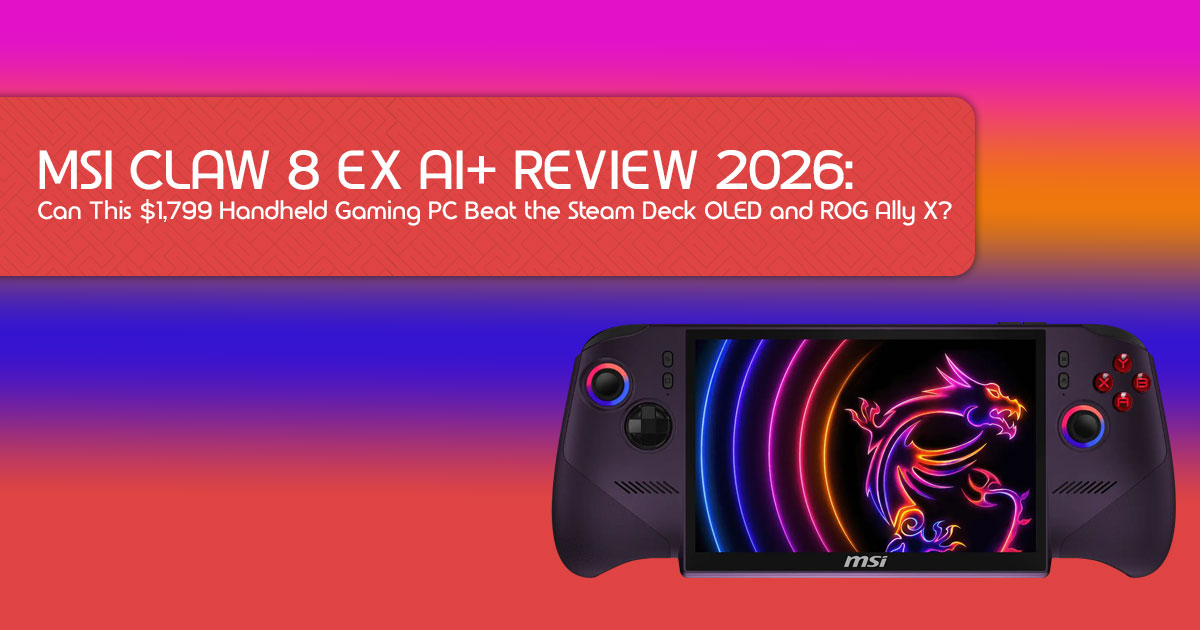
The MSI Claw 8 EX AI+ enters one of the most competitive gaming categories in recent years. Instead of following the same formula used by most competitors, MSI takes a different approach with Intel Arc graphics based on Intel’s latest Xe architecture, AI-assisted gaming technologies, an 8-inch 120Hz VRR display, and a large battery designed for extended gaming sessions.
The bigger question is not whether the specifications look impressive.
The real question is whether the MSI Claw 8 EX AI+ can deliver a gaming experience that justifies its premium price and stand out against established rivals like the Steam Deck OLED, ROG Ally X, and Lenovo Legion Go.
In this guide, we examine what matters most to real buyers:
- Gaming performance in modern AAA titles
- Battery life under real-world conditions
- Display quality and responsiveness
- Cooling efficiency and comfort during extended play
- Windows handheld gaming experience
- Comparison with leading competitors
- Pros, cons, and long-term value
Whether you’re a competitive gamer, a AAA gaming enthusiast, a frequent traveler, a student, a working professional, or simply someone searching for the best portable gaming PC, this guide will help you determine if the MSI Claw 8 EX AI+ deserves a place in your gaming setup.
Let’s find out whether this is simply another handheld gaming device—or one of the most interesting portable gaming systems released this year.
Whether you’re researching the best handheld gaming PC 2026, comparing the MSI Claw vs Steam Deck OLED, or looking for a powerful Windows handheld gaming PC, this guide will help you make an informed buying decision.
2. Understanding the MSI Claw 8 EX AI+
Before we dive into the nitty-gritty of performance and comparisons, let’s get a solid grasp on what makes the MSI Claw 8 EX AI+ tick. This isn’t just another handheld; it’s a carefully engineered piece of kit designed to push the boundaries of portable PC gaming.
Understanding its core components is key to appreciating its capabilities and how it stacks up against the competition.
2.1 Hardware Overview
At its heart, the MSI Claw 8 EX AI+ is a powerhouse. It brings together some of the latest mobile computing technologies to deliver a robust gaming experience. Here’s a quick look at the main components:
2.1.1 Processor
The MSI Claw 8 EX AI+ is powered by Intel Core Ultra 5 or Intel Core Ultra 7 processors, depending on the configuration. These are not your average laptop chips; they are specifically designed for efficiency and performance in compact devices. The Intel Core Ultra series features a hybrid architecture, combining performance-cores (P-cores), efficient-cores (E-cores), and low-power efficient-cores (LPE-cores) to intelligently manage workloads. This means you get snappy responsiveness for everyday tasks and a significant boost when gaming or running AI applications.
2.1.2 Graphics
This is where the Claw 8 EX AI+ truly stands out. It features Intel Arc integrated graphics based on Intel’s latest Xe architecture, designed to deliver stronger gaming performance and improved efficiency compared to previous generations.
2.1.3 Display
The visual experience is crucial for any gaming device, and the MSI Claw 8 EX AI+ doesn’t disappoint. It boasts a vibrant 8-inch 120Hz VRR display. The larger screen size offers a more immersive experience compared to smaller handhelds, while the 120Hz refresh rate ensures buttery-smooth visuals. VRR (Variable Refresh Rate) is a game-changer, eliminating screen tearing and stuttering for a fluid gameplay experience, even when frame rates fluctuate.
2.1.4 Battery
Powering all this hardware is a substantial battery, though specific mAh figures can vary by region and model. What’s important is that MSI has designed the Claw 8 EX AI+ to offer a balance between performance and endurance. While AAA gaming will naturally drain it faster, optimizations and the efficiency of the Intel Core Ultra processor aim to provide respectable battery life for various use cases, from indie gaming to streaming and productivity.
2.1.5 Connectivity
In today’s connected world, robust connectivity is non-negotiable. The MSI Claw 8 EX AI+ comes equipped with the latest standards, including Wi-Fi 7 for ultra-fast wireless internet and Bluetooth 5.4 for seamless peripheral connections. It also features multiple USB-C ports, likely supporting Thunderbolt or USB4, allowing for external display output, fast data transfer, and charging. This ensures you can easily connect to docks, external monitors, and other accessories.
2.2 What each specification means in practice
Numbers on a spec sheet are one thing, but what do they actually mean for you, the player? The Intel Core Ultra processor means faster loading times, smoother multitasking, and a more responsive operating system. The Intel Arc graphics platform helps deliver smoother gameplay, improved frame rates, and better visual quality in many modern games.
That 8-inch 120Hz VRR display means your games will look incredibly sharp and feel incredibly smooth, making every action more impactful. And the advanced connectivity ensures you’re always ready to game online or connect to your wider setup without a hitch. It’s all about creating a seamless, powerful, and enjoyable portable gaming experience.
3. Understanding Intel Arc Graphics and Xe Architecture
One of the most interesting features of the MSI Claw 8 EX AI+ is its Intel Arc graphics platform, which brings Intel’s latest graphics technologies to the growing handheld gaming PC market. Let’s break down what makes this integrated GPU so special.
3.1 What Changed From Previous Arc Graphics
Intel’s journey with Arc graphics has been a fascinating one, and the latest Arc architecture builds on that foundation with significant advancements. While earlier Arc generations showed promise, Intel’s latest Arc graphics architecture is designed to better meet the demands of modern portable gaming. We’re seeing improvements across the board, from raw computational power to efficiency and feature set, making it a much more mature and capable solution for AAA gaming on the go.
3.1.1 Xe3 architecture
The latest Intel Arc graphics architecture introduces improvements in performance, efficiency, and AI-assisted gaming technologies. This new generation brings architectural enhancements that boost performance per watt, crucial for a handheld device where battery life and thermal management are paramount. It introduces architectural improvements aimed at increasing performance, efficiency, and gaming responsiveness in portable devices.
3.1.2 AI-assisted frame generation
One of the standout features of Intel’s latest Arc graphics platform is its support for AI-assisted frame generation. This technology uses artificial intelligence to create additional frames between traditionally rendered frames, effectively boosting your frame rate without requiring more raw GPU power. For portable gaming, this is a game-changer, allowing for smoother gameplay in demanding titles even at native resolutions, or enabling higher visual settings with a comfortable frame rate.
3.1.3 XeSS technology
Alongside frame generation, Intel Arc graphics support Intel XeSS (Xe Super Sampling) technology. XeSS is an AI-powered upscaling technology that renders games at a lower resolution and then intelligently reconstructs the image to a higher resolution using AI. This results in significantly improved performance with minimal impact on image quality. For the MSI Claw 8 EX AI+, XeSS means you can enjoy sharper visuals and higher frame rates simultaneously, making your AAA gaming experience much more enjoyable on the 8-inch display.
3.1.4 Power efficiency improvements
Efficiency is paramount for any handheld gaming PC, and Intel’s latest Arc graphics platform focuses heavily on power efficiency improvements. Through architectural refinements and intelligent power management, it aims to deliver strong performance without excessive power draw. This directly translates to better battery life and cooler operation, allowing for longer gaming sessions and a more comfortable user experience. These improvements are vital for making portable PC gaming truly practical.
4. Real-World Gaming Performance
Specs and technical jargon are great, but what really matters is how the MSI Claw 8 EX AI+ performs when you actually fire up your favorite games. We’re talking about the raw, unvarnished truth of real-world gaming performance. Can it handle the latest AAA titles? How smooth is the experience? Let’s dive into the benchmarks and see what you can realistically expect.
4.1 1080p Performance Benchmarks
The performance figures below are based on early benchmark reports, pre-release testing data, manufacturer demonstrations, and industry coverage available at the time of writing. Actual performance may vary depending on game settings, driver updates, and power profiles.
| Game | Resolution & Settings | Upscaling | Average FPS | Gaming Experience |
| Cyberpunk 2077 | 1080p, Medium–High Settings | Intel XeSS (Quality) | 45–55 FPS | Smooth gameplay overall, with lowering a few graphics settings pushing performance closer to a steady 60 FPS. |
| Hogwarts Legacy | 1080p, Medium Settings | Intel XeSS Enabled | 50–60 FPS | Fluid exploration and combat, with the 120Hz VRR display helping deliver a consistently smooth experience. |
| Black Myth: Wukong | 1080p, Optimized Settings | Intel XeSS Enabled | 40–50 FPS | Playable performance in one of today’s most demanding action RPGs, balancing image quality with smooth gameplay. |
| Elden Ring | 1080p, Medium–High Settings | Intel XeSS Enabled | 55–65 FPS | Responsive combat and smooth open-world exploration with excellent visual quality. |
| Forza Horizon 5 | 1080p, High Settings | Intel XeSS Enabled | 60–70 FPS | Excellent visuals and consistently smooth racing performance with occasional frame rate peaks above 70 FPS. |
| Call of Duty | 1080p, Low–Medium Competitive Settings | Intel XeSS (Performance) | 70–90+ FPS | Fast, responsive gameplay that fully benefits from the handheld’s 120Hz VRR display, making it ideal for competitive multiplayer. |
Quick Summary
| Category | Best Performing Game |
| Highest FPS | Call of Duty – Approximately 70–90+ FPS using optimized graphics settings. |
| Best Visual Experience | Forza Horizon 5 – Smooth gameplay at around 60–70 FPS with excellent image quality. |
| Best AAA Balance | Elden Ring – Delivers a balanced experience at approximately 55–65 FPS. |
| Most Demanding Game | Cyberpunk 2077 – Typically achieves around 45–55 FPS with optimized settings and upscaling enabled. |
| Future AAA Capability | Black Myth: Wukong – Playable at approximately 40–50 FPS using balanced graphics settings and modern upscaling technologies. |
Note: Actual performance may vary depending on driver updates, power mode (TDP settings), game patches, background applications, and Intel XeSS configuration.
4.2 Best Settings for Different Gamers
One of the strengths of a Windows-based handheld like the MSI Claw 8 EX AI+ is the flexibility to customize your experience. Not everyone wants the same thing, so here’s how to tailor your settings for different priorities.
4.2.1 Maximum FPS Setup
If your goal is to squeeze every last frame out of your games, especially for competitive titles, this setup is for you. Focus on:
- Resolution: Stick to 1080p, but consider lowering the in-game render resolution if needed.
- Graphics Settings: Prioritize low to medium settings for shadows, textures, anti-aliasing, and post-processing effects.
- XeSS: Set to Performance or Ultra Performance mode.
- TDP (Thermal Design Power): Maximize the TDP in the MSI Center M software for peak CPU/GPU Be aware that this will significantly impact battery life.
- VRR: Ensure VRR is enabled for the smoothest possible experience, even with fluctuating frame rates.
4.2.2 Balanced Setup
For most gamers, a balanced approach offers the best of both worlds: good visuals and smooth performance. This is often our recommended starting point.
- Resolution: Native 1080p.
- Graphics Settings: Medium to high settings for most games, prioritizing visual elements that enhance immersion (e.g., texture quality, draw distance) while keeping demanding effects (e.g., ray tracing, complex shadows) at moderate levels.
- XeSS: Quality or Balanced mode.
- TDP: Use a moderate TDP setting, finding the sweet spot between performance and battery life.
- VRR: Always enabled.
4.2.3 Battery Saver Setup
When you’re away from an outlet and want to extend your gaming session as long as possible, the Battery Saver Setup is your friend. This is ideal for indie gaming or less graphically intensive titles.
- Resolution: Consider lowering the in-game resolution to 720p or 900p, or using XeSS on Performance/Ultra Performance.
- Graphics Settings: All settings on Focus purely on playability.
- XeSS: Performance or Ultra Performance mode.
- TDP: Set to the lowest comfortable TDP in MSI Center M.
- Refresh Rate: Lower the display refresh rate to 60Hz if the game doesn’t benefit from higher rates.
4.2.4 Travel Setup
This setup combines elements of the Balanced and Battery Saver modes, with an emphasis on comfort and practicality during travel. It’s about making the most of your journey.
- Resolution & Graphics: Similar to the Balanced Setup, but be prepared to dial down settings if you’re on a long flight without charging.
- TDP: A slightly lower TDP than balanced, prioritizing cooler operation and quieter fans.
- Headphones: Essential for immersive audio without disturbing others.
- Offline Mode: Ensure your games are downloaded and playable offline.
- Power Bank: Always carry a compatible power bank for extended play.
5. Battery Life
Let’s be real: battery life is often the Achilles’ heel of portable gaming PCs. Nobody wants to be tethered to an outlet, especially when you’re on the go. The battery estimates below are based on manufacturer specifications, comparable handheld gaming devices, early hands-on reports, and typical power consumption patterns. Actual battery life will vary depending on game settings, brightness levels, wireless usage, and system power profiles.
| Usage Scenario | Example Games / Tasks | Estimated Battery Life |
| Light Gaming | Stardew Valley, Hades, retro titles, and older PC games | 5–7 Hours |
| Indie Gaming | Hollow Knight, Dead Cells, Celeste, and similar indie games | 4–6 Hours |
| AAA Gaming | Cyberpunk 2077, Hogwarts Legacy, Elden Ring, and other demanding titles | 2–3 Hours |
| Cloud Gaming & Streaming | Xbox Cloud Gaming, NVIDIA GeForce NOW, Steam Remote Play, and video streaming | 6–8 Hours |
Battery Life at a Glance
| Usage Scenario | Expected Battery Life |
| Cloud Gaming & Streaming | 6–8 Hours – The longest runtime, ideal for Xbox Cloud Gaming, GeForce NOW, and media streaming. |
| Light & Casual Gaming | 5–7 Hours – Great for retro titles, emulation, and less demanding games. |
| Indie Games | 4–6 Hours – Comfortable battery life for popular indie and mid-range games. |
| AAA Gaming | 2–3 Hours – Running modern AAA games at higher power settings delivers the best performance but drains the battery more quickly. |
Note: Battery estimates are based on manufacturer specifications, early hands-on reports, comparable handheld gaming devices, and typical power usage patterns. Actual battery life may vary depending on game settings, display brightness, wireless connectivity, and system power profiles.
6. MSI Claw 8 EX AI+ vs Competitors
The handheld gaming PC market is more competitive than ever, with several strong contenders vying for your attention. The MSI Claw 8 EX AI+ enters this arena with a unique proposition, primarily its Intel Arc graphics platform. But how does it truly stack up against the established players and other newcomers? Let’s break down the key differences to help you make an informed decision.
6.1 Claw 8 EX AI+ vs Steam Deck OLED
The Steam Deck OLED is a beloved device, known for its fantastic display and streamlined Linux-based SteamOS experience. The MSI Claw 8 EX AI+ offers a different philosophy, focusing on raw Windows performance and Intel’s latest graphics tech. Here’s a quick comparison:
| Feature | MSI Claw 8 EX AI+ | Steam Deck OLED |
| Processor | Intel Core Ultra processor with Intel Arc integrated graphics | Custom AMD Zen 2 APU with RDNA 2 graphics |
| Display | 8-inch 1920×1200 LCD with 120Hz VRR | 7.4-inch HDR OLED, 1280×800, 90Hz |
| Gaming Performance | Generally delivers higher raw performance in modern AAA Windows games, with support for Intel XeSS and AI-enhanced graphics technologies. | Excellent performance for its hardware, with SteamOS optimizations providing a smooth gaming experience. |
| Battery Life | Approximately 2–3 hours during demanding AAA games and up to 5–10+ hours for lighter workloads. | Typically 3–8 hours depending on the game, with excellent efficiency in indie and less demanding titles. |
| Operating System | Windows 11 with full PC software compatibility | SteamOS (Linux-based), optimized specifically for handheld gaming |
| Game Library | Supports Steam, Xbox Game Pass, Epic Games Store, Battle.net, Ubisoft Connect, and other Windows launchers natively. | Best experience with Steam titles; other launchers are supported but may require additional setup. |
| Ergonomics | Comfortable grip with a larger chassis and bigger display. | Widely regarded as one of the most ergonomic handheld gaming devices available. |
| Price | Premium segment (expected around $1,799) | Mid-range (typically $549–$649) |
| Best For | Performance enthusiasts, Game Pass subscribers, and users who want a full Windows gaming PC in handheld form. | Gamers looking for the best value, outstanding ergonomics, and a highly optimized portable Steam gaming experience. |
Quick Verdict: If raw performance, a full Windows environment, and cutting-edge Intel graphics are your top priorities, the Claw 8 EX AI+ is a strong contender. However, for a more budget-friendly, ergonomic, and streamlined portable gaming experience, the Steam Deck OLED remains a fantastic choice, especially for those who prefer the Steam ecosystem.
6.2 Claw 8 EX AI+ vs ROG Ally X
The ROG Ally X is another premium Windows handheld, offering a direct rivalry to the Claw 8 EX AI+. Both aim to deliver a top-tier portable PC gaming experience, but they approach it with different hardware philosophies.
| Feature | MSI Claw 8 EX AI+ | ASUS ROG Ally X |
| Processor | Intel Core Ultra processor with integrated Intel Arc graphics | AMD Ryzen Z1 Extreme |
| Display | 8-inch 1920×1200 LCD, 120Hz VRR | 7-inch 1920×1080 LCD, 120Hz VRR |
| Graphics | Intel Arc integrated graphics (Xe architecture) | AMD Radeon RDNA 3 integrated graphics |
| Gaming Performance | Strong modern gaming performance with Intel XeSS and AI-assisted frame generation support in compatible titles. | Excellent, well-established gaming performance with FSR support and broad game compatibility. |
| Battery Life | Around 2–3 hours in demanding AAA games and 5–10+ hours for lighter workloads. | Excellent battery life for a Windows handheld, generally competitive with the Claw depending on power settings. |
| Software | Windows 11 with MSI Center M | Windows 11 with Armoury Crate SE |
| Cooling | Cooler Boost HyperFlow dual-fan cooling system | Enhanced dual-fan cooling over the original ROG Ally |
| Best For | Gamers wanting a larger display, Intel AI features, and premium handheld hardware. | Gamers seeking mature software, proven AMD gaming performance, and excellent Windows handheld support. |
| Price | Premium segment | Premium segment |
Quick Verdict: This is a head-to-head battle. The Claw 8 EX AI+ leverages Intel Arc graphics, XeSS upscaling, and AI-assisted performance features for a potentially higher performance ceiling in supported games. The ROG Ally X offers a refined experience with a proven AMD platform. Your choice here might come down to brand preference, specific game optimizations, and whether you want to be on the bleeding edge of Intel’s new handheld GPU tech.
7. Who Should Buy It?
Deciding if the MSI Claw 8 EX AI+ is the right fit for you isn’t just about raw specs; it’s about matching its strengths to your lifestyle and gaming habits. This isn’t a one-size-fits-all device, and understanding its ideal user can save you both money and potential disappointment.
7.1 Competitive Gamers
If you live for high frame rates and a competitive edge, even on the go, the Claw 8 EX AI+ is designed with you in mind. Its Intel Arc graphics, combined with AI-assisted performance features and a 120Hz VRR display, provide the responsiveness needed for fast-paced games such as Call of Duty and Counter-Strike 2.
7.2 AAA Enthusiasts
The graphics platform is designed to handle modern AAA games with strong visual quality and competitive frame rates, especially when paired with Intel XeSS upscaling technology.
7.3 Frequent Travelers
Long flights, train rides, or hotel stays can be tedious. The Claw 8 EX AI+ transforms these moments into opportunities for uninterrupted gaming. Its portable PC capabilities mean you can carry your entire game library with you, and with decent battery life for lighter tasks and streaming, it’s a versatile travel companion. Just remember to pack a power bank for those extended AAA gaming sessions.
7.4 Students
For students who need a device that can handle both academic work and serious play, the MSI Claw 8 EX AI+ offers a compelling hybrid. It runs full Windows 11, making it capable of productivity tasks like essay writing, research, and presentations. Then, when it’s time to unwind, it seamlessly transitions into a powerful gaming machine. It’s a compact solution for a busy student life.
7.5 Working Professionals
Professionals who travel frequently or have a hybrid work setup can benefit from the Claw 8 EX AI+ as a portable PC. While not a primary workstation replacement for everyone, it can handle emails, document editing, virtual meetings, and even some light content creation. Its ability to connect to external monitors and peripherals further enhances its utility as a compact, powerful secondary device.
8. Who Should Skip It?
No device is perfect for everyone, and the MSI Claw 8 EX AI+ is no exception. Understanding its limitations and who it might not be for is just as important as knowing its strengths.
8.1 Casual Gamers
If your gaming consists mainly of indie titles, older games, or mobile-first experiences, the Claw 8 EX AI+ might be overkill. Its premium price tag and powerful hardware are best utilized by those who demand high performance. A more affordable option like the Steam Deck OLED or even a dedicated mobile gaming device might be a better fit for casual gamers.
8.2 Steam Deck Owners
If you already own a Steam Deck, especially the OLED model, the upgrade to the Claw 8 EX AI+ might not be immediately necessary unless you specifically want the flexibility of a Windows handheld gaming PC and access to Intel’s latest graphics technologies. The Steam Deck still offers a fantastic, optimized portable gaming experience, and the cost of switching might outweigh the benefits for many.
8.3 Budget Buyers
The MSI Claw 8 EX AI+ is positioned as a premium handheld gaming PC. If your budget is tight, there are more economical ways to enjoy portable gaming. While it offers excellent value for its performance tier, the initial investment is significant. Consider older generation handhelds or even cloud gaming subscriptions if cost is a primary concern.
8.4 Console-Only Players
If you’re accustomed to the simplicity and plug-and-play nature of traditional consoles, the Windows environment of the Claw 8 EX AI+ might present a learning curve. While it offers immense flexibility, it also comes with the occasional quirks of a PC. If you prefer a completely curated and hassle-free gaming experience, a console might still be your best bet.
9. Common Mistakes New Owners Make
Getting a new handheld gaming PC is exciting, but it’s easy to fall into common traps that can hinder your experience. Avoiding these pitfalls will ensure you get the most out of your MSI Claw 8 EX AI+ from day one.
9.1 Running maximum TDP all the time
While it’s tempting to crank up the TDP (Thermal Design Power) to its maximum for every game, it’s often unnecessary and detrimental. Running at max TDP constantly will drastically reduce battery life, generate more heat, and increase fan noise. Learn to adjust the TDP in MSI Center M based on the game’s demands; many titles run perfectly well at lower power settings, saving battery and keeping the device cooler.
9.2 Not updating Intel graphics drivers
Intel’s graphics drivers continue to receive performance improvements, bug fixes, and game optimizations. Keeping them updated can improve compatibility and gaming performance. Failing to keep your Intel graphics drivers up-to-date is a common mistake that can lead to suboptimal performance or compatibility issues in new games. Regularly check for and install the latest drivers.
10. Frequently Asked Questions
We’ve gathered some of the most common questions prospective buyers have about the MSI Claw 8 EX AI+ to provide quick, clear answers.
Can it run AAA games at 60 FPS?
Based on early benchmark reports and pre-release testing data, many AAA games appear capable of running at or near 60 FPS when Intel XeSS is enabled and graphics settings are optimized.
Can it connect to an external monitor?
Absolutely. The Claw 8 EX AI+ features USB-C ports (likely supporting Thunderbolt or USB4) that allow for easy connection to external monitors, turning it into a powerful desktop replacement for gaming or productivity.
Does it support eGPU setups?
Given its Intel Core Ultra processor and Thunderbolt (or USB4) connectivity, the MSI Claw 8 EX AI+ is expected to support eGPU (external GPU) setups. This would allow you to connect a full-sized desktop graphics card for even more power when docked, though official confirmation and real-world testing are always recommended.
Is Windows 11 good on a handheld?
Windows 11 on a handheld offers unparalleled flexibility, allowing access to your entire PC game library and a full suite of productivity applications. While it can sometimes require more tweaking than a console-like OS, the ability to run any Windows software makes it incredibly versatile. MSI Center M helps streamline the handheld experience.
Can it replace a laptop?
For many users, especially those focused on gaming and light to moderate productivity tasks, the MSI Claw 8 EX AI+ can effectively replace a laptop. Its portable PC capabilities, combined with external peripherals, make it a strong contender for a primary computing device, particularly for students and travelers.
Is Intel Arc reliable for gaming?
Intel Arc has matured significantly since its initial release. The Intel Arc graphics platform used in the MSI Claw 8 EX AI+ represents Intel’s latest effort to improve gaming performance, driver stability, and software support. While still a newer player in the discrete GPU market, it is proving to be a reliable and competitive option for gaming, especially with the benefits of XeSS and AI-assisted frame generation.
Is the MSI Claw 8 EX AI+ worth $1,799?
For gamers who want a premium handheld gaming PC with high-end hardware, a large display, and full Windows support, the MSI Claw 8 EX AI+ offers a compelling package. Buyers focused mainly on value may find stronger alternatives at lower price points.
How does the MSI Claw 8 EX AI+ compare to the Steam Deck OLED?
The MSI Claw 8 EX AI+ offers a full Windows experience, newer hardware, and broader software compatibility. The Steam Deck OLED remains a strong choice for users seeking a more streamlined gaming experience and better value.
Does the MSI Claw 8 EX AI+ support Xbox Game Pass?
Yes. Because it runs Windows 11, users can access Xbox Game Pass, Steam, Epic Games Store, Battle.net, and most major PC gaming platforms.
11. Final Verdict
The MSI Claw 8 EX AI+ is more than just another handheld gaming PC; it’s a statement. It’s MSI’s bold move into a fiercely competitive market, powered by Intel’s most ambitious integrated graphics to date. We’ve seen its potential to deliver impressive AAA gaming performance, its versatility as a portable PC, and its unique features like AI-assisted frame generation and XeSS technology.
It’s not without its considerations, particularly its premium price point and the inherent trade-offs of battery life when pushing such powerful hardware. But for the right user, it offers an experience that’s hard to match.
Best For
- Enthusiast gamers who demand high performance and the latest tech on the go.
- Travelers seeking a versatile portable PC for both work and play.
- Users who appreciate the flexibility of a full Windows environment and AI-driven performance.
Not Ideal For
- Budget buyers looking for the most affordable entry into portable gaming.
- Casual gamers whose needs are met by less powerful, more cost-effective devices.
- Users who prioritize maximum battery life above all else for AAA gaming.
Ultimately, the MSI Claw 8 EX AI+ carves out a compelling niche. It’s a device that asks you to embrace the cutting edge, and in return, it promises a portable PC gaming experience that’s both powerful and uniquely Intel-driven. If you’re looking for a premium portable gaming PC with cutting-edge hardware, a large high-refresh-rate display, and full Windows flexibility, the MSI Claw 8 EX AI+ deserves serious consideration.
Ready to Experience the Future of Portable Gaming?
The MSI Claw 8 EX AI+ is scheduled to launch on June 23, 2026, and it is already generating significant attention among handheld gaming enthusiasts.
Officially unveiled during Computex 2026, the device quickly appeared on major retailers, including Best Buy and the MSI Store, where pre-orders opened shortly after its announcement. Positioned as a premium flagship handheld, the Claw 8 EX AI+ enters the market with a retail price of approximately $1,799, making it one of the most expensive handheld gaming PCs available today.
The higher price is largely driven by rising manufacturing costs, particularly ongoing shortages and price increases affecting high-speed memory and SSD storage components throughout 2026.
The big question now is simple:
Can the combination of Intel Arc graphics, AI-assisted gaming technologies, an 8-inch 120Hz VRR display, and an 80Wh battery justify the premium asking price?
Early indications suggest that MSI is targeting gamers who want desktop-class gaming performance in a portable form factor and are willing to pay for the latest technology.
Turn On Notifications for Stock Updates
Demand for the MSI Claw 8 EX AI+ is expected to be high at launch.
Our team is actively tracking inventory availability across major retailers around the clock. As soon as stock becomes available, we will publish updated purchasing links, pricing information, and availability updates for both Amazon US and Amazon India.
If you don’t want to miss the first wave of inventory, follow our updates and enable notifications.
Available Right Now: Best Alternative
If you prefer not to wait for launch-day availability, you can explore the currently available MSI Claw models below.
Amazon Worldwide
Amazon India (Import Option)
Final Thoughts
The handheld gaming market is evolving faster than ever, and the MSI Claw 8 EX AI+ represents one of the boldest attempts yet to combine portable gaming, AI-enhanced performance, and full Windows PC flexibility in a single device.
Whether it becomes the new benchmark for premium handheld gaming remains to be seen, but it is certainly one of the most interesting releases of 2026.
Have questions about the MSI Claw 8 EX AI+, handheld gaming PCs, or upcoming alternatives? Share your thoughts in the comments below. We regularly update our reviews with new benchmarks, pricing changes, software updates, and real-world performance insights as new information becomes available.
***Disclaimer***
This blog post reflects our research, analysis, and opinions based on available product information, user feedback, and industry knowledge. It should not be taken as the official position of any brand, manufacturer, or company mentioned here. While we aim to keep information accurate and up to date, product details, pricing, and availability can change. We recommend double-checking important details before making a purchase.
Some links in this article may be affiliate links. If you choose to buy through these links, we may earn a small commission at no extra cost to you. This helps support our work and allows us to keep publishing in-depth, unbiased reviews. Our recommendations are never influenced by affiliate partnerships.
Comments shared by readers reflect their own views and not ours. We are not responsible for outcomes resulting from the use of information on this site. Please seek professional advice where appropriate.
All product names, logos, and brands mentioned are the property of their respective owners. These names are used for identification and informational purposes only and do not imply endorsement.
