
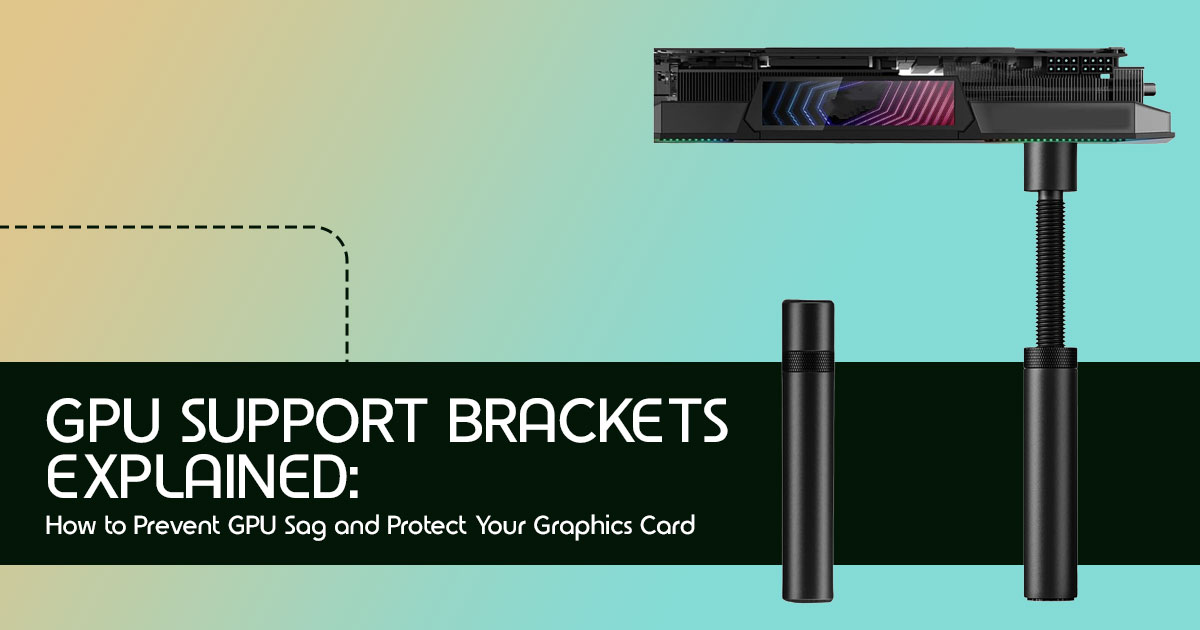
Technical Specifications at a Glance
(As this article reviews a category of products rather than a single item, specific technical specifications will vary widely. We focus on general characteristics and compatibility across different types of GPU support brackets.)
Introduction
A $10 accessory can help protect a $1,000+ graphics card. Yet most PC builders don’t think about it until they notice their GPU starting to lean.
Modern graphics cards are bigger, heavier, and more powerful than ever. Larger heatsinks, thicker backplates, bigger cooling fans, and higher power demands have transformed today’s GPUs into some of the heaviest components inside a PC. That’s great for performance—but it also creates a problem many people ignore: GPU sag.
At first, GPU sag doesn’t look like a serious issue. Your graphics card tilts a little, and the system still works. But over time, that constant weight can put extra stress on the PCIe slot, motherboard, and the card’s PCB (Printed Circuit Board). While not every GPU will suffer damage, leaving a heavy card unsupported for years isn’t a risk worth taking—especially when you’ve invested hundreds or even thousands of dollars in your PC.
Click here to buy from Amazon
Here’s the good news: preventing GPU sag is simple, affordable, and usually takes just a few minutes. The real challenge isn’t fixing the problem—it’s knowing whether your graphics card actually needs support, which type of GPU support bracket is worth buying, and how to install it correctly.
This guide answers those questions and helps you choose the right solution for your PC.
With more than 20 years of experience in computer hardware and application research and development, we evaluate products based on real-world performance, durability, build quality, and value for money—not marketing promises. Whether you’re building your first gaming PC, upgrading to a powerful RTX or Radeon graphics card, creating a professional workstation, or simply trying to protect your existing system, our recommendations are backed by extensive research, component-level analysis, hands-on usability, and industry expertise.
Every recommendation in this guide is based on hardware specifications, manufacturer documentation, real-world user feedback, long-term ownership experience, and current industry best practices.
By the end of this guide, you’ll know what causes GPU sag, which graphics cards are most at risk, when you actually need a GPU support bracket, how to choose the right one, and how to protect your graphics card for years to come. A few minutes of reading today could save you from an expensive mistake tomorrow.
Quick Answer: When a Support Bracket is Necessary If you’re looking for a quick answer, here’s what you need to know. When a support bracket is necessary:
- You own a large, triple-fan, or quad-slot graphics card.
- Your GPU visibly sags, even slightly.
- You frequently transport your PC.
- You want to proactively protect your investment and prevent potential long-term damage.
When it may not be needed:
- You have a compact, lightweight, or low-profile GPU.
- Your PC case offers integrated GPU support.
- You’re using a vertical GPU mount.
Simple rule-of-thumb checklist:
- Is your GPU longer than 10 inches (25 cm)? If yes, consider support.
- Does it have three fans or more? If yes, strongly consider support.
- Do you see a noticeable downward bend when looking at your GPU from the front? If yes, get support immediately.
Understanding GPU Sag
So, what exactly is GPU sag? It’s the visible bending or drooping of a graphics card within its PCIe slot, caused by the card’s weight and the forces of gravity. Imagine a heavy book placed on a shelf that’s only supported at one end – it will inevitably bend downwards. Your graphics card, often extending far beyond its mounting screws, experiences a similar effect.
Why it Happens: The Mechanics Behind Weight and Leverage
GPU sag comes down to two simple things: weight and leverage. Modern GPUs generate far more heat than earlier generations, so manufacturers use larger heatsinks, bigger fans, and thicker metal backplates to keep temperatures under control. The trade-off is more weight.
Components Affected by Prolonged Sag
While GPU sag often starts as a cosmetic issue, prolonged GPU sag may place additional mechanical stress on several components, especially the PCIe x16 slot, the GPU PCB, and the graphics card’s mounting points.
- PCIe Slot: The primary point of stress. Constant downward pressure can strain the slot, potentially leading to micro-fractures on the motherboard’s PCB or damage to the slot’s In severe cases, damage to the PCIe x16 slot may prevent the graphics card from working properly. Depending on the motherboard design, repairing the damaged slot may not always be practical.
- Graphics Card PCB: The GPU PCB can develop PCB flex over time if the card remains under constant mechanical As the board flexes, solder joints around the GPU, VRAM, and other components can experience additional strain.
- Power Connectors: GPU sag doesn’t usually place direct stress on the power cable itself. However, poor cable routing or excessive cable tension can add unnecessary pressure to the GPU’s power connector over time.
- Aesthetics: Beyond the technical risks, a visibly sagging GPU simply doesn’t look good in a meticulously built For many, maintaining a clean and professional build appearance is part of the PC building experience.
How GPU Manufacturers Are Reducing GPU Sag
GPU manufacturers know this is becoming a bigger issue. That’s why many newer graphics cards include extra reinforcement to help reduce GPU sag.
Some of the most common improvements include:
- Reinforced PCIe brackets for better support where the card connects to the case.
- Metal backplates that increase rigidity and help reduce PCB flex.
- Stronger PCB designs with improved structural support.
- Bundled GPU support brackets included with some premium graphics cards.
- Better weight distribution through redesigned coolers and stronger mounting frames.
While these improvements help, they don’t completely remove the possibility of GPU sag, especially on long triple-fan and quad-slot graphics cards. An aftermarket GPU Support Bracket can still provide valuable long-term protection.
Does GPU Sag Affect Performance?
This is a common question, and the answer isn’t always straightforward. In most cases, minor GPU sag is primarily a cosmetic issue and does not directly impact gaming or application performance. Your frame rates won’t drop just because your card is bending a little. The core functionality of the GPU remains intact as long as the electrical connections are stable.
Performance vs. Structural Integrity
The real concern isn’t immediate performance loss, but rather the long-term structural integrity of your hardware. Think of it like a bridge: a slight bend might not affect traffic flow today, but if that bend worsens over years, it could compromise the entire structure.
Similarly, sustained stress from GPU sag can degrade the physical connections and components over time, leading to instability or failure down the road.
When Cosmetic Sag Becomes a Hardware Issue
Cosmetic sag crosses the line into a hardware issue when the stress becomes significant enough to affect electrical connections or cause physical damage. This typically happens with extremely heavy cards, prolonged sag over many years, or if the PC is frequently moved without proper support.
Over time, that constant pressure can lead to:
- Intermittent Signal Loss: Your display might flicker, or you could experience random black screens as the PCIe connection becomes unstable.
- Driver Crashes: Unexplained driver crashes or system instability could be a symptom of a compromised GPU-motherboard connection.
- Artifacting: Visual glitches or artifacts on your screen, especially during demanding tasks, might indicate issues with the GPU’s memory or core, potentially exacerbated by PCB flex.
- Complete Failure: In rare, severe cases, prolonged sag can lead to a complete failure of the graphics card or motherboard, requiring costly replacements.
Signs That Require Immediate Attention
If you observe any of these signs, it’s time to act immediately:
- Significant, worsening sag: The bend is very pronounced and appears to be getting worse over time.
- Visible cracks or stress marks: Inspect the motherboard’s PCIe slot and the GPU’s PCB for any signs of physical damage.
- Loose power connectors: The power cables feel unusually loose or disconnect easily from the GPU.
- System instability: Frequent crashes, blue screens, or display issues that weren’t present before.
Click here to buy from Amazon
How Much Does a Modern Graphics Card Weigh?
| GPU Category | Typical Weight |
| Entry-Level | 400–700g |
| Mid-Range | 700–1,100g |
| High-End | 1.2–2.0kg |
| Flagship Models | 2.0–3.0kg+ |
As graphics cards become larger and heavier, the amount of force applied to the PCIe x16 slot also increases. That’s one reason GPU support brackets have become much more common over the last few hardware generations.
Which Graphics Cards Are Most at Risk?
Not all graphics cards are created equal when it comes to GPU sag. The risk factor largely depends on the card’s physical dimensions, weight, and cooling design. Generally, the larger and heavier the card, the higher the likelihood of experiencing sag.
Compact Dual-Fan GPUs
These are typically entry-level to mid-range cards. While they can still experience minor sag, the risk of significant damage is relatively low due to their lighter weight and shorter length. Many users with these cards might not even notice sag, or it might be so minimal that it poses no real threat.
Triple-Fan Gaming Cards
This category includes many popular mid-to-high-end gaming GPUs. With three fans and larger heatsinks, these cards are considerably heavier and longer than their dual-fan counterparts. They are a prime candidate for GPU sag, and we recommend a support solution for these to ensure long-term stability and peace of mind.
Quad-Slot Flagship Models
These are the behemoths of the GPU world – the top-tier, enthusiast-grade cards that push performance boundaries. They often occupy four expansion slots and come with massive cooling arrays, making them exceptionally heavy. Many quad-slot flagship graphics cards are more likely to experience GPU sag without additional support because of their size and weight.
Factory-Overclocked Editions
Manufacturers often release factory-overclocked versions of their GPUs, which typically feature enhanced cooling solutions to handle the increased clock speeds. This often translates to even larger and heavier heatsinks, placing these cards at a higher risk of sag compared to their reference design counterparts.
Workstation GPUs
While not always as visually imposing as gaming cards, professional workstation GPUs (like NVIDIA Quadro or AMD Radeon Pro series) can also be quite heavy, especially higher-end models designed for intensive computational tasks. These cards are often used in systems that run 24/7, making long-term structural integrity even more critical. Preventing sag in these environments is crucial for uninterrupted productivity and data integrity.
Choosing the Right Support Solution
With the prevalence of GPU sag, the market has responded with a variety of support solutions. Choosing the right one depends on your specific needs, case aesthetics, and budget. We’ll break down the most common types.
Do Graphics Cards Already Include GPU Support Brackets?
Some high-end graphics cards now include a GPU Support Bracket or anti-sag accessory in the box. Several premium motherboard and PC case manufacturers also offer built-in support mechanisms.
However, many graphics cards—especially mid-range models—still rely entirely on the motherboard and PCIe slot for support. Even when a bundled bracket is included, some users prefer an aftermarket GPU Support Stand because it offers better adjustability and improved stability.
Before buying a separate support bracket, check whether your graphics card or PC case already includes one.
Comparison of GPU Support Solutions
| Support Type | Best For | Pros | Cons |
| Adjustable Support Pillars | Most users and first-time PC builders | Highly adjustable, affordable, easy to install, and has minimal impact on airflow. | Can appear bulky and may interfere with bottom-mounted case fans. |
| Magnetic Stands | Steel PC cases with clean interior layouts | Easy to reposition, provides solid stability, and offers a clean appearance. | Requires a magnetic mounting surface and isn’t compatible with every case layout. |
| Fixed Support Brackets | Permanent gaming PCs and systems transported frequently | Very stable, discreet, and provides rigid long-term GPU support. | Limited adjustability and may partially block airflow from bottom GPU fans. |
| Case-Integrated Supports | New PC builds using compatible modern cases | Seamless appearance, no additional purchase required, and designed for an optimal fit. | Available only on selected cases and may not provide as much support as dedicated brackets. |
| Vertical GPU Mounting | Showcase builds and enthusiasts focused on aesthetics | Virtually eliminates traditional GPU sag while prominently displaying the graphics card. | Requires a PCIe riser cable, can reduce airflow in some cases, and typically costs more. |
Adjustable Support Pillars
These are perhaps the simplest and most common solution. An adjustable support pillar is essentially a telescopic rod that sits vertically between the bottom of your graphics card and the floor of your PC case. They are often magnetic at the base for stability and can be adjusted to the precise height needed. They are effective, inexpensive, and generally unobtrusive.
- Pros: Easy to install, highly adjustable, affordable, minimal impact on airflow.
- Cons: Can sometimes look a bit clunky, may interfere with case fans if not positioned carefully.
Magnetic Stands
Similar to support pillars, magnetic stands often offer a more integrated look. They attach to the PSU shroud or case floor via strong magnets and provide a platform or arm to support the GPU. Some are designed to blend seamlessly with the case interior.
- Pros: Clean aesthetic, easy to reposition, good stability.
- Cons: Requires a magnetic surface (steel cases), might not be suitable for all case layouts.
Fixed Support Brackets
These brackets typically mount to the motherboard standoffs or unused expansion slots below the GPU. They provide a rigid, horizontal support arm that cradles the graphics card. Many modern cases come with integrated versions of these.
- Pros: Very stable, often less visible than pillars, can be integrated into case design.
- Cons: Less adjustable, may require specific mounting points, can sometimes block airflow to the GPU’s bottom fans.
Case-Integrated Supports
Many newer PC cases, recognizing the issue of GPU sag, now include built-in support mechanisms. These can range from adjustable arms that swing out from the motherboard tray to dedicated support brackets that are part of the case’s structure. If you’re buying a new case, this is a feature worth looking for.
- Pros: Seamless aesthetic, no extra purchases needed, designed for optimal fit.
- Cons: Limited to specific case models, may not be as robust as aftermarket solutions.
Vertical GPU Mounting
With a vertical GPU mount, the graphics card is supported in a different position, so the downward pull that causes traditional GPU sag is greatly reduced. Instead of mounting horizontally, the GPU is mounted vertically, parallel to the motherboard, using a special bracket and a PCIe riser cable. The weight is then distributed differently, often supported by the case itself.
- Pros: Greatly reduces traditional GPU sag while improving the appearance of the graphics card.
- Cons: Requires a compatible case and a PCIe riser cable (which can sometimes introduce performance issues or compatibility quirks), can restrict airflow to other components depending on case design, generally more expensive.
DIY Solutions: When They Are Acceptable and When to Avoid Them
For the budget-conscious or those who enjoy tinkering, DIY GPU support solutions are an option. Common DIY solutions include LEGO blocks, 3D-printed supports, acrylic spacers, or other household items. While these can be effective, caution is advised.
When they are acceptable:
- When made from non-conductive, sturdy materials.
- When they provide stable, gentle support without applying excessive force.
- For temporary solutions while awaiting a proper bracket.
When to avoid them:
- If the material is conductive (e.g., metal objects that could short components).
- If the support is unstable or could shift during transport.
- If it obstructs fans or airflow significantly.
- If it applies uneven or excessive pressure to the GPU or motherboard.
LEGO blocks can work as a temporary solution, but a purpose-built GPU Support Bracket provides better stability, durability, and long-term protection.
Click here to buy from Amazon
How to Tell if Your GPU Is Already Sagging
Not sure if your graphics card is suffering from GPU sag? It’s often easier to spot than you might think. A quick visual inspection is usually all it takes.
Visual Inspection
The easiest way to check for GPU sag is to look at your graphics card head-on from the front of your PC case. Compare its alignment to the horizontal lines of your motherboard’s PCIe slot or the expansion slots at the back of your case. If the card appears to be dipping downwards, especially at the end furthest from the motherboard, you’ve got sag. Even a slight downward curve can indicate the beginning of the issue.
Physical Movement
With the PC powered off, gently try to wiggle the end of your graphics card that’s furthest from the motherboard. If there’s noticeable play or movement, beyond what feels like normal flexibility, it could be a sign of sag putting stress on the PCIe slot. Be very careful not to apply excessive force during this check.
PCIe Slot Alignment
Another indicator is the alignment of the GPU with the PCIe slot itself. If the card is sagging significantly, you might notice a slight gap or misalignment between the GPU’s connector and the motherboard’s slot. This can be harder to spot without a keen eye or a straight edge for comparison.
Warning Signs During Everyday Use
While sag doesn’t typically affect performance directly, severe or worsening sag can lead to subtle issues. Keep an eye out for:
- Intermittent display issues: Flickering screens, brief signal loss, or odd visual artifacts.
- Unexplained crashes: Your system might become unstable during graphically intensive tasks.
- Unusual noises: While rare, extreme sag could potentially cause components to rub or vibrate, leading to subtle sounds.
If you notice any of these, especially in conjunction with visible sag, it’s definitely time to investigate and consider a support solution.
Myths vs. Facts: Common Misconceptions About GPU Sag
There’s a lot of chatter online about GPU sag, and not all of it is accurate. Let’s clear up some common misconceptions with evidence-based facts.
Myth 1: GPU Sag is Purely Cosmetic and Harmless
Fact: While minor sag often doesn’t cause immediate performance issues, it’s not purely cosmetic. Prolonged, significant sag puts continuous stress on the PCIe slot and the GPU’s PCB. Over time, this stress can lead to micro-fractures, solder joint fatigue, and potential component failure. It’s a long-term structural integrity issue, not just an aesthetic one.
Myth 2: All GPUs Will Eventually Sag, No Matter What
Fact: Not true. The degree of sag, or whether it occurs at all, depends heavily on the GPU’s weight, length, and the robustness of its mounting. Lighter, shorter cards are far less prone to sag. Cases with integrated support or vertical GPU mounting greatly reduce traditional GPU sag, although proper installation still matters.
Myth 3: Sagging GPUs Reduce Gaming Performance
Fact: Direct performance reduction due to sag is highly unlikely. Your frame rates won’t drop because your card is bending. Performance issues arise only if the sag leads to a compromised electrical connection (e.g., intermittent contact in the PCIe slot) or physical damage to the GPU’s internal components, which would manifest as crashes or artifacts, not just lower FPS.
Comprehensive FAQ
Here are answers to some of the most common questions we hear about GPU sag and support brackets.
Do all GPUs need a support bracket?
Quick Verdict: No, not all GPUs need a support bracket. Lighter, shorter cards (typically dual-fan or smaller) often don’t experience significant sag. However, for any mid-to-high-end GPU with three fans or a particularly long and heavy design, a GPU support bracket is a highly recommended preventative measure.
Can GPU sag damage the motherboard?
Quick Verdict: Yes, prolonged and significant GPU sag can damage the motherboard. The constant downward pressure on the PCIe slot can strain the slot itself, potentially leading to micro-fractures on the motherboard’s PCB or damage to the electrical pins within the slot. In severe cases, damage to the PCIe slot may prevent the graphics card from working correctly. Depending on the motherboard design, repairing the damaged slot may not always be practical.
Can sag reduce gaming performance?
Quick Verdict: Directly, no. GPU sag itself does not reduce gaming performance (e.g., lower frame rates). Performance issues would only arise if the sag leads to a compromised electrical connection or physical damage to the GPU’s internal components, which would manifest as system instability, crashes, or visual artifacts, not just a drop in FPS.
Are included brackets sufficient?
Quick Verdict: It depends. Some high-end GPUs come with their own integrated support brackets, which are often well-designed and sufficient. Many PC cases also include simple support arms. These are generally effective for preventing sag. However, if your GPU didn’t come with one, or your case’s solution feels inadequate for a particularly heavy card, an aftermarket GPU support bracket is a worthwhile upgrade.
Is a vertical mount always better?
Quick Verdict: Not always. Vertical GPU mounting greatly reduces traditional GPU sag, but airflow, case compatibility, and PCIe riser quality should also be considered.
In some cases, it can restrict airflow to the GPU, leading to higher temperatures. It also requires a compatible case and a PCIe riser cable, which can sometimes introduce minor performance or compatibility issues. It’s a trade-off between aesthetics, sag prevention, and potential thermal performance.
Can GPU Sag Void the Warranty?
GPU sag alone usually doesn’t void a manufacturer’s warranty. However, physical damage caused by improper installation, excessive mechanical stress, or accidental handling may not be covered. Warranty terms vary between manufacturers, so it’s always worth checking your GPU vendor’s policy.
How Often Should You Check Your GPU?
Checking for GPU sag only takes a minute and can help you catch problems before they become serious.
We recommend inspecting your graphics card:
- Every 3 to 6 months during routine PC cleaning.
- After transporting your PC.
- After installing a new Graphics Card or GPU Support Bracket.
- Whenever you notice the graphics card leaning more than before.
A quick visual inspection can help you spot early signs of GPU sag, PCB flex, or loose mounting hardware before they become larger issues.
Expert Recommendations
Based on our extensive experience with PC hardware, here are our expert recommendations for navigating the world of GPU sag and support solutions.
Best Practices for Different GPU Sizes and Use Cases
- Lightweight/Compact GPUs (e.g., dual-fan, shorter cards): For these, a support bracket is often optional. If you notice even slight sag, a simple, inexpensive adjustable support pillar will provide ample protection.
- Mid-Range to High-End Gaming GPUs (e.g., triple-fan, longer cards): We strongly recommend using a GPU Support Bracket for these graphics An adjustable support pillar or a magnetic stand offers excellent value and effectiveness. Consider a fixed bracket for a cleaner, more permanent solution.
- Flagship/Workstation GPUs (e.g., quad-slot, exceptionally heavy cards): For graphics cards in this category, we strongly recommend using a GPU Support Bracket to reduce long-term stress on the motherboard and graphics card. Prioritize robust fixed support brackets or case-integrated supports for maximum Vertical GPU mounting is also a strong contender if your case and thermal considerations allow.
Budget-Conscious Advice
Don’t break the bank. Even the most affordable adjustable support pillars can effectively prevent GPU sag. Prioritize function over aesthetics if budget is a concern. A simple, well-placed pillar is far better than no support at all.
When a Premium Support Solution is Justified
- High-Value Hardware: If you’ve invested in a top-tier GPU and motherboard, the small additional cost of a premium, robust support bracket is a wise insurance policy.
- Aesthetic Builds: For those who prioritize a clean, visually appealing PC, a more integrated or RGB-enabled support solution can enhance the overall look.
- Frequent Transportation: If your PC is often on the move, a fixed, heavy-duty bracket provides superior protection against movement and vibration.
- Workstation Reliability: In professional environments where system uptime and data integrity are critical, a premium, unyielding support solution minimizes risks.
GPU Support Bracket vs Vertical GPU Mount
| Feature | GPU Support Bracket | Vertical GPU Mount |
| Cost | Lower and budget-friendly | Higher due to the riser cable and mounting kit |
| Installation | Easy, with minimal tools required | Moderate, requiring a compatible case and PCIe riser cable |
| Airflow | Usually unchanged, depending on bracket placement | Can vary depending on case design and GPU clearance from the side panel |
| Sag Prevention | Excellent at reducing GPU sag by supporting the card’s weight | Eliminates traditional GPU sag by mounting the graphics card vertically |
| Best For | Most PC builders looking for an affordable and practical solution | Showcase builds focused on aesthetics and displaying the GPU |
Recommendation
For most users, a GPU Support Bracket offers the best balance of price, ease of installation, compatibility, and long-term protection. A Vertical GPU Mount is a great option if your PC case supports it and you want a cleaner-looking build.
Click here to buy from Amazon
Final Verdict
A graphics card is one of the most expensive parts of any PC. Spending a few dollars today can help protect hardware that costs hundreds—or even thousands—of dollars.
As modern GPUs continue to grow in size and weight, GPU sag is becoming more common than ever. While a slight tilt may not immediately affect gaming performance, the continuous pressure on the PCIe slot, motherboard, and GPU PCB can increase the risk of long-term structural damage. The good news is that preventing it is easy.
For most users, a quality GPU support bracket costs very little, takes only a few minutes to install, and can help protect your hardware for years. If you’ve invested in a mid-range, high-end, or flagship graphics card, adding proper support is one of the smartest upgrades you can make.
Key Takeaways
- Modern graphics cards are heavier than ever, making GPU sag a growing concern.
- GPU sag mainly affects the structural health of your graphics card and PCIe slot, not gaming performance.
- A good GPU support bracket helps reduce unnecessary stress and improves long-term reliability.
- There are several effective solutions, including adjustable support pillars, magnetic stands, anti-sag brackets, and vertical GPU mounts.
- Correct installation is just as important as choosing the right support.
- Regular inspections help ensure your system remains stable over time.
Quick Buying Checklist
Before buying a GPU support bracket, make sure it checks these boxes:
- Durable materials such as aluminum or high-quality acrylic.
- Height adjustability for accurate support.
- Compatibility with both your graphics card and PC case.
- Solid stability without wobbling or shifting.
- Easy installation with minimal tools.
- Clean design that matches your build, if appearance matters to you.
Our Recommendation
For most PC builders, an adjustable support pillar or magnetic GPU support stand offers the best balance of price, ease of installation, compatibility, and long-term protection.
If your system includes a large triple-fan or quad-slot graphics card, or if you frequently move your PC, using a support bracket is highly recommended. It’s a small investment that can help protect hardware worth hundreds or even thousands of dollars.
Where to Buy
You can browse a wide selection of GPU support brackets here:
- Amazon Worldwide: GPU Support Brackets on com
- Amazon India: GPU Support Brackets on in
We’d Love to Hear From You
Still not sure whether your graphics card needs a GPU support bracket? Leave your question in the comments, and we’ll help you choose the right solution. If this guide helped you, consider sharing it with someone building a new PC or upgrading their graphics card. Don’t forget to follow us for more practical hardware reviews, buying guides, and PC building tips.
***Disclaimer***
This blog post reflects our research, analysis, and opinions based on available product information, user feedback, and industry knowledge. It should not be taken as the official position of any brand, manufacturer, or company mentioned here. While we aim to keep information accurate and up to date, product details, pricing, and availability can change. We recommend double-checking important details before making a purchase.
Some links in this article may be affiliate links. If you choose to buy through these links, we may earn a small commission at no extra cost to you. This helps support our work and allows us to keep publishing in-depth, unbiased reviews. Our recommendations are never influenced by affiliate partnerships.
Comments shared by readers reflect their own views and not ours. We are not responsible for outcomes resulting from the use of information on this site. Please seek professional advice where appropriate.
All product names, logos, and brands mentioned are the property of their respective owners. These names are used for identification and informational purposes only and do not imply endorsement.
