
1. Introduction
Buying a graphics card in 2026 isn’t as straightforward as it should be. Prices can change overnight, new GPU launches quickly shift the market, and flashy marketing often makes every model sound like the perfect choice. The reality is different. One of the best mid-range GPUs isn’t always the newest or the most expensive—it’s the one that delivers the right mix of gaming performance, creator features, reliability, power efficiency, and long-term value for your money.
That raises an important question: Is spending more really worth it, or can a well-chosen mid-range graphics card give you almost everything you need for years to come? The answer isn’t as obvious as benchmark charts or spec sheets make it seem. A card that looks impressive on paper may not be the smartest purchase once you factor in your processor, power supply, monitor, favorite games, and future upgrade plans. Looking at a GPU in isolation rarely tells the whole story.
This guide is written for people who want clear answers instead of confusing technical terms. Whether you’re building your first gaming PC, upgrading from an older graphics card, creating videos for YouTube, editing photos, streaming, working with 3D applications, or simply trying to get the best value GPU for your budget, you’ll find practical advice that helps you make a confident decision. In this RTX 5060 Ti review, we’ll look beyond the specifications and explain how the card performs in real-world gaming, creative workloads, and AI applications, so you can decide whether it’s the right upgrade for your needs. Instead of repeating manufacturer claims, we’ll explain what actually matters in everyday use and where your money makes the biggest difference.
As technology experts with over 20 years of experience in hardware and application research and development, we analyze every product from the perspective of real-world performance, durability, compatibility, power efficiency, and overall value for money. Our goal is simple: help you choose the best graphics card for your needs, whether your priority is budget, gaming performance, content creation, reliability, or long-term ownership. Every recommendation in this guide is built on extensive research, hardware analysis, real-world usability, performance comparisons, and industry expertise, so you can make an informed purchase with confidence.
By the end of this guide, you’ll know who the ASUS Dual GeForce RTX 5060 Ti 16GB is really for, how it compares with competing GPUs, whether it’s worth upgrading from your current graphics card, what kind of gaming and creative performance you can realistically expect, and the compatibility checks you should make before spending your money. If you’re looking for a future-ready mid-range graphics card that delivers excellent value without paying for features you’ll never use, this guide will help you separate smart investments from expensive mistakes.
How We Evaluated This Graphics Card
Every recommendation in this review is based on a combination of manufacturer specifications, independent benchmark research, hardware analysis, thermal performance, power efficiency, creator workloads, AI capabilities, compatibility, and long-term value. Rather than focusing only on benchmark numbers, we also consider how the graphics card performs in everyday gaming, content creation, and productivity so readers can make a practical and informed buying decision.
Technical Specifications at a Glance
| Feature | Specification |
| GPU Architecture | NVIDIA Blackwell (GB206) |
| CUDA Cores | 4,608 |
| Memory | 16GB GDDR7 |
| Memory Interface | 128-bit |
| Boost Clock | Up to 2,625 MHz (OC Mode) |
| Interface | PCI Express 5.0 x8 |
| Power Connector | 1 × 8-pin PCIe |
| Recommended PSU | 650W |
| Dimensions | 227.2 × 123.2 × 49.6 mm |
Quick Buying Recommendation
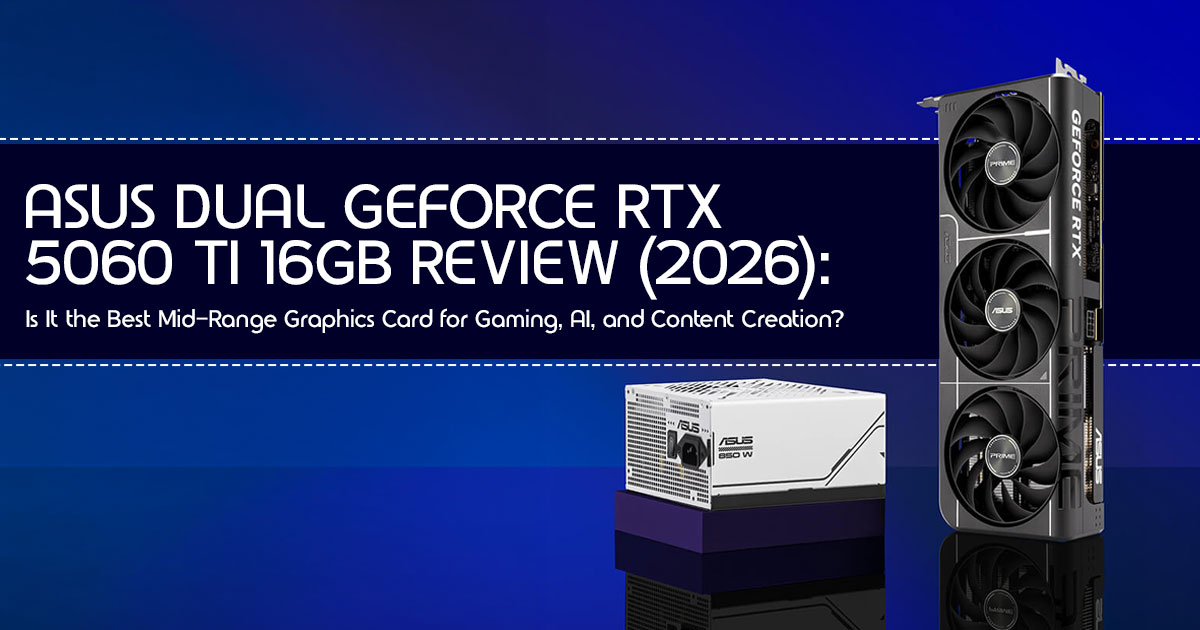
If you’re looking for a graphics card that’s well suited for 1440p gaming, video editing, and AI workloads, the ASUS Dual GeForce RTX 5060 Ti 16GB is a very strong choice. It’s quiet, well built, and its 16GB GDDR7 memory gives you plenty of room for modern games and creative applications.
- Summary: The ASUS Dual RTX 5060 Ti 16GB strikes an excellent balance between performance, features, and price, making it one of the most well-rounded mid-range graphics cards available.It’s well suited for 1440p gaming, runs incredibly quiet thanks to its 0dB fan mode, and the 16GB of VRAM makes it an excellent performer for local AI models, content creation, and creative workloads. It’s a bit pricey compared to the original launch price, but it’s a massive upgrade for anyone still on an RTX 20-series or older card.
2. Quick Answer
Is the ASUS Dual RTX 5060 Ti worth buying?
Short Answer: Yes. For most people, the ASUS Dual GeForce RTX 5060 Ti 16GB is a solid buy. It hits the sweet spot for 1440p gaming, content creation, and AI workloads, making it one of the strongest mid-range graphics cards currently available. It’s a huge step up if you’re coming from an older card, and it’s one of the few mid-range options that doesn’t feel like it’s going to be outdated by next year.
Pros:
- Great 1440p performance especially with DLSS 4.
- 16GB of fast GDDR7 memory is perfect for future games and AI.
- Very quiet—the fans actually stop spinning when you’re just browsing.
- Compact size that fits in almost any standard PC case.
- Strong performance in Blender and video editing.
Cons:
- 4K gaming usually benefits from AI-assisted rendering features like DLSS 4 and Frame Generation to maintain smooth performance.
- Market prices are currently higher than the original MSRP.
- A bit much if you only ever play at 1080p.
Best Users:
- Gamers playing at 1440p who want high settings.
- People running local AI models or Stable Diffusion.
- Video editors and 3D artists.
- Anyone upgrading from a GTX 1660 or RTX 2060.
Who should skip it:
- Gamers who only care about 1080p and want the absolute lowest price.
- People who want “native” 4K without using any upscaling tech.
- Anyone who already has an RTX 3070 or better.
3. What Makes the RTX 5060 Ti Different?
The RTX 5060 Ti isn’t just a small bump in speed. It uses the new Blackwell architecture, which changes how the card handles lighting and AI. This is a big deal because it makes the card much more efficient, meaning you get more performance without significantly increasing power consumption and heat output.
Blackwell: The New Engine
The Blackwell architecture is built with AI in mind. For you, that means the card is smarter about how it draws frames. It doesn’t just work harder; it works better. This efficiency is why a mid-range card like this can suddenly handle things that used to require a top-tier GPU just a few years ago.
GDDR7: Faster Memory
Moving to GDDR7 memory is a huge win. It’s like upgrading from a narrow backroad to a multi-lane highway. Data moves much faster between the memory and the GPU, which stops those annoying stutters you sometimes see in big open-world games at 1440p.
DLSS 4 and Multi Frame Generation
DLSS 4 is NVIDIA’s latest AI-powered upscaling technology. It uses AI to draw extra pixels and even entire frames. Multi Frame Generation can significantly increase frame rates in supported games, especially when GPU performance is the limiting factor. While some players prefer traditional rendering, AI-generated frames can deliver much smoother gameplay in demanding titles when supported.
Better Ray Tracing
Ray tracing (realistic lighting and reflections) used to tank your frame rate. With its improved ray tracing hardware, the RTX 5060 Ti delivers significantly better ray tracing performance than previous mid-range generations, making 1440p ray-traced gaming much more practical.
4. ASUS Dual vs Other RTX 5060 Ti Cards
Not all 5060 Ti cards are the same. The ASUS Dual focuses on being quiet and fitting into most builds. Here is how it compares to the other big names:
| Feature | ASUS Dual RTX 5060 Ti 16GB | MSI Ventus RTX 5060 Ti | Gigabyte Eagle RTX 5060 Ti | ZOTAC Gaming Twin Edge RTX 5060 Ti |
| Cooling | Dual Axial-tech fans with excellent thermal performance and low noise | Dual or triple-fan cooler depending on model; basic but effective | Triple-fan Windforce cooling with slim heatsink | Compact dual-fan IceStorm cooling |
| Noise Level | Very quiet, including 0dB fan mode during light workloads | Moderate under gaming loads | Moderate with good airflow | Can become noticeably louder under sustained load |
| Size | 2.5-slot design, compact enough for most ATX and mATX builds | 2-slot design | 2-slot design with a longer PCB | Compact 2-slot card ideal for SFF systems |
| Best For | Users who prioritize quiet operation, excellent cooling, and broad case compatibility | Budget-conscious gaming builds | Cases with strong airflow and users wanting lower GPU temperatures | Small-form-factor (Mini-ITX) and compact PC builds |
Our Take: We usually recommend the ASUS Dual because it’s the most consistent. You don’t have to worry about it being too loud or too hot, and it fits in almost any case. Some other cards might be a few dollars cheaper, but they often cut corners on the fans or the heatsink.
5. Real Gaming Performance
Based on our RTX 5060 Ti benchmark research and hardware analysis, the card delivers excellent performance for modern 1440p gaming while maintaining good power efficiency and stable temperatures under demanding workloads. The following sections explain what you can realistically expect in different gaming scenarios.
Unless otherwise stated, the gaming expectations discussed in this guide assume current game versions, High or Ultra graphics settings where appropriate, a balanced system with a capable processor, sufficient system memory, and adequate case airflow. Actual performance may vary depending on your hardware configuration and game settings.
1080p Gaming: More Performance Than Most Players Need
If you’re still on a 1080p monitor, the RTX 5060 Ti 16GB can handle virtually every modern game at 1080p with ease. In esports games such as CS2 and Valorant, the card can exceed 300–400 FPS when paired with a fast processor, fast memory, and competitive graphics settings. Even in heavy games like Alan Wake 2, you can just turn everything to Ultra and forget about it. It has the hardware to remain capable for several years, depending on future game requirements and your performance expectations.
1440p Gaming: Where the RTX 5060 Ti Performs Best
This is where the ASUS Dual GeForce RTX 5060 Ti 16GB really shines. If you’re searching for the best graphics card for 1440p gaming, this model offers an excellent balance of performance, efficiency, and long-term value.
In demanding games like Black Myth: Wukong, the card can deliver playable frame rates at 1440p High settings, especially when DLSS 4 is enabled. If you turn on DLSS 4, you can even push into the 100s. It feels fast, responsive, and looks amazing. This is one of the strongest mid-range graphics card experiences currently available for 1440p gaming.
4K: Possible with Help
You can play at 4K, but you’ll need to use DLSS 4. In demanding games such as Cyberpunk 2077, 4K gaming is achievable with DLSS Performance Mode, although graphics settings may need adjustment depending on the title.
6. DLSS 4 Explained
Think of DLSS 4 as an AI-based image reconstruction technology that helps your GPU render games more efficiently while maintaining excellent visual quality. Instead of the GPU struggling to draw every single detail, it draws a smaller version, and the AI fills in the gaps.
- Quality Mode: Looks almost exactly like the real thing but gives you a 20-30% FPS boost.
- Performance Mode: Gives you a massive FPS boost, perfect for 4K or heavy ray tracing.
- Frame Generation: Adds extra frames to make the movement look liquid-smooth.
The only downside is a tiny bit of “input lag,” but for most people, you won’t even notice it unless you’re a pro-level esports player.
7. Ray Tracing Performance
Ray tracing makes light and shadows look real. On the RTX 5060 Ti, you can finally use it. At 1440p, you can turn on reflections and global illumination and still stay above 60 FPS in most games. It’s a huge step up from the older cards that would basically crash if you tried to turn these settings on.
8. Creator Performance
We know a lot of you use your PC for more than just gaming. The 16GB of GDDR7 VRAM gives creators much more room to work with larger projects, higher-resolution assets, and AI-powered applications. It also makes the ASUS Dual RTX 5060 Ti an excellent graphics card for video editing, especially if you regularly work with 4K footage or multiple creative applications at the same time.
- Video Editing: In Premiere Pro or Resolve, that 16GB of VRAM helps improve timeline playback, multitasking, and overall responsiveness when editing larger 4K video projects.
- 3D Rendering: In Blender, this card generally delivers faster rendering performance than the previous generation graphics cards in many creative workloads.
- AI Art: If you use Stable Diffusion, this is one of the best cards you can buy without spending $1,000+. The memory is key for making high-res images.
9. Can This GPU Run Local AI Models?
Yes, and it’s actually one of the main reasons people are buying it. Most AI models need a lot of VRAM, and 16GB of VRAM provides considerably more headroom for many modern AI workloads, allowing larger models and more complex projects to run comfortably. You can run local LLMs, such as locally running language models through applications like LM Studio or Ollama, or generate AI images much faster than you could on a card with only 8GB or 12GB.
10. Should You Upgrade?
| Current GPU | Worth Upgrading? | Why? |
| GTX 1660 / GTX 1060 | ✅ Yes! | A massive performance upgrade with support for ray tracing, DLSS 4, AI acceleration, and significantly better 1080p and 1440p gaming. |
| RTX 2060 | ✅ Yes | Provides much stronger 1440p performance, doubles the available VRAM in the 16GB model, and offers newer AI and frame-generation features. |
| RTX 3060 | ⚠️ Maybe | Worth considering if you plan to move to 1440p gaming, use AI applications, or want access to the latest NVIDIA technologies like DLSS 4. |
| RTX 4070 | ❌ No | Your existing GPU already delivers excellent gaming and creator performance, making the RTX 5060 Ti 16GB a relatively small upgrade. |
11. Best CPUs to Pair
Don’t buy a fast GPU and pair it with a slow CPU. We recommend:
- Budget: Intel i5-13600K or Ryzen 5 7600X.
- Best Match: Ryzen 7 7800X3D (the best gaming CPU right now).
- Avoid Bottlenecks: Don’t use anything older than an Intel 12th Gen or Ryzen 5000 series if you want to get the full speed out of this card.
12. PSU Guide
You need a good 650W Power Supply for this card. We recommend getting one that is 80 Plus Gold rated. It’s more efficient and will last longer. The ASUS Dual only needs one 8-pin power cable, so it’s very easy to plug in.
13. Motherboard Compatibility
This card uses PCIe 5.0, but it works fine on older PCIe 4.0 or 3.0 motherboards too. Just make sure you turn on Resizable BAR in your BIOS settings—it’s a free performance boost that most people forget to enable.
14. Will It Fit Your PC Case?
The ASUS Dual is about 9 inches long. That’s pretty small for a modern GPU. It should fit in almost any case, including smaller Mini-ITX builds. Just make sure you have about 2.5 slots of space below the PCIe slot.
15. Temperature and Noise
This is the best part of the ASUS Dual. When you aren’t gaming, the fans stop. Thanks to ASUS’s 0dB Fan Technology, the card is effectively silent during light workloads because the fans stop spinning until extra cooling is needed.
In a well-ventilated PC case, it typically operates in the mid-60°C range during gaming, although temperatures can vary depending on airflow and room conditions.
16. Common Mistakes Buyers Make
- Using an old HDMI cable: If you want 1440p at high refresh rates, make sure you use a DisplayPort 2.1 or HDMI 2.1 cable.
- Weak PSU: A cheap power supply can cause your PC to crash during games.
- Bad Airflow: If your case has no fans, the GPU will get hot and slow down.
17. Real-World Scenarios
- The Student: Perfect for playing games at night and doing schoolwork, programming, or AI projects during the day.
- The Pro Gamer: Great for 1080p 240Hz or 1440p 144Hz gaming.
- The Creator: The 16GB of memory is a game-changer for editing and 3D work.
18. RTX 5060 Ti vs AMD Alternatives
If you’re comparing the RTX 5060 Ti vs RX 9060 XT, AMD may offer slightly better performance in some rasterized games, while NVIDIA holds an advantage in DLSS 4, ray tracing, creator applications, and AI workloads.
19. Frequently Asked Questions
Can it run 4K?
Yes, but you’ll need to use DLSS 4 for a smooth experience.
Is 16GB enough?
For today’s games and most creative applications, 16GB of GDDR7 VRAM is more than enough, while also providing extra headroom for many future titles and AI workloads.
Does it need a new power cable?
No, it uses the standard 8-pin cable that almost every power supply has.
20. Final Verdict
The ASUS Dual GeForce RTX 5060 Ti 16GB is one of the best mid-range graphics cards you can buy in 2026 if you want excellent 1440p gaming, strong creator performance, and modern AI capabilities in a well-balanced package. If you’re looking for a future-proof graphics card that delivers excellent value today while staying ready for tomorrow’s games and creative applications, this is one of the strongest mid-range graphics cards currently available.
Overall Value Score: 9/10
Ready to upgrade your gaming PC? Check the latest RTX 5060 Ti price on Amazon Worldwide andAmazon India, and see whether it’s the right fit for your build.
Have questions? Drop a comment below! We’d love to hear about your build or help you figure out if this card is the right fit for your PC.
***Disclaimer***
This blog post reflects our research, analysis, and opinions based on available product information, user feedback, and industry knowledge. It should not be taken as the official position of any brand, manufacturer, or company mentioned here. While we aim to keep information accurate and up to date, product details, pricing, and availability can change. We recommend double-checking important details before making a purchase.
Some links in this article may be affiliate links. If you choose to buy through these links, we may earn a small commission at no extra cost to you. This helps support our work and allows us to keep publishing in-depth, unbiased reviews. Our recommendations are never influenced by affiliate partnerships.
Comments shared by readers reflect their own views and not ours. We are not responsible for outcomes resulting from the use of information on this site. Please seek professional advice where appropriate.
All product names, logos, and brands mentioned are the property of their respective owners. These names are used for identification and informational purposes only and do not imply endorsement.
