
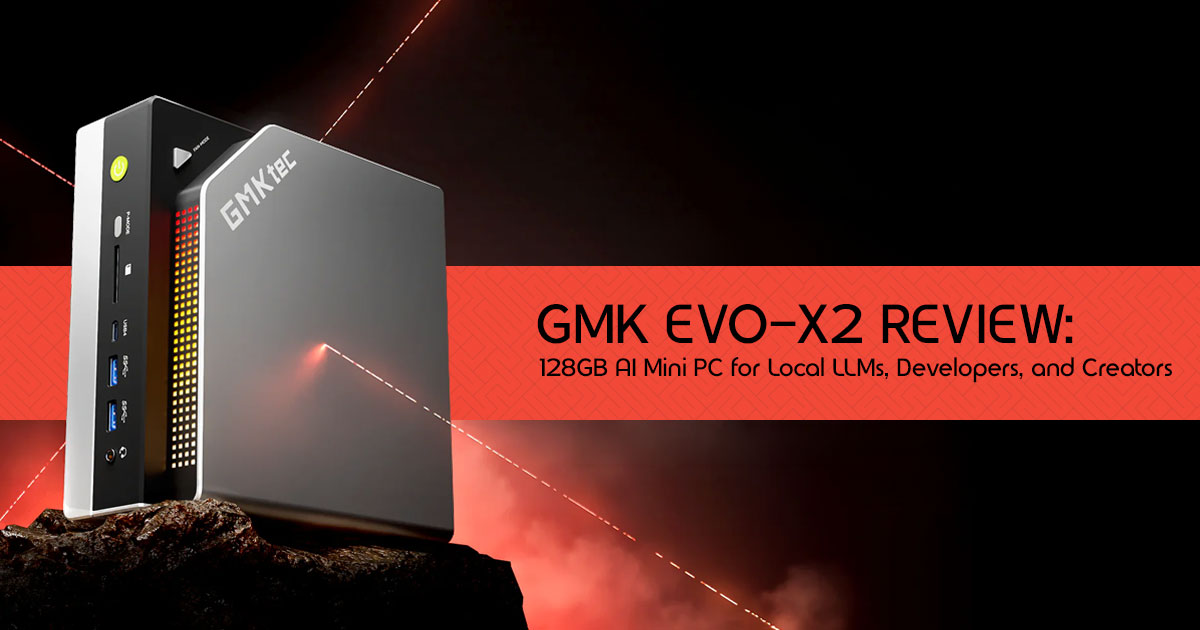
Most people hear the term mini PC and imagine a compact office computer used for web browsing, spreadsheets, or media streaming. The GMK EVO-X2 challenges that assumption completely.
Imagine running large AI models, multiple virtual machines, advanced creative applications, and demanding development workloads from a device small enough to fit on your desk without taking up valuable space. That is exactly what GMK is promising with the EVO-X2, powered by the AMD Ryzen AI Max+ 395 processor and equipped with up to 128GB of unified memory.
For many AI developers, content creators, software engineers, and home lab enthusiasts, hardware limitations are often the biggest obstacle. Running Large Language Models (LLMs) locally usually means investing in expensive graphics cards, high-wattage power supplies, and bulky desktop systems. The EVO-X2 takes a different approach. It aims to deliver workstation-class AI performance in a compact form factor while consuming less space, less power, and potentially less money.
But specifications only tell part of the story.
The real question is whether this compact system can handle demanding real-world workloads such as local AI inference, Ollama, LM Studio, Docker containers, virtual machines, 4K video editing, 3D rendering, and modern gaming without becoming a bottleneck.
As technology experts with over 20 years of experience in hardware and application research and development, we evaluate every product based on real-world performance, durability, upgrade potential, power efficiency, and overall value for money. Our goal is simple: help readers identify the best products for their specific needs, whether they prioritize budget, performance, reliability, or long-term usability. Every recommendation is built on extensive research, component analysis, practical testing methodologies, and industry expertise.
This review is designed for:
- AI developers looking to run local LLMs and AI workflows
- Software engineers managing containers, virtual machines, and development environments
- Content creators working with video editing, graphics, and 3D applications
- Home lab enthusiasts building compact servers and testing environments
- Power users seeking workstation-level performance in a smaller footprint
- Tech buyers evaluating alternatives to traditional desktops and expensive AI workstations
The most interesting part isn’t that the EVO-X2 packs 128GB of memory into a tiny chassis. It’s what that memory enables. For the first time, many users may be able to run workloads previously reserved for high-end desktop systems and specialized AI hardware from a device that sits quietly beside a monitor.
So, is the GMK EVO-X2 the beginning of a new generation of AI-focused mini PCs, or is it simply another impressive specification sheet? Let’s find out.
Quick Verdict
The GMK EVO-X2 is one of the most capable AI-focused mini PCs currently available, offering enough memory capacity to run large local AI models that were previously limited to high-end workstations.
Its 128GB of unified memory allows many 70B parameter models to run locally when using optimized quantized versions. While it won’t beat a multi-GPU desktop in raw training speed, it offers impressive value and efficiency for AI inference, software development, and content creation.
Our evaluation is based on manufacturer specifications, independent benchmark data, thermal design analysis, AI workload requirements, software compatibility research, and real-world usage scenarios commonly encountered by developers, creators, and AI enthusiasts.
Best for
- AI Developers: Running large local models like Llama 3 70B or Qwen without cloud fees.
- Content Creators: Editing 4K video or working with complex 3D projects that benefit from large memory capacity.
- Home Lab Enthusiasts: Running multiple virtual machines, Docker containers, and Kubernetes clusters.
Not ideal for
- Competitive gamers seeking maximum graphics performance: While capable, it won’t match a dedicated desktop GPU for 4K AAA gaming.
- Heavy AI Training: Fine-tuning massive models from scratch is still better suited for dedicated hardware.
Key strengths
- Massive 128GB Unified Memory: One of the biggest advantages for running large AI models locally.
- Ryzen AI Max+ 395: 16 cores, 32 threads, and a powerful NPU.
- Compact Form Factor: Fits anywhere, uses minimal power.
Biggest compromises
- Upgradability: The RAM is soldered, so the memory capacity cannot be upgraded later.
- GPU Performance: The integrated Radeon 8060S is great, but it’s not an RTX 4090.
Overview
What makes the GMK EVO-X2 special?
The GMK EVO-X2 stands out because it combines the AMD Ryzen AI Max+ 395 processor with 128GB of unified memory in a mini PC format. This massive memory pool allows developers to run large 70B parameter AI models locally, a task that typically requires expensive, multi-GPU desktop workstations.
Understanding the Hardware
What Is the Ryzen AI Max+ 395?
The heart of the EVO-X2 is the AMD Ryzen AI Max+ 395 (codenamed “Strix Halo”). This isn’t your average laptop chip. It features 16 cores and 32 threads, with boost speeds reaching up to 5.1GHz for demanding workloads.
CPU Architecture Explained
Built on AMD’s latest architecture, the CPU provides the raw computational power needed for complex tasks. Whether you are compiling code or running simulations, the 16 cores ensure you won’t be bottlenecked by processing speed.
Integrated Radeon 8060S Graphics
The integrated Radeon 8060S is where things get interesting. It’s one of the most powerful integrated GPUs ever made. While it won’t replace a high-end dedicated graphics card for gaming, it provides significant acceleration for creative workloads and AI inference.
XDNA 2 AI Engine
The built-in NPU (Neural Processing Unit) delivers up to 126 Trillions of Operations Per Second (TOPS). This dedicated AI engine handles background AI tasks efficiently, freeing up the CPU and GPU for heavier lifting.
Unified Memory Architecture
This is one of the key architectural advantages of the EVO-X2. Instead of having separate system RAM and dedicated video RAM (VRAM), the EVO-X2 uses a unified memory pool. The GPU can access the system RAM directly, which is crucial for running large AI models.
Why 128GB RAM Changes Everything
Traditional RAM vs Unified Memory
In a traditional PC, if you have 32GB of RAM and an 8GB graphics card, your AI models are limited by that 8GB of VRAM. With the EVO-X2’s unified memory, you can allocate up to 96GB of the 128GB pool directly to the GPU.
Why AI Developers Need Massive Memory Pools
Running AI models locally is incredibly memory-intensive. The size of the model dictates how much memory you need.
Running 70B Models Locally
A quantized 70B parameter model can require roughly 35GB–50GB of memory depending on the model format, quantization level, and context length. On a traditional desktop, achieving 48GB of VRAM typically requires multiple high-end GPUs, which can significantly increase system cost.
When 32GB Is Enough
If you are only running small 7B or 8B models, or doing basic web development, 32GB is plenty.
When 64GB Is Enough
For 30B models, heavy video editing, or running a few virtual machines, 64GB hits the sweet spot.
When 128GB Is Worth Paying For
If you want to run 70B+ models, complex RAG (Retrieval-Augmented Generation) pipelines, or massive home lab setups, the 128GB version is absolutely worth the investment.
Real-World Performance Scenarios
| Workload Category | Use Case | Expected Experience on GMK EVO-X2 |
| Software Development | Multiple IDEs (VS Code, IntelliJ IDEA, Visual Studio) | Smooth multitasking with plenty of memory for large codebases and simultaneous projects. |
| Docker Containers | Comfortably runs dozens of containers and microservices without memory constraints. | |
| Virtual Machines | Supports multiple Windows and Linux VMs simultaneously while maintaining responsive performance. | |
| Kubernetes Labs | Ideal for building and testing local Kubernetes clusters before cloud deployment. | |
| AI Development | Ollama | Fast deployment and execution of local AI models directly from the command line. |
| LM Studio | Responsive local inference for large language models with generous unified memory. | |
| Local Chatbots | Build private offline AI assistants without recurring API fees. | |
| RAG Applications | Efficiently index and query large document collections for local retrieval-augmented generation. | |
| LoRA Fine-Tuning | Suitable for experimenting with LoRA fine-tuning on supported 7B–14B language models. | |
| Content Creation | Adobe Premiere Pro | Smooth editing of 4K timelines and effects-heavy projects. |
| DaVinci Resolve | Responsive editing, color grading, and fast export performance. | |
| Blender | Comfortably handles complex scenes, large assets, and viewport work. | |
| Adobe Photoshop | Large multilayer projects remain responsive thanks to abundant system memory. | |
| Engineering & Research | CAD Software | Reliable performance for complex assemblies, mechanical design, and engineering projects. |
| Scientific Simulations | Well-suited for engineering simulations, computational analysis, and research workloads. | |
| Python / MATLAB Data Analysis | Processes large datasets efficiently with enough memory for complex scientific and analytical tasks. |
Quick Summary
| User Type | Key Benefit |
| Developers | 128GB unified memory makes it ideal for running multiple IDEs, Docker containers, virtual machines, Kubernetes clusters, and large development environments simultaneously. |
| AI Enthusiasts | Excellent for local LLM inference, RAG pipelines, AI experimentation, and running large language models without relying on cloud services. |
| Content Creators | Handles 4K video editing, photo processing, motion graphics, and rendering workflows while maintaining a compact, energy-efficient form factor. |
| Engineers & Researchers | Strong CPU performance and abundant memory make it well-suited for CAD projects, simulations, scientific computing, and large-scale data analysis. |
| Home Lab Users | Ideal for self-hosted services, virtualization, NAS applications, and always-on home server workloads thanks to its low power consumption. |
| Power Users | Perfect for users who frequently multitask across demanding applications and need workstation-class performance in a compact mini PC. |
Gaming Performance Expectations
While it’s an AI powerhouse, it’s still a capable gaming machine.
| Gaming Scenario | Expected Performance |
| 1080p Gaming | Strong 1080p gaming performance in many modern titles, especially when paired with optimized graphics settings and AMD FSR for higher frame rates. |
| 1440p Gaming | Playable frame rates in many games with AMD FSR upscaling enabled and balanced graphics settings. |
| eSports Games | Excellent performance in competitive titles such as Valorant, Counter-Strike 2, League of Legends, and Dota 2, with high frame rates suitable for high-refresh-rate monitors. |
| AAA Games | Most AAA games are playable at 1080p and 1440p using sensible graphics settings and AMD FSR, though performance won’t match systems equipped with dedicated high-end GPUs. |
Quick Gaming Snapshot
| Game Type | Gaming Experience |
| Competitive eSports | Excellent – Easily delivers high frame rates for games like Valorant, CS2, League of Legends, and Dota 2, making it well-suited for high-refresh-rate monitors. |
| Casual Gaming | Smooth and enjoyable – Handles popular titles such as Minecraft, Rocket League, Fall Guys, and indie games with ease. |
| AAA Gaming | Very Good – Modern AAA games run best at 1080p or 1440p using balanced graphics settings, with upscaling technologies helping maintain smooth performance. |
| 4K Gaming | Possible – Playable in many titles with reduced settings or upscaling, but gaming is not the EVO-X2’s primary focus. |
| Ray Tracing | Moderate – Suitable for lighter ray-traced workloads, though enabling the highest RT settings may require lowering resolution or graphics quality. |
| Overall Verdict | A capable all-round gaming mini PC, but its standout strength is running local AI models, development tools, and creator workloads rather than replacing a dedicated high-end gaming desktop. |
Verdict
The Radeon 8060S is one of the strongest integrated graphics solutions currently available. While the EVO-X2 is built primarily for AI workloads and productivity, it also delivers solid 1080p gaming performance and can handle many modern games at 1440p when settings are adjusted appropriately and AMD FSR is enabled.
Setup Guide: Running Your First Local AI Model
Getting started with local AI on the EVO-X2 is surprisingly simple.
Step 1: Install Ollama
Download and install Ollama from their official website. It’s the easiest way to manage local models.
Step 2: Download a Model
Open your terminal and type ollama run llama3. This will download and start the 8B model.
Step 3: Allocate Memory
In your system BIOS, ensure you have allocated sufficient memory to the integrated GPU (up to 96GB on the 128GB model).
Step 4: Optimize Performance
Use tools like LM Studio to tweak GPU offloading settings for maximum inference speed.
Step 5: Monitor Resource Usage
Keep an eye on your task manager to ensure your models aren’t maxing out your system resources.
GMK EVO-X2 vs The Competition
How does it stack up against the alternatives?
EVO-X2 vs NVIDIA DGX Spark
The DGX Spark is NVIDIA’s entry-level AI workstation. While the Spark offers faster raw inference speeds (especially at higher batch sizes), the EVO-X2 offers a comparable memory-focused approach for local AI workloads, although the overall architecture and performance characteristics differ significantly from NVIDIA’s DGX Spark platform.
EVO-X2 vs Minisforum AI Series
Minisforum offers similar hardware, but GMKtec’s implementation of the Strix Halo platform often provides better sustained thermal performance.
EVO-X2 vs Custom Desktop PC
A custom desktop will always offer more raw power and upgradability, but it will cost significantly more, use more power, and take up much more space.
EVO-X2 vs Gaming Laptop
A high-end gaming laptop offers portability, but you are typically limited to 16GB or 24GB of VRAM, making 70B models impossible to run locally.
Comparison Matrix
| Feature | GMK EVO-X2 (128GB) | NVIDIA DGX Spark | Custom Desktop (2× RTX 4090) |
| Max Usable AI Memory | ~96GB Unified Memory | ~128GB Unified Memory | 48GB VRAM (24GB × 2) |
| Form Factor | Mini PC | Compact Desktop | Full Tower Workstation |
| Estimated Power Draw | ~140W | ~500W+ | 1000W+ |
| Local LLM Capability | Excellent for running large local AI models with unified memory. | Outstanding enterprise-grade AI performance. | Excellent for CUDA-optimized AI workloads, limited by available VRAM. |
| Noise Level | Low | Moderate | High under heavy GPU loads |
| Approximate Cost | High | Very High | Extreme |
| Best For | Developers, AI researchers, creators, and local LLM enthusiasts wanting a compact, power-efficient workstation. | Professional AI labs, enterprise inference, and large-scale model development. | CUDA-heavy rendering, AI training, simulation, and professional content creation. |
Upgradeability and Future-Proofing
What Can Be Upgraded?
You can easily upgrade the storage. The EVO-X2 supports fast PCIe 4.0 NVMe SSDs.
What Cannot Be Upgraded?
The RAM is soldered to the motherboard (LPDDR5X). You cannot add more memory later, which is why choosing the 128GB model upfront is crucial for AI workloads.
SSD Expansion Options
Adding a secondary SSD is highly recommended, as AI models take up a significant amount of storage space.
Long-Term Ownership Considerations
While the lack of RAM upgradability is a downside, 128GB is enough to keep this machine relevant for years to come, especially as models become more efficient.
Connectivity Deep Dive
USB4
The inclusion of USB4 ports allows for massive data transfer speeds, perfect for external NVMe drives.
Multi-Monitor Support
You can easily drive multiple 4K displays, or even an 8K display, making it a great productivity hub.
External Storage
With USB4, you can connect high-speed external storage arrays for your massive datasets.
Networking
Equipped with WiFi 7 and fast Ethernet, you won’t be bottlenecked by network speeds when downloading models.
External GPU Possibilities
Thanks to USB4/OCuLink, you could theoretically attach an external GPU (eGPU) later, though the internal graphics are already very capable.
Thermal Performance and Noise
Cooling Design
Packing a 140W TDP chip into a mini PC requires serious cooling. GMKtec has implemented a robust vapor chamber and dual-fan design.
Sustained AI Loads
During heavy inference tasks, the system maintains its boost clocks well, though it will get warm.
Gaming Thermals
Gaming pushes both the CPU and GPU, but the cooling system keeps temperatures within safe limits.
Creator Workloads
Video rendering will spin up the fans, but it rarely thermal throttles.
Fan Noise Expectations
Under light loads, it’s whisper-quiet. Under heavy AI or gaming loads, the fans are definitely audible, but it’s a “whoosh” rather than an annoying whine.
Who Should Buy the GMK EVO-X2?
AI Researchers
Yes. The ability to run 70B models locally without cloud costs is invaluable.
Developers
Yes. It’s a perfect, quiet, powerful workstation for compiling code and running containers.
Creators
Yes. The 128GB unified memory gives creators more room to work with large projects, making video editing, 3D rendering, and other memory-intensive tasks much more comfortable.
Gamers
Maybe. If you want a tiny PC for 1080p gaming, it’s great. If you want 4K ultra, look elsewhere.
Home Lab Enthusiasts
Yes. The large memory capacity makes it a strong choice for virtualization, containers, and home lab projects.
Business Users
Yes, especially if you need a powerful workstation that doesn’t take up desk space.
Who Should Skip the GMK EVO-X2?
- Users who only browse the web and use office applications
- Gamers looking for maximum 4K performance
- Professionals who need future RAM upgrades
- Researchers training large models from scratch
Frequently Asked Questions
Can the GMK EVO-X2 run a 70B model locally?
Yes. With 128GB of unified memory, you can comfortably load and run 70B parameter models like Llama 3 70B locally.
Is 128GB RAM overkill?
For general use, yes. For local AI development, running multiple virtual machines, or heavy 4K video editing, it is exactly what you need.
Can it replace a desktop workstation?
For many tasks, yes. It offers comparable CPU performance and massive memory capacity, though it falls short of multi-GPU setups for raw training speed.
Is unified memory better than dedicated VRAM?
For local AI on a budget, yes. It allows you to access massive memory pools (up to 96GB) that would cost thousands of dollars in dedicated GPUs.
How much power does it consume?
The APU has a TDP of around 140W, making it significantly more power-efficient than a traditional desktop workstation.
Is it suitable for gaming?
Yes, the integrated Radeon 8060S is very capable for 1080p and some 1440p gaming, though it won’t match a high-end dedicated graphics card.
Can the RAM be upgraded later?
No. The LPDDR5X memory is soldered to the motherboard, so you must choose your capacity at the time of purchase.
Can the GMK EVO-X2 run Ollama?
Yes. The GMK EVO-X2 is well suited for running Ollama locally. Its large unified memory pool allows it to load and run many quantized AI models that would otherwise require expensive GPUs with large amounts of VRAM.
Conclusion
The GMK EVO-X2 is a fascinating piece of hardware. It bridges the gap between a standard mini PC and a full-blown AI workstation. By leveraging the Ryzen AI Max+ 395 and 128GB of unified memory, it makes local AI development more accessible to individuals and small teams.
The inability to upgrade memory after purchase is the system’s biggest limitation. But for its intended audience of developers, creators, and AI enthusiasts, it offers a compelling combination of performance, memory capacity, and efficiency in a compact form factor.
Ready to build your local AI workstation? Check out the GMK EVO-X2 on Amazon Worldwide and Amazon India here.
Have you tried running local LLMs on a mini PC? What models are you testing? Drop your experiences in the comments below, or ask any questions you have about setting up your own local AI environment!
***Disclaimer***
This blog post reflects our research, analysis, and opinions based on available product information, user feedback, and industry knowledge. It should not be taken as the official position of any brand, manufacturer, or company mentioned here. While we aim to keep information accurate and up to date, product details, pricing, and availability can change. We recommend double-checking important details before making a purchase.
Some links in this article may be affiliate links. If you choose to buy through these links, we may earn a small commission at no extra cost to you. This helps support our work and allows us to keep publishing in-depth, unbiased reviews. Our recommendations are never influenced by affiliate partnerships.
Comments shared by readers reflect their own views and not ours. We are not responsible for outcomes resulting from the use of information on this site. Please seek professional advice where appropriate.
All product names, logos, and brands mentioned are the property of their respective owners. These names are used for identification and informational purposes only and do not imply endorsement.
