
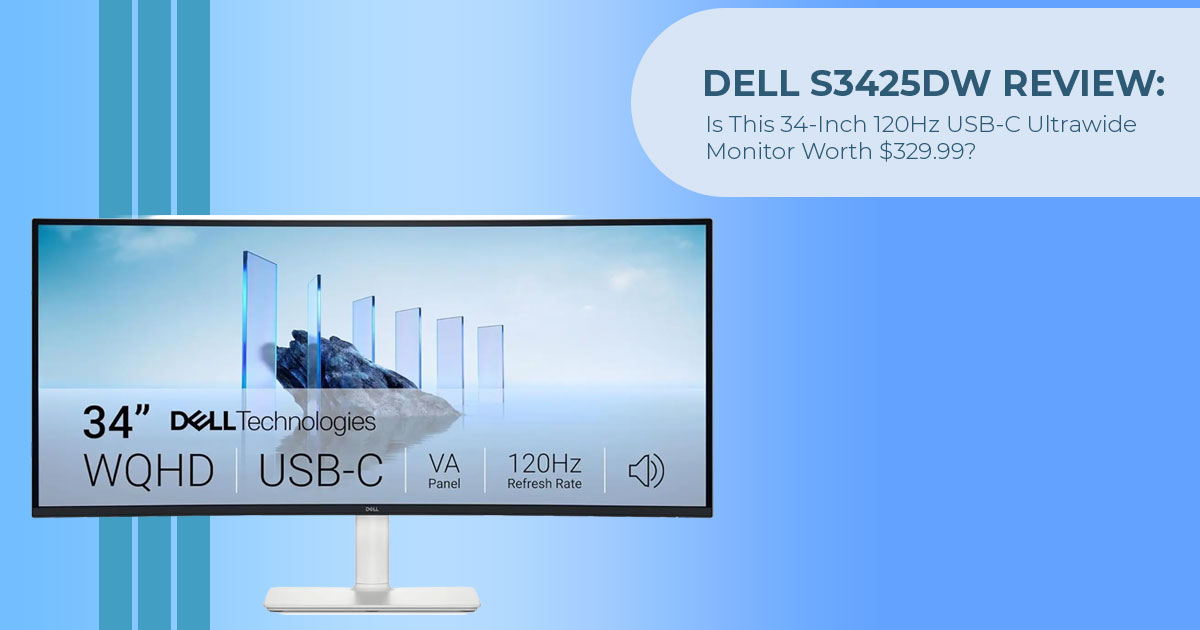
Amazon US listed the Dell 34 Plus USB-C Monitor – S3425DW at US$329.99 when we checked on August 17, 2026. The monitor was in stock and sold and shipped by Amazon.com. Dell US also listed it at US$329.99, compared with a Dell Estimated Value of US$419.99. That Estimated Value should not be treated as the monitor’s launch price.
For office workers, remote professionals, content consumers, and casual gamers looking for a 34-inch ultrawide monitor, this price makes the S3425DW worth considering. It combines a 3440 × 1440 curved VA panel, up to 120Hz refresh rate, and USB-C connectivity with up to 65W Power Delivery, making it a practical choice for everyday work, mixed media, and non-competitive gaming.
As technology experts with over 20 years of experience in hardware and application research and development, we look beyond the specification sheet and assess products based on real-world performance, durability, and value for money. Our goal is to help you choose the right product based on budget, performance, reliability, and long-term use. For this monitor, that means focusing on whether it makes sense for professionals who need more screen space, home-office users who want a single large display, students and creators working across multiple windows, and casual gamers who want a smoother experience.
However, the S3425DW is not the right fit for every setup. Dell’s port selection does not include a dedicated DisplayPort connection, while its 65W USB-C Power Delivery may not provide enough power for some higher-powered laptops. Independent review samples measured lower DCI-P3 coverage than Dell’s stated 95% figure. These details matter if you need strong color accuracy, higher laptop charging power, or a wider range of connectivity options.
At US$329.99, the Dell S3425DW offers a useful mix of screen size, resolution, refresh rate, USB-C connectivity, and everyday usability, but its limitations should be considered before buying.
S3425DW price and availability at a glance
| Price or Availability Item | Verified Status at the Time of Writing |
|---|---|
| Amazon US Listed Price | US$329.99 for a new unit; listed as in stock and sold and shipped by Amazon.com. |
| Dell US Listed Price | US$329.99 |
| Dell Estimated Value Shown in the US | US$419.99 |
| Difference Between Dell US Listed Price and Estimated Value | US$90, equivalent to approximately 21%. |
| Tracked Amazon US Low | US$314.99 on June 28, 2026. |
| Difference From Tracked Low | The current US$329.99 listed price is US$15 higher than the tracked low. |
| Amazon India Availability | No featured offer; the product page is marked currently unavailable. |
| Official Launch Price | Not verified. Dell’s Estimated Value should not be treated as the product’s official launch price. |
Prices, stock, sellers, delivery terms, and warranties can change. Check the retailer page and final checkout details before ordering.
Check the current S3425DW listing on Amazon US
Verified Dell 34 Plus USB-C Monitor – S3425DW specifications
The table below uses Dell’s official US specification page as the primary source. Dell India is used only for India-specific warranty information.
| Specification | Verified Detail | Buyer Relevance |
|---|---|---|
| Display | 34-inch VA panel with LED edge lighting | Dell rates this panel at 3,000:1 native contrast; independent sample measurements are discussed below. |
| Curvature | 1800R | The 1800R curve brings the sides of the ultrawide display slightly toward the viewer. |
| Resolution & Aspect Ratio | 3440 × 1440, 21:9 UW-QHD | Provides substantially more horizontal workspace than a conventional 2560 × 1440 display. |
| Pixel Density | 109 PPI | Similar pixel density to many 27-inch 2560 × 1440 monitors. |
| Refresh Rate | 48Hz–120Hz; maximum preset of 3440 × 1440 at 120Hz | Supports noticeably smoother motion than 60Hz when the computer and connection are configured for 120Hz. |
| Response-Time Modes | 5ms GtG; 3ms GtG Fast; 1ms GtG Extreme | The advertised 1ms figure applies specifically to Extreme mode. |
| Adaptive Sync | AMD FreeSync Premium | Can coordinate supported frame rates with the display refresh rate to reduce visible screen tearing. |
| Brightness | 300 cd/m² rated | Designed for normal indoor use; the rating does not establish high-brightness HDR performance. |
| Native Contrast | 3,000:1 rated | A higher native contrast ratio can produce deeper-looking blacks than lower-contrast panels. |
| Color Support | 1.07 billion colors | Dell’s stated color-depth support for the display. |
| Color Gamut | 99% sRGB and 95% DCI-P3 | Manufacturer-stated gamut coverage; independent review measurements are discussed below. |
| Upstream USB-C | 5Gbps, DisplayPort 1.4 Alt Mode, up to 65W Power Delivery | Carries video, USB data, and power through one cable when connected to a compatible laptop. |
| Other Video Inputs | Two HDMI ports; supports HDMI 2.1-specified features | Allows two additional video sources to be connected. |
| Dedicated DisplayPort Socket | Not included in Dell’s listed ports | A desktop with DisplayPort-only output may require a suitable adapter. |
| USB Hub | 2× 5Gbps USB-A downstream + 1× 5Gbps USB-C downstream with up to 15W Power Delivery | Provides convenient connectivity for peripherals and low-power device charging. |
| Speakers | 2× 5W speakers (10W total) | Provides built-in audio for video calls, media playback, and routine desktop use. |
| Stand Adjustment | 130mm height; -5° to 21° tilt; -4°/+4° slant | Covers basic ergonomic positioning; Dell does not list swivel adjustment. |
| VESA Mount | 100 × 100mm | Supports a compatible monitor arm or wall mount. |
| Dimensions With Stand | 807.32mm wide × 221.85mm deep × 411.53–517.18mm high | Buyers should check available desk width, depth, and preferred viewing distance before purchasing. |
| Weight With Stand | Approximately 9.38kg | Important when selecting a desk, monitor arm, or wall-mount solution. |
| Included Cables | Power cable + 1.8m USB-C to USB-C 10Gbps/100W cable | A USB-C cable suitable for the supplied display connection is included in the box. |
| Software Compatibility | Dell Display and Peripheral Manager | Available functionality can vary depending on the operating system and software version. |
| Warranty | Dell US: 1 year; Dell India: 3 years | Warranty coverage varies by market, so buyers should verify the terms for their region before purchase. |
How the 3440 × 1440 ultrawide monitor format affects work
A 3440 × 1440 ultrawide monitor adds 880 horizontal pixels compared with a 2560 × 1440 screen while retaining the same vertical resolution. This gives applications more room across the desktop rather than increasing vertical space.
Its 109 PPI is similar to the pixel density of a 27-inch 2560 × 1440 monitor. That comparison helps explain expected text and interface sizing, although scaling and viewing distance can still affect comfort.
The format can support workflows such as:
- a spreadsheet with more visible columns;
- two documents displayed side by side;
- a code editor with a terminal or preview panel;
- a video timeline with adjacent tool panels;
- a primary application with email or reference material beside
Dell also lists Picture-by-Picture and Picture-in-Picture. These features can display content from more than one input, but available layouts and scaling should be checked in the user guide for the intended devices.
Desk space matters. The monitor is approximately 807mm wide and 222mm deep with its stand. A buyer planning to keep a laptop, speakers, or other equipment beside it should measure the complete workspace rather than relying only on the 34-inch diagonal specification.
What the 120Hz ultrawide monitor specification means
A 120Hz ultrawide monitor can update the image up to 120 times per second. When compared at the same resolution and with appropriate source output, movement should appear more continuous than on a 60Hz display.
This applies to desktop activity as well as games. Scrolling, moving windows, and navigating long timelines can benefit from the higher refresh rate. Your computer must support 3440 × 1440 at 120Hz, and you may need to select 120Hz manually in the operating system.
For gaming, the S3425DW combines 120Hz with AMD FreeSync Premium. Dell quotes 1ms GTG only for Extreme mode, alongside 3ms Fast and 5ms modes. Those are manufacturer response-time specifications, not measurements from our lab.
This makes the monitor more relevant to mixed work-and-gaming use than to buyers who select a display primarily for competitive play. Models with 180Hz or higher refresh rates are available, but they may omit the S3425DW’s USB-C laptop charging.
S3425DW contrast, color, and HDR performance
The VA ultrawide monitor panel has a rated 3,000:1 native contrast ratio. A higher ratio can produce deeper-looking blacks than lower-contrast panels.
VA panels can show viewing-angle shifts and slower dark transitions, although the extent varies by model and settings. The 1800R curve keeps the sides more directly oriented toward a person seated in the center, but it does not remove those general panel characteristics.
Dell claims 99% sRGB and 95% DCI-P3 coverage. We did not verify those figures through our own measurements. Two independent reviews reported lower DCI-P3 coverage on their samples:
- Digital Trends reported approximately 98% sRGB, 80% Adobe RGB, 84% DCI-P3, and Delta-E 15 from a calibration lab.
- Digital Camera World measured up to 85% DCI-P3 on its sample and recorded brightness variation of up to 21% across the panel. Its reviewer noted that the variation was less apparent in normal viewing than on uniform test screens.
Individual units can vary. These results do not replace Dell’s specification, but they make it safer to classify the monitor for general content work rather than professional color-critical production.
The display supports HDR10 and is rated at 300 cd/m². Dell does not list a VESA DisplayHDR certification, peak HDR brightness, or local-dimming specification on the official product page. HDR10 support does not by itself indicate the same HDR performance as a brighter mini-LED or OLED display.
USB-C monitor with 65W Power Delivery: what to check
The S3425DW functions as a USB-C monitor with 65W Power Delivery. Its upstream USB-C port carries DisplayPort 1.4 video, USB data, and up to 65W of power through one connection.
Before treating it as a one-cable laptop setup, compare 65W with the output printed on the laptop’s supplied power adapter. If the laptop normally uses more than 65W, the monitor cannot provide the same maximum power. Charging behavior under load will depend on the laptop.
The included cable is rated for 10Gbps data and 100W power, but the monitor’s upstream output remains limited to 65W. The separate downstream USB-C port supplies up to 15W for a connected device.
Does the S3425DW have DisplayPort?
Dell’s port list does not include a dedicated DisplayPort socket. DisplayPort 1.4 video is carried through the upstream USB-C port using Alt Mode.
A desktop graphics card with only full-size DisplayPort outputs may require an adapter or cable whose specifications explicitly support the intended 3440 × 1440 resolution and refresh rate. The monitor also includes two HDMI inputs.
Dell’s listed connections do not include Ethernet or Thunderbolt. The S3425DW therefore offers partial docking functions rather than the port selection of a full Thunderbolt hub monitor.
Stand, mounting, speakers, and software
The stand supports height, tilt, and slant adjustment. Dell does not list swivel. Independent reviewers from Digital Trends and Digital Camera World both commented that they would have preferred more stand height, although this is an ergonomic preference rather than a specification defect.
The 100 × 100mm VESA pattern allows use with a compatible arm. The arm should support a curved 34-inch panel weighing approximately 6.91kg without its stand.
Dell specifies two 5W speakers. They may be sufficient for calls and routine audio, but audio quality requirements vary.
Dell also lists compatibility with Dell Display and Peripheral Manager. Window-layout features can be useful on a 21:9 desktop, but supported functions and operating systems should be checked against Dell’s current software documentation.
S3425DW pros and limitations
| Verified Advantage | Corresponding Limitation |
|---|---|
| 3440 × 1440 resolution provides a continuous, wide workspace for productivity and multitasking. | The large display requires approximately 807mm of desk width. |
| 120Hz refresh rate delivers smoother desktop motion and supports mixed-use gaming. | Gaming-focused alternatives with 180Hz or higher refresh rates are available. |
| USB-C combines video, data connectivity, and up to 65W laptop charging through a single cable. | 65W Power Delivery may be insufficient for laptops that normally use higher-powered adapters. |
| Rated 3,000:1 native contrast helps provide deeper blacks and better presentation of dark content. | VA panel characteristics can include viewing-angle limitations and slower dark-pixel transitions. |
| Two HDMI inputs and a USB hub make it easier to connect and manage multiple devices. | No dedicated DisplayPort, Ethernet, or Thunderbolt connection is listed. |
| Height adjustment and VESA mounting provide flexibility for desktop and monitor-arm installations. | The included stand does not list swivel adjustment. |
| Integrated 2 × 5W speakers provide convenient built-in audio without requiring additional equipment. | Dedicated speakers or headphones may provide better sound quality for music, gaming, and other demanding audio workloads. |
S3425DW competitor comparison
The models below are all 34-inch, 3440 × 1440 VA monitors, but they address different connection and refresh-rate priorities. Competitor prices are omitted because a like-for-like current price was not verified across the same seller and availability conditions.
| Exact Official Product Name & Model | Shape & Panel | Maximum Refresh Rate | USB-C Laptop Power | Listed Video Connections | Main Factual Distinction |
|---|---|---|---|---|---|
| Dell 34 Plus USB-C Monitor – S3425DW | 1800R curved VA | 120Hz | Up to 65W | Two HDMI; DisplayPort 1.4 Alt Mode over USB-C | Includes dual 5W speakers; no dedicated DisplayPort socket listed. |
| LG 34 Inch UltraWide™ Curved Monitor with WQHD 1440P HDR10 Display 100Hz Refresh Rate and USB Type-C™ (34WR55QC-B) | 1800R curved VA | 100Hz | Up to 65W | Two HDMI 2.0; DisplayPort 1.4; USB-C | Adds a dedicated DisplayPort 1.4 input; LG lists 5ms GtG in Faster mode. |
| Samsung 34 Inch ViewFinity S5 S50GC Ultra-WQHD | 100Hz | HDR10 | High Resolution | Monitor (LS34C502GANXZA) | Flat VA | 100Hz | Not listed | Two HDMI 2.0; DisplayPort 1.2 | Uses a flat panel and has no USB-C connection in Samsung’s listed interfaces. |
| Alienware 34 Gaming Monitor – AW3425DWM | 1500R curved VA | 180Hz | Not listed | Two HDMI; DisplayPort 1.4 | Higher 180Hz refresh rate, VESA DisplayHDR 400, and dedicated DisplayPort; no USB-C laptop charging listed. |
S3425DW vs LG 34WR55QC-B
The S3425DW vs LG 34WR55QC-B comparison is the closest in this group. Both have 34-inch 1800R VA panels, 3440 × 1440 resolution, 3,000:1 rated contrast, HDR10, AMD FreeSync, and USB-C charging up to 65W.
The S3425DW reaches 120Hz and includes speakers. The LG model reaches 100Hz and adds a dedicated DisplayPort 1.4 input and headphone output. The more suitable option depends on whether the buyer values the Dell’s additional 20Hz and integrated audio or the LG’s dedicated DisplayPort.
S3425DW vs Samsung ViewFinity S5 S50GC
The S3425DW vs Samsung ViewFinity S5 S50GC decision centers on panel shape and USB-C. Samsung’s model is flat and limited to 100Hz, while the S3425DW is curved and reaches 120Hz. Samsung lists HDMI and DisplayPort but not USB-C, so it does not replace a laptop charger or USB-C dock.
Gaming and full-dock alternatives
The Alienware 34 Gaming Monitor – AW3425DWM is the more gaming-focused comparison. Its official specification lists 180Hz, DisplayPort 1.4, AMD FreeSync Premium, VESA AdaptiveSync, and VESA DisplayHDR 400. Dell does not list USB-C laptop charging for that model.
Buyers who need a fuller business dock can consider the Dell UltraSharp 34 Curved Thunderbolt™ Hub Monitor – U3425WE. Dell lists an IPS Black panel, 120Hz, Thunderbolt connectivity, up to 90W Power Delivery, Ethernet, and a built-in KVM switch. It offers more docking features than the S3425DW and
belongs to Dell’s higher-end business-monitor range, so its current regional price should be checked separately.
Who should consider this ultrawide monitor for productivity?
The S3425DW is better aligned with buyers who:
- need an ultrawide monitor for productivity and prefer one continuous screen;
- use a USB-C laptop whose power requirements fit within 65W;
- work with wide spreadsheets, timelines, or multiple applications;
- want a refresh rate above 100Hz without moving to a gaming-first monitor;
- can connect desktop devices through HDMI or USB-C;
- accept manufacturer-rated HDR10 support without expecting a specified DisplayHDR
A different monitor may be more appropriate for buyers who:
- require independently verified wide-gamut coverage and panel uniformity;
- need a dedicated DisplayPort input without an adapter;
- rely on 90W or greater laptop charging;
- need Ethernet, Thunderbolt, or a hardware KVM;
- prioritize 180Hz or faster competitive gaming;
- prefer a flat panel for geometry-sensitive design
S3425DW price history and buying advice
Camelcamelcamel’s Amazon US history recorded a low of US$314.99 on June 28, 2026 and an average Amazon price of US$393.43 in the captured history. The retailer’s listed price of US$329.99 at the time of writing was therefore US$15 above the tracked low and below the tracked average.
That does not guarantee value for every buyer, and the earlier low may not return. A buyer who needs the monitor now can compare Amazon US and Dell US because both displayed US$329.99 during this fact-check. A buyer without an immediate need could use a price alert and monitor future changes.
Compare more than the number shown in the buy box. Seller identity, stock condition, return window, delivery, regional warranty, and payment terms can affect the final purchase decision.
Frequently asked questions about the S3425DW
Is the S3425DW good for gaming?
It supports 3440 × 1440 at up to 120Hz, AMD FreeSync Premium, and a manufacturer-rated 1ms GTG response time in Extreme mode. It suits casual and mixed-use gaming, but competitive gamers may prefer a 180Hz or faster display.
Can the S3425DW charge a laptop?
Yes. Its upstream USB-C port supplies up to 65W while carrying video and data. Check the laptop’s required adapter wattage before relying on the monitor as its only power source.
Does the S3425DW work with a MacBook?
A compatible MacBook can use USB-C DisplayPort Alt Mode for video and receive up to 65W. Support depends on the MacBook model, operating-system settings, cable, and power requirement, so buyers should verify their specific Mac configuration.
Is the S3425DW suitable for photo editing?
It may suit general web and non-critical creative work. Dell claims 95% DCI-P3 coverage, while two independent reviews measured approximately 84% and 85% DCI-P3 coverage on their samples. Professional color work requires validation against the user’s gamut, uniformity, and calibration requirements.
Does the S3425DW have built-in speakers?
Yes. Dell specifies two 5W speakers, for 10W total output.
Can the S3425DW replace two monitors?
It can provide one continuous 3440 × 1440 workspace for side-by-side applications. It is not equivalent in total pixel width or physical positioning to every dual-monitor arrangement, so the answer depends on the existing monitor sizes and workflow.
Final verdict: is the Dell 34 Plus USB-C Monitor – S3425DW worth considering?
At the US-listed price of US$329.99 recorded on August 17, 2026, the S3425DW makes sense for buyers who want a large 1440p ultrawide with 120Hz refresh, VA contrast, and USB-C laptop power in one display.
The evidence also defines its limits. Dell does not list a dedicated DisplayPort socket or a DisplayHDR tier, laptop charging stops at 65W, and independent review samples did not reproduce Dell’s claimed 95% DCI-P3 coverage.
That makes the monitor a reasonable candidate for laptop-centered office work and mixed media use when those limits match the buyer’s setup. It is less aligned with professional color production, a full Thunderbolt docking workflow, or gaming where refresh rate takes priority over USB-C.
Check the latest S3425DW Amazon US listing
Amazon US listed a new S3425DW at US$329.99, in stock and sold and shipped by Amazon.com, when we checked. Confirm the model number, current US price, seller, stock condition, and return terms on the live page.
View the Dell 34 Plus USB-C Monitor – S3425DW on Amazon US
Check the S3425DW price in India
Amazon India did not show a featured offer when checked, and the product page was marked currently unavailable. No current INR price is stated in this article. Indian buyers should confirm the regional model, seller, stock, final INR price, and warranty on the live listing. Dell India’s official page lists a three-year limited hardware warranty with Advanced Exchange Service for its regional product.
Check S3425DW availability and current pricing on Amazon India
Have you used the Dell S3425DW or another 34-inch ultrawide monitor? Share your experience or thoughts in the comments. If you have any questions about the monitor, its USB-C connectivity, 120Hz refresh rate, 3440 × 1440 resolution, or whether it suits your setup, feel free to ask.
Follow us for more honest product reviews, buying guides, deals, and technology updates.
***Disclaimer***
This blog post reflects our research, analysis, and opinions based on available product information, user feedback, and industry knowledge. It should not be taken as the official position of any brand, manufacturer, or company mentioned here. We make every effort to keep this guide accurate, but product specifications, pricing, and availability may change after publication. We recommend double-checking important details before making a purchase.
Some links in this article may be affiliate links. If you choose to buy through these links, we may earn a small commission at no extra cost to you. This helps support our work and allows us to keep publishing in-depth, unbiased reviews. Affiliate partnerships never influence our recommendations.
Opinions expressed by readers are their own and do not necessarily reflect ours. We are not responsible for outcomes resulting from the use of information on this site. Please seek professional advice where appropriate.
All product names, logos, and brands mentioned are the property of their respective owners. These names are used for identification and informational purposes only and do not imply endorsement.
