
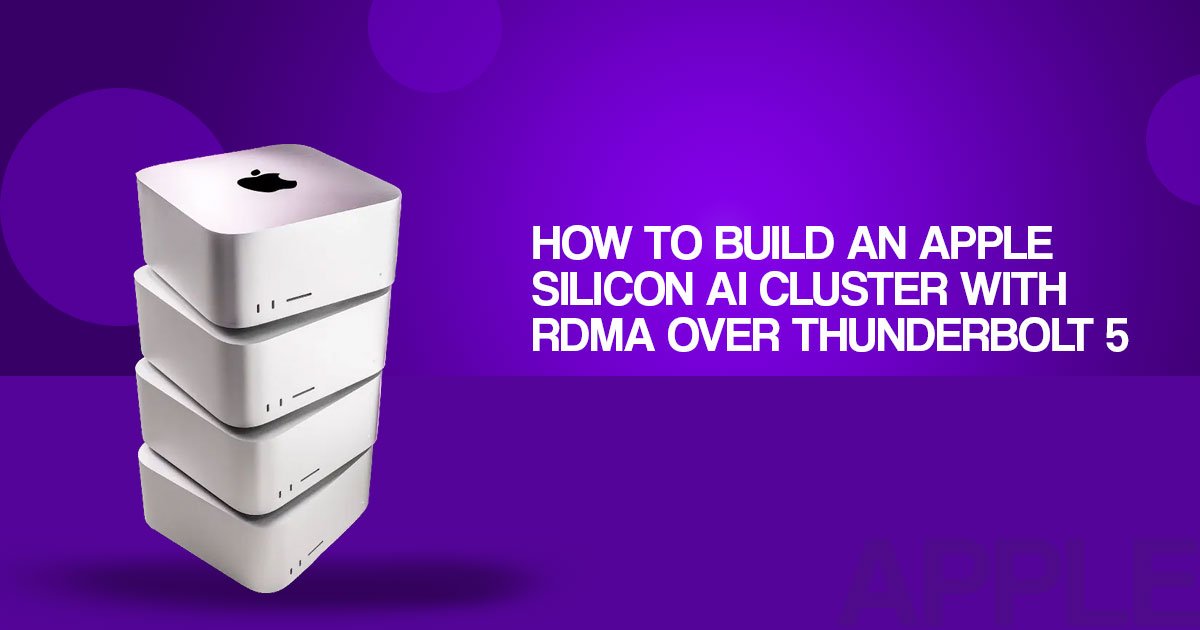
What is RDMA over Thunderbolt?
RDMA over Thunderbolt is one of the more interesting features for users looking at Mac clusters, local AI, machine learning, and distributed computing. Apple has introduced it as a peer-to-peer networking interface for Mac computers, allowing supported applications to exchange data between machines with lower networking overhead.
For most Mac users, however, the important question is not what Remote Direct Memory Access (RDMA) is, but whether it makes a practical difference to the way they use their Macs.
A Thunderbolt connection alone does not combine the memory of two Macs into a single pool, and regular desktop applications will not automatically use remote memory. The software needs to support distributed computing and RDMA. Apple’s documentation points to MLX Distributed and the JACCL distributed compute backend as examples of software designed to use this technology.
This makes RDMA over Thunderbolt particularly relevant for local AI inference, machine-learning workloads, model serving, scientific computing, and other applications that move large amounts of data between machines.
As technology experts with over 20 years of experience in hardware and application research and development, we deeply analyze each product based on real-world performance, durability, and value for money. Our goal is to help you find the best product in every category—budget, performance, reliability, and long-term usage. In this article, we look at the technology from the perspective of Mac users, developers, AI researchers, machine-learning enthusiasts, engineers, and professionals considering a multi-Mac setup. Our recommendations are based on extensive research, component analysis, real-world usability, and industry expertise.
The key is understanding what RDMA over Thunderbolt can actually improve, which workloads can benefit from it, what software supports it, and where its limitations become important. If you are considering a Mac cluster for AI or other demanding workloads, these are the details worth understanding before spending money on additional hardware.
Supported Macs and macOS requirements
Apple documents RDMA over Thunderbolt for Apple silicon Macs with Thunderbolt 5, beginning with macOS 26.2. That is narrower than “any Mac running a recent version of macOS.” A Thunderbolt 4 Mac may still support ordinary networking or other distributed workflows, but it should not be marketed as an RDMA-capable node without specific documentation for that model.
| Buyer question | Practical answer |
| Which Macs are relevant? | Apple silicon Macs with Thunderbolt 5, subject to the exact model and software support. |
| Which macOS version is documented? | macOS 26.2 or later, based on Apple TN3205. |
| Is Thunderbolt 4 equivalent? | No. Do not assume Thunderbolt 4 provides the same RDMA support. |
| Does one cable create a cluster? | No. Enablement, topology, addressing, software, and management still matter. |
| Is Ethernet unnecessary? | No. Keep IP networking for SSH, downloads, monitoring, and administration. |
The safest buying sequence is to select the Mac hardware first, confirm its Thunderbolt generation, and then check the current Apple documentation and software release notes before ordering several nodes.
How to enable RDMA in macOS Recovery
Apple’s documented process is not a normal System Settings switch. For each supported Mac, the documented sequence is:
- Boot into macOS Recovery.
- Open Utilities → Terminal.
- Run `rdma_ctl enable`.
- Restart into macOS.
- Check for RDMA interfaces with `ibv_devices`.
Apple’s example shows interfaces such as `rdma_en2`, `rdma_en3`, and `rdma_en4`. An interface can become active when the Macs are connected and RDMA is enabled across the participating nodes.
Record the Mac model, macOS build, command output, cable layout, and software version as the cluster is assembled. This creates a useful troubleshooting record if an interface does not appear or a distributed application falls back to ordinary networking.
Treat `rdma_ctl enable` as a documented configuration step for supported hardware—not as proof that every Mac can join an RDMA cluster.
Mac cluster topology and Thunderbolt cabling
RDMA over Thunderbolt uses point-to-point links. JACCL supports both mesh and ring topologies. A fully connected mesh gives every Mac a direct Thunderbolt path to every other Mac, while a ring uses fewer links but may require communication to pass through intermediate nodes. The separate MLX `ring` backend uses TCP, so the two should not be treated as the same transport.
A two-node supported Mac mini or Mac cluster needs one direct Thunderbolt 5 connection for RDMA.
| Topology | Main benefit | Main limitation |
| Two-node direct link | Simplest starting point for testing | Limited capacity and redundancy |
| Four-node full mesh | Direct path between every pair | Six cables and more cable management |
| Ring | Fewer links and a longer communication path between non-adjacent nodes | Supported by JACCL, but different from MLX’s separate TCP ring backend |
| Ethernet-only cluster | Familiar management and routing | Does not provide the same documented RDMA-over-Thunderbolt path |
This is one reason a rack build needs more planning than a stack of computers. The enclosure must leave room for cable bends, ventilation, power access, and maintenance. A compact rack can organize the project, but it cannot solve topology or software compatibility.
RDMA for local AI inference: tensor versus pipeline parallelism
Competitor coverage frequently compares tensor parallelism and pipeline parallelism. This distinction helps readers decide whether a cluster is worth the cost.
With pipeline parallelism, different nodes handle different model layers. Each token moves through the stages in sequence. With tensor parallelism, nodes split parts of the computation and exchange intermediate results more frequently.
Tensor parallelism can benefit more from a low-latency interconnect, but it also creates more communication points. That means the result depends on the model, quantization, context length, batch size, software implementation, and network topology. A larger cluster is not automatically faster.
Current MLX issue reports also document problems involving JACCL crashes and configuration, which is another reason to test the intended workload before expanding the cluster.
Rack and accessory buying guide
The products below match the rack and accessory list associated with the source video. They are presented as purchase references, not as personally tested recommendations. Retailer titles and manufacturer product-family names are not always identical, so the linked listing should be treated as the final variant reference. Check the current listing, dimensions, included hardware, warranty, and regional compatibility before buying.
GeeekPi DeskPi RackMate T2 versus GeeekPi DeskPi RackMate T0
| Rack option | Better fit for | Buying consideration |
| GeeekPi DeskPi RackMate T2 12U Server Cabinet | A multi-device Apple Silicon cluster, extra shelves, storage, or future expansion | More vertical space, but requires careful ventilation and cable routing |
| GeeekPi DeskPi RackMate T0 4U Server Cabinet | A small Mac Studio cluster, single-node setup, or compact desk installation | Smaller footprint, but less room for expansion and cable slack |
The tall option is more practical when the build includes multiple shelves, an external SSD, a display, and spare room for future changes. The short option is easier to place on a desk and makes more sense when the project begins with one node.
- Check the GeeekPi DeskPi RackMate T2 12U Server Cabinet on Amazon US
- Check the GeeekPi DeskPi RackMate T0 4U Server Cabinet on Amazon US
STREBITO Precision Screwdriver Set 142-Piece Electronic Repair Tool Kit
The STREBITO Precision Screwdriver Set 142-Piece Electronic Repair Tool Kit is relevant for rack assembly and small electronics work. The buyer value is flexibility: a broad bit selection can reduce the need to purchase separate tools for different fasteners. The kit is not a substitute for torque-controlled tools when a manufacturer specifies tightening limits.
espresso Touch 15 Portable Monitor
The espresso Touch 15 Portable Monitor is useful for maintenance because a portable USB-C display can be connected when a rack-mounted Mac has no permanent screen. Its magnetic stand is convenient for a temporary workspace, but buyers should confirm the exact model’s resolution, power requirements, cable support, and compatibility with the Mac being used.
ORICO USB4 40Gbps M.2 NVMe SSD Enclosure
The ORICO USB4 40Gbps M.2 NVMe SSD Enclosure can be useful for moving model files, datasets, backups, and configuration archives. “40Gbps” describes the interface class, not a guaranteed sustained real-world transfer rate. Results depend on the SSD, controller, cable, thermal conditions, and the host port.
Samsung SSD 980 PRO 2TB PCIe 4.0 NVMe M.2
The Samsung SSD 980 PRO 2TB PCIe 4.0 NVMe M.2 is an internal M.2 drive that can be paired with a compatible enclosure. Confirm that the enclosure supports the drive’s physical size, key type, and thermal requirements.
Sustained file transfers can create heat, so a small enclosure with adequate cooling is preferable for repeated model movement.
Amazon US and Amazon India purchase sections
Prices, availability, variants, taxes, delivery, and regional warranties change frequently. The links below should be treated as current-price check links rather than fixed price claims.
Amazon US
For readers shopping in the United States, use the verified product listings above:
- GeeekPi DeskPi RackMate T2 12U Server Cabinet — Amazon US
- GeeekPi DeskPi RackMate T0 4U Server Cabinet — Amazon US
- STREBITO Precision Screwdriver Set 142-Piece Electronic Repair Tool Kit — Amazon US
- espresso Touch 15 Portable Monitor — Amazon US
- ORICO USB4 40Gbps 2 NVMe SSD Enclosure — Amazon US
- Samsung SSD 980 PRO 2TB PCIe 0 NVMe M.2 — Amazon US
Amazon India
Exact India listings were not independently verified for every variant. These links open searches for the product name so readers can compare local availability, seller ratings, import status, taxes, and warranty terms:
- Search GeeekPi DeskPi RackMate T2 12U Server Cabinet on Amazon India
- Search GeeekPi DeskPi RackMate T0 4U Server Cabinet on Amazon India
- Search STREBITO Precision Screwdriver Set 142-Piece on Amazon India
- Search Samsung SSD 980 PRO 2TB PCIe 0 NVMe M.2 on Amazon India
A product search result is not the same as a verified local listing. Check the seller, return policy, warranty, and final landed cost before ordering.
Pros and cons of a Mac Studio cluster
| Pros | Cons |
| Supports a compact local AI inference project | Requires supported Thunderbolt 5 hardware |
| Can provide more aggregate memory for compatible workloads | Does not create transparent shared system RAM |
| Quiet and compact compared with many server builds | Fully connected layouts create cable clutter |
| Useful for MLX and compatible distributed software | Software behavior is version-sensitive |
| Keeps selected workloads on local hardware | Not a general replacement for GPU training infrastructure |
Who should consider this build?
A Mac Studio cluster makes the most sense for a technical reader who wants to experiment with distributed inference, private model serving, or a compact Apple Silicon cluster and is prepared to document versions and troubleshoot configuration issues.
A single high-memory Mac is the better starting point for many buyers. It is easier to manage, easier to cool, and easier to evaluate. A second node becomes more defensible when one Mac cannot hold the intended model or when the software has a clear distributed-performance benefit.
Readers with older Thunderbolt 4 Macs should avoid buying on the assumption that a software update will provide the same RDMA capability. Readers seeking large-scale model training should compare the full cost and software support against dedicated GPU systems instead of relying on headline cluster claims.
Final verdict: Is RDMA clustering worth it?
RDMA over Thunderbolt is a meaningful addition to the Apple silicon toolkit, but it is not a shortcut around hardware compatibility or distributed-systems engineering. Apple’s documentation provides a concrete starting point: supported Apple silicon with Thunderbolt 5, macOS 26.2 or later, Recovery-mode enablement, point-to-point topology, and software that understands the RDMA path.
The rack accessories can make the physical project easier to organize, especially when the build includes storage, tools, and a portable maintenance display. They should be selected around dimensions, airflow, cable access, and local availability—not because a product name implies a particular performance result.
For readers who value a careful, compact Mac cluster for large language models, the sensible path is incremental: verify one node, confirm the RDMA interfaces, test the intended software, measure a repeatable workload, and only then decide whether more nodes justify the added cost and complexity.
Are you planning to connect two or more Macs for AI, machine learning, or distributed computing? Tell us in the comments what Macs you are using, what workload you want to run, or where you are getting stuck. Your question could help us cover the setup, compatibility, performance, or limitations in a future article. Have a doubt about RDMA over Thunderbolt? Ask it below. And if you want more practical guides and hardware analysis, follow us so you don’t miss the next one.
Disclaimer

This article is based on our research, analysis, available product information, user feedback, and industry knowledge. It is not an official statement from any brand or manufacturer mentioned in the article. Product specifications, prices, software features, and availability can change. We do our best to keep the information up to date, but please check the latest details with the manufacturer or retailer before making a purchase.

Some links in this article may be affiliate links. If you buy something through one of these links, we may earn a small commission at no extra cost to you. These commissions help support the site and our work. They do not affect how we assess or discuss products. Comments and opinions shared by readers belong to the people who post them and do not necessarily represent our views. Information on this site is provided for general purposes, and we cannot guarantee a particular result from using it. Where professional advice is needed, consult a qualified professional.

All product names, logos, and trademarks belong to their respective owners. We use them only to identify the products and companies discussed and do not imply endorsement or affiliation.
