
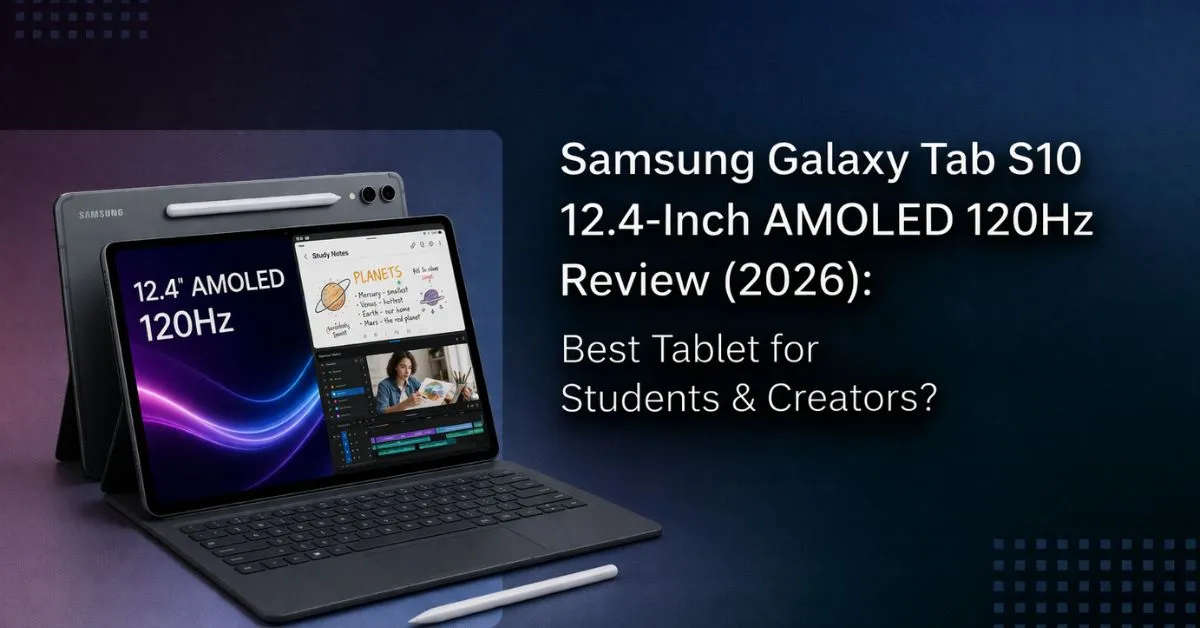
The Samsung Galaxy Tab S10 is a strong choice if you’re searching for a premium Samsung Galaxy Tab for multitasking, studying, or creative work. With a large AMOLED screen, smooth 120Hz display tablet experience, and powerful performance, it can replace laptops for many users. The display delivers vibrant colours and deep contrast, making it suitable for media and design tasks, though it may not fully match professional colour accuracy needs. The high refresh rate improves responsiveness, especially in gaming and note-taking. It’s not built for casual users, but it fits best if your workflow depends on productivity and portability.
1. Introduction
If you’re searching for a Samsung Galaxy Tab S10 Review or wondering whether a premium tablet is worth it in 2026, you’re likely dealing with the same problem: your current device feels slow, limited, and switching between apps breaks your workflow.
This guide answers that directly. No filler, no unnecessary specs just what matters when you actually use a tablet for studying, multitasking, or content creation.
If you’re already considering an upgrade and want to check current pricing or user feedback, you can take a quick look here:
1.1 Why this review matters
Today, there are countless reviews available online, but most of them focus only on specifications such as processor, RAM, or display size. The problem is that specs alone don’t help you understand how a tablet will actually perform in real-life usage.
When you use a device daily, different factors become more important. For example, whether it stays smooth during long study or work sessions, how efficiently it handles multitasking, and whether it actually improves your workflow or slows you down. This is where a practical, experience-based review becomes essential.
This review goes beyond just numbers and features. It helps you understand:
- How the tablet performs during extended usage
- Whether a high refresh rate display feels smoother in everyday tasks
- How well it manages multitasking with multiple apps
- Whether it truly enhances productivity and efficiency
In simple terms, this review is designed to help you decide whether the device is just a spec upgrade or a meaningful improvement in your daily workflow.
1.2 What you’ll get from this review
This review focuses on real user experience instead of just specifications, helping you understand how the tablet performs in everyday use.
It explains display quality, whether a high refresh rate makes a noticeable difference, and how smoothly the device handles multitasking, gaming, and creative tasks.
You’ll also get a clear idea of who should buy this tablet and who may not benefit from it, making it easier to make the right decision.
1.3 Technical Specifications at a Glance
| Feature | Details |
| Display | 12.4-inch AMOLED |
| Refresh Rate | 120Hz display tablet |
| Processor | Flagship chipset |
| RAM | 8GB / 12GB |
| Storage | 128GB / 256GB |
| Battery | ~10,000 mAh |
| Stylus | S Pen |
| Design | lightweight tablet |
| OS | Android (One UI) |
These specs set expectations, but real performance matters more, which we’ll cover next.
2. Samsung Galaxy Tab S10 Review: What It Brings and Why It Matters in 2026
The Samsung Galaxy Tab S10 offers a balance between performance and usability. Compared to standard tablets, it provides more screen space and smoother interaction, making it suitable for multitasking and creative work.
The AMOLED panel improves visual quality, while the high refresh rate ensures smoother transitions across the interface. For users looking at AMOLED display tablets under 60000, this device stands out as a balanced option, depending on pricing and offers.
3. Tablet Fit Model (TFM): Should You Buy This Device?
Before buying, use this quick filter to decide if this tablet fits your needs.
- Do you multitask regularly and need multiple apps open at once?
- Do you want a lightweight tablet that is easy to carry daily?
- Are you looking for a gaming tablet with smooth performance?
- Do you need stylus support for notes or design work?
If most answers are yes, this tablet is a strong fit. If not, a simpler or budget device may suit you better.
4. Is It Fast Enough? Real Performance Explained
One of the most common questions is whether the tablet is powerful enough for daily use, and the answer largely depends on how you plan to use it.
In real-world scenarios, it handles multitasking, editing, and gaming quite smoothly. Apps open quickly, and switching between multiple tasks feels fast and responsive without noticeable lag. Whether you’re attending online classes, working on documents, or using multiple apps together, the performance remains consistent.
For most users, the tablet delivers reliable speed and stability during long sessions. However, for extremely heavy workloads like advanced video editing or high-end professional tasks, a laptop may still offer better performance.
5. Samsung Galaxy Tab S10 Review: Display Performance in Real Use
The display is one of the strongest aspects of this tablet.
The AMOLED panel delivers deep blacks and vibrant colors, making it ideal for both entertainment and creative tasks. The smooth display experience ensures smooth scrolling and better responsiveness during long sessions.
The high refresh rate becomes especially useful for note-taking, drawing, and gaming, where smooth interaction improves usability.
6. Multitasking & Productivity Workflow
The biggest advantage of this device becomes clear in everyday workflow, especially for users who rely on productivity-focused tablets for study or work.
Students can attend online classes while taking notes side by side, making it easier to stay organized without switching screens. Creators can work on editing tasks while referencing content, while professionals can manage emails, documents, and browser tabs at the same time. This makes it a strong option for anyone looking for a multitasking tablet that can handle multiple apps smoothly.
7. Gaming Performance: Real Experience
If you’re looking for a gaming tablet, this device delivers a smooth and reliable experience in most scenarios. The combination of a powerful processor and a fast display ensures stable performance, quick response, and minimal lag during gameplay.
Games run smoothly with consistent frame rates, making it suitable for both casual and mid-level gaming. The smoother screen experience improves motion clarity in fast-paced games, allowing better control and a more immersive feel.
Overall, it works well as an Android tablet for gaming, especially for users who want consistent performance without interruptions.
8. Stylus Experience (S Pen)
The S Pen adds real practical value to the tablet, especially for users who prefer writing or drawing directly on the screen. Writing feels natural and smooth, almost like using a real pen, while the low latency ensures accurate and precise input.
This makes it highly useful for students who take notes regularly, as well as for creators working on sketches, designs, or quick edits. It also improves productivity by allowing faster note-taking and better control compared to typing in many situations.
9. Battery Life & Charging
Battery performance is reliable for everyday use, making it suitable for long and consistent usage throughout the day. The tablet can easily handle extended sessions of studying, browsing, and media consumption without frequent charging breaks.
For most users, it lasts long enough to cover a full day of moderate use, which is important for students and working professionals. The power management also helps maintain stable performance during long sessions.
Charging is efficient and doesn’t take too long, which helps reduce downtime and keeps your workflow uninterrupted. Overall, it works well as a tablet with long battery life for daily productivity and entertainment.
10. Tablet vs Laptop: Which Works Better?
| Factor | Tablet | Laptop |
| Portability | High | Medium |
| Multitasking | Good | Excellent |
| Creative Work | Good | Better |
| Gaming | Good | Better |
The choice depends on your workload. For most users, this tablet can replace a laptop for everyday tasks.
11. Display Reality Check
The AMOLED display offers excellent contrast and vibrant colours, making it ideal for everyday tasks like watching content, browsing, and basic creative work. The deep blacks and sharp visuals enhance the overall viewing experience, especially during long usage.
However, for highly colour-critical work such as professional photo editing or advanced design, it may not fully match the accuracy of professional-grade displays. For most users, though, the display quality is more than sufficient for daily use and general creative tasks.
12. Setup & Usage Optimization
To get the best experience, proper setup and optimization are important from the start. A well-configured device performs better and feels smoother in daily use.
Keeping the software updated ensures better stability, improved performance, and access to the latest features. Adjusting settings like display preferences, background apps, and notifications can also improve overall efficiency.
You should also make full use of features like split-screen and app management, especially if you’re using it as a tablet for productivity or a multitasking device. These small optimizations help improve workflow and make the device more efficient for daily tasks.
13. Common Mistakes to Avoid
The goal here is simple: to avoid a poor experience despite having a good device.
Not using multitasking features reduces efficiency. Expecting a full laptop replacement can lead to unrealistic expectations. Ignoring accessories like a stylus or keyboard can limit usability.
Getting these basics right ensures the tablet performs as intended.
14. Best Alternatives (2026 Guide)
Budget options are suitable for basic tasks, while premium devices offer better performance and features. Some alternatives focus on value, while others are better for the ecosystem and apps.
If you’re exploring options, you can find devices in the Android tablet segment designed for study, work, or entertainment.
15. Final Verdict
The Samsung Galaxy Tab S10 gets the fundamentals right where it matters. You get a smooth display, reliable performance, and enough flexibility to handle both productivity and entertainment.
It’s not built for everyone. The premium pricing and limitations compared to laptops may not suit casual users. However, for students, creators, and multitaskers, it offers a meaningful upgrade.
If your workflow involves handling multiple apps, creating content, or studying efficiently, this Samsung Galaxy Tab feels like a practical improvement rather than just a spec upgrade.
16. Frequently Asked Questions (FAQ)
Q. Is this tablet good for students?
Yes, it works well as a tablet for students, especially for online classes, note-taking, and multitasking. The large screen and stylus support make studying more convenient.
Q. Is 120Hz useful in daily use?
Yes, a higher refresh rate makes scrolling, writing, and overall interaction feel smoother and more responsive, improving the user experience.
Q. Can it handle gaming?
Yes, it performs well as a gaming tablet, handling casual and mid-level games smoothly with stable performance and minimal lag.
Q. Is it good for multitasking?
Yes, it functions as a multitasking tablet, allowing you to run multiple apps together, which is useful for work, study, and productivity tasks.
Q. Is it portable for daily use?
Yes, the lightweight design makes it easy to carry, making it a good tablet for travel and daily use.
Q. Can it replace a laptop?
For basic to moderate tasks like studying, browsing, and content consumption, it can work as a laptop alternative. However, for heavy professional work, a laptop is still a better option.
***Disclaimer***
This blog post contains unique insights and personal opinions. As such, it should not be interpreted as the official stance of any companies, manufacturers, or other entities we mention or with whom we are affiliated. While we strive for accuracy, information is subject to change. Always verify details independently before making decisions based on our content.
Comments reflect the opinions of their respective authors and not those of our team. We are not liable for any consequences resulting from the use of the information provided. Please seek professional advice where necessary.
Note: All product names, logos, and brands mentioned are the property of their respective owners. Any company, product, or service names used in our articles are for identification and educational purposes only. The use of these names, logos, and brands does not imply endorsement or affiliation.
