
Introduction: Why This Launch Matters for Budget Tablet Buyers
Most budget tablets force you to compromise. You either settle for a display that’s tiring to look at, a plastic body that feels cheap, or hardware that starts slowing down after a few months. That’s why the TCL Tab A1 Plus NxtPaper caught our attention.
For $299 during its launch offer (down from $399), TCL promises features that usually belong to more expensive devices: a 12.2-inch paper-like display, a metal unibody tablet design, and support for a tablet with stylus. On paper, it sounds like an excellent deal—but specifications alone never tell the whole story.
As technology experts with over 20 years of experience in hardware and application research and development, we don’t judge products by marketing claims. We evaluate how the hardware works together, how comfortable the device is to use every day, whether the components are built to last, and most importantly, whether it delivers genuine value for money.
If you’re trying to get the best value before spending your money, this review is for you. Whether you’re a student taking notes in class, a parent looking for a reliable family tablet, a reader who spends hours with e-books, a professional attending meetings and reviewing documents, or someone searching for an eye-friendly tablet for daily entertainment, we’ll help you understand whether this tablet fits your needs.
After analyzing TCL’s official specifications, competitor devices, and early retail information, we’ll explain where the tablet performs well, where it falls behind, and which type of buyer will get the most value from it. If you’re searching for a budget tablet that offers a comfortable viewing experience without paying premium prices, this review will help you decide whether it’s one of the strongest value-focused back-to-school tablet options we’ve seen in this price range.
Product Overview: What Is the TCL Tab A1 Plus NxtPaper?
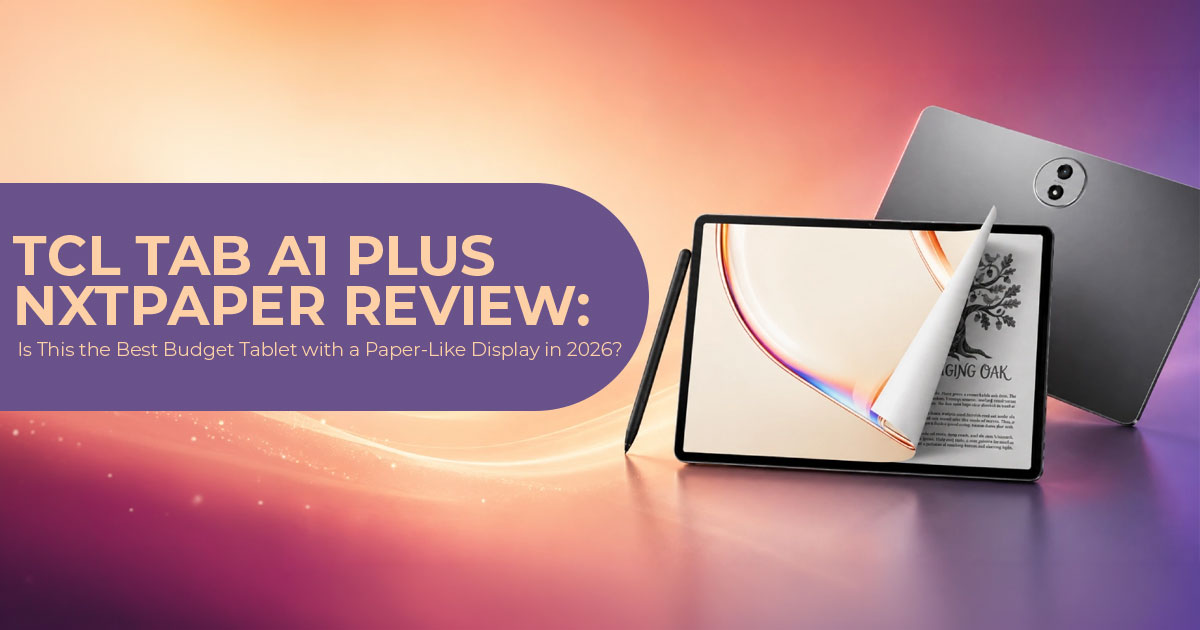
This latest TCL tablet builds on the original Tab A1 Plus with a paper-like display, a larger battery, and several meaningful upgrades.
TCL’s approach is simple: keep the large screen and slim design, add NxtPaper display technology for more comfortable viewing, and increase battery capacity.
It is positioned as an affordable alternative to the iPad for buyers looking for a larger display and included accessories under $400.
Quick snapshot:
- 2-inch 2.4K display with 3:2 ratio for more vertical space
- 120Hz tablet with adaptive refresh for smooth scrolling
- 10000mAh battery with 33W fast charging
- Snapdragon 4 Gen 2 processor with 6GB RAM (up to 16GB with expansion) and 256GB storage
- Metal unibody design measuring just 7mm thick, with an IP54 rating for dust and splash resistance
- Android 16 tablet with Google Gemini, Circle to Search, Writing Assist
- T-Pen 2 stylus and flip case included in the box
Why this combination matters: You get screen size and battery life usually found in higher-priced tablets, with eye-comfort features usually reserved for dedicated readers.
Design and Build Quality: Metal Design That Does Not Feel Cheap
One of the first things you’ll notice is the build quality.
The aluminum unibody feels solid without adding unnecessary weight, giving the tablet a more premium feel than many plastic competitors. At 6.7mm thin and 556 grams, it is easy to hold for reading or to carry in a backpack.
The Aerolite Grey finish is neutral and professional. It resists fingerprints better than glossy plastic bodies found on many TCL affordable tablet models in this price range.
TCL also added IP54 protection. That means protection against dust and light water splashes — useful if you use it in a kitchen, classroom, or outdoors.
What you’ll notice:
- Thinner than many budget tablets, closer to iPad dimensions
- More durable for daily commute and student life
- No creaks or flex often seen in budget plastic tablets
Limitation: It remains a large 12.2-inch tablet, so one-handed use for long periods can cause fatigue.
Display: The Real Reason to Consider This Tablet
The display is the main reason this tablet stands out.
TCL calls it NxtPaper display technology. In simple terms, it is an LCD panel with additional layers that reduce glare and soften harsh light. This includes Nano Crystal Shield Glass, OmniSoft Light System, DC Dimming, and TÜV certified low blue light.
What does that mean in real use?
- Less reflection when reading near a window
- Less eye strain during long reading sessions
- Text looks closer to printed paper, not a shiny screen You get three modes via the dedicated NxtPaper Key:
- Standard Mode — full color for video and apps
- Color Paper Mode — muted, paper-like colors for magazines and comics
- Ink Paper Mode — black and white, e-reader style for long documents
There is also VersaView — a practical feature that lets you keep one app in full color while the rest stays in paper mode. Example: keep YouTube in color while notes stay in ink mode.
Technical specs: 2400 × 1600 resolution, 3:2 aspect ratio, 120Hz adaptive refresh, and 500 nits peak brightness. In everyday use, that’s bright enough for comfortable indoor viewing and remains reasonably visible outdoors in shaded conditions.
3:2 aspect ratio is important. It shows more content vertically when reading web pages, PDFs, or documents compared to typical 16:10 tablets. For students working with documents, that extra height saves scrolling.
Limitation: It is still an LCD, not OLED. Black levels are not as deep as Samsung OLED tablets, and colors in paper modes are intentionally muted.
Performance: Snapdragon 4 Gen 2 for Everyday Tasks
Inside, the tablet uses the Snapdragon 4 Gen 2—a 4nm chip with two performance cores up to 2.2GHz and six efficiency cores.
This is paired with 6GB RAM, which can expand virtually to 16GB RAM by using a portion of the internal storage as temporary memory. While this isn’t the same as having 16GB of physical RAM, it can help improve multitasking when several apps are open. The tablet also includes 256GB of storage with support for microSD cards up to 2TB.
Why it matters:
- Good for browsing, video calls, Google Docs, note-taking, reading, YouTube, and light multitasking with Split Screen and Floating Window
- Storage expansion to 2TB is rare at this price and useful if you store offline video, books, or lecture recordings
- Not built for heavy gaming or 4K video editing
Compared to the original Tab A1 Plus, RAM and storage are now doubled as standard, which helps future usability.
If you need top-tier performance for gaming or creative apps, a Snapdragon 4 Gen 2 tablet will feel limited. For study and entertainment, it keeps things smooth at an affordable cost.
Battery Life: 10000mAh Battery That Lasts Days
One of the clearest upgrades over the original model is battery.
- Original Tab A1 Plus: 8000mAh + 20W charging
- TCL Tab A1 Plus NxtPaper: 10000mAh battery + 33W fast charging Practical impact:
- Full day of mixed use without needing a charger
- Multiple days if used mainly for reading in Ink Paper Mode
- Faster top-ups than before with 33W fast charging, so you’ll spend less time waiting by a charger and more time using the tablet between classes, meetings, or travel
Despite its 10000mAh battery, the tablet remains just 6.7mm thick, making it slimmer than many competing tablets in this price range.
Software: Android 16 Tablet With Built-In AI Tools
The tablet ships as an Android 16 tablet with TCL UI. You get productivity features like Split Screen, Sidebar, and Floating Window for multitasking.
AI tools included:
- Google Gemini for assistance and idea generation
- Circle to Search for quick lookups
- Writing Assist and Text Assist for summarizing and drafting
- Smart Translator and Smart Voice Memo for lectures and meetings
For a back-to-school tablet, these tools reduce time spent on organizing notes and translations.
What to keep in mind: At the time of writing, TCL has not confirmed its long-term Android version update policy. If you plan to keep a tablet for 4-5 years with regular version updates, Samsung still leads in update commitment.
Cameras, Audio, and Connectivity
- 8MP rear camera and 8MP front camera — The front upgrade from 5MP to 8MP helps with video calls for classes and meetings. Not meant for photography.
- Quad speakers with Sound Booster for clear audio during video
- Two microphones for voice notes
- WiFi 5 and Bluetooth 0, USB-C port
These are practical choices to keep the TCL affordable tablet price low. WiFi 5 is still fast enough for streaming, online classes, video calls, and everyday browsing. However, buyers planning to keep the tablet for several years may have preferred WiFi 6 for better long-term compatibility.
TCL Tab A1 Plus vs TCL Tab A1 Plus NxtPaper: What Changed?
| Feature | TCL Tab A1 Plus (Original) | TCL Tab A1 Plus NXTPAPER |
| Display | 12.2-inch 2.4K 120Hz LCD | 12.2-inch 2.4K 120Hz NXTPAPER display with three viewing modes |
| Battery | 8,000mAh, 20W charging | 10,000mAh battery with 33W fast charging |
| Front Camera | 5MP | 8MP |
| RAM / Storage | 6GB / 128GB | 6GB RAM, expandable virtually up to 16GB / 256GB storage + microSD support up to 2TB |
| Build | Metal unibody, 542g | Metal unibody, 556g, IP54 rating |
| Extras | Stylus optional | T-Pen 2 and flip case included |
| Price | Approximately $229–$279 street price | $399 MSRP / $299 launch price |
Takeaway: The NxtPaper version is not just a screen swap. It is a more complete package for reading and study.
How It Compares to Competitors
| Tablet | Display | Battery | Stylus | Weight | Street Price |
| TCL Tab A1 Plus NXTPAPER | 12.2-inch 2.4K, 120Hz paper-like display | 10,000mAh, 33W | T-Pen 2 included | 556g | $299 launch price / $399 MSRP |
| iPad 11th Gen (2025) | 11-inch, 2360 × 1640, 60Hz | ~8,000mAh, 20W | Apple Pencil sold separately | 477g | ~$329–$349 |
| Samsung Galaxy Tab A11 Plus | 11-inch FHD+, 90Hz | 7,040mAh | S Pen not included with the base model | ~480g | $249 |
| Lenovo Idea Tab Plus | 12.7-inch 2.5K, 144Hz | 10,200mAh, 45W | Pen included | ~615g | ~$320 |
Where TCL wins: eye-friendly display technology, budget tablet with an included stylus, expandable storage to 2TB, $100 launch discount, premium metal unibody design at this price.
Where competitors win: iPad has stronger app ecosystem. Samsung has longer software support. Lenovo has faster charging.
In practice, this gives the tablet an advantage if your priority is comfortable reading, handwriting, and long battery life rather than high-end gaming performance.
Pros and Cons
Pros
- 2-inch 2.4K 120Hz display with paper-like display modes reduces eye strain
- Premium metal unibody design that’s thin, lightweight, and feels solid
- 10000mAh battery lasts much longer than most budget tablets
- T-Pen 2 and flip case included — no extra cost to start writing
- 256GB storage + 2TB microSD is generous for offline content
- Android 16 tablet with useful AI tools like Google Gemini and Writing Assist
- back to school tablet bundle with launch discount to $299
Cons
- Snapdragon 4 Gen 2 is efficient but not powerful for heavy games or editing
- WiFi 5 and Bluetooth 0 — not the latest standards
- Only one color option: Aerolite Grey
- No official long-term Android update promise yet
- Cameras are basic — fine for scanning documents, not for photography
Who Should Buy the TCL Tab A1 Plus NxtPaper?
This tablet is a good fit for:
- Students who read PDFs, take handwritten notes, and need all-day battery life
- Readers who spend 3+ hours a day on screen and want an eye-friendly tablet with Ink Paper Mode
- Professionals who want a second device for meetings, Smart Voice Memo, and translation
- Budget-conscious buyers looking for a tablet with a stylus without buying accessories separately
- Anyone comparing a 2-inch tablet under $350 who values screen comfort over raw performance
It is less suitable for:
- Gamers looking for 60fps high-end gaming
- Users who need OLED blacks for movie editing
- Buyers who want 4+ years of guaranteed Android version updates
Pricing, Launch Offer and Availability
Official MSRP: $399.99
Launch Price: $299.99 with $100 off coupon on Amazon US and TCL official store. The promotion runs as a Back to School Sale until September 1.
What you get at $299 launch price:
- Tablet
- T-Pen 2 stylus
- Flip case
- USB-C cable
Retailers: TCL.com and Amazon. Amazon listing shows a clickable $100 coupon to bring the price down.
Is it worth it at $299? Based on its specifications, included accessories, launch pricing, and competing tablets in this price range, we believe it offers excellent value for money.
Final Verdict: Should You Buy It?
Rather than competing with flagship tablets on raw performance, TCL focuses on solving problems that many budget tablets still overlook—eye comfort, premium build quality, and useful accessories included in the box.
At its $299 launch price, it delivers:
- A large 4K display with real eye-comfort technology, not just a filter
- Practical productivity tools for students and remote work
- Battery life that can last for days of reading instead of just a few hours
If your priority is comfortable reading, note-taking, and everyday productivity without spending premium money, this tablet is one of the strongest value-focused options released in 2026.
If you need WiFi 6, OLED, or guaranteed long-term updates, consider Samsung or Apple alternatives at a higher total cost when you add stylus and case.
We recommend checking current pricing first, because the launch discount is limited.
Where to Buy the TCL Tab A1 Plus NxtPaper
Amazon Worldwide – Check Current Price and $100 Coupon
The tablet is available on Amazon Worldwide with the $299 launch discount. You can clip the $100 off coupon on the product page. The bundle includes the T-Pen 2 and flip case, so you can start writing right away.
This is the best option if you want fast delivery and easy returns for a budget tablet that includes a stylus and 10000mAh battery.
Search on Amazon Worldwide: TCL Tab A1 Plus NxtPaper 256GB – Check for coupon and latest offer
Amazon India – Check Availability and Latest Offers
TCL tablets are expanding in India, but the TCL Tab A1 Plus NxtPaper may show as imported or pre-order in some regions. We recommend checking Amazon India for the latest listing, price, and seller warranty for the 12.2-inch 2.4K tablet.
If the exact NxtPaper display variant is not yet listed, you can also view the regular Tab A1 Plus or TCL NXTPAPER 11 Plus as close alternatives with similar eye-friendly tablet technology.
Search on Amazon India: TCL Tab A1 Plus NxtPaper – View latest prices and offers
What Do You Think?
Would you buy this tablet, or do you think there’s a better budget tablet available right now? We’d love to hear your thoughts.
If you have any questions about this tablet—or you’re unsure whether it’s the right choice for your needs—leave a comment below. We’ll do our best to help you make the right decision.
If you found this review useful, follow us for more honest product reviews, buying guides, and the latest tech news. Our goal is to help you spend your money wisely by separating real value from marketing hype.
***Disclaimer***
This blog post reflects our research, analysis, and opinions based on available product information, user feedback, and industry knowledge. It should not be taken as the official position of any brand, manufacturer, or company mentioned here. We make every effort to keep this guide accurate, but product specifications, pricing, and availability may change after publication. We recommend double-checking important details before making a purchase.
Some links in this article may be affiliate links. If you choose to buy through these links, we may earn a small commission at no extra cost to you. This helps support our work and allows us to keep publishing in-depth, unbiased reviews. Affiliate partnerships never influence our recommendations.
Opinions expressed by readers are their own and do not necessarily reflect ours. We are not responsible for outcomes resulting from the use of information on this site. Please seek professional advice where appropriate.
All product names, logos, and brands mentioned are the property of their respective owners. These names are used for identification and informational purposes only and do not imply endorsement.
