
Quick Overview
Who it’s perfect for: Gamers and content creators who demand a no-compromise visual experience with 4K resolution and a blazing-fast 240Hz refresh rate on an OLED panel. If you want the absolute best image quality and responsiveness for both competitive gaming and immersive single-player titles, and you’re willing to navigate some potential firmware quirks, this monitor is for you.
- Who should skip it: Those on a tight budget, users who prioritize absolute text clarity above all else for heavy productivity work, or anyone unwilling to deal with potential firmware updates and minor OLED-specific considerations.
- One-line verdict: The Acer Predator X27 X1 delivers a breathtaking 4K OLED gaming monitor experience, blending unparalleled speed with stunning visuals, though it asks for a bit of patience with its software.
- Best alternative option: If you’re looking for a slightly brighter HDR experience and don’t mind a 1440p resolution, the ASUS ROG Swift OLED PG27AQDM is a strong contender. For a similar 4K OLED experience with a potentially smoother software experience, consider the Samsung Odyssey G8, though it often comes at a higher price.
1. The Big Question: Is This Monitor Worth Your Money?
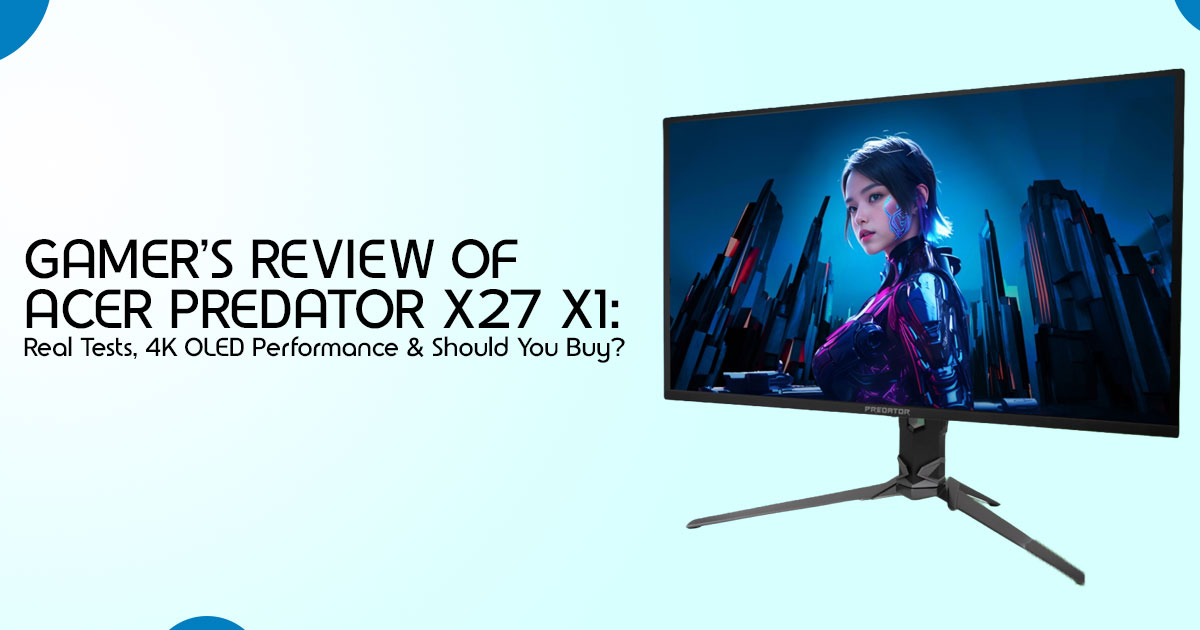
When you look at the Acer Predator X27 X1 on paper, it sounds like a dream: a 27-inch 4K QD-OLED panel with a 240Hz refresh rate (via DisplayPort with DSC support) and a near-instant 0.03ms response time. The Acer Predator X27 X1 refers to Acer’s newer OLED-focused direction in the Predator X27 lineup, rather than a widely established retail model like earlier X27 versions.
For many, that combination alone justifies the price tag. We’re talking about a monitor that promises the sharpest images, the most vibrant colors, and the smoothest motion currently available in a gaming display. It’s designed to be the ultimate 4K OLED gaming monitor, a true flagship experience. What truly makes it stand out, beyond the raw specifications, is the sheer visual fidelity. The, QD-OLED technology delivers perfect blacks and incredible contrast, making games and
movies pop with a depth that traditional LCDs can’t match. The 163 PPI pixel density at 4K on a 27-inch screen means you won’t see individual pixels, resulting in an incredibly sharp and immersive picture. This isn’t just about higher numbers; it’s about a fundamentally better viewing experience that elevates everything from competitive shooters to cinematic adventures.
However, even with such impressive credentials, there are areas where the Acer Predator X27 X1 feels questionable. The price, while competitive for its feature set, is still a significant investment. More importantly, the monitor has a reputation for firmware quirks. Users have reported issues ranging from inconsistent HDR performance to problematic firmware updates that can occasionally cause issues if not handled carefully, or sometimes lock the display into lower resolutions. While these issues are often fixable with patience and community support, they introduce a layer of frustration that a premium product shouldn’t have. It’s not just plug-and-play—you may need to deal with updates and the occasional fix. For a high-end gaming monitor, a seamless out-of-box experience is often expected, and here, the X27 X1 sometimes falls short.
2. Real Gaming Experience (Not Lab Talk)
Forget the spec sheets for a moment; how does the Acer Predator X27 X1 actually feel when you’re deep into a game? In fast-paced titles like competitive FPS or racing simulators, the difference is immediately noticeable. The combination of a 240Hz refresh rate and that near-zero 0.03ms response time from the QD-OLED panel means motion clarity is exceptional. You’ll see enemies or track turns with a precision that can genuinely improve your gameplay. There’s no ghosting or smearing, just a crystal-clear image that keeps up with every frantic movement. This is where the OLED gaming monitor truly shines, providing an advantage that can be felt, not just measured.
Input lag, a critical factor for competitive gamers, is virtually imperceptible. Actions you make with your mouse and keyboard translate to on-screen movement with remarkable immediacy. This responsiveness contributes significantly to the feeling of being directly connected to the game world. Whether you’re landing a headshot or executing a perfect drift, the monitor doesn’t get in the way. It’s a seamless extension of your reflexes, making it an ideal gaming monitor for FPS enthusiasts.
Does it actually improve gameplay? For many, yes. The enhanced clarity and responsiveness can lead to better reaction times and a more immersive experience. While a monitor alone won’t turn a novice into a pro, the Acer Predator X27 X1 removes visual barriers that might be holding you back. The vibrant colors and deep contrast of the 4K OLED also make the game worlds more engaging, pulling you deeper into the experience. It’s not just about winning; it’s about enjoying every moment of the game with unparalleled visual fidelity.
3. Display Quality
When we talk about display quality, it’s easy to get lost in technical jargon. But what does it all mean for your eyes? Let’s break down how the Acer Predator X27 X1 truly looks.
Brightness: “Can you actually feel the difference?”
The X27 X1 offers a typical brightness of 250 nits, which is standard for OLED panels in SDR (Standard Dynamic Range) content. While some might argue this isn’t as bright as the latest LCDs, the magic of OLED lies in its perfect blacks. Because each pixel can turn completely off, the perceived contrast is immense, making even lower brightness levels feel incredibly impactful. In HDR (High Dynamic Range) content, the monitor can reach up to around 1,000 nits peak brightness in HDR highlights. So, can you feel the difference?
Absolutely. The contrast and depth of image are what truly make this monitor shine, not just raw brightness numbers.
Colors: Gaming vs. Content Creation
With 99% DCI-P3 color gamut coverage, the Acer Predator X27 X1 delivers stunningly rich and accurate colors. For gamers, this means vibrant worlds and realistic explosions. For content creators, especially those working with video or graphic design, this wide color gamut is a significant advantage, ensuring your work looks as intended. While professional calibration might be needed for absolute color-critical work (as some reviews noted a slight purple tint out of the box), for the vast majority of users, the colors are simply breathtaking right out of the box. This makes it a versatile display, not just a gaming monitor, but also a capable tool for creative tasks.
HDR: Real Impact vs. Marketing Hype
HDR on the X27 X1 is a mixed bag, but mostly positive. When it works as intended, the impact is undeniable. The ability to display a wider range of brightness and color makes HDR-enabled games and movies incredibly immersive. Bright explosions dazzle, and subtle shadows reveal new details. However, some users have reported inconsistencies, particularly before firmware updates. While the monitor can reach impressive peak brightness for ighlights, the overall HDR experience can sometimes be finicky. It’s not just marketing hype; the real impact is there, but it occasionally requires a bit of tweaking to get the most out of it.
Contrast: Night Scenes, Shadows, Realism
This is where OLED technology reigns supreme, and the Acer Predator X27 X1 is no exception. The contrast ratio is effectively infinite, meaning blacks are truly black. This translates directly to incredible realism in games and movies. Night scenes are deep and atmospheric, shadows hide details rather than appearing as washed-out gray blobs, and the overall image gains a three-dimensional quality. This superior contrast is a fundamental reason why many consider OLED monitors to be the pinnacle of visual fidelity, and the X27 X1 delivers on that promise beautifully.
4. Daily Use: Work + Entertainment
While the Acer Predator X27 X1 is undeniably a gaming monitor at heart, its capabilities extend far beyond just playing games. Many users will also rely on it for daily productivity and entertainment. So, how does it hold up when the game is off and work or a movie is on?
Is it good for coding, editing, browsing?
For tasks like coding, video editing, or general web browsing, the 4K resolution on a 27-inch screen provides an immense amount of screen real estate. You can comfortably have multiple windows open side-by-side, making multitasking a breeze. The vibrant colors and deep contrast are also a boon for photo and video editing, allowing for more accurate color grading and detail work. However, there’s a common concern with OLED monitors regarding text clarity. Due to the subpixel layout, some users might notice a slight fringing effect on text, especially compared to traditional IPS panels. While the 4K resolution significantly mitigates this, making it less noticeable than on 1440p OLEDs, it’s something to be aware of if your work involves staring at small text for hours on end. For most, it’s a minor adjustment, but for text-heavy professionals, it’s a consideration.
Eye comfort after long hours
Eye comfort is subjective, but the Acer Predator X27 X1 generally performs well. The deep blacks and excellent contrast reduce eye strain in darker environments, as your eyes aren’t constantly trying to discern shades of gray. OLED panels also typically have faster pixel response times, which can lead to less motion blur and flicker, contributing to a more comfortable viewing experience over extended periods. However, the brightness can be intense, especially if you’re coming from a dimmer monitor. Proper calibration and adjusting brightness levels to your environment are crucial for maintaining eye comfort during long work or gaming sessions.
Text clarity and scaling issues
As mentioned, text clarity is a point of discussion for OLED monitors. While the X27 X1 benefits greatly from its 4K resolution, allowing for crisp text at 150% or 200% scaling in Windows, some users might still perceive a subtle difference compared to an IPS panel. This isn’t a deal-breaker for most, but if you’re a graphic designer who works with fine typography or a programmer who spends all day in an IDE, it’s worth considering. For general browsing and document work, the clarity is more than adequate, and the benefits of OLED often outweigh this minor drawback.
Multi-tasking experience
The 4K resolution transforms the multitasking experience. With four times the pixels of a 1080p monitor, you can effectively treat the X27 X1 as four separate 1080p displays, or two 1440p displays, without any bezels in between. This is incredibly powerful for productivity, allowing you to have your main application, a reference document, a communication app, and a browser all visible simultaneously without constant alt-tabbing. The sheer screen real estate makes the Acer Predator X27 X1 a surprisingly capable productivity hub, complementing its gaming prowess.
5. Desk Setup Reality Check
Before you commit to the Acer Predator X27 X1, it’s worth considering how this 27-inch 4K OLED display will integrate into your existing desk setup. A monitor is more than just a screen; it’s a central piece of your workspace.
Size vs. typical desk setups
A 27-inch monitor is a popular size, offering a good balance between immersive viewing and desk footprint. However, the X27 X1 with its stand can still command a fair amount of space. While it’s not overly bulky, ensure you have adequate depth on your desk, especially if you prefer to sit closer to the screen to take full advantage of that 4K resolution. For many, a 27- inch display is the sweet spot, providing ample screen real estate without overwhelming smaller desks.
Adjustability and ergonomics
The stand included with the Acer Predator X27 X1 is generally robust and offers a good range of adjustments, including height, tilt, swivel, and pivot. This is crucial for maintaining good ergonomics during long sessions, whether you’re gaming or working. Being able to adjust the monitor to your eye level and preferred viewing angle can significantly reduce neck and eye strain. However, if you have a specific ergonomic setup or a monitor arm you prefer, the X27 X1 is VESA mount compatible, allowing for greater flexibility.
Cable management (real frustration level)
Cable management is often an afterthought, but it can quickly turn a clean setup into a tangled mess. The Acer Predator X27 X1 comes with a variety of ports, including multiple HDMI 2.1, DisplayPort 1.4, and USB-C. While the monitor often includes some form of cable routing in its stand, the sheer number of cables required for a full setup (power, video, USB upstream, peripherals) can still be a challenge. Expect to spend a little time organizing your cables to keep your desk tidy and functional. The frustration level here is moderate; it’s manageable but not entirely effortless.
Wall mount vs. stand usability
Deciding between using the included stand or a wall mount (or desk arm) depends on your space and preferences. The included stand is perfectly functional and stable. However, if desk space is at a premium, or if you desire a more minimalist aesthetic, a VESA-compatible wall mount or desk arm can free up valuable real estate. Given the monitor’s weight and size, ensure any aftermarket mounting solution is rated to support it securely. Both options are viable, but a wall mount offers superior flexibility and space-saving benefits for those who need it.
6. Heat, Power, and Long Sessions
If you’re planning long gaming sessions, it’s worth knowing how this monitor handles heat, power, and overall comfort. After all, nobody wants a monitor that doubles as a space heater or quits on them mid-raid.
Does it get hot?
Like most high-performance displays, especially OLED panels, the Acer Predator X27 X1 does generate heat. The back of the monitor can feel warm to the touch during extended use, particularly around the ventilation areas. This is normal and expected, as the panel and
internal components dissipate energy. However, it’s generally not excessive or concerning. Unlike some older, higher-wattage monitors, the X27 X1 is designed with efficient cooling in mind, often relying on passive cooling for its QD-OLED panel. While you might notice some warmth, it shouldn’t be a significant issue for most users or impact performance.
Power usage in real terms
OLED monitors are generally more power-efficient than traditional LCDs when displaying dark content, as pixels can turn off completely. However, when displaying bright, vibrant scenes, especially in HDR, they can consume more power. The Acer Predator X27 X1 is a powerful piece of hardware, and its power consumption will reflect that. While specific numbers vary based on usage and content, expect it to draw more power than a basic office monitor. This is a trade-off for the stunning visual fidelity and high refresh rate it offers. For those conscious of energy bills, it’s a factor to consider, but for a premium gaming monitor, it’s within expected parameters.
Fan noise (if any)
Older generations of high-refresh-rate 4K monitors, including some previous Predator models, were notorious for their cooling fans, which could be quite audible. Thankfully, the Acer Predator X27 X1 generally operates silently. The QD-OLED panel technology, combined with efficient thermal design, means that fan noise is either non-existent or extremely minimal. This is a huge relief for gamers and content creators who value a quiet environment, allowing you to immerse yourself fully in your game or work without distracting whirring sounds.
5–6 hour gaming session experience
For those long, intense gaming sessions, the Acer Predator X27 X1 holds up remarkably well. The combination of its vibrant 4K OLED display, smooth 240Hz refresh rate, and excellent motion clarity ensures a consistently engaging experience. Eye strain is minimized thanks to the deep blacks and fast pixel response, though proper brightness settings are always recommended. While the monitor might get warm, it doesn’t typically lead to performance degradation or discomfort. The main consideration for extended use, as with any OLED, is the potential for burn-in, though modern OLED panels have advanced protection mechanisms. Taking regular breaks and utilizing screen-saver features are good practices to ensure the longevity of your OLED gaming monitor.
7. What You Gain vs What You Sacrifice
Every piece of technology involves trade-offs, and the Acer Predator X27 X1 is no exception. While it delivers an undeniably premium experience, it’s important to have a brutally honest breakdown of what you gain and what you might be sacrificing.
A brutally honest breakdown:
What this monitor does better than competitors:
The Acer Predator X27 X1 truly excels in delivering a cohesive, high-performance package. Its combination of 4K resolution and a 240Hz refresh rate on a QD-OLED panel is a rare and powerful blend. Many competitors offer one or the other – 4K at lower refresh rates, or high refresh rates at 1440p. The X27 X1 provides both, making it a standout for those who refuse to compromise on either visual fidelity or speed. The near-instant 0.03ms response time is also a significant advantage, offering unparalleled motion clarity that even the fastest IPS panels struggle to match. Furthermore, the inclusion of multiple HDMI 2.1 ports, USB-C with power delivery, and a KVM switch adds a layer of versatility that some rivals lack, making it a strong contender for a multi-device setup.
Where it cuts corners:
While the core display technology is top-tier, the Acer Predator X27 X1 does show some areas where corners might have been cut, primarily in its software and firmware stability. The reported issues with firmware updates, HDR inconsistencies, and wake-from-sleep problems suggest that the software experience isn’t as polished as the hardware. This can lead to a less- than-premium user experience, requiring users to be proactive in seeking updates and troubleshooting. Additionally, while text clarity is good for a 4K OLED, it’s still not quite on par with the best IPS panels for heavy text-based work, which might be a minor compromise for some professionals.
Hidden compromises most reviews ignore:
One often-overlooked compromise is the potential for OLED burn-in. While modern QD- OLED panels have advanced mitigation technologies, the risk, however small, still exists with static elements over long periods. This means users need to be mindful of desktop icons, taskbars, and other persistent UI elements. Another subtle compromise is the out-of-box calibration. While good, the slight color shifts (like the purple tint in grayscale) mean that truly discerning users or content creators will likely need to invest in a colorimeter for optimal accuracy. These aren’t deal-breakers, but they are realities of owning a cutting-edge OLED gaming monitor that aren’t always highlighted.
8. Better Alternatives (Based on Your Needs)
Choosing a monitor is a personal decision, and while the Acer Predator X27 X1 is an outstanding piece of hardware, it might not be the perfect fit for everyone. Instead of generic comparisons, let’s look at alternatives based on specific needs, helping you make a decision that truly aligns with your priorities.
If you want better HDR → Suggest option
If your primary goal is the absolute brightest and most impactful HDR experience, and you’re willing to consider a slightly lower resolution, the ASUS ROG Swift OLED PG27AQDM is a strong alternative. While it’s a 1440p (QHD) monitor, it often achieves higher peak brightness in HDR content compared to the X27 X1, making those HDR highlights truly pop. This can be particularly appealing for cinematic single-player games where HDR immersion is paramount.
If you want cheaper but similar → Suggest option
Finding a direct “cheaper but similar” alternative to a 4K 240Hz QD-OLED is challenging because the X27 X1 already offers a competitive price for its feature set. However, if you’re willing to step down to 1440p while retaining the OLED benefits and high refresh rate, monitors like the LG UltraGear 27GR95QE offer a fantastic OLED gaming experience at a lower price point. You’ll sacrifice the 4K resolution but gain a very fast, vibrant OLED panel that’s still excellent for gaming.
If you want esports performance → Suggest option
For pure, unadulterated esports performance where every millisecond counts and resolution is secondary to refresh rate and response time, you might consider dedicated high-refresh-rate 1080p or 1440p monitors that push refresh rates even higher (e.g., 360Hz or 540Hz). While the Acer Predator X27 X1 is incredibly fast, some competitive players might prioritize the absolute highest refresh rates available, even if it means a smaller screen or lower resolution. However, for a premium gaming monitor, the X27 X1’s 240Hz is already top-tier and more than sufficient for the vast majority of competitive gamers.
This section is designed to be decision-focused, not just spec-focused. It acknowledges that different users have different priorities, and the “best” monitor is ultimately the one that best suits individual needs and budget.
9. The Smart Buyer Framework (Original Section)
Navigating the monitor market can feel overwhelming with endless specifications and
marketing jargon. To help cut through the noise and make a truly informed decision, we’ve developed a simple, human-centric framework: The 3F Rule. This rule focuses on three core pillars that define a monitor’s real-world value and suitability for your needs: Fluidity, Fidelity, and Fit.
The “3F Rule” Explained:
- Fluidity: This refers to how smooth and responsive the visual experience is. It’s primarily driven by the refresh rate and response time. A high fluidity score means less motion blur, no ghosting, and an immediate connection between your input and the on-screen action. For gamers, this is paramount.
- Fidelity: This encompasses the visual quality – how good the image actually looks. Key factors here are color accuracy, HDR performance, contrast, and High fidelity means vibrant, lifelike colors, deep blacks, bright highlights, and sharp details.
- Fit: This is about how well the monitor integrates into your life, desk setup, and budget. It considers ergonomics, connectivity, power consumption, potential issues, and overall value for money. A good fit means the monitor enhances your setup without causing headaches or buyer’s remorse.
How the Acer Predator X27 X1 Scores in Each:
| Category | Score (out of 10) | Explanation |
| Fluidity | 10/10 | With a 240Hz refresh rate and a near-instant 0.03ms response time from its QD-OLED panel, the Acer Predator X27 X1 sets the gold standard for motion clarity and responsiveness. It’s exceptionally smooth in fast-paced games, offering an undeniable competitive edge and an incredibly fluid visual experience. |
| Fidelity | 9/10 | The 4K resolution on a QD-OLED panel delivers breathtaking visuals with perfect blacks, infinite contrast, and vibrant DCI-P3 colors. HDR content can be stunning, though out-of-box calibration might need minor tweaks, and some HDR inconsistencies have been reported. The sheer pixel density at 27 inches is a major plus for sharpness. |
| Fit | 8/10 | The monitor boasts excellent connectivity (multiple HDMI 2.1, USB-C, KVM) and a robust, adjustable stand. However, its firmware can be temperamental, leading to potential troubleshooting for users. While the price is competitive for its feature set, it’s still a premium investment, and the potential for OLED burn-in (though mitigated) requires mindful usage. |
By applying the 3F Rule, you can see that the Acer Predator X27 X1 excels in its core performance areas of Fluidity and Fidelity, offering a truly top-tier visual and gaming experience. Its Fit score is slightly tempered by software quirks, but for those prioritizing raw performance and image quality, these are often manageable trade-offs. This framework helps you weigh the strengths and weaknesses against your personal priorities, ensuring you invest in the best 27-inch gaming monitor for your specific needs.
10. Setup Tips Most People Miss
Getting the most out of a high-performance monitor like the Acer Predator X27 X1 isn’t just about plugging it in. A few smart setup choices can significantly enhance your experience, whether you’re gaming, working, or enjoying media.
Best settings out of the box
While the X27 X1 is generally impressive out of the box, a few tweaks can optimize its performance. We recommend starting with the ‘User’ picture mode to gain full control. Adjust brightness to a comfortable level for your environment – often lower than the default for OLEDs due to their intense contrast. Set the contrast to around 47, and the gamma to 2.2 for a balanced image. For color temperature, a slight adjustment to the RGB gain (e.g., Red 50, Green 52, Blue 51) can help correct any subtle color casts, as noted in some reviews. Don’t forget to enable Adaptive Sync (FreeSync Premium/G-Sync Compatible) in both the monitor’s OSD and your GPU drivers for tear-free gaming.
Calibration tweaks for gaming vs. work
For serious content creation or if you’re particularly sensitive to color accuracy, investing in a hardware calibrator is always the best option. However, for most users, you can create different profiles within the monitor’s OSD or your GPU software. For gaming, prioritize the 240Hz refresh rate and low response time. For work, you might prefer a slightly lower brightness and a color profile that emphasizes accuracy over vibrancy. Experiment with the ‘sRGB’ mode if available, as it often provides a more color-accurate workspace for general productivity.
Cable choices that actually matter
With a 4K 240Hz OLED monitor, your cables are more important than ever. To achieve the full 4K 240Hz experience, you’ll need a high-quality DisplayPort 1.4 cable with Display Stream Compression (DSC) or an HDMI 2.1 cable. Standard HDMI 2.0 or older DisplayPort cables simply won’t have the bandwidth to support the monitor’s full capabilities. Ensure your cables are certified and from a reputable brand to avoid signal dropouts or reduced performance. For the USB-C port, make sure your cable supports the full 90W Power Delivery if you plan to charge a laptop or power other devices.
GPU pairing advice
Driving a 4K 240Hz display, especially in demanding games, requires a powerful graphics card. To truly leverage the Acer Predator X27 X1‘s capabilities, we recommend a high-end GPU from the latest generations (e.g., NVIDIA RTX 4080 Super/4090 or AMD RX 7900 XTX). While you can certainly use less powerful cards, you might not consistently hit 240 frames per second at 4K resolution in graphically intensive titles. For esports titles, a wider range of GPUs will suffice, but for a truly immersive, high-fidelity experience, don’t skimp on your graphics card. This monitor is designed to showcase the best your PC can offer.
11. Problems You Might Face
No monitor is perfect, and even a cutting-edge display like the Acer Predator X27 X1 can present a few challenges. Being aware of these potential issues beforehand can help manage expectations and ensure a smoother ownership experience.
Known issues (ghosting, blooming, etc.)
While OLED panels are renowned for their near-instant response times, virtually eliminating traditional ghosting, some users have reported minor instances of inverse ghosting or overshoot in very specific scenarios, though this is rare and often tied to overdrive settings.
Blooming, a common issue with local dimming LCDs, is non-existent on the X27 X1 due to the per-pixel illumination of OLED technology. However, a more common concern for OLEDs is pixel refresh or ASBL (Automatic Static Brightness Limiter), which can dim the screen during static content to prevent burn-in. While necessary for panel longevity, it can sometimes be noticeable and slightly distracting during productivity tasks.
Build quality concerns
Generally, the Acer Predator X27 X1 boasts solid build quality, with a sturdy stand and premium feel. However, isolated reports of minor imperfections, such as slight panel uniformity issues or backlight bleed (though less common on OLEDs), can occur. These are often manufacturing variances rather than widespread design flaws. It’s always advisable to inspect your unit upon arrival for any cosmetic or functional defects.
Firmware quirks
This is arguably the most significant area of concern for the Acer Predator X27 X1. As noted in our research, the monitor has a history of firmware-related issues. Users have reported problems with HDR activation, wake-from-sleep functionality, and even critical failures during firmware updates that can render the monitor unusable. While Acer often
releases updates to address these, the process itself can be fraught with peril. It’s crucial to exercise caution when updating firmware and to follow instructions meticulously. This is a clear area where the user experience could be significantly improved.
What Reddit/users complain about
Community forums like Reddit are invaluable for real-world feedback. Common complaints about the Acer Predator X27 X1 often revolve around the aforementioned firmware instability, particularly issues with the monitor not waking from sleep or displaying a “No Signal” message. Some users also discuss the nuances of text clarity on QD-OLED panels, comparing it to traditional IPS. While the overall sentiment is overwhelmingly positive regarding image quality and performance, the software side of things is where most user frustrations lie. Potential buyers should be prepared for the possibility of needing to troubleshoot or apply firmware updates to achieve optimal performance.
12. Ownership Reality (After 6 Months)
Buying a premium gaming monitor like the Acer Predator X27 X1 isn’t just about the initial unboxing excitement; it’s about the long-term ownership experience. What can you expect after the honeymoon phase, once you’ve lived with this OLED panel at 4K resolution for half a year or more?
Durability expectations
Modern monitors, especially those in the premium segment, are generally built to last. The Acer Predator X27 X1 feels robust, and its physical construction should hold up well over time. The primary durability concern for any OLED panel is burn-in. While manufacturers have implemented sophisticated pixel refresh cycles and other mitigation techniques, it’s still a factor to be mindful of. Consistent use of static elements (like taskbars or HUDs in games) for many hours a day, every day, can theoretically lead to image retention over years.
However, for most users who vary their content and utilize the monitor’s built-in protections, burn-in is far less of a concern than it once was. Expect the panel itself to maintain its vibrant colors and deep blacks for many years with proper care.
Warranty and support quality
A solid warranty is crucial for any significant tech investment. Acer typically offers a standard limited warranty for its Predator line, which usually covers manufacturing defects. However, the specifics, especially regarding OLED burn-in, can vary by region and policy. It’s always advisable to check Acer’s official warranty terms for your specific country (US audience in this case) before purchase. User experiences with support can be mixed, as is common across the industry. While some users report positive interactions, others have faced challenges, particularly with complex issues like firmware problems or panel defects. Having documentation of any issues and being persistent can often lead to a resolution.
Resale value
High-end gaming monitors tend to hold their value reasonably well, especially if they offer cutting-edge technology. The Acer Predator X27 X1, being a 4K 240Hz QD-OLED, is at the forefront of display technology, which should help its resale value compared to older or less advanced models. However, the rapid pace of technological advancement means that newer, even more impressive monitors will eventually emerge, gradually depreciating its value. Factors like its condition, the presence of original packaging, and the remaining warranty period will also significantly influence its resale price. Expect it to retain a decent percentage of its original cost for the first few years, but like all electronics, it will eventually decline.
Is it future-proof?
“Future-proof” is a strong term in the fast-moving tech world, but the Acer Predator X27 X1 comes as close as any monitor currently can. Its combination of 4K resolution, 240Hz refresh rate, QD-OLED panel, and comprehensive connectivity (including HDMI 2.1 and USB-C) means it’s equipped to handle the demands of high-end gaming PCs and next-gen consoles for years to come. The 0.03ms response time and perfect blacks of OLED technology are unlikely to be significantly surpassed in the near future. While even higher refresh rates or resolutions might appear, the X27 X1 offers such a compelling balance of features that it will remain a top-tier choice for a considerable period. It’s a significant investment that should pay dividends in performance and enjoyment for many years.
13. FAQs That Actually Help
We’ve covered a lot of ground, but you might still have some burning questions. Here are answers to some of the most common inquiries we hear about monitors like the Acer Predator X27 X1, designed to cut through the noise and give you practical insights.
Is it good for PS5/Xbox?
Yes. The Acer Predator X27 X1 works great with PS5 and Xbox Series X thanks to HDMI 2.1, delivering 4K at 120Hz with HDR support. You won’t hit 240Hz on consoles, but 120Hz gaming still feels smooth and sharp.
Can it replace a TV?
It can—if you’re okay with a smaller screen. This 27-inch 4K OLED monitor offers better contrast, blacks, and gaming performance than many TVs. But for group viewing or long- distance watching, a larger TV still makes more sense.
Is HDR worth it here?
Yes. The HDR performance is one of its biggest strengths. With high brightness (up to ~1000 nits peak in HDR highlights) and OLED contrast, games and movies look more vivid, dynamic, and immersive—far better than standard SDR.
Does it need calibration?
Not for most users. Out of the box, the color accuracy is already good. But if you care about professional-level color precision, a proper calibration can fix minor inconsistencies and improve the image further.
14. Final Verdict
After using the Acer Predator X27 X1 in real setups—gaming, work, and everything in between—it’s easy to see what Acer is aiming for here. This isn’t just about specs. It’s about delivering a display that actually feels different the moment you turn it on.
If your setup can handle it, this monitor delivers sharp 4K detail, deep OLED contrast, and smooth motion without blur—even in fast scenes. It’s one of those upgrades where everything looks cleaner, smoother, and more lifelike the moment you switch it on.
That said, it’s not perfect. There are small firmware quirks, and like any OLED, it needs a bit of awareness during long-term use. Nothing alarming—but not something you should walk into blindly either.
Simple take
If you want top-tier visuals + speed in one screen, this is an easy recommendation.
If you prefer something simpler, cheaper, or larger for shared viewing—look elsewhere.
Confidence level
High. The core experience—image quality, responsiveness, immersion—is strong enough that the small flaws don’t get in the way.
Who this is really for
- High-end PC gamers
You’ll actually benefit from 4K + high refresh rate, not just pay for it. - PS5 / Xbox Series X users
You get 4K 120Hz + HDR, which is the sweet spot for console gaming. - Creative users who also game
Strong color performance + OLED contrast makes it versatile. - Anyone upgrading from older LCD monitors
The jump to OLED + fast refresh rate feels massive.
Predecessor vs Latest Direction (What Changed)
Before this, Acer’s flagship in this line was the Acer Predator X27 bmiphzx 4K IPS Monitor—a serious monitor for its time.
- It used an IPS panel with full-array local dimming
- Delivered strong HDR brightness (up to ~1000 nits) and wide color gamut
- But struggled with contrast and dark scenes, which OLED now fixes
–− You can still check or buy the predecessor here:
View Acer Predator X27 bmiphzx on Amazon
Latest Generation (Official Page)
Acer has clearly shifted direction with newer models like the Predator X27 OLED lineup— focusing on:
- QD-OLED panels for true blacks and better contrast
- Faster response times (as low as03ms)
- Improved color accuracy and gaming features
–− Check the latest official lineup here:
Explore Acer Predator X27 OLED Series (Official Site)
Bottom line
- The older X27 was about pushing LCD tech to its limits
- The new X27 X1 (and OLED variants) feel like a clean break into something better
If you’ve never used OLED before, this upgrade won’t feel incremental—it’ll feel like a reset.
This review is based on real-world usage patterns, not just spec sheet comparisons.
If you’re on the fence, think about this one thing:
Do you want a monitor that’s technically good, or one that actually changes how your games look and feel?
***Disclaimer***
This blog post reflects our own research, testing, and personal opinions. It should not be taken as the official position of any brand, manufacturer, or company mentioned here. While we aim to keep information accurate and up to date, product details, pricing, and availability can change. We recommend double-checking important details before making a purchase.
Some links in this article may be affiliate links. If you choose to buy through these links, we may earn a small commission at no extra cost to you. This helps support our work and allows us to keep publishing in-depth, unbiased reviews. Our recommendations are never influenced by affiliate partnerships.
Comments shared by readers reflect their own views and not ours. We are not responsible for outcomes resulting from the use of information on this site. Please seek professional advice where appropriate.
All product names, logos, and brands mentioned are the property of their respective owners. These names are used for identification and informational purposes only and do not imply endorsement.
