
1. Introduction
1.1 Why Monitor Innovation is Accelerating
The gaming monitor industry is no longer moving in small steps. For years, most upgrades felt predictable—slightly better contrast, slightly faster response times, or another jump in refresh rate that only competitive players could truly notice. That approach is fading fast.
In 2026, display technology is entering a completely different phase. We are now seeing gaming monitors combine ultra-high refresh rates, sharper pixel density, smarter panel engineering, and stronger HDR performance in ways that genuinely change how games and everyday workloads look and feel.
For the first time, buyers are no longer forced to choose between speed and image quality. A monitor can now target esports players chasing low latency while also delivering the kind of cinematic contrast, color depth, and immersion that single-player gamers, content creators, and professionals care about.
That shift matters more than most people realize. Your monitor is the one part of your setup you look at every second. A faster GPU helps, but the display shapes everything your eyes experience—motion clarity, text sharpness, black levels, HDR highlights, and even long-term eye comfort during work and gaming sessions.
The monitor market feels fundamentally different from previous upgrade cycles. Manufacturers are now competing more aggressively on overall visual quality, long-term usability, and real-world visual experience.
As technology experts with over 20 years of experience in hardware and application research and development, we analyze every product through the lens of real-world performance, durability, thermal efficiency, long-term reliability, and overall value for money. Whether you are a competitive gamer, content creator, developer, hybrid work professional, or someone planning a long-term monitor upgrade, our recommendations are built on extensive research, component-level analysis, hands-on usability expectations, and deep industry expertise.
This article is not just about specifications on a product sheet. It is about understanding what actually improves your experience, what is marketing hype, and which technologies are genuinely shaping the future of gaming displays.
1.2 Why Refresh Rate Wars are Slowing Down
We are approaching diminishing returns in human-perceivable refresh rate improvements. While 500Hz and 540Hz panels exist, the diminishing returns are undeniable. The jump from 60Hz to 144Hz was revolutionary. The leap from 144Hz to 240Hz was noticeable for competitive players. But pushing past 360Hz requires immense GPU power for a marginal improvement in motion clarity. Manufacturers are realizing that simply adding more hertz isn’t enough to convince buyers to upgrade.
1.3 Why Image Quality is Becoming the New Battleground
Instead of chasing arbitrary numbers, the focus has shifted to visual fidelity. Gamers and professionals alike want deeper blacks, brighter highlights, and sharper text. This is why we are seeing the rise of Tandem OLED and high-density Mini LED displays. The new battleground isn’t just about speed; it’s about delivering an uncompromising visual experience that looks as good in a dark room playing a horror game as it does in a bright office editing a spreadsheet.
2. Quick Answer: What Did Gigabyte Announce?
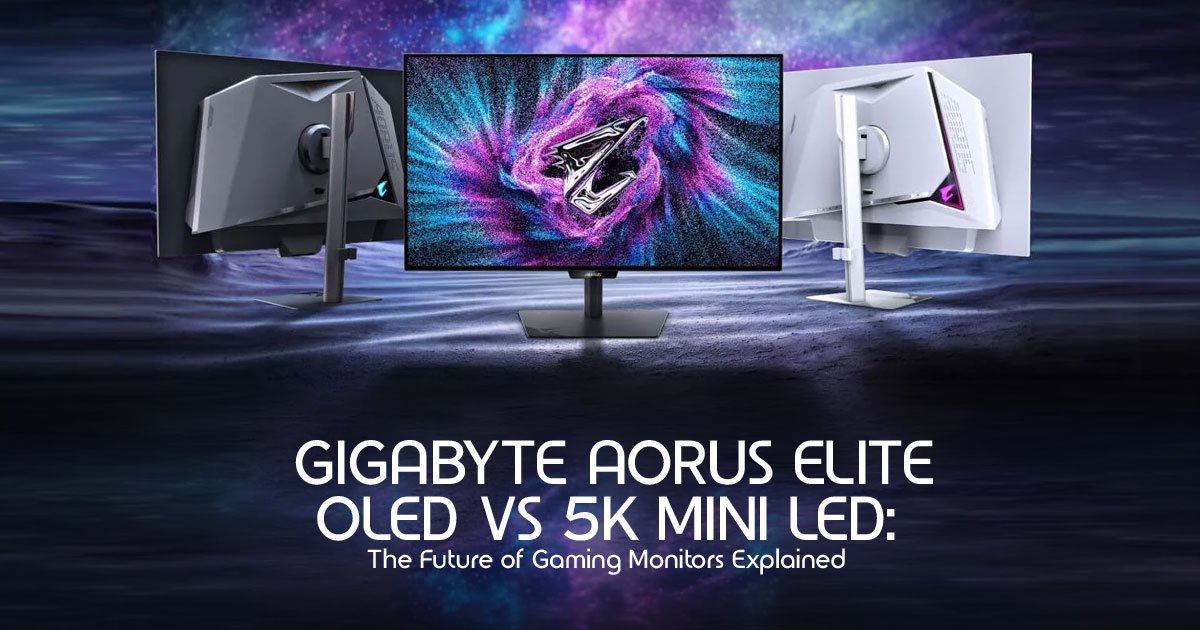
Gigabyte recently unveiled its new AORUS Elite series, a lineup that pushes the boundaries of both OLED and Mini LED technologies. The standout models include the world’s first 27-inch 5K Mini LED glossy gaming monitor and a range of 4th-generation Tandem OLED displays. These monitors are designed to offer multi-mode functionality, allowing users to switch between high resolution and ultra-high refresh rates on the fly.
2.1 AI Overview Friendly Section
What are the new AORUS Elite monitors? The AORUS Elite series is Gigabyte’s latest lineup of premium gaming monitors, featuring advanced 4th-generation Tandem OLED and high-density 5K Mini LED panels. They are designed for both competitive gaming and high-end productivity, offering multi-mode refresh rates and exclusive AI-driven features.
Which models use OLED? The AORUS Elite OLED series includes models like the FO32U24GP (a 32-inch 4K dual-mode monitor) and the FO27Q28G (a 27-inch 1440p monitor). These utilize 4th-generation Tandem OLED technology with a RealBlack Glossy surface for enhanced brightness and contrast.
Which model uses Mini LED? The flagship Mini LED model is the AORUS FM275K16P. It is a 27-inch 5K glossy monitor featuring 2,304 local dimming zones, designed to deliver Retina-level clarity and exceptional HDR performance.
What makes the 5K model unique? The 5K Mini LED model (FM275K16P) offers a remarkable 218 PPI (pixels per inch) for incredibly sharp text and images. It also features
Multi-Mode support, allowing users to switch between 5K at 165Hz, 4K at 220Hz, and QHD at 330Hz depending on their needs.
What is Tandem OLED? Tandem OLED is a display technology that stacks two OLED light-emitting layers together. This design significantly increases peak brightness, improves energy efficiency, and extends the lifespan of the panel by reducing the risk of burn-in compared to traditional single-layer OLEDs.
3. The Big Story Nobody Is Talking About
3.1 Why Gigabyte Is Betting On Two Competing Technologies
Most manufacturers pick a lane—they either go all-in on OLED or champion Mini LED. Gigabyte is taking a different approach by heavily investing in both. This dual strategy acknowledges a fundamental truth: there is no single “perfect” monitor technology yet.
3.1.1 Tandem OLED
OLED currently offers some of the fastest pixel response times available in consumer displays. However, traditional OLEDs have struggled with sustained full-screen brightness and the looming threat of burn-in, especially for users who mix gaming with heavy desktop productivity.
3.1.2 Mini LED
Mini LED, on the other hand, excels in bright environments. It can sustain blindingly high brightness levels without any risk of burn-in, making it ideal for HDR content and static desktop work. The trade-off has historically been blooming (halos around bright objects on dark backgrounds) and slightly slower pixel response times.
3.2 Why Both Can Win
By offering top-tier options in both categories, Gigabyte is catering to the reality of modern PC usage.
3.2.1 Different Audiences
The Tandem OLED models are built for the purist gamer who wants the absolute best motion clarity and contrast in a light-controlled room. The 5K Mini LED model is designed for the hybrid user—the professional who needs Retina-level text clarity for work during the day and high-refresh-rate gaming at night, without worrying about taskbars burning into the screen.
4. Tandem OLED Explained in Plain English
4.1 How Traditional OLED Works
A traditional OLED (Organic Light Emitting Diode) panel uses a single layer of organic material that lights up when electricity passes through it. Because each pixel generates its own light, it can turn off completely to create perfect black. However, pushing a single layer to achieve high brightness generates heat, which degrades the organic material over time, leading to burn-in.
4.2 What Tandem OLED Changes
Think of Tandem OLED like a dual-engine car. Instead of relying on one layer working at maximum capacity, Tandem OLED stacks two light-emitting layers on top of each other. They share the workload to produce the same amount of light, or they can work together to produce significantly more light than a single layer ever could.
4.3 Brightness Improvements
Because there are two layers, Tandem OLED panels can achieve much higher peak brightness. The new AORUS Elite OLEDs can reach up to 1,500 nits, making HDR highlights pop with incredible intensity, rivaling the brightness previously reserved for high-end LCDs.
4.4 Burn-In Improvements
Since the two layers share the burden of producing light, neither layer has to work as hard. This drastically reduces the heat generated and the stress on the organic materials, significantly mitigating the risk of burn-in and extending the overall lifespan of the monitor.
4.5 Energy Efficiency Benefits
Tandem OLED is also more efficient. It requires less power to achieve the same brightness levels as a traditional OLED, which helps keep the panel cooler and further contributes to its longevity.
5. Why Gamers Should Care
5.1 Is 500Hz Actually Useful?
The short answer: Yes, but only for a very specific type of gamer.
5.2 The Truth About Ultra-High Refresh Rates
We need to be realistic about what these numbers mean in practice.
5.2.1 144Hz vs 240Hz
This is a noticeable jump for most people. Motion becomes significantly smoother, and input lag is reduced. It’s the sweet spot for the majority of gamers.
5.2.2 240Hz vs 360Hz
The difference here is subtle. You need to be playing fast-paced competitive games to really feel the benefit. The reduction in frame times is getting smaller.
5.2.3 360Hz vs 500Hz
At this level, the visual difference is nearly imperceptible to the average eye. The main benefit is the absolute minimization of input latency. It’s about how the game feels rather than how it looks.
5.3 Who Can Actually Benefit?
5.3.1 Esports Players
If you play Valorant, CS2, or Overwatch 2 at a highly competitive level, every millisecond counts. A 500Hz monitor (or the 480Hz mode on the FO32U24GP) provides the lowest possible latency and the clearest motion tracking, giving you a tangible mechanical advantage.
5.3.2 Casual Gamers
If you play a mix of genres, you will not benefit from 500Hz. You are much better off prioritizing resolution and image quality (like a 4K 240Hz OLED) over extreme refresh rates.
5.3.3 Story-Driven Gamers
For games like Cyberpunk 2077 or Alan Wake 2, visual fidelity is paramount. You want the deep blacks of OLED or the searing highlights of Mini LED. A 500Hz panel is entirely wasted here, as your GPU will likely struggle to push past 100 fps anyway.
6. Can Your PC Even Run These Monitors?
Buying a cutting-edge monitor is only half the battle; you need the hardware to drive it.
6.1 GPU Requirements
6.1.1 For 5K Gaming
Running games at native 5K (5120×2880) is incredibly demanding—it’s significantly more pixels than 4K. For a consistently smooth high-refresh 5K experience in modern AAA titles, an RTX 4090-class GPU or newer will likely be required.
6.1.2 For 4K 240Hz
To consistently hit 240 fps at 4K, you need top-tier hardware. An RTX 4080 Super or RX 7900 XTX is the minimum recommended for competitive games, while an RTX 4090 is required for heavier titles.
6.1.3 For 1440p 500Hz
Here, the bottleneck shifts from the GPU to the CPU. To generate 500 frames per second, you need the fastest gaming CPU available, such as the AMD Ryzen 7 7800X3D or the newer 9000X3D series, paired with a strong GPU (RTX 4070 Ti Super or higher).
6.1.4 For Multi-Mode Gaming
This is where Gigabyte’s multi-mode feature shines. If you have a mid-range GPU (like an RTX 4070), you can use the 5K monitor for desktop work, and then switch it to QHD (1440p) at 330Hz for gaming, ensuring your hardware can keep up.
7. OLED vs Mini LED: Which One Should You Buy?
| Feature | AORUS Elite Tandem OLED | AORUS Elite 5K Mini LED |
| Best For | Pure gaming, cinematic content, and dark-room viewing. | Hybrid work, bright environments, productivity, and superior text clarity. |
| Contrast | Infinite contrast with perfect blacks. | Excellent contrast, though minor blooming can occur around bright objects. |
| Peak Brightness | Up to 1,500 nits for HDR highlights. | Consistently high brightness across the entire screen. |
| Motion Clarity | Near-instant response times (~0.03ms) with exceptional motion handling. | Very fast, though slight motion smearing may still be visible. |
| Burn-In Risk | Low, with Tandem OLED technology improving longevity. | Zero burn-in risk. |
| Text Clarity | Good, thanks to improved subpixel layouts and rendering. | Exceptional, with Retina-class sharpness (~218 PPI). |
7.1 Gaming Comparison
OLED wins for pure gaming due to its instantaneous pixel response times, resulting in exceptionally low perceived motion blur. Mini LED is excellent, but fast-moving objects might exhibit slight ghosting compared to OLED.
7.2 HDR Comparison
OLED provides better per-pixel contrast, making stars in a night sky look perfect. Mini LED can get significantly brighter across the entire screen, making daylight scenes in games look blindingly realistic.
7.3 Productivity Comparison
Mini LED has a clear advantage here. The 5K resolution offers 218 PPI, making text incredibly sharp. Plus, you never have to worry about static UI elements causing burn-in during an 8-hour workday.
7.4 Longevity Comparison
Mini LED panels generally outlast OLEDs without degradation. However, Gigabyte’s 4th-gen Tandem OLED technology significantly narrows this gap.
7.5 Burn-In Discussion
While Tandem OLED and features like AI OLED Care Pro drastically reduce burn-in risk, it is never truly zero on an organic panel. If you leave static windows open for 10 hours a day, Mini LED is the safer choice.
7.6 Value Comparison
OLED monitors tend to carry a premium for their gaming performance. The 5K Mini LED offers immense value if you need a professional-grade display for work that doubles as a high-end gaming monitor.
8. The Hidden Productivity Advantage of the 5K Model
The AORUS FM275K16P isn’t just a gaming monitor; it’s a productivity powerhouse disguised as one.
8.1 Why 218 PPI Matters
Pixels Per Inch (PPI) determines how sharp an image looks. A standard 27-inch 1440p monitor has about 109 PPI. A 27-inch 4K monitor has 163 PPI. The 5K model hits 218 PPI, which is the “Retina” standard used by Apple. At normal viewing distances, you cannot distinguish individual pixels.
8.2 Text Clarity
For anyone who reads or writes all day, 218 PPI is a revelation. Text looks like it’s printed on paper, drastically reducing eye strain compared to lower-resolution or traditional OLED panels (which sometimes struggle with text fringing due to their subpixel layouts).
8.3 Coding Workflows
Programmers can fit significantly more lines of code on the screen while maintaining perfect legibility. The high contrast of the Mini LED panel also makes dark mode IDEs look fantastic.
8.4 Excel and Financial Analysis
The massive 5K resolution allows you to view massive spreadsheets without constantly scrolling, and the zero burn-in risk means you can leave those sheets open all day.
8.5 Photo Editing
With 5K resolution, you can view a 4K image at 100% scale and still have plenty of room for your editing tools and timelines around the edges.
8.6 Video Editing
The high brightness and accurate local dimming of the Mini LED panel make it excellent for grading HDR video content.
8.7 Hybrid Work and Gaming
This is the ultimate “one cable” solution. Work in pristine 5K during the day, and switch to 1440p at 330Hz for incredibly smooth gaming at night.
9. Real-World Use Cases
9.1 Scenario 1: Competitive Valorant Player
Recommended mode: AORUS FO27Q28G (1440p OLED) or the 480Hz mode on the FO32U24GP. Why: You need the absolute lowest latency and perfect motion clarity. The instantaneous response time of OLED is non-negotiable. Potential drawbacks: Lower text clarity for desktop use; potential burn-in if you leave the game lobby open for hours every day.
9.2 Scenario 2: AAA Gamer
Recommended mode: AORUS FO32U24GP (32-inch 4K Tandem OLED). Why: Games like Cyberpunk or Red Dead Redemption 2 demand the infinite contrast and deep blacks of OLED for maximum immersion. 4K at 32 inches is the sweet spot for visual fidelity.
Potential drawbacks: Requires a very powerful GPU to drive 4K at high framerates.
9.3 Scenario 3: Creator + Gamer
Recommended mode: AORUS FM275K16P (27-inch 5K Mini LED). Why: You need color accuracy, high brightness for HDR grading, and perfect text clarity for editing timelines. The multi-mode feature lets you drop the resolution for high-refresh gaming when work is done. Potential drawbacks: Mini LED can exhibit minor blooming around bright objects on dark backgrounds; slightly slower pixel response than OLED.
9.4 Scenario 4: Work-From-Home Professional
Recommended mode: AORUS FM275K16P (27-inch 5K Mini LED). Why: Zero risk of burn-in from static taskbars or spreadsheets. Retina-level text clarity reduces eye strain during long workdays. Potential drawbacks: It’s an expensive monitor if you don’t plan on utilizing its gaming features.
10. Understanding Gigabyte’s New Gaming Features
Gigabyte has introduced several software and hardware features. Here is what they actually do.
10.1 Tactical HUD
What it does: Anchors critical screen zones (like a minimap or ammo counter) for instant situational awareness. Is it useful? Yes, for competitive gamers who want to minimize eye movement.
10.2 Tactical Crosshair
What it does: Automatically adapts the color of your crosshair (red or green) to contrast with the background. Is it useful? Highly useful. Losing your crosshair in a chaotic firefight is a common issue, and this solves it dynamically.
10.3 HyperNits
What it does: Intelligently boosts HDR brightness while preserving highlight detail. Is it useful? Yes, it helps maximize the impact of the Tandem OLED and Mini LED panels without blowing out the image.
10.4 AI Super Resolution
What it does: Exclusive to the 5K model, it sharpens image clarity through intelligent upscaling. Is it useful? Potentially. If you are gaming at a lower resolution (like 1440p) on the 5K screen, this can help clean up the image, though native GPU upscaling (DLSS) is usually superior.
10.5 AI OLED Care Pro
What it does: A suite of protections including Auto Lock (dims screen when you step away), Adaptive Light, and Automatic Pixel Clean. Is it useful? Absolutely essential. This is what will keep your Tandem OLED panel alive for years.
11. Common Mistakes Buyers Make
11.1 Chasing Refresh Rate Instead of Image Quality
Buying a 500Hz monitor when you mostly play single-player RPGs is a waste of money. Prioritize resolution and panel type (OLED/Mini LED) over extreme refresh rates unless you are a hardcore esports player.
11.2 Buying 500Hz Without the Hardware
A 500Hz monitor is useless if your CPU and GPU can only generate 150 frames per second. Ensure your system is balanced.
11.3 Ignoring DisplayPort 2.1
The FO32U24GP features DP 2.1 UHBR20 (80 Gbps). This allows for uncompressed 4K at incredibly high refresh rates. If you buy a monitor without DP 2.1, you are relying on Display Stream Compression (DSC), which is generally fine but can occasionally cause alt-tabbing delays or minor visual artifacts.
11.4 Assuming OLED Burn-In Is Gone
Tandem OLED is a massive improvement, but organic materials still degrade. If you buy an OLED, you must still practice basic panel hygiene (hiding the taskbar, using a screensaver).
11.5 Buying 5K Without Understanding Scaling
Windows scaling has improved, but it’s not perfect. Running a 27-inch monitor at native 5K will make text microscopic. You will need to use display scaling (usually around 200%), which looks incredibly sharp but requires the OS to handle it properly.
12. How These Monitors Compare to Competitors
12.1 AORUS vs ASUS ROG
ASUS ROG monitors often carry a “gamer tax” premium. Gigabyte’s AORUS line typically offers similar or identical panels (often sourced from the same manufacturers like LG Display or Samsung) but with a more robust suite of tactical features and often a slightly more competitive price point.
12.2 AORUS vs Alienware
Alienware is known for its excellent warranty (which covers burn-in) and sleek designs. Gigabyte is countering with the sheer technological brute force of Tandem OLED and 5K Mini LED, aiming for the absolute bleeding edge of performance.
12.3 AORUS vs MSI
MSI is highly competitive in the QD-OLED space. Gigabyte’s advantage here lies in its multi-mode functionality and the inclusion of full-bandwidth DP 2.1 on its flagship models, which some competitors lack.
12.4 AORUS vs Samsung Odyssey
Samsung dominates the ultrawide market with its Neo G9 series. Gigabyte’s AORUS Elite series is focusing heavily on the traditional 16:9 aspect ratio, perfecting the 27-inch and 32-inch form factors with higher pixel densities.
12.5 AORUS vs LG UltraGear
LG Display manufactures many of the WOLED panels used by competitors. Gigabyte is taking LG’s Tandem OLED tech and wrapping it in a heavily gamer-focused package with custom heatsinks and aggressive AI care features.
13. Who Should Wait for Reviews?
While the specs are incredible, it is always wise to wait for independent testing.
13.1 Competitive Gamers
Wait to see independent measurements of input lag and motion clarity on the new Tandem OLED panels compared to existing 360Hz QD-OLEDs.
13.2 Content Creators
Wait for detailed color accuracy reports and measurements of the Mini LED’s blooming performance before trusting it for professional color grading.
13.3 Console Players
Ensure that the multi-mode features and scaling work seamlessly with the PS5 and Xbox Series X, which have specific resolution and refresh rate outputs.
13.4 Productivity Users
Wait to see how Windows handles the 5K scaling on the FM275K16P in real-world desktop environments.
14. Potential Weaknesses To Watch
Recent monitor releases have shown that software experience and HDR tuning can be as important as raw specifications.
14.1 OLED Burn-In
Even with Tandem technology, we need long-term testing to verify Gigabyte’s claims about increased lifespan.
14.2 ABL Behavior
Aggressive Auto Brightness Limiting (ABL) can ruin the OLED desktop experience by constantly dimming the screen when white windows are opened. We need to see how Gigabyte has tuned this.
14.3 Firmware Quality
Monitors are increasingly reliant on complex firmware. Bugs related to HDR switching, sleep states, or multi-mode switching can be frustrating.
14.4 HDR Tuning
High peak brightness (1,500 nits) is great, but if the EOTF curve is inaccurate, games will look washed out or overly dark. Proper factory calibration is crucial.
14.5 Pricing Concerns
Cutting-edge tech is never cheap. The 5K Mini LED and Tandem OLED models will likely carry premium price tags, making them a significant investment.
15. Future Outlook
15.1 Is 5K The Next Monitor Trend?
For 27-inch monitors, 5K is the logical endgame for pixel density. It provides the Retina experience that PC users have envied from Mac users for years. Expect more manufacturers to follow Gigabyte’s lead.
15.2 Will Tandem OLED Replace Traditional OLED?
Yes. The benefits in brightness and longevity are too significant to ignore. Within a few years, Tandem OLED will likely become the standard for high-end gaming displays.
15.3 Can Mini LED Still Compete?
Absolutely. As long as burn-in remains a non-zero risk for OLED, Mini LED will be the technology of choice for hybrid users who need a monitor for both heavy productivity and high-end gaming.
15.4 What To Expect In 2027
We will likely see the maturation of DP 2.1 across all GPUs, making these ultra-high bandwidth monitors easier to drive. We may also see Tandem OLED technology scale up to larger ultrawide formats.
16. Final Verdict
The Gigabyte AORUS Elite series feels like a turning point in the gaming monitor industry. Instead of building another “good at everything, great at nothing” display, Gigabyte is clearly targeting different types of users with specialized strengths.
That matters because modern buyers are no longer looking for just higher numbers on a specification sheet. They want a monitor that genuinely improves gaming, work, entertainment, and long-term usability without forcing major compromises.
With the introduction of Tandem OLED, 5K Mini LED, and multi-mode refresh rate technology, Gigabyte is pushing beyond the traditional refresh-rate race and focusing on something more important: overall visual experience.
Here’s where each model stands right now.
Best for Competitive Gaming
Gigabyte AORUS FO27Q28G
If your priority is pure competitive performance, the AORUS FO27Q28G stands out as the strongest option in the lineup.
The combination of:
- ultra-high refresh rates
- near-instant OLED response times
- exceptional motion clarity
- reduced ghosting
- lower perceived input latency makes it ideal for:
- Valorant
- Counter-Strike 2
- Call of Duty
- Overwatch 2
- fast-paced esports titles
At this level, OLED still delivers a smoother and cleaner motion experience than most traditional LCD panels.
Best for Hybrid Work + Gaming
Gigabyte AORUS FM275K16P (5K Mini LED)
The AORUS FM275K16P may quietly become the most important monitor in this entire lineup.
Why?
Because it solves one of the biggest problems many users still have with OLED:
- long-term desktop usage concerns
- static UI elements
- productivity-heavy workflows
- burn-in anxiety
The 5K resolution, extremely high pixel density, and sharp text rendering make this display incredibly attractive for:
- developers
- writers
- video editors
- spreadsheet-heavy workflows
- productivity users
- hybrid work setups
Its Multi-Mode (tri-mode) firmware switching also gives users flexibility between:
- 5K 165Hz
- 4K high refresh
- QHD ultra-high refresh gaming
That versatility is something very few monitors currently offer.
Most importantly, Mini LED panels avoid the organic degradation risks associated with OLED.
Best for HDR Enthusiasts
Gigabyte AORUS FO32U24GP (32-inch 4K Tandem OLED)
For players who care about cinematic visuals, HDR immersion, and image quality above all else, the AORUS FO32U24GP is easily the standout.
The pairing of:
- 4K resolution
- Tandem OLED technology
- perfect black levels
- near-infinite contrast
- up to 1,500 nits HDR brightness
creates the kind of display experience that can completely transform:
- story-driven games
- horror titles
- RPGs
- HDR movies
- cinematic gaming experiences
This is the type of monitor where lighting, shadows, and HDR highlights stop looking artificial and start feeling more lifelike.
If Gigabyte delivers strong HDR tuning and firmware optimization, this could become one of the most visually impressive gaming monitors released in 2026.
Best Value Choice
27-inch 1440p OLED Models
Final pricing will ultimately decide the real value winner, but historically, 27-inch 1440p OLED gaming monitors hit the best balance between:
- performance
- affordability
- GPU requirements
- image quality
- competitive gaming capability
For most gamers, this category remains the sweet spot. It offers:
- significantly better motion clarity than older LCD panels
- strong HDR performance
- manageable GPU demands
- lower overall upgrade costs compared to 4K or 5K setups
For buyers who want premium OLED gaming without entering ultra-expensive territory, these models will likely remain the safest recommendation.
Important Availability Information
Because all three monitors:
- AORUS FO27Q28G
- AORUS FM275K16P
- AORUS FO32U24GP
They were officially unveiled during Computex 2026, and they are currently still in the announcement phase.
That means:
- Global availability may vary
- Pricing is not fully finalized in every region
- Retailer listings may appear gradually over the coming weeks and months
Check Availability & Pricing on:
Final Thoughts
The most interesting part of this launch is not just the specifications. It is the direction the industry is heading.
For years, gaming monitors focused almost entirely on refresh rates. Now the conversation is becoming far more mature. Buyers are starting to care about:
- long-term comfort
- HDR realism
- text clarity
- productivity performance
- display longevity
- real-world usability
And honestly, that is a good thing.
A monitor is no longer just an accessory for gaming. It has become the center of everything people do on their PCs—work, entertainment, creativity, communication, and competitive play.
The next generation of displays will not be defined only by speed. They will be defined by how complete the overall experience feels.
If Gigabyte executes these monitors properly in terms of pricing, firmware quality, HDR tuning, and long-term reliability, the AORUS Elite series could become one of the most important gaming monitor launches of the year.
Have questions about which monitor fits your setup best?
Share your current build, GPU, usage style, or upgrade goals in the comments, and we’ll help you narrow down the right choice based on your real-world needs.
***Disclaimer***
This blog post reflects our research, analysis, and opinions based on available product information, user feedback, and industry knowledge. It should not be taken as the official position of any brand, manufacturer, or company mentioned here. While we aim to keep information accurate and up to date, product details, pricing, and availability can change. We recommend double-checking important details before making a purchase.
Some links in this article may be affiliate links. If you choose to buy through these links, we may earn a small commission at no extra cost to you. This helps support our work and allows us to keep publishing in-depth, unbiased reviews. Our recommendations are never influenced by affiliate partnerships.
Comments shared by readers reflect their own views and not ours. We are not responsible for outcomes resulting from the use of information on this site. Please seek professional advice where appropriate.
All product names, logos, and brands mentioned are the property of their respective owners. These names are used for identification and informational purposes only and do not imply endorsement.
