
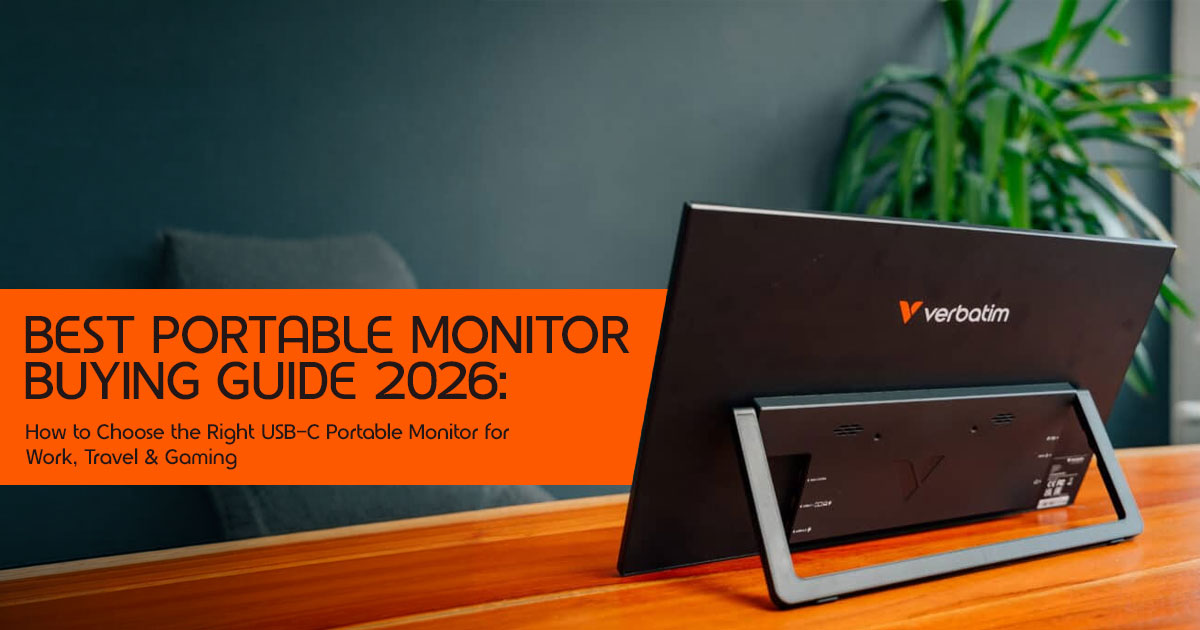
If you regularly work from a laptop, you’ve probably run into the same problem: there isn’t enough screen space. Switching between browser tabs, spreadsheets, emails, chat apps, and documents slows down your workflow and breaks your focus.
A second display is one of the simplest ways to solve that problem. Instead of constantly minimizing and reopening windows, you can keep multiple applications visible at the same time. For many people, that means getting work done faster with less effort.
Click here to buy from Amazon
The downside is that a traditional desktop monitor isn’t practical if you travel or work from different locations. It takes up space, needs a power outlet, and isn’t designed to move with you. A USB-C portable monitor offers the extra screen space without those limitations. Most models are thin, lightweight, and connect with a single cable, making them easy to carry alongside a laptop.
As technology experts with over 20 years of experience in hardware and application research and development, we evaluate every product based on real-world performance, durability, and overall value. Whether you’re a remote worker, programmer, designer, business professional, student, content creator, or frequent traveler, our recommendations are built on detailed specification analysis, hardware research, long-term usability, and practical testing methods.
For this guide, we compared the latest portable monitors by examining display quality, brightness, color accuracy, connectivity, build quality, portability, and long-term customer reliability feedback.
We don’t manufacture or sell these products. Our goal is to provide clear, unbiased information so you can choose the right monitor for your needs.
If you’re looking for the best portable monitors in 2026, the best USB-C portable monitor, or the best portable monitor for a laptop, this guide explains the features that matter, compares leading Verbatim portable monitors with popular alternatives, and helps you find the right option based on your budget, performance requirements, and long-term value.
Technical Specifications: The Direct Hardware Comparison
When choosing an external travel screen, specifications tell the real story. Here’s how three prominent Verbatim portable monitors compare side by side.
| Specification | Verbatim PM-14 | Verbatim PMT-17 | Verbatim 17.3-inch 4K Touch |
|---|---|---|---|
| Screen Size | 14.0 inches (35.56 cm) | 17.3 inches (43.94 cm) | 17.3 inches (43.94 cm) |
| Native Resolution | Full HD (1920 × 1080) | Full HD (1920 × 1080) | 4K UHD (3840 × 2160) |
| Panel Technology | IPS with Matte Anti-Glare Finish | IPS with Glossy Finish | IPS with Glossy Finish and HDR Support |
| Touch Support | No | 10-point Capacitive Touch | 10-point Capacitive Touch |
| Weight | 540 g (1.19 lbs) | 1.56 kg (3.44 lbs) | 1.61 kg (3.55 lbs) |
| Power Consumption | 10 W | 15 W | 20 W |
| Primary Video Inputs | USB-C, Mini HDMI | USB-C, Mini HDMI | USB-C, Standard HDMI |
What Actually Matters: The Three Rules of Mobile Displays
Most manufacturers flood their marketing pages with technical jargon. Here’s what actually dictates performance.
Specifications only tell part of the story. Here’s how those numbers affect everyday use.
Rule 1: Power Delivery and Single-Cable Setups
A USB-C portable monitor should make life simpler, not add more cables to your bag.
- The Single-Cable Setup: If your laptop supports DisplayPort Alternate Mode over its USB-C port, a single cable handles video, audio, and power.
- The Battery Drain: Running a portable monitor directly from your laptop increases power consumption and reduces battery life. Smaller Full HD models generally have a modest impact, while larger 4K displays can shorten battery life much more noticeably, especially at higher brightness levels.
- Power Pass-Through: Look for displays with dual USB-C Connect your laptop charger to the monitor, and the monitor passes power through to charge your laptop while handling video and data over a single cable. This keeps your workspace clean.
Rule 2: Screen Size versus Transport Weight
Your display needs to fit your actual physical workspace.
- The 14-inch Class: Best for tight spaces, like coffee shop tables or airplane They weigh around 500g to 600g and slide easily into a standard sleeve.
- The 17-inch Class: Best for spreadsheets, coding, or video They give you a desktop-like workspace but weigh over 1.5 kg. You will need a larger backpack and a sturdy table.
Rule 3: Panel Type and Resolution Scaling
- IPS (In-Plane Switching): This is the industry It provides solid 178-degree viewing angles, meaning colors do not wash out when you look at the screen from the side.
- OLED (Organic Light-Emitting Diode): Offers near-infinite contrast and true blacks. Power consumption depends on screen brightness and the content OLED panels remain an excellent choice for creative professionals who prioritize image quality.
- Resolution: 1080p is perfect for 14-inch At 17 inches, 1080p can look slightly pixelated if you sit close. A 4K portable monitor offers maximum clarity, but it scales down text significantly, meaning you must adjust OS scaling to read comfortably.
- Brightness (Nits): If you mainly work indoors, a display rated around 250 to 300 nits is usually sufficient. For bright offices, cafés with large windows, or outdoor use, look for 400 nits or higher to improve visibility in bright environments.
- Refresh Rate: Most portable monitors designed for productivity use 60Hz panels, which are perfectly suitable for office work, browsing, and media If you plan to play fast-paced games, consider models with 120Hz or 144Hz refresh rates for smoother motion, though they may consume more power.
- Color Gamut (sRGB/DCI-P3): If your work involves photo editing, graphic design, or video production, check the monitor’s color gamut Displays with high sRGB coverage are suitable for general creative work, while wider DCI-P3 coverage provides richer colors for professional photo and video editing.
Deep Product Analysis: The Verbatim Lineup
Let us break down three specific models based on real user workflows, pointing out exactly where they succeed and where they fall short.
1. Verbatim PM-14 (14-inch Full HD) — The Minimalist Travel Solution
This is built for professionals who value weight above all else. text
[Verbatim PM-14]
├── Weight: 540g (Lightest in its class)
├── Resolution: 1080p IPS (Battery efficient)
└── Stand: Integrated tilt kickstand
Why It Matters for the Buyer
At just 540 grams (1.19 lbs), this is one of the lightest options on the market. It is lighter than most tablets with their keyboards attached. It features a matte finish, which diffuses light and prevents harsh reflections when working near windows.
Click here to buy from Amazon
Trade-offs
The compact size means you do not get a massive workspace. It is a second screen for remote work that handles Slack, email, or reference documents well, but it is too small for complex multi-column spreadsheets. Because it lacks a glossy touch layer, the colors look accurate but do not pop as vividly as on high-gloss panels.
2. Verbatim PMT-17 (17.3-inch Full HD Touch) — The Workspace Expander
This model maximizes screen real estate without requiring a premium budget. text
[Verbatim PMT-17]
├── Size: 17.3 inches (Desktop class)
├── Input: 10-point capacitive touchscreen
└── Build: Heavy-duty metal chassis
Why It Matters for the Buyer
A portable touchscreen monitor for work allows you to navigate applications, sign PDFs, and scroll through long code blocks with your fingers. The 17.3-inch screen size matches the view of a desktop monitor. The Full HD resolution keeps power consumption relatively low for a screen this size.
Trade-offs
This is not a lightweight accessory. Weighing 1.56 kg (3.44 lbs), it adds noticeable weight to your travel bag. It requires a solid, flat surface to stand reliably. Also, 1080p resolution stretched across a 17.3-inch panel results in lower pixel density (roughly 127 PPI), meaning small text will not look as razor-sharp as it does on a standard laptop screen.
3. Verbatim 17.3″ 4K Touch — The High-End Creative Workstation
This is the flagship model designed for media editors, photographers, and high-resolution workflows.
[Verbatim 17.3″ 4K Touch]
├── Resolution: True 4K UHD (3840 x 2160)
├── Panel: HDR-enabled glossy IPS
└── Connectivity: Standard HDMI + USB-C
Why It Matters for the Buyer
If you edit 4K video or design high-resolution graphics, this 4K portable monitor displays every pixel natively. The IPS panel supports HDR-compatible content, helping improve dynamic range and color reproduction when supported by the source device.
Trade-offs
This monitor demands serious power. If you run it directly off a laptop without plugging the monitor into a wall charger, your laptop battery will drain rapidly. The glossy screen looks beautiful in dark rooms, but it acts like a mirror in brightly lit offices or outdoor environments. It is a premium tool that requires careful power and environmental management.
Strengths and Limitations: Pros vs Cons
Here’s where each model shines—and where it falls short.
| Model | Strengths (Pros) | Limitations (Cons) |
|---|---|---|
| Verbatim PM-14 | • Extremely lightweight at 540g, making it ideal for travel.
• Matte anti-glare coating improves visibility in bright environments. • Low 10W power consumption helps extend laptop battery life. |
• No touchscreen functionality.
• Smaller 14-inch display provides less workspace. • Plastic frame feels less premium than metal alternatives. |
| Verbatim PMT-17 | • Large display offers a spacious workspace.
• Responsive 10-point capacitive touchscreen enhances productivity. • Durable metal chassis provides better protection during travel. |
• Relatively heavy at 1.56kg, making it less portable.
• Lower pixel density compared to smaller high-resolution displays. • Requires a high-power USB-C port or external power for optimal performance. |
| Verbatim 17.3-inch 4K Touch | • Sharp 4K UHD resolution delivers exceptional image quality.
• HDR support offers richer colors and improved contrast. • Premium construction makes it well suited for creative professionals. |
• Higher battery consumption when powered directly by the host laptop.
• Glossy display is more prone to reflections in bright environments. • Premium pricing may not suit budget-conscious buyers. |
Direct Competitor Comparison
To give you an objective perspective, we must compare Verbatim’s options against key competitors in the best portable monitors 2026 category.
- Verbatim PM-14 vs. ASUS ZenScreen MB16ACV: The ASUS ZenScreen is a larger 6-inch screen, but it weighs significantly more at 830g (1.83 lbs) compared to Verbatim’s 540g. The ASUS utilizes a proprietary clip-on stand, whereas the Verbatim PM-14 has a simpler, integrated tilt kickstand. If pure weight reduction is your priority, Verbatim wins. If you need a larger canvas for daily typing, the ASUS is more comfortable.
- Verbatim PMT-17 ViewSonic TD1655: The ViewSonic TD1655 is a 15.6-inch portable touchscreen monitor that is highly reliable, but it offers a smaller display area. Verbatim’s PMT-17 gives you a much larger 17.3-inch workspace for a similar price. However, ViewSonic’s folding cover and stand mechanism is more stable and adjustable than Verbatim’s folding folio sleeve.
- Verbatim 3″ 4K Touch vs. Arzopa Z3FC: The Arzopa Z3FC is a budget-friendly 16.1-inch screen with 2K resolution and a 180Hz refresh rate, making it an excellent on-the-go gaming monitor 144hz alternative. It lacks touch support and 4K resolution, but it costs a fraction of the price. If you want a gaming-first screen, the Arzopa is the better value. If you need a professional touchscreen for creative work, the Verbatim 17.3″ 4K Touch is the better choice.
Click here to buy from Amazon
Practical Buying Advice: Which Screen Fits Your Workflow?
Do not buy based on price alone. Buy based on where you actually work.
The Coffee Shop Nomad
- Your Environment: Small tables, limited power outlets, high glare.
- The Choice: You need a lightweight USB-C portable monitor with a matte display.
The Verbatim PM-14 is the optimal choice because it runs on minimal power, cuts out light reflections, and leaves room on the table for your coffee.
The Remote Accountant / Coder
- Your Environment: Large desks, long hours, complex layouts.
- The Choice: You need maximum screen The Verbatim PMT-17 provides a desktop-sized canvas. The 1080p resolution keeps text legible without straining your eyes, and the touch support allows for quick scrolling through lines of code or large spreadsheets.
The Creative Professional
- Your Environment: Studio spaces, client offices, high-accuracy design.
- The Choice: The Verbatim 3″ 4K Touch is the clear winner here. The 4K resolution and HDR color accuracy ensure your designs look exactly as intended when presenting to clients.
Don’t Overlook Warranty and Support
Before making your final decision, check the manufacturer’s warranty period, return policy, and customer support options. Even the best portable monitor can develop issues over time, so choosing a brand with reliable after-sales service can provide added peace of mind and better long-term value.
Technical Q&A: Clearing Up Buyer Confusion
Q: Do touchscreen portable monitors work with Apple MacBooks?
Answer: Yes, but touch support is limited. On Windows and Android, touch works natively with 10-point multi-touch gestures. On macOS, Apple does not natively support external touch gestures. When connected to a MacBook, a portable touchscreen monitor will function as a basic single-point click tool (acting like a mouse cursor). Gestures like pinch-to-zoom or two-finger scrolling will not work natively.
Q: Can a portable monitor run a console like a PS5 or Nintendo Switch on the go?
Answer: Yes. Nintendo Switch compatibility depends on the console model. Some models require the official dock or an HDMI connection, while newer devices may support USB-C display output differently. Standard console HDMI ports do not output electrical power, so the screen must be plugged into a wall outlet or a high-output power bank.
Q: Will using a portable monitor damage my laptop’s USB-C ports?
Answer: No. Modern laptops are engineered with built-in power management to limit power output.
A portable monitor for laptop use will only draw the power the laptop’s port is rated to safely deliver. The only downside is faster battery depletion on your host computer.
Pricing and Value Assessment
When investing in a second screen for remote work, value is defined by durability and daily utility.
- The Budget Tier (Under $150): Mostly consists of plastic-body 1080p screens with limited color accuracy. The Verbatim PM-14 combines an aluminum rear panel with reinforced plastic frame components, offering a balance between durability and low weight.
- The Mid-Range Tier ($150 – $300): This is where you find robust options like the Verbatim PMT-17, which offers durable metal frames, touchscreen support, and large 3-inch panels.
- The Premium Tier (Over $300): Reserved for specialized screens like the Verbatim 3″ 4K Touch, which combine 4K resolutions, glossy capacitive touch layers, and professional color gamut coverage.
Where to Buy: Verified Purchase Options
If you are ready to eliminate tab-switching and reclaim your working hours, check current pricing and available discount offers through our direct links below.
Buy on Amazon Worldwide
- Verbatim PM-14 (14″ Full HD IPS): If you need an ultra-thin, featherweight external monitor for travel that fits into any standard sleeve.
–− Check Price on Amazon Worldwide
- Verbatim PMT-17 (17.3″ Full HD Touch): If you want a spacious, heavy-duty portable touchscreen monitor for work and productivity.
–− Check Price on Official Site
Final Verdict
Buy the monitor that best matches your workflow—not the one with the loudest marketing.
If you are traveling constantly and hate heavy bags, get the Verbatim PM-14. It is incredibly light, consumes very little power, and gets the job done without any fuss.
If you are stationary at a home desk, manage large spreadsheets, and want an interactive touchscreen, the Verbatim PMT-17 offers the best screen-to-cost ratio.
If you are a creative designer who cannot compromise on image quality and needs native 4K resolution, invest in the Verbatim 17.3″ 4K Touch. It is a heavy, power-hungry screen, but its visual clarity is unmatched.
We hope this guide helped you narrow down the right portable monitor for your needs. If you have any questions, need help choosing between models, or want advice based on your workflow, leave a comment below—we’re happy to help.
If you found this guide useful, follow us for more in-depth hardware reviews, buying guides, and practical tech advice. We regularly test and compare the latest products to help you make informed buying decisions and get the best value for your money.
***Disclaimer***
This blog post reflects our research, analysis, and opinions based on available product information, user feedback, and industry knowledge. It should not be taken as the official position of any brand, manufacturer, or company mentioned here. While we aim to keep information accurate and up to date, product details, pricing, and availability can change. We recommend double-checking important details before making a purchase.
Some links in this article may be affiliate links. If you choose to buy through these links, we may earn a small commission at no extra cost to you. This helps support our work and allows us to keep publishing in-depth, unbiased reviews. Affiliate partnerships never influence our recommendations.
Opinions expressed by readers are their own and do not necessarily reflect ours. We are not responsible for outcomes resulting from the use of information on this site. Please seek professional advice where appropriate.
All product names, logos, and brands mentioned are the property of their respective owners. These names are used for identification and informational purposes only and do not imply endorsement.
