
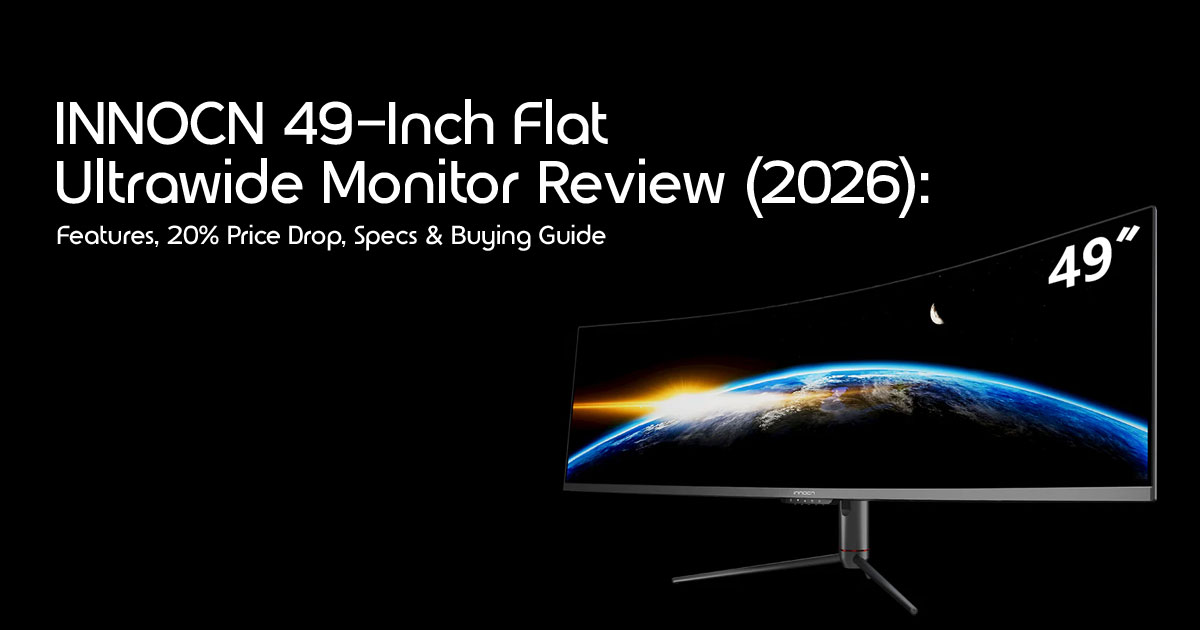
Editorial Note: The INNOCN E49M1R and E49M1G are upcoming monitors that have been officially announced but are not yet available at retail. Some specifications, pricing, connectivity options, and regional availability may change before the final consumer release. This article is based on publicly available information, our industry research, and comparisons with similar products. We’ll update this guide as soon as INNOCN confirms the final specifications and launch details.
Introduction
What if the biggest upgrade to your workspace isn’t a faster computer or a new graphics card—but the screen you spend hours looking at every day?
For years, 49-inch ultrawide monitors have almost always come with a curved display. Many users accepted that as the only option. Now, INNOCN is taking a different approach with its first 49-inch Flat Ultrawide Monitor, introducing the upcoming E49M1R alongside the E49M1G. Although these models have been announced, they’re still awaiting their official retail launch, making them some of the most anticipated ultrawide monitors of the year.
The announcement has already created excitement, especially with reports of an up to 20% price drop, making this new monitor an attractive option for buyers looking for a premium ultrawide display without paying full launch pricing.
This launch isn’t simply about another large monitor entering the market. It introduces a fresh alternative in a category where curved screens have become the standard. A flat 49-inch ultrawide monitor offers a different viewing experience that may appeal to professionals who value straight lines, accurate layouts, and a more natural workspace for tasks like programming, photo editing, video production, financial analysis, CAD design, and office productivity.
At the same time, gamers are asking an important question: Can a flat ultrawide deliver the same immersive experience as a curved display while offering better value?
As technology experts with over 20 years of experience in hardware and application research and development, we evaluate every product based on real-world performance, durability, usability, and overall value for money.
Whether you’re a professional creator, software developer, gamer, trader, engineer, remote worker, business user, or someone building a high-performance home office, our recommendations are backed by extensive research, component analysis, hands-on usability considerations, and industry expertise.
Our goal is simple—to help you choose the best product based on your budget, performance needs, reliability, and long-term ownership rather than marketing claims.
In this guide, you’ll discover what makes the INNOCN 49-inch Flat Ultrawide Monitor different, whether the 20% discount offers genuine savings, how it compares with leading alternatives from Samsung, LG, and other premium brands, and who should seriously consider buying it. We’ll also cover the advantages, compromises, real-world productivity benefits, gaming performance, desk setup requirements, and the hidden costs many buyers overlook before purchasing a monitor of this size.
By the end of this article, you’ll know whether this new 49-inch Mini-LED ultrawide monitor deserves a place on your desk—or whether another option would be a smarter investment.
1. What Makes This Monitor Different?
When you look at the ultrawide monitor market, especially in the 49-inch class, one thing has been consistent: curves. From subtle to aggressive, manufacturers have largely opted for curved panels to enhance immersion and reduce eye strain across such a wide field of view. The INNOCN 49-inch flat ultrawide monitor breaks this mold, offering a completely flat panel at a size traditionally reserved for curved screens.
1.1 Flat Panel vs. Curved
This is the monitor’s defining characteristic. A flat display avoids the geometric perception introduced by curved screens, which many designers, engineers, architects, and CAD professionals prefer when working with precision layouts and detailed drawings. This is a huge win for tasks like graphic design, CAD work, or architectural drafting, where maintaining the natural appearance of lines and layouts is important. For many, the debate between flat vs curved ultrawide comes down to personal preference and primary use case.
1.2 49-inch Size
At 49 inches, this monitor is truly massive. It’s essentially two 27-inch QHD monitors seamlessly merged into one. This sheer size offers an unparalleled amount of screen real estate, allowing for multiple applications to be open side-by-side without constant alt-tabbing. It can significantly improve multitasking by giving you enough room to keep several applications open without constantly switching between windows.
1.3 32:9 Aspect Ratio
The 32:9 aspect ratio is what gives this monitor its super ultrawide designation. It’s like having two traditional 16:9 monitors without the bezel in the middle. This ratio is particularly beneficial for workflows that involve extensive timelines, multiple data streams, or wide-format content creation.
1.4 Productivity Focus
While many ultrawides are marketed for gaming, the INNOCN 49-inch flat ultrawide leans heavily into productivity. The flat panel, combined with its immense size and resolution, creates an ideal environment for professional users. Imagine having your code editor, documentation, web browser, and team chat open at the same time without constantly switching between windows.
1.5 Gaming Capability
While this monitor is clearly designed with productivity in mind, it also offers strong gaming performance for players who enjoy wide-screen experiences. With a 5120×1440 resolution and a 165Hz refresh rate, it offers a smooth and immersive gaming experience in supported titles.
While competitive esports players might prefer smaller, higher refresh rate monitors, the INNOCN 49-inch flat ultrawide excels in immersive gaming for titles that benefit from a wider field of view, such as racing simulators, flight sims, and open-world RPGs. The flat panel also means no distortion at the edges, which some gamers find preferable.
2. How Much Can You Actually Save?
The appeal of saving up to 20% on a brand-new 49-inch Ultrawide Monitor is obvious. The real question is whether that discount represents genuine value or simply an introductory promotion.
2.1 Original Price, Discounted Price, and Percentage Savings
Based on our research, the INNOCN E49M1G (the FHD version) was initially listed in China for around 4699 RMB, which translates to approximately $690 USD before taxes. While the exact US pricing for the E49M1R (the 5K2K version) isn’t officially confirmed yet, we can estimate based on similar models and the typical pricing structure.
Based on its announced positioning and comparable products currently on the market, we estimate the global retail price could fall between approximately $850 and $900. This is only an estimate, as INNOCN has not yet announced official international pricing.
For example, if the MSRP is $899.99, a 20% discount would save you approximately $180, bringing the price down to $719.99. This is a substantial saving, especially for a monitor with these specifications.
2.2 Estimated Regional Pricing
It’s important to note that regional pricing can vary. While the initial launch is in China, US pricing often includes import duties, shipping, and local taxes. However, INNOCN has a strong presence on Amazon US, and its pricing tends to be competitive.
Based on current market trends, regional pricing is expected to remain competitive. However, official pricing will vary by country, retailer, taxes, shipping costs, and launch promotions.
2.3 Is It a Launch Offer or Ongoing Sale?
Currently, the 20% discount appears to be tied to the initial launch period or specific promotional events, such as Prime Day or Black Friday. This suggests it might be a limited-time offer designed to generate initial buzz and sales. While INNOCN does run frequent sales, a 20% price drop on a brand-new, innovative product is often a strong indicator of a time-sensitive deal. Once the monitor becomes available, it’s worth checking major retailers such as Amazon for the latest pricing and promotional offers.
3. Is a 20% Discount Enough to Buy Now?
The key question is simple: Should you buy now or wait for future discounts? A 20% discount sounds great, but is it the absolute best time to buy, or should you hold out for something better? Let’s weigh the pros and cons.
3.1 Pros
- Lower Entry Price: The discount makes this high-end ultrawide monitor more accessible. For many, the initial cost of a 49-inch display can be a barrier, and a 20% price drop reduces the initial investment required, making this premium monitor more accessible to a wider range of buyers.
- Better Value Than Launch MSRP: Getting a new product below its initial suggested retail price is always a It means you’re getting more for your money compared to early adopters who paid full price.
- Increased Competition: The introduction of a flat 49-inch ultrawide from INNOCN adds healthy competition to a market previously dominated by curved options. This can drive down prices across the board and encourage further innovation.
3.2 Cons
- Possible Larger Seasonal Discounts: Major shopping events like Black Friday, Cyber Monday, or year-end sales often bring even steeper If you’re not in a hurry, waiting a few months could potentially yield greater savings, though there’s no guarantee.
- Future OLED Alternatives: While the INNOCN E49M1R has been announced with Mini-LED technology, the final retail specifications may vary depending on the region and model. OLED ultrawides are becoming more common, offering superior contrast and true blacks. If OLED-level blacks are a priority, future models might be worth waiting for, though they will undoubtedly come at a premium.
- Potential Newer Models: Technology moves While this is INNOCN’s first 49-inch flat ultrawide, it’s unlikely to be their last. Newer iterations with improved features, higher refresh rates, or different panel technologies could emerge in the next 12-18 months.
Quick Verdict: If you need a 49-inch flat ultrawide now for productivity or immersive gaming and the 20% discount fits your budget, it’s a solid buy. If you can wait and prioritize cutting-edge display tech like OLED or are hoping for an even deeper discount, holding off might be a calculated risk worth taking.
4. Who Should Buy This Monitor?
The INNOCN 49-inch flat ultrawide isn’t for everyone, but for specific user profiles, it could be a game-changer. Let’s break down who stands to benefit the most.
4.1 Office Professionals
For office professionals juggling multiple documents, spreadsheets, and communication tools, this monitor is an excellent choice. The vast screen real estate allows for several windows to be open simultaneously without overlapping, significantly boosting multitasking efficiency. Imagine having your email, calendar, a Word document, and a research browser all visible at once. It’s a true dual-monitor replacement without the distracting bezel.
4.2 Programmers
Programmers will appreciate the ability to display extensive lines of code, multiple terminal windows, and documentation side-by-side. The flat display helps maintain a natural viewing perspective across long lines of code, improving readability during extended coding sessions.
4.3 Traders
Financial traders often rely on complex dashboards with real-time data feeds. The 49-inch ultrawide provides ample space for multiple charts, stock tickers, and news feeds, allowing for a comprehensive overview of market conditions. The high resolution ensures crisp text and detailed graphics, essential for quick decision-making.
4.4 Video Editors
Video editors can benefit immensely from the extended timeline view offered by a 32:9 aspect ratio. This allows for more precise editing, easier navigation through long projects, and the ability to have preview windows and effects panels open without cluttering the main timeline. The flat screen is also beneficial for accurate visual representation.
4.5 Designers
For graphic designers, architects, and CAD users, the flat panel is a significant advantage. Flat displays avoid the geometric perception introduced by curved screens, making them a preferred choice for many designers, architects, engineers, and CAD professionals working on precision projects.
4.6 Remote Workers
Remote workers looking to replicate or even enhance their office setup at home will find the INNOCN 49-inch flat ultrawide an excellent investment. It consolidates multiple monitors into one sleek unit, reducing cable clutter and providing a powerful work-from-home solution.
4.7 Sim Racers
While many sim racers prefer triple monitors or highly curved displays for maximum immersion, a flat ultrawide offers a unique advantage: a wide field of view without the distortion that can sometimes occur at the edges of curved screens in certain games. For those who want a single-monitor solution for sim racing that feels natural, this could be a strong contender.
4.8 Casual Gamers
Casual gamers who enjoy immersive single-player experiences, open-world games, and strategy titles will love the expansive view. The 165Hz refresh rate provides smooth gameplay, and the 5120×1440 resolution makes games look incredibly sharp. It’s a fantastic way to dive deeper into your favorite virtual worlds.
4.9 Console Gamers
Console gamers might find this monitor a bit overkill, and compatibility can sometimes be an issue with ultrawide aspect ratios. While modern consoles support 4K, native 32:9 support is rare, often resulting in black bars on the sides. However, for those who primarily play on PC but occasionally connect a console, it can still offer a decent experience, albeit not always optimal.
5. Who Should Skip It?
Even with its impressive features and potential discount, the INNOCN 49-inch flat ultrawide isn’t the right choice for everyone. Here’s who might be better off looking elsewhere.
5.1 Competitive Esports Players
For competitive esports players, every millisecond and pixel counts. The sheer size of a 49-inch ultrawide can be a disadvantage, requiring more eye movement to track action across the screen. Smaller, higher refresh rate (240Hz+) monitors with lower response times are generally preferred for competitive gaming.
5.2 Users with Small Desks
This monitor is enormous. If you have a small desk or limited space, a 49-inch ultrawide will simply overwhelm your setup. You need significant desk width and depth to comfortably accommodate it and maintain a healthy viewing distance. Measure your space carefully before considering this monitor.
5.3 Budget Buyers
While the 20% discount makes it more appealing, a 49-inch ultrawide is still a premium product. If you’re on a strict budget, there are many excellent smaller ultrawides or dual-monitor setups that offer great value without the hefty price tag of a super ultrawide.
5.4 Laptop-Only Users with Limited GPU Output
Driving a 5120×1440 resolution at 165Hz requires a capable graphics card. If you primarily use a laptop with integrated graphics or an older, less powerful dedicated GPU, you might struggle to get the most out of this monitor, especially for gaming or demanding applications. Ensure your hardware can handle the pixel pushing.
5.5 Buyers Seeking OLED Contrast
Based on the information announced so far, the INNOCN E49M1R is expected to feature VA panel technology. VA panels generally provide strong contrast, but they cannot match the true blacks and near-infinite contrast produced by OLED displays. If OLED-quality blacks are your highest priority, it may be worth considering existing OLED ultrawide monitors or waiting until the final retail specifications are confirmed.
6. Flat vs. Curved Ultrawide: A Comparison
The choice between a flat and curved ultrawide is a significant one, especially at the 49-inch size. Here’s a direct comparison to help you decide.
| Feature | Flat Ultrawide (INNOCN E49M1R) | Curved Ultrawide (e.g., Samsung Odyssey G9) |
| Comfort | Natural viewing experience for precision work with no distortion of straight lines. | Curved design better matches your field of view, helping reduce eye strain during extended use. |
| Productivity | Excellent for CAD, graphic design, programming, and spreadsheets, where accurate straight lines matter. | Great for general multitasking, content creation, and immersive productivity workflows. |
| Gaming | Excellent for sim racing and immersive RPGs while keeping objects visually accurate. | Provides outstanding immersion for first-person shooters, flight simulators, and racing games. |
| Eye Movement | Requires more horizontal eye movement across the wide display. | Keeps screen edges closer to your eyes, reducing eye movement across the panel. |
| Multi-Window Work | Perfect for precise side-by-side windows without any noticeable visual bending. | Excellent for multitasking, although windows near the edges may appear slightly curved. |
| Viewing Angles | Consistent image quality across the screen when viewed from the center. | May show slight brightness or color variation toward the edges because of the screen’s curvature. |
| Real-World Experience | Feels like working on one enormous, uninterrupted desktop, making it ideal for productivity-focused users. | Creates a more immersive viewing experience that surrounds your field of vision during gaming and entertainment. |
Mini Conclusion: The choice between flat and curved is deeply personal. If your work demands absolute geometric accuracy (think design, CAD, programming), the flat ultrawide is likely superior. If you prioritize deep immersion, especially in gaming or media consumption, a curved display might still hold an edge. The INNOCN E49M1R offers a compelling alternative for those who prefer flat.
7. Real Productivity Benefits
Beyond the technical specifications, how does a 49-inch flat ultrawide monitor actually change your daily workflow? We’re talking about tangible improvements, not just theoretical gains. This monitor is designed to enhance your productivity by providing an expansive, uninterrupted workspace.
7.1 Scenario 1: One Monitor Replacing Two Displays
For many, the primary draw of a 49-inch ultrawide is its ability to replace a traditional dual-monitor setup. Instead of dealing with bezels breaking up your view, you get one seamless canvas. Imagine having two full-sized browser windows open side-by-side, each feeling like a primary display. This eliminates the need to constantly drag windows between screens or deal with mismatched resolutions and color calibrations. It’s a cleaner, more efficient way to work, reducing visual clutter and mental fatigue.
7.2 Scenario 2: Editing While Previewing Video
Video editors often struggle with screen real estate. A typical setup might involve a main editing timeline on one monitor and a preview window on another. With the INNOCN 49-inch flat ultrawide, you can have your entire video timeline stretched across the vast width, while still dedicating a significant portion of the screen to a high-resolution preview. This allows for more precise cuts, easier audio syncing, and a more fluid editing process without constant zooming or scrolling.
7.3 Scenario 3: Financial Dashboard
Traders and financial analysts can create comprehensive financial dashboards that display multiple data streams simultaneously. Think of having live stock charts, news feeds, economic indicators, and trading platforms all visible at a glance. The 5120×1440 resolution ensures that even small text and intricate graphs remain sharp and readable, crucial for monitoring fast-moving markets.
7.4 Scenario 4: Coding with Documentation
Programmers know the pain of switching between their code editor and API documentation or reference materials. A 49-inch flat ultrawide allows for a dedicated coding environment on one side and a full-sized browser window for documentation on the other. This seamless integration means less context switching, fewer distractions, and a more focused software development experience.
7.5 Scenario 5: Streaming Setup
For content creators and streamers, this monitor can simplify a complex setup. You can have your game running in a wide, immersive view, while simultaneously monitoring chat, streaming software, and other essential tools on the same screen. It provides a professional-grade streaming experience without the need for multiple physical monitors, making your desk setup cleaner and more manageable.
8. Gaming Performance Expectations
While the INNOCN 49-inch flat ultrawide shines in productivity, it’s also a formidable display for gaming. However, setting realistic expectations is key, especially concerning the hardware required to drive it.
8.1 GPU Recommendations
For most modern AAA games at high settings, a graphics card such as the NVIDIA RTX 4070 Ti SUPER or AMD Radeon RX 7800 XT is recommended. The ideal GPU depends on the games you play, your graphics settings, and the frame rates you expect.
8.2 Refresh Rate Expectations
The 165Hz refresh rate is excellent for fluid motion and responsive gameplay. This is a significant upgrade from standard 60Hz or even 120Hz monitors, providing a noticeable difference in smoothness, especially in fast-paced games. If the retail model supports Adaptive Sync technologies such as AMD FreeSync or NVIDIA G-SYNC compatibility, users can expect smoother gameplay with reduced screen tearing.
8.3 HDR Experience
If the retail model includes HDR certification, users can expect improved brightness and better contrast in HDR-compatible games and videos. Final HDR specifications should be confirmed once the monitor becomes commercially available.
8.4 Racing Games
Racing games are a natural fit for ultrawide monitors. The expanded horizontal field of view provides an incredibly immersive experience, making you feel more connected to the track. The flat panel presents the horizon and track with a natural perspective that many sim racers appreciate.
8.5 Flight Simulators
Similar to racing games, flight simulators benefit immensely from the panoramic view. You get a wider perspective of the cockpit and the surrounding landscape, enhancing situational awareness and immersion. The flat screen prevents any distortion of instruments or distant scenery.
8.6 FPS Games
For first-person shooter (FPS) games, the ultrawide aspect ratio can provide a competitive edge by showing more of your periphery. However, some competitive players might find the extreme width distracting or prefer a smaller screen for faster target acquisition. For casual FPS gaming, the immersion is undeniable.
8.7 RPG Immersion
Role-playing games (RPGs), especially those with expansive open worlds, truly come alive on a 49-inch ultrawide. The vast display pulls you deeper into the game world, making exploration more captivating and cinematic. The flat panel ensures that the beautiful landscapes and intricate details are presented without any visual warping.
9. Common Mistakes Buyers Make
Investing in a 49-inch ultrawide monitor is a significant decision. To help you avoid buyer’s remorse, here are some common pitfalls we see users encounter.
9.1 Buying Without Measuring Desk
This is perhaps the most frequent mistake. As highlighted above, a 49-inch monitor is massive. Many users get excited by the prospect of a huge screen only to find it doesn’t fit their existing desk or leaves no room for anything else. Always measure your desk (width and depth) before purchasing.
9.2 Weak Graphics Card
As discussed in the gaming section, driving a 5120×1440 resolution at high refresh rates requires a powerful graphics card. Underestimating this requirement can lead to a frustrating experience with low frame rates or having to run games at reduced settings/resolution, negating some of the monitor’s benefits.
9.3 Wrong Cables
To achieve the full 165Hz refresh rate at 5120×1440 resolution, you’ll need the correct cables. A high-quality DisplayPort 1.4 cable is essential. Older HDMI versions or lower-spec DisplayPort cables might limit your refresh rate or resolution. If using USB-C, ensure your laptop’s port supports DisplayPort Alt Mode and sufficient power delivery.
9.4 Ignoring USB-C Power Limits
The retail model is expected to include USB-C connectivity, although the available features—including Power Delivery and supported wattage—may vary depending on the final regional version. If the final retail model supports Power Delivery, always check that the available wattage matches your laptop’s charging requirements. A lower wattage may power the display correctly but could charge your laptop slowly or fail to keep the battery fully charged during demanding workloads.
9.5 Not Checking VESA Support
If you plan to use a monitor arm, confirm the monitor’s VESA mounting pattern and ensure the arm you choose is compatible and rated for the monitor’s weight. Some larger monitors have recessed VESA mounts that might require spacers.
9.6 Expecting OLED-Level Blacks
Based on the announced specifications, the INNOCN E49M1R is expected to feature VA panel technology. While VA panels generally deliver excellent contrast, they do not match the deep blacks and near-infinite contrast of OLED displays.
10. How It Compares with Popular Alternatives
The INNOCN 49-inch flat ultrawide enters a competitive market. While its flat panel is unique in this size class, it’s important to see how it stacks up against established curved alternatives from major brands. Here’s a comparison focusing on key specifications and target users.
| Feature | INNOCN E49M1R (Flat) | Samsung Odyssey G9 (Curved) | LG 49WQ95C-W (Curved) | Dell U4924DW (Curved) |
| Price (Est.) | ~$700–$900 (with 20% discount) | ~$1,000–$1,500 | ~$1,000–$1,300 | ~$1,000–$1,200 |
| Resolution | 5120 × 1440 (DQHD) | 5120 × 1440 (DQHD) | 5120 × 1440 (DQHD) | 5120 × 1440 (DQHD) |
| Refresh Rate | 165Hz | 240Hz (Neo G9), 120Hz (Original G9) | 144Hz | 60Hz |
| Panel Type | VA (Announced with Mini-LED technology) | VA (Mini-LED on Neo G9, QLED on other models) | IPS | IPS |
| Curvature | Flat | 1000R (Aggressive) | 3800R (Gentle) | 3800R (Gentle) |
| USB-C | Expected USB-C connectivity (final specifications may vary) | Yes (with Power Delivery) | Yes (with Power Delivery) | Yes (with Power Delivery) |
| Warranty | Varies by country and retailer | Typically 1–3 years | Typically 1–3 years | Typically 3 years |
| Best User | Designers, Programmers, Productivity Users, and Sim Racers who prefer a flat ultrawide display. | Immersive Gamers and Multitaskers who enjoy an aggressive curved screen. | Creative Professionals and Multitaskers seeking IPS color accuracy with a gentle curve. | Office Professionals and Productivity-Focused Multitaskers. |
Key Takeaway: The INNOCN E49M1R stands out primarily for its flat panel and competitive pricing, especially with the 20% discount. While it might not match the refresh rates of some high-end gaming-focused curved monitors, its feature set for productivity and specific gaming scenarios is very strong for its price point.
11. Pros and Cons
To summarize our findings, here’s a balanced look at the advantages and disadvantages of the INNOCN 49-inch flat ultrawide monitor.
11.1 Advantages
- Unique Flat Panel Design: Offers undistorted visuals, ideal for design, CAD, and programming where straight lines are critical.
- Massive Screen Real Estate: 49 inches with a 32:9 aspect ratio provides an expansive workspace, effectively replacing a dual-monitor setup.
- High Resolution and Refresh Rate: 5120×1440 resolution and 165Hz refresh rate deliver sharp images and smooth motion for both productivity and gaming.
- Competitive Pricing (with discount): The 20% discount makes it a highly attractive option, offering significant value for its feature set.
- Strong Productivity Features: Excellent for multitasking, video editing, financial analysis, and software development.
- Immersive Gaming: Provides a wide field of view for sim racing, flight simulators, and RPGs, enhancing immersion.
- Expected USB-C connectivity: Simplifies cable management and offers convenient single-cable solutions for compatible laptops.
11.2 Disadvantages
- No Curve for Immersion: Some users, especially gamers and media consumers, might miss the wrap-around immersion of a curved display.
- Demanding on GPU: Requires a powerful graphics card to drive its high resolution and refresh rate, especially for modern games.
- Significant Desk Space Required: Its sheer size necessitates a large and sturdy desk, which can be a limitation for some users.
- Expected VA Panel Technology: Based on the announced specifications, the monitor is expected to use VA panel While VA panels generally deliver excellent contrast, they do not produce the deep blacks or near-infinite contrast associated with OLED displays.
- Availability/Support: As a newer product from a less established brand (compared to Samsung or LG), long-term support and availability of firmware updates might be a consideration.
11.3 Ideal Buyer
The ideal buyer for the INNOCN 49-inch flat ultrawide monitor is someone who:
- Prioritizes a flat panel for professional tasks like graphic design, CAD, or programming.
- Needs a dual-monitor replacement for enhanced productivity and a cleaner workspace.
- Enjoys immersive gaming but prefers a flat screen over a curved one.
- Has a sufficiently large and sturdy desk to accommodate its size.
- Owns a capable graphics card or is willing to upgrade.
- Is looking for a high-value ultrawide solution, especially with the 20% discount.
12. Frequently Asked Questions
Here are some common questions people have about 49-inch ultrawide monitors, particularly flat ones, and the INNOCN E49M1R.
Is a flat ultrawide better than curved?
It depends on your primary use. A flat ultrawide is generally better for tasks requiring geometric accuracy like design or CAD, as it prevents distortion of straight lines. Curved ultrawides offer a more immersive experience, especially for gaming and media consumption, by matching the natural curvature of your eye and reducing eye strain across the wide panel.
Can it replace dual monitors?
Absolutely. A 49-inch ultrawide with a 32:9 aspect ratio is designed to effectively replace two 27-inch QHD monitors. It provides a seamless, bezel-free workspace, enhancing multitasking and reducing clutter.
Is 49 inches too big?
For some, yes. It requires a significant amount of desk space and can feel overwhelming if you’re not used to such a large display. However, for productivity and immersive gaming, many users find the size incredibly beneficial once they adjust.
Does Windows support 32:9?
Yes, Windows fully supports 32:9 aspect ratios. You can easily snap windows to different sections of the screen, and many applications and games will adapt to the ultrawide resolution. Windows PowerToys, specifically FancyZones, can further enhance window management.
Is it good for Mac?
Yes, the INNOCN 49-inch flat ultrawide can be good for Mac users, especially those with newer MacBooks or Mac Minis that support high-resolution external displays. Ensure your Mac’s GPU can drive the 5120×1440 resolution effectively. If the retail model includes USB-C connectivity, it could provide a simple single-cable connection for many newer MacBook models.
15. Expert Buying Verdict
Based on our analysis of the announced specifications, available product information, and comparisons with competing ultrawide monitors, the upcoming INNOCN 49-inch Flat Ultrawide Monitor (E49M1R) stands out as one of the most interesting new entries in the super ultrawide market.
Score:
- Productivity: 5/10 (Exceptional for multi-window workflows, design, coding)
- Gaming: 5/10 (Highly immersive for many genres, but demanding on GPU; not for competitive esports)
- Value: 0/10 (Especially with the 20% discount, it offers a strong feature set for the price)
- Design: 0/10 (Sleek, minimalist, and the flat panel is a refreshing change)
- Connectivity: 0/10 (Expected modern connectivity options based on the announced specifications.)
Overall Recommendation
Based on the announced specifications and our market analysis, the INNOCN 49-inch Flat Ultrawide Monitor appears to be a strong option for creative professionals, programmers, and productivity-focused users. We’ll revisit this recommendation once the retail model becomes available for real-world testing.
If you’re tired of bezels, demand precision in your work, and have the desk space and GPU to match, this monitor offers a fresh perspective on what a super ultrawide can be. It’s a bold move by INNOCN, and one that pays off for the right user.
Ready to Transform Your Workspace?
If the upcoming INNOCN 49-inch Flat Ultrawide Monitor sounds like the productivity upgrade you’ve been waiting for, it’s worth keeping an eye on. With its large 32:9 display, Mini-LED backlighting, and flat panel design, it has the potential to become an attractive option for professionals, creators, multitaskers, and anyone looking to replace a dual-monitor setup.
Important Availability Update
INNOCN has only recently unveiled plans for its first 49-inch flat VA ultrawide monitor with Mini-LED backlight technology. At the time of writing, the monitor has been announced but has not yet received an official retail release date or become available through major online retailers.
Currently, INNOCN’s 49-inch monitor lineup consists of curved models, typically featuring a 1800R curvature. Curved ultrawide displays remain the standard in this size category because they help reduce eye strain and provide a more immersive viewing experience across the entire screen.
If you’re looking for a premium 49-inch ultrawide monitor today, these currently available models are excellent alternatives:
Shop Available 49-Inch Ultrawide Monitors
Amazon Worldwide
Amazon India
We’ll update this article as soon as INNOCN confirms official pricing, release dates, retail availability, and regional launch details for the new flat ultrawide monitor.
Join the Conversation
Would you choose a flat 49-inch ultrawide over a curved model? Have you used an INNOCN monitor before, or are you considering one for work, gaming, or content creation?
Share your experiences, questions, and setup ideas in the comments below. Your insights could help other readers make a more informed buying decision.
***Disclaimer***
This blog post reflects our research, analysis, and opinions based on available product information, user feedback, and industry knowledge. It should not be taken as the official position of any brand, manufacturer, or company mentioned here. While we aim to keep information accurate and up to date, product details, pricing, and availability can change. We recommend double-checking important details before making a purchase.
Some links in this article may be affiliate links. If you choose to buy through these links, we may earn a small commission at no extra cost to you. This helps support our work and allows us to keep publishing in-depth, unbiased reviews. Our recommendations are never influenced by affiliate partnerships.
Comments shared by readers reflect their own views and not ours. We are not responsible for outcomes resulting from the use of information on this site. Please seek professional advice where appropriate.
All product names, logos, and brands mentioned are the property of their respective owners. These names are used for identification and informational purposes only and do not imply endorsement.
