
Introduction
Most smartphones today compete on the same things—faster processors, brighter displays, bigger cameras, and AI features. Yet millions of people still spend hours every day reading emails, reviewing PDFs, studying, or working on documents, often ending the day with tired eyes and a battery that’s nearly empty.
The Bigme HiBreak Dual 2 takes a completely different approach. Instead of trying to outperform every flagship phone, it asks a more practical question: What if your smartphone could also be the best device for reading, writing, and focused work?
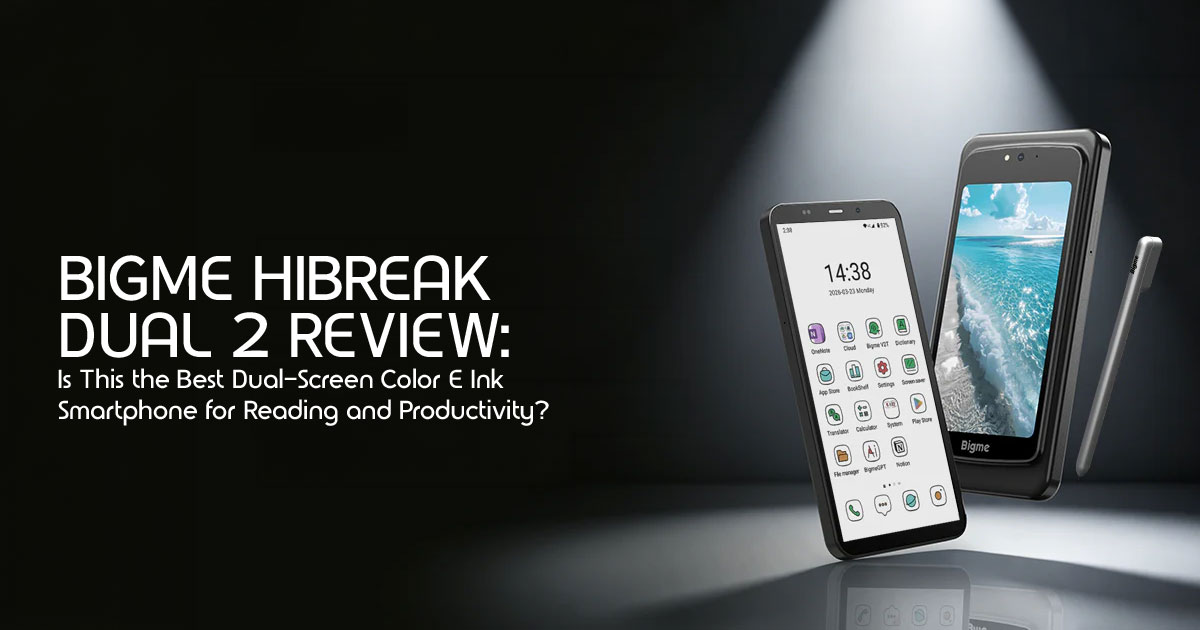
By combining a 6.13-inch Color E Ink display with a 5-inch LCD display, Android 16, a MediaTek Dimensity 8300 processor, and stylus support, the Bigme HiBreak Dual 2 aims to bridge the gap between a traditional Android smartphone, a dedicated e-reader, and a digital notebook. For students, professionals, researchers, writers, and anyone who spends more time reading than gaming, it offers a refreshingly different experience.
As technology experts with over 20 years of experience in hardware and application research and development, we analyze every product based on real-world usability, long-term reliability, performance, durability, and overall value for money.
Whether you’re looking for the best device for long-form reading, document review, productivity, battery life, or everyday use, our recommendations are built on extensive research, component analysis, practical testing, and industry expertise—not just specification sheets.
In this Bigme HiBreak Dual 2 review, we’ll explore what’s new compared to the previous model, how the dual-screen smartphone performs in everyday use, whether the Color E Ink display genuinely reduces digital eye strain, and whether this innovative device is worth your money. We’ll also cover its strengths, compromises, real-world usability, and who should consider buying it over a conventional smartphone.
Quick Verdict
✅ Who Should Buy It?
The Bigme HiBreak Dual 2 is best suited for users who spend hours reading ebooks, reviewing documents, studying, or taking handwritten notes. If you’re a student, professional, researcher, writer, or someone who experiences digital eye strain from conventional smartphone displays, its Color E Ink display, stylus support, and impressive battery life make it a compelling productivity-focused device.
❌ Who Should Avoid It?
If your smartphone is primarily used for mobile gaming, video streaming, social media, or photography, this isn’t the ideal choice. Users expecting flagship cameras, high-refresh-rate displays, or premium multimedia performance will be better served by a traditional Android flagship smartphone. You should also be comfortable with the uncertainty that comes with an early Kickstarter launch.
★ Biggest Strengths
- Color E Ink display delivers a comfortable paper-like display experience for extended digital reading.
- Excellent battery life, especially during reading and productivity tasks.
- Practical dual-screen design combines productivity with everyday smartphone functionality.
- Stylus support makes note-taking and PDF annotation more natural.
- Outstanding outdoor readability compared to conventional smartphone displays.
ı. Biggest Compromises
- Color E Ink cannot match the speed or color quality of OLED displays.
- Not designed for intensive mobile gaming or multimedia consumption.
- Thicker design than most modern smartphones.
- Dual-display workflow requires a short learning curve.
- Initial availability is limited through Kickstarter before wider retail release.
Overall Recommendation
The Bigme HiBreak Dual 2 isn’t trying to compete with flagship smartphones—it creates its own category. By combining the comfort of an e-reader with the flexibility of an Android smartphone, it offers a unique solution for people who value reading, productivity, eye comfort, and long battery life over entertainment. If that matches your daily workflow, the Bigme HiBreak Dual 2 could become one of the most practical smartphones you’ll use.
What’s New in the HiBreak Dual 2?
At first glance, the Bigme HiBreak Dual 2 may look like a simple refresh of the original model, but it introduces several meaningful upgrades that make the dual-screen concept far more practical. Rather than making minor hardware changes, Bigme has improved the areas that matter most for everyday use, including the rear display, performance, software, and productivity features.
A Larger Secondary Display That Actually Feels Useful
The biggest change is the rear display.
The original HiBreak Dual featured a small 1.85-inch circular LCD, which worked well for notifications and basic controls but wasn’t large enough for everyday smartphone tasks.
The HiBreak Dual 2 replaces it with a full-size 5-inch LCD display, allowing you to comfortably browse the web, watch videos, use navigation, check social media, or run Android apps without relying on the E Ink screen. With both displays now offering practical screen space, the phone feels less like an experiment and more like two devices working together.
A Much Faster Processor
Performance also receives a noticeable upgrade.
The original model used the MediaTek Dimensity 1080, while the HiBreak Dual 2 moves to the MediaTek Dimensity 8300. Based on its upgraded MediaTek Dimensity 8300 chipset, users can reasonably expect faster app launches, smoother multitasking, and improved overall responsiveness compared to the previous generation.
While this still isn’t designed to compete with dedicated gaming smartphones, everyday tasks like switching between apps, opening large PDFs, and handling multiple browser tabs should feel significantly more responsive.
Android 16 Out of the Box
Software is another area where Bigme has moved forward.
Rather than shipping with an older Android version, the HiBreak Dual 2 launches with Android 16, giving buyers access to newer security features, broader app compatibility, and a longer software lifespan. For anyone planning to keep the phone for several years, starting on the latest Android release is a meaningful advantage.
Better Support for Note-Taking
Bigme continues to position the HiBreak Dual 2 as a productivity-focused smartphone with stylus support for the front E Ink display.
Whether you’re annotating PDFs, writing meeting notes, marking up research papers, or sketching ideas, the larger E Ink screen provides considerably more working space than a traditional smartphone. While real-world latency and handwriting accuracy will need independent testing, the hardware is clearly aimed at users who read and write more than they watch videos.
A More Practical Dual-Screen Design
Perhaps the biggest improvement isn’t a specification at all—it’s how the two displays complement each other.
Instead of forcing every task onto an E Ink screen, the HiBreak Dual 2 lets you choose the display that best suits what you’re doing. Use the color E Ink display for reading, emails, ebooks, and documents to reduce eye strain and conserve battery. When you need vibrant colors or smooth animations, simply switch to the LCD for video streaming, maps, social media, or photo viewing.
This approach solves one of the biggest compromises of traditional E Ink phones, making the HiBreak Dual 2 a more versatile everyday device than its predecessor.
Key Upgrades Compared to the Original
| Feature | Original HiBreak Dual | HiBreak Dual 2 |
| Rear Display | 1.85-inch circular LCD | 5-inch full-size LCD |
| Processor | MediaTek Dimensity 1080 | MediaTek Dimensity 8300 |
| Operating System | Android 14 | Android 16 |
| Stylus Support | Basic stylus functionality | Larger Color E Ink workspace with enhanced stylus support |
| Dual-Screen Usability | Limited secondary display functionality | Two practical displays optimized for reading, productivity, and everyday smartphone tasks |
Overall, the HiBreak Dual 2 doesn’t reinvent Bigme’s dual-screen concept—it refines it. The larger rear display, faster chipset, newer Android version, and productivity-focused improvements address many of the limitations of the original model, making this generation a much stronger option for readers, students, professionals, and anyone looking for a smartphone that prioritizes focus over constant screen stimulation.
Understanding the Dual-Screen Experience
The Bigme HiBreak Dual 2 stands out because it combines two different display technologies into one smartphone, giving each screen a clear purpose.
The front of the phone features a 6.13-inch Color E Ink display that delivers a paper-like display experience for long-form reading, writing, note-taking, and document review. Flip the device over, and you’ll find a 5-inch LCD screen that behaves like a traditional smartphone display, making it better suited for videos, maps, social media, and other visually rich content.
At first glance, the dual-screen design may seem unconventional, but it quickly becomes practical once each display is used for the tasks it was designed to handle.
Why Two Displays Instead of One?
Most smartphones today use OLED or LCD panels because they’re fast, colorful, and ideal for multimedia. They’re excellent for watching videos, gaming, browsing Instagram, or editing photos.
However, those same displays aren’t always comfortable for activities that involve reading large amounts of text. Bright backlighting, continuous screen refreshes, and long hours of use can contribute to eye fatigue, especially for people who spend several hours each day reading ebooks, reviewing PDFs, replying to emails, or studying.
The HiBreak Dual 2 takes a different approach.
Instead of forcing every activity onto a single display, it lets you choose the screen that best matches the task.
Use the Color E Ink display when you’re reading books, reviewing reports, annotating documents, or taking handwritten notes. When you want smoother animations, vibrant colors, or faster interaction, simply switch to the LCD display.
Rather than replacing a traditional smartphone, the two displays complement each other, giving you more flexibility throughout the day.
How Color E Ink Works (Without the Technical Jargon)
Unlike OLED and LCD screens that continuously emit light toward your eyes, an E Ink display works by physically rearranging tiny coloured particles to create text and images.
The result is a display that looks much closer to printed paper than a conventional smartphone screen.
Since the image remains visible without constant refreshing, the display consumes very little power while showing static content. That’s why E Ink devices have become popular for ebooks, digital note-taking, and professional document reading.
The Bigme HiBreak Dual 2 brings that same paper-like display experience to a smartphone, so you can enjoy the comfort of an e-reader without carrying a second device.
What Can You Actually Do on the E Ink Display?
The front display is designed for tasks where clarity and comfort matter more than speed. It works particularly well for:
- Read ebooks and long articles
- Review PDF documents
- Annotate reports with the stylus
- Write meeting notes
- Check emails
- Browse text-heavy websites
- Study digital textbooks
- Research academic papers
- Review contracts and business documents
These activities don’t require rapid animations or vivid colors, making them ideal for an E Ink display.
When Should You Use the LCD Display?
The rear LCD screen handles the types of content that E Ink isn’t designed for. You’ll naturally want to switch to it when:
- Watching YouTube videos
- Streaming Netflix or Prime Video
- Using Google Maps with live navigation
- Browsing Instagram or TikTok
- Viewing photos
- Shopping online
- Playing casual mobile games
- Video calling friends or colleagues
Because the LCD refreshes much faster, it delivers the smooth animations and richer colors people expect from a modern smartphone.
E Ink vs LCD vs OLED: Which Display Is Better?
The answer depends entirely on what you’re doing.
| Feature | Color E Ink | LCD | OLED |
| Reading Books | ★★★★★ | ★★★☆☆ | ★★★☆☆ |
| PDF Annotation | ★★★★★ | ★★★☆☆ | ★★★☆☆ |
| Battery Efficiency | ★★★★★ | ★★★☆☆ | ★★★☆☆ |
| Outdoor Visibility | ★★★★★ | ★★☆☆☆ | ★★★☆☆ |
| Video Streaming | ★☆☆☆☆ | ★★★★☆ | ★★★★★ |
| Mobile Gaming | ★☆☆☆☆ | ★★★★☆ | ★★★★★ |
| Social Media | ★★☆☆☆ | ★★★★☆ | ★★★★★ |
| Eye Comfort | ★★★★★ | ★★★☆☆ | ★★★☆☆ |
| Color Accuracy | ★★☆☆☆ | ★★★★☆ | ★★★★★ |
Instead of asking which technology is “better,” it’s more useful to ask which one is better for the task you’re performing. That’s exactly the philosophy behind the HiBreak Dual 2.
How the Dual-Screen Setup Works in Everyday Life
The dual-display design becomes most useful when you think about your daily routine.
Imagine reading a 40-page PDF report during your morning commute. The E Ink display makes extended reading comfortable and helps conserve battery. Later in the day, you need to join a video call, check directions in Google Maps, or quickly watch a presentation. Flipping to the LCD screen gives you the responsiveness and color needed for those tasks.
The transition between the two displays feels less like switching devices and more like selecting the right tool for the job.
For many users, that means carrying one device instead of both a smartphone and a dedicated e-reader.
Is the Dual-Screen Design Just a Gimmick?
That’s probably the biggest question potential buyers will ask.
If your phone is mainly used for YouTube, gaming, photography, and social media, the answer is probably yes. Most of your time would still be spent on the LCD display, so the E Ink screen would see limited use.
However, if your typical day revolves around reading documents, reviewing research papers, responding to emails, writing notes, or studying for several hours, the second display offers a clear practical advantage.
Rather than competing directly with flagship phones, the Bigme HiBreak Dual 2 sits somewhere between a smartphone, an e-reader, and a digital notebook, combining the strengths of all three into a single device.
The Bottom Line
The dual-screen design isn’t trying to reinvent how smartphones work—it simply recognises that different tasks benefit from different display technologies.
The Color E Ink display prioritises comfort, battery life, and focus, making it ideal for reading and productivity. The LCD display takes over when speed, color, and smooth interaction matter most.
For users who spend a significant part of their day reading, annotating documents, or working away from a desk, this combination offers something that conventional smartphones still struggle to provide: a more comfortable way to work without giving up the convenience of Android.
Performance & Battery
One of the biggest improvements in the Bigme HiBreak Dual 2 is that it no longer feels like an experimental E Ink smartphone with smartphone features added later. Thanks to its upgraded hardware and smarter dual-display design, it aims to deliver the responsiveness people expect from a modern Android smartphone while preserving the exceptional battery efficiency that makes Color E Ink technology so appealing.
Of course, performance isn’t only about processor speed. The real question is whether the phone feels smooth during everyday use, handles productivity tasks comfortably, and lasts long enough to justify its unique design.
Everyday Performance: Fast Where It Matters
Powering the Bigme HiBreak Dual 2 is the MediaTek Dimensity 8300, a noticeable step up from the Dimensity 1080 found in the previous generation. While the phone isn’t designed to compete with flagship gaming devices, the newer chipset provides more than enough performance for everyday productivity.
In normal use, you can expect:
- Apps to launch quickly
- Smooth multitasking between Android apps
- Faster web browsing
- Comfortable PDF reading
- Better responsiveness when switching between the Color E Ink display and LCD display
- Reliable performance during video calls and document editing
For users whose daily routine revolves around reading, note-taking, email, messaging, and research, the processor offers plenty of headroom without feeling underpowered.
Reading and Productivity Feel More Natural
The Bigme HiBreak Dual 2 isn’t trying to be the fastest smartphone. Instead, it’s built to make long-form reading, PDF annotation, document workflows, and everyday productivity feel effortless.
Opening large PDF files, reviewing lengthy contracts, highlighting research papers, or annotating lecture notes are all tasks that benefit from the combination of the Color E Ink display and the upgraded processor.
Unlike many E Ink devices that struggle with heavier Android applications, the faster chipset helps reduce delays when opening documents, switching between apps, or synchronizing cloud storage.
For students, professionals, researchers, and writers, these improvements are likely to be more valuable than benchmark numbers.
Multitasking Without Feeling Sluggish
Modern Android users rarely use one app at a time.
You might be reading a report while checking Slack messages, switching to Gmail, opening Google Drive, and then joining a video meeting.
With up to 12GB RAM, the Bigme HiBreak Dual 2 should be capable of keeping multiple applications active without aggressively reloading them each time you switch back.
Although the dual-screen smartphone design doesn’t allow you to view both displays simultaneously, moving between different workflows should feel considerably smoother than on the original model.
Battery Life: The Biggest Everyday Advantage
Battery life is where the Bigme HiBreak Dual 2 has the potential to stand apart from traditional smartphones.
Because the Color E Ink display consumes very little power when showing static content, everyday activities such as reading books, reviewing documents, or checking emails place far less strain on the battery than they would on an OLED display or LCD display.
Actual battery life will always depend on how frequently you switch between the two displays, but realistic expectations look something like this:
| Usage Pattern | Expected Battery Performance |
| Mostly using the Color E Ink display for eBooks, document review, and digital reading | Up to several days between charges. |
| Mixed use (reading, messaging, web browsing, and occasional video playback) | Battery life varies depending on usage, but users who primarily rely on the Color E Ink display can expect noticeably longer endurance than a typical Android smartphone. |
| Heavy LCD display usage with frequent multimedia consumption | Approximately one full day of battery life. |
| Continuous video streaming or gaming | Battery life is expected to be similar to that of a conventional Android smartphone. |
For users who spend most of their day reading rather than watching videos, the battery savings could be significant.
Outdoor Use Is Where the Color E Ink Display Shines
One practical advantage that often goes unnoticed is outdoor readability.
Traditional smartphone displays become increasingly difficult to read under bright sunlight, forcing users to raise brightness levels and consume more battery power.
The Color E Ink display behaves differently.
Because it reflects ambient light instead of competing with it, visibility actually improves outdoors. Whether you’re reading while travelling, reviewing documents at a construction site, or navigating on a sunny afternoon, the screen remains comfortable to use for digital reading even in bright sunlight.
This is one of the biggest advantages of an E Ink phone compared to a conventional smartphone.
Can You Watch Videos and Play Games?
Yes—but that’s not what this phone is built for.
The rear LCD display handles multimedia far better than the Color E Ink display, making it suitable for YouTube, Netflix, music streaming, social media, and video calls.
Gaming is a different story.
Although the MediaTek Dimensity 8300 is a capable processor, the overall design of the Bigme HiBreak Dual 2 prioritizes productivity over entertainment. Casual games should run without difficulty on the LCD screen, but players looking for high refresh rates, advanced cooling systems, or extended gaming sessions will find better options elsewhere.
If gaming is one of your main reasons for buying a smartphone, this probably isn’t the right device.
Thermal Performance During Everyday Use
Tasks such as reading ebooks, browsing documents, writing notes, or replying to emails place relatively little stress on the processor, meaning the phone should remain cool during normal productivity sessions.
The device may warm up during prolonged video recording, gaming, or extended use of the LCD display, but those aren’t the primary workloads it was designed to handle.
For its intended audience, thermal performance is unlikely to become a concern.
How Does It Compare to a Regular Smartphone?
Compared with a typical Android smartphone in the same price range, the Bigme HiBreak Dual 2 delivers a different kind of performance.
It doesn’t aim to produce the highest benchmark scores or the fastest gaming frame rates. Instead, it focuses on delivering consistent responsiveness for reading, writing, studying, and office work while offering noticeably longer battery life whenever the Color E Ink display is doing the heavy lifting.
If your day is filled with documents rather than games, you’ll likely appreciate this balance far more than raw processing power.
Performance & Battery Verdict
From a performance standpoint, the Bigme HiBreak Dual 2 strikes a sensible balance between capability and efficiency. The upgraded MediaTek Dimensity 8300, generous 12GB RAM, and improved software make the device feel considerably more refined than its predecessor, while the dual-display design helps extend battery life in ways that conventional smartphones simply cannot.
It won’t replace a gaming phone or a flagship multimedia device, but for students, professionals, researchers, writers, and anyone who spends hours working with text, the combination of responsive everyday performance and exceptional battery efficiency is one of the phone’s strongest selling points.
Pros & Cons
Like any niche device, the Bigme HiBreak Dual 2 excels in some areas while making a few compromises. Here’s a quick overview to help you decide if it matches your needs.
| Pros | Cons |
| ✅ Comfortable Color E Ink display that’s ideal for extended reading sessions with reduced eye strain. | ❌ Color E Ink refresh rates are noticeably slower than OLED or LCD panels. |
| ✅ Excellent battery life for reading, note-taking, and everyday productivity. | ❌ Not designed for demanding mobile games or high-frame-rate applications. |
| ✅ The 5-inch LCD display handles videos, messaging, and standard Android apps with ease. | ❌ Multimedia performance isn’t comparable to premium flagship smartphones. |
| ✅ Stylus support makes note-taking, PDF markup, and document annotation convenient. | ❌ Switching efficiently between the two displays may require a short learning period. |
| ✅ Outstanding outdoor readability with significantly reduced eye fatigue compared to traditional displays. | ❌ Purchasing through a crowdfunding campaign may involve additional delivery and availability risks. |
Bottom line: If your priority is reading, studying, note-taking, or productivity, the advantages easily outweigh the compromises. However, users looking for a gaming phone, flagship cameras, or an entertainment-focused smartphone may find a traditional Android device to be a better fit.
Should You Buy the Bigme HiBreak Dual 2?
✅ Buy It If You:
- Read ebooks, PDFs, or research papers daily
- Want a phone and e-reader in one device
- Prefer long battery life over gaming performance
- Take handwritten notes or annotate documents
- Experience digital eye strain from traditional smartphone displays
❌ Skip It If You:
- Primarily watch videos or stream content
- Play graphics-intensive mobile games
- Need flagship-level cameras
- Want a conventional smartphone with no learning curve
Quick Recommendation
| User Type | Recommendation |
| Students | ★★★★★ Excellent Choice |
| Professionals | ★★★★★ Highly Recommended |
| Writers & Researchers | ★★★★★ Best Fit |
| Frequent Travelers | ★★★★☆ Recommended |
| Gamers | ★★☆☆☆ Not Recommended |
| Content Creators | ★★☆☆☆ Consider Alternatives |
Verdict: The Bigme HiBreak Dual 2 is an excellent choice for users who prioritize reading, productivity, and eye comfort. If entertainment, gaming, or photography are your top priorities, a traditional flagship smartphone will be a better investment.
Frequently Asked Questions
Is the HiBreak Dual 2 good for reading books?
Yes. The Color E Ink display is well suited for reading books, thanks to its paper-like appearance and reduced eye strain during extended reading sessions.
Can it replace an e-reader?
Yes. With support for Android apps through the Google Play Store, it can comfortably replace a dedicated e-reader for many users while also functioning as your primary smartphone.
Is it suitable for work?
Yes, it is highly suitable for work, particularly for tasks involving reading, document review, and note-taking. The distraction-free nature of the E Ink screen and the included stylus make it a powerful productivity tool.
Does it support Google apps?
Yes, the Bigme HiBreak Dual 2 runs on the Android operating system and includes full support for the Google Play Store, allowing you to download and use all your favorite Google apps, including Gmail, Docs, and Drive.
Is the stylus included?
Bundle contents may vary depending on the retailer or Kickstarter reward tier, so it’s worth confirming whether the stylus is included before placing your order.
Availability & Where to Buy the Bigme HiBreak Dual 2
The Bigme HiBreak Dual 2 has not officially launched for general retail purchase yet. However, its public release is just around the corner.
Bigme has already unveiled the device and opened a Kickstarter preview page, where interested buyers can reserve an Early Bird credit by paying $5, unlocking a $30 discount when the crowdfunding campaign officially goes live. If you’re planning to be among the first owners, it’s worth keeping an eye on the campaign.
Availability, pricing, and shipping regions may change once the Kickstarter campaign officially launches.
Amazon Worldwide
While the Bigme HiBreak Dual 2 isn’t available on Amazon yet, you can currently find other Bigme HiBreak models through third-party sellers.
Bigme HiBreak Pro Color (Recommended Alternative)
- Features a single Kaleido 3 Color E Ink display
- Powered by the MediaTek Dimensity 1080
- Runs Android 14
- Ideal if you prefer a traditional single-screen E Ink smartphone.
Bigme HiBreak Plus / HiBreak Color (Budget Alternative)
- More affordable entry point into the Color E Ink phone lineup
- 4G processor with lower RAM configurations
- Suitable for users primarily interested in reading and basic productivity.
Amazon India
Availability in India remains limited due to import regulations, so the Bigme HiBreak series is rarely stocked directly on Amazon India.
Instead, Indian buyers typically purchase through trusted cross-border retailers such as Desertcart India and Ubuy India, which manage international shipping, customs clearance, and import duties during checkout.
Final Thoughts
The Bigme HiBreak Dual 2 isn’t designed to replace every smartphone—it targets a specific audience that values long-form reading, document review, note-taking, productivity, battery life, and reduced eye strain over gaming and multimedia.
If your daily routine revolves around documents more than entertainment, the Bigme HiBreak Dual 2 could be one of the most practical smartphones you’ll find this year.
Bookmark this review to stay updated with hands-on testing, benchmark results, pricing, camera samples, battery performance, and purchase links as soon as the Bigme HiBreak Dual 2 officially becomes available.
***Disclaimer***
This blog post reflects our research, analysis, and opinions based on available product information, user feedback, and industry knowledge. It should not be taken as the official
position of any brand, manufacturer, or company mentioned here. While we aim to keep information accurate and up to date, product details, pricing, and availability can change. We recommend double-checking important details before making a purchase.
Some links in this article may be affiliate links. If you choose to buy through these links, we may earn a small commission at no extra cost to you. This helps support our work and allows us to keep publishing in-depth, unbiased reviews. Our recommendations are never influenced by affiliate partnerships.
Comments shared by readers reflect their own views and not ours. We are not responsible for outcomes resulting from the use of information on this site. Please seek professional advice where appropriate.
All product names, logos, and brands mentioned are the property of their respective owners. These names are used for identification and informational purposes only and do not imply endorsement.
