
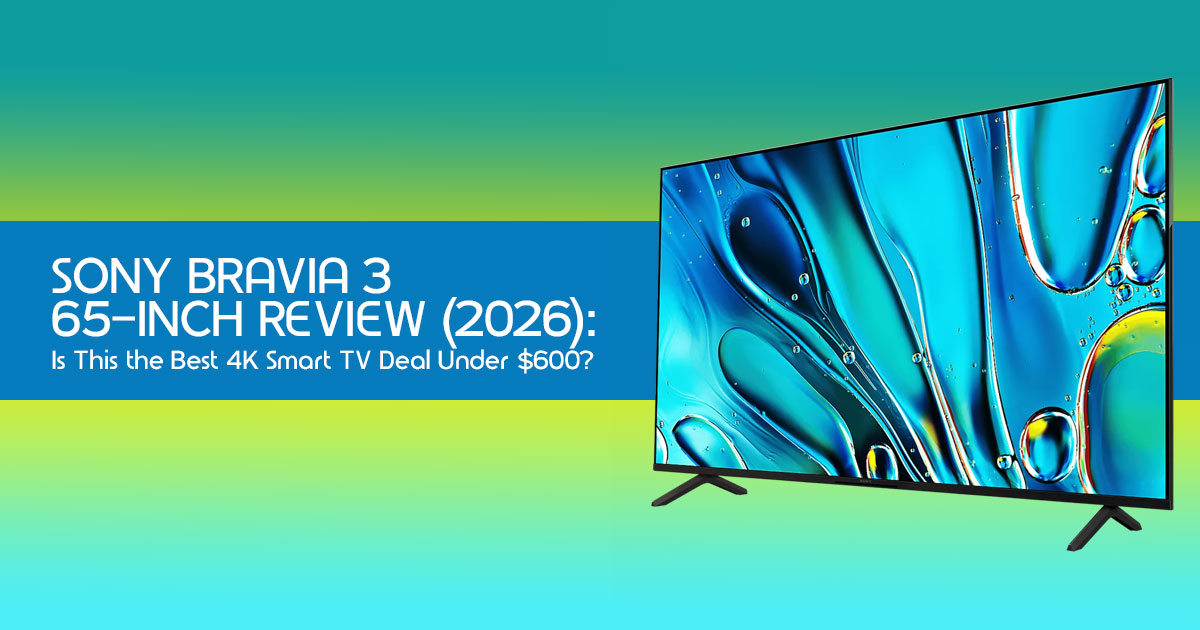
Introduction
A low price feels great today—but the wrong TV can leave you disappointed every time you switch it on.
That’s why this Sony BRAVIA 3 65-inch deal deserves more than a quick look at the price tag.
Right now, it’s selling at its lowest price ever, making it one of the most affordable ways to own a Sony 4K Smart TV. On paper, it checks plenty of boxes: a large 65-inch 4K display, Google TV, Dolby Vision, Dolby Atmos, and features designed to work seamlessly with the PlayStation 5.
At first glance, it looks like an easy recommendation. But here’s what most deal articles won’t tell you.
Click here to buy from Amazon
A lower price doesn’t always mean better value.
If you mainly watch Netflix, Prime Video, Disney+, live sports, or movies with your family, the Sony BRAVIA 3 could be one of the best 65-inch TVs you can buy in this price range. Sony’s picture processing makes everyday content look clean, colors look natural, and the Google TV interface remains one of the easiest smart TV platforms to use.
If you’re buying it for PS5 gaming, there’s another side to the story. While it supports Sony’s gaming features, it doesn’t offer a 120Hz refresh rate. If you’re chasing smoother gameplay in competitive titles, that’s a limitation you should know before spending your money.
That’s exactly why we don’t judge a TV by its specifications alone.
Drawing on more than 20 years of combined experience in hardware evaluation and application research, we assess every product based on how it performs in everyday use. We focus on real-world picture quality, long-term reliability, ease of use, and overall value—not just what’s listed on the specification sheet.
Whether you’re a first-time 4K TV buyer, a PlayStation 5 owner, a family replacing an older television, a movie lover building a home entertainment setup, or someone looking for the best Sony TV deal, our recommendations come from extensive research, component analysis, real-world usability, and industry expertise.
By the end of this review, you’ll know whether the Sony BRAVIA 3 65-inch is genuinely one of the best budget 65-inch 4K TVs available today—or whether spending a little more could save you from buyer’s regret later.
Why You Can Trust Our Review
We evaluate every product based on real-world performance, long-term reliability, ease of use, and overall value. Instead of relying only on specifications, we compare products against competing models, study long-term user feedback, and assess how they perform in everyday use. Our goal is to help you choose the right product—not simply the most expensive one.
TL;DR: The Quick Take
Buy the Sony BRAVIA 3 65-inch if: you want a reliable 4K Smart TV for movies, streaming, family entertainment, and casual PS5 gaming at its lowest recorded price.
Think twice if: your priority is 120Hz gaming, competitive multiplayer, or premium HDR performance. In that case, stepping up to a higher-end model will make a noticeable difference.
Bottom line: At this price, the Sony BRAVIA 3 delivers excellent value for money, natural picture quality, and one of the best Google TV experiences available. Just make sure you’re buying it for what it does well—not for features it was never designed to offer.
1. Deal Snapshot: The Numbers That Matter
We’ve been tracking the price of the Sony BRAVIA 3 65-Inch since its launch, and the current shift is significant. Originally retailing for nearly $900, it has finally dropped into a price range where many more buyers can realistically consider it.
- Current sale price: $598
- Total savings: $302 (34% off MSRP)
- Historical pricing context: Based on current price tracking, this appears to be one of the lowest prices the Sony BRAVIA 3 65-inch has reached.
- Why this deal stands out: Sony has traditionally positioned its TVs above many budget brands, making this price particularly competitive within the 65-inch This price puts it head-to-head with budget brands while still offering Sony’s well-known image processing.
- Availability: The discount may be related to seasonal promotions or inventory updates, although Sony has not officially confirmed the reason.
2. Before You Click “Buy”: The Reality Check
Don’t let a low price tag blindside you. Before you check out, run through this quick checklist to see if the LED TV fits your actual living situation.
| Factor | Recommendation |
| Best Room Size | Medium to large living rooms, where the 65-inch screen delivers an immersive viewing experience. |
| Seating Distance | Approximately 8–9 feet (2.4–2.7m) for the best balance of detail and immersion with 4K content. |
| Primary Use | Streaming on Netflix, Disney+, YouTube, live TV, and casual PS5 gaming. |
| Lighting | Performs best in rooms with moderate or controlled lighting. It is less suited to spaces with heavy direct sunlight due to its moderate brightness. |
| Budget | An excellent choice for buyers seeking a trusted Sony 4K Smart TV experience for under $600. |
3. What You’re Actually Paying For: The Experience
Most reviews just list specs, but we want to talk about how this 4K TV actually feels to use daily.
Sony’s 4K HDR Processor X1 does more than sharpen the picture. It helps older HD channels, DVDs, and Full HD content look cleaner and more detailed on a 4K TV. In many everyday viewing situations, Sony’s image processing produces cleaner upscaled images than many LED TVs in the same price range.
One of the biggest strengths of this Google TV is how simple it is to use. Apps open quickly, navigation feels smooth, and finding content across popular streaming services is simple. It offers one of the most user-friendly content discovery experiences among today’s smart TV platforms.
In terms of HDR, it supports Dolby Vision, which is great for movies. Since this is a standard LED TV without local dimming, black levels may appear slightly gray in a completely dark room, especially when compared with Mini-LED or OLED TVs. In normal living room lighting, however, most people are unlikely to notice this.
Color accuracy is one of the Sony BRAVIA 3’s biggest strengths. Colors look natural without appearing overly saturated, making movies, TV shows, and sports enjoyable to watch.
Motion handling is smooth enough for everyday viewing, while the screen performs best in rooms with moderate lighting. Like many VA-panel TVs, picture quality is strongest when you’re sitting directly in front of the screen rather than at a wide angle.
4. PS5 Experience: What Works—and What Doesn’t
Sony markets this as “Perfect for PS5,” but we need to be honest about what that means for a Gaming TV at this price point.
The Good:
- Auto HDR Tone Mapping: The TV and console talk to each other to optimize brightness settings instantly.
- Auto Genre Picture Mode: It switches to “Game Mode” automatically when you boot up the console, reducing lag.
- Input Lag: With Game Mode enabled, input lag is low enough to make everyday PS5 gaming feel Whether you’re playing racing games, action adventures, or sports titles, controls feel quick and consistent.
The Limitations:
- 60Hz Refresh Rate: The Sony BRAVIA 3 uses a native 60Hz panel, so it cannot display games at 4K 120Hz. Casual players are unlikely to notice the difference, but competitive gamers may prefer a TV with a 120Hz refresh rate.
- No VRR: Variable Refresh Rate is missing, so you might see occasional screen tearing in demanding games.
Verdict for Gamers: If you mostly play story-driven games like God of War or Spider-Man, the experience is smooth and enjoyable. However, players who regularly use a 120Hz display will notice the difference.
Click here to buy from Amazon
5. Where the BRAVIA 3 Fits in the Lineup
It’s easy to get lost in the model numbers. Here is the hierarchy so you know exactly where you stand.
- BRAVIA 3 (Entry-level): This Great processing, 60Hz, affordable.
- BRAVIA 7 (Mid-range): Adds Mini-LED and Much brighter.
- BRAVIA 8 (Premium OLED): Perfect blacks, infinite contrast, 120Hz.
- BRAVIA 9 (Flagship): The brightest Mini-LED Sony has ever made.
If your budget allows, moving up to the BRAVIA 7 brings a noticeable improvement in brightness, HDR performance, and gaming features.
6. Who Should Buy This TV?
- The “Brand Loyalists”: You want Sony reliability and color science without the $1,500 price tag.
- The Streamers: People who mostly watch Netflix, YouTube, Disney+, or other streaming services.
- The Casual Gamer: You play single-player games and don’t care about 120Hz.
- The Family Room: Its solid overall build quality, simple interface, and dependable picture quality make it a good choice for everyday family entertainment. For the best picture, it’s ideal to sit directly in front of the screen.
7. Who Should Skip It?
- The Home Theater Geek: If you want “inky blacks” for movie night, save for an OLED.
- The Pro Gamer: If you own a PS5 specifically for 120Hz performance, this isn’t it.
- Bright Rooms: If your TV sits opposite a large window, reflections and bright sunlight may affect picture quality during the day.
8. How the Sony BRAVIA 3 Compares to Popular Alternatives
The Sony BRAVIA 3 is a great TV, but it isn’t your only option. Depending on how you use your TV, another model could suit you even better.
Here’s how it stacks up against some of its biggest rivals.
| TV Model | Display Technology | Refresh Rate | Smart Platform | Best For |
| Sony BRAVIA 3 | LED | 60Hz | Google TV | Movies, streaming, natural colors, and everyday viewing |
| TCL QM6K | Mini-LED | 144Hz | Google TV | Competitive gaming, brighter HDR, and excellent overall value |
| TCL QM7 | Mini-LED | 120Hz | Google TV | Gamers seeking better contrast, HDR, and smoother gameplay |
| Hisense U6N | Mini-LED | 60Hz | Google TV | Budget buyers who want stronger HDR performance |
| Hisense U7N | Mini-LED | 144Hz | Google TV | Gaming, live sports, and bright-room viewing |
| Samsung Q60D | QLED | 60Hz | Tizen OS | Bright colors, sleek design, and Samsung ecosystem users |
| LG QNED80 | QNED | 60Hz | webOS | Wide seating arrangements, family viewing, and everyday streaming |
Which TV Should You Choose?
Choose the Sony BRAVIA 3 if you want dependable picture quality, natural colours, excellent image processing, and one of the easiest Google TV experiences. It’s especially well suited for watching movies, streaming your favourite shows, and casual PS5 gaming.
Choose the TCL QM6K or TCL QM7 if gaming is your top priority. Both models offer higher refresh rates, brighter HDR performance, and better value for players who want smoother gameplay.
The Hisense U6N is worth considering if your budget is tight but you still want strong HDR performance for movies and streaming. If you’re willing to spend a little more, the Hisense U7N delivers brighter images, faster refresh rates, and more advanced gaming features.
If you prefer the Samsung ecosystem, the Samsung Q60D offers vibrant colours, a slim design, and a polished smart TV experience, although it doesn’t provide the same gaming features as many Mini-LED competitors.
The LG QNED80 is a good choice for families with wide seating arrangements because it maintains picture quality better when viewed from the sides. However, the Sony BRAVIA 3 generally delivers more natural colour reproduction and stronger image processing for movies and lower-resolution content.
Our Recommendation
If your budget is around $600 and your main priorities are streaming, movies, family entertainment, and occasional PS5 gaming, the Sony BRAVIA 3 remains one of the strongest choices in its class.
If your focus is competitive gaming, 120Hz or 144Hz gameplay, or brighter HDR performance, spending a little more on the TCL QM6K, TCL QM7, or Hisense U7N is likely to be worthwhile.
9. Hidden Ownership Costs
The price tag isn’t the final number. To get the best out of this Smart TV, consider these extras:
- Soundbar: Even an entry-level soundbar can noticeably improve dialogue and movie audio compared with the TV’s built-in speakers.
- Wall Mount: This 65-inch model is sturdy but Choose a sturdy wall mount that’s designed to safely support a 65-inch TV.
- HDMI Cables: A Premium High Speed HDMI cable (18 Gbps) is recommended if you’re connecting a 4K HDR source and want reliable performance.
10. Tips to Get the Best Experience on Day One
- Use “Custom” Mode: Custom mode usually delivers the most natural colours for movies and TV shows, while Vivid mode boosts brightness and colour, which some people may prefer for daytime viewing.
- Enable Enhanced HDMI: Go to Settings > Channels & Inputs > External Inputs to make sure your PS5 is getting the full HDR signal.
- Update Software: Sony pushes frequent updates for the Google TV interface that improve speed.
- Turn Off Motion Smoothing: Unless you like the “Soap Opera Effect,” turn off Motionflow in the picture settings.
11. Pros and Trade-Offs at a Glance
| Strengths | Limitations |
| Excellent 4K upscaling, natural color accuracy, and consistently reliable picture quality for everyday viewing. | Limited to a 60Hz refresh rate, making it less suitable for competitive gaming. |
| One of the easiest and most intuitive Google TV smart TV interfaces available. | No local dimming, so black levels and contrast are not as deep as Mini-LED or OLED TVs. |
| Includes “Perfect for PS5” features such as Auto HDR Tone Mapping and Auto Genre Picture Mode. | Peak brightness is modest, so HDR performance is less impressive in very bright rooms. |
| Sony’s renowned build quality, dependable software support, and long-term reliability. | No Variable Refresh Rate (VRR) support, limiting its appeal for next-generation console gamers. |
Click here to buy from Amazon
12. Frequently Asked Questions (FAQ)
Is the Sony BRAVIA 3 good for PS5?
Yes, for casual gaming. It handles HDR beautifully and has low lag; it won’t display games at 120Hz because it uses a native 60Hz panel.
Does it support native 120Hz?
No. This is a 60Hz native panel.
Does it have HDMI 2.1?
It has HDMI 2.0 ports. While it supports some HDMI 2.1 features like eARC and ALLM, it lacks 4K/120Hz bandwidth.
Is Gogle TV easy to use?
Google TV is easy to learn and simple to navigate. It also receives regular software updates and supports all major streaming apps, including Netflix, Disney+, Prime Video, YouTube, and many more.
Is it bright enough for sunny rooms?
It’s decent, but not a “light cannon.” If you have a lot of windows, you might notice some reflections.
13. Final Verdict
The Sony BRAVIA 3 65-inch isn’t built to compete with premium gaming TVs, and that’s perfectly fine. Its strength lies in delivering dependable picture quality, natural colours, a polished Google TV experience, and reliable everyday performance at a price that’s easy to justify.
At its current price, it’s one of the strongest value options currently available if you’re looking for a dependable 65-inch 4K Smart TV for movies, streaming, and casual gaming.
Our Recommendation: Buy it if you’re looking for a dependable 65-inch 4K Smart TV for movies, streaming, and casual PS5 gaming. Consider another model if competitive gaming, a 120Hz display, or brighter HDR performance is your priority.
If your priority is dependable everyday performance rather than premium gaming features, the Sony BRAVIA 3 offers a balanced mix of picture quality, ease of use, and long-term value that’s hard to ignore at this price.
Have you made the jump to a 65-inch screen yet? Share your experience in the comments below, or ask us anything about setting up your new Sony TV!
***Disclaimer***
This blog post reflects our research, analysis, and opinions based on available product information, user feedback, and industry knowledge. It should not be taken as the official position of any brand, manufacturer, or company mentioned here. While we aim to keep information accurate and up to date, product details, pricing, and availability can change. We recommend double-checking important details before making a purchase.
Some links in this article may be affiliate links. If you choose to buy through these links, we may earn a small commission at no extra cost to you. This helps support our work and allows us to keep publishing in-depth, unbiased reviews. Our recommendations are never influenced by affiliate partnerships.
Comments shared by readers reflect their own views and not ours. We are not responsible for outcomes resulting from the use of information on this site. Please seek professional advice where appropriate.
All product names, logos, and brands mentioned are the property of their respective owners. These names are used for identification and informational purposes only and do not imply endorsement.
