
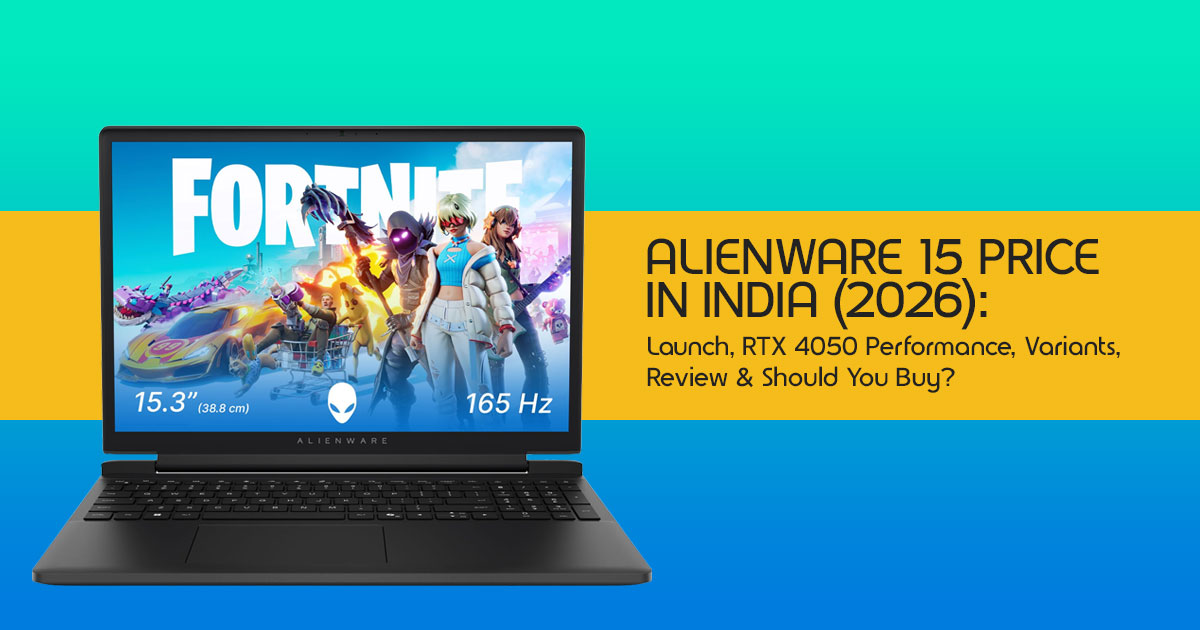
Introduction
Most people buy a gaming laptop the wrong way.
They compare specifications. They look at the graphics card. They chase the biggest discount. Then, a few months later, they realize the laptop runs hot, the battery barely lasts, or they paid extra for features they never use.
That’s why the Alienware 15 is worth a closer look.
With the Alienware 15 India launch, Dell is trying something different. Instead of building a gaming laptop that only a few enthusiasts can afford, Dell is making the Alienware gaming laptop experience more accessible to gamers who previously considered the brand out of reach. The specifications look promising, but real-world performance is what ultimately determines whether a gaming laptop is worth buying. That’s exactly what we’ll help you find out before you spend ₹1 lakh or more.
This guide helps you answer that question with real-world testing, practical comparisons, and buying advice that goes beyond the specifications.
As technology experts with over 20 years of experience in hardware and application research and development, we don’t judge a laptop by marketing claims. We test what matters in the real world—gaming performance, cooling, display quality, build quality, battery life, upgrade options, long-term reliability, and most importantly, value for money. Our recommendations are based on extensive research, component analysis, real-world usability, and industry expertise, helping you choose the right laptop for your budget, performance needs, and years of dependable use.
If you’re searching for the Alienware 15 price in India, comparing it with the Lenovo Legion, ASUS ROG, HP Omen, Acer Predator, or wondering whether the RTX 4050 version is enough for modern games, you’re in the right place.
This guide is built for gamers, college students, content creators, software developers, engineering students, and professionals who need one powerful laptop for work and play.
Whether your priority is high FPS gaming, video editing, coding, 3D rendering, or AI workloads, we’ll help you understand which Alienware 15 model makes the most sense.
More importantly, we’ll answer the questions that actually influence your buying decision. Does the Alienware 15 stay cool during long gaming sessions?
Is the Alienware 15 price in India justified compared to its competitors? Should you buy it now or wait for another model?
Which variant gives the best performance for the money? And who should avoid buying it altogether?
By the time you finish reading, you won’t just know the specifications. You’ll know whether the Alienware 15 deserves your money—or whether another gaming laptop offers better value.
Alienware 15 Price in India – Quick Answer
The Alienware 15 starts at ₹1,15,990 in India. It is available with AMD Ryzen 5 220 and Ryzen 7 260 processors paired with NVIDIA GeForce RTX 3050 and RTX 4050 graphics. Dell has also confirmed that Intel Core 5 210H and Intel Core 7 240H variants with RTX 5060 graphics will launch later this month. You can buy the Alienware 15 from the Dell Online Store, Dell Exclusive Stores, Amazon, and Flipkart.
Looking for the latest Alienware 15 price in India, launch offers, performance benchmarks, and buying advice? This guide covers everything you need before placing your order.
1. India Launch at a Glance
The Alienware 15 made its official debut in India on July 2, 2026. This launch marks a significant push by Dell to capture a broader segment of the Indian gaming audience. The initial rollout features configurations primarily with AMD Ryzen processors and NVIDIA GeForce RTX 3050 and RTX 4050 graphics cards.
Dell has also officially confirmed that Intel-based variants are arriving in India later this month. These include the Intel Core 5 210H and Intel Core 7 240H processors paired with upgraded NVIDIA GeForce RTX 5060 graphics. This gives buyers the option to choose between the current AMD Ryzen 5 220 and Ryzen 7 260 models or wait for the upcoming Intel-powered versions if they want higher gaming and productivity performance.
Currently, the Alienware 15 is available through Dell’s official website (Dell.com), Dell Exclusive Stores, and major online retailers like Amazon and Flipkart. The laptop comes in a sleek Nova Black finish, maintaining Alienware’s signature aesthetic.
2. Alienware 15 Price in India (Complete Breakdown)
The Alienware 15 enters the market with a starting price of ₹1,15,990. This makes the Alienware 15 the most affordable way to experience the Alienware brand without stepping into Dell’s flagship gaming laptops.
Variant-wise Pricing Table
| Variant (Processor / GPU) | Expected Price (INR) | Key Features |
| AMD Ryzen 5 220 / RTX 3050 | ₹1,15,990 (Starting) | Entry-level gaming, esports titles, and everyday productivity. |
| AMD Ryzen 7 260 / RTX 4050 | ~₹1,20,000–₹1,25,000 (Estimated) | Balanced mid-range gaming with improved multitasking and content creation performance. |
| Intel Core 5 210H / RTX 5060 | ₹1,29,999 (Expected) | Higher gaming performance with DLSS support and better long-term value for future AAA titles. |
| Intel Core 7 240H / RTX 5060 | To Be Announced | High-end gaming, demanding creative workloads, AI-assisted applications, and heavy multitasking. |
Note: Prices are indicative and may vary based on retailer, specific configurations, and ongoing promotions.
Launch Offers and Potential Savings
Dell and its retail partners are offering launch benefits such as cashback, no-cost EMI, and accessory bundles for early buyers. These typically include cashback offers, no-cost EMI options, and bundled deals on accessories. While specific exchange discounts and student pricing details were not explicitly detailed at launch, it’s common for Dell to offer such incentives. Savvy buyers should keep an eye out for these, especially during major festive sales, where prices could see further reductions. These offers can significantly impact the effective price and overall affordability of the Alienware 15.
3. Quick Specs Snapshot
Price tells you how much you’ll spend. These specifications tell you what you’ll actually get for your money. The Alienware 15 aims to strike a balance between raw power and a more accessible price point. Here’s a quick overview of what’s under the hood:
- Display: 15.3-inch WUXGA (1920×1200 pixels) panel with a 165Hz refresh rate and 300 nits This display is good for gaming, thanks to its 165Hz refresh rate and smooth motion. However, its 300-nit brightness and 62.5% sRGB colour coverage make it less suitable for professional photo editing or colour-critical creative work.
- Processor: Initial variants feature AMD Ryzen 5 220 and Ryzen 7 260 Dell has officially confirmed that Intel Core 5 210H and Intel Core 7 240H variants will launch in India later this month. Buyers who want the latest Intel platform can either purchase the current AMD Ryzen models or wait for these upcoming configurations.
- Graphics: NVIDIA GeForce RTX 3050 and RTX 4050 are available in the initial AMD configurations. The upcoming Intel models are expected to feature up to an RTX 5060 GPU. The RTX 5060, with 8GB of dedicated GDDR7 memory, is a significant step up for more demanding games and tasks.
- RAM: Up to 16GB DDR5 RAM is standard, with some Intel variants expected to offer 32GB RAM. The presence of upgradeable DDR5 RAM slots is a welcome feature for future-proofing.
- Storage: 1TB NVMe PCIe Gen4 SSD is a common configuration, ensuring fast boot times and game loading.
- Battery: Options include 54Wh or 70Wh Real-world battery life will vary significantly based on usage, but these capacities suggest a focus on gaming performance over extreme portability.
- Ports: A practical selection including HDMI 1, two USB-A ports, and two USB-C ports (one supporting 100W charging), along with an Ethernet jack. This covers most connectivity needs for peripherals and external displays.
- Connectivity: Standard Wi-Fi and Bluetooth 2.
- Weight: Approximately 25 kg. While not ultra-light, it’s a reasonable weight for a 15-inch gaming laptop, especially considering the cooling system.
4. What’s New Compared to Older Alienware Models?
Alienware has traditionally been known for its distinctive, often bulky, designs. The Alienware 15 represents a notable shift in this philosophy, aiming for a more streamlined, more understated aesthetic. This isn’t just a cosmetic change; it reflects a broader strategy to make Alienware more accessible and practical for everyday use.
- Design Evolution: The most striking change is the removal of the prominent thermal shelf that characterized older Alienware laptops. This results in a much more standard, less aggressive design with a 180-degree hinge, making it easier to fit into a typical backpack and blend into professional While it retains the iconic glowing Alien head, the overall look is less overtly “gamer” and more versatile. The chassis is now made of polycarbonate resin rather than metal, which helps keep the weight manageable at around 2.25 kg.
- Performance Improvements: The Alienware 15 benefits from the latest AMD Ryzen 5 220, AMD Ryzen 7 260, and the upcoming Intel Core 5 210H and Intel Core 7 240H processors, paired with NVIDIA GeForce RTX 3050, RTX 4050, and upcoming RTX 5060 This combination delivers stronger gaming performance, faster multitasking, and better support for demanding applications than previous entry-level Alienware gaming laptops. The upcoming RTX 5060 models are expected to offer an even bigger boost for modern AAA games, content creation, and AI-assisted workloads, making them the best choice for buyers who want a laptop that stays capable for years.
- Cooling Upgrades: Despite the more compact design, Dell emphasizes the Alienware Cryo-tech thermal system. This system is designed to manage temperatures effectively during intense gaming or multitasking sessions, aiming to prevent thermal throttling and maintain stable This is a crucial aspect, as consistent performance is often more important than short bursts of speed.
- Display Changes: The 15.3-inch WUXGA display with a 165Hz refresh rate is a solid choice for gaming, offering smooth visuals. However, the 300 nits brightness and 5% sRGB color coverage indicate a compromise to keep the price down. It’s good for gaming, but the 300-nit brightness and 62.5% sRGB colour coverage make it less suitable for photographers, designers, and anyone doing colour-critical work.
- Value Positioning: The most significant change is the value positioning. By utilizing a polycarbonate chassis and a more basic display, Dell has managed to lower the entry price for the Alienware brand. This makes the Alienware 15 a more attractive option for buyers who want the Alienware gaming laptop experience without spending flagship-level money.
5. Which Alienware 15 Variant Should You Buy?
Choosing the right variant depends entirely on your specific needs and budget. The Alienware 15 offers a range of configurations, and selecting the optimal one requires a clear understanding of your primary use cases.
- Budget Gamer: If you’re primarily playing esports titles or older games and are on a strict budget, the base model with the AMD Ryzen 5 220 and RTX 3050 might suffice. However, the RTX 3050 is starting to show its age, and you might need to compromise on settings in newer AAA titles.
- College Student: For a mix of coursework, casual gaming, and entertainment, the AMD Ryzen 7 260 with RTX 4050 offers a good It provides enough power for most tasks without breaking the bank, and the more understated design is suitable for campus life.
- AAA Gamer: If you want to play the latest AAA games at high settings with smooth frame rates, waiting for the Intel Core 5 210H or Core 7 240H with the RTX 5060 is highly recommended. The RTX 5060, with its 8GB of VRAM, offers significantly better performance and longevity for demanding titles.
- Content Creator: While the processor and GPU options (especially the RTX 5060) are capable of handling video editing and 3D rendering, the display’s limited color gamut (62.5% sRGB) is a significant If color accuracy is paramount, you might need an external monitor or consider a different laptop entirely.
- AI/ML Developer: The Intel Core 5 210H, Intel Core 7 240H, and RTX 5060 configurations are capable of entry-level local AI development, machine learning experiments, and AI-assisted creative applications. Performance will naturally depend on the GPU configuration, available memory, and the complexity of the
- Professional Multitasker: Any of the variants with 16GB or 32GB of RAM will handle heavy multitasking with ease. The choice of processor will depend on the specific applications you use, but the Intel Core 7 or AMD Ryzen 7 options will offer the smoothest experience.
6. Gaming Performance Expectations
The primary reason to consider the Alienware 15 is, of course, gaming. The performance you can expect will vary significantly based on the configuration you choose.
- Popular Esports Titles: Games like Valorant, CS:GO, and League of Legends are generally less Even the base RTX 3050 variant should handle these titles comfortably at high frame rates, fully utilizing the 165Hz display.
- AAA Games: For modern, graphically intensive AAA games, the RTX 4050 will provide a decent experience at medium to high settings, but you might need to rely on upscaling The upcoming RTX 5060 variant is where the Alienware 15 will truly shine, offering the horsepower needed for high settings and smoother gameplay in demanding titles.
- Ray Tracing Performance: Ray tracing is computationally expensive. While the RTX 4050 can handle basic ray tracing, the RTX 5060 will offer a much more viable experience, allowing you to enjoy enhanced lighting and reflections without crippling frame rates.
- DLSS Benefits: NVIDIA’s Deep Learning Super Sampling (DLSS) is a game-changer, especially for the RTX 4050 and 5060. DLSS uses AI to upscale lower-resolution images, significantly boosting frame rates while maintaining image This is crucial for extending the lifespan of the GPU and ensuring smooth performance in future titles.
- High-Refresh Gaming: The 165Hz display is a strong asset for fast-paced To consistently hit 165 frames per second in modern titles, you’ll likely need the RTX 5060 variant and perhaps some tweaking of in-game settings.
- Future Game Readiness: If you want a laptop that will remain capable for the next few years, the RTX 5060 configuration is the most sensible choice. The 8GB of VRAM and newer architecture provide a better buffer against the increasing demands of future games.
7. Beyond Gaming: Can It Replace Your Everyday Laptop?
The Alienware 15’s more subdued design suggests it’s intended to be more than just a gaming machine. But how well does it handle everyday tasks and professional workloads?
- Office Work: The Alienware 15 easily handles office work, web browsing, video calls, and multitasking. You’ll rarely notice any slowdown, even with several applications open at once.
- Coding: The powerful processors and ample RAM make it an excellent machine for coding and software development. Compiling large projects will be significantly faster than on a standard ultrabook.
- Video Editing: The CPU and GPU combinations are more than capable of handling 1080p and even 4K video However, as mentioned earlier, the display’s limited color accuracy is a major caveat for professional color grading.
- 3D Rendering: Applications like Blender or Maya will benefit greatly from the NVIDIA GPUs, particularly the RTX The CUDA cores accelerate rendering times significantly.
- Streaming: The Alienware 15 has the processing power to handle gaming and streaming The NVIDIA NVENC encoder on the RTX GPUs is highly efficient for streaming without a massive performance hit.
- AI Applications: The upcoming Intel Core 5 210H, Intel Core 7 240H, and RTX graphics options make the Alienware 15 a capable choice for entry-level local AI development, machine learning experiments, and AI-assisted creative work. For larger AI models, a desktop GPU will still deliver much better performance.
- Engineering Software: CAD and other engineering software often require strong single-core performance and capable graphics. The higher-end variants of the Alienware 15 should handle these applications well.
8. Display, Keyboard, and Build Quality
The physical interaction with a laptop is just as important as its internal specs. The Alienware 15 makes some interesting choices in this regard.
- Display Experience: The 15.3-inch WUXGA (1920×1200) panel with a 165Hz refresh rate provides a smooth and responsive gaming experience. The 16:10 aspect ratio is great for productivity, offering more vertical screen real However, the 300 nits brightness is merely adequate, and the 62.5% sRGB color gamut is more limited than some competing gaming laptops in this price range, making colors look somewhat washed out compared to premium panels.
- Keyboard Comfort: Alienware keyboards are generally well-regarded, and the Alienware 15 features a white-backlit While it might lack the per-key RGB customization of higher-end models, it should offer a comfortable typing and gaming experience with decent key travel.
- Trackpad: The multitouch touchpad with integrated scrolling is standard fare. It’s functional for everyday use, but most gamers will quickly connect a dedicated gaming
- Speakers: The dual speakers are clear enough for casual gaming, videos, and music. If you play competitive games or want a more immersive experience, a quality gaming headset will make a noticeable difference.
- Webcam: The 720p webcam is It’s sufficient for casual video calls, but don’t expect high-quality streaming or professional video conferencing quality.
- Port Selection: The port selection is practical and well-thought-out, including HDMI 2.1, two USB-A ports, two USB-C ports (one with 100W charging), and an Ethernet jack. This covers most needs without requiring a dongle.
- Build Durability: The shift to a polycarbonate resin body helps reduce weight and cost. While it might not feel as premium as the metal chassis of older Alienware models, Dell claims it has been tested for spills and drops, suggesting a reasonable level of durability for daily use.
9. Cooling, Noise, and Battery Life
Thermal management is a critical aspect of any gaming laptop, directly impacting performance and user comfort.
- Thermal Management: Dell highlights the Alienware Cryo-tech thermal system, designed to keep temperatures in check during demanding tasks. Given the more compact chassis, effective cooling is essential to prevent thermal throttling. Early indications suggest it handles the heat reasonably well, but sustained heavy loads will inevitably push the system.
- Fan Noise: Gaming laptops get loud; it’s a fact of When the Alienware 15 is pushed, expect the fans to spin up significantly to dissipate heat. While Dell aims for a balance, you’ll likely want headphones during intense gaming sessions.
- Charging Speed: The inclusion of a USB-C port supporting 100W charging is a convenient feature for topping up the battery while on the go, though the primary power brick will be required for full gaming performance.
- Real-world Battery Expectations: With battery options of 54Wh or 70Wh, battery life will be highly dependent on Battery life while gaming varies depending on the game, graphics settings, screen brightness, and power mode. Like most gaming laptops, the Alienware 15 delivers much shorter battery life during gaming than during everyday tasks such as browsing, streaming, or office work. For the best gaming performance, it’s designed to be used while plugged in.
- Travel Suitability: At 25 kg and with a more standard design, the Alienware 15 is more travel-friendly than its predecessors. It’s not an ultrabook, but it’s manageable for commuting or taking to classes.
10. Alienware 15 vs Its Biggest Rivals
The Alienware 15 enters a crowded and highly competitive market segment. It faces stiff competition from established players who often offer aggressive pricing and strong performance.
- ASUS ROG Zephyrus / TUF: ASUS offers strong The TUF series often provides better raw specs for the price, while the ROG Zephyrus line offers premium build quality and thinner designs, though often at a higher cost.
- Lenovo Legion / LOQ: Lenovo is a major The Legion series is renowned for its excellent build quality, displays, and cooling. The LOQ series is a direct threat to the Alienware 15’s value proposition, often offering similar specs (like the RTX 4050) at a significantly lower price point.
- HP Omen: HP’s Omen laptops offer a sleek, understated design similar to the new Alienware 15, often with competitive pricing and good performance.
- Acer Predator: Acer’s Predator line is known for strong gaming performance and aggressive styling, often providing good value for money.
- MSI Katana: MSI offers a wide range of gaming laptops, with the Katana series often targeting the budget and mid-range segments with competitive specs.
Comparison Table: Alienware 15 vs Key Competitors (Estimated)
| Feature | Alienware 15 (RTX 4050) | Lenovo LOQ (RTX 4050) | ASUS TUF Gaming F15 (RTX 4050) |
| Price (Approx.) | ₹1,20,000+ | ₹92,990–₹99,990 | ₹1,21,990 |
| GPU | NVIDIA GeForce RTX 4050 | NVIDIA GeForce RTX 4050 | NVIDIA GeForce RTX 4050 |
| CPU | AMD Ryzen 7 260 | Intel Core or AMD Ryzen options | Intel Core or AMD Ryzen options |
| Display | 15.3-inch WUXGA, 165Hz (62.5% sRGB) | 15.6-inch FHD, 144Hz (configuration varies) | 15.6-inch FHD, 144Hz (configuration varies) |
| Battery | 54Wh or 70Wh | 60Wh (typical) | 90Wh (typical) |
| Weight | ~2.25 kg | ~2.4 kg | ~2.2 kg |
| Upgradeability | Upgradeable RAM & SSD | Upgradeable RAM & SSD | Upgradeable RAM & SSD |
| Warranty | 1-Year Standard Warranty | 1-Year Standard Warranty | 1-Year Standard Warranty |
| Best For | Premium design, Alienware branding, and overall build quality | Maximum value and budget-conscious gamers | Long battery life, durability, and balanced gaming performance |
Note: Competitor specs and prices are generalized for comparison and can vary widely based on specific models and ongoing sales.
Our Quick Recommendation
- Best Overall: Alienware 15 RTX 5060 — Best choice if you want premium build quality, strong gaming performance, and the complete Alienware experience.
- Best Value for Money: Lenovo LOQ RTX 4050 — Excellent performance for buyers focused on getting the most from their budget.
- Best for Content Creators: A laptop with a 100% sRGB or DCI-P3 display offers better colour accuracy for photo editing, video editing, and creative work.
11. Reasons to Buy
Despite the fierce competition, the Alienware 15 has several compelling selling points.
- Premium Build and Design: Even with the shift to polycarbonate, the Alienware 15 retains a distinct, premium aesthetic that stands out from typical budget gaming laptops. The new, understated design is a significant plus for many users.
- Gaming Performance: With options up to the RTX 5060, it offers robust performance capable of handling modern AAA titles and high-refresh-rate esports gaming.
- Dell Ecosystem and Support: Buying into the Dell ecosystem means access to their generally reliable customer support and premium warranty options, which can provide peace of mind.
- Software Experience: The Alienware Command Center software provides a centralized hub for managing performance profiles, lighting, and thermals, offering a cohesive user experience.
- Brand Prestige: For some, the Alienware brand carries a certain prestige and identity that is worth a slight premium.
12. Reasons to Skip
However, the Alienware 15 isn’t for everyone, and there are valid reasons to look elsewhere.
- Budget Limitations: If you are strictly focused on performance-per-rupee, competitors like the Lenovo LOQ offer similar specs at a noticeably lower price.
- Display Quality Concerns: The 5% sRGB color gamut is a significant drawback for content creators or anyone who values vibrant, accurate colors.
- Waiting for Higher-End GPU Variants: If you want the best performance, the initial RTX 3050/4050 models might be Waiting for the RTX 5060 variants is a smarter move for serious gamers.
- Better-Value Alternatives: The market is flooded with strong alternatives from ASUS, Lenovo, and HP that might offer a better balance of features, display quality, and price.
- Portability Priorities: While lighter than older models, at 2.25 kg, it’s still a substantial If extreme portability is a priority, a thin-and-light gaming laptop like the ASUS ROG Zephyrus G14 might be a better fit.
13. Best Accessories to Pair With the Alienware 15
To maximize your experience with the Alienware 15, consider investing in a few key accessories.
- Gaming Mouse: The trackpad is fine for browsing, but a dedicated gaming mouse is essential for precision and speed in games.
- Cooling Pad: While the internal cooling is decent, a cooling pad can help lower temperatures during extended gaming sessions, potentially improving performance and longevity.
- External SSD: Modern games are An external SSD provides fast, portable storage for your expanding game library.
- Mechanical Keyboard: For a more tactile and responsive typing and gaming experience, a mechanical keyboard is a great upgrade over the built-in laptop keyboard.
- Gaming Headset: A quality headset is crucial for immersive audio and clear communication in multiplayer games.
- USB-C Dock: If you plan to use the laptop at a desk with multiple monitors and peripherals, a USB-C dock can simplify your setup.
- Laptop Backpack: A sturdy, well-padded backpack is necessary to protect your investment while traveling.
14. Buying Guide Before You Checkout
Before you click that “Buy Now” button, take a moment to consider these crucial factors.
- Choose the Right Configuration: Don’t overspend on specs you don’t need, but don’t under-spec and regret it later. If you play AAA games, prioritize the RTX 5060 variant.
- Verify RAM and SSD Upgrade Options: Ensure the model you choose allows for easy RAM and SSD upgrades, which is vital for future-proofing your machine.
- Compare Launch Offers: Actively look for cashback, EMI, and bundle deals across different retailers (Dell.com, Amazon, Flipkart) to get the best effective price.
- Consider Extended Warranty: Gaming laptops are complex Dell’s Premium Support can be a worthwhile investment for peace of mind.
- Decide Between EMI and Upfront Payment: Evaluate the no-cost EMI options available to see if they make the purchase more manageable for your budget.
- Check Return and Replacement Policies: Always understand the retailer’s return policy in case you encounter any issues with the laptop upon delivery.
15. Frequently Asked Questions
What is the starting price of the Alienware 15 in India?
The Alienware 15 starts at ₹1,15,990 in India for the base AMD Ryzen 5 and RTX 3050 configuration.
Which Alienware 15 variant offers the best value?
For most gamers, the upcoming variants with the Intel Core processors and the RTX 5060 GPU will likely offer the best balance of performance and longevity, despite the higher expected price.
Is RTX 4050 enough for modern AAA games?
The RTX 4050 can handle modern AAA games at medium to high settings at 1080p/1200p, especially when utilizing DLSS. However, it may struggle with ultra settings or heavy ray tracing.
Should I wait for the RTX 5060 version?
Yes, if you prioritize high-end gaming performance and future-proofing, waiting for the RTX 5060 version is highly recommended, as it offers a significant performance leap over the 3050 and 4050.
Can the RAM and SSD be upgraded?
Yes, the Alienware 15 features upgradeable DDR5 RAM slots and NVMe SSD storage, allowing you to expand capacity in the future.
Is the Alienware 15 suitable for video editing?
While the CPU and GPU are capable, the display’s limited color gamut (62.5% sRGB) makes it less than ideal for professional color grading or color-critical video editing.
Is it good for AI and machine learning workloads?
Yes. The Intel Core 5 210H, Intel Core 7 240H, and RTX 5060 variants are suitable for entry-level local AI development, machine learning experiments, and AI-assisted creative applications. For larger AI models, a desktop-class GPU remains the better choice.
How long does the battery last during gaming?
Battery life while gaming depends on the game, graphics settings, brightness, and power mode. Like most gaming laptops, the Alienware 15 delivers much shorter battery life during gaming than during everyday tasks. For the best gaming performance, it’s designed to be used while plugged in.
Does it include Microsoft Office?
This depends on the specific retailer and bundle. You should check the product listing carefully to see if a Microsoft Office license is included.
Is Dell Premium Support worth purchasing?
If you want peace of mind and faster, more comprehensive support (including accidental damage protection in some tiers), Dell Premium Support can be a worthwhile investment for an expensive laptop.
Can it connect to multiple external monitors?
Yes, utilizing the HDMI 2.1 port and the USB-C ports (which often support DisplayPort output), you can connect multiple external monitors.
Is it a good choice for college students?
Yes, the more understated design makes it suitable for campus environments, and it offers plenty of power for coursework and gaming. However, the weight (2.25 kg) might be a consideration for those who walk a lot.
Where can I buy it with the best launch offers?
Check Dell.com, Dell Exclusive Stores, Amazon, and Flipkart. Compare the cashback, EMI, and bundle offers across these platforms to find the best deal.
What accessories should I buy alongside it?
A dedicated gaming mouse, a cooling pad, and a good gaming headset are highly recommended to enhance your experience.
Final Verdict: Is the Alienware 15 Worth Buying in India?
The Alienware 15 marks an important change for Dell. Instead of focusing only on premium buyers, it brings the Alienware gaming laptop experience to a much wider audience.
- Best for: Gamers who want the Alienware aesthetic and brand prestige without paying top-tier prices, and those who appreciate a more understated design that can blend into professional or academic It’s a solid choice if you prioritize a balance of performance and a recognizable brand name.
- Not ideal for: Professional content creators who require a color-accurate display, or extreme budget-conscious buyers who prioritize maximum performance-per-rupee above all else.
- Overall value: The value depends on what you’re looking At its starting price of ₹1,15,990, it faces intense competition from laptops like the Lenovo LOQ, which offer similar specs for significantly less. The real value of the Alienware 15 depends on what matters most to you. If you value premium design, the Dell ecosystem, dependable after-sales support, and the Alienware brand, the price can be justified. If your only goal is getting the highest specifications for the lowest price, you’ll find stronger value elsewhere.
- Performance-to-price assessment: The initial RTX 3050 and 4050 models feel slightly overpriced compared to the broader market. However, the upcoming RTX 5060 variants are expected to offer a much more compelling performance-to-price ratio, making them the configurations to watch.
Recommendation by buyer profile:
- Choose the Lenovo LOQ or ASUS TUF if getting the best value for your money is your top priority.
- Choose a laptop with a 100% sRGB or DCI-P3 display if you regularly edit photos or videos.
- Choose the Alienware 15 RTX 5060 if you want premium design, dependable performance, and the Alienware experience.
Ready to upgrade your gaming setup? Check out the latest configurations and offers for the Alienware 15 on Amazon.
Buy the Alienware 15 on Amazon
What are your thoughts on the new Alienware 15? Do you think the more accessible price point makes it a winner, or are there better alternatives out there? Share your experiences, ask any doubts, or request online assistance in the comments below! Let’s get the discussion going.
***Disclaimer***
This blog post reflects our research, analysis, and opinions based on available product information, user feedback, and industry knowledge. It should not be taken as the official position of any brand, manufacturer, or company mentioned here. While we aim to keep information accurate and up to date, product details, pricing, and availability can change. We recommend double-checking important details before making a purchase.
Some links in this article may be affiliate links. If you choose to buy through these links, we may earn a small commission at no extra cost to you. This helps support our work and allows us to keep publishing in-depth, unbiased reviews. Our recommendations are never influenced by affiliate partnerships.
Comments shared by readers reflect their own views and not ours. We are not responsible for outcomes resulting from the use of information on this site. Please seek professional advice where appropriate.
All product names, logos, and brands mentioned are the property of their respective owners. These names are used for identification and informational purposes only and do not imply endorsement.
