
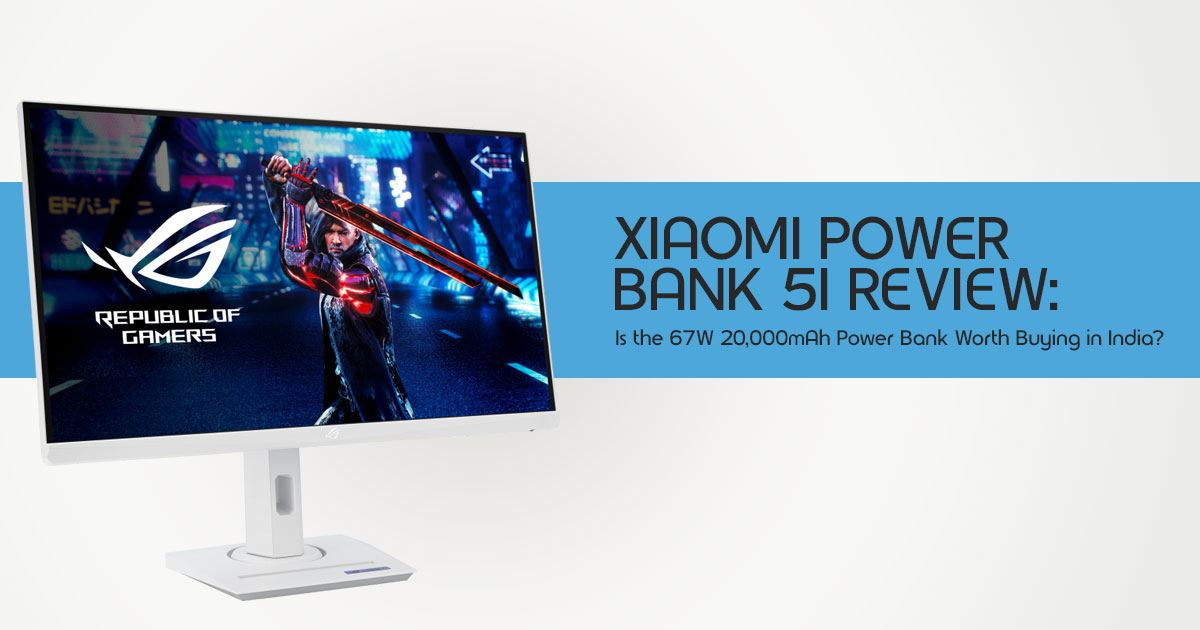
The ASUS ROG Strix XG259QNSR Ace is a 24.5-inch Full HD gaming monitor designed for competitive gaming. Its biggest feature is a 420Hz refresh rate (overclocked), paired with a Fast IPS panel, a claimed 0.3ms response time, ELMB Sync, and Adaptive-Sync support.
Unlike many premium gaming monitors that focus on 4K resolution, OLED panels, or ultrawide displays, this monitor is built for one purpose: delivering the highest possible refresh rate on a 24.5-inch 1080p display. It is aimed at players who spend most of their time in games such as Counter-Strike 2, Valorant, Overwatch 2, and other competitive shooters where frame rate and motion clarity matter more than image quality.
As technology experts with over 20 years of experience in hardware and application research and development, we evaluate every product based on real-world performance, durability, long-term reliability, and value for money. Whether you’re a competitive gamer, PC enthusiast, or someone looking for the best monitor within a budget, our recommendations are based on extensive research, component analysis, real-world testing principles, and experience in hardware evaluation and application development.
A 420Hz gaming monitor sounds impressive, but it isn’t the right fit for every gamer. To get the most from it, your PC needs to deliver extremely high frame rates, and the games you play need to be able to reach them. Otherwise, a monitor with a lower refresh rate and higher resolution may be the better purchase.
In this review, we’ll examine the ASUS ROG Strix XG259QNSR Ace in detail, explain what its specifications mean in real use, and help you decide whether this 1080p esports monitor is worth buying.
ASUS ROG Strix XG259QNSR Ace Overview
The ASUS ROG Strix XG259QNSR Ace uses a 24.5-inch Fast IPS panel with a 1920 × 1080 resolution. ASUS quotes a 1ms GtG response time, with a minimum 0.3ms figure under specific test conditions, and supports up to 420Hz in overclocked mode.
The monitor is also available in a white version called the ROG Strix XG259QNSR-W Ace. ASUS has included features that are relevant to competitive gaming:
- 420Hz overclocked refresh rate
- 5-inch 1080p gaming monitor format
- Fast IPS gaming monitor panel
- ELMB Sync motion-clarity technology
- NVIDIA G-SYNC Compatible support
- AMD FreeSync Premium support
- Variable Overdrive 0
- VESA DisplayHDR 400
- 90% DCI-P3 and 115% sRGB stated colour coverage
- DisplayPort 4
- Two HDMI 1 ports
- USB hub and headphone jack
- ROG Gaming AI tools, including Dynamic Crosshair and Dynamic Shadow Boost
At publication, ASUS had not confirmed the ASUS ROG Strix XG259QNSR Ace price and release date.
| Specification | ASUS ROG Strix XG259QNSR Ace |
|---|---|
| Screen Size | 24.5 inches |
| Resolution | 1920 × 1080 (Full HD) |
| Panel Type | Fast IPS |
| Maximum Refresh Rate | 420Hz (Overclocked) |
| Response Time | 1ms GtG with a minimum claimed response time of 0.3ms |
| Adaptive Sync | NVIDIA G-SYNC Compatible and AMD FreeSync Premium |
| Motion Blur Reduction | Extreme Low Motion Blur (ELMB) Sync |
| HDR Certification | VESA DisplayHDR 400 |
| Color Gamut | 90% DCI-P3 and 115% sRGB coverage |
| Video Inputs | 1 × DisplayPort 1.4, 2 × HDMI 2.1 |
| Available Variants | Black XG259QNSR Ace and White XG259QNSR-W Ace |
| Price & Availability | Official pricing and regional availability had not been announced at the time of publication. |
Source: ASUS launch information reported by Notebookcheck. Specifications and availability should be checked again before purchase.
What Does 420Hz Mean in Real Gaming?
A 420Hz monitor refreshes the image up to 420 times per second. In simple terms, each refresh cycle lasts about 2.38 milliseconds.
For comparison:
| Refresh Rate | Approximate Time per Refresh |
|---|---|
| 240Hz | 4.17 ms |
| 360Hz | 2.78 ms |
| 420Hz | 2.38 ms |
| 540Hz | 1.85 ms |
Moving from 360Hz to 420Hz reduces the refresh interval by about 0.40ms. That is a small difference, not a complete change in how a game plays.
For competitive players, small timing reductions can still matter when combined with a fast PC, low input latency, a suitable mouse, and stable frame rates. For most players, the jump from 144Hz or 240Hz to 360Hz will be easier to notice than the move from 360Hz to 420Hz.
Is 420Hz Worth It for Valorant and Counter-Strike 2?
A 420Hz esports monitor is most relevant in games that can run at very high and stable frame rates. Valorant, Counter-Strike 2, and similar competitive shooters are common examples because many players lower graphical settings to reduce latency and increase fps.
However, the monitor does not create 420 frames per second on its own.
To use a 420Hz Fast IPS panel effectively, a system needs to deliver frame rates close to the display’s refresh ceiling. If a game runs around 150fps or 200fps, the buyer may still benefit from adaptive sync and low-latency characteristics, but the value of a 420Hz panel becomes less clear.
Practical advice: Check actual frame-rate performance in the games you play before choosing a 420Hz esports monitor. A high-refresh display is most useful when the PC can sustain similarly high frame rates.
Why ASUS Uses 1080p on a 24.5-Inch Esports Monitor
A 24.5-inch 1080p gaming monitor may appear modest beside 1440p and 4K displays. In esports-focused use, the choice has practical reasons.
Full HD requires fewer GPU resources than 1440p or 4K. That makes it easier to reach the high frame rates needed for a 420Hz overclocked refresh rate. The 24.5-inch size also keeps the screen compact enough that players can view the action without moving their eyes across a large panel.
There are trade-offs:
| 24.5-inch 1080p Esports Monitor | 27-inch 1440p Gaming Monitor |
|---|---|
| Easier to achieve extremely high frame rates, making it ideal for competitive gaming. | Higher pixel density delivers noticeably sharper images and improved visual detail. |
| The 24.5-inch size is a popular choice among esports professionals and competitive FPS players. | Better suited for a combination of gaming, productivity, content creation, and everyday desktop use. |
| Designed with a strong emphasis on maximum refresh rate, low latency, and excellent motion clarity. | Typically offers a balanced combination of higher resolution and fast refresh rates for versatile performance. |
| Places a lighter workload on the GPU, making it easier to maintain 240Hz, 360Hz, or even 420Hz frame rates. | Requires a more powerful graphics card to consistently deliver high frame rates at 1440p resolution. |
This is a specialist monitor built for competitive PC gaming, not an all-purpose display. If you also use your monitor for work, story-driven games, photo editing, or high-resolution content, a 1440p or 4K monitor is likely to be a better fit.
Fast IPS and 0.3ms Response Time: What It Means in Real Use
The Fast IPS panel is intended to deliver faster pixel transitions than standard IPS displays while retaining the wider viewing angles generally associated with IPS technology.
ASUS lists a 1ms grey-to-grey figure and a 0.3ms response time monitor minimum. Buyers should treat the 0.3ms number as a manufacturer minimum rather than an across-the-board performance result. Response-time measurements depend on the test method, overdrive setting, and transition being measured.
What really matters is how well the monitor handles three common issues:
- Ghosting: a trail behind moving objects
- Overshoot: bright or dark halos caused by excessive overdrive
- Motion blur: reduced clarity during fast movement
The Variable Overdrive 2.0 feature is designed to adjust pixel overdrive as frame rates change. An overdrive setting that works well at one refresh rate can cause overshoot at another.
This feature looks promising, but independent testing will show how well it performs across different refresh rates and overdrive settings.
ELMB Sync, G-Sync, and FreeSync Explained
The ASUS ROG Strix XG259QNSR Ace includes ELMB Sync, short for Extreme Low Motion Blur Sync.
Traditional motion-blur reduction modes can sometimes require users to turn off adaptive sync. ASUS states that ELMB Sync allows blur reduction to operate alongside variable refresh rate technology.
It also supports:
- NVIDIA G-SYNC Compatible
- AMD FreeSync Premium
- Variable refresh rate, often shortened to VRR
These features keep the monitor’s refresh rate in sync with the frames produced by the graphics card.
When working correctly, VRR can reduce screen tearing and make frame-rate fluctuations appear smoother.
What This Means in Practice
A player who gets an uneven frame rate may benefit from FreeSync Premium or G-SYNC Compatible support. A player who maintains extremely high and stable fps may focus more on motion clarity and low-latency settings.
Not every user should enable every feature at once. Motion-blur reduction can affect brightness or introduce other trade-offs depending on the mode. Once independent reviews are available, look at tested settings rather than relying only on a feature list.
HDR and Colour Coverage: Useful, but Not the Main Reason to Buy
ASUS lists VESA DisplayHDR 400, 90% DCI-P3 coverage, and 115% sRGB coverage for the ASUS 420Hz gaming monitor.
The wider colour gamut can make games and videos look richer than they do on a standard sRGB display. It also gives the monitor more flexibility than older esports panels that focused only on speed.
However, DisplayHDR 400 is an entry-level HDR certification. You shouldn’t expect the deep blacks, strong local dimming, or high-contrast HDR presentation associated with higher-end Mini LED or OLED displays.
Important limitation: HDR is an additional feature on this FHD 420Hz monitor. The primary buying reason remains competitive gaming speed, not HDR image quality.
Ports and Connectivity: DisplayPort Matters for 420Hz
The monitor includes one DisplayPort 1.4 connection, two HDMI 2.1 ports, a two-port USB hub, and a headphone jack.
Based on ASUS’s launch information, DisplayPort 1.4 is required to run the monitor at its full 420Hz refresh rate. Make sure your GPU and DisplayPort cable support 420Hz before purchasing.
Can HDMI Run the ROG Strix XG259QNSR Ace at 420Hz?
The reported launch information identifies DisplayPort 1.4 as the connection required for the monitor’s maximum 420Hz mode. Use DisplayPort for a PC setup intended to run at 420Hz.
The two HDMI ports remain useful for connecting additional devices, but the exact supported refresh rates and resolutions through each port should be verified in ASUS’s final technical documentation.
This matters because a high-refresh monitor can underperform expectations when paired with the wrong cable, output port, or display setting.
ROG Gaming AI and Software Features
ASUS includes several software-led features under the ROG Gaming AI label:
- Dynamic Crosshair
- Dynamic Shadow Boost
- AI Visual
- DisplayWidget Center
- Variable Overdrive 0
Dynamic Crosshair changes crosshair colour to improve visibility against different backgrounds. Dynamic Shadow Boost is designed to make dark areas easier to see without raising brightness across the whole image.
These features can be useful if you want better visibility without spending time adjusting settings manually. At the same time, competitive players should check tournament rules before using any display-level assistance features. Rules vary by event and game.
DisplayWidget Center allows settings changes through software rather than relying only on physical monitor buttons. That can make it easier to change refresh settings, brightness, presets, and other controls from the desktop.
ASUS ROG Strix XG259QNSR Ace vs 360Hz and 540Hz Monitors
The most direct alternatives to the ROG Strix XG259QNSR Ace are not general-purpose 4K monitors. They are other high-refresh esports displays.
| Monitor Category | Main Advantage | Main Limitation | Best Suited To |
|---|---|---|---|
| 240Hz 1080p Monitor | Lower GPU requirements make it easier to achieve consistently high frame rates. | Offers a slower refresh cycle compared to newer 360Hz and 420Hz esports displays. | Competitive gamers using mid-range gaming PCs. |
| 360Hz 1080p Monitor | Excellent balance of ultra-fast performance, availability, and hardware compatibility. | The real-world improvement over 420Hz is smaller than the jump from 240Hz to 360Hz. | Serious esports players seeking extremely responsive gameplay. |
| 420Hz 1080p Fast IPS Monitor | Delivers an even faster refresh cycle while retaining the color quality and viewing angles of a Fast IPS panel. | Requires exceptionally high frame rates to fully justify the upgrade. | Professional and highly competitive players focused on titles such as Counter-Strike 2, Valorant, and similar esports games. |
| 540Hz Esports Monitor | Provides the highest currently available refresh-rate ceiling for competitive gaming. | Demands top-tier hardware to achieve meaningful performance gains, and specifications vary between models. | Elite esports players with extremely high FPS systems and specialized competitive requirements. |
| 1440p High-Refresh Monitor | Sharper visuals, improved desktop workspace, and greater versatility for gaming and productivity. | More demanding on the GPU, making it harder to maintain ultra-high frame rates. | Users who split their time between competitive gaming, content creation, and everyday desktop use. |
The ASUS ROG Strix XG259QNSR Ace sits between common 360Hz options and premium 540Hz esports monitors.
If you’re upgrading from 144Hz or 240Hz, you’ll probably notice the improvement more than someone already using a 360Hz monitor. If you already own a good 360Hz monitor, the move to 420Hz may not be enough on its own to justify an upgrade.
Who Should Buy the ASUS ROG Strix XG259QNSR Ace?
The ROG Strix XG259QNSR Ace fits these buyers
- PC players who mainly play Counter-Strike 2, Valorant, and other fast competitive games
- Users who can sustain high frame rates near 420fps
- Buyers who prefer a 5-inch 1080p gaming monitor format
- Players who want ELMB Sync, G-SYNC Compatible, and FreeSync Premium support
- Users who prefer an IPS-based esports monitor rather than choosing purely by maximum refresh rate
- Buyers who want black or white desk setups, including the ROG Strix XG259QNSR-W Ace white variant
Buyers who should consider other monitor types
- Players who mainly play single-player games at high visual settings
- Users who need 1440p or 4K for work and detailed media
- Console-focused buyers who do not need 420Hz PC performance
- Shoppers whose PCs cannot consistently produce high frame rates
- Buyers who place HDR contrast ahead of refresh rate
ASUS ROG Strix XG259QNSR Ace Pros and Cons
| Pros | Considerations |
|---|---|
| 420Hz overclocked refresh rate is designed for esports players seeking the highest possible frame rates and ultra-low input latency. | To fully benefit from 420Hz, you’ll need a high-end gaming PC capable of consistently delivering extremely high FPS. |
| Fast IPS panel combines fast response times with the wider viewing angles and color quality of IPS technology. | Independent testing is still needed to verify real-world response times, overshoot, and motion clarity. |
| ELMB Sync works alongside adaptive refresh technologies, allowing reduced motion blur without completely disabling variable refresh rate. | Blur-reduction modes may reduce brightness or require additional tuning depending on the game and settings. |
| NVIDIA G-SYNC Compatible and AMD FreeSync Premium support provide smoother gameplay with reduced tearing and stuttering. | The overall gaming experience varies depending on your GPU, driver version, and individual game optimization. |
| The 24.5-inch Full HD display is well suited for competitive gaming, where higher frame rates often matter more than higher resolution. | 1080p delivers less image detail and workspace than modern 1440p or 4K gaming monitors. |
| Available in both black and white color options, giving buyers more setup customization. | Official pricing and regional availability have not yet been announced. |
| Comprehensive connectivity includes DisplayPort, HDMI, USB hub, and a 3.5mm headphone jack. | According to launch information, achieving the full 420Hz refresh rate requires a DisplayPort 1.4 connection and compatible hardware. |
ASUS ROG Strix XG259QNSR Ace Price and Availability
At publication, ASUS had not announced a confirmed price or retail release date for the ASUS ROG Strix XG259QNSR Ace or the white ROG Strix XG259QNSR-W Ace.
This is an important reason to wait before making a final buying decision. Final pricing will determine whether it competes with premium 360Hz gaming monitors or moves into the price range of 540Hz and OLED gaming monitors.
Before placing an order, check:
- Current price
- Regional availability
- Warranty terms
- Included DisplayPort cable
- Final supported refresh rates by input
- Return policy and dead-pixel policy
Final Verdict: Is the ASUS ROG Strix XG259QNSR Ace Worth Buying?
The ASUS ROG Strix XG259QNSR Ace is a purpose-built 420Hz esports monitor, not an all-purpose display.
Its 24.5-inch Full HD format, Fast IPS panel, ELMB Sync, adaptive-sync support, and high refresh-rate target align with the needs of competitive PC players. Whether it’s worth buying will depend on its final price and whether your PC can consistently deliver the frame rates needed to take advantage of 420Hz.
If your main games are Valorant, Counter-Strike 2, or similar esports titles, the XG259QNSR Ace is worth considering once independent reviews and pricing are available. For buyers who want higher resolution, more substantial HDR performance, or a display for varied work and gaming, a 1440p or 4K high-refresh monitor may be the more practical choice.
Check Current Prices and Availability
Amazon Worldwide
The ASUS ROG Strix XG259QNSR Ace is a 24.5-inch Full HD Fast IPS panel with a 420Hz overclocked refresh rate, ELMB Sync, Adaptive-Sync, and a design focused on competitive gaming.
At the time of writing, Amazon US has not published an official product listing for the ASUS ROG Strix XG259QNSR Ace. ASUS has announced the monitor, but retailers are still adding it to their catalogs.
If you need a monitor today, the previous 380Hz model is the closest alternative:
ASUS ROG Strix XG259QNS (380Hz)
Amazon India
The ASUS ROG Strix XG259QNSR Ace is also not yet available on Amazon India. Once listings appear, make sure you check the model number, seller, ASUS warranty, and whether you’re purchasing the black XG259QNSR Ace or the white XG259QNSR-W Ace.
If you need a similar monitor now, the earlier 380Hz model is available:
ASUS ROG Strix XG259QNS (380Hz)
Before You Buy
Since this monitor has only recently been announced, pricing and availability will vary as retailers begin stocking it. Before placing an order, confirm:
- Model number
- Refresh rate
- Seller
- Warranty coverage
- Included accessories
Buying from ASUS or an authorised retailer is the safest way to ensure you receive a genuine product with full warranty support.
Share Your Thoughts
Are you waiting for the ASUS ROG Strix XG259QNSR Ace, or are you looking at another high-refresh-rate gaming monitor? Let us know which one you’re considering.
If this review helped you, follow us for more monitor reviews, hardware analysis, and buying guides. If you have any questions about this monitor or need help choosing the right display, leave a comment—we’ll do our best to help.
***Disclaimer***
This blog post reflects our research, analysis, and opinions based on available product information, user feedback, and industry knowledge. It should not be taken as the official position of any brand, manufacturer, or company mentioned here. While we aim to keep information accurate and up to date, product details, pricing, and availability can change. We recommend double-checking important details before making a purchase.
Some links in this article may be affiliate links. If you choose to buy through these links, we may earn a small commission at no extra cost to you. This helps support our work and allows us to keep publishing in-depth, unbiased reviews. Affiliate partnerships never influence our recommendations.
Opinions expressed by readers are their own and do not necessarily reflect ours. We are not responsible for outcomes resulting from the use of information on this site. Please seek professional advice where appropriate.
All product names, logos, and brands mentioned are the property of their respective owners. These names are used for identification and informational purposes only and do not imply endorsement.
