
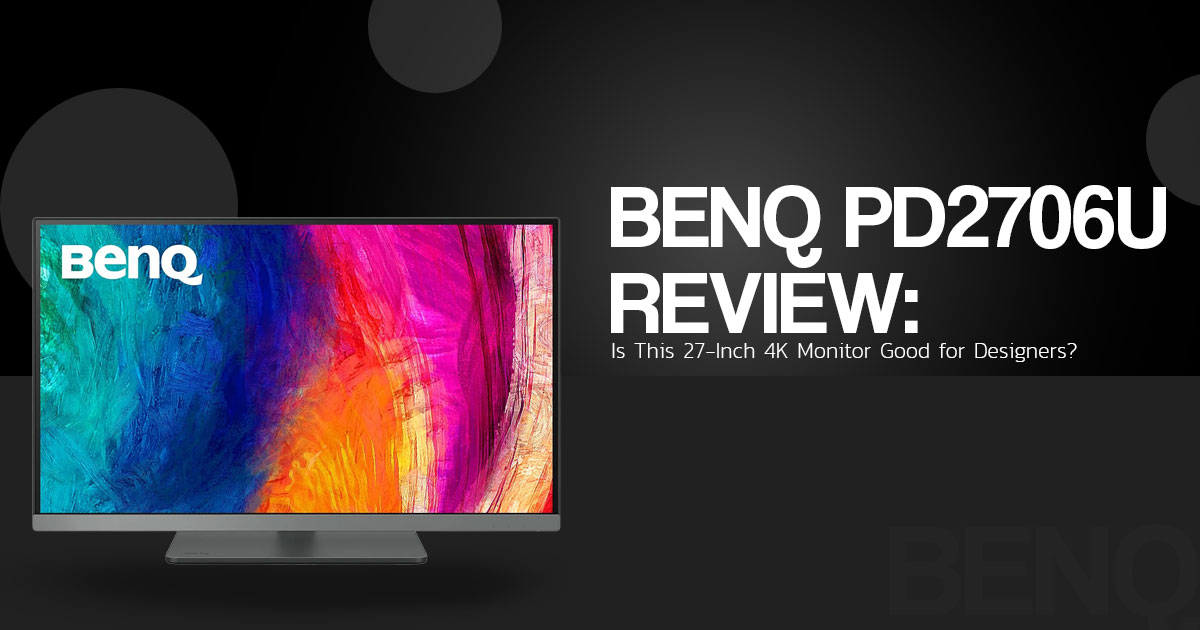
BenQ Creative Pro PD2706U Review: A 27-Inch 4K Monitor for Creators
The BenQ Creative Pro PD2706U is a 27-inch 4K IPS monitor aimed at people who work with images, video, graphics, and design software. It combines 4K resolution, factory-calibrated color, 95% P3 coverage, 100% sRGB, 100% Rec.709, USB-C connectivity, and up to 90W power delivery in a monitor built around creative workflows.
That makes the BenQ PD2706U relevant to graphic designers, UI/UX designers, photographers, digital artists, video editors, content creators, and Mac users who want a high-resolution display with wide color coverage and a cleaner desk setup.
As technology experts with over 20 years of experience in hardware and application research and development, we analyze products based on performance, durability, usability, and value for money. Our goal is to help you find the right product for your needs, whether you care most about price, performance, reliability, or long-term use. For this monitor, we focus on how well it fits the needs of creative professionals and users who need accurate color, sharp 4K detail, laptop connectivity, and a practical setup for everyday work. Our recommendations are based on product research, component analysis, real-world usability, and industry expertise.
BenQ also includes features such as DisplayHDR 400, KVM support, dedicated color modes, and Mac-focused display features. The combination gives the PD2706U a broad set of tools for creative work.
But the specifications raise some practical questions. How accurate is the display outside the factory calibration? How useful is HDR on a 60Hz IPS panel? Does the USB-C setup make enough difference for laptop users? And how does the PD2706U compare with other 4K monitors in its price range?
This review is based on BenQ’s published specifications and purchase information, plus independent review coverage. We did not conduct our own hands-on test of the monitor.
In this BenQ PD2706U review, we look at its display quality, color coverage, HDR support, connectivity, KVM features, ergonomics, creative workflows, limitations, and value for money to help you decide whether this monitor fits your setup.
BenQ Creative Pro PD2706U specifications at a glance
| Specification | Published detail | What it means for buyers |
| Screen size | 27 inches | Suitable for a single creative workstation or a dual-monitor desk |
| Resolution | 3840 × 2160, 4K UHD | Provides more image and text detail than a 1080p or 1440p display of the same size |
| Panel type | IPS | Supports wide viewing angles and consistent viewing from different positions |
| Aspect ratio | 16:9 | Matches common photo, video, web, and design formats |
| Refresh rate | 60Hz | Appropriate for design and office work; not intended as a high-refresh gaming display |
| Color coverage | 95% P3, 100% sRGB, 100% Rec.709 | Covers common web, video, and digital-design color spaces |
| Color accuracy | Delta E ≤3 (manufacturer-specified average) and factory calibration | BenQ states an average Delta E of ≤3 and provides a calibration report with the monitor |
| HDR | VESA DisplayHDR 400 and HDR10 support | Adds HDR compatibility, but does not indicate OLED-level HDR contrast |
| USB-C | Up to 90W power delivery | A compatible laptop can use one connection for display and charging, with data depending on the setup |
| Workflow features | KVM, ICCsync, M-Book mode, Hotkey Puck G2 | Helps with two-computer setups, Mac color workflows, and quick monitor adjustments |
| Stand adjustment | Height, tilt, swivel, and pivot | Allows the screen to be positioned for different desks and content types |
The table uses specifications published by BenQ for the India product and purchase pages. Price, stock, delivery, and promotional warranty information are dynamic and should be checked at the time of purchase.
Who should consider the BenQ Creative Pro PD2706U?
The BenQ Creative Pro PD2706U is aimed at users who want a color-accurate monitor for digital work without moving into the more specialized category of photography displays. Its feature set is relevant to:
- Graphic designers using applications such as Photoshop, Illustrator, or InDesign
- UI/UX designers who need sharp interface detail and consistent color
- Video editors working with 709 or P3-oriented material
- 3D, CGI, and animation users who benefit from a 4K workspace and dedicated modes
- MacBook users who want a larger external display with USB-C connectivity
- Professionals who switch between two computers at one desk
- Photographers who need a capable enthusiast or content-creator display
The monitor is not automatically the right fit for every one of these users. A gaming display may be more suitable for high-refresh motion. A specialist photo monitor may be more appropriate for Adobe RGB workflows and hardware-calibrated print work. A general office monitor may offer enough functionality for users who do not need wide-gamut color or creator controls.
What does 4K resolution mean for design work?
The display uses a 3840 × 2160 resolution on a 27-inch panel. That gives the screen more pixels for text, interface elements, thin lines, image edges, and video detail.
For graphic design, the practical benefit is a more detailed working canvas. A designer can inspect fine elements at a useful scale, while a video editor can view a 4K preview with more of the source image represented on screen.
High pixel density can also make text and interface controls appear smaller at the display’s native scaling. Operating-system scaling may be useful for readers who prefer larger menus and text. That is a normal consideration with a 27-inch 4K monitor rather than a fault unique to this model.
Color coverage and calibration
BenQ lists 95% P3, 100% sRGB, and 100% Rec.709 coverage for the India model. Color gamut describes the range of colors a display can reproduce within a particular color space. These coverage figures are relevant to web design, digital illustration, video work, and other workflows that use these spaces.
The manufacturer also lists factory calibration and an average Delta E of ≤3. Delta E measures the difference between an intended color and the color displayed. In general, a lower number indicates a smaller color difference. The included calibration report documents calibration information for the purchased monitor rather than only describing a sample unit.
Independent review coverage supports the monitor’s use for enthusiast and content-creator work. Image Science describes the display as suitable for general use and color-conscious creative work, but places it below higher-end BenQ SW and Eizo ColorEdge products for genuinely color-critical photography, fine-art print, and professional video workflows.
That distinction matters when choosing a monitor. The BenQ Creative Pro PD2706U can suit photo editing, Lightroom, Photoshop, video editing, and digital publishing. A buyer who must match a display to fine-art printing should look for a monitor designed around the required print color space and hardware-calibration process.
USB-C and MacBook workflow
The purchase page lists up to 90W of USB-C power delivery. With a compatible laptop, cable, and port configuration, USB-C can reduce the number of cables needed for display output and charging. Data and peripheral behavior depends on the connected devices and the way the monitor is configured.
BenQ also lists M-Book mode and ICCsync-related software features. These are intended to support Mac color workflows and synchronize color profiles when changing modes. They are workflow aids, not a claim that the monitor is identical to an Apple display.
The BenQ Creative Pro PD2706U also includes KVM functionality. KVM allows compatible keyboard and mouse peripherals to be shared between two connected computers. This can help users who work across a laptop and a desktop workstation without moving peripherals between systems.
Before purchasing, check the laptop’s USB-C capabilities. A USB-C connector does not by itself confirm video output, the same power-delivery level, or the same data speed on every computer.
Hotkey Puck G2 and creator modes
The Hotkey Puck G2 provides a physical way to change monitor settings. It can be useful for users who frequently move between color modes or adjust brightness during different tasks.
BenQ lists modes including CAD/CAM, Animation, Darkroom, M-Book, ePaper, and DualView. These are presets intended for particular types of work. Their practical value depends on the user’s applications, content, ambient lighting, and preferred settings.
The stand supports height, tilt, swivel, and pivot adjustment. Portrait orientation can be useful for long documents, layouts, coding, and portrait-format content. Adjustability also makes it easier to position the display at a comfortable height for extended desk work.
What HDR400 means in practice
The BenQ Creative Pro PD2706U supports VESA DisplayHDR 400 and HDR10. HDR can expand the range between darker and brighter parts of compatible content.
Independent reviewer Image Science describes DisplayHDR 400 on the PD2706U as an entry-level HDR implementation. It does not provide the deep blacks, high peak highlights, or local-contrast performance associated with OLED or advanced Mini LED monitors.
For a buyer comparing this monitor with an SDR-only display, HDR400 may be a useful extra. For someone whose main goal is cinematic HDR performance or professional HDR mastering, the certification should not be the main purchase criterion.
Is the BenQ Creative Pro PD2706U suitable for video editing?
The specification mix is relevant to many video-editing and motion-design workflows. 4K resolution provides a detailed workspace, Rec.709 coverage is relevant to common video work, and P3 coverage supports wider digital color workflows. USB-C, KVM, and the adjustable stand address desk and device management as well as image work.
The 60Hz refresh rate is adequate for ordinary editing and preview work, but it does not provide the motion smoothness of a 120Hz or 144Hz display. HDR400 also should not be treated as a substitute for a mastering monitor. For broadcast, cinema, or a tightly controlled professional color pipeline, the display should be selected around the complete workflow and delivery standard.
BenQ Creative Pro PD2706U versus competing monitors
BenQ Creative Pro PD2706U vs ASUS ProArt PA279CRV
The ASUS ProArt PA279CRV is a 27-inch 4K creator-monitor alternative. RTINGS describes it as suitable for content creation because it offers factory calibration, an accurate sRGB mode, multiple color-space modes, a USB hub, and an ergonomic stand. The same review identifies low contrast, distracting reflections, and limited HDR impact as weaknesses.
The BenQ PD2706U may fit a workflow where KVM, the Hotkey Puck G2, M-Book mode, ICCsync, and BenQ’s calibration documentation are useful. The ASUS may fit buyers whose price, color modes, or connectivity requirements line up better with that model. Compare the complete configuration rather than relying on factory-calibration language alone, because both products make calibration a central part of their positioning.
BenQ Creative Pro PD2706U vs Dell UltraSharp U2723QE
The Dell UltraSharp U2723QE is a 27-inch 4K USB-C hub monitor aimed at office and productivity use. Its specifications emphasize USB-C connectivity, docking, a large USB hub, and peripheral management.
The comparison is therefore partly about use case. The BenQ Creative Pro PD2706U has more creator-focused features on paper, including color modes, factory calibration, KVM, ICCsync, and the Hotkey Puck G2. The Dell may suit buyers whose main priority is office docking and general productivity.
Exact ports, warranty terms, regional pricing, and included accessories should be checked on the current Dell and BenQ product pages before purchase.
BenQ Creative Pro PD2706U vs LG 27UP850-W
The LG 27UP850-W is a 27-inch 4K UHD IPS monitor with DisplayHDR 400, USB-C, 95% DCI-P3 coverage, 96W power delivery, an adjustable stand, and AMD FreeSync. Availability of this older model can vary by region.
LG may appeal to buyers seeking a general-purpose 4K USB-C display with some gaming-related support. The BenQ Creative Pro PD2706U places more emphasis on color validation, KVM, M-Book mode, ICCsync, Hotkey Puck control, and task-specific creator modes.
The useful comparison is not simply 95% P3 versus 95% DCI-P3. Buyers should also compare calibration documentation, KVM behavior, software support, stand adjustment, warranty, current price, and the work performed on the monitor.
Strengths and limitations
| Strengths supported by the sources | Limitations or qualifications |
| 4K resolution on a 27-inch IPS display | The 60Hz refresh rate is not aimed at high-refresh gaming |
| Published 95% P3, 100% sRGB, and 100% Rec.709 coverage | HDR400 is entry-level HDR rather than advanced HDR mastering capability |
| Factory calibration and a calibration report | It is not positioned as a specialist Adobe RGB print monitor |
| Up to 90W USB-C power delivery | USB-C results depend on the laptop, cable, and port configuration |
| KVM support for compatible two-computer setups | Built-in speakers are not a substitute for dedicated audio equipment, according to independent review coverage |
| Hotkey Puck G2 and creator-oriented presets | A simpler 4K office display may be sufficient for non-creative work |
| Height, tilt, swivel, and pivot adjustment | Price and availability change by region and date |
BenQ Creative Pro PD2706U price in India and where to buy
The official BenQ India purchase page renders price, stock, delivery, and promotional information dynamically. Do not treat any price as permanent without checking the page at the time of publication or purchase.
A third-party Indian listing observed during research showed the monitor at ₹40,490 inclusive of GST, reduced from a displayed ₹59,990 original price. Those figures belonged to that retailer’s listing at the time it was reviewed and should not be treated as the standard India price or a current universal offer.
Before ordering, check:
- The exact model is BenQ Creative Pro PD2706U, not a different PD-series variant
- The currency, tax treatment, delivery charge, and seller are clearly shown
- The calibration report and Hotkey Puck G2 are listed where applicable
- The warranty applies to the intended region and purchase channel
- The return and replacement terms are suitable for a monitor purchase
Check Amazon US availability
US pricing and stock can change by seller and date. Use the current product search to compare the listed price, delivery, seller information, and return terms. Replace this search URL with your own tagged affiliate link before publication if required:
Check the current BenQ Creative Pro PD2706U price on Amazon US
Check Amazon India availability
Indian pricing can vary with tax, promotions, stock, seller, and delivery location. Compare the current Amazon India listing with the official BenQ India store before ordering. Replace this search URL with your own tagged affiliate link before publication if required:
Check the current BenQ Creative Pro PD2706U price on Amazon India
Is the BenQ Creative Pro PD2706U worth buying?
The BenQ Creative Pro PD2706U is worth considering when the buyer needs a 27-inch 4K IPS monitor with published wide-gamut coverage, factory calibration, Mac-oriented color features, USB-C charging, and KVM support. Those features address both image work and desk organization.
The BenQ PD2706U may be less suitable when the main requirement is high-refresh gaming, advanced HDR contrast, specialist print matching, or the lowest possible price. In those situations, a gaming monitor, dedicated photo monitor, or simpler office display may fit the requirement more closely.
Final recommendation
For designers, Mac users, video editors, and content creators who will use its color modes and connectivity features, the BenQ Creative Pro PD2706U is a balanced option in the 27-inch 4K creator-monitor category. Its value comes from the combination of color-focused features and workflow controls rather than from any single specification.
Treat HDR400 as an additional compatibility feature, not as the primary reason to purchase. Buyers working with fine-art printing or professional mastering should also compare specialist monitors with the relevant color space and hardware-calibration features.
Frequently asked questions
Is the BenQ Creative Pro PD2706U good for graphic design?
It is suitable for many graphic design, UI/UX, branding, illustration, CAD, and animation workflows because it combines 4K resolution, published wide-gamut coverage, factory calibration, an adjustable stand, and creator-oriented modes. The appropriate choice still depends on the color-management requirements of the project.
Is the BenQ Creative Pro PD2706U good for photo editing?
It is suitable for enthusiast and content-creator photo editing, particularly in sRGB or P3-oriented workflows. A photographer whose final output requires Adobe RGB coverage and hardware calibration should compare specialist photo monitors before buying.
Does the BenQ Creative Pro PD2706U support USB-C charging?
Yes. BenQ lists up to 90W USB-C power delivery. The connected laptop, cable, and port configuration must support the required video, data, and charging functions.
Does the BenQ Creative Pro PD2706U have a KVM switch?
Yes. The KVM feature is designed to share compatible keyboard and mouse peripherals between two connected computers. The exact setup depends on the video and USB connections used.
Can the BenQ Creative Pro PD2706U be used with a MacBook?
Yes. BenQ lists USB-C connectivity, M-Book mode, and ICCsync-related features for Mac workflows. The MacBook model and cable should be checked to confirm video output and the desired charging arrangement.
Is HDR400 good enough for video editing?
HDR400 can support basic HDR viewing and editing, but it is an entry-level HDR capability. It should not be treated as equivalent to an OLED, advanced Mini LED, or professional HDR mastering display.
Is the BenQ Creative Pro PD2706U suitable for gaming?
It can support casual gaming at 60Hz, but it is not designed around high-refresh gaming. Buyers focused on competitive play should compare displays with faster refresh rates and gaming-specific motion features.
How is the BenQ Creative Pro PD2706U different from a specialist photo monitor?
The BenQ Creative Pro PD2706U is designed around digital design and content creation. A specialist photo monitor may provide wider Adobe RGB coverage, more advanced hardware calibration, or features for matching a display to a printer. The correct choice depends on the final output and required color workflow.
If you already use the BenQ PD2706U, share your experience in the comments. If you are considering buying one and have questions about color accuracy, Mac compatibility, USB-C, HDR, gaming, photo editing, or video work, leave your question below. We’ll be happy to help. Follow us for more detailed monitor, laptop, PC hardware, and technology reviews.
Disclaimer

This article is based on our research, analysis, available product information, user feedback, and industry knowledge. It is not an official statement from any brand or manufacturer mentioned in the article. Product specifications, prices, software features, and availability can change. We do our best to keep the information up to date, but please check the latest details with the manufacturer or retailer before making a purchase.

Some links in this article may be affiliate links. If you buy something through one of these links, we may earn a small commission at no extra cost to you. These commissions help support the site and our work. They do not affect how we assess or discuss products. Comments and opinions shared by readers belong to the people who post them and do not necessarily represent our views. Information on this site is provided for general purposes, and we cannot guarantee a particular result from using it. Where professional advice is needed, consult a qualified professional.

All product names, logos, and trademarks belong to their respective owners. We use them only to identify the products and companies discussed and do not imply endorsement or affiliation.
