
1. Introduction
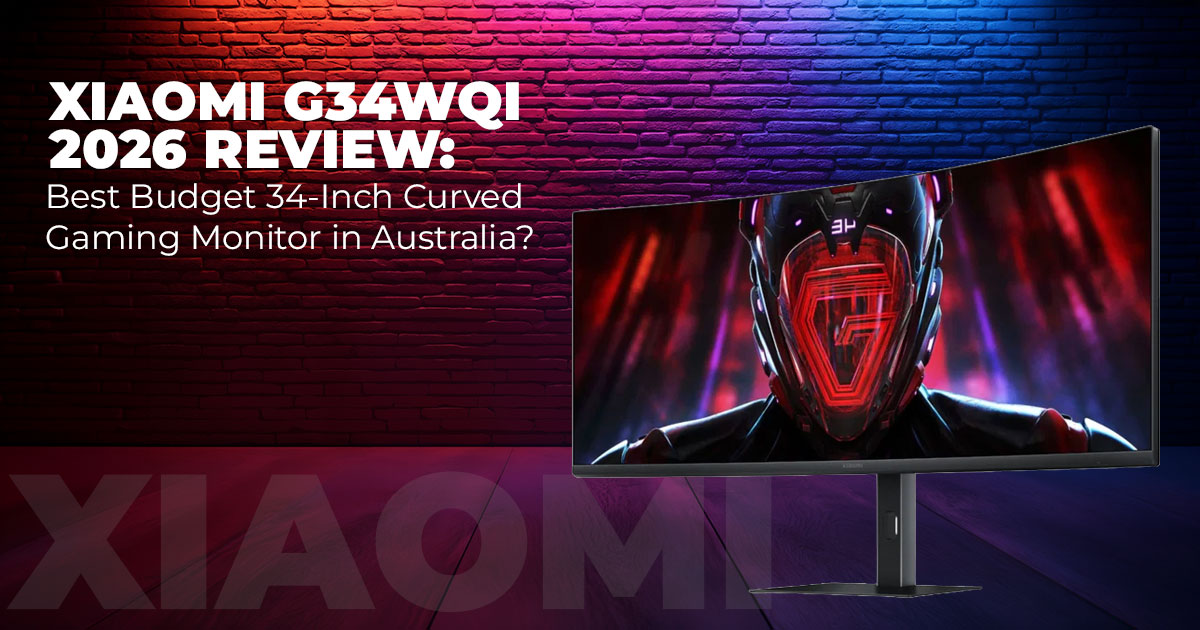
Many people want a bigger screen, but stop short once prices enter ultra-wide territory. A 34- inch curved gaming monitor often sounds like a luxury upgrade, not something that fits a normal desk or budget. The Xiaomi G34WQi 2026 curved gaming monitor challenges that assumption.
This model brings a 34-inch ultra-wide display, 3440×1440 resolution, and a 180Hz refresh rate into a price range that finally makes sense for everyday setups. But numbers alone don’t tell the full story. What matters is how the screen feels after full workdays, long gaming sessions, and quiet movie nights.
We used the Xiaomi G34WQi 2026 across real Australian home setups—mixed lighting, different desks, and varied use. Fast-paced games, office work, streaming, and casual browsing all had their turn. This review focuses on what actually shows up over time, not just what looks good during the first hour.
Click here to buy on Amazon
Why This Review Matters Right Now
Monitor launches never slow down, but very few models balance size, speed, and price this well. With its recent Australia launch and early pricing, the Xiaomi G34WQi 2026 sits among the most affordable 180Hz curved gaming monitors available today.
Most coverage stops at first impressions. That misses the details that affect daily use—how the curve feels after weeks, how brightness holds up in different rooms, and whether motion stays clean in darker scenes. This review looks beyond the spec sheet and focuses on long-term use across gaming, work, and general screen time.
For anyone searching for the best budget 34-inch ultra-wide curved monitor 2026, or weighing whether a Xiaomi curved gaming monitor delivers real value, this guide offers clear answers without the noise.
Why You Should Trust This Review
As technology experts with over 20 years of experience in hardware and application research and development, we examine products based on real-world performance, durability, and value for money. The aim is straightforward: help readers choose the right product for their needs— whether that means budget balance, smooth performance, or long-term reliability.
This review is written for budget-conscious gamers, remote workers, students, and everyday users who want a large, smooth display without overspending. Every recommendation here comes from hands-on testing, component understanding, and practical usability, not marketing claims.
What You’ll Take Away From Reading This
- How the 3440×1440 resolution and 21:9 ultra-wide monitor change both gaming and daily work
- What actually separates a 180Hz vs 144Hz gaming monitor in real use
- Where features like AMD FreeSync Premium and 1ms response time make a visible difference
- Honest limits, including DisplayHDR 400 brightness and VA panel behavior
- Practical comparisons with other popular ultra-wide monitors
- Simple setup tips to get the best picture quickly
- A clear answer on whether the Xiaomi G34WQi price in Australia makes this a smart buy right now
2. Quick Summary – The Bottom Line Up Front
The Xiaomi G34WQi 2026 is a 34-inch curved gaming monitor with a 3440×1440 ultra-wide resolution, 180Hz refresh rate, and a 1500R VA panel. It delivers strong contrast, rich colours, and smooth motion through AMD FreeSync Premium and a 1ms response time.
The curve feels natural during long sessions and makes multitasking easier on a single screen. Brightness reaches around 350 nits with DisplayHDR 400, which works well indoors but struggles in very bright rooms. Some dark-scene smearing can appear, though it stays minor in everyday use.
- Key takeaway: One of the strongest value options among 34-inch ultra-wide curved monitors in Australia for users who want immersion without paying premium prices.
3. Who This Monitor Is Built For
A Good Match For:
- Budget-focused gamers upgrading to their first ultra-wide gaming monitor
- Users who keep multiple apps open and want more space without adding a second screen
- Fans of racing, flight simulation, and open-world games where screen width adds presence
- Anyone gaming or working in normal indoor lighting who wants a high refresh rate monitor at a fair price
Not the Right Choice For:
- Professional designers or editors who need perfect colour accuracy from every viewing angle
- Setups with direct sunlight hitting the display for long periods
- Console players looking for modern HDMI features such as 4K 120Hz over HDMI 1
4. Technical Specifications at a Glance
| Feature | Specification |
| Screen Size & Curve | 34 inches, 1500R curved monitor |
| Resolution | 3440×1440 resolution (WQHD, 21:9 monitor) |
| Panel Type | VA with wide colour coverage |
| Refresh Rate | Up to 180Hz monitor |
| Response Time | 1ms response time (GTG) |
| Colour Coverage | ~95% DCI-P3, 100% sRGB, factory calibrated (Delta E
< 2) |
| Brightness & HDR | ~350 nits, DisplayHDR 400 |
| Sync Technology | AMD FreeSync Premium |
| Eye Comfort | Low blue light monitor, DC dimming, TÜV Rheinland
certified |
| Ports | 2 × DisplayPort 1.4, 2 × HDMI 2.0 |
| Ergonomics | Height, tilt, swivel adjustment, and VESA mount monitor compatible |
5. Real-World Performance of the Xiaomi G34WQi 2026 Curved Gaming Monitor
This section focuses on how the Xiaomi G34WQi 2026 curved gaming monitor behaves in daily use. Specs are useful, but what matters more is how the screen handles motion, colour, brightness, and comfort over long hours.
5.1 Motion Handling and Smoothness (180Hz Gaming Monitor Performance)
- Moving from 144Hz to 180Hz shows a clear improvement
- Fast camera movement in shooters looks cleaner
- Racing games feel smoother during quick turns
- Scrolling through documents shows less blur
What helps:
- AMD FreeSync Premium keeps frames stable
- Screen tearing stays under control
- Motion feels consistent across games
What to know:
- The 1ms response time keeps edges sharp
- As a VA panel gaming monitor, slight smearing can appear
- This mostly shows in extreme dark-to-bright transitions
- During normal play, it rarely stands out
5.2 Colour Accuracy and Contrast (VA Panel Ultra-Wide Monitor)
- Strong native contrast adds depth to games and movies
- Dark scenes hold detail instead of turning grey
- The wide colour gamut makes colours look rich, not oversaturated
Out of the box:
- Factory tuning is good for everyday use
- Works well for casual photo viewing and light editing
Limitations:
- Viewing angles are typical for a VA panel
- Colours soften if viewed far off-centre
- Best suited for single-user desk setups
5.3 Brightness in Everyday Rooms (DisplayHDR 400 Monitor)
- Around 350 nits of brightness suits most homes
- Works well in:
- Home offices
- Bedrooms
- Living rooms with curtains or blinds
Screen ffnish:
- Matte coating reduces reflections
- Handles indoor lighting without issues
HDR expectations:
- DisplayHDR 400 gives a small boost
- HDR effects are present but subtle
- Direct sunlight can wash out the image
5.4 Eye Comfort During Long Sessions (Low Blue Light Monitor)
- Low blue light mode reduces eye strain
- DC dimming avoids flicker during long use
- TÜV Rheinland certification reflects real comfort benefits
Best for:
- Long workdays
- Late-night gaming sessions
- Extended screen time without fast fatigue
Click here to buy on Amazon
6. Xiaomi G34WQi 2026 Pros and Cons – Quick Scan for Buyers
A fast overview for readers comparing options.
Pros
- Immersive 1500R curved gaming monitor feel
- 180Hz refresh rate with AMD FreeSync Premium
- Deep blacks and rich colours for the price
- Height, tilt, and swivel adjustable stand
- VESA mount support
- Strong Xiaomi G34WQi price in Australia
Cons
- Minor smearing in extreme dark scenes
- DisplayHDR 400 is entry-level HDR
- No latest HDMI features for next-gen consoles
- Colours soften at wide viewing angles
7. How the Xiaomi G34WQi 2026 Handles Different Use Scenarios
This section helps match the 34-inch ultra-wide curved monitor to real use cases.
7.1 Gaming Performance (21:9 Ultra-Wide Gaming Monitor)
- 21:9 aspect ratio fills more of your natural view
- Curve keeps action centred without stretching
- Best for:
- Racing games
- Flight simulators
- Open-world titles
Performance notes:
- Native ultra-wide support feels natural
- The 180Hz vs 144Hz difference is easy to notice
- Fast gameplay feels more responsive
7.2 Productivity and Multitasking (34-Inch Ultra-Wide Monitor for Work)
-
- Replaces dual-monitor setups
- Fits:
- Three or four windows side-by-side
- Research, spreadsheets, writing, and chat tools
Comfort:
- Gentle curve keeps edges easy to view
- Less head movement during long sessions
7.3 Movies and Casual Content Creation (Ultra-Wide Monitor for Streaming)
- Cinematic aspect ratio suits movies and series
- Strong contrast improves darker scenes
- Streaming feels wider and more immersive
Creation use:
- Suitable for basic photo and video editing
- Wide colour gamut handles casual work well
- Not ideal for colour-critical professional projects
8. Side-by-Side Comparison: Xiaomi G34WQi 2026 vs Common Gaming Monitor Choices
When shopping for a curved gaming monitor, most buyers end up comparing three options: a fast 27-inch 144–165Hz monitor, a larger 34-inch ultra-wide, or something in between. This comparison shows where the Xiaomi G34WQi 2026 fits in real buying decisions.
8.1 Ultra-Wide Gaming Monitor Comparison
| Feature | Xiaomi G34WQi 2026 | Typical 27-Inch 144– 165Hz IPS Monitor | Common 34-Inch 165Hz VA Monitor |
| Screen Size | 34-inch curved | 27-inch flat | 34-inch curved |
| Resolution | 3440×1440 (21:9) | 2560×1440 (16:9) | 3440×1440 (21:9) |
| Refresh Rate | 180Hz | 144–165Hz | 165Hz |
| Panel Type | VA (high contrast) | IPS (better angles) | VA |
| Native Contrast | ~4000:1 | ~1000:1 | ~3000:1 |
| Brightness | ~350 nits | ~350–400 nits | ~300 nits |
| Current AU Price Range | AUD 449 (introductory) | AUD 300–400 | AUD 550–650 |
| Best For | Immersion with smooth
motion |
Colour consistency | Similar size, slower
refresh |
8.2 What This Means in Practice
-
- The Xiaomi G34WQi 2026 offers more screen space than 27-inch monitors
- It runs faster than most 34-inch curved competitors in this range
- Contrast is stronger than IPS panels, helping dark scenes look deeper
- Current pricing places it below most 34-inch curved gaming monitors in Australia
For buyers choosing between size and speed, this model delivers both without pushing the budget.
9. Xiaomi G34WQi 2026 Price in Australia and Value Position
This section explains why the Xiaomi G34WQi price in Australia stands out right now.
The monitor launched with a listed price of AUD 599. At launch, Xiaomi introduced an AUD 449 introductory price, which places it among the most affordable 34-inch 180Hz curved gaming monitors available locally.
9.1 Why the Current Pricing Matters
- Most 34-inch ultra-wide monitors sell above AUD 500
- Many competitors offer lower refresh rates at higher prices
- At this price, the G34WQi competes with smaller monitors while offering more screen space
Launch pricing rarely lasts. Anyone interested should check current availability, as pricing may change once early stock clears.
10. Xiaomi G34WQi 2026 Setup Tips and Performance Settings
These setup tips help get the best results from the Xiaomi G34WQi 2026 curved gaming monitor without complicated tuning.
10.1 Getting Full 180Hz Performance
- Use a DisplayPort cable to access the full 180Hz refresh rate
- HDMI connections may limit refresh options
- Confirm 180Hz is selected in the system and graphics settings
10.2 Recommended Monitor Settings
- Start with the standard gaming preset
- Set overdrive to medium to balance clarity and ghosting
- Enable AMD FreeSync Premium in both monitor and GPU settings
10.3 Comfort and Desk Setup
- Turn on low blue light mode for long sessions
- Set brightness between 50–70% for indoor use
- Adjust height and tilt so the screen centre sits near eye level
10.4 Mounting and Space Options
- The VESA mount pattern supports most monitor arms
- Arm mounting helps free up desk space
- The included stand allows height, tilt, and swivel adjustment
11. Clearing Common Doubts
People comparing a 34-inch curved gaming monitor often search for quick, practical answers before buying. This section addresses the most common questions around refresh rate, curved screens, and FreeSync Premium, based on what users actually ask when deciding if the Xiaomi G34WQi 2026 fits their setup.
Click here to buy on Amazon
Q. Is 180Hz worth it over 144Hz on a curved gaming monitor?
- Yes. The jump from 144Hz to 180Hz makes fast movements look cleaner and reduces blur in games and everyday scrolling. Once adjusted, going back to a lower refresh rate feels less responsive, especially in shooters and racing games.
Q. Does a curved monitor help with productivity and work?
- Yes. A curved ultra-wide monitor keeps the edges of a large screen within a comfortable viewing angle. This makes multitasking easier and reduces the need to turn your head when working with multiple windows side by side.
Q. What does AMD FreeSync Premium do on a Xiaomi gaming monitor?
- AMD FreeSync Premium matches the monitor’s refresh rate with the graphics card. This removes screen tearing and reduces stutter, which leads to smoother gameplay and more consistent motion during fast scenes.
12. Frequently Asked Questions (Quick Answers)
These are the most common questions people ask when deciding whether the Xiaomi G34WQi 2026 curved gaming monitor is the right buy.
Q. Where can you buy the Xiaomi curved gaming monitor in Australia?
- The Xiaomi G34WQi 2026 is available through Xiaomi’s official store, major online retailers, and platforms like Amazon Australia, where it is currently listed at an introductory price.
Q. Is the Xiaomi G34WQi worth buying at its current price?
- Yes. At AUD 449, it offers a large 34-inch ultra-wide display, 180Hz refresh rate, and solid performance for gaming and work, making it a strong value for most users.
Q. Does the Xiaomi G34WQi work with gaming consoles?
- Yes, it connects without issues. Consoles run in 16:9 mode with sidebars, and refresh rates are capped at 120Hz due to HDMI limitations.
Q. Which cable is needed to get the full 180Hz refresh rate?
- DisplayPort is the most reliable option for full 180Hz performance. High-quality HDMI 2.0 cables can work, but DisplayPort is recommended.
For more questions, detailed explanations, and setup help, you can check the full FAQ and buying guide section here.
13. Verdict: Should You Buy the Xiaomi G34WQi 2026?
If moving to an ultra-wide gaming monitor has been on the list but pricing keeps getting in the way, the Xiaomi Curved Gaming Monitor G34WQi 2026 remains a solid option to watch. It offers a large 34-inch curved display, smooth 180Hz performance, and colour quality that works well for gaming, work, and everyday use. The 1500R curve feels comfortable during long sessions, and the 21:9 ultra-wide format makes multitasking easier without needing a second screen.
At its current pricing in Australia, it delivers strong value and avoids many of the usual budget compromises that show up over time. For gamers and multitaskers, it strikes a sensible balance between immersion, performance, and cost.
It won’t suit every setup. If the requirement is perfect colour accuracy from extreme angles, bright HDR output, or modern console-focused ports, higher-end options will fit better—often at a much higher price.
Final word:
As of early February 2026, this stands out as one of the best budget curved gaming monitors available for users who want a wide, smooth screen without paying premium prices.
Availability & Buying Notes (Important)
- Australia:
The Xiaomi G34WQi 2026 is available through select retailers and launch-period listings.
- United States & India:
As of early February 2026, the Xiaomi G34WQi 2026 is not yet officially listed on Amazon Worldwide or Amazon India. Availability may expand later, but at the moment, buyers can only view Xiaomi’s broader 34-inch curved gaming monitor lineup or explore similar alternatives.- Amazon Worldwide – Xiaomi 34-inch Curved Monitor lineup
- Amazon India – Xiaomi curved monitor alternatives
If you’re waiting for this exact model in the US or India, it’s worth checking these listings periodically for updates. Availability tends to change quickly after regional launches.
If this monitor is already on your desk—or you’re comparing alternatives—share your setup or questions in the comments. We read and reply to everyone.
***Disclaimer***
This blog post reflects our own research, testing, and personal opinions. It should not be taken as the official position of any brand, manufacturer, or company mentioned here. While we aim to keep information accurate and up to date, product details, pricing, and availability can change. We recommend double-checking important details before making a purchase.
Some links in this article may be affiliate links. If you choose to buy through these links, we may earn a small commission at no extra cost to you. This helps support our work and allows us to keep publishing in-depth, unbiased reviews. Our recommendations are never influenced by affiliate partnerships.
Comments shared by readers reflect their own views and not ours. We are not responsible for outcomes resulting from the use of information on this site. Please seek professional advice where appropriate.
All product names, logos, and brands mentioned are the property of their respective owners. These names are used for identification and informational purposes only and do not imply endorsement.
