
1. Introduction
Most people don’t need a 4K tablet. Yet brands keep pushing bigger screens, sharper resolution, and more power. That’s where confusion starts. You look at something like the Vivo Pad 6 Pro and wonder—is this actually useful, or just overkill?
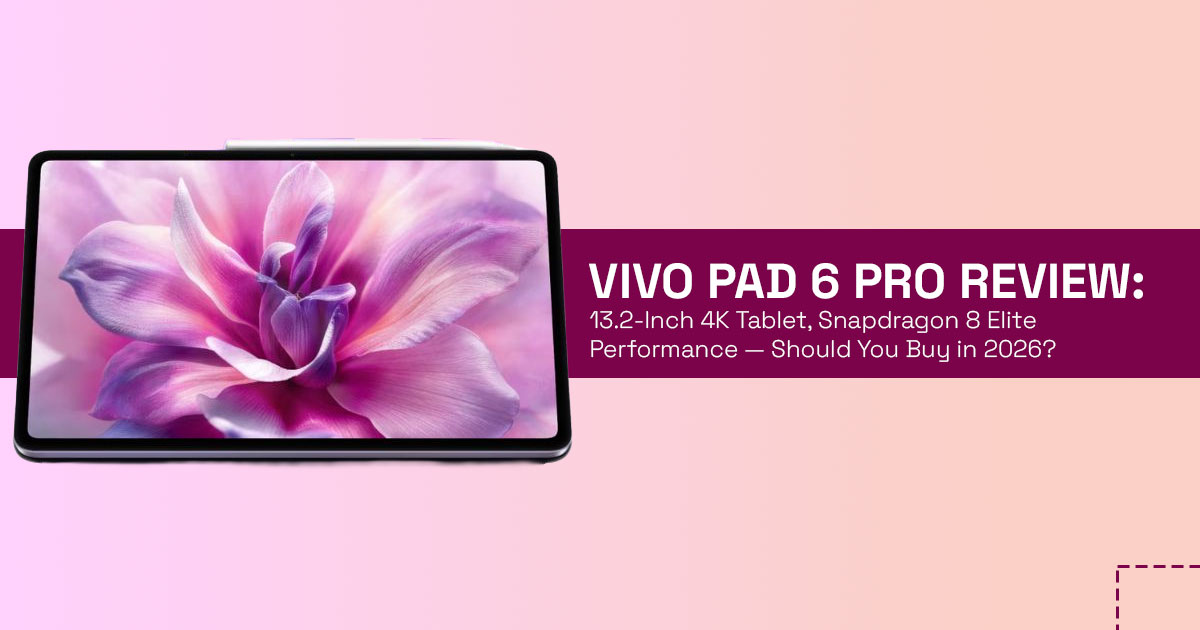
The Vivo Pad 6 Pro sits in the premium Android tablet space, built around a 13.2-inch 4K tablet display, a latest Snapdragon 8 Elite-class tablet chipset, and a huge battery. On paper, it sounds like one of the most powerful options in the Android flagship tablet category. But specs alone don’t show how a device actually feels after a week of use.
People usually search things like “what is Vivo Pad 6 Pro,” “is 4K necessary on a tablet,” or “should I buy Vivo Pad 6 Pro tablet in 2026.” Those are fair questions. Because what matters isn’t just power—it’s how that power fits into real life. Reading, working, gaming, or just watching videos. That’s what this review focuses on.
That’s why real-world reviews matter—they show the gap between marketing and daily experience.
As technology experts with over 20 years of experience in hardware and application research and development, we deeply analyze each product based on real-world performance, durability, and value for money. Our goal is to help you find the best product in every category—budget, performance, reliability, and long-term usage. Whether you’re a student, working professional, content creator, or someone looking for a large-screen Android tablet for entertainment, our recommendations are based on extensive research, component analysis, real-world usability, and industry expertise.
This review breaks down where this Vivo flagship tablet actually fits—and where it doesn’t. Because a powerful tablet is only worth it if it matches how you use it.
Quick Summary
- What it is: A large screen Android tablet with a 2-inch 4K LCD display, 144Hz refresh rate, Dolby Vision, and a latest Snapdragon 8 Elite-class chipset
- Where it shines: Smooth gaming, fast multitasking, and excellent media consumption
- Where it feels too much: Simple tasks like reading, note-taking, and browsing don’t need this level of power
- Biggest strength: Raw performance + huge, sharp display
- Main concern: The Android tablet ecosystem is still catching up in app optimization, app quality, and long-term polish
- Who should consider it: Users who want top-tier specs and performance
- Who should think twice: Those who value software stability, app optimization, and long- term experience
2. What Vivo Is Actually Building Here
The Vivo Pad 6 Pro is clearly built as a high-end Android tablet focused on hardware first. You get a 13.2-inch 4K tablet display, a fast processor, and features aimed at productivity and entertainment. It’s designed to stand out through specs.
It goes up against devices like the Apple iPad Pro and the Samsung Galaxy Tab S Ultra. Those tablets usually win when it comes to ecosystem—apps feel better optimized, and accessories work more smoothly.
This Vivo premium tablet takes a different route. It focuses on higher resolution, bigger display, and strong silicon performance. That works well if you care about raw specs, gaming, or heavy multitasking.
But here’s the tradeoff. Strong hardware doesn’t always mean a better daily experience. Software, app quality, and long-term updates still matter. And that’s where the decision becomes less obvious.
So the real question isn’t just how powerful it is—it’s whether that power actually improves how you use a tablet every day.
Vivo tablet launch date is set for March 30, 2026, in China, with global availability still unclear. For those asking Vivo new tablet 2026 details, early signs point to strong hardware but typical Android tablet challenges around app optimization on large displays.
3. 4K Tablet Display Explained: Is 4K Necessary on a Tablet? (Display Reality Check Model)
Many users ask “is 4K necessary on a tablet” or “what does 4K display mean.” On a 13.2-inch 4K tablet, the pixel density tablet display is very high, so text and images look sharp.
To make sense of this, we use a simple idea:
3.1 Display Reality Check Model (DRCM)
Sharpness depends on:
- Resolution
- Screen size
- Viewing distance
At normal use distance (around 12–18 inches), most people won’t notice much difference between high resolution tablet display panels like 2K, 3K, and 4K for everyday tasks.
Where the Vivo tablet 4K display with Dolby Vision actually helps:
- Tablet for video editing 4K → clearer timelines and details
- Tablet for color grading → better color accuracy
- Best display tablet for media consumption → high-quality movies look cleaner
Where it doesn’t change much:
- Reading
- Browsing
- PDFs
So, is 4K tablet overkill?
For students and casual users, often yes. The benefits of high resolution tablets only show up in specific use cases.
Key takeaway:
A 4K tablet display adds value for creators, but for most users, the difference is small while power usage increases.
4. Snapdragon 8 Elite Tablet Performance: Real-World Speed and Limits
The latest Snapdragon 8 Elite-class tablet chipset brings flagship-level performance into this
Android flagship tablet.
If you’re wondering how Snapdragon processors work in tablets, here’s the simple version:
- Fast response for everyday tasks
- Strong multi-core power for heavy workloads
Real-world performance:
- Gaming → Smooth gameplay in titles like Genshin Impact and COD Mobile
- Android tablet for multitasking → Split-screen and multiple apps feel responsive
- Tablet for video editing 4K → Handles editing tasks with decent speed
What to watch:
- Tablet thermal performance matters during long sessions
- The large body helps cooling, but 4K + high GPU load can still generate heat
- Expect strong short bursts, with slight drops during long heavy use
Key takeaway:
This is a Snapdragon 8 Elite performance tablet built for demanding tasks, but sustained performance depends on cooling.
5. Vivo Tablet Battery 13000 mAh: 4K Display vs Battery Life (Power Triangle)
Running a 13.2-inch 4K tablet at 144Hz needs serious power. That’s why the Vivo tablet battery 13000 mAh exists.
To understand this, use a simple model:
Power Triangle
- Resolution (4K = more pixels)
- Refresh rate (144Hz = smoother motion)
- Battery size
These three are always connected.
What it means in real use:
- Browsing + streaming → stable battery life
- Gaming + 4K playback → faster drain
- Tablet refresh rate vs resolution settings affect runtime Fast charging (around 80–90W) helps reduce downtime.
Key takeaway:
This isn’t extra battery—it’s what’s needed to support the display.
6. Best Tablet Use Cases: Who Should Use Vivo Pad 6 Pro?
Not every large screen Android tablet fits every user. Here’s where it makes sense.
Best tablet for students 2026
- Great for reading and notes
- But 4K tablet display power is often unnecessary
Tablet for content creators
- Useful for editing and visuals
- Works as a tablet for video editing 4K
- Still limited compared to full desktop tools
Tablet for productivity and work
- Works with Vivo tablet keyboard accessory
- Android tablet for multitasking is good, but app scaling varies
Best tablet for professionals
- Good for documents and light workflows
- Stylus support Android tablet depends on software support
Tablet for gamers
- Strong performance from Snapdragon 8 Elite performance tablet
- Large display improves immersion
Key takeaway:
This device fits power users better than casual users.
7. Android Tablet Ecosystem Limits: What Could Go Wrong
Even strong hardware has limits.
Display limitation:
- LCD vs OLED tablet → weaker contrast and blacks
Software limitation:
- Android tablet ecosystem still inconsistent
- Apps may not scale properly
Availability:
- Vivo tablet launch date and global availability starts in China
- Global release unclear
Cost factors:
- Vivo Pad 6 Pro price expected still uncertain
- Accessories increase total cost
Practical issues:
- Problems with large tablets → weight, portability
- Heat during long sessions
Key takeaway:
Hardware is strong. Software and ecosystem still need work.
8. Should I Buy Vivo Pad 6 Pro? (Buying Decision Guide)
This depends on your priorities.
Buy fiagship Android tablet if:
- You want performance
- You need a large screen
- You game or multitask heavily
Skip if:
- You care about software polish
- You want long-term updates
- You rely on optimized apps Many users ask:
“Is Vivo tablet worth it” or “should I buy Vivo Pad 6 Pro tablet?”
Simple answer:
It’s worth it for power users. Less so for everyday users.
9. Vivo Pad 6 Pro vs iPad Pro vs Samsung Galaxy Tab (high-end Android tablet comparison)
| Feature | Vivo Pad 6 Pro | Apple iPad Pro | Samsung Galaxy Tab S Ultra |
| Display | 13.2-inch 4K LCD, 144Hz | OLED display | AMOLED display |
| Ecosystem | Android ecosystem | Strong Apple ecosystem | Strong Samsung ecosystem |
| Performance | Snapdragon 8 Elite | Apple Silicon chipset | Flagship-grade processors |
| Productivity | Moderate productivity | High productivity | High productivity |
| Battery | 13,000 mAh battery | Highly efficient | Balanced battery performance |
Key insight:
- Vivo tablet vs iPad Pro → hardware close, software gap
- Vivo vs Samsung tablet → similar hardware, better ecosystem on Samsung
Best Android tablet vs iPad often comes down to software, not specs.
10. Android Tablet vs iPad: The Bigger Trend in 2026
The Android tablet ecosystem is improving, but not fully mature.
What’s changing:
- Bigger screens
- Better processors
- More laptop-like features
What still lags:
- App optimization
- Consistency
- Long-term updates
In most tablet buying guide 2026 decisions, the real difference isn’t hardware anymore. It’s experience.
Key takeaway:
Android tablet vs iPad differences are now about ecosystem, not power.
11. Frequently Asked Questions (FAQ): Vivo Pad 6 Pro, 4K Tablet Display, and Buying Decisions
Before deciding on a Vivo Pad 6 Pro or any large screen Android tablet, most users look for quick, clear answers. These FAQs address common search intent keywords like “is 4K necessary on a tablet”, “how much resolution does a tablet need”, and “should I buy Vivo Pad 6 Pro tablet”—so you can make a practical decision without overthinking specs.
Q. What is a 4K tablet display?
- A 4K tablet display has much higher pixel count than Full HD, giving sharper text and cleaner images on a high resolution tablet display, especially on larger screens.
Q. Is 4K display useful on a 13 inch tablet?
- On a 13.2-inch 4K tablet, it helps in tablet for video editing 4K and media use, but for reading or browsing, the difference is small at normal viewing distance.
Q. How much resolution does a tablet need?
- A tablet needs enough pixel density tablet display to keep text sharp; beyond that, extra resolution adds less value for everyday tasks.
Q. Is Vivo tablet reliable?
- The Vivo flagship tablet offers strong hardware, but long-term reliability depends on Android tablet ecosystem, updates, and app optimization.
Q. Best tablet for watching movies in 4K?
- The best display tablet for media consumption combines a large screen, good colors, and smooth playback, not just resolution alone.
12. Buying Decision Framework: Tablet Fit Score (TFS)
We use a simple Tablet Fit Score (TFS) to help weigh options:
- Use case match — Does the big screen and power line up with your main activities? Higher for creation or gaming, lower for light reading.
- Ecosystem dependency — How tied are you to one platform? Heavy users of certain systems may miss convenience.
- Budget tolerance — Include the tablet, Vivo tablet keyboard accessory, and possible faster replacement if support ends sooner.
- Longevity expectation — Comfortable with strong hardware that might feel limited by apps after a couple of years?
Score each area from 1 to 10. Totals above 30 often suggest a good fit for this style of flagship tablet. Lower scores point toward alternatives that prioritize different strengths.
Key takeaway: Context always beats raw specs. A tablet succeeds when it solves actual daily needs rather than just impressive numbers.
13. Final Verdict: Vivo Pad 6 Pro — Powerful Hardware, Practical Tradeoffs
The Vivo Pad 6 Pro gets a lot right on paper. You’re looking at a 13.2-inch 4K tablet, backed by Snapdragon 8 Elite performance, and supported by a Vivo tablet battery 13000 mAh that can keep up with that kind of load. For anyone who wants a large screen Android tablet that feels fast and spacious, this checks the right boxes.
But once you move past the specs, the real question shows up—does it actually improve daily use?
If your day involves gaming, switching between apps, or working on media, this Vivo flagship tablet holds up well. The screen gives you room to work, and the performance keeps things smooth. It fits people who want speed and don’t mind working around a few rough edges.
Where things get less clear is in everyday use. Reading, note-taking, browsing—these don’t need a 4K tablet display or this level of power. And that’s where the Android tablet ecosystem becomes part of the decision. Apps don’t always scale cleanly, and long-term polish still depends on updates and support.
So it lands in an interesting spot. It’s one of the best large screen tablet options if your priority is hardware. But it’s not trying to be the most balanced device out there.
Another thing to keep in mind—the Vivo Pad 6 Pro hasn’t launched yet. Vivo has confirmed it will be unveiled in China on March 30, 2026, alongside the X300 series. So right now, it’s more about whether this direction makes sense for you before it even hits the market.
If you’re not planning to wait, there are strong alternatives already available:
- Apple iPad Pro 11-inch (M5) — polished ecosystem, consistent performance – Amazon Worldwide and Amazon India
- Samsung Galaxy Tab S11 Ultra — large AMOLED display with better software balance – Amazon Worldwide and Amazon India
- OnePlus Pad 3 — clean Android experience with solid performance – Amazon Worldwide and Amazon India
- Xiaomi Pad 7 Pro — strong specs at a more accessible price – Amazon Worldwide and Amazon India
Each of these handles the same space differently, especially when it comes to software and long-term usability.
So, is Vivo Pad 6 Pro worth it?
It can be—if you care about performance and screen size first.
But if your focus is stability, app quality, and a smoother ecosystem, you might lean toward other options.
At the end of the day, it comes down to how you actually use a tablet—work, study, or entertainment.
If you’re still deciding, focus on what you need most and choose based on that. That’s what usually leads to the right choice.
And if you’ve used similar devices or are considering this one, share what matters most to you. It helps others ffgure out what really works.
***Disclaimer***
This blog post reflects our own research, testing, and personal opinions. It should not be taken as the official position of any brand, manufacturer, or company mentioned here. While we aim to keep information accurate and up to date, product details, pricing, and availability can change. We recommend double-checking important details before making a purchase.
Some links in this article may be affiliate links. If you choose to buy through these links, we may earn a small commission at no extra cost to you. This helps support our work and allows us to keep publishing in-depth, unbiased reviews. Our recommendations are never influenced by affiliate partnerships.
Comments shared by readers reflect their own views and not ours. We are not responsible for outcomes resulting from the use of information on this site. Please seek professional advice where appropriate.
All product names, logos, and brands mentioned are the property of their respective owners. These names are used for identification and informational purposes only and do not imply endorsement.
