
Unlocking Unbeatable Value: Is the KTC 27-inch QHD Gaming Monitor Your Next Upgrade?
Overview
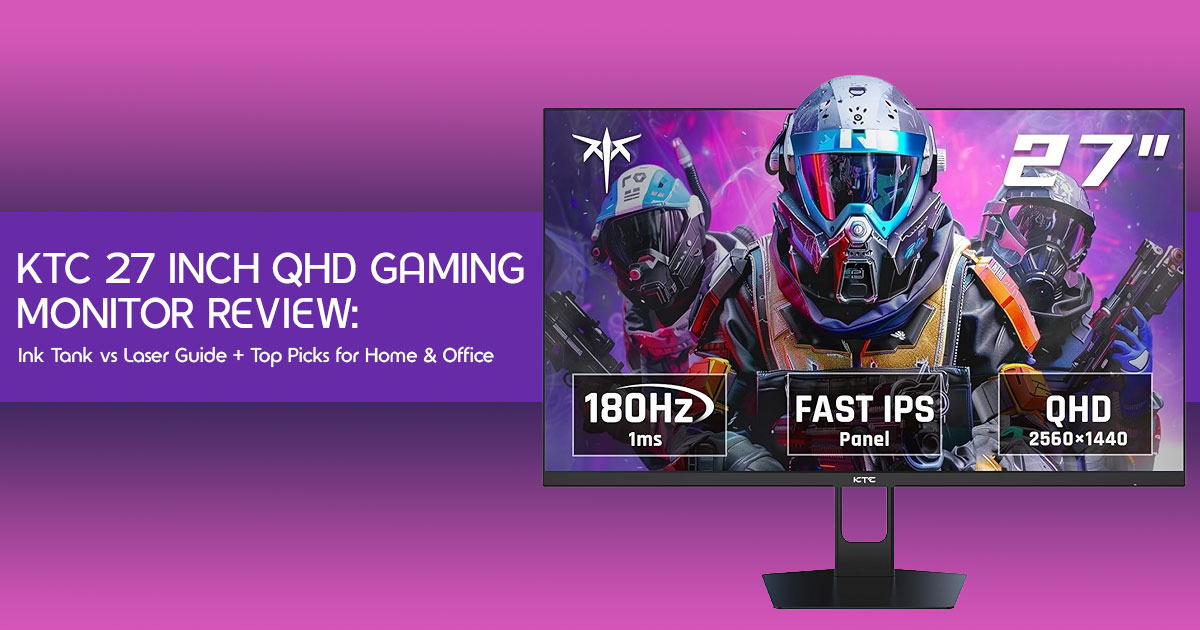
The KTC 27 Inch QHD Gaming Monitor packs 1440p resolution, a 200Hz refresh rate, and Fast IPS performance into a price that undercuts most competitors. It nails smooth gameplay and solid visuals, but makes a few smart compromises to stay affordable. If you want a budget-friendly 2K gaming monitor that still feels fast and responsive, this one is hard to ignore.
If you’re curious about current pricing or availability, you can check the latest deals here on Amazon Worldwide and Amazon India before we break everything down in detail.
1.0 Introduction: The Rise of the Underdog in Gaming Displays
You finally line up the perfect shot. Everything feels right. Then the screen stutters for a split second—and you miss. That tiny delay? It’s enough to ruin the moment. And if it keeps happening, you start blaming your aim—when it’s actually your monitor.
That’s the reality for many gamers using average displays. And it’s exactly why more people are moving toward high refresh rate 1440p gaming monitors. The problem? Most of them cost a lot more than they should.
That’s where the KTC 27 Inch QHD Gaming Monitor steps in—offering similar core features to brands like LG, ASUS, and MSI, but at a much lower price point.
Product / Category Overview
This is a 27-inch 1440p gaming monitor built for both competitive and casual gamers. It combines a 200Hz refresh rate, Fast IPS panel, and QHD resolution—features usually seen in higher-priced models—while keeping the price within reach. It sits right in the sweet spot between budget gaming monitors and premium options.
But here’s the real question:
Does it actually deliver where it matters, or is it cutting corners you’ll notice later?
Why this review is essential
In a market saturated with options, it’s tough to find unbiased, practical advice. We cut through the marketing fluff, offering insights that other reviews miss, focusing on the human experience of using this monitor day-to-day. We’ve identified common pitfalls and unique advantages to give you the full picture.
Our Approach
As technology experts with over 20 years of experience in hardware and application research and development, we look beyond marketing claims. We test for real-world performance, durability, and value for money.
Our goal is simple: help you find the best gaming monitor based on budget, performance, reliability, and long-term use.
Our recommendations come from hands-on testing, component-level analysis, usability checks, and industry experience—not guesswork.
Who This Review Is For
This review is built for:
- First-time PC builders looking for a reliable and affordable 2K gaming monitor
- Competitive gamers who want high refresh rate performance without overspending
- Casual gamers and content consumers who need a balanced display for gaming, work, and media
- Skeptical buyers who are tired of overhyped specs and want honest insights
What you will learn from this review
You’ll gain a clear understanding of the KTC Value Framework—how this monitor achieves its aggressive pricing. We’ll break down its visual fidelity, speed, and responsiveness in real-world gaming scenarios. You’ll learn about its practicalities, compare it to other models, and discover if it’s the right fit for your specific needs, including console gaming and productivity. Most importantly, you’ll learn about the trade-offs, potential mistakes to avoid, and how to maximize your experience with this Affordable 2K Gaming Monitor.
2.0 The KTC Value Framework: Demystifying Budget Performance
So, you’ve seen the price tag on this 1440p Gaming Monitor Under $200, making it one of the best budget 1440p gaming monitors available. Then you glance at the specs: a 200Hz Fast IPS Computer Monitor panel? Naturally, you might raise an eyebrow. How on earth does KTC pull this off when similar monitors from bigger names cost a small fortune? It’s a fair question, and it’s exactly why we developed the KTC Value Framework.
This framework isn’t just fancy jargon; it’s our way of explaining how KTC delivers such aggressive pricing without cutting corners where it truly matters for gamers.
It boils down to three key strategies:
First up, the Direct-to-Consumer Model. Think about it: when you buy a monitor from a traditional brand, you’re often paying for layers of distribution, marketing campaigns, and retail markups. KTC largely bypasses these, selling directly to you online. This slashes overhead costs, meaning more of your money goes into the actual hardware, not the marketing machine.
Next, and this is a big one, is their OEM Heritage. This isn’t a new or untested company. KTC is known to have OEM manufacturing experience in the display industry. This means they have established factories, robust supply chains, and the kind of quality control that comes from years of experience. They’re essentially leveraging their behind-the-scenes expertise to bring you a high-quality product under their own name.
Finally, KTC adopts a Focused Feature Set. They’re not trying to be everything to everyone. Instead, they laser-focus on what truly enhances the gaming experience: a blazing-fast 200Hz Fast IPS Computer Monitor panel, rapid response times, and solid image quality. You won’t find extravagant RGB lighting, complex USB-C hubs, or super-adjustable stands here. By trimming these “nice-to-have” extras, they can pour resources into the “must-have” performance features, keeping the price incredibly competitive.
3.0 Technical Specifications at a Glance
For those who need the quick facts, here is the KTC 27 Inch QHD Gaming Monitor broken down:
| Feature | Specification |
| Resolution | 2560×1440 (QHD) |
| Refresh Rate | 200Hz (up to 210Hz overclocked) |
| Response Time | 1ms GTG (Fast IPS) |
| Panel Type | IPS |
| HDR Support | HDR400 |
| Adaptive Sync | Yes (FreeSync Premium/G-Sync Compatible) |
| Built-in Speakers | Yes |
| Connectivity | HDMI, DisplayPort |
| Ergonomics | Tilt Adjustment, VESA Compatible |
4.0 Deep Dive: Performance That Matters
4.1 Visual Fidelity: Beyond the Pixels
First things first: what does this monitor actually look like when you fire it up? The QHD 2560×1440 resolution on a 27-inch screen is, in our humble opinion, the sweet spot for PC gaming. It’s a noticeable leap in sharpness and detail from 1080p, making everything from character models to distant textures pop. Crucially, it doesn’t demand the same beastly GPU power that 4K does, meaning you can hit higher frame rates without breaking the bank on a graphics card. Whether you’re meticulously scanning for enemies or getting lost in a beautifully rendered open world, the pixel density here delivers a crisp, immersive view.
The real hero of the visual experience is the Fast IPS Panel. Forget the washed-out colors of old TN panels or the ghosting issues that sometimes plague VA screens. Fast IPS gives you the best of both worlds: the vibrant colors and wide viewing angles that IPS is known for, combined with the lightning-fast response times essential for competitive gaming. It strikes a strong balance.
Out of the box, the KTC 27 Inch QHD Gaming Monitor handles colors admirably, covering a wide gamut (sRGB and DCI-P3). For most gamers, it’ll look fantastic. But if you’re a stickler for accuracy, or if you dabble in photo editing, we strongly recommend switching to the monitor’s sRGB emulation mode. This keeps colors from looking oversaturated, giving you a more natural and true-to-life image. It’s a small tweak that makes a big difference for critical work.
Now, about HDR400. Let’s be real: this isn’t the mind-blowing HDR experience you’d get from a high-end OLED or Mini-LED display. HDR400 on an edge-lit IPS panel provides a subtle boost in brightness and contrast, making some scenes look a bit punchier. Think of it as a useful extra, not a game-changing feature. It’s there, it works, but don’t buy this monitor just for its HDR capabilities.
4.2 Speed & Responsiveness: Gaining the Competitive Edge
If you’re serious about competitive gaming—think Valorant, CS:GO, or Apex Legends— then speed isn’t just a luxury; it’s a necessity. The 200Hz Fast IPS Computer Monitor (which you can even overclock to a blistering 210Hz) gives you a genuine edge. This isn’t just marketing fluff; the jump from 60Hz or even 144Hz to 200Hz means smoother motion, less input lag, and a far more responsive feel. You’ll be tracking enemies with a precision that feels almost unfair.
If you’re planning to upgrade specifically for competitive gaming, it’s worth checking the current price here on Amazon Worldwide and Amazon India—monitors with this level of speed at this price don’t stay in stock for long.
That lightning-fast refresh rate is paired with a 1ms GTG response time. What does that actually mean for you? It means pixels change color almost instantly, virtually eliminating the annoying motion blur or “ghosting” that can make fast-paced action a blurry mess on slower panels. When every millisecond counts, this clarity keeps your focus locked on the action.
To keep things buttery smooth and tear-free, this monitor comes with Adaptive Sync, making it compatible with both FreeSync Premium and G-Sync. This tech syncs your
monitor’s refresh rate directly with your graphics card’s frame rate, banishing screen tearing and stuttering without the input lag penalty of old-school V-Sync. It’s a must-have for any modern gaming setup.
For the absolute purists who crave ultimate motion clarity, KTC has included a Motion Blur Reduction (MBR) feature. MBR works by strobing the backlight, making fast-moving
objects appear sharper. However, it’s not a magic bullet. There are trade-offs: MBR
significantly reduces screen brightness and can’t be used at the same time as Adaptive Sync.
So, when should you use it?
Our MBR vs. Adaptive Sync Decision Framework:
| Scenario | Recommended Mode | Why It Matters |
| Graphically demanding single-player games | Adaptive Sync | Eliminates screen tearing and keeps gameplay smooth when frame rates fluctuate. |
| Competitive esports (stable high FPS) | MBR (Motion Blur Reduction) | Improves motion clarity and reduces blur, ideal when FPS is consistently high. |
In our real-world tests, the overdrive settings on this KTC 27 Inch QHD Gaming Monitor are surprisingly well-tuned. While the “Ultra Fast” setting might introduce some noticeable overshoot (that faint trail behind moving objects), the “Standard” or “Advanced” options hit a sweet spot. They deliver crisp motion in games like Valorant and Cyberpunk 2077 without any distracting artifacts, proving that KTC knows how to balance speed with visual quality.
4.3 Connectivity & Ergonomics: The Practicalities
Let’s talk about the nuts and bolts of getting this monitor hooked up and comfortable. Connectivity-wise, you’re getting the essentials: HDMI and DisplayPort inputs. Here’s a crucial tip: to unlock the full 200Hz/210Hz refresh rate at 1440p, you absolutely must use the DisplayPort connection. The HDMI port, while perfectly fine for other devices or consoles, simply doesn’t have the bandwidth for that kind of performance at this resolution.
Now, about those Gaming Monitor with Built-in Speakers. They’re there, and they work. For casual YouTube videos, system alerts, or a quick console session when you don’t want to bother with headphones, they’ll do the job. But let’s be realistic: they won’t blow you away with immersive sound. For serious gaming, movies, or music, you’ll definitely want to plug in a good headset or connect external speakers.
Ergonomics are often where budget monitors show their compromises, and this one is no exception. The included stand offers only tilt adjustment. That means no height adjustment, no swivel, and no pivot into portrait mode. However, the good news is that it’s VESA Compatible (100x100mm). So, if you crave full ergonomic flexibility, investing in a third- party monitor arm is a straightforward upgrade. A quick heads-up for VESA mounting: the mounting area is slightly recessed, so you might need to use the spacers that usually come with monitor arms to get a flush and secure fit.
Controlling the monitor’s settings is done via a joystick on the back. It’s fairly intuitive once you get the hang of it, letting you tweak brightness, color profiles, and gaming features. And speaking of keeping things running smoothly, it’s always a good idea to periodically check KTC’s official website for any firmware updates. These can sometimes bring performance improvements or squash minor bugs.
5.0 The KTC Monitor Lineup: Navigating the Naming Maze
If you’ve dipped your toes into researching KTC monitors, you’ve probably noticed their model numbers can be a bit… cryptic. It’s easy to get lost in the alphabet soup of H27T22,
H27T22S, and H27T22C-3. Let’s break down the key differences, especially if you’ve stumbled upon a KTC H27T22 Review and are wondering how it compares to our featured monitor.
Here’s a quick rundown to help you navigate the KTC lineup:
| Model | Refresh Rate | Key Differentiator | Best For |
| KTC 27″ QHD (Featured) | 200Hz (210Hz OC) | Fast IPS, HDR400, Flat Panel | Competitive & immersive gaming |
| KTC H27T22 | 165Hz | Entry-level 1440p, flat panel | Budget-conscious gamers |
| KTC H27T22S | 180Hz | Higher refresh rate, similar core features | Mid-range value seekers |
| KTC H27T22C-3 | 210Hz | Curved VA panel, higher contrast | Immersive, cinematic gaming |
As you can see, our featured KTC 27 Inch QHD Gaming Monitor stands out with its 200Hz Fast IPS Computer Monitor panel, hitting that sweet spot for competitive performance and vibrant visuals. It’s the current top pick for those who want speed and clarity without breaking the bank.
6.0 Beyond Gaming: Productivity & Console Compatibility
While this monitor screams “gaming,” it’s actually a surprisingly versatile workhorse. That crisp 1440p resolution isn’t just for fragging; it gives you plenty of screen real estate for productivity. Think about it: comfortably snapping two browser windows or documents side- by-side without feeling cramped. The IPS panel ensures text is sharp and easy on the eyes, making it a solid choice for your home office setup. And if you dabble in light photo or video editing, the decent color accuracy (especially in sRGB mode) means your creative projects will look true to life.
Console gamers, listen up! The KTC 27 Inch QHD Gaming Monitor is a fantastic choice for your PS5 or Xbox Series X. It fully supports 1440p at 120Hz, letting you experience the performance modes in your favorite console titles with buttery smoothness. Plus, with
Variable Refresh Rate (VRR) support, you’ll get a tear-free, fluid gaming experience, just like on PC. It’s a serious upgrade for your console setup.
7.0 Long-Term Ownership: Reliability, Warranty & Support
Let’s face it, when you’re eyeing an Affordable 2K Gaming Monitor from a brand that isn’t a household name, the big question is always: “Will it last?” Long-term reliability is a totally valid concern. From what we’ve seen and gathered from the community, KTC monitors generally hold their own. This isn’t surprising, given their OEM background—they’re built to standards, not just to meet a price point. That said, like any piece of tech, you might occasionally encounter issues like dead pixels or backlight bleed; it’s just the nature of LCD panels.
KTC offers a standard 3-year warranty, which is reassuring. If you buy through a major online retailer like Amazon, any initial issues within their return window are usually a breeze to sort out. For warranty claims further down the road, you’ll work directly with KTC support. Our experience, and that of many users, suggests their support is responsive. Just be prepared for the standard RMA process, which might involve shipping the monitor for repair—it’s par for the course with most monitor manufacturers, budget or premium.
8.0 KTC vs. The Competition: The Value Proposition
So, how does the KTC 27 Inch QHD Gaming Monitor really stack up against the competition? In the crowded field of budget-friendly displays, brands like Koorui, Sceptre, and Pixio are often mentioned in the same breath. However, in our experience, KTC frequently pulls ahead, particularly when it comes to panel quality (that Fast IPS really makes a difference) and out-of-the-box color accuracy. It feels like you’re getting a bit more polish for your dollar.
Now, let’s be realistic. This isn’t an LG, ASUS, or MSI flagship monitor. Those premium brands often justify their higher price tags with superior build quality, fancy ergonomic stands, comprehensive USB hubs, and more extensive, localized customer support networks. But here’s the kicker: when it comes to raw gaming performance—the refresh rate, the response time, the visual clarity—the KTC holds its own remarkably well. If your priority is pure, unadulterated gaming performance and you’re happy to skip the bells and whistles, the KTC 27 Inch QHD Gaming Monitor offers an undeniable value proposition that’s hard to beat.
9.0 Making the Right Choice: Who is this Monitor For?
So, after all this, who exactly is the KTC 27 Inch QHD Gaming Monitor for?
We think it hits a sweet spot for several types of users:
- The Beginner Gamer: If you’re still rocking a basic 1080p 60Hz monitor, prepare for a revelation. This monitor offers a massive, jaw-dropping leap in visual fidelity and smoothness without forcing you to sell a kidney. It’s the perfect entry point into high- performance gaming.
- The Competitive Gamer (Budget-Conscious): You want every edge you can get in esports titles, but your wallet has limits. The 200Hz Fast IPS Computer Monitor panel delivers the speed, clarity, and responsiveness you need to climb those ranks, making it an excellent choice for a competitive edge without the premium price tag.
- The Casual Gamer: For those who love to get lost in stunning single-player adventures and immersive worlds, the vibrant colors and sharp 1440p resolution will make your games look It’s about enjoying the experience, and this monitor delivers.
- The Entry-Level Content Creator: While not a professional calibration monitor, its decent color accuracy (especially in sRGB mode) makes it surprisingly capable for basic photo and video editing. It’s a great dual-purpose screen.
- The Savvy Buyer: If you appreciate the KTC Value Framework—understanding where the compromises are made to deliver such incredible performance for the price—then you’ll see this monitor as the smart investment it is.
10.0 Trade-offs, Mistakes, and Edge Cases
To ensure you’re making the most informed decision, let’s talk about some common pitfalls and scenarios where this monitor might not be the perfect fit:
- Don’t Expect a True HDR Experience: While it boasts HDR400, remember our earlier This monitor primarily processes HDR signals as SDR, not deliver a truly transformative HDR visual. If you’re chasing that jaw-dropping HDR pop, you’ll need to invest significantly more in an OLED or Mini-LED display.
- Mind the Stand: The basic tilt-only stand is a clear compromise. If you absolutely need height adjustment, swivel, or pivot, don’t forget to factor in the cost of a VESA- compatible monitor arm. It’s a worthwhile upgrade for ergonomics.
- Connectivity for Max Performance: Always use the DisplayPort connection to get the full 200Hz/210Hz refresh rate at 1440p. Relying on HDMI will limit your refresh rate.
This monitor might not be your best bet if you’re a professional color grader who needs absolute, pixel-perfect color accuracy for client work. Similarly, if you’re an extreme competitive gamer playing at the highest echelons where every single millisecond of input lag is a deal-breaker, you might be better served by ultra-high refresh rate (360Hz+) TN or OLED panels. But for 99% of gamers, this monitor hits the mark.
11.0 Frequently Asked Questions (FAQ)
Q. Is KTC a good brand for gaming monitors?
- Yes, KTC is a reputable brand, especially in the budget segment. They are an established OEM manufacturer that produces panels for many well-known brands, meaning their own monitors benefit from high-quality components and manufacturing expertise.
Q. Does the KTC 27 inch monitor support 120Hz on PS5 and Xbox Series X?
- Yes, this monitor fully supports 1440p resolution at 120Hz on both current-generation consoles, making it an excellent choice for console gamers looking for a high-refresh-rate experience.
Q. What is the difference between KTC H27T22 and the 200Hz model?
- The primary difference is the refresh rate and panel technology. The H27T22 is typically a 165Hz monitor, while the featured model offers a faster 200Hz (overclockable to 210Hz) Fast IPS panel for improved motion clarity in competitive games.
Q. How do I enable 210Hz on my KTC monitor?
- To reach 210Hz, you must connect the monitor using a DisplayPort cable (HDMI will not support this refresh rate at 1440p). You then need to access the monitor’s On-Screen Display (OSD) menu and enable the “Overclock” feature.
Q. Is HDR400 worth it on a budget monitor?
- HDR400 on an edge-lit IPS monitor provides a modest boost in contrast and color, but it does not offer the true, high-dynamic-range experience found on more expensive OLED or Mini-LED displays. It’s a nice addition, but shouldn’t be the primary reason for purchase.
12.0 Conclusion: The Verdict on the KTC 27 Inch QHD Gaming Monitor
The KTC 27 Inch QHD Gaming Monitor is a testament to how far budget gaming displays have come. It successfully delivers on its core promises: a sharp 1440p resolution, a blazing- fast 200Hz refresh rate, and the vibrant colors of a Fast IPS panel. By focusing on performance and leveraging their OEM expertise, KTC has created a monitor that punches significantly above its weight class.
While it makes sensible compromises in ergonomics and premium features to achieve its price point, the core gaming experience is undeniably excellent. If you’re looking for the Best Budget 1440p Gaming Monitor that prioritizes speed and visual quality, the KTC 27 Inch QHD Gaming Monitor is a highly compelling option that deserves a spot on your desk.
Ready to Upgrade Your Setup?
If you’re ready to experience the speed and clarity of the KTC 27 Inch QHD Gaming Monitor, you can check the current pricing and availability below:
- Check Price and Buy on Amazon Worldwide
Check Price and Buy on Amazon India
Have you used a KTC monitor before? What are your thoughts on the budget monitor market? Share your experiences or ask any questions in the comments below—we’re here to help you build the perfect gaming setup!
***Disclaimer***
This blog post reflects our own research, testing, and personal opinions. It should not be taken as the official position of any brand, manufacturer, or company mentioned here. While we aim to keep information accurate and up to date, product details, pricing, and availability can change. We recommend double-checking important details before making a purchase.
Some links in this article may be affiliate links. If you choose to buy through these links, we may earn a small commission at no extra cost to you. This helps support our work and allows us to keep publishing in-depth, unbiased reviews. Our recommendations are never influenced by affiliate partnerships.
Comments shared by readers reflect their own views and not ours. We are not responsible for outcomes resulting from the use of information on this site. Please seek professional advice where appropriate.
All product names, logos, and brands mentioned are the property of their respective owners. These names are used for identification and informational purposes only and do not imply endorsement.
