
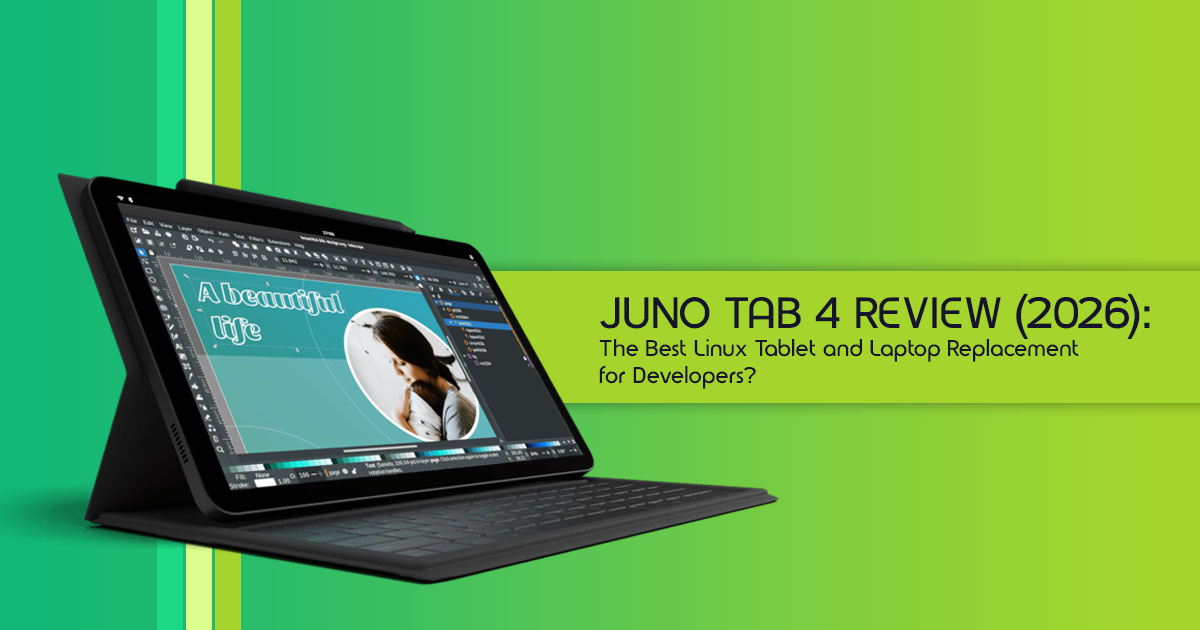
TL;DR: Who Should Buy the Juno Tab 4?
- Best for Linux users: Offers a genuine desktop Linux experience with support for coding, development tools, and advanced workflows.
- Not ideal for casual media consumers: If your primary use is streaming movies, casual gaming, or relying heavily on proprietary apps, you might find the Juno Tab 4 less intuitive than an iPad or Android tablet.
- Alternative recommendations: For casual users, consider mainstream For power users needing specific Windows or macOS apps, a traditional laptop or a Surface Pro might be a better fit.
1. Introduction
Most tablets today are built around entertainment. They are excellent for streaming videos, browsing social media, and casual gaming, but when it comes to serious work, software development, system administration, or running professional desktop applications, their limitations quickly become apparent.
That’s what makes the Juno Tab 4 different.
Instead of trying to be another Android tablet or iPad alternative, the Juno Tab 4 Linux tablet takes a completely different approach. It brings a genuine desktop Linux experience into a portable tablet form factor, giving users access to the same tools, flexibility, and control typically reserved for laptops and workstations.
For developers, IT professionals, Linux enthusiasts, computer science students, cybersecurity learners, and privacy-conscious users, this raises an interesting question:
Can a Linux tablet finally replace a traditional laptop without forcing major compromises?
The answer is more important today than ever before. As more users seek greater control over their devices, freedom from restrictive ecosystems, and access to professional software on the go, products like the Juno Tab 4 are beginning to attract attention far beyond the Linux community.
What makes this device especially interesting is that it challenges a long-held assumption in the technology world: that tablets are primarily consumption devices. The Juno Tab 4 aims to be something different—a portable productivity machine capable of running real desktop applications, supporting advanced workflows, and giving users far more ownership over their computing experience.
Why Trust Our Review?
As technology experts with more than 20 years of experience in hardware and software research, testing, and product analysis, we evaluate every product based on the factors that matter most in real-world use:
- Performance
- Reliability
- Build quality
- Long-term usability
- Value for money
- Software ecosystem
- Upgrade potential
Our goal is simple: help readers find the best products based on their needs, whether they prioritize budget, performance, reliability, or long-term ownership.
Rather than focusing solely on marketing claims or specification sheets, our recommendations are based on extensive research, component analysis, real-world usability, industry trends, and practical experience with the technologies that power modern devices.
In this review, we’ll examine the Juno Tab 4’s specifications, Linux software compatibility, real-world performance, touchscreen experience, battery life, productivity potential, and whether it delivers enough value to justify its place as one of the most interesting Linux tablets currently available.
If you’re considering a tablet for coding, a portable Linux workstation, or an alternative to traditional laptops and mainstream tablets, this guide will help you determine whether the Juno Tab 4 deserves a place in your workflow.
1.1 Technical Specifications at a Glance
The Juno Tab 4 comes in two main flavors, each designed to cater to slightly different needs. Both models boast impressive specs for a Linux tablet, pushing the boundaries of what’s possible in this segment.
| Feature | Juno Tab 4 10.5″ LTE | Juno Tab 4 13″ (Wi-Fi) |
| Display | 10.5-inch, 1920 × 1280 Resolution, 60Hz Refresh Rate, 500 Nits Brightness | 13.3-inch, 2560 × 1600 Resolution, 60Hz Refresh Rate, 500 Nits Brightness |
| Processor | Intel Core i3-N300 (8 E-Cores, Up to 3.8 GHz) | Intel Core Ultra 5 115U (2 P-Cores, 4 E-Cores, 2 LP E-Cores, Up to 4.2 GHz) |
| Graphics | Intel UHD Graphics | Intel Graphics (3 Xe Cores) |
| RAM | 12GB LPDDR5-4800 | 16GB LPDDR5-5600 |
| Storage | 1TB M.2 2242 SATA III SSD | 1TB M.2 2280 PCIe 3.0 x4 NVMe SSD |
| Connectivity | Wi-Fi 6, Bluetooth 5.2, LTE Cat 4, GPS/GNSS | Wi-Fi 6, Bluetooth 5.2 |
| Ports | 2 × USB-C 3.1, 3.5mm Audio Jack, Micro HDMI, microSD/Nano SIM Slot | 2 × USB-C 3.1, 1 × USB 3.0 Type-A |
| Battery | 29.6Wh | 42.71Wh |
| Cooling | Passive Cooling (Fanless) | Dual-Fan Active Cooling |
| Weight | 590g (1.3 lbs) | 850g (1.87 lbs) |
Note: Pricing information was not available at the time of this writing. Specifications are based on publicly available information.
2. What Is the Juno Tab 4?
The Juno Tab 4 is the latest iteration in a line of Linux tablets from Juno Computers, designed from the ground up to run various Linux distributions. Unlike tablets that merely offer Linux as an afterthought or through complex workarounds, the Juno Tab 4 is built with Linux compatibility as its core principle. It’s not just a tablet; it’s a portable Linux workstation in a sleek, modern form factor.
2.1 Quick Specs Overview
As highlighted in the table above, the Juno Tab 4 comes with respectable hardware. The 10.5-inch model features an Intel Core i3-N300 processor, offering a significant performance bump over previous generations, especially for multitasking and light development tasks. The larger 13-inch model steps up to an Intel Core Ultra 5 115U, a more powerful chip with dedicated Xe graphics, making it suitable for more demanding coding workloads and even some creative applications.
Both models come with ample RAM (12GB or 16GB) and a generous 1TB SSD, ensuring smooth operation and plenty of space for your projects and files. The inclusion of USB-C ports with video output, and in the 10.5-inch model, micro HDMI, means you can easily connect external displays, turning your tablet into a desktop replacement when needed.
2.2 Available Configurations
The Juno Tab 4 offers two distinct configurations to choose from:
2.2.1 10.5-inch Model
This variant is the more portable option, weighing in at just 1.3 pounds. It features a 10.5-inch display, making it comfortable for on-the-go use. The Intel Core i3-N300 processor, while not the most powerful, is highly efficient and capable of handling most daily tasks, web browsing, and even some light coding. The inclusion of LTE connectivity makes it an excellent choice for users who need constant internet access without relying on Wi-Fi hotspots.
2.2.2 13-inch Model
For those who prefer more screen real estate and raw power, the 13-inch Juno Tab 4 is the way to go. Its larger 2560 x 1600 display provides a more immersive experience for media consumption and offers more room for multitasking with multiple windows. The Intel Core Ultra 5 115U processor, combined with 16GB of RAM and active cooling (two fans), means this model can tackle more intensive applications, including software development, virtual machines, and graphic design.
2.2.3 Processor Options
- Intel Core i3-N300 (10.5-inch): An 8-core, 8-thread processor focused on efficiency, perfect for general use and battery life. It’s a solid performer for everyday tasks and light productivity.
- Intel Core Ultra 5 115U (13-inch): A more advanced processor with a hybrid architecture (P-Cores, E-Cores, LPE-Cores) designed for a balance of performance and efficiency. Its integrated Intel Graphics with Xe cores offer better graphical capabilities, crucial for developers and creative professionals.
2.2.4 Memory and Storage
Both models come with a generous 1TB SSD, which is a significant advantage over many mainstream tablets that often start with much less storage. The LPDDR5 RAM (12GB in the 10.5-inch, 16GB in the 13-inch) ensures smooth multitasking and responsiveness, even with several applications open simultaneously. The use of standard M.2 storage is encouraging for long-term serviceability, although users should verify upgrade options directly with Juno Computers before purchase.
3. Why Linux Tablets Are Gaining Attention
Most tablets today are designed around mobile apps. The Juno Tab 4 takes a different approach by delivering a full desktop Linux experience in a portable tablet form.
Instead of relying on simplified mobile applications, you can run the same software used on Linux laptops and workstations. This makes the Juno Tab 4 particularly appealing for developers, IT professionals, and power users who need access to desktop-class tools while traveling.
Another advantage is flexibility. Users can choose their preferred Linux distribution, install software without app store restrictions, and customize the system to fit their workflow.
For buyers looking for more than media consumption and casual browsing, the Juno Tab 4 offers capabilities that few tablets in its class can match.
4. Linux Tablet vs iPad vs Android Tablet vs Surface Pro
Choosing a tablet in 2026 is more complex than ever, with a diverse range of options catering to different needs. While iPads and Android tablets dominate the consumer market, and the Surface Pro carves out its niche in productivity, Linux tablets like the Juno Tab 4 present a compelling alternative for specific user groups. Let’s break down how they compare.
4.1 Feature Comparison Table
| Feature | Juno Tab 4 (Linux) | Apple iPad (iPadOS) | Android Tablet (Android) | Microsoft Surface Pro (Windows) |
| Operating System | Open-Source Linux Distributions | iPadOS | Android | Windows |
| Software Ecosystem | Vast Open-Source Software and Desktop Applications | Apple App Store (Proprietary) | Google Play Store (Proprietary) | Microsoft Store and Full Desktop Applications |
| Customization | Extremely High | Limited | Moderate | High |
| Privacy | High (User-Controlled) | Moderate (Apple Ecosystem) | Moderate (Google Ecosystem) | Moderate (Microsoft Ecosystem) |
| Hardware Flexibility | High (Runs on Diverse Hardware) | Low (Apple Hardware Only) | Moderate (Multiple Manufacturers) | Moderate (Primarily Surface Hardware) |
| Development | Excellent (Native Linux Development Tools) | Good (Xcode, Limited Native Development) | Good (Android Studio, Limited Native Development) | Excellent (Windows Development Tools) |
| Gaming | Limited (Linux Native Titles, Steam Play) | Excellent (App Store Games) | Excellent (Play Store Games) | Good (PC Gaming Support) |
| Cost | Mid-Range | High | Low to High | High |
| Long-Term Support | Excellent (Community-Driven) | Moderate (Apple-Controlled) | Variable (Manufacturer-Dependent) | Moderate (Microsoft-Controlled) |
| Target Audience | Developers, Privacy Advocates, Linux Enthusiasts, Power Users | Creative Professionals and General Consumers | Casual Users and Media Consumers | Business Users and Productivity Professionals |
4.2 Software Freedom
This is where Linux tablets truly shine. With a Juno Tab 4, you’re not restricted to an app store. You can install virtually any Linux application, from powerful development tools to specialized creative software. This level of software freedom is difficult to match on iPadOS or Android devices. Even Windows, while offering a vast software library, doesn’t provide the same open-source transparency and control over the underlying system.
4.3 Productivity Potential
For many, a tablet’s ability to handle serious work is paramount. The Juno Tab 4, especially the 13-inch model with its Intel Core Ultra 5 processor, offers genuine laptop-level productivity. Running full-fledged desktop Linux applications like LibreOffice, VS Code, and GIMP means you’re not compromising on functionality. While iPads and Android tablets have made strides in productivity, they often rely on mobile-optimized versions of apps, which can be limiting. The Surface Pro, running full Windows, is a strong contender here, but the Juno Tab 4 offers a different kind of productivity – one rooted in open-source tools and a highly customizable environment.
4.4 Hardware Flexibility
Linux’s inherent flexibility extends to hardware. While the Juno Tab 4 is a specific device, the broader Linux tablet ecosystem benefits from the ability to run on a wider range of hardware configurations. This means more choice and potentially more repairability and upgradeability down the line. Proprietary tablets, by contrast, are tightly integrated hardware-software packages, offering less room for user modification or repair.
4.5 Long-Term Support
As mentioned earlier, long-term support is a significant advantage of Linux tablets. The active open-source community ensures that Linux distributions continue to receive updates and support for many years, often long after manufacturers have ceased supporting their proprietary devices. This translates to a more sustainable and cost-effective investment in the long run, as you’re less likely to need to replace your device due to software obsolescence.
5. Who Should Buy the Juno Tab 4?
- Developers: The Juno Tab 4 is built for users who need access to a real Linux environment. Tools like Visual Studio Code, Git, Docker, and terminal-based workflows run natively, making it a practical mobile workstation for software
- IT Professionals: System administrators and network engineers can use the tablet for remote server management, SSH access, troubleshooting, and cloud administration without carrying a full laptop.
- Students and Power Users: Students studying computer science, engineering, or cybersecurity can benefit from having a portable Linux system capable of handling coursework, research, programming assignments, and productivity tasks.
6. Who Should Skip the Juno Tab 4?
The Juno Tab 4 is not designed for everyone.
You may want to consider an iPad or Android tablet instead if:
- Your primary use is Netflix, YouTube, and social media.
- You mainly play mobile games.
- You rely heavily on Apple ecosystem features such as AirDrop and iMessage.
- Your workflow depends on advanced Microsoft Office compatibility.
The Juno Tab 4 delivers the most value to users who specifically want a Linux-based productivity device rather than a traditional consumer tablet.
7. Real-World Performance Expectations
Understanding how the Juno Tab 4 performs in everyday scenarios is crucial for setting realistic expectations. While the specifications look good on paper, the real test comes down to how it handles your daily tasks. We’ll look at various workloads to give you a clear picture.
7.1 Web Browsing
Both Juno Tab 4 models offer a smooth web browsing experience. Modern Linux browsers like Firefox and Chromium are highly optimized and run efficiently. Expect quick page loads, fluid scrolling, and responsive tab management. Even with multiple tabs open, the generous RAM (12GB/16GB) ensures that performance remains snappy. The larger 13-inch model, with its more powerful processor, will handle graphically intensive websites and web applications with slightly more ease.
7.2 Office Work
For office work, the Juno Tab 4 is surprisingly capable. With full-featured suites like LibreOffice or OnlyOffice, you can create, edit, and manage documents, spreadsheets, and presentations without compromise. A compatible detachable keyboard is available, allowing the tablet to function more like a traditional laptop for typing-intensive tasks. The larger screen of the 13-inch model is particularly beneficial for working with complex spreadsheets or multi-document layouts.
7.3 Coding Workloads
This is where the Juno Tab 4 truly shines for its target audience. The ability to run VS Code, Git, Docker, and various compilers natively means you can tackle serious coding workloads on the go. The 13-inch model, with its Intel Core Ultra 5 and active cooling, is especially well-suited for compiling large projects or running virtual machines for testing. The 10.5-inch model can handle lighter development tasks and scripting with ease.
7.4 Media Consumption
For media consumption, the Juno Tab 4 offers a solid experience. Both displays are bright and vibrant, making movies and TV shows enjoyable. The stereo speakers provide decent audio quality. However, compared to iPads or Android tablets, the Linux ecosystem might have fewer optimized apps for specific streaming services, and the overall user experience for media might feel less polished than on dedicated consumer tablets. For offline media, VLC and other Linux media players work flawlessly.
7.5 Multitasking
With generous RAM and powerful processors, multitasking on the Juno Tab 4 is a breeze. Whether you’re juggling multiple browser tabs, a code editor, a terminal, and a document, the tablet handles it with grace. The larger 13-inch model, especially when paired with an external monitor, can truly mimic a desktop workstation, allowing for complex workflows without slowdowns. The various Linux desktop environments offer robust window management features that surpass what’s typically found on mobile operating systems.
7.6 Battery Life Expectations
Battery life is always a critical factor for any portable device. The Juno Tab 4 10.5″ LTE comes with a 29.6 Wh battery, while the 13-inch model features a larger 42.71 Wh battery. Based on initial reports and the efficiency of the Intel processors, you can expect:
- Based on the battery capacity, processor specifications, and early reports, users can reasonably expect several hours of active productivity use, although actual battery life will vary depending on workload, screen brightness, Linux distribution, and system configuration.
It’s important to note that Linux battery optimization can vary depending on the chosen distribution and user configurations. With some tweaking, users might be able to extend these figures.
8. What’s It Like Using Linux on a Touchscreen?
Linux touchscreen support has improved significantly in recent years, and the Juno Tab 4 benefits from those improvements.
Basic gestures such as tapping, scrolling, and navigation work well across modern Linux desktop environments. If compatible stylus support is available on your chosen configuration and Linux distribution, the tablet can also be used for note-taking, sketching, and document annotation.
For productivity tasks, the included keyboard attachment provides a more comfortable experience than relying solely on the on-screen keyboard.
While Linux still lacks the polish of iPadOS for touch-first interactions, the Juno Tab 4 offers a surprisingly capable tablet experience, especially for users focused on productivity rather than entertainment.
9. What Software Can You Run?
One of the biggest advantages of the Juno Tab 4 is access to desktop Linux applications.
- Productivity: Users can run applications such as LibreOffice, OnlyOffice, Obsidian, Firefox, and Chromium for everyday work, research, and content creation.
- Development: The tablet supports professional development tools including Visual Studio Code, Git, Docker, Python, Java, Node.js, and many other programming
- Creative Work: Applications like Krita, GIMP, and Blender allow users to handle digital art, image editing, and even 3D projects directly on the device.
Unlike most tablets, the Juno Tab 4 is not limited to mobile apps, giving users access to software typically reserved for laptops and desktops.
10. Can the Juno Tab 4 Replace Your Laptop?
For many users, the answer is yes.
If your daily workflow involves web browsing, coding, document editing, remote server access, note-taking, or research, the Juno Tab 4 can serve as a viable laptop alternative for the right workloads.
The larger 13-inch model is particularly well-suited for multitasking thanks to its higher-resolution display and more powerful Intel Core Ultra processor.
However, users who depend on Windows-only software, Adobe Creative Cloud, or advanced gaming should view the Juno Tab 4 as a secondary device rather than a complete laptop replacement.
11. Privacy Advantages of the Juno Tab 4
One reason many users choose Linux is the increased level of control it provides.
Most Linux distributions collect significantly less user data than mainstream operating systems, and users have greater visibility into what is running on their devices.
Combined with strong security features such as full-disk encryption and regular community-driven updates, the Juno Tab 4 offers a privacy-focused alternative to traditional tablets.
12. Drawbacks to Consider Before Buying
The Juno Tab 4 is a powerful device, but it is not without compromises.
- Some popular Windows and macOS applications are unavailable.
- The Linux learning curve may be challenging for beginners.
- Certain peripherals may require additional configuration.
- Battery life is respectable but does not match premium ARM-based tablets.
These limitations are unlikely to bother experienced Linux users, but first-time Linux buyers should be aware of them before purchasing.
13. Juno Tab 4 vs Popular Alternatives
To truly understand the Juno Tab 4’s place in the market, it’s helpful to compare it directly with some of the most popular tablets and portable computing solutions available today. This isn’t about declaring a single winner, but rather identifying where each device excels.
13.1 Juno Tab 4 vs iPad Air
| Feature | Juno Tab 4 | iPad Air |
| Operating System | Linux (Multiple Distribution Options) | iPadOS |
| Software Ecosystem | Open-Source Software and Full Desktop Applications | Apple App Store with Mobile-Focused Applications |
| Processor | Intel Core i3-N300 or Intel Core Ultra 5 | Apple M-Series Processor |
| RAM | 12GB or 16GB | 8GB |
| Storage | 1TB SSD | Up to 256GB Base Configuration |
| Development Experience | Excellent with Native Linux Development Tools | Good for Development, but Limited Compared to Desktop Linux |
| Privacy | High User Control and Open Ecosystem | Moderate, Integrated Within the Apple Ecosystem |
| Price | Mid-Range | Premium |
| Target User | Developers, Linux Enthusiasts, and Privacy-Focused Users | Creative Professionals, Students, and General Consumers |
Mini Conclusion: The iPad Air offers a more polished, user-friendly experience for general consumption and creative tasks within Apple’s ecosystem. The Juno Tab 4 is a more powerful, flexible, and privacy-focused device for developers and power users who need a full desktop Linux environment.
13.2 Juno Tab 4 vs Surface Pro
| Feature | Juno Tab 4 | Surface Pro |
| Operating System | Linux (Multiple Distribution Options) | Windows 11 |
| Software Ecosystem | Open-Source Applications and Full Desktop Linux Software | Microsoft Store Apps and Full Windows Desktop Software |
| Processor | Intel Core i3-N300 or Intel Core Ultra 5 | Intel Core i5, Core i7, or Core Ultra Series |
| RAM | 12GB or 16GB | 8GB, 16GB, or 32GB |
| Storage | 1TB SSD | Up to 1TB SSD |
| Development Experience | Excellent Native Linux Development Environment | Excellent with Windows Tools and WSL Support |
| Privacy | High User Control and Open-Source Transparency | Moderate, Integrated with Microsoft Services |
| Price | Mid-Range | Premium |
| Target User | Developers, Linux Enthusiasts, Privacy-Conscious Users | Business Professionals, Students, and Enterprise Users |
Mini Conclusion: The Surface Pro is a direct competitor for productivity and laptop replacement, offering the familiarity of Windows. The Juno Tab 4 provides a similar level of productivity but with the added benefits of open-source software, enhanced privacy, and a dedicated Linux development environment.
14. Frequently Asked Questions
Here are some common questions users have about Linux tablets and the Juno Tab 4.
Is a Linux tablet worth buying?
Yes, a Linux tablet like the Juno Tab 4 is worth buying if you are a developer, privacy-focused user, or Linux enthusiast seeking software freedom, customization, and a portable workstation. It offers a unique blend of tablet portability and desktop Linux power that mainstream tablets cannot match.
Can a Linux tablet replace a laptop?
For many users, especially software developers, students, writers, and IT administrators, a Linux tablet like the Juno Tab 4 can effectively replace a laptop. It runs full desktop applications, supports multitasking, and offers robust development tools. However, it may not be suitable for users heavily reliant on proprietary Windows/macOS software or intense gaming.
Can you install Android apps on Linux tablets?
While it’s technically possible to run some Android apps on Linux tablets using compatibility layers like Anbox or Waydroid, it’s generally not a native or seamless experience. The Juno Tab 4 is primarily designed for native Linux applications, and users should manage expectations regarding Android app compatibility.
Is Linux better than Android for productivity?
For serious productivity and development tasks, Linux is generally better than Android. Linux tablets run full desktop applications (e.g., VS Code, LibreOffice) and offer a more robust multitasking environment and command-line tools compared to Android’s mobile-first app ecosystem. Android excels in media consumption and casual use.
Is the Juno Tab 4 Worth the Price?
If your primary goal is media consumption, there are cheaper Android tablets and more polished iPad options available. However, for developers, Linux enthusiasts, and professionals who need a portable Linux environment, the Juno Tab 4 delivers something few competitors offer: a genuine desktop Linux experience in a tablet form factor.
The combination of Intel processors, generous RAM, 1TB SSD storage, and Linux-first hardware support makes it a compelling option for users who value flexibility over ecosystem lock-in.
Is the Juno Tab 4 good for programming?
Yes. The Juno Tab 4 supports professional development tools such as Visual Studio Code, Git, Docker, Python, Java, and Node.js, making it a capable Linux tablet for programming, software development, and remote server management.
Which Linux distribution works best on the Juno Tab 4?
Ubuntu is likely the easiest option for most users due to its large software repository and community support. However, the best choice depends on your experience level and workflow requirements.
15. Pros and Cons
Pros
- Full Desktop Linux Experience
- Powerful Intel Processors
- Large 1TB SSD Storage
- Excellent for Coding and Development
- Strong Linux Software Compatibility
- Portable Alternative to a Laptop
Cons
- Learning Curve for Linux Beginners
- Limited Touch-Optimized Applications
- Not Designed for Mobile Gaming
- Battery Life Trails Premium ARM Tablets
16. Final Verdict: Is the Juno Tab 4 a Smart Buy in 2026?
After a thorough dive into its capabilities and limitations, the Juno Tab 4 emerges as a compelling, albeit niche, device in the 2026 tablet market. It’s not trying to be an iPad, nor is it a direct competitor to every Android tablet. Instead, it carves out its own space as a powerful, open-source, and privacy-focused Linux tablet.
Best Use Cases
- Software Development: Unquestionably its strongest For developers who need a portable Linux workstation, the Juno Tab 4 is a top-tier choice.
- System Administration & Cybersecurity: The full power of Linux command-line tools and robust security features make it ideal for IT professionals.
- Privacy-Focused Computing: For users who prioritize digital privacy and user control, the Juno Tab 4 offers a high level of transparency, flexibility, and security.
- Students & Researchers: A versatile tool for academic work, note-taking, and research, especially in technical fields.
Biggest Strengths
- Full Desktop Linux Experience: Runs genuine Linux distributions and desktop applications, not mobile-optimized versions.
- Open Source & Customizable: Unmatched software freedom and the ability to tailor the OS to your exact needs.
- Strong Performance: Intel Core i3-N300 and Ultra 5 processors provide ample power for demanding tasks.
- Excellent Storage: Generous 1TB SSD across both models, a rarity in tablets.
- Privacy & Security: Inherently more secure and privacy-respecting than proprietary alternatives.
Biggest Weaknesses
- Learning Curve: Not for beginners; requires some familiarity with Linux.
- App Ecosystem: While vast, it lacks the polished, touch-optimized apps found on iPadOS/Android for casual use.
- Battery Life: Decent, but not class-leading compared to some ARM-based tablets.
- Peripheral Compatibility: Can sometimes be a challenge for niche hardware.
Overall Recommendation
If you’re a software developer, Linux enthusiast, IT professional, or anyone who values open-source software, privacy, and the power of a full desktop Linux environment in a portable form factor, then the Juno Tab 4 is an enthusiastic YES. It’s a specialized tool that excels in its niche, offering a level of freedom and control that mainstream tablets simply cannot. It’s a smart buy for those who understand its purpose and are willing to embrace the Linux ecosystem.
Conclusion
The Juno Tab 4 is not trying to compete directly with the iPad Air or mainstream Android tablets. Instead, it targets a very specific audience: developers, Linux enthusiasts, IT professionals, students in technical fields, and anyone who wants a genuine desktop Linux experience in a portable tablet form factor.
Its biggest strengths are the ability to run full Linux distributions, support desktop-class applications, offer generous SSD storage, and provide a level of flexibility that traditional tablets simply cannot match. Whether you’re coding on the go, managing servers remotely, writing technical documentation, or looking for a privacy-focused tablet alternative to mainstream platforms, the Juno Tab 4 delivers a unique value proposition.
That said, it is not the best choice for everyone. Users primarily interested in media consumption, mobile gaming, or deep integration with Apple ecosystem and Microsoft ecosystem services will likely find more suitable options elsewhere.
For the right buyer, however, the Juno Tab 4 is one of the most compelling Linux tablets currently available and comes closer than most tablets to functioning as a true laptop replacement.
Where to Buy the Juno Tab 4
Unlike many consumer electronics brands, Juno Computers does not sell its hardware through Amazon. The company specializes exclusively in Linux-powered systems and distributes its products directly through its own online stores. As a result, you will not find official Juno Tab 4 listings on Amazon US, Amazon India, or other Amazon marketplaces.
To purchase the Juno Tab 4 or check the latest pricing and configuration options, you should order directly from Juno Computers.
Official Juno Computers US Store: https://junocomputers.com/us/
Official Juno Computers UK Store: https://junocomputers.com/uk/
Since Juno Computers frequently offers different hardware configurations and Linux distribution options, checking the official store is the best way to view the latest specifications, availability, and regional pricing.
If you’re looking for a powerful Linux tablet, a portable Linux workstation, or a capable tablet for developers, the Juno Tab 4 is one of the most interesting options currently available on the market. Because configurations, Linux distributions, and regional pricing can vary, checking the official Juno store ensures you see the latest available options before ordering.
Have questions about Linux tablets, Linux for developers, or the Juno Tab 4 specifically? Share your thoughts in the comments below.
***Disclaimer***
This blog post reflects our research, analysis, and opinions based on available product information, user feedback, and industry knowledge. It should not be taken as the official position of any brand, manufacturer, or company mentioned here. While we aim to keep information accurate and up to date, product details, pricing, and availability can change. We recommend double-checking important details before making a purchase.
Some links in this article may be affiliate links. If you choose to buy through these links, we may earn a small commission at no extra cost to you. This helps support our work and allows us to keep publishing in-depth, unbiased reviews. Our recommendations are never influenced by affiliate partnerships.
Comments shared by readers reflect their own views and not ours. We are not responsible for outcomes resulting from the use of information on this site. Please seek professional advice where appropriate.
All product names, logos, and brands mentioned are the property of their respective owners. These names are used for identification and informational purposes only and do not imply endorsement.
