
Introduction
Prime Day is full of tablet deals, but only a few are worth your money. The real challenge isn’t finding a discount—it’s finding a tablet you’ll still be happy using years from now.
That’s exactly why this deal deserves a closer look.
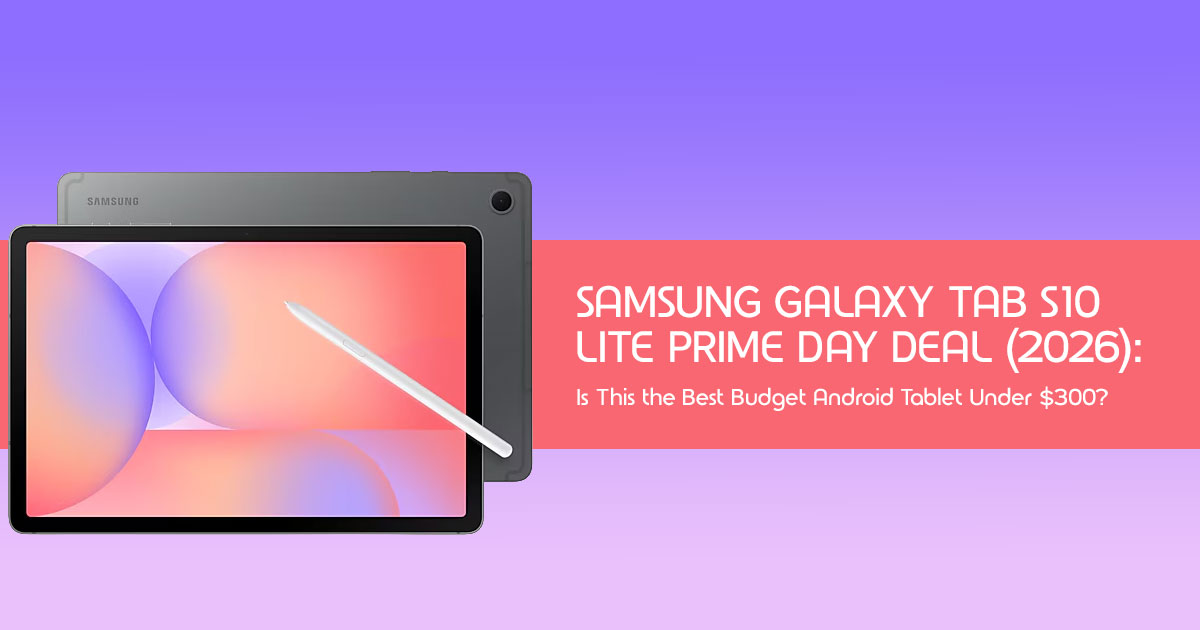
The Samsung Galaxy Tab S10 Lite has dropped to one of its lowest prices yet, making it far more appealing than its regular retail price suggests. For many buyers, this isn’t just another tablet on sale—it could be the point where premium features become affordable. An included S Pen, AI-powered productivity tools, a large display, and dependable battery life make it a strong option for work, study, entertainment, and everyday use without paying flagship prices.
But does this Prime Day tablet deal actually save you money in the long run? Is it the right choice for your needs, or would another tablet give you better value?
As technology experts with over 20 years of experience in hardware and application research and development, we analyze every product based on real-world performance, durability, software experience, repairability, and long-term value for money. Whether you’re a student, working professional, remote worker, parent, digital note-taker, casual gamer, traveler, creative user, or simply someone looking for the best budget tablet, the best Android tablet under $300, or a reliable Android tablet with stylus support, our recommendations are built on extensive research, component analysis, real-world usability, and industry expertise—not marketing claims.
In this guide, we’ll look beyond the discount itself. You’ll discover who should buy the Samsung Galaxy Tab S10 Lite, who should skip it, how it compares with competing tablets, the hidden strengths and compromises most reviews overlook, and whether this Prime Day offer is genuinely worth your money.
Quick Answer
If you’re looking for the best budget tablet during Amazon Prime Day, the Samsung Galaxy Tab S10 Lite is one of the strongest choices available. With prices dropping to around $237–$249, compared to its usual $400 MSRP, this deal offers exceptional value for anyone who wants a capable budget Android tablet without overspending.
Who Should Buy It?
The Samsung Galaxy Tab S10 Lite is an excellent choice for:
- Students looking for a tablet for college students, digital note-taking, and online learning.
- Professionals handling emails, video meetings, and everyday productivity.
- Digital note-takers who want the convenience of the included S Pen.
- Families looking for a shared tablet for learning and entertainment.
- Travelers who want a lightweight device for streaming, reading, and staying productive on the move.
- Anyone searching for the best value Android tablet for students and everyday users under a mid-range budget.
Who Should Skip It?
You may want to consider another tablet if you:
- Need professional-grade video editing or demanding creative workloads.
- Play graphics-intensive games at the highest settings.
- Prefer the richer contrast and deeper blacks of an AMOLED display.
- Need desktop-class performance for heavy multitasking or advanced professional software.
Biggest Advantage
The biggest reason to buy the Samsung Galaxy Tab S10 Lite is its outstanding price-to-performance ratio. At this Prime Day price, you get an included S Pen, dependable performance, expandable storage, and useful Galaxy AI features. Together, these make it one of the best budget tablets with S Pen currently available.
Biggest Limitation
While the tablet delivers excellent overall value, its LCD display cannot match the vibrant colors and deep contrast of Samsung’s premium AMOLED tablets. Likewise, its processor is designed for everyday productivity rather than high-end gaming or intensive content creation.
Overall Verdict
The Samsung Galaxy Tab S10 Lite Amazon Prime Day promotion is more than just a large discount—it significantly improves the tablet’s overall value. For most buyers, especially those focused on productivity, education, media consumption, and digital note-taking, this is one of the best tablet deals of Amazon Prime Day. If your goal is to get the maximum features for the lowest possible price, this is a deal that’s well worth considering before stock runs out.
1. Why This Prime Day Deal Stands Out
Prime Day isn’t just another sale. It’s one of the best opportunities each year to buy premium technology at significantly lower prices. With discounts approaching 40%, the Samsung Galaxy Tab S10 Lite stands out as one of the strongest Prime Day tablet deals this year.
1.1 Actual Savings That Matter
The Galaxy Tab S10 Lite launched with a retail price of around $399.99. During this Amazon Prime Day, however, it’s been spotted for as low as $237 to $249. That’s a saving of approximately $150 to $163, which is nearly half its original price. This isn’t just a small discount; it’s a substantial reduction that makes a real difference to your wallet.
1.2 Limited-Time Nature: Act Fast
Like all limited-time offers, this offer is fleeting. These are not permanent price drops but rather limited-time promotions designed to create urgency. If you’ve been eyeing a versatile tablet, procrastinating on this deal could mean missing out on significant savings.
1.3 Value Versus MSRP: A New Perspective
At its MSRP, the Galaxy Tab S10 Lite was a solid mid-range option. But at $237-$249, its value proposition skyrockets. Suddenly, you’re getting a tablet with a decent display, reliable performance, and the invaluable S Pen at a cost typically reserved for much less capable devices. This deal effectively re-positions the Tab S10 Lite in the market, making it competitive with, and often superior to, other tablets in the budget category.
1.4 The Included S Pen: A Game Changer
One of the most significant aspects of this deal is the included S Pen. Many competing tablets, even those at higher value, sell their stylus separately, adding another $50-$100 to the total cost. With the Tab S10 Lite, the S Pen is part of the package, immediately enhancing its utility for note-taking, drawing, and navigation without extra expense. This alone adds considerable value for students, artists, and professionals.
1.5 Why Nearly Half-Price Changes the Value Proposition
When a device drops to nearly half its original price, it fundamentally alters how we perceive its worth. What might have been considered a compromise at $400 (e.g., the LCD screen over AMOLED) becomes a minor trade-off at $237. This isn’t just another affordable tablet. At this price, it delivers features that are usually found on much more expensive devices.
2. At a Glance: Samsung Galaxy Tab S10 Lite
Before diving into the nuances, let’s look at the core specifications that define the Galaxy Tab S10 Lite. It’s crucial to understand what you’re getting under the hood to see why this current discount is so compelling.
- Display: 9-inch LCD with Vision Booster, 2304 x 1440 resolution, and up to 90Hz adaptive refresh rate.
- Processor: Exynos 1380 chipset, designed for reliable multitasking and everyday performance.
- Storage: Available in 128GB or 256GB options.
- Battery: 8,000 mAh battery with Super Fast Charging support. Samsung rates the battery for up to 16 hours of video playback under specific testing conditions. Actual battery life depends on screen brightness, apps, network connection, and how you use the tablet.
- S Pen: Included in the box, featuring low latency for natural writing and drawing.
- Software: Android with Samsung’s One Samsung is expected to provide multiple years of Android OS and security updates, although the exact update policy may vary depending on the model and region.
- AI Features: Depending on the software version and region, the Galaxy Tab S10 Lite may support selected Galaxy AI features such as Circle to Search, Handwriting Help, Math Solver, and Object Eraser. Available features may vary based on One UI updates and regional availability.
- Expandable Storage: Supports microSD cards up to 2TB, a feature increasingly rare in modern tablets.
3. Is This Deal Worth Buying?
The short answer is a resounding yes, but the true value depends on how you plan to use it. Let’s break down who benefits the most from this Prime Day tablet deal.
3.1 For Students
For students shopping on a budget, this is one of the best Android tablets currently available. The included S Pen makes digital note-taking a breeze, and the Math Solver can be a helpful study tool for students who regularly work through equations and calculations. The 10.9-inch screen is large enough for reading digital textbooks, and the expandable storage means you won’t run out of space for lectures and PDFs. At $237, it’s a fraction of the cost of an iPad Air, leaving more budget for textbooks.
3.2 For Professionals
If your work involves heavy video editing or complex 3D rendering, look elsewhere. However, for professionals needing a secondary device for emails, remote meetings, reviewing documents, and light multitasking, the Tab S10 Lite is excellent. The Exynos 1380 handles split-screen apps well, and compatibility with the Book Cover Keyboard (sold separately) turns it into a capable mobile workstation.
3.3 For Families
The Galaxy Tab S10 Lite is a fantastic family tablet. It’s durable enough for everyday use, and the 8,000 mAh battery ensures it survives long car rides or back-to-back movie sessions. The price makes it less stressful to hand over to kids compared to a $800 flagship device.
3.4 For Travelers
Weighing around 1.15 pounds and measuring just 0.26 inches thick, it’s highly portable. Whether you’re downloading Netflix shows for a flight or using it to navigate a new city, the long battery life and lightweight design make it an ideal travel companion.
3.5 For Entertainment Lovers
While it lacks an OLED screen, the 10.9-inch LCD with Vision Booster still delivers vibrant colors and crisp details for streaming YouTube or Netflix. The 90Hz refresh rate makes scrolling through social media feel smooth. It’s a solid media consumption device, especially given the price.
3.6 For Digital Note-Taking
This is where the Tab S10 Lite truly shines. Samsung’s S Pen technology is industry-leading, and getting it included at this price is a steal. Combined with Samsung Notes and Handwriting Help, it becomes an excellent choice for anyone who prefers digital planning, handwritten notes, and better organization.
4. Real-World Scenarios
Specs only tell half the story. Here is how the Galaxy Tab S10 Lite performs in everyday situations.
4.1 College Lectures
Imagine sitting in a crowded lecture hall. You pull out the Tab S10 Lite, open Samsung Notes, and start writing with the S Pen. The tablet easily lasts through a full day of classes without needing a charge. You can split the screen to have your textbook open on one side and your notes on the other.
4.2 Remote Meetings
You’re working from a coffee shop. The front-facing camera is clear enough for Zoom or Teams calls. You can use the S Pen to quickly jot down action items or sketch out a quick diagram to share with your team.
4.3 Digital Planner Replacement
Ditch the bulky paper planner. The Tab S10 Lite is the perfect size to act as a digital bullet journal. The tactile feel of the S Pen on the screen is satisfying, and you can easily organize your life, set reminders, and sync everything across your Galaxy devices.
4.4 Reading Ebooks
The Vision Booster technology and blue light reduction make reading on the Tab S10 Lite comfortable, even for extended periods. It’s lighter than a hardback book and can hold thousands of titles.
4.5 Watching Netflix During Travel
With up to 16 hours of video playback, the long battery life makes it a practical companion for long flights and road trips. Download your favorite shows to a microSD card, and you’re set for the entire journey without worrying about Wi-Fi.
4.6 Drawing and Sketching
While professional artists might prefer the larger Tab S10 Ultra, the Tab S10 Lite is fantastic for hobbyists and beginners. The S Pen is responsive, and apps like Clip Studio Paint run smoothly for casual sketching and digital art.
4.7 Home Office Productivity
Paired with a Bluetooth mouse and the Book Cover Keyboard, the Tab S10 Lite serves as a great secondary screen or a dedicated device for managing emails and calendars, freeing up your main PC for heavier tasks.
5. How Much Money Are You Really Saving?
Let’s talk numbers. The Amazon Prime Day promotion isn’t just a catchy headline; it translates into tangible savings that make the Galaxy Tab S10 Lite an incredibly smart purchase.
| Metric | Details |
| MSRP | $399.99 |
| Current Discount Price | $237–$249 |
| Actual Savings | $150–$163 |
| Percentage Saved | Approximately 38%–41% |
| Estimated Cost per Month (Over 3 Years) | Approximately $6.58/month (based on a $237 purchase price, excluding accessories, taxes, and optional warranties) |
This breakdown clearly illustrates the significant financial benefit of purchasing the Galaxy Tab S10 Lite during this Prime Day event. For less than the cost of a couple of coffees a month, you’re getting a versatile and capable tablet for the next three years.
Should You Buy the Samsung Galaxy Tab S10 Lite Today or Wait?
If you’re considering the Samsung Galaxy Tab S10 Lite, this sale price is one of the best times to buy. Discounts close to 40% are uncommon outside major shopping events, and bundled offers often add even more value.
Waiting could save a little more during Black Friday, but there’s no guarantee the same price or stock will be available. If this tablet already meets your needs for work, study, entertainment, or note-taking, today’s price represents excellent value.
Buy now if:
- You need a new tablet within the next few weeks.
- You want the included S Pen.
- The current price fits your budget.
Wait if:
- You aren’t planning to buy until later in the year.
- You’re hoping for a bundle with accessories.
- You’re comparing several premium tablets before making a decision.
6. Samsung Galaxy Tab S10 Lite vs. the Competition
In the crowded tablet market, the Galaxy Tab S10 Lite isn’t alone. It faces stiff competition from various brands, each with its own strengths and weaknesses. Here’s how it stacks up against some key rivals, helping you understand where the Prime Day deal truly positions it.
| Feature | Samsung Galaxy Tab S10 Lite | iPad Air (M4, 2026) | Samsung Galaxy Tab S10 FE | OnePlus Pad | Lenovo Tab Plus |
| Prime Day Price (Approx.) | $237–$249 | Starting at $599 | Starting at $469.99 | Starting at $479.99 | Starting at $259.99 |
| Display | 10.9-inch LCD, 90Hz | 11-inch Liquid Retina, 120Hz | 10.9-inch LCD, 90Hz | 11.61-inch LCD, 144Hz | 12.1-inch 2.5K LCD, 90Hz |
| Processor | Exynos 1380 | Apple M4 | Exynos 1380 | MediaTek Dimensity 9000 | MediaTek Helio G99 |
| RAM | 6GB / 8GB | 8GB / 16GB | 6GB / 8GB | 8GB / 12GB | 8GB |
| Storage | 128GB / 256GB (microSD up to 2TB) | 128GB / 256GB / 512GB / 1TB | 128GB / 256GB (microSD up to 1TB) | 128GB / 256GB | 128GB / 256GB (microSD up to 1TB) |
| S Pen / Stylus | Included S Pen | Apple Pencil Pro (sold separately) | Included S Pen | OnePlus Stylo (sold separately) | Lenovo Tab Pen Plus (sold separately) |
| Battery | 8,000mAh (Samsung rates up to 16 hours of video playback) | Up to 10 hours of video playback | 8,000mAh (up to 18 hours of video playback) | 9,510mAh (up to 12.4 hours of video playback) | 8,600mAh (up to 12 hours of video playback) |
| AI Features | Selected Galaxy AI features (availability varies by region and software version) | Apple Intelligence | Basic AI features | Limited AI features | Lenovo AI Notes, Smart Connect |
| Key Differentiator | Best value with an included S Pen and Galaxy AI features at a budget price | Industry-leading performance and premium Apple ecosystem | Very similar experience to the S10 Lite, but typically costs more | Excellent 144Hz display and strong overall performance | Large display, powerful speakers, and affordable pricing |
6.1 vs. iPad Air (M4, 2026)
The iPad Air M4 is in a different league, offering significantly more raw power with its M4 chip and a more refined software ecosystem. However, it comes at a much higher asking price, and the Apple Pencil Pro is an additional cost. The Tab S10 Lite is for those who need functionality and value, not cutting-edge performance for demanding creative tasks.
6.2 vs. Samsung Galaxy Tab S10 FE
The Galaxy Tab S10 FE is a close cousin, often sharing similar specs and the Exynos 1380 processor. The main differences often come down to subtle display variations, build materials, and pricing. During Prime Day, the S10 Lite often presents a better deal, especially if the FE model isn’t discounted as aggressively.
6.3 vs. OnePlus Pad
The OnePlus Pad stands out with its 144Hz display and a powerful MediaTek Dimensity 9000 processor, offering a smoother visual experience and strong performance for its price. However, its stylus is sold separately, and its software ecosystem isn’t as mature as Samsung’s. The Tab S10 Lite offers a more integrated experience with the S Pen included.
6.4 vs. Lenovo Tab Plus
The Lenovo Tab Plus is another strong contender in the budget tablet space, often boasting a larger display and impressive audio. It’s a good option for media consumption and casual use. However, the Tab S10 Lite pulls ahead with its included S Pen and access to selected Galaxy AI features, depending on the software version and region, making it a more versatile tool for productivity and creativity.
7. Decision Matrix: Finding Your Perfect Tablet Match
Choosing the right tablet can feel overwhelming with so many options. To simplify your decision, we’ve created a quick decision matrix based on common user needs. This helps highlight where the Samsung Galaxy Tab S10 Lite truly excels, especially with the Prime Day deal.
| Best For | Samsung Galaxy Tab S10 Lite | iPad Air (M4) | Samsung Galaxy Tab S10 FE | OnePlus Pad | Lenovo Tab Plus |
| Students | ✔ Excellent (Outstanding value, S Pen included, AI note-taking features) | ✔ Premium performance, but significantly more expensive | ✔ Good option, though often priced higher | ✖ Stylus sold separately with a smaller productivity ecosystem | ✖ Stylus sold separately and fewer AI-focused features |
| Artists | ✔ Good (Included S Pen is great for sketching and casual illustration) | ✔✔ Professional-grade creative experience | ✔ Solid drawing experience with S Pen support | ✖ Stylus sold separately with fewer creative apps | ✖ Not designed primarily for digital art |
| Office Work | ✔ Excellent (Multitasking, Samsung DeX support, AI productivity tools) | ✔✔ Extremely powerful, though more than many users require | ✔ Strong productivity performance | ✔ Good performance, but accessories cost extra | ✔ Suitable for everyday office tasks |
| Best Value | ✔✔ Best Overall (Outstanding Prime Day value) | ✖ Premium pricing | ✔ Good value when discounted | ✔ Competitive value, though accessories increase total cost | ✔ Affordable budget alternative |
| Media Consumption | ✔ Smooth 90Hz LCD display for movies and streaming | ✔✔ Excellent display quality and premium speakers | ✔ Good LCD display | ✔✔ 144Hz display offers an immersive viewing experience | ✔✔ Large display paired with impressive speakers |
| AI Features | ✔✔ Selected Galaxy AI features (availability varies by region and software version) | ✔✔ Apple Intelligence support (compatible regions and devices) | ✔ Basic AI features | ✖ Limited built-in AI capabilities | ✔ Lenovo AI Notes and productivity tools |
8. Hidden Features Most Buyers Overlook
The Samsung Galaxy Tab S10 Lite isn’t just about its core specs; it packs several thoughtful features that often go unnoticed but significantly enhance the user experience. These are the details that elevate it beyond a generic budget tablet.
8.1 S Pen Shortcuts: More Than Just a Stylus
The S Pen isn’t just for writing; it’s a productivity powerhouse. Many users overlook its customizable shortcuts. You can program the S Pen button to launch specific apps, take quick notes, or even capture screenshots with a single click. This transforms it into a remote control and a quick access tool, streamlining your workflow.
8.2 Samsung Notes: A Digital Powerhouse
Beyond basic note-taking, Samsung Notes is a surprisingly robust application. It allows for PDF annotation, voice recordings synced with your notes, and even converting handwritten notes to text. With the Handwriting Help feature, your scribbles can look polished and professional, making it an invaluable tool for students and professionals alike.
8.3 Split Screen: True Multitasking
While many tablets offer split-screen, the Tab S10 Lite with its Exynos 1380 chipset handles it remarkably well. You can run two apps side-by-side without significant lag, making it perfect for researching while writing, or watching a tutorial while practicing a skill. This isn’t just a gimmick; it’s a genuine productivity booster.
8.4 Samsung DeX Compatibility: Desktop Experience on the Go
For those who need a more desktop-like experience, the Galaxy Tab S10 Lite supports Samsung DeX. While it requires a compatible keyboard cover (sold separately), DeX transforms the tablet’s interface into a multi-window desktop environment. This is a game-changer for light office work, allowing you to manage files, browse the web, and use productivity apps with a familiar PC layout.
8.5 Circle to Search: Instant Information
One of the standout AI features is Circle to Search with Google. Simply circle an object, text, or image on your screen with your S Pen or finger, and the tablet instantly performs a Google search for it. This is incredibly useful for quick research, identifying products, or getting more information about something you see on screen without leaving your current app.
8.6 AI Productivity Tools: Smart Assistance
Beyond Circle to Search, the Samsung Galaxy Tab S10 Lite may also support selected Galaxy AI features, depending on the software version and region. Features such as Handwriting Help, Math Solver, and Object Eraser can make everyday tasks easier for supported devices and software versions. These aren’t just flashy additions; they genuinely save time and effort.
9. Things to Know Before Buying
Even with a fantastic Prime Day deal, it’s essential to go into any purchase with open eyes. The Samsung Galaxy Tab S10 Lite is a great device, but understanding its limitations and key considerations will ensure it meets your expectations.
9.1 LCD vs. AMOLED: A Visual Distinction
The Tab S10 Lite features a 10.9-inch LCD display. While it’s a good quality LCD with decent brightness and color reproduction, it’s not an AMOLED panel. This means you won’t get the perfect blacks, infinite contrast, or the vibrant, punchy colors that Samsung’s flagship tablets (or some competitors) offer. For most users, especially at this price point, the LCD is perfectly adequate, but if you’re a visual purist, this is a distinction worth noting.
9.2 Gaming Expectations: Casual vs. Hardcore
The Exynos 1380 chipset is capable, handling most casual games and many graphically less intensive titles with ease. However, if you’re a hardcore gamer looking to play the latest, most demanding mobile games at maximum settings, you might find the Tab S10 Lite struggles. Expect smooth performance for titles like Clash Royale or Among Us, but don’t anticipate a console-like experience with Genshin Impact on ultra settings.
9.3 Keyboard Sold Separately: Factor in the Cost
While the S Pen is included, the Book Cover Keyboard is not. If you plan to use the Tab S10 Lite as a laptop replacement or for extensive typing, you’ll need to factor in the additional cost of a keyboard accessory. There are official Samsung options and third-party alternatives, so shop around.
9.4 Charger Considerations: Not Always in the Box
Box contents can vary by country and retailer. Some versions include only a USB-C cable, while others may include a charger. Check the product listing before placing your order. To take advantage of its Super Fast Charging capabilities, you’ll need a compatible 45W charger, which is usually sold separately. Make sure you have one, or budget for its purchase.
9.5 Storage Planning: 128GB or 256GB?
The Tab S10 Lite comes in 128GB and 256GB variants. While it offers expandable storage via microSD, it’s always wise to consider your initial storage needs. If you plan to download many large apps, games, or store high-resolution media, opting for the 256GB model might save you the hassle of managing storage later. Remember, the operating system and pre-installed apps take up a portion of that space.
9.6 Wi-Fi Only vs. LTE Availability: Connectivity on the Go
The Prime Day deal often focuses on the Wi-Fi-only model. If you need constant internet access on the go without relying on phone tethering, you’ll want to check for an LTE-enabled version. These typically cost more and might not be part of the most aggressive discounts. Assess your connectivity needs before committing.
10. Who Should Avoid This Tablet?
While the Samsung Galaxy Tab S10 Lite offers incredible value, especially during Prime Day, it’s not a one-size-fits-all solution. Certain users with specific needs might find it falls short. It’s important to be realistic about what this budget-friendly tablet can and cannot do.
10.1 Professional Video Editors
If your daily workflow involves editing 4K video, complex timelines, or rendering intricate visual effects, the Tab S10 Lite is simply not powerful enough. Its Exynos 1380 chipset is designed for general productivity and media consumption, not demanding creative applications that require a desktop-class processor and ample RAM. You’ll experience frustrating lag and slow render times.
10.2 Hardcore Gamers
For those who live and breathe high-fidelity mobile gaming, pushing titles like Genshin Impact, Call of Duty Mobile, or Fortnite to their graphical limits, the Tab S10 Lite will
disappoint. While it can handle many games, it’s not built for sustained, graphically intensive gaming sessions. Frame rates will drop, and visual settings will need to be significantly reduced for a playable experience.
10.3 Users Needing OLED
If you’re accustomed to the deep blacks, vibrant colors, and infinite contrast ratios of an AMOLED display, the Tab S10 Lite’s LCD panel will feel like a downgrade. While its LCD is good, it simply cannot replicate the visual richness that OLED technology offers. For media purists or those who prioritize display quality above all else, this could be a deal-breaker.
10.4 Heavy Multitaskers
While the Tab S10 Lite handles split-screen multitasking adequately for two apps, pushing it beyond that with multiple demanding applications open simultaneously will test its limits. If your workflow involves constantly switching between several heavy apps, running virtual machines, or managing complex projects with numerous browser tabs, you’ll likely encounter slowdowns. A tablet with a more powerful processor and more RAM, like an iPad Air M4 or a high-end Galaxy Tab S series, would be a better fit.
10.5 Those Needing Desktop-Class Performance
Despite its DeX compatibility, the Tab S10 Lite is still fundamentally an Android tablet. It cannot fully replace a laptop or desktop computer for tasks that require full-fledged desktop operating systems, specialized software, or significant computational power. If you need to run professional-grade software or perform intensive computing tasks, this tablet should be seen as a companion device, not a primary workstation.
11. Frequently Asked Questions
We know you have questions, and we’ve compiled some of the most common ones to help you make an informed decision about the Samsung Galaxy Tab S10 Lite during this Prime Day event.
Is Galaxy Tab S10 Lite worth buying during Prime Day?
Absolutely. At its Prime Day discounted price (typically $237-$249), the Galaxy Tab S10 Lite offers exceptional value for its features, including the included S Pen, robust AI capabilities, and solid performance for everyday tasks. It’s a strong contender for the best budget tablet.
Is this cheaper than Black Friday?
While it’s hard to predict future sales with certainty, the Amazon Prime Day deal for the Galaxy Tab S10 Lite is one of the most aggressive we’ve seen, often bringing the price to nearly half its MSRP. It’s competitive with, and in some cases even better than, previous Black Friday pricing for similar models.
Does it include the S Pen?
Yes, one of the significant advantages of the Samsung Galaxy Tab S10 Lite is that the S Pen is included in the box, unlike many competing tablets where it’s a separate purchase. This immediately adds value for note-taking, drawing, and navigation.
Is it good for college students?
Yes, it’s an excellent choice for college students. The included S Pen is perfect for digital note-taking, the screen is great for reading, and the expandable storage allows for plenty of space for academic materials. Its affordability during Prime Day makes it even more appealing for student budgets.
Is it good for drawing?
For casual artists, hobbyists, and digital sketchers, the Tab S10 Lite is quite good for drawing, thanks to the responsive included S Pen and compatibility with various art apps. Professional artists might prefer tablets with AMOLED screens or more powerful processors, but for its price, it offers a solid drawing experience.
Is 128GB enough?
For many users, 128GB is sufficient, especially since the Tab S10 Lite offers expandable storage via microSD card (up to 2TB). If you plan to store a lot of large apps, games, or media files, consider the 256GB model or budget for a microSD card.
Can you expand storage?
Yes, a major advantage of the Samsung Galaxy Tab S10 Lite is its microSD card slot, allowing you to expand storage by up to 2TB. This is a flexible and cost-effective way to ensure you never run out of space.
Is It Better Than Waiting for Black Friday?
For most buyers, Amazon Prime Day is one of the best opportunities to buy the Samsung Galaxy Tab S10 Lite. While Black Friday may offer similar discounts, there’s no guarantee the same model will be available at a lower price. If the current deal fits your budget and the tablet meets your needs, there’s little reason to wait.
Is the Samsung Galaxy Tab S10 Lite Good for Everyday Use?
Yes. The Samsung Galaxy Tab S10 Lite is well suited for everyday tasks like web browsing, streaming, reading, video calls, note-taking, email, social media, and light productivity. For most users, it offers more than enough performance without paying flagship prices.
14. Final Buying Verdict
After thoroughly examining the Samsung Galaxy Tab S10 Lite and its incredible Prime Day deal, our verdict is clear. This tablet, at its discounted price, is a standout option for a significant portion of the market. It’s a testament to how a well-timed sale can transform a good product into an exceptional value.
Buy Immediately If:
- You need a tablet under a tight budget that doesn’t compromise on core functionality.
- You want an included stylus for note-taking, drawing, or precise navigation without extra cost.
- You prioritize media consumption, reading, everyday productivity, and casual creativity.
- You appreciate robust AI features like Circle to Search and Handwriting Help.
- You value expandable storage and long-term software support.
Consider Alternatives If:
- You need OLED visuals with perfect blacks and infinite contrast.
- You want flagship gaming performance for the most demanding titles.
- You require desktop-class power for professional video editing or heavy multitasking.
- You are deeply embedded in the Apple ecosystem and prefer iPadOS.
Conclusion
The Samsung Galaxy Tab S10 Lite Prime Day deal isn’t just a discount; it’s an opportunity to acquire a highly capable and versatile tablet at a price point that redefines its market position. For students, professionals, casual users, and anyone looking for a reliable productivity device, the Samsung Galaxy Tab S10 Lite is one of the strongest Samsung tablet deals available during Prime Day. It offers an excellent balance of features, performance, and long-term value without stretching your budget.
Ready to experience the Samsung Galaxy Tab S10 Lite for yourself? Don’t miss out on this limited-time Prime Day offer!
Prime Day discounts often change quickly, and popular models can sell out sooner than expected. If this deal matches your budget, check the latest price on Amazon Worldwide or Amazon India before the offer ends.
We invite you, our readers, to share your experiences with the Galaxy Tab S10 Lite in the comments below. Do you have questions about its performance, features, or how it compares to other tablets? Ask away! Our community is here to help, and we’re always happy to provide online assistance to ensure you make the best decision.
***Disclaimer***
This blog post reflects our research, analysis, and opinions based on available product information, user feedback, and industry knowledge. It should not be taken as the official position of any brand, manufacturer, or company mentioned here. While we aim to keep information accurate and up to date, product details, pricing, and availability can change. We recommend double-checking important details before making a purchase.
Some links in this article may be affiliate links. If you choose to buy through these links, we may earn a small commission at no extra cost to you. This helps support our work and allows us to keep publishing in-depth, unbiased reviews. Our recommendations are never influenced by affiliate partnerships.
Comments shared by readers reflect their own views and not ours. We are not responsible for outcomes resulting from the use of information on this site. Please seek professional advice where appropriate.
All product names, logos, and brands mentioned are the property of their respective owners. These names are used for identification and informational purposes only and do not imply endorsement.
